15 free customer feedback form examples
- General product or service feedback form
- Post-purchase survey
- Customer service feedback form
- Website feedback form
- NPS survey
- Event feedback form
- Onboarding feedback form
- Restaurant feedback form
- Healthcare patient satisfaction survey
- Employee feedback form
- Product feedback form
- App or software usability feedback form
- Anonymous feedback form
- Training or course feedback form
- Peer or 360-degree feedback form
Getting customer feedback is essential to any organization’s success. Businesses that collect customer feedback are better positioned to improve their products, reduce churn, and increase satisfaction. But the real challenge is figuring out how to create a customer feedback form, what to ask, and which format will encourage customers to respond.
Before you begin collecting feedback, you’ll want to figure out where to host it. Form builders such as Typeform or Google Forms provide static template files you can download and set up yourself. Another option is Jotform, which provides free customer feedback form templates that are live, interactive, and ready to go the moment you open them. Just pick one, customize it, and start collecting responses.
Once you’ve chosen a platform, you need to decide what to ask your respondents. A vague survey with the wrong feedback questions won’t yield anything useful. And when a form is too long, your customers might abandon it altogether. This guide includes 15 feedback form examples, each with recommended feedback form questions you can include as you create your form.
What is a customer feedback form?
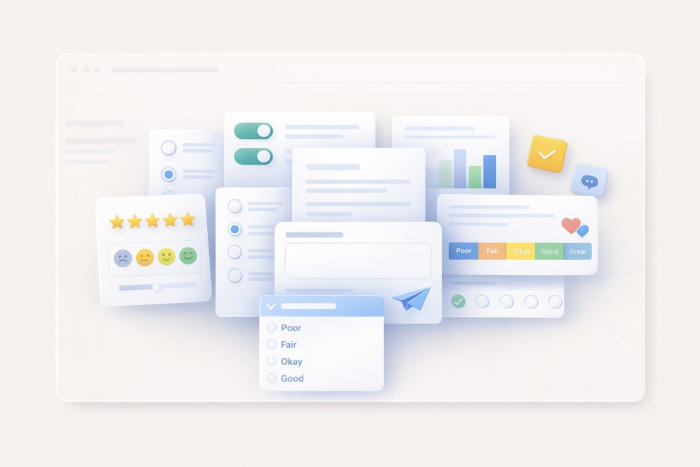
Offering a customer feedback form is a structured way for businesses to collect opinions, ratings, and suggestions from customers about their products, services, or experiences. The forms that tend to work best combine a few core components:
- Satisfaction ratings (such as a 1-to-5 scale)
- Open-ended questions that let customers explain their experience
- Net Promoter Score (NPS) fields
- Optional contact information for follow-up
The goal is to create a customer feedback loop that turns raw input into actionable improvements. A well-structured feedback form helps you identify what’s working, flag what isn’t, and prioritize changes based on patterns rather than assumptions.
What makes a good customer feedback form?
The most effective customer satisfaction forms follow a consistent structure that requests customer information, a satisfaction rating, a specific interaction rating, and an NPS, and it includes an open-ended question. That framework gives you both context about the customer and measurable data.
Here are a few tips that can also improve the odds that customers will complete your forms:
- Keep it short: Stick with 5–10 questions; anything longer, and completion rates drop.
- Mix your question types: Combine rating scales with open-ended fields so you get numbers you can track and details you can act on.
- Ask actionable questions: Focus on what your team can improve.
- Create mobile forms: Many customers will want to open your form on their phones.
- Match the visual design to your brand: A form that looks like it belongs on your site builds trust and increases response rates.
Customer feedback form types at a glance
Before getting into our full list of customer feedback form samples, here’s a quick reference table to help you identify which type of customer feedback questions your form needs:
| Form type | Best for | Key questions | Ideal channel |
|---|---|---|---|
|
General product/service feedback |
Overall satisfaction check |
Feedback type, open-ended description |
Email, website |
|
Post-purchase survey |
E-commerce and retail |
Purchase satisfaction, NPS |
Post-checkout email |
|
Customer service feedback |
Support teams |
Agent friendliness, knowledge, quickness |
Post-ticket email |
|
Website feedback |
User experience (UX) and product teams |
Navigation ease, likes/dislikes |
Website widget |
|
NPS survey |
Brand loyalty tracking |
Likeliness to recommend (1–10) |
Email, in-app |
|
Event feedback |
Events and webinars |
Speaker ratings, value for money |
Post-event email |
|
Onboarding feedback |
HR and people teams |
Training quality, process improvements |
|
|
Restaurant feedback |
Hospitality |
Food quality, service speed, cleanliness |
In-store, email |
|
Patient satisfaction survey |
Healthcare |
Wait times, staff professionalism, care quality |
Post-visit email |
|
Employee feedback |
Internal HR |
Culture, job clarity, reward preferences |
Internal email |
|
Product feedback |
Product teams |
Quality, price, effectiveness, durability |
Email, in-app |
|
App/software usability feedback |
Development and product teams |
Ease of use, bugs, feature requests |
In-app |
|
Anonymous feedback |
Sensitive topics |
Experience rating, likes/dislikes |
Email, website |
|
Training/course feedback |
L&D teams |
Presenter quality, venue, overall satisfaction |
Post-training email |
|
Peer/360-degree feedback |
Performance reviews |
Character, interpersonal skills, leadership |
Internal email |
15 free customer feedback form examples
1. General product or service feedback form
The most common customer satisfaction form is an all-purpose form, useful for when you want a broad understanding of how customers feel about your product or service. It lets respondents choose whether they want to leave a comment, make a suggestion, or ask a question in their own words. Because it’s lightweight and open-ended, it works well as a recurring check-in or as an embedded form that’s always available on your website.
Key questions
- Would you like to leave a comment, suggestion, or question?
- How would you describe your experience?
- How can we reach you to follow up?
Pro Tip
Add a conditional follow-up question based on the type of feedback. For example, if someone selects “suggestion,” prompt them to specify which product or feature they are referring to. This gives your team something to act on, rather than a rating or a multiple-choice answer.
2. Post-purchase survey
A post-purchase feedback form captures how customers feel right after buying. It asks about satisfaction, what influenced their decision, and whether they’d recommend your product. That combination helps e-commerce and retail teams connect marketing performance with customer experience. It can also include an order number field, which makes it easy to tie feedback to specific transactions.
Key questions
- How satisfied are you with your purchase overall?
- What influenced your decision to buy (price, features, reviews, brand reputation)?
- On a scale of 1–5, how would you rate the overall shopping experience?
- Would you recommend our product to others?
Pro Tip
Send this within 24 to 48 hours of delivery while the experience is still fresh. The longer you wait, the lower your response rate and the less specific the feedback.
3. Customer service feedback form
A customer service feedback form helps support teams get a clearer picture of how customers experienced a specific interaction. Instead of a single satisfaction score, it uses a matrix rating to score a representative’s friendliness, knowledge, and speed. The form can also collect the date, type of service, and representative’s name, so managers gain insight into the areas where their team may need more support or better training.
Key questions
- How would you rate the representative’s friendliness, knowledge, and speed?
- What prompted you to reach out to us, and were we able to fully resolve your inquiry?
- If not, how can we improve our customer service?
Pro Tip
Tie this form to ticket closures in your help desk tool, such as Zendesk or Freshdesk, using Jotform’s native integrations. That way, feedback requests are sent automatically, and every closed ticket has a satisfaction score attached.
4. Website feedback form
A website feedback form is an in-depth survey that helps UX and product teams understand how visitors experience their site. It covers demographics, satisfaction, visitors’ likes and dislikes, and what motivates them to buy. Because it’s comprehensive, it’s best suited for periodic research, such as a quarterly analysis.
Key questions
- How easy is it to navigate our website?
- Which aspects of our website do you like? What do you dislike?
- How satisfied are you with the overall site experience?
- How likely are you to recommend our site to others?
Pro Tip
Pair a website feedback form template with a shorter website widget to collect voluntary, everyday feedback. Use the detailed version quarterly to dig into trends and the short version to capture issues in real time.
5. NPS survey
NPS surveys measure one thing well: whether your customers would recommend you. But they can go beyond the standard 1-to-10 scale by capturing retention signals, such as whether the customer would buy again, how satisfied they are with your customer support, and how likely they are to keep using your product. So instead of just finding out who your promoters are, you can also understand what’s driving their loyalty or what’s pushing non-promoters away.
Key questions
- How likely are you to recommend our product to a friend on a scale of 1–10?
- What’s the primary reason you gave this score?
- Would you buy our product again?
- How satisfied are you with our support or communication?
- How easy is it to use our product/service?
Pro Tip
When using an NPS survey template, always follow the 1–10 rating with a single open-ended “Why?” question. The score tells you where you stand, but the written response tells you what to do about it.
6. Event feedback form
If you’re running events or webinars, event feedback forms help you figure out what worked and what didn’t, ranging from the overall experience to individual presenters. This form lets customers rate each speaker on how entertaining, relevant, and inspiring they were; evaluate the venue; and rank food quality, and it can ask whether attendees felt the event was worth the cost. That level of detail makes it easier to improve your next event.
Key questions
- How entertaining was the event overall on a scale of 1–10?
- Were the presenters interesting, relevant, and inspiring?
- Did the event provide enough value?
- Would you recommend a similar event to a friend?
- If you were running the event, what would you have done differently?
Pro Tip
Include a question about which session or speaker stood out the most. Event evaluation data is useful in deciding who to bring back and which topics captivated your audience.
7. Onboarding feedback form
First impressions shape retention, and onboarding is often the first experience a new hire has. This form helps HR teams understand whether new employees feel prepared, supported, and properly trained during their first weeks. Employees rate how informative and helpful the process was, and they can share suggestions. This combination helps management identify patterns by department or time period so the onboarding process can improve.
Key questions
- How would you rate the overall onboarding process?
- On a scale of 1–10, how informative and helpful was the onboarding process?
- On a scale of 1–10, did you receive sufficient training and resources to perform your job effectively?
- Which aspects of onboarding did you find most valuable?
- Which areas could be improved?
Pro Tip
Send this form to new employees at the seven-day and 30-day marks. The first records first impressions, and the second tells you whether the training stuck once the new hire started doing the work.
8. Restaurant feedback form
A restaurant’s success depends heavily on getting customers to return. This form helps you understand what brings guests back and what turns them away. It breaks the dining experience into specific categories, allowing managers to identify exactly what needs improvement. It also logs the location, date, and time of the guest’s visit, as well as whether they dined in or ordered takeout, so you can tie feedback to specific shifts and staff.
Key questions
- How would you rate the food quality? Excellent, good, average, or unsatisfactory?
- How would you rate cleanliness, order accuracy, and speed of service?
- Did the meal provide good value?
- Which location did you visit, and did you dine in or order takeout?
Pro Tip
Add a photo upload field. While written feedback about a dish is useful, visual feedback on food or ambience is highly actionable for hospitality teams.
9. Healthcare patient satisfaction survey
Patient satisfaction directly affects retention, referrals, and online reviews. These are all things that keep a healthcare facility running. Healthcare forms cover the full patient journey, from booking and check-in to wait times, staff professionalism, doctor care, and interdepartmental coordination. They also ask whether the patient has insurance and how often they visit, which helps administrators segment feedback by patient type and identify where the experience breaks down for different groups.
Key questions
- On a scale of 1–10, how satisfied were you with the booking process?
- How long did you wait past your appointment time?
- How would you rate the staff’s professionalism and hygiene, as well as the care provided by the doctor?
- On a scale of 1–10, how likely are you to recommend our facility to friends or family?
Pro Tip
Keep the language plain and jargon-free so patients can understand each question and complete the form quickly. Offering an anonymous submission option also goes a long way toward getting honest responses.
10. Employee feedback form
Your employees can see problems that leadership doesn’t. This form gives them a way to share what’s working, what isn’t, and what they’d change about the work environment. It goes beyond a typical engagement survey by asking about job clarity, reward preferences, and workplace culture. This type of form also collects department and supervisor information, so HR teams can tell whether an issue is company-wide or isolated to a specific team.
Key questions
- Do you have suggestions for making the work environment more fun?
- Is there a work style or culture you don’t like within the company?
- If it were up to you, what would you like to change about the workplace culture, environment, or policy?
- How would you like to be rewarded for a job well done?
Pro Tip
Use conditional logic to route responses by department. Marketing and engineering teams each have different day-to-day experiences, so tailoring follow-up questions by department gives you more relevant, specific feedback.
11. Product feedback form
Product surveys are for product teams that want to understand the customer’s experience long after purchase. It goes beyond a simple satisfaction check by asking how long a customer has been using the product, how their first impression compared to ongoing use, and whether they would buy it again. It also rates the product on quality, price, effectiveness, usefulness, innovation, and durability, providing a clear view of where the product excels and where it needs attention.
Key questions
- How satisfied were you when you first used the product?
- How long have you been using it?
- Will you purchase or use our products again?
Pro Tip
Use a priority matrix question such as “Which of these features matters most to you?” to help your product team triage road map decisions. Knowing that customers care more about durability than innovation, for example, changes how you allocate development resources.
12. App or software usability feedback form
If you’re building an app, especially one still in beta, this form helps you see how users experience it. The form covers ease of use, bugs they ran into, hesitations about adopting the product, and which features they’d like before committing to it long term. The form also collects device information and usage frequency. This gives your product team context to prioritize fixes and feature requests.
Key questions
- On a scale of 1–10, how easy was it to use the app?
- Did you experience any issues while using it, such as crashes, bugs, or difficulty navigating?
- Do you have any hesitations about using the app?
- What would the app need for you to use it consistently?
- On a scale of 1–10, how likely are you to recommend the app to a friend or colleague?
Pro Tip
Ask users to rate specific tasks, such as “How easy was it to complete a purchase?,” rather than asking them to rate the product overall. Task-level feedback gives your development team something concrete to improve, while general satisfaction scores just tell you there’s a problem.
13. Anonymous feedback form
Sometimes the most useful feedback is shared anonymously. This form doesn’t collect any identifying information, just quick, honest input covering overall experience, enjoyment, and likelihood to return on a simple 1–5 scale. It can also ask what respondents liked most or least.
Key questions
- How would you rate your overall experience? (1–5 stars)
- How satisfied were you? (1–5 scale)
- How likely are you to recommend us to others?
- What did you like most? What did you like least?
Pro Tip
Tell respondents explicitly in the intro that the form is anonymous. Stating it up front increases completion rates and honesty.
14. Training or course feedback form
Running a training session takes time and resources. It’s worth knowing whether attendees actually got something out of it. This form covers the full experience, from overall satisfaction and presenter quality to the venue, registration process, food, and accommodations. It also asks whether the attendee has taken the training before and why they signed up. That helps L&D teams get a better sense of who’s showing up and what they’re hoping to walk away with.
Key questions
- Overall, how satisfied were you with this training?
- What are your reasons for attending this training?
- How satisfied were you with the venue, presenters, registration, and accommodations?
- Have you attended this training before?
Pro Tip
The question “Would you recommend this training to others?” works as a built-in NPS signal. Track it over time, and you’ll have a simple benchmark for whether your training quality is improving.
15. Peer or 360-degree feedback form
Performance reviews are more useful when they include perspectives beyond just the manager’s. This form can collect feedback from peers, direct reports, and supervisors on interpersonal skills, talent development, and leadership/motivation. Each section uses a detailed agree/disagree matrix with optional open-ended comments. That means reviewers can rate specific behaviors and add context where it’s needed. This form can also ask the reviewer to identify their relationship to the person being reviewed, so HR teams can compare feedback by source.
Key questions
- What is your relationship to the person you’re reviewing?
- Does this person pursue new knowledge, know their strengths, and stay open to feedback?
- Do they resolve conflicts, listen effectively, and encourage open dialogue?
- Do they give fair feedback, provide mentorship, and keep challenging their team?
Pro Tip
Use a rating scale alongside open-ended questions. Having only open-ended forms makes it harder to analyze them at scale.
Build your customer feedback form with Jotform, for free
Most feedback form platforms give you a static template file to download, open in another tool, and redesign from scratch. As one of the best online form builders, Jotform works differently. Jotform customer feedback templates are live, interactive, and ready to use the moment you open them. No downloads, no setup, no design work needed.
There are two ways to get started:
- Start from a template: Browse Jotform’s library of over 20,000 form templates, pick one that fits your use case, and customize it in the drag-and-drop builder. You can adjust questions, add your branding, and publish in minutes.
- Build from scratch with Jotform’s AI form builder: Describe the type of feedback form you need in a prompt, and Jotform will generate a working form you can refine from there.
Either way, you get access to the features that make feedback forms work well: conditional logic, rating scales, NPS fields, email notifications, and response analytics. You can also choose from over 150 integrations with tools including HubSpot, Slack, and Google Sheets, so your feedback flows directly into the tools your team already uses. If you’re building customer feedback forms, start by browsing Jotform’s more than 2,600 free feedback form templates.





















Send Comment: