
You’ve built a strong following for your Shopify store. Every month, you earn thousands of dollars in sales. But you’ve noticed that other stores have their own apps. Is it time to build one for your business?
In this guide, we explore Shopify app development costs, factors that affect the expense, and alternatives to Shopify.
How much does Shopify cost per month?
Shopify’s e-commerce platform lets you create and run an online store. You can also use it to sell goods through other channels, including social media and online marketplaces, and in person.
With Shopify’s pre-built templates, you need no coding expertise to build a store. Those who want more customization can use Liquid, Shopify’s template language, and mix it with HTML, JavaScript, or CSS for a unique look.
While Shopify offers a three-day trial period, you’ll have to sign up for a paid plan to continue using the service. Here’s a look at each Shopify plan, what each costs, and what’s included.
Shopify Basic
The Basic plan is suitable for sellers just starting out. It includes access to Shopify themes and templates. There are no limits to your product catalog; you can sell as many items as you like.
Shopify Basic supports up to 10 inventory locations, which is useful for sellers with a regional or national customer base. You can view over 200 real-time metrics on your store, including the number of visitors and sales you’ve made. You can also create your own reports.
A major selling point of Shopify Basic is its shipping discounts. All sellers (regardless of plan) get up to 87 percent off shipping costs from DHL, USPS, UPS, and FedEx.
Under the Basic plan, you’ll incur 2.6 percent to 3.5 percent in transaction fees on purchases, plus a small surcharge of less than $1. If you decide to use a third-party processor instead of Shopify’s, a 2 percent transaction fee applies.
Shopify Basic starts at $29 per month for a yearly plan, and it includes user access for one person.
Shopify Grow
Shopify Grow includes all the features of Basic, with a few extras. Instead of one user account, up to five people can manage a single Shopify store. Payment processing fees are slightly lower, varying from 2.5 percent to 3.5 percent. The charge for third-party transaction fees drops to 1 percent.
The Grow plan includes access to Shopify APIs. Stores focused on enlarging their sales channels will find this feature useful.
The Shopify Grow plan starts at $79 per month.
Shopify Advanced
Shopify Advanced builds on the Basic and Grow plans. Its features include support for 15 staff accounts, enhanced live support chat, and lower payment processing fees, which range from 2.4 percent to 3.5 percent. The transaction fee on third-party payments is 0.6 percent.
The Advanced Plan also doubles API rate limits from those used in lower-tier plans. This is useful for brands that integrate apps with their Shopify store.
The Shopify Advanced plan starts at $299 per month.
Shopify Pro
The Pro plan is Shopify’s most expensive at $2,300 per month. The significant jump in pricing turns away most small and midsize sellers, but the plan does offer some extensive features.
One benefit is the expanded number of inventory locations. Other plans support 10 inventory locations, but Shopify Pro allows up to 200. This can significantly reduce shipping times for companies with a widely dispersed customer base.
Shopify Pro provides an unlimited number of staff accounts. While its exact card transaction fees aren’t listed, it guarantees the most competitive rates. Fees for third-party transactions are also low, at 0.2 percent.
Features exclusive to Pro include high-volume checkout, which is great for flash sales. The account allows for processing up to 40,000 payments per minute. You also get bot protection, which stops bots from taking advantage of flash sales.
Pro lets you optimize ads with Shopify Audiences, an app that helps bring high-intent customers to your store. If you use Shopify’s APIs, you’ll get up to 500 percent higher API limits.
Types of Shopify apps
Shopify supports two types of apps: public apps and custom apps.
Shopify public apps are supported by Shopify and available to all stores. They provide extra features to enhance your store or assist your business. Most apps are free, but third-party developers may charge a fee or require a subscription to use their apps.
Shopify public apps include
- Shopify Audiences: Elevates ad performance across social media platforms
- Shopify Collabs: Helps you locate influencers and affiliates to grow your business
- Shopify Messaging: Supports email and SMS marketing campaigns
- Shopify Subscriptions: Gives customers an option to subscribe to a product
- Translate & Adapt: Offers translations for store products, blog posts, and other pages
Shopify custom apps are apps you (or a development team you hire) create exclusively for your store. You can develop a custom app for any purpose, such as adding new features to your admin account or enabling store purchases through other channels.
Connecting a custom app with your store requires access to Shopify’s API. This is available only on Grow or higher plans.
The cost of developing a Shopify custom app can vary widely. A basic app with limited features may cost $5,000, while a dedicated app with personalized shopping and AI features may top $60,000.
A third type of Shopify app, private apps, was phased out several years ago. It allowed store owners to create custom apps and connect them to Shopify’s API with minimal oversight or testing. However, Shopify stopped allowing private apps in an effort to control security vulnerabilities. Instead, these types of apps fall under the custom app umbrella and must undergo Shopify’s testing process before they can go live.
What factors affect the cost of building a Shopify app?
It’s difficult to provide an exact estimate of Shopify app development costs because of the various factors that can affect your expenses. However, we break down each element so you can get an idea of what you may pay.
Feature set
By far, the most influential factor for overall app cost is the features. The more features you add, the more time developers must spend creating them.
Typically, developers categorize feature sets into four levels of complexity: minimum viable product (MVP), mid-level, complex, and enterprise apps. Here’s a look at what each one might include and its estimated costs.
| App complexity | Features | Example | Estimated cost |
|---|---|---|---|
|
MVP |
Simple UI, Shopify API connection, basic analytics |
Automating specific discounts |
$5,000–$15,000 |
|
Mid-level |
Custom UI, complex logic, multiple API integrations |
Managing a customer rewards program |
$15,000–$35,000 |
|
Complex |
Custom architecture, advanced security |
Syncing inventory with a warehouse management system |
$35,000–$60,000 |
|
Enterprise |
AI and machine learning, advanced analytics |
Providing AI-powered product recommendations |
$60,000+ |
Professional development services
There are three ways to find developers for your app: hire freelancers, outsource the project to an app development team, or hire in-house help. Each approach has its own benefits and drawbacks.
Hiring freelancers
Freelancers are typically paid by the hour or by project. They handle their own benefits and income taxes, and there is no long-term commitment. Once the app is finished, the relationship ends.
Working with freelancers is usually much less expensive than outsourcing to an agency or hiring internally. But the quality of work can fluctuate, and freelancers may not possess the skill set you’d find at a professional app development company. That means you may need to hire multiple freelancers, especially if you plan to develop a mid-tier or complex app.
On average, freelancers charge between $30 and $80 hourly. That amount can vary significantly by location, with North American and European developers charging more than those located in Asia or Latin America.
Outsourcing to a professional app development company
Offloading a Shopify app to an agency minimizes your workload. The agency’s employees manage the app development process, including design, front-end and backend development, and quality assurance. Agencies are equipped to handle complex app development, and you will work with them through a project manager who engages with the team and reports back to you. Some agencies also offer long-term maintenance and support services.
Hourly rates for professional app development range from $100 to $200 per hour. Expect the highest fees in North America and Europe. Companies outside these areas typically charge less.
In-house development
Hiring your own team of developers gives you full control over the development process. This is the way to go if you plan to develop multiple Shopify apps and need long-term help.
With an internal team, you’re responsible for annual salaries, benefits, taxes, and technology. This can get expensive fast, especially if you hire multiple people.
Salaries are highest in North America and Europe, and significantly lower in Asia and Latin America. If you hire offshore, maintain strong communication with your team to set expectations and ensure quality.
UI/UX design complexity
Most Shopify apps use Polaris web components for the user interface (UI). Polaris follows Shopify’s design system, which gives apps the look and feel of a Shopify store. Elements are simple and fast to implement, which minimizes the time spent on UI/UX design.
You may decide to customize your UI/UX beyond what Polaris can provide. If you go this route, expect developers to spend at least 80 hours designing the UI/UX using Liquid, HTML, CSS, and JavaScript. This will increase costs, but it may result in an appearance that appeals more to users.
Technology stack
You can build your app using Shopify’s Polaris system, or rely on more complex custom tech stacks, such as Node.js and React for headless commerce.
In a Node.js/React headless commerce setup, Node.js acts as the back end of a custom app, handling API connections, user authentication, and database interactions. React defines what users see within the app. This architecture is easy to scale as your app grows, but it requires more setup time. On a mid-tier or enterprise app, teams may spend two weeks to six months or longer building out the headless commerce tech stack.
Platform choice
If you’re building an app to be used internally, a simple web app will usually do. However, if you’re developing a public-facing app, you’ll need to decide whether to create it for both iOS and Android.
Developing an app for both platforms usually requires separate codebases, Essentially, you’ll have to develop two apps: one for iOS and one for Android. Cross-platform development with a single codebase is possible but may limit the app’s performance and feature capabilities.
If you opt to build a native app on both platforms, development costs may increase by 40 percent to 70 percent.
Hosting costs
Cloud services manage an app’s data storage and content, enabling it to run smoothly on a user’s device. Fees for these services are typically based on the number of users per month and run from $200 to $2,000 monthly.
QA testing
Before finalizing an app, you should have a quality assurance (QA) team thoroughly evaluate it for bugs and performance issues. These tests confirm that the app works properly before it’s distributed to users. Any errors found are addressed by the development team.
QA testing costs range from 10 percent to 15 percent of the app’s total budget. So if you’re spending $30,000 on app development, expect to pay $3,000–$4,500 for testing.
Ongoing maintenance
You’ll also want to budget funds for maintenance. Developers may need to fix app bugs that arise and update API connections when Shopify makes changes. Ongoing maintenance may run $2,000–$10,000 annually.
App submission
Publishing your app to the Apple App Store or Google Play Store is free. However, both stores perform quality checks and testing when you submit your app. If they detect any bugs or problems, your development team will need to address them before the app can be published. Rework may increase your spending.
Additional costs for Shopify store development
Aside from paying for a Shopify plan, you may incur other costs with your store. These expenses aren’t fixed, and there’s no requirement to add them on.
Shopify or custom domain
Every Shopify plan includes a free Shopify domain, or URL. While you can pick the general name for your store, it will end in myshopify.com. For example, if you choose cheeseandwine as your domain, the URL would be cheeseandwine.myshopify.com.
Some store owners prefer a custom domain that does not include Shopify’s name. Shopify allows you to buy traditional domains for an annual fee. The fee depends on the domain’s popularity, length, and market value and ranges from $9 to $80 annually. You can use Shopify’s Domain Name Generator to find available names and their prices.
Shopify theme
Shopify has a combination of free and paid themes you can choose from. Free themes are available with every plan, but they may lack the functionality and features you need for your store, especially if you have a large catalog of products. Currently, there are 24 free themes.
Paid themes offer more features and aesthetic variety. You can sort themes by industry, such as home products, services, and garden, to find a paid theme that’s built for what you sell. It’s also possible to view paid themes by features and catalog size.
The cost of a paid theme ranges from $100 to $500. It’s a one-time investment with no ongoing subscription fees.
Third-party apps
Shopify integrates with over 16,000 apps, which you can find through the Shopify App Store. There are apps for all types of purposes, including marketing, shipping and drop-shipping, search engine optimization (SEO), and more.
Some apps are made by Shopify, but others are created by third-party developers. Third-party apps undergo a 100-point test process before they’re published.
Many apps are free, but some charge a one-time fee or require a subscription. Annual costs for paid apps range from $9 to around $50.
Pro Tip
A practical example is Jotform AI Chatbot for Shopify, it adds AI-powered customer support to Shopify stores. It answers product and policy questions 24/7, recommends relevant products, and provides order updates, helping shoppers find the information they need.
Custom Shopify development services
If you don’t have time to set up your own Shopify store or want help, you can hire someone to do it for you. Shopify has a Partner program with verified companies and individuals that are experienced with creating Shopify stores.
A Shopify partner can create your store using a template or a custom build. They can assist with app integrations, theme customization, website optimization, and ongoing site maintenance. Costs vary depending on the work performed and the partner’s location, but most charge between $20 and $100 hourly.
Many freelance developers and agencies also offer Shopify development services, but their skill sets may vary.
How much do Shopify developers cost?
Most Shopify developers charge by the hour. For minor jobs that don’t require a significant amount of work, developers may charge a set price for the project.
It’s possible to find developers who charge $20 per hour, especially in locations such as Asia, Eastern Europe, or Latin America. However, if your company is based in an English-speaking country, you may encounter time zone and language barriers when outsourcing jobs overseas.
Developers based in North America and Western Europe typically charge $50 or more per hour. If you hire an agency, hourly fees may range from $100 to $200.
You can hire developers to do as little or as much of the job as you want. For example, if you’re comfortable setting up your storefront but need help with Shopify apps, you can outsource that part of your work. This can help save money.
Different ways to reduce the Shopify app development cost
Many businesses turn to Shopify when setting up an online store for the first time. It has its advantages, such as a variety of store templates and a robust suite of apps. But Shopify fees can quickly become exorbitant, especially when you factor in development expenses, subscriptions, and paid themes.
So how can you optimize costs as an online seller? Try these tactics.
1. Create your store using Jotform Store Builder
An alternative to Shopify is Jotform Store Builder. It offers over 300 store templates that are fully customizable using a drag-and-drop editor, with no coding required. You can create a full catalog of your products and services, complete with prices, images, and descriptions. Customers can browse or search your listings for what they need.
Unlike Shopify, Jotform Store Builder doesn’t charge transaction fees. It integrates with over 40 payment gateways, including PayPal, Stripe, and Square.
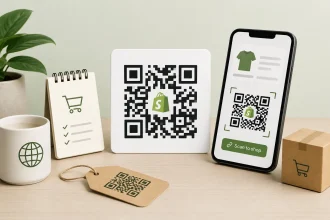
You can share your Jotform store as an app using a link or QR code.
2. Embed a Jotform store into your WordPress website
WordPress is similar to Shopify. It offers a range of website themes, a user-friendly editor, and apps to improve your website’s functionality. If you already have a WordPress site and want to add e-commerce features to it, you can embed a Jotform store.
To do so, use Jotform’s Store Builder to design your store and add products and services. Then copy and paste the embed code into your WordPress website. Visitors can search your products and make purchases.
3. Integrate Jotform into your Shopify website
With Jotform’s Shopify integration, you can develop and embed forms into your existing Shopify website. Our forms have powerful capabilities, allowing you to collect customer input, sell products, and receive payments. All purchases are processed using Jotform’s payment processor, which minimizes the transaction fees Shopify charges.
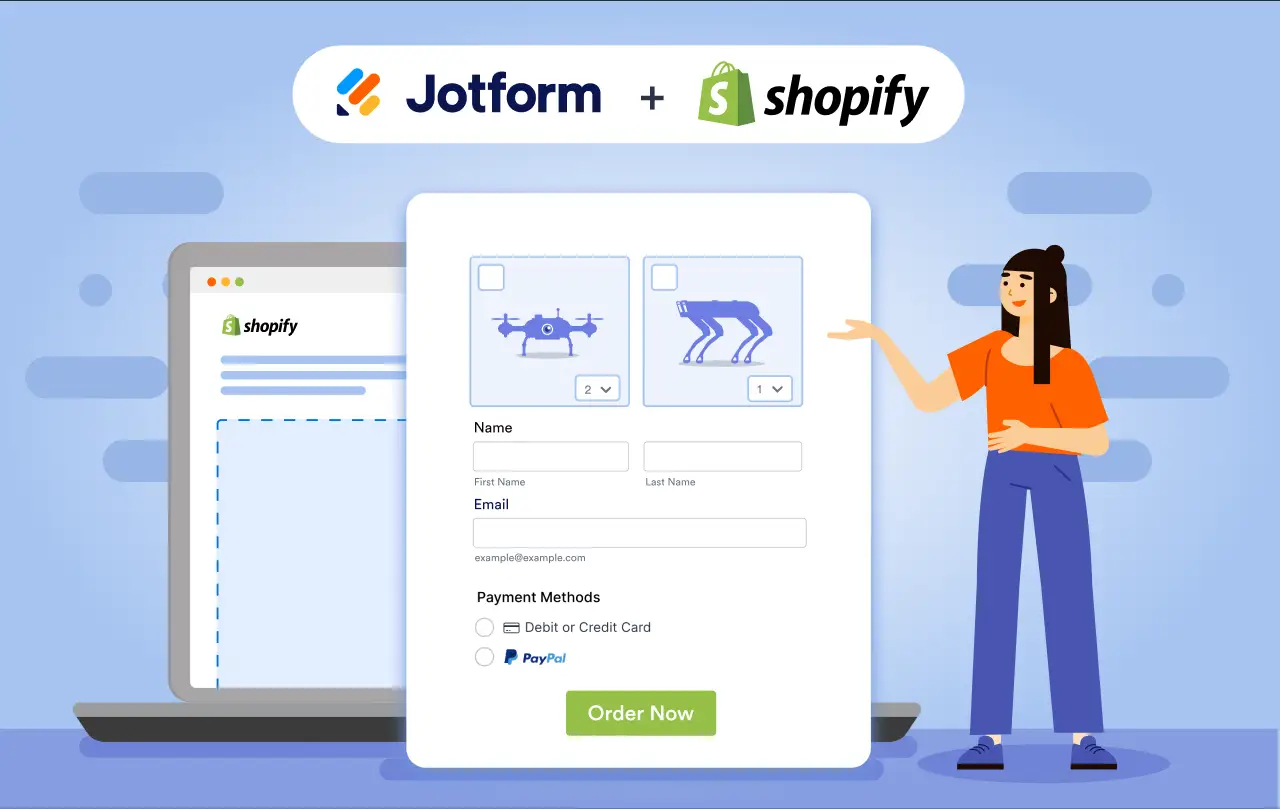
Adding a Jotform Form to your Shopify storefront is a simple process that takes only a few steps. You can also use forms for other tasks, such as surveys and marketing email signups.
An alternative to Shopify: Jotform Store Builder
Shopify’s e-commerce tools are extensive, which can be overwhelming to store owners. And to get the most out of Shopify, you may need to hire a developer and pay for an expensive subscription. With Jotform Store Builder, you can create an attractive app and online e-commerce store without any coding expertise.
Jotform’s Starter plan includes free access to the Store Builder and payment processing tools. There is no trial period; you can stay on the Starter plan as long as you want. When you’re ready to move to a paid plan, Jotform offers several options to suit your business needs.
To explore Jotform’s features and how they can support your e-commerce store, create an account today.
This article is for Shopify store owners, e-commerce entrepreneurs, online retailers, and anyone who wants to understand the costs of Shopify app development and explore more affordable alternatives for building and growing an online store.








































Send Comment: