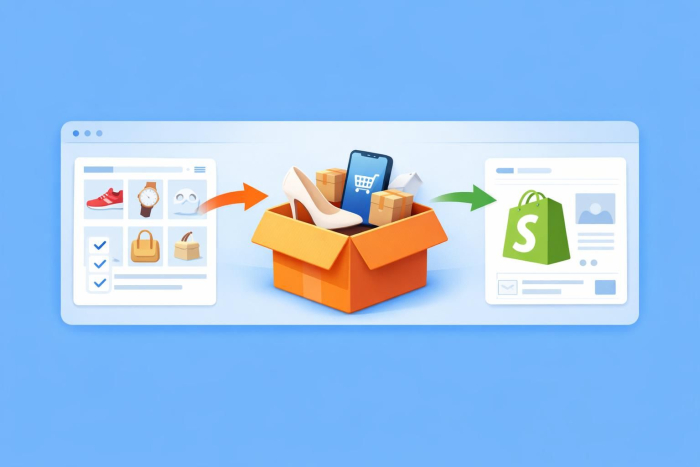
Dropshipping is a great way for your e-commerce business to save money on stocking inventory and shipping while still selling products directly to consumers. The benefits of this sales method have led many businesses to invest in solutions such as AliExpress for their dropshipping setup on Shopify.
However, combining AliExpress and Shopify requires transferring product data from one platform to the other, which can be challenging. This guide provides the expert insight you need for a smooth transition.
Follow along as we share how to import products from AliExpress to Shopify, how to sell on Shopify using AliExpress, and how solutions like Jotform can optimize your Shopify product import process.
Why importing from AliExpress to Shopify is a popular dropshipping method
There are many advantages of Shopify dropshipping with AliExpress, and many e-commerce sellers use this popular platform as a low-investment option. By using a Shopify-AliExpress integration for dropshipping, you’ll have access to perks such as
- Low startup costs and overall risk: Dropshipping with AliExpress eliminates the need to purchase inventory, reducing up-front financial investment.
- Vast product selection: AliExpress offers access to millions of products you can sell and test on your Shopify storefront.
- Automated fulfillment options: Many third-party AliExpress plug-ins offer Shopify automation services to accelerate and simplify your import and fulfillment processes.
- Simple, flexible product testing: Because you are not responsible for maintaining inventory, you can easily change out underperforming products and test potential niche offerings.
- Competitive e-commerce pricing: Products sold on AliExpress through Shopify come directly from suppliers, allowing you to offer lower prices than some retailers that manage their own inventory.
- Fast, affordable shipping: AliExpress allows you to offer multiple shipping options that best suit your customers’ needs.
Importing from AliExpress to Shopify can mean greater overall flexibility for your e-commerce business. However, it requires the extra steps of transferring product data between platforms, a process you might need help with.
How to import products from AliExpress to Shopify
Getting your dropshipping setup started on AliExpress begins with importing products into Shopify. This ensures your Shopify storefront shows your offerings on AliExpress and aligns your ordering process.
There are a few ways to import from AliExpress to Shopify, each with its own steps and considerations. Here are the key methods, ranked from most to least time-intensive:
- Manual entry
- CSV upload
- Third-party app automation
Ready to start? Let’s look at the process for each of these so you can decide which you prefer.
Manual product import
Importing products manually from AliExpress to Shopify requires the most time and effort. You need to perform the process one product at a time, because AliExpress doesn’t offer native CSV export tools to accelerate your product data extraction.
Although this process may be involved, it gives you the most control over your product data and is useful for small updates or simple adjustments. Here’s how to start:
- Open Shopify, go to Products, then click Add Products.
- Open AliExpress and copy the product details you wish to import.
- Optimize your product data for SEO and double-check formatting.
- Download product images.
- Go back to Shopify, then upload product data and images.
- Set variants, price, and inventory.
- Click Save and publish.
- Repeat as necessary.
CSV upload
Shopify allows you to upload product data directly via CSV files, streamlining bulk product imports. CSV uploading offers the perks of automation without relinquishing control over your product data. But to use this method, you’ll need an AliExpress plug-in that can export your data in the proper file format.
Once you have a CSV export tool, here’s what this process may look like:
- Use your AliExpress plug-in to extract your dropshipping product data into a CSV file.
- Make sure your CSV file matches Shopify import requirements.
- Open Shopify and go to Products.
- Click Import, then click Add File and select your CSV file.
- Click Upload and Continue.
- Review your import details, then select Import Products.
- Repeat as necessary.
Third-party product sourcing tools
Using a third-party tool is best for e-commerce businesses that are more interested in automation than in maintaining control over their data.
How you import from AliExpress to Shopify using third-party tools will vary depending on the tool you choose, but here’s a high-level overview of the process:
- Download and install your AliExpress plug-in and link it to your Shopify store.
- Find the products you wish to upload, either individually or in bulk.
- Add products to your tool’s import list.
- Push your product data to Shopify.
- Repeat as necessary.
Common mistakes to avoid when importing products
Mastering how to sell online is a challenge. The e-commerce process is full of common missteps, and learning how to import AliExpress to Shopify is no different. Take the time to avoid these pitfalls that could put your store at risk.
- Not updating product descriptions: Titles for products sourced from AliExpress are often keyword-stuffed or contain AI-translated text, making them appear haphazard and robotic to consumers. Take the time to review and edit your product descriptions and titles to make them more appealing to shoppers.
- Ignoring supplier due diligence: Verifying your suppliers and obtaining product samples is key before you import them to your site. Without this due diligence, you could be selling low-quality products to shoppers or even leaving them and your business exposed to scams.
- Delaying or missing product synchronization: As your AliExpress and Shopify product lists update (inventory, products offered, etc.), these changes must be reflected on both platforms. Regular synchronization keeps inventory numbers and product lists up to date so you don’t frustrate your customers.
By taking a detail-oriented approach to your Shopify product import, you can avoid these issues and prevent unwanted hiccups. But true e-commerce success goes beyond dodging pitfalls; you must properly organize your listings to maximize conversions.
Optimize imported product listings for better conversions
In e-commerce, you are competing with thousands of similar businesses for customer attention. To win, you’ll need to create product listings that drive traffic to your site, make customers feel comfortable about doing business with you, and motivate them to purchase.
Taking a few extra steps toward optimization can make a big difference in your Shopify conversion rate. Here are some of the best ways improve your listings’ effectiveness:
- Make the title engaging, reader-friendly, and SEO-optimized.
- Use unique product copy to differentiate your product from products of other dropshippers.
- Research and incorporate relevant keywords into your product listings to increase visibility.
- Use high-quality photos, compress images to improve load times, and include alt text for SEO and accessibility.
It’s also important to include reviews and other trust signals, such as security certificates and transparent return policies, to increase consumer confidence. You can use third-party apps to upload authentic customer reviews to your Shopify site.
Pro Tip
Imported AliExpress products can generate questions about sizing, materials, delivery times, and return policies. Jotform AI Chatbot for Shopify can answer these questions instantly and recommend relevant products from your catalog, helping shoppers make more confident purchasing decisions.
Using Jotform to manage AliExpress product imports
Shopify apps such as DSers or Spocket may provide a convenient way to import AliExpress to Shopify, but they limit your control over your data. If you want to maximize your control over your product catalog’s organization and preparation, Jotform’s Product List Widget offers a practical alternative.
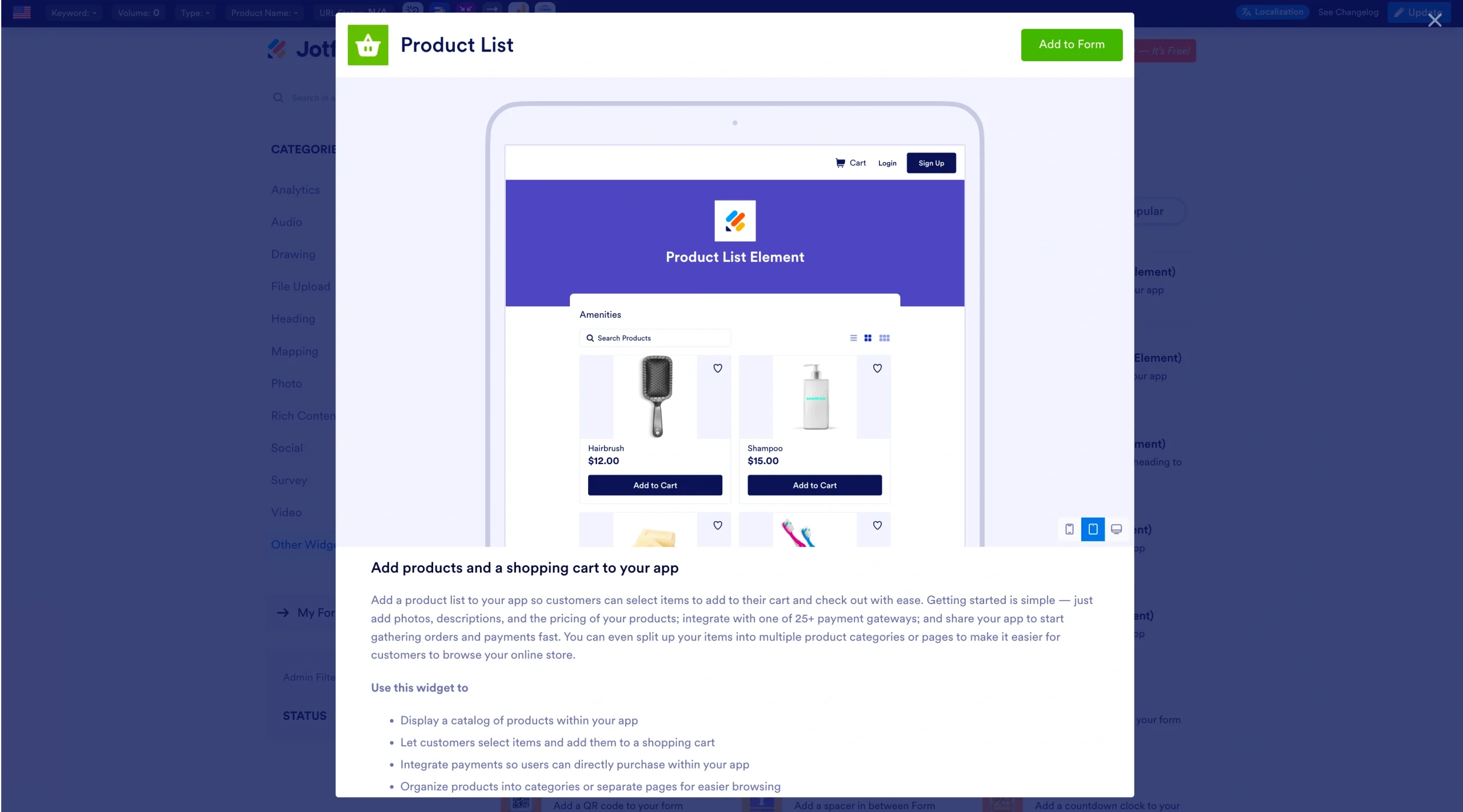
With Jotform, you can import your AliExpress product data into a Product List field to review and organize it before using that information to list your products on your website or create customer-facing order forms. This gives you more control over product names, descriptions, and pricing before anything goes live. For dropshippers, this offers the opportunity to
- Edit product names and descriptions to improve SEO and conversions.
- Adjust prices or add custom margins before publishing.
- Test products through custom order forms before adding them to Shopify.
- Keep a clean, centralized product list for multiple platforms.
Here’s how it works:
- Export your AliExpress product data into a CSV/Excel file using a third-party tool (or create one manually with product details).
- Open Jotform’s Form Builder.
- In your chosen form, add a Product List field and click Import.
- Upload your CSV/Excel file; Jotform automatically maps titles, SKUs, and prices.
- Review and edit the data in Jotform. Use your findings to update your original CSV file, then import that file into Shopify — or use your Jotform Product List to build customer-facing order forms directly.
Once you have a streamlined import process, you can use any method to begin scaling your e-commerce operations to the next level.
Pro Tip
Jotform also integrates with Shopify imports, so you can easily sync the refined product list you’ve built with your store by importing products into your forms.
Scaling your Shopify store with AliExpress products
After you’ve established a working import process, you can begin to scale your Shopify store with a growing list of products. As your business becomes more sophisticated, you may consider hiring help or upgrading your tools to keep up with increasing inventory.
To scale your business, consider
- Investing in marketing.
- Using digital tools to streamline your processes.
- Expanding your market or finding a niche that sets you apart and creates a loyal customer base.
Scaling efficiently will require a clear understanding of what your customers are buying and what they aren’t. You can use Shopify Analytics to monitor product performance and decide which items from AliExpress can stay and which may need a refresh.
Whether you’re scaling or just getting started with dropshipping, make sure you’re importing product data in a way that keeps you in control without sacrificing efficiency. Using Jotform’s Product List field, you can streamline your import process and create efficient workflows that optimize your data while enabling long-term scalability.
FAQs: Importing products from AliExpress to Shopify
There are many effective apps for importing AliExpress Products to Shopify, including
- DSers
- Zopi
- Importify
- Spocket
- AutoDS
However, if you’re looking for a flexible way to upload your AliExpress products to Shopify, Jotform’s Product List field offers full control over your product data. Using Jotform, you can transform AliExpress product CSVs into Shopify SEO-optimized forms ready for upload and sharing.
You don’t need to pay to use the AliExpress platform with Shopify. However, there are costs associated with dropshipping with AliExpress, including
- Shipping costs
- Product costs
- App fees
You’ll also need to pay a monthly subscription to use Shopify itself. Although this isn’t directly influenced by your use of AliExpress, it’s part of your overall financial consideration.
Shipping through AliExpress dropshipping places the shipping responsibility on your product suppliers. However, you are responsible for bridging the gap between customers and your suppliers. Here’s what that process may look like:
- A customer places an order on your Shopify store.
- You take the customer’s shipping information and place an order with your supplier using the customer’s information.
- Your supplier ships the product directly to your customer. This may include blind shipping, in which a supplier removes its branding from the packaging.
- Your supplier provides you with tracking information, which you pass on to your customer.
Shipping times through AliExpress will vary depending on your customer’s chosen shipping method, what you offer, and your suppliers’ practices or locations.
Yes, AliExpress dropshipping is legal and allowed on Shopify. In fact, Shopify makes it easy to dropship from AliExpress for your store through third-party apps and its intuitive store-building platform.
This article is for new dropshippers, Shopify users, and e-commerce beginners who want to import products from AliExpress to Shopify efficiently, avoid common mistakes, and optimize their product listings for long-term growth.













































Send Comment: