BluePay is one of the best payment gateways for you because of its fast and secure payment processing. BluePay has emerged as a top choice for merchants and suppliers throughout the US and Canada with its omnichannel capabilities. BluePay has many payment processing solutions, providing unparalleled security and fraud management tools and a wide range of omnichannel capabilities.

What Can You Do with BluePay Integration?
With BluePay, you can do the following:
- Sell online products
- Sell merchandise
- Sell subscriptions
- Collect donations online
- Accept custom payments


How to Add and Set Up BluePay in the Form?
Please follow the instruction below on how to integrate BluePay with Jotform.
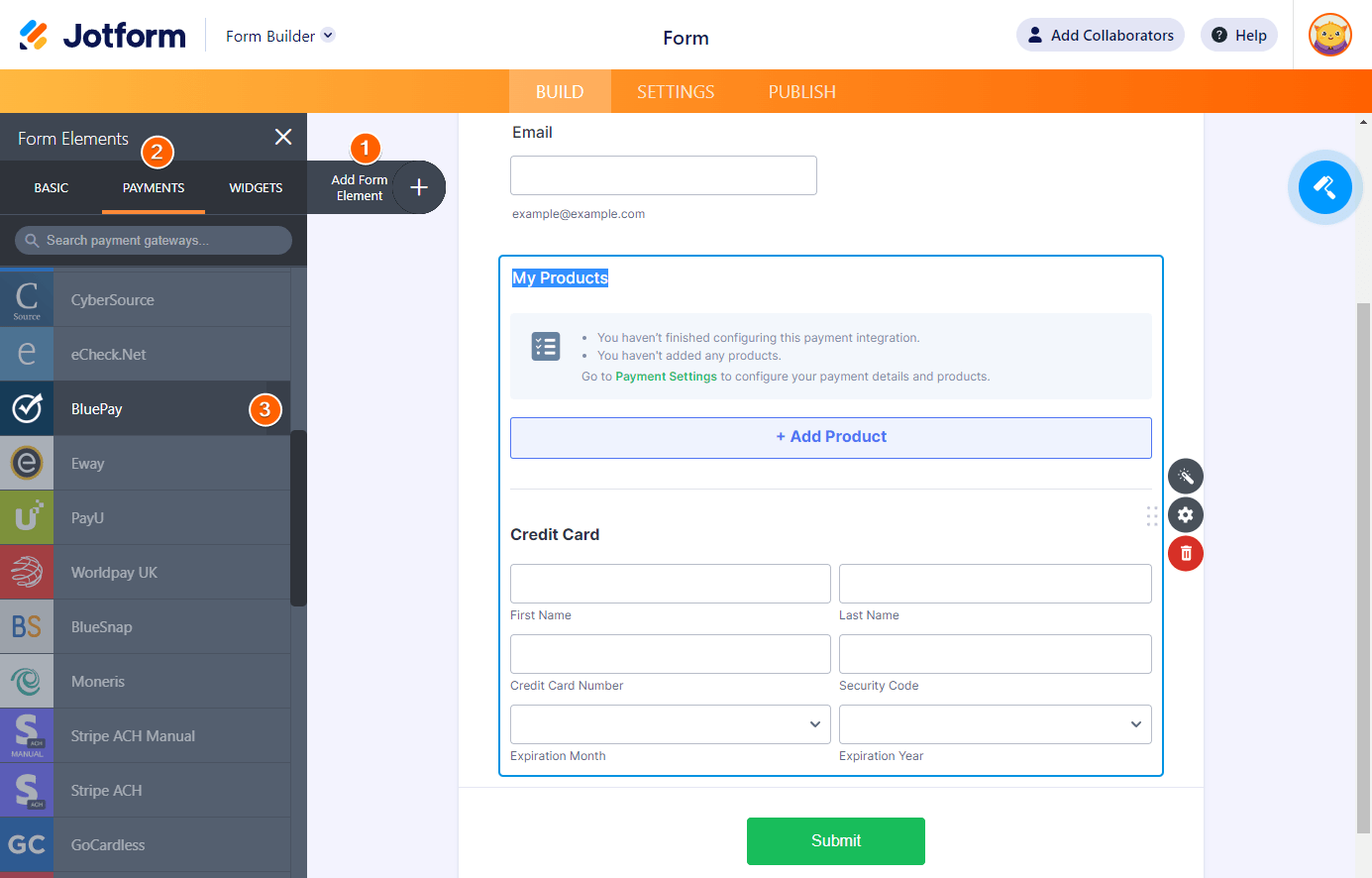
- In the Form Builder, click the Add Form Element button.
- Go to the Payments tab.
- Search and click BluePay from the list. You can also drag and drop it to add.
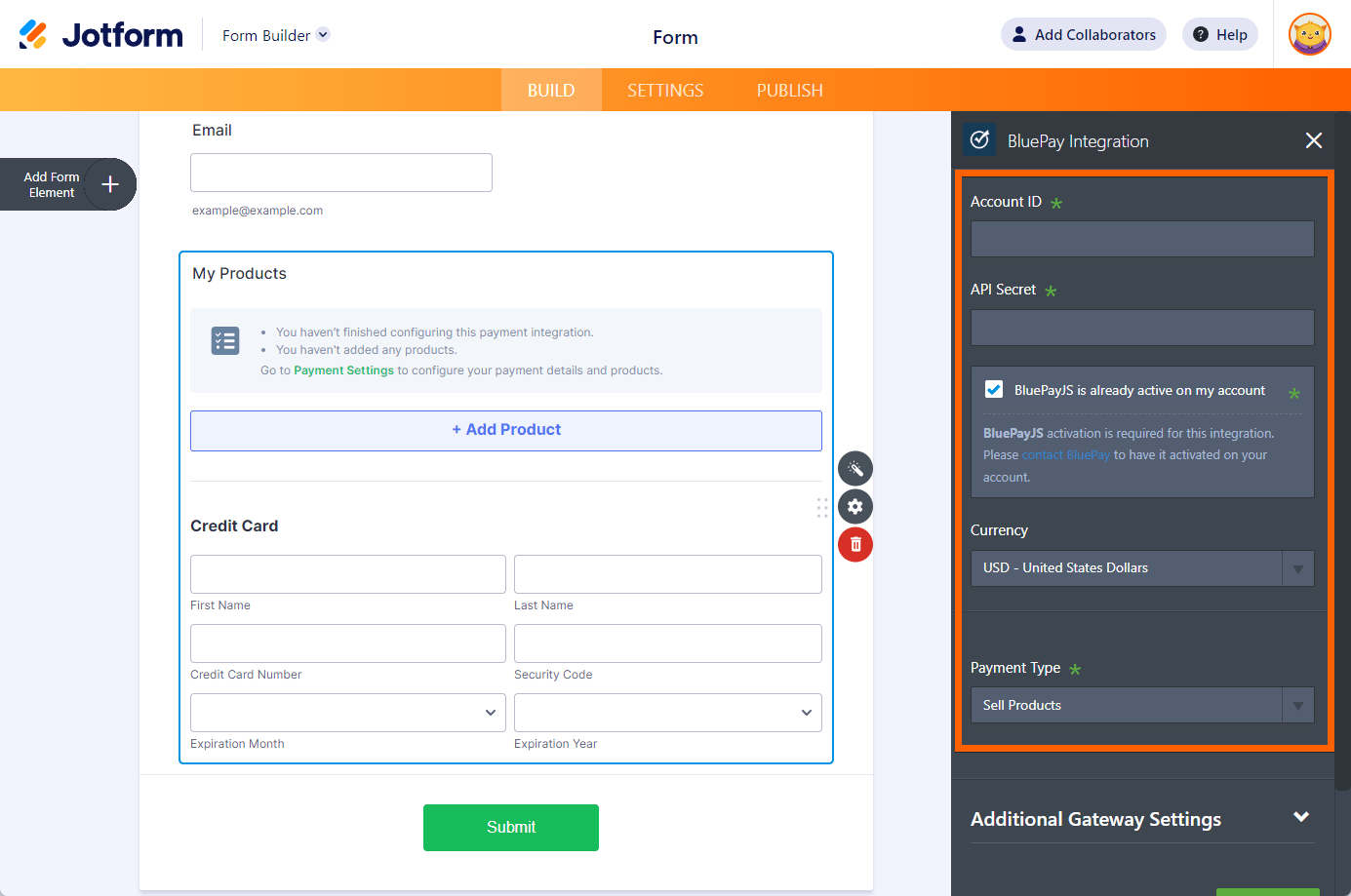
- In the Payment Settings, provide and set up the following:
- Account ID
- API Secret — Watch the following video on getting the Account ID and API Secret.
- Activate BluePayJS — You must enable the BluePay JS on your BluePay account. Without it enabled, the integration will not work.
- Currency — BluePay supports all currencies available in Jotform’s payment integrations.
- Payment Type — With BluePay, you can choose to sell products and subscriptions, collect donations, or allow user-defined amounts.
- When you expand the Additional Gateway Settings, you’ll find some additional options, including the following:
- Require Billing Address – When enabled, the form builder will add the Billing Address next to the credit card fields as soon as you click the Save or Continue button.
- Sandbox Mode – If you wish to run the integration in a testing environment.
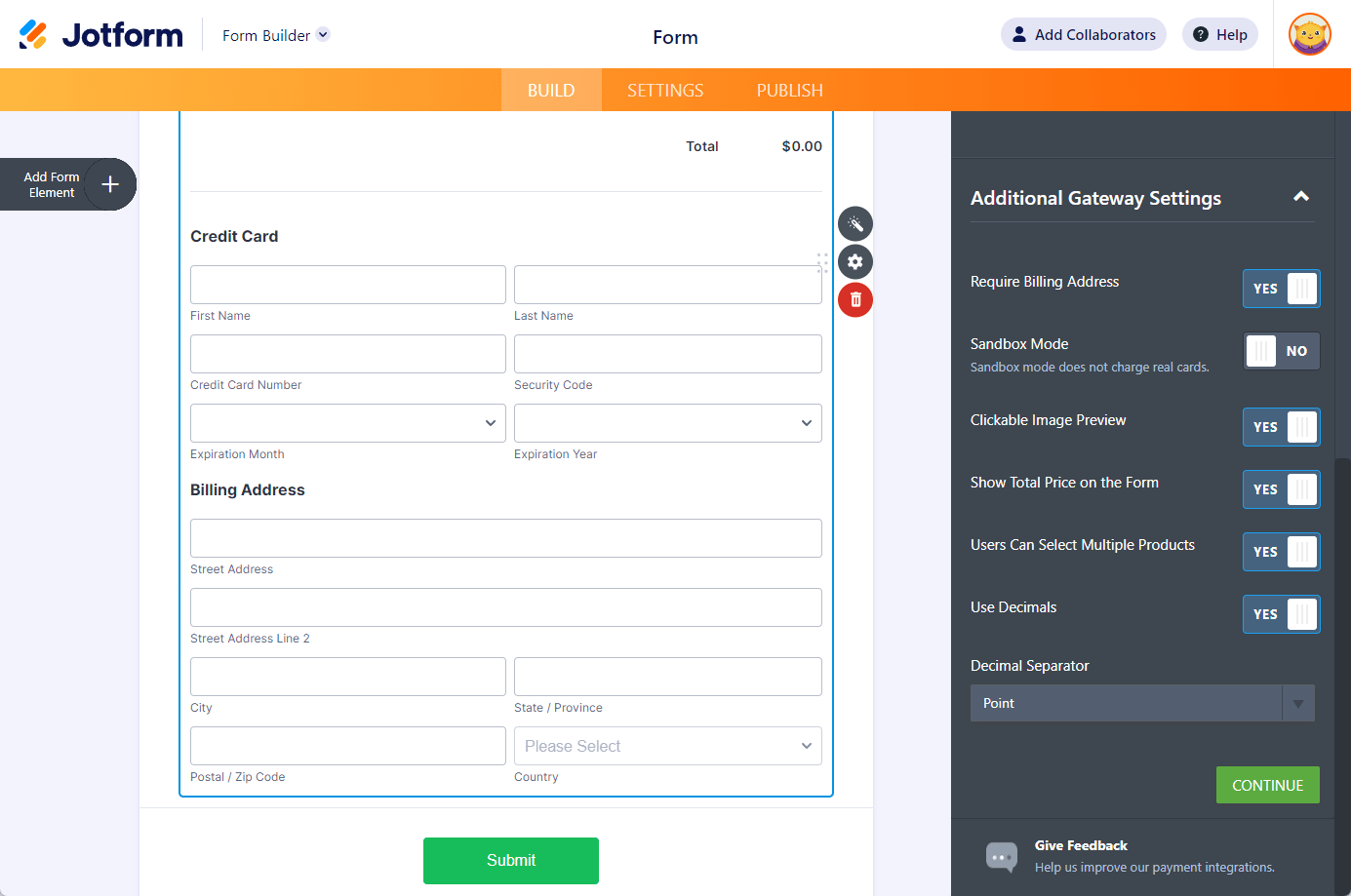
- If you opted to Sell Products or Subscriptions, click the Continue button to add them up. Otherwise, click the Save button to complete the integration.
See also:

Send Comment:
2 Comments:
May 10, 2023
What are the API credentials required for integrating Bluepay with a form?
June 5, 2022
Vorrei sapere come creare un account bluepay visto che non lo trovo sul web