Jotform’s Angles widget lets you convert values between degrees and radians directly in your form, making it easier to handle angle-related inputs without manual calculations. You can also enable a visual display so users can see a small graphic representation of the angle they enter.
Here are a few ways to use it:
- Convert angles between degrees and radians.
- Display a visual representation of angle values.
- Support math, education, or engineering forms.
- Make angle inputs easier to understand.
Whether you’re creating a new form or updating an existing one, you can add and set up the Angles widget in a few easy steps. Here’s how to do it:
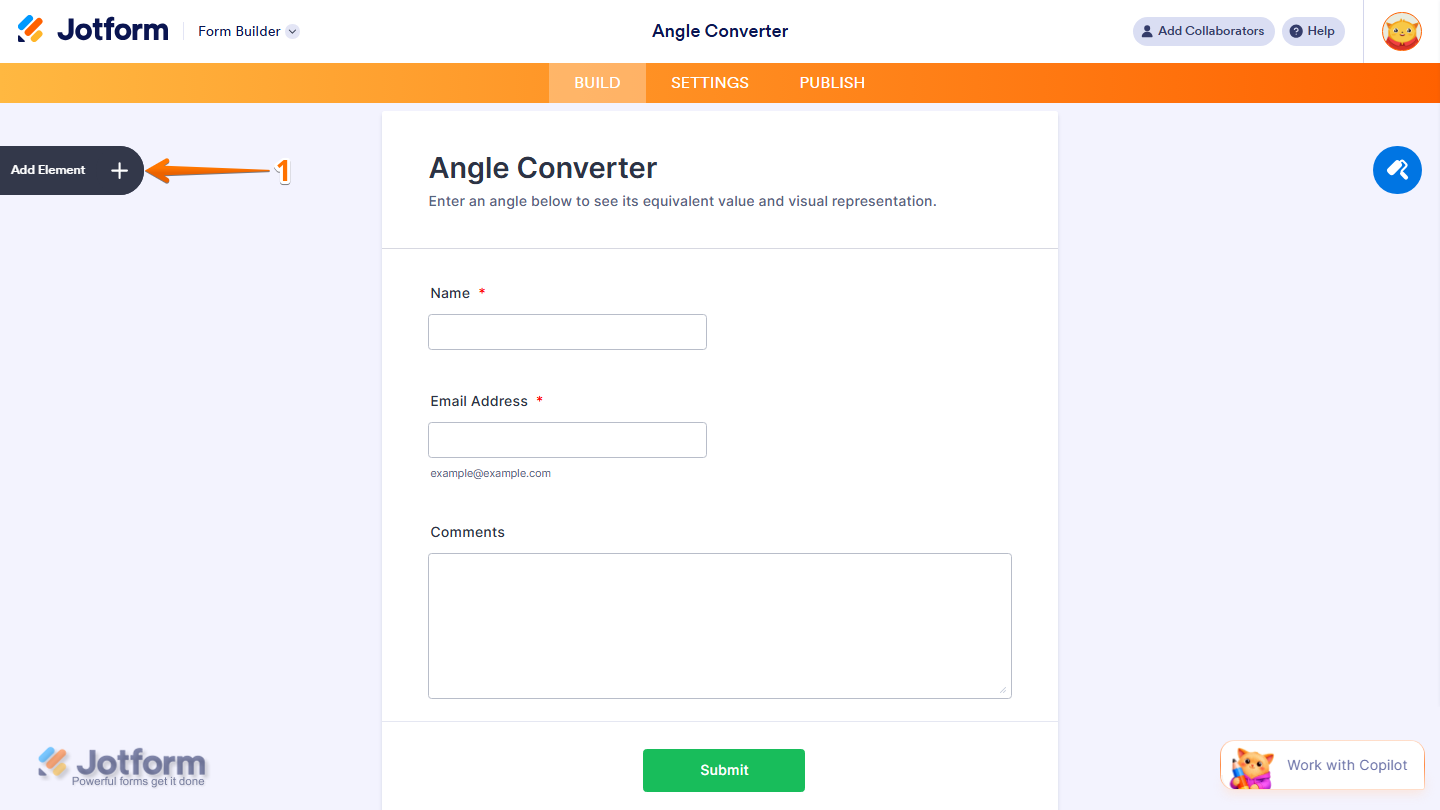
- In Form Builder, click on Add Element on the left side of the page.
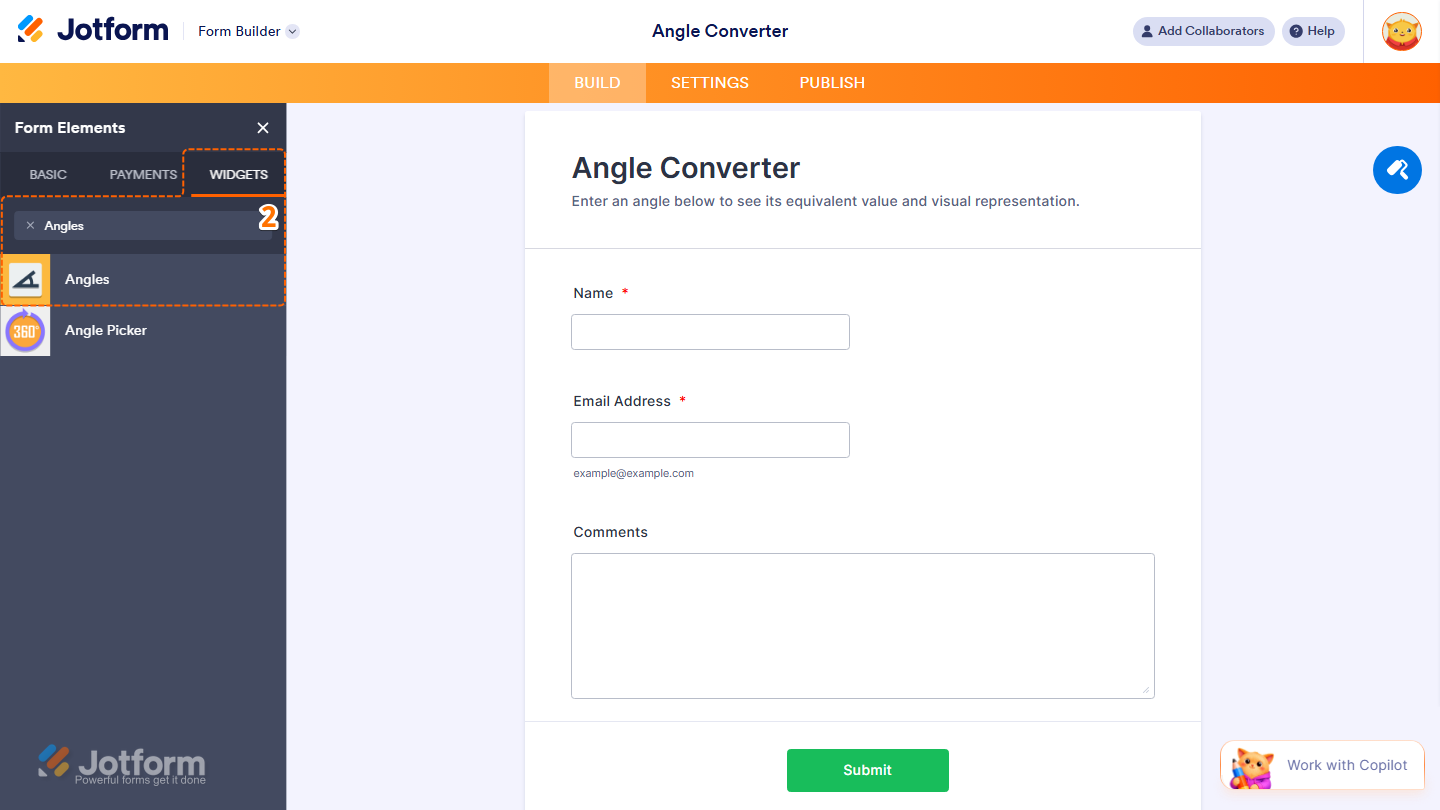
- Now, in the Form Elements menu, under the Widgets tab, search for Angles and click on it. Or, just drag and drop it to where you want it to be on your form.
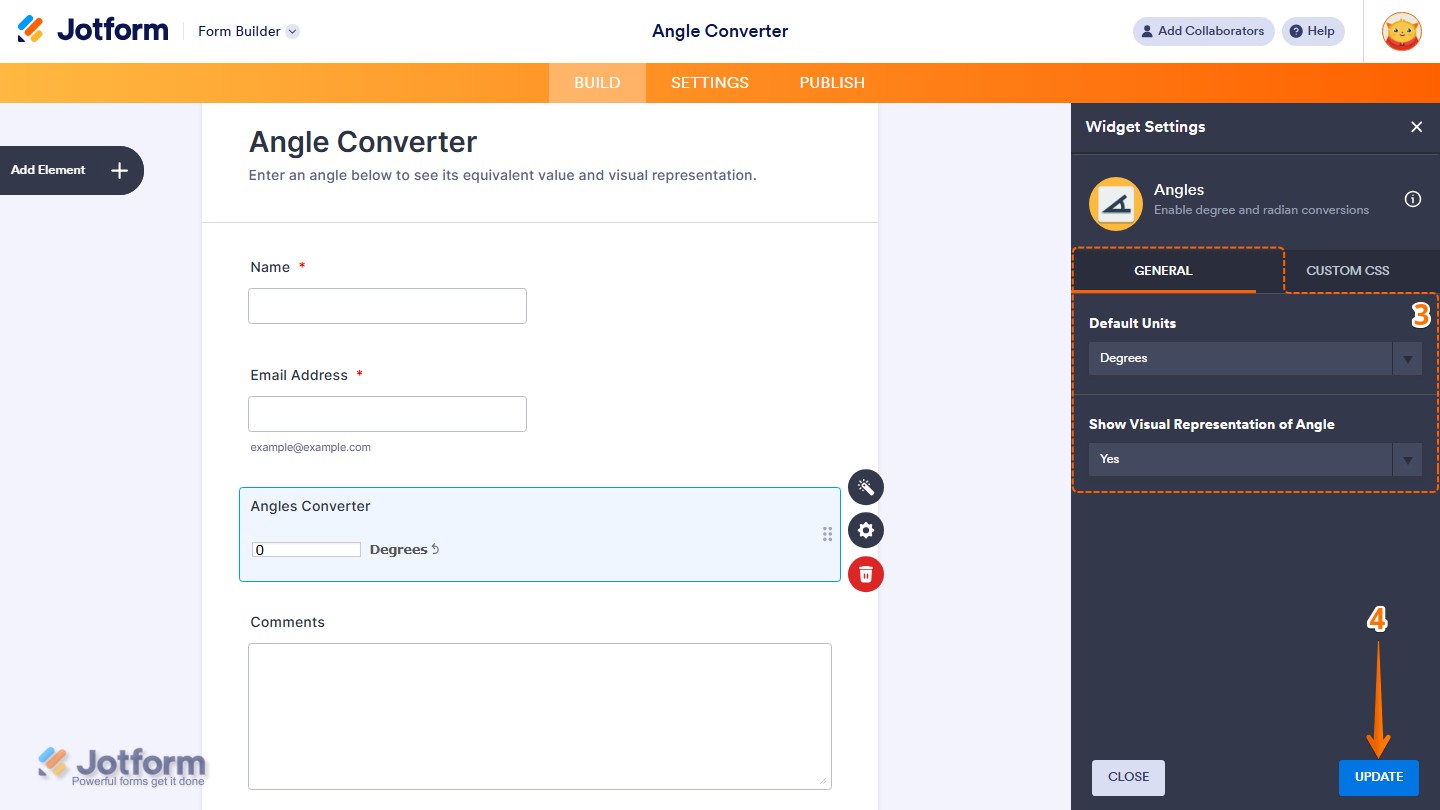
- Next, in the Widget Settings menu that opens on the right side of the page, under the General tab, you’ll see this list of settings you can configure:
- Default Units— Choose the default unit used for entering and converting angle values.
- Show Visual Representation of Angle — Select Yes to show a visual representation of the angle, or No to hide it.
- Once everything’s set, click on Update.
That’s it. You’ve successfully added and set up the Angles widget on your form.
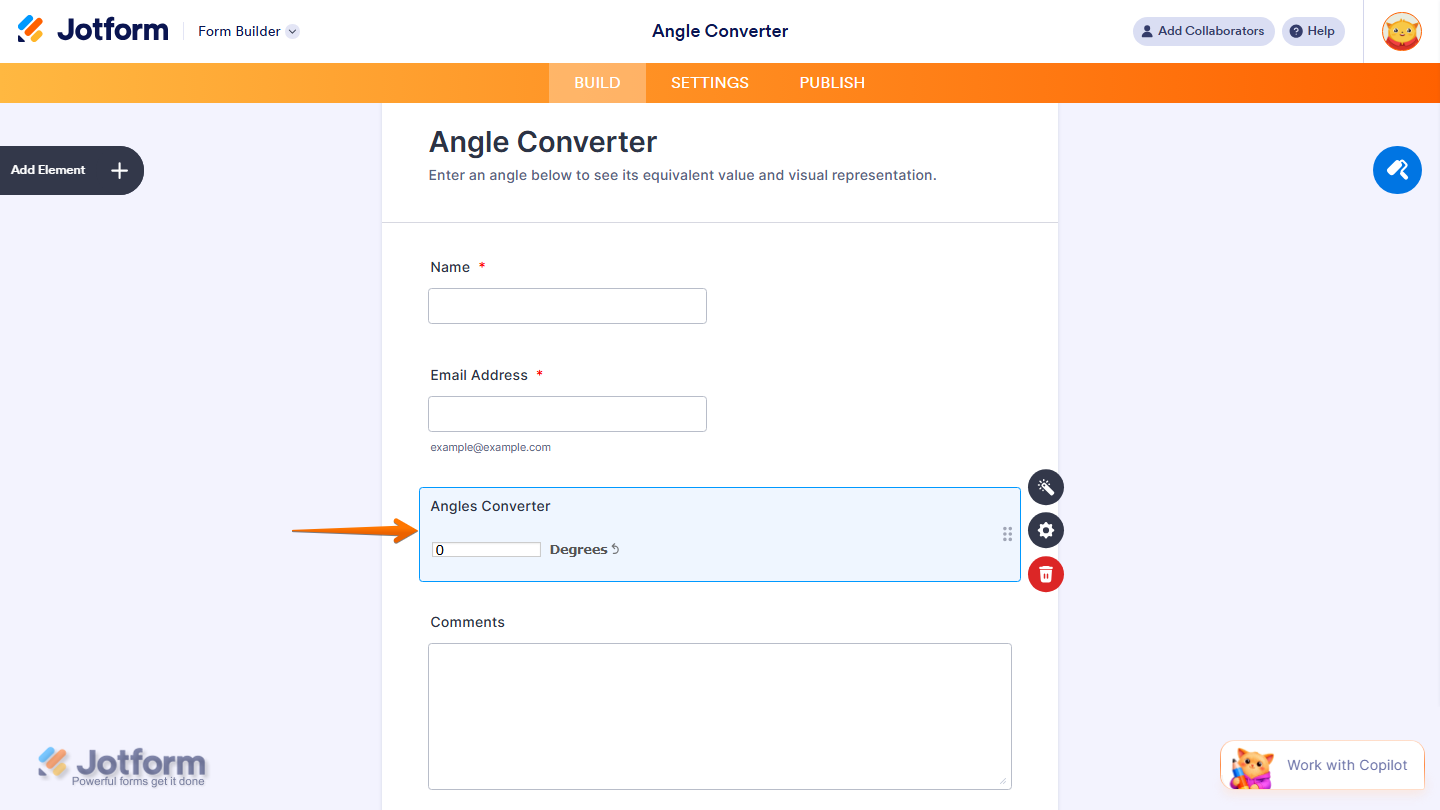
Wondering how it looks in action? Check out this demo form.
Note
- For advanced styling of the Angles widget, you can add your own custom CSS code under the Custom CSS tab in the Widget Settings. Our guide on How to Inject CSS Codes to Widgets walks you through everything.
- You can also configure the widget properties, like alignment, labels, size, visibility, and more, to control how it looks and behaves in your form. Check out our guide on How to Access and Configure the Question Properties of a Widget to learn more.

Send Comment: