With Jotform, you can easily add personality to your forms using the Big Header (Sports) widget. It lets you bring in a fun, sports-themed header that sets the tone right away, making your form feel more engaging and on-brand for anything sports-related.
Whether you’re creating sign-up forms for teams, event registrations, or fan surveys, this widget helps you create a more lively and memorable experience for your respondents. It’s a simple way to make your form stand out while keeping things visually appealing and easy to follow.
Here are a few ways to use it:
- Add a sports-themed header to give your form a strong visual identity.
- Catch users’ attention right away with a fun, engaging design.
- Set the tone for sports-related forms like team registrations or event sign-ups.
- Make fan surveys and feedback forms feel more lively and interactive.
- Create a more polished look for tournament, league, or club forms.
- Help users quickly understand the purpose of your form at a glance.
- Enhance the overall experience by making your form more visually appealing.
Whether you’re starting fresh or updating a form, adding and setting up the Big Header (Sports) widget takes only a few steps. Here’s a quick how-to:
- In Form Builder, click on Add Element on the left side of the page.
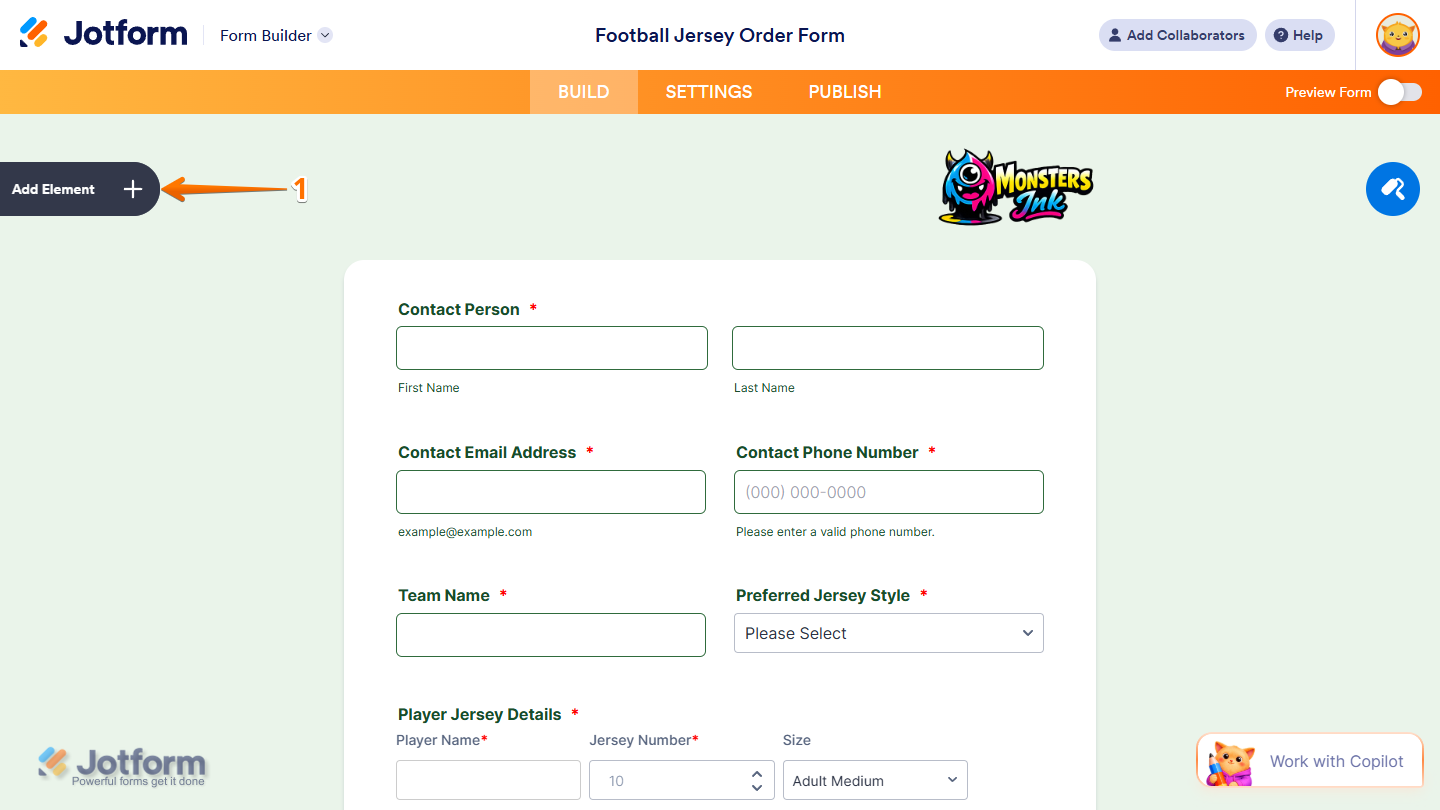
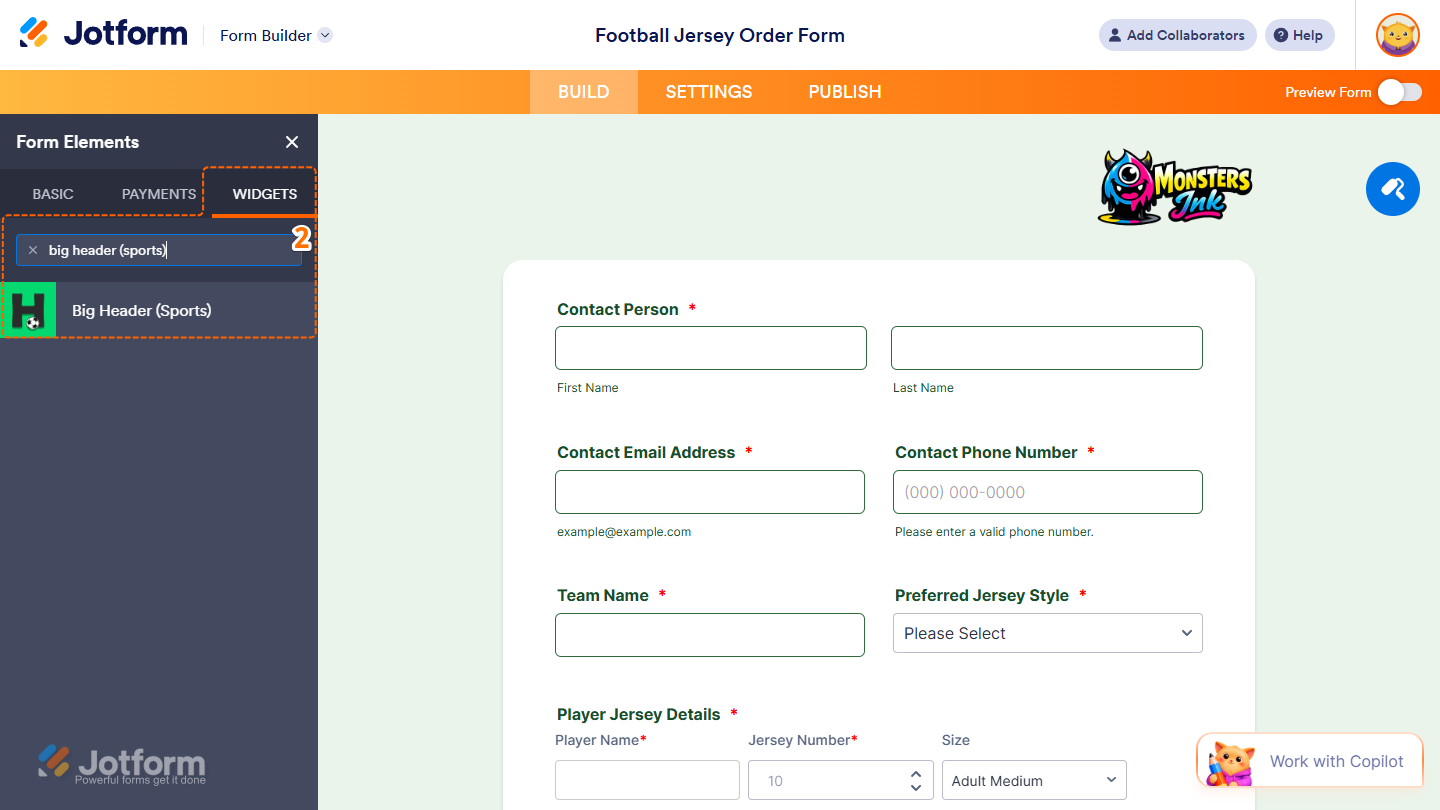
- Now, in the Form Elements menu, under the Widgets tab, search for Big Header (Sports) and click on it. Or, just drag and drop it to where you want it to be on your form.\
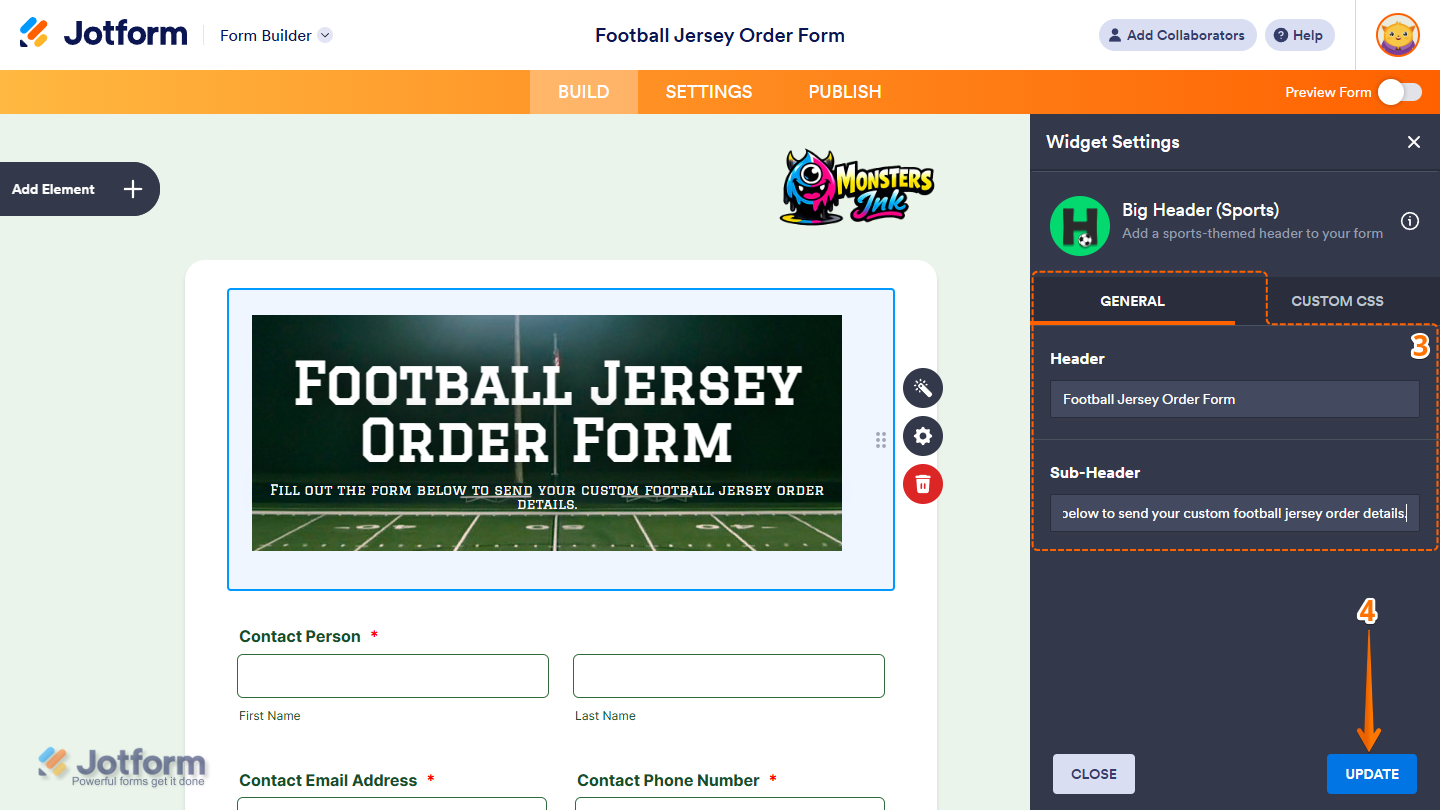
- Next, in the Widget Settings menu that opens on the right side of the page, under the General tab, you’ll see this list of settings you can configure:
- Header — Enter a main title in the input box to create a bold, attention-grabbing headline for your form section.
- Sub-Header — Enter a supporting text in the input box to provide extra context or a brief description that appears just below your header.
- Once everything’s set, click on Update.
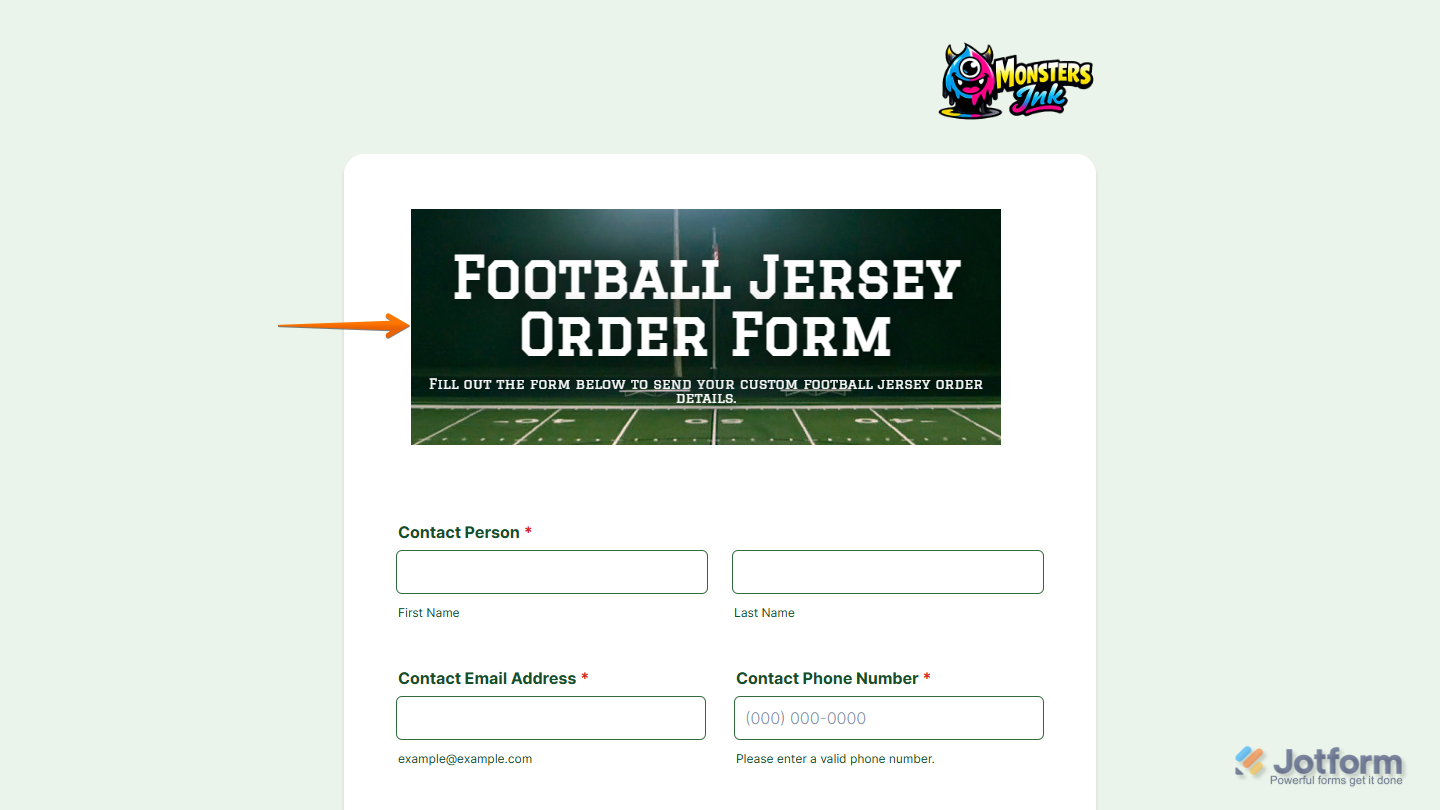
That’s it. You’ve successfully added and set up the Big Header (Sports) widget on your form. You can explore how it looks with this demo form.
Notes
- For advanced styling of the Big Header (Sports) widget, you can add your own custom CSS code under the Custom CSS tab in the Widget Settings. Our guide on How to Inject CSS Codes to Widgets walks you through everything.
- You can also configure the widget properties, like alignment, labels, size, visibility, and more, to control how it looks and behaves on your form. Check out our guide on How to Access and Configure the Question Properties of a Widget to learn more.

Send Comment: