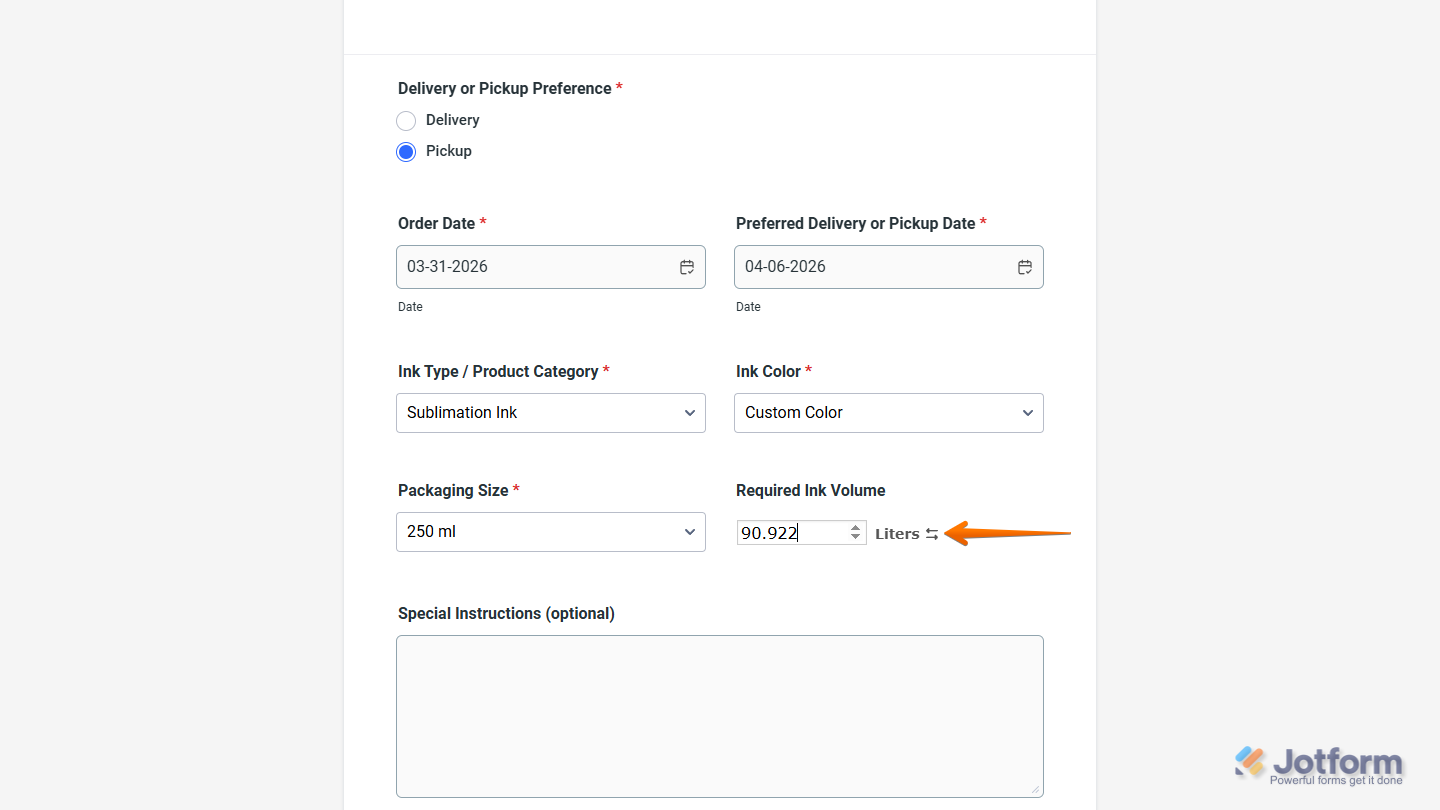
With Jotform, you can easily add flexible measurement options to your forms using the Liquid Volume widget. It lets users choose their preferred unit, such as gallons or liters, and instantly see the converted value, making it easier for them to provide accurate information without doing manual calculations.
This is especially useful for order forms, service requests, or any workflow that involves liquid quantities. By offering built-in unit selection and conversion, you create a smoother experience for your users while keeping your collected data consistent and easy to work with.
Here are a few ways to use it:
- Let users enter liquid volume values and convert them between gallons and liters.
- Collect accurate volume inputs without requiring manual conversions.
- Simplify order forms that involve liquid quantities like beverages, chemicals, or supplies.
- Support users from different regions by accepting input in their preferred unit.
- Improve data consistency for inventory tracking, service requests, or production workflows.
Whether you’re starting fresh or updating a form, adding and setting up the Liquid Volume widget takes only a few steps. Here’s a quick how-to:
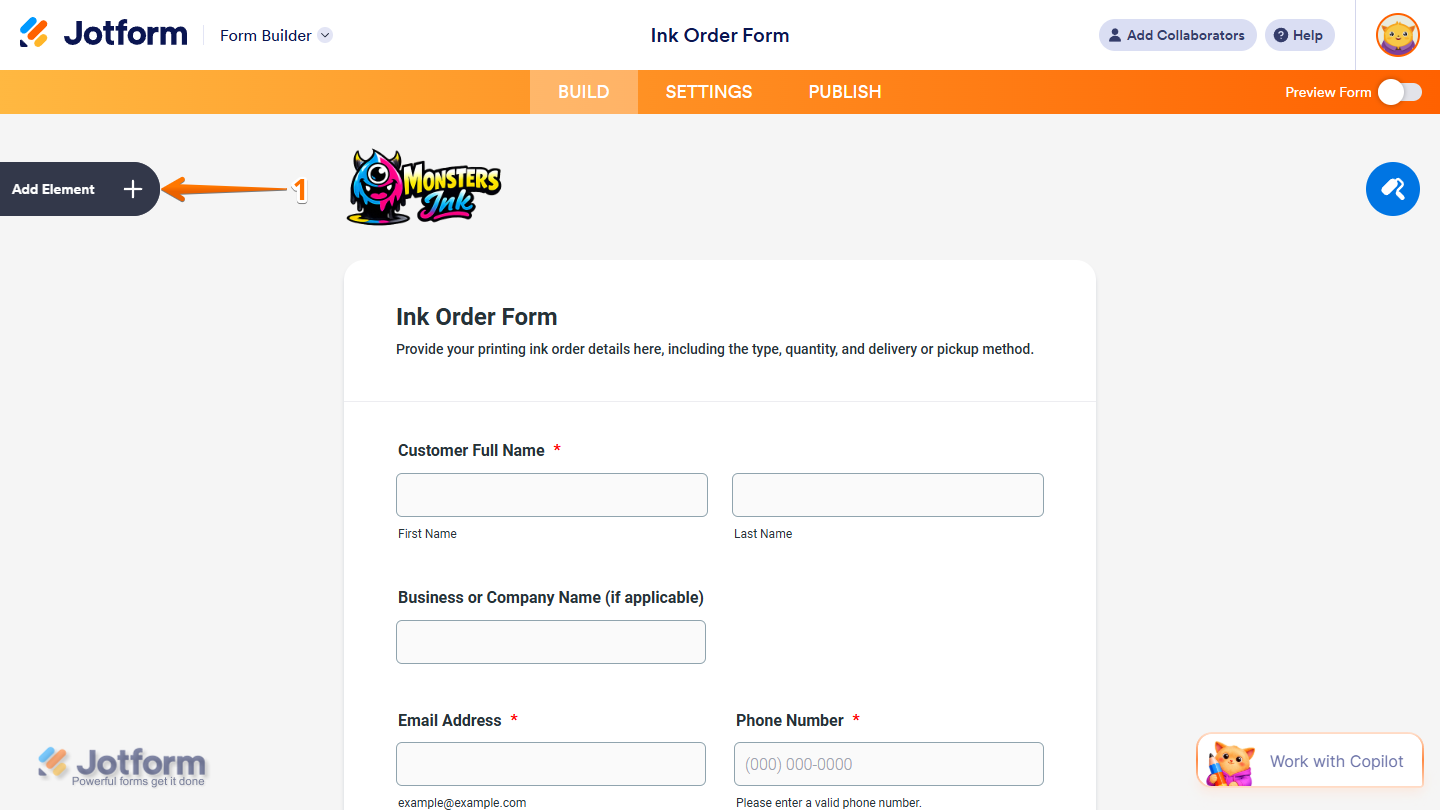
- In Form Builder, click on Add Element on the left side of the page.
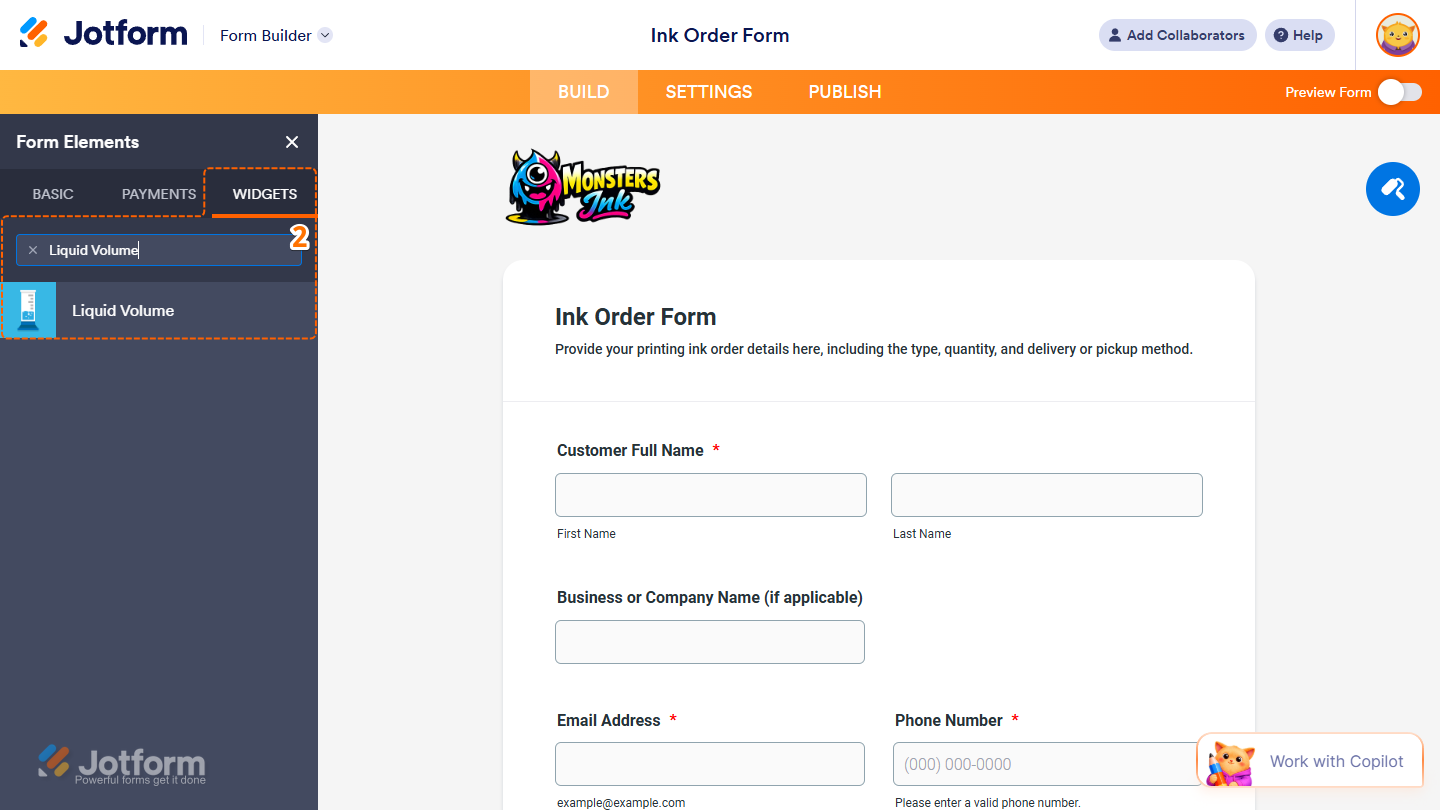
- Now, in the Form Elements menu, under the Widgets tab, search for Liquid Volume and click on it. Or, just drag and drop it to where you want it to be on your form.
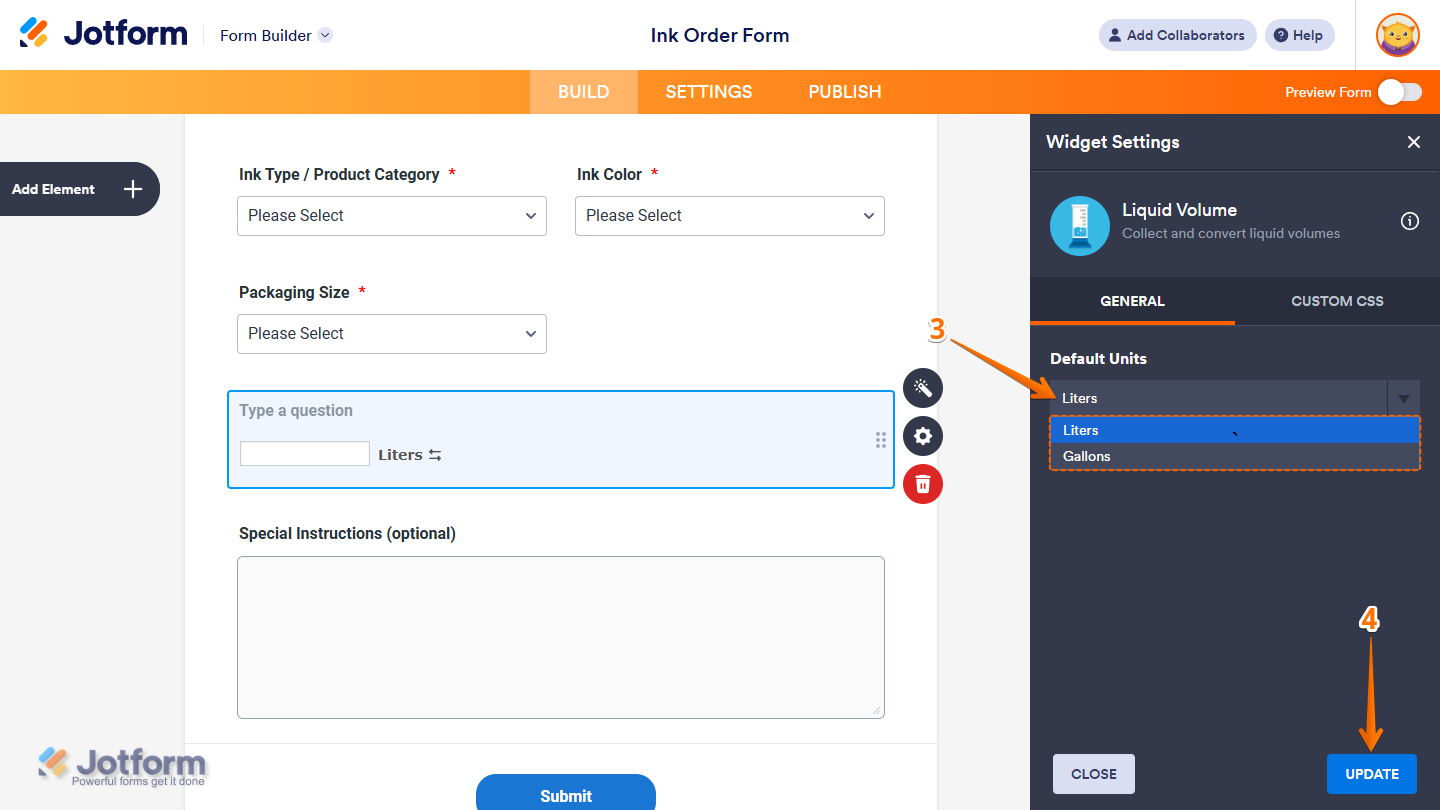
- Next, in the Widget Settings menu that opens on the right side of the page, under the General tab, select Gallons in the Default Units Dropdown menu if you want users to start with gallons and convert to liters. Or, keep it set to Liters if you want users to start with liters and convert to gallons.
- Once you’re done, click on Update.
That’s it. You’ve successfully added and set up the Liquid Volume widget on your form. You can test it on this demo form.
Notes
- For advanced styling of the Liquid Volume widget, you can add your own custom CSS code under the Custom CSS tab in the Widget Settings. Our guide on How to Inject CSS Codes to Widgets walks you through everything.
- You can also configure the widget properties, like alignment, labels, size, visibility, and more, to control how it looks and behaves on your form. Check out our guide on How to Access and Configure the Question Properties of a Widget to learn more.

Send Comment: