Jotform’s Numerals widget lets you convert numbers into Roman or Thai numerals directly within your form. Users can enter a number and switch between numeral formats using the refresh button, making it easy to view and submit translated values without manual conversion.
Here are a few ways to use it:
- Convert numbers into Roman numerals.
- Convert numbers into Thai numerals.
- Collect accurate and standardized number inputs.
- Display numeric values in different formats for users.
Whether you’re creating a new form or updating an existing one, you can add and set up the Numerals widget in a few easy steps. Here’s how to do it:
- In Form Builder, click on Add Element on the left side of the page.
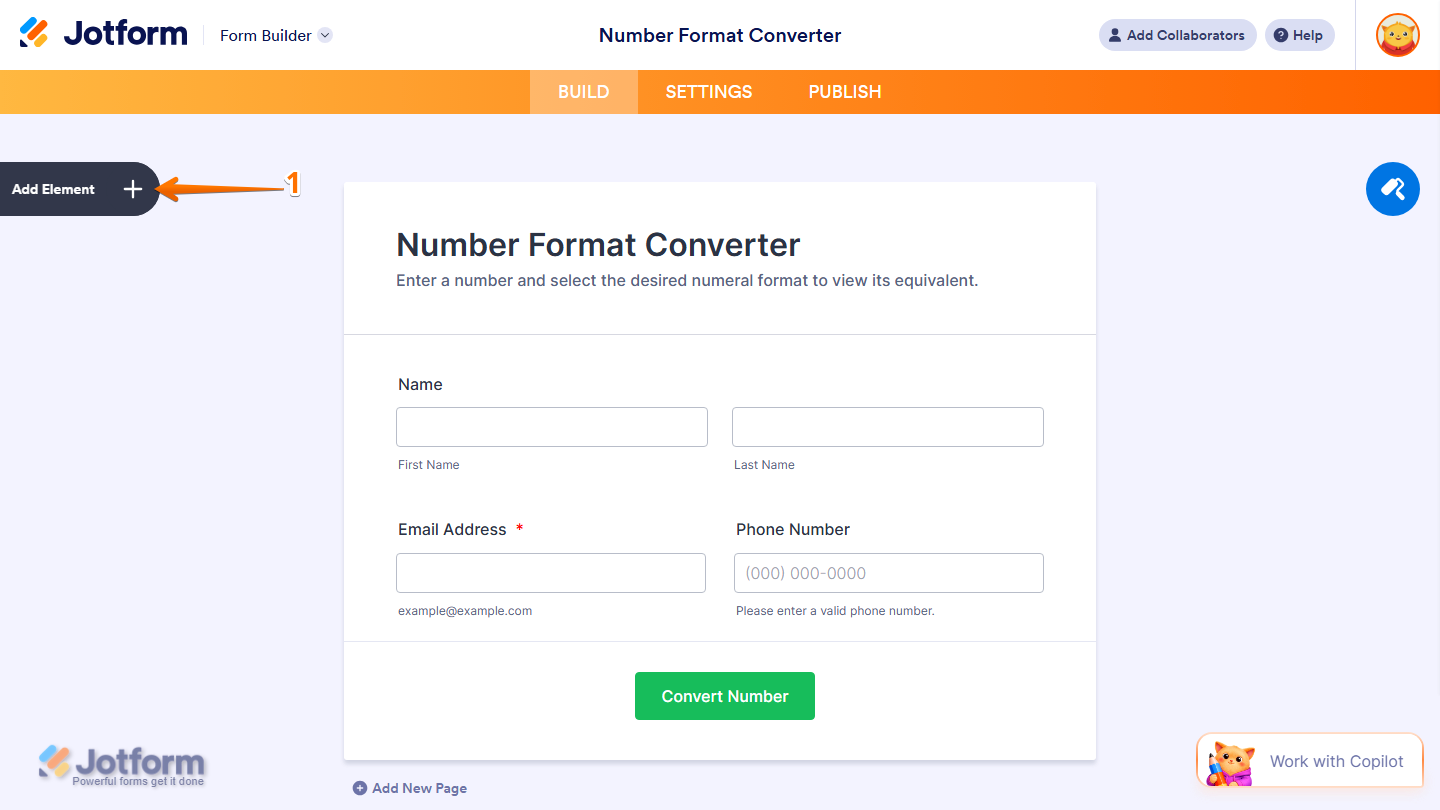
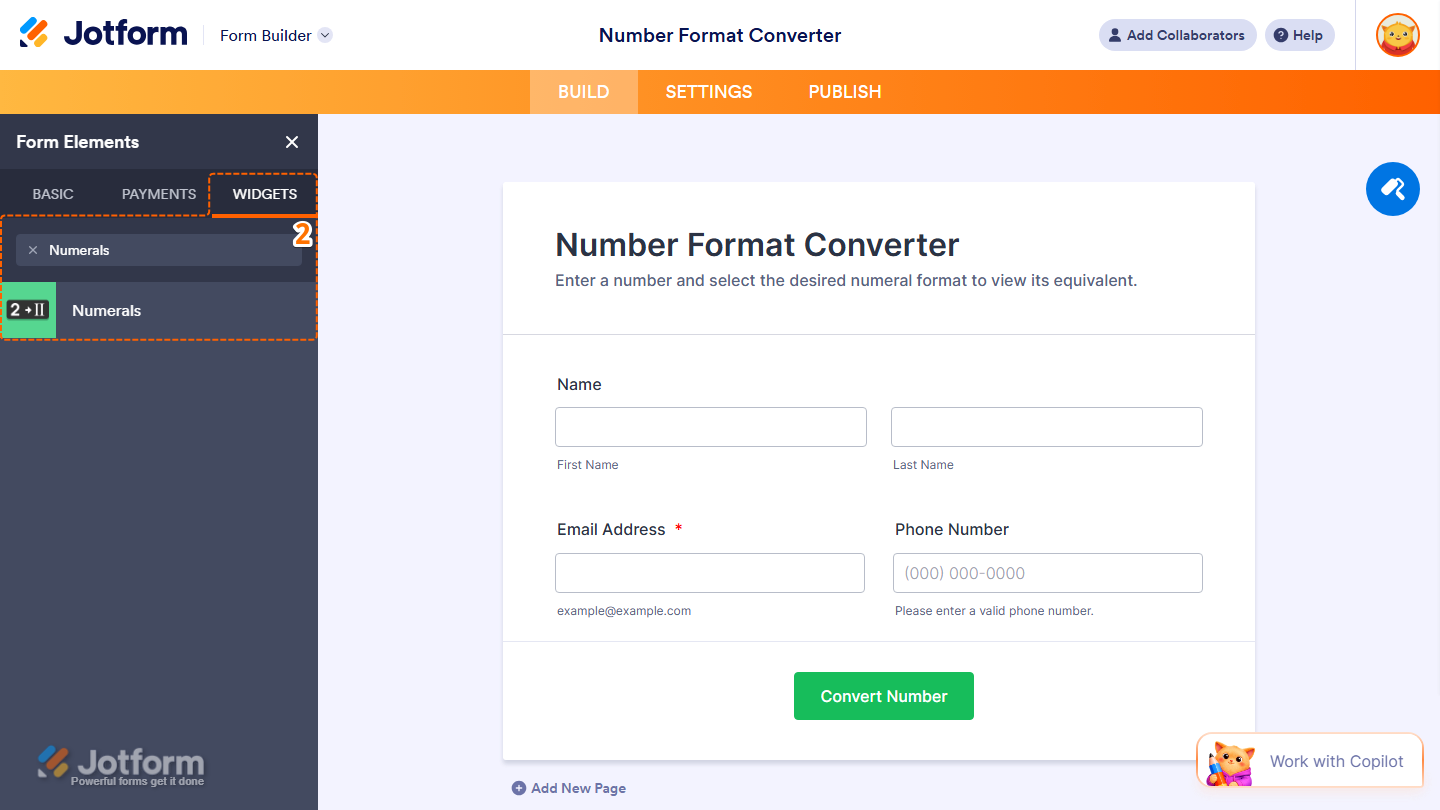
- Now, in the Form Elements menu, under the Widgets tab, search for Numerals and click on it. Or, just drag and drop it to where you want it to be on your form.
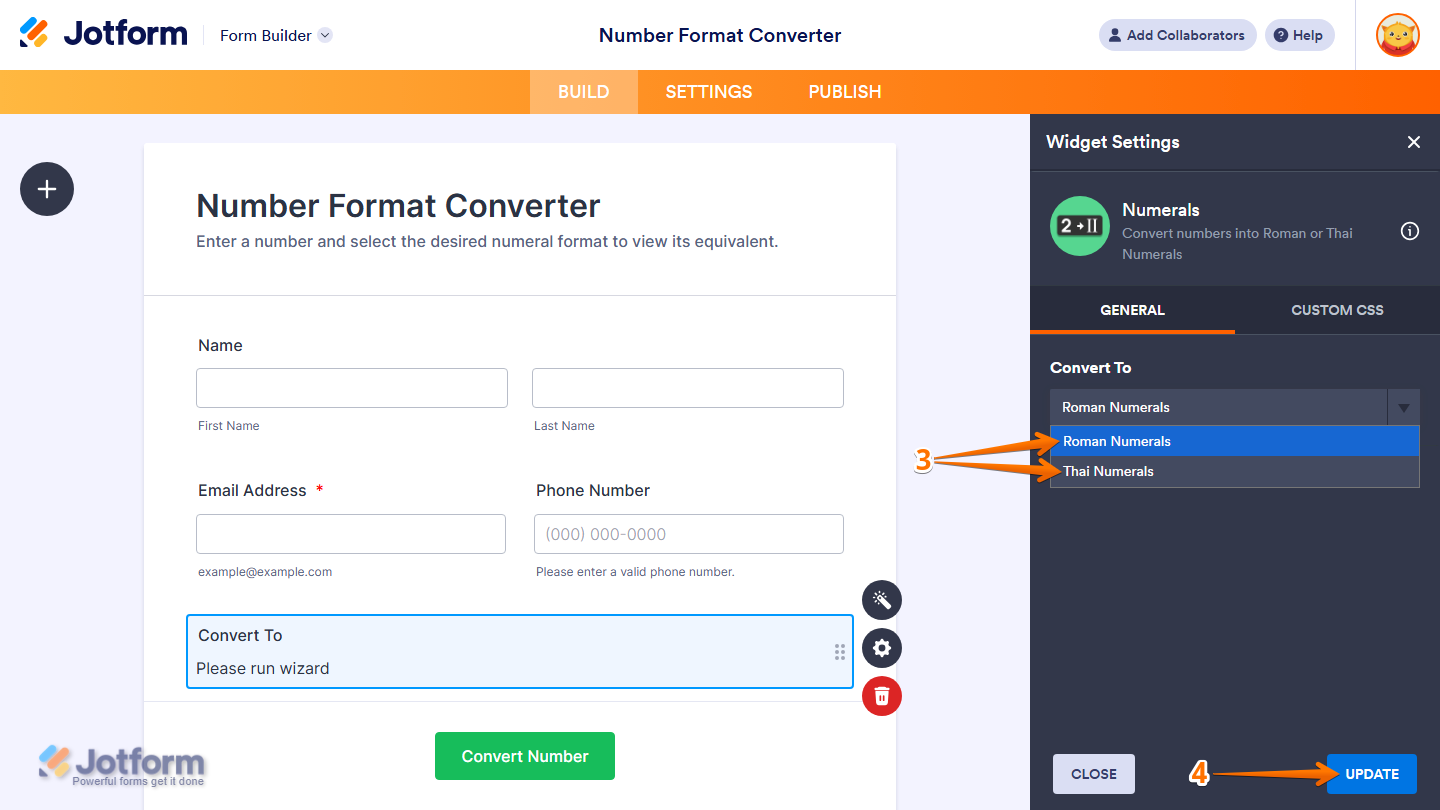
- Next, in the Widget Settings window that opens on the right side of the page, under the General tab, select an option in the Convert To Dropdown menu to choose whether the numbers will be converted into Roman numerals or Thai numerals.
- When your settings are ready, click on Update.
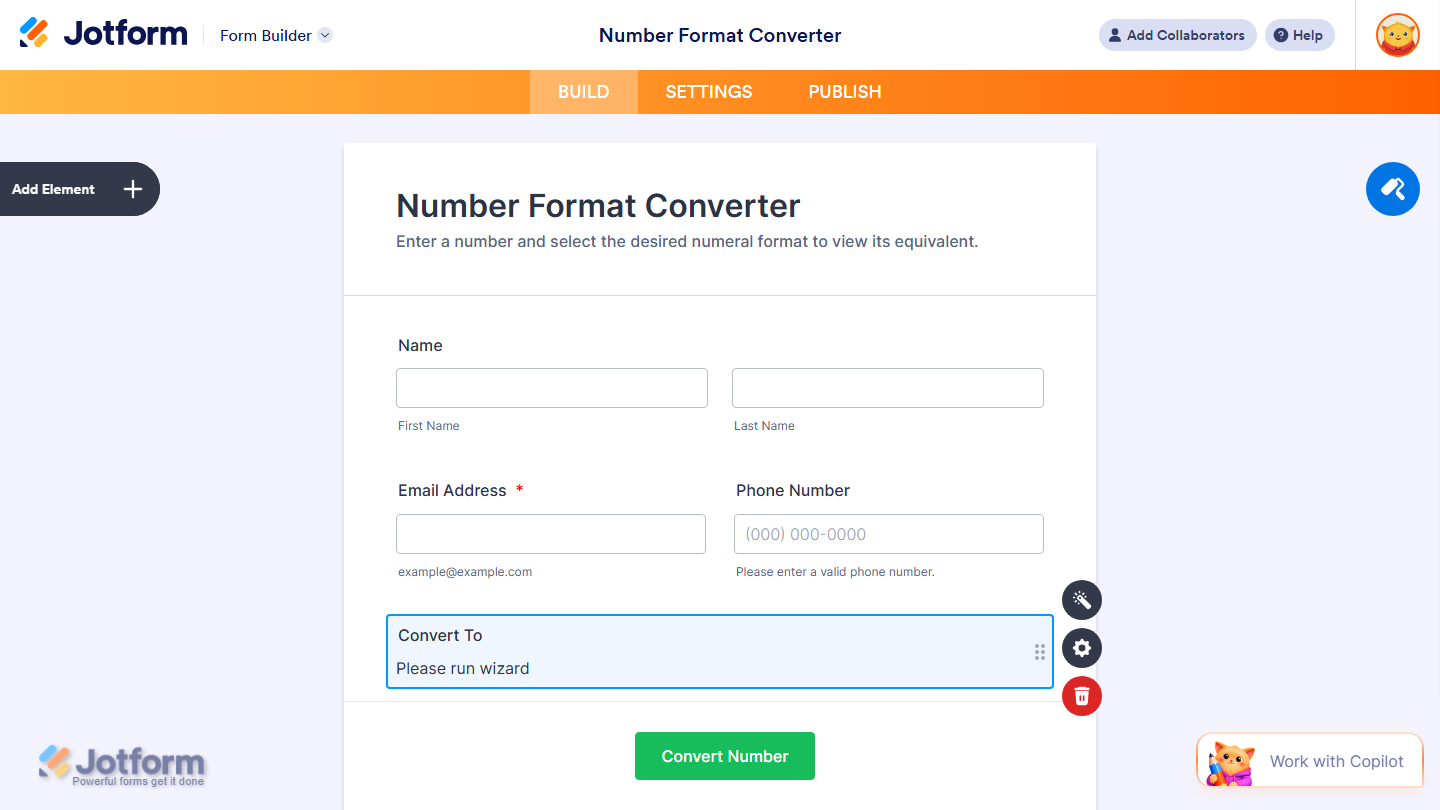
That’s it. You’ve successfully added and set up the Numerals widget on your form.
Want to see how it works? Check out this live demo form.
Note
- For advanced styling of the Numerals widget, you can add your own custom CSS code under the Custom CSS tab in the Widget Settings. Our guide on How to Inject CSS Codes to Widgets walks you through everything.
- You can also configure the widget properties, like alignment, labels, size, visibility, and more, to control how it looks and behaves in your form. Check out our guide on How to Access and Configure the Question Properties of a Widget to learn more.

Send Comment: