Jotform makes it easy to collect video responses through your forms using the Loom Video Recorder widget. With this widget, users can record their screen or capture a video using their camera—directly within your form.
This is a simple way to collect more personal and detailed responses, whether you’re gathering feedback, conducting interviews, or asking users to explain something visually.
Here are a few ways to use it:
- Record product feedback
- Collect video interviews
- Let users describe support issues
- Capture video-based survey responses
Adding and Setting Up the Loom Video Recorder
Whether you’re building a new form or editing an existing one, you can add and configure the Loom Video Recorder in just a few steps. This is how it’s done:
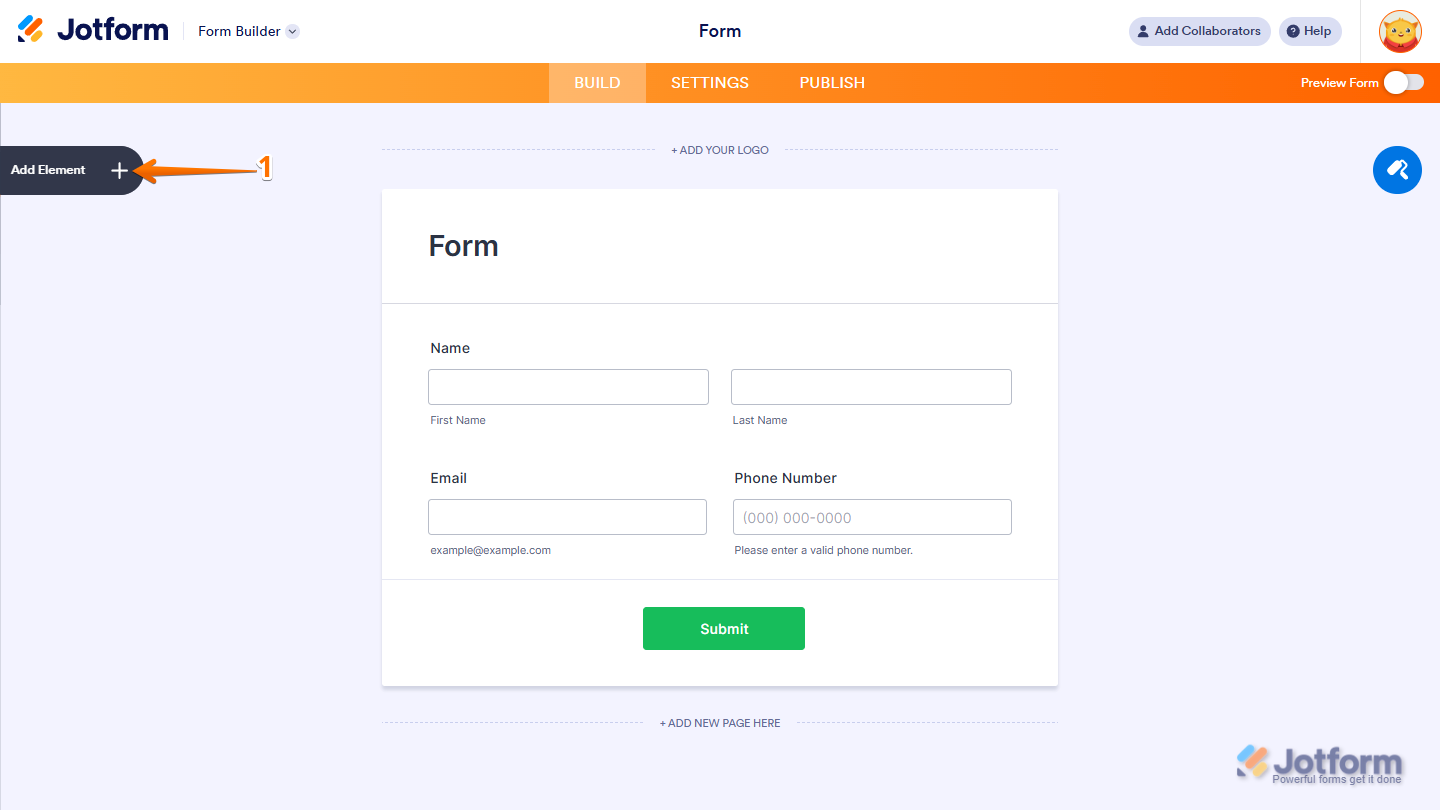
- In Form Builder, click on Add Element on the left side of the page.
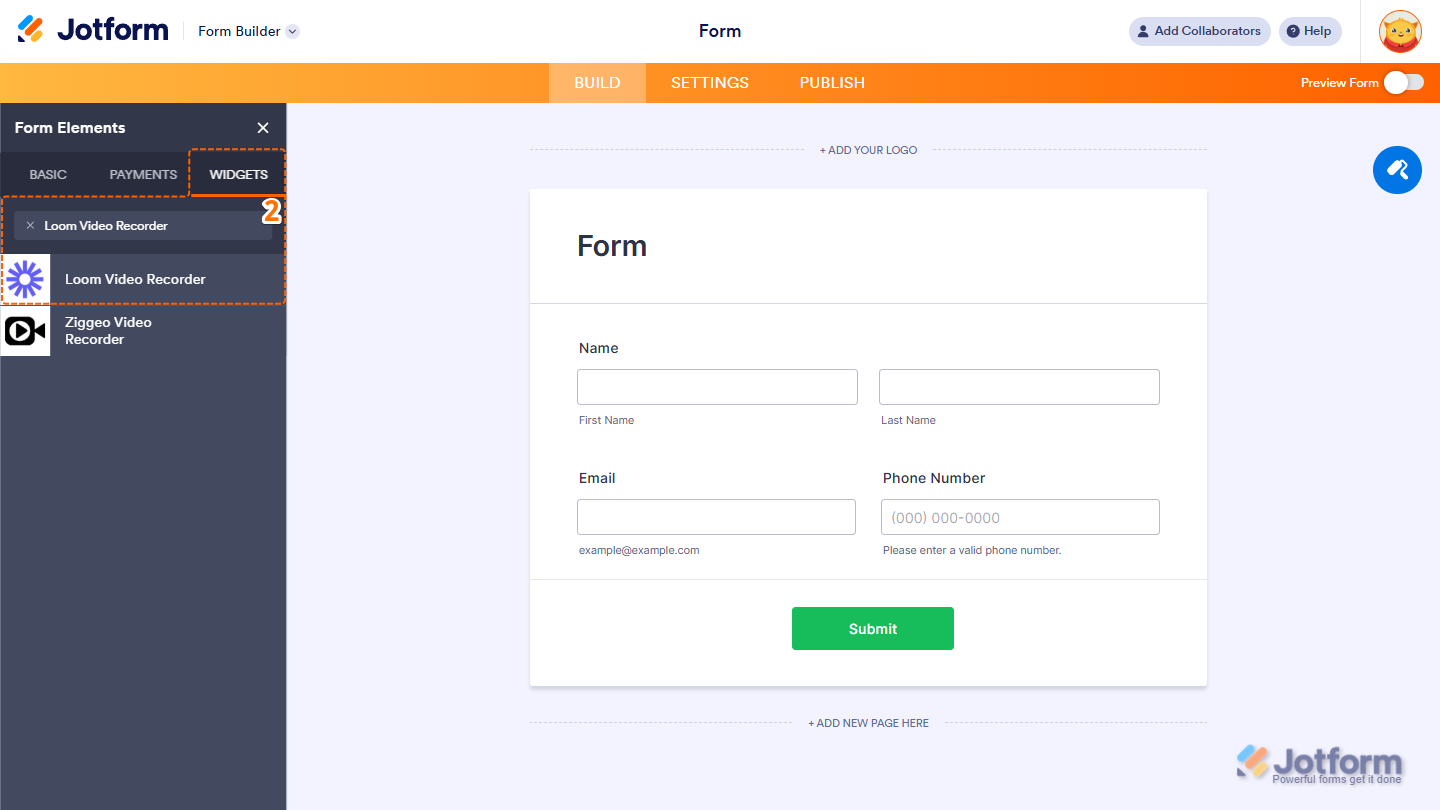
- Now, in the Form Elements menu, under the Widgets tab, search for Loom Video Recorder and click on it. Or, just drag and drop it to where you want it to be on your form.
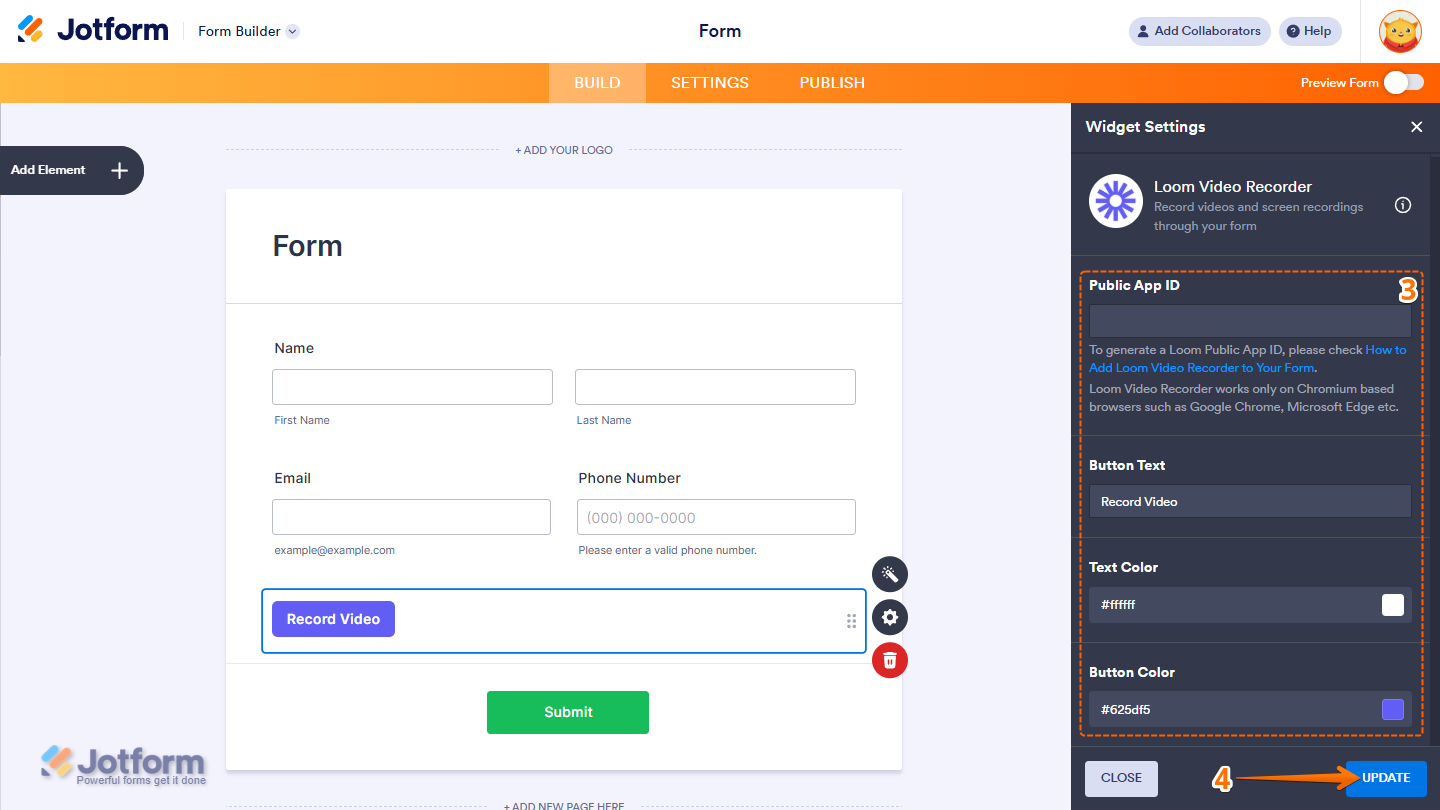
- Next, in the Widget Settings menu that opens on the right side of the page, under the General tab, you’ll see this list of settings you can configure:
- Public App ID — Paste the Public App ID of your Loom video to link it to your form. Take a look at our guide on Creating a New Loom Application for more details.
- Button Text — Enter the text that will appear on the play button.
Text Color — Choose the color of the button text. - Button Color — Select the color of the button itself.
- Once you’re done, click on Update.
That’s it. Now you’ve added and set up the Loom Video Recorder widget on your form.
Note
- Loom Video Recorder works only on Chromium based browsers such as Google Chrome, Microsoft Edge etc.
- For advanced styling of the Loom Video Recorder widget, you can add your own custom CSS code under the Custom CSS tab in the Widget Settings. Our guide on How to Inject CSS Codes to Widgets walks you through everything.
- You can also configure the widget properties, like alignment, labels, size, visibility, and more, to control how it looks and behaves on your form. Check out our guide on [Guide In Progress] to learn more.
Creating a New Loom Application
If you don’t have a Loom account yet, sign up here and follow the steps below to create a Loom application:
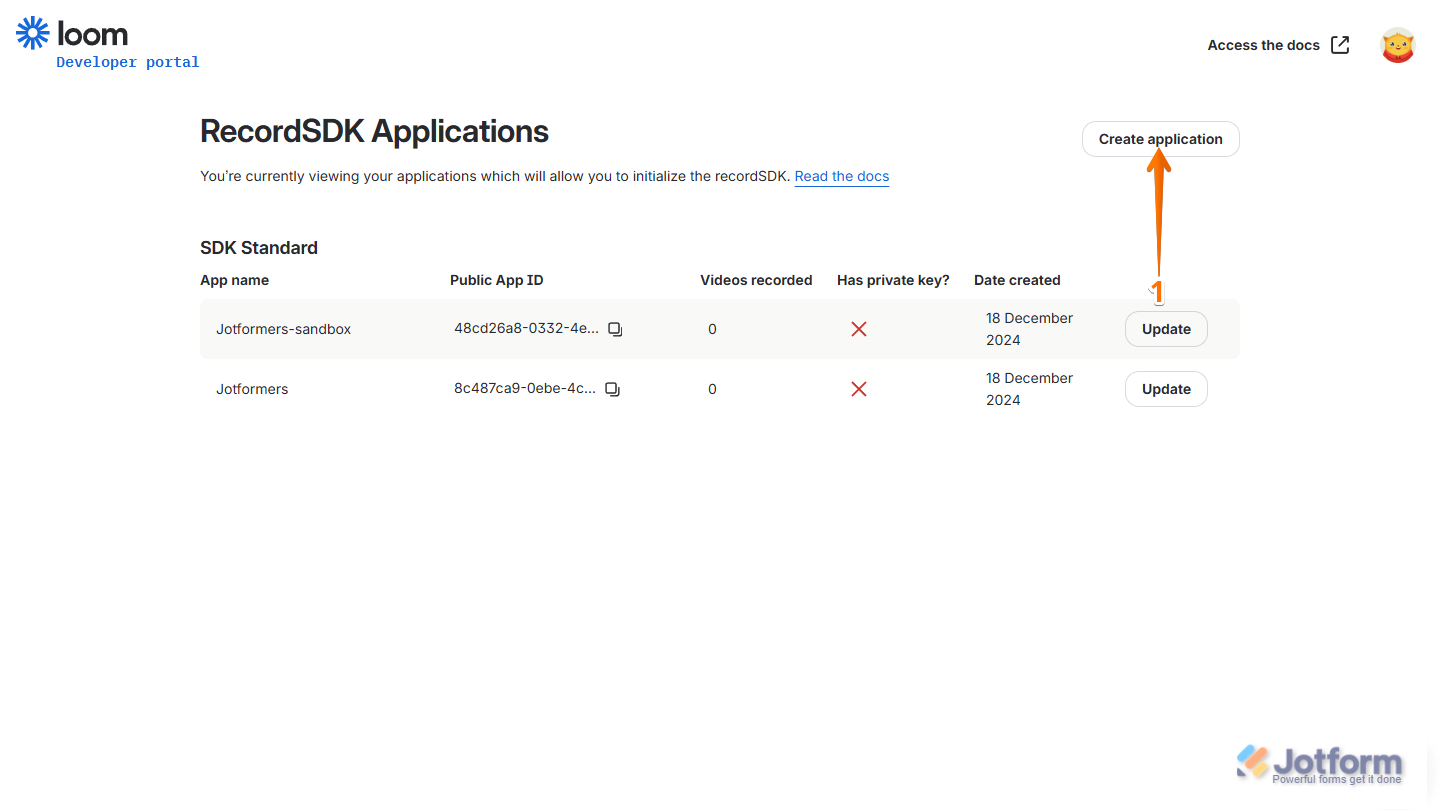
- Go to your Loom Developer page, and on the right-side of the page, click on Create Application.
- Next, in the Create Application window that opens, set up these things:
- App Name — Enter a name for your application.
- Domain Allowing SDK Setup — Enter the domain where your app will be used.
- Then, click on Create Application.
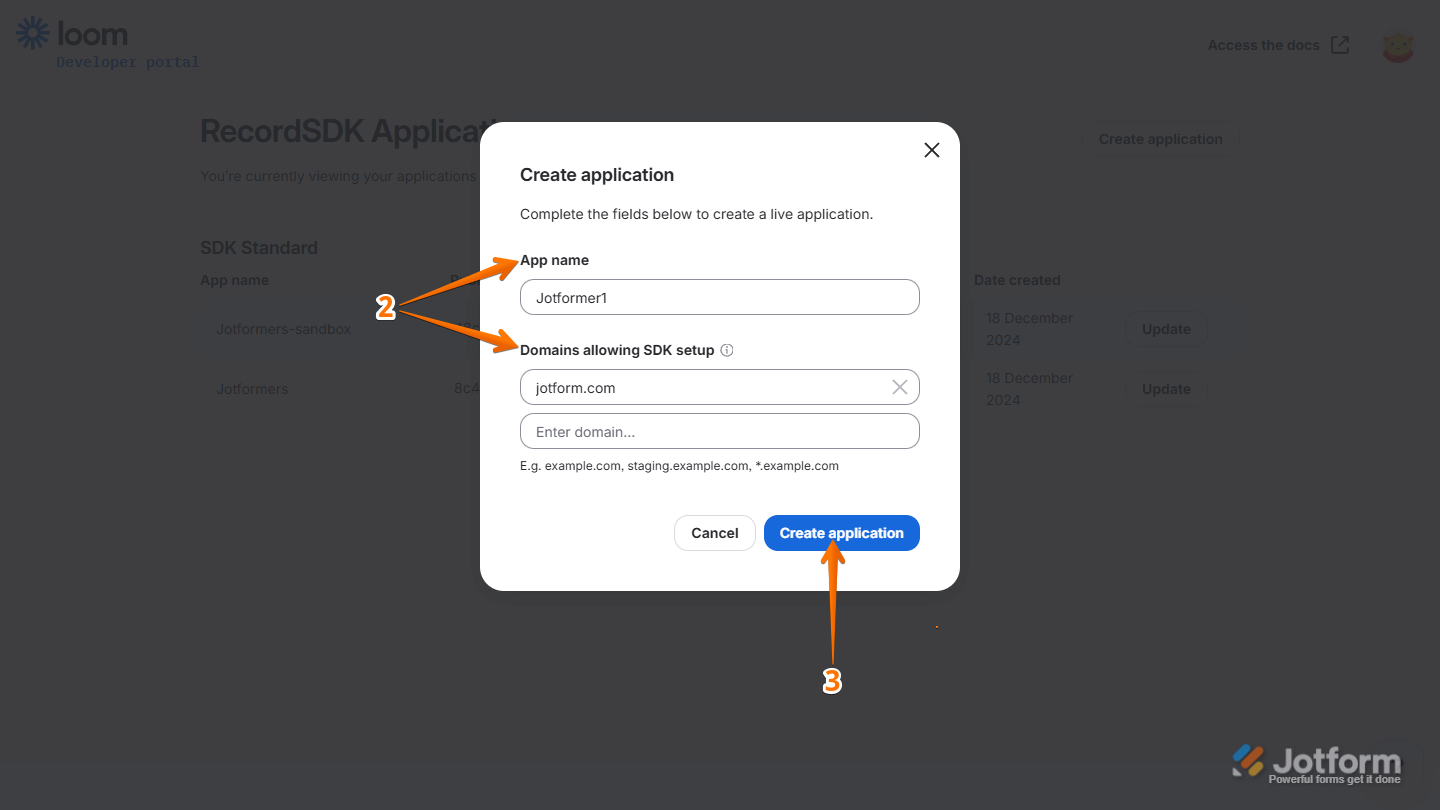
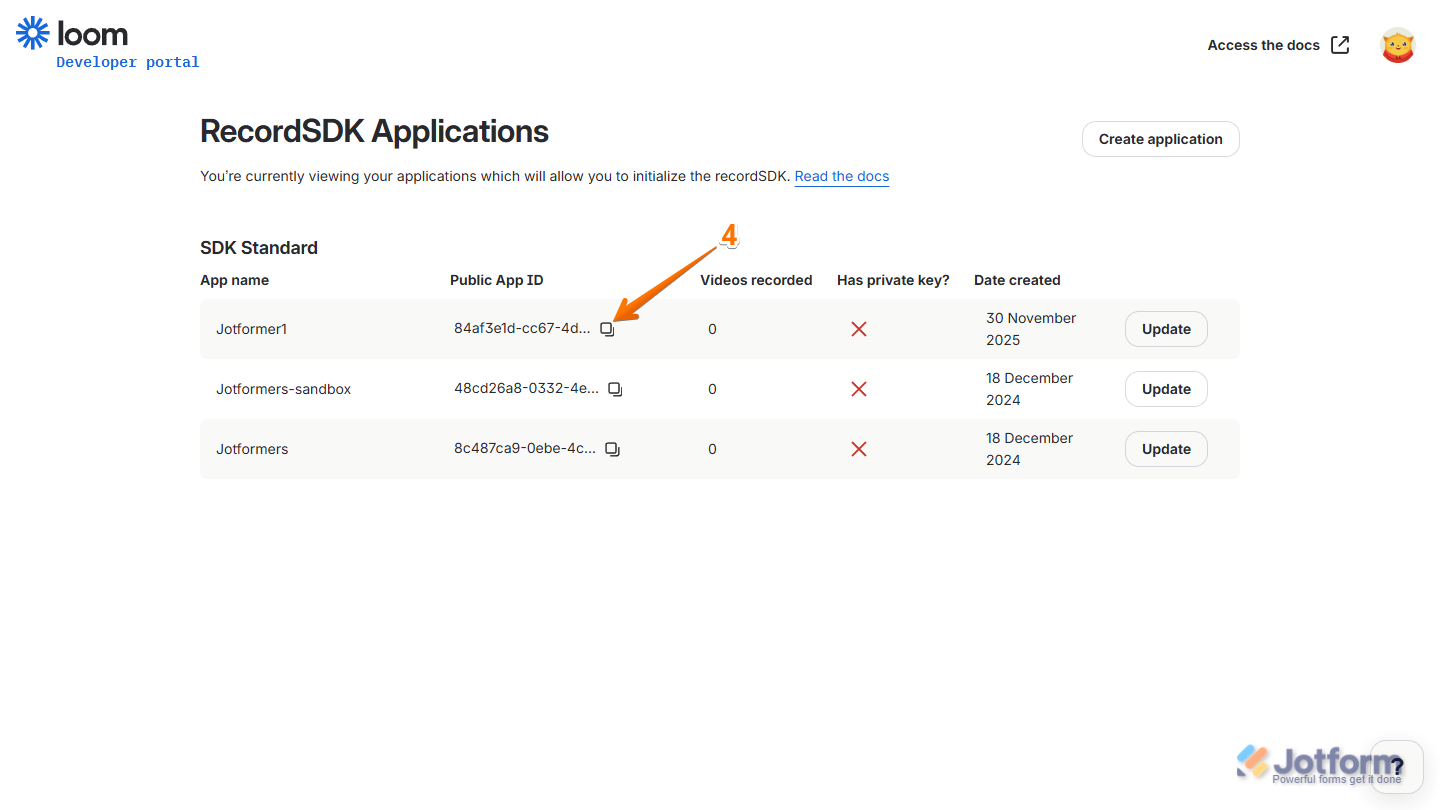
- Now, click on the Copy icon to copy the Public App ID of the app you just created and you’re done.

Send Comment:
10 Comments:
June 29, 2025
Not functioning on my forms either. Any explanation?
June 10, 2025
Step 2 is incorrect.
2) Add your application details:
Enter your application name in the App name box.
Choose SDK Standard for the SDK type.
Add jotform.io and jotform.com under Domains allowing SDK setup.
the domains should be
*.jotform.com
*.jotform.io
February 24, 2025
I followed the instructions exactly. Clicking on record from browser says "Cannot connect to Loom. Please try again later."
On chrome mobile it says "error setting up Loom: no-media-streams-support"
Not a functional widget at this point.
October 21, 2024
On the loom widget, it keeps showing me the error of "Error setting up loom: Third-party-cookies-disabled
Same
March 10, 2024
Hi, When I add the public app ID code to my widget and "update widget" and then send the form to myself for checking, it comes up with an error "Cannot connect to Loom - Please try again later" Last week the videos were able to be recorded but only for 2 of the 15 questions. Today, non of the questions are working. Am I doing something wrong? or is there something not working with Loom? I have a free loom account at the moment.
March 2, 2024
Continuous error messages from both Jotform and Loom...
June 23, 2023
I'm trying to add Loom Video Recorder, but it doesn't come up as an option, please advise. Thank you
December 5, 2022
do you have support for LOOM SDK CUSTOM ?
August 23, 2022
Haven't tested it on all browsers but it doesn't work on Brave, DDG, Safari browsers. Get the following error on all:
Error setting up Loom: incompatible-browser
Pretty much unusable at this point!
August 3, 2022
On the loom widget, it keeps showing me the error of "Error setting up loom: Third-party-cookies-disabled