Just like in the Form Builder, where you can create multipage forms, Jotform Apps lets you build multipage apps too. By adding pages and sections, you can organize your app’s content neatly, making it easier for users to navigate and for you to manage everything behind the scenes. You can group related elements together and guide your users through a smooth, step-by-step experience, helping them navigate your app effortlessly.
Creating a Multipage App
Creating a multipage app lets you split your app into separate pages or sections, making it much easier to keep your content organized. To get going, here’s what you’ll do:
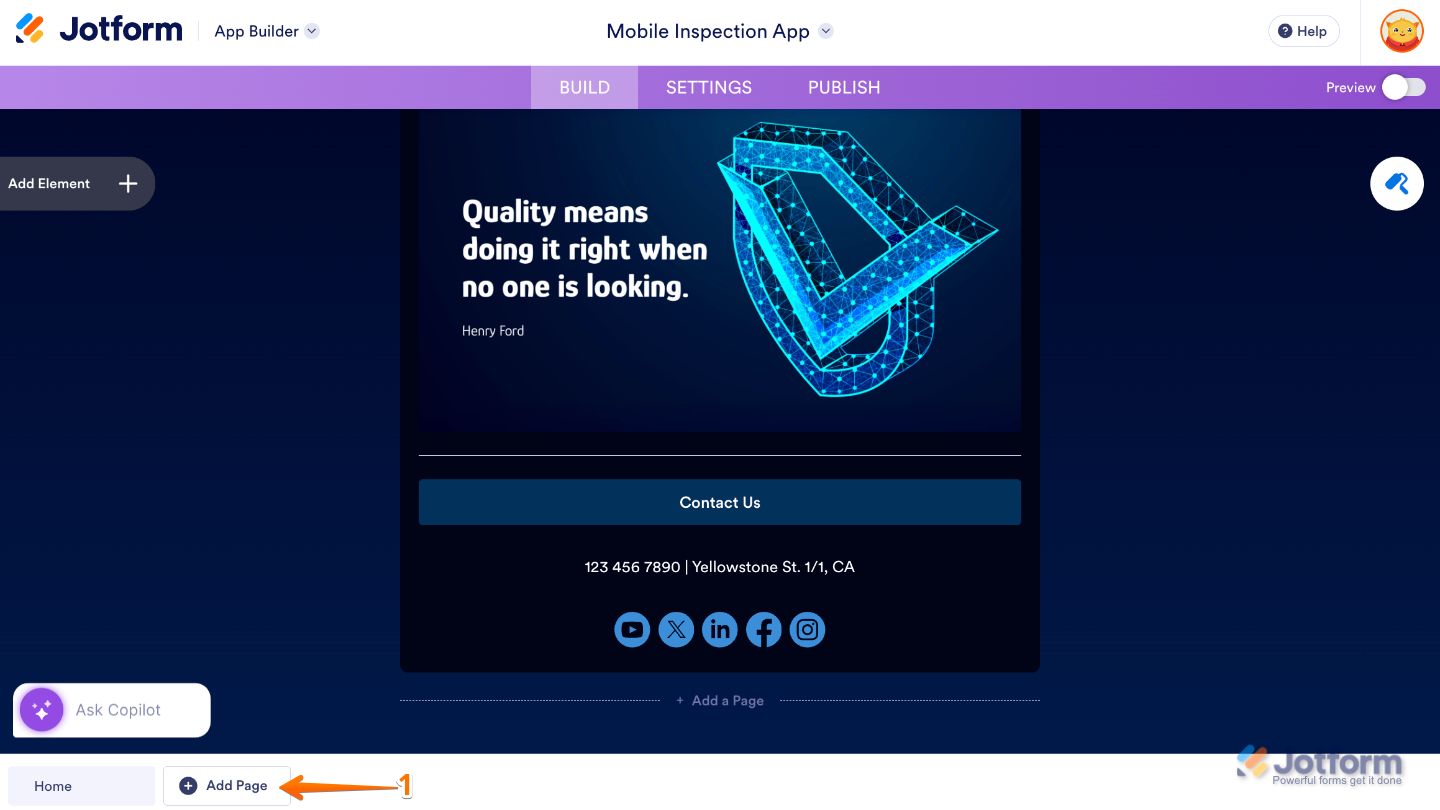
- In App Builder, click on Add Page at the bottom-left of the page.
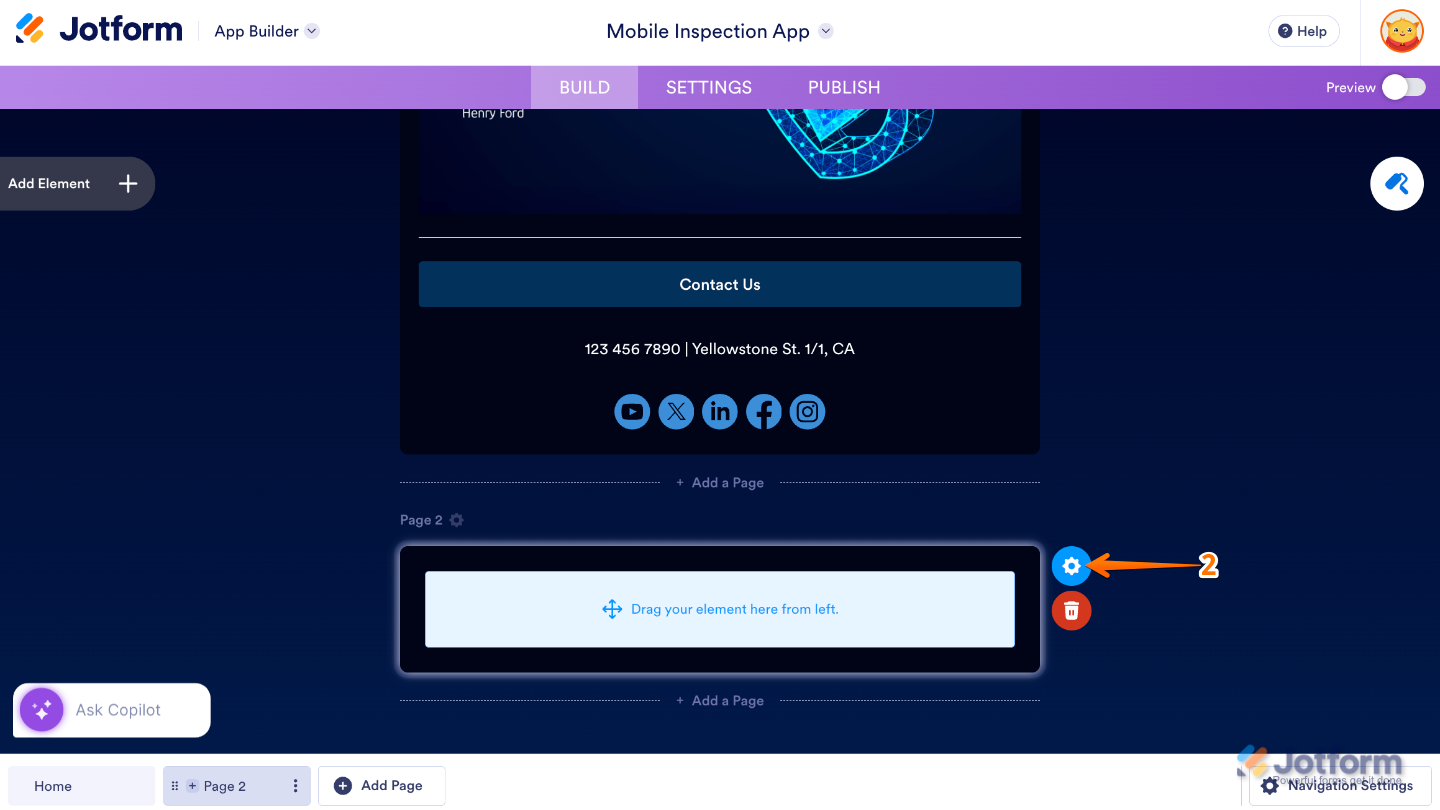
- Next, on the new app page that appears, click on the Gear icon.
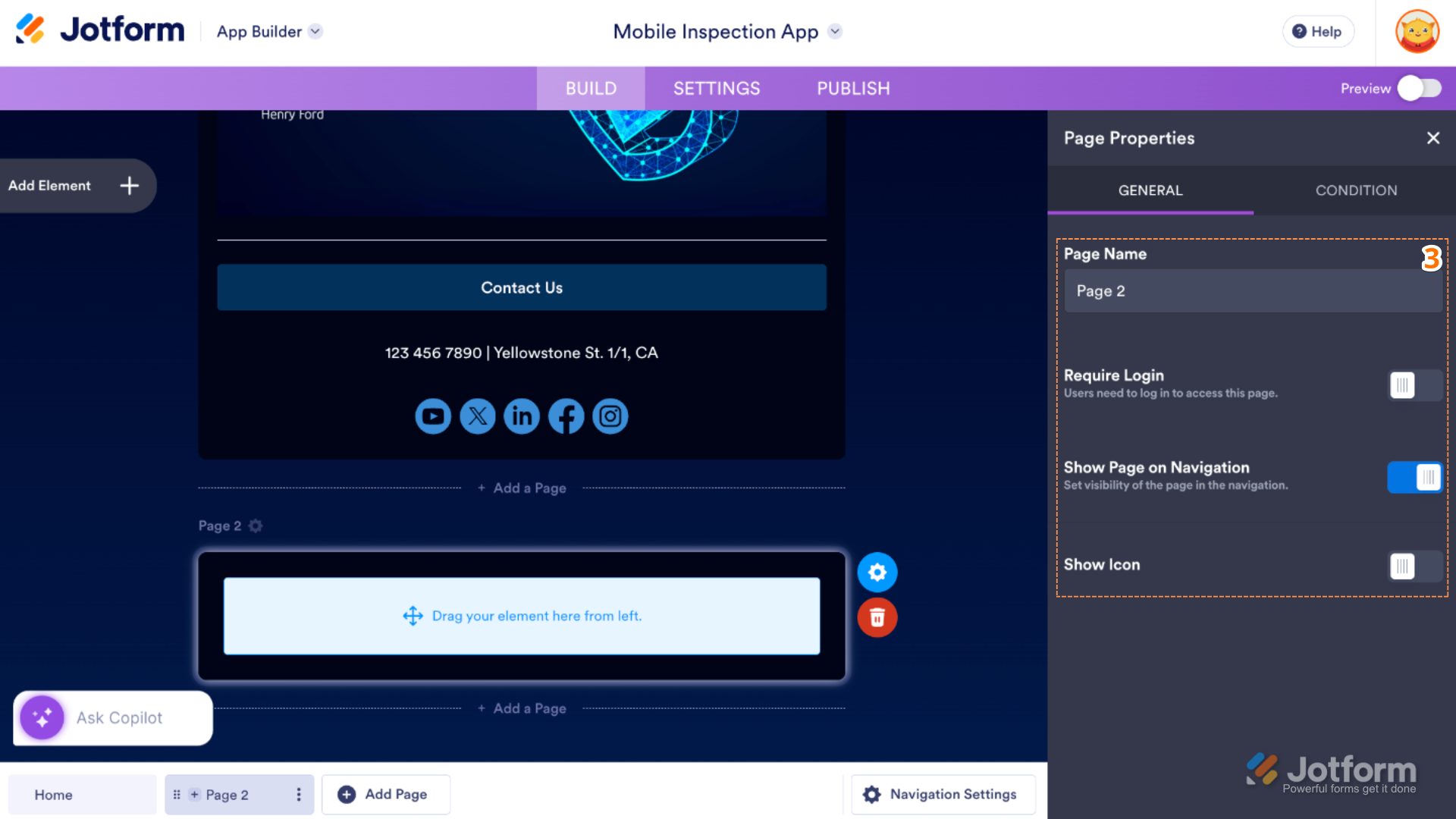
- Then, in the Page Properties menu that opens on the right side of the page, under the General tab, set up the following options:
- Page Name — Enter the label of your page inside the app.
- Require Login — Toggle this on if you want to control whether users must sign in to access the page.
- Show Page on Navigation — Determines whether the page appears in the app’s main navigation menu.
- Show Icon — This lets you display an icon next to the page name in the navigation menu.
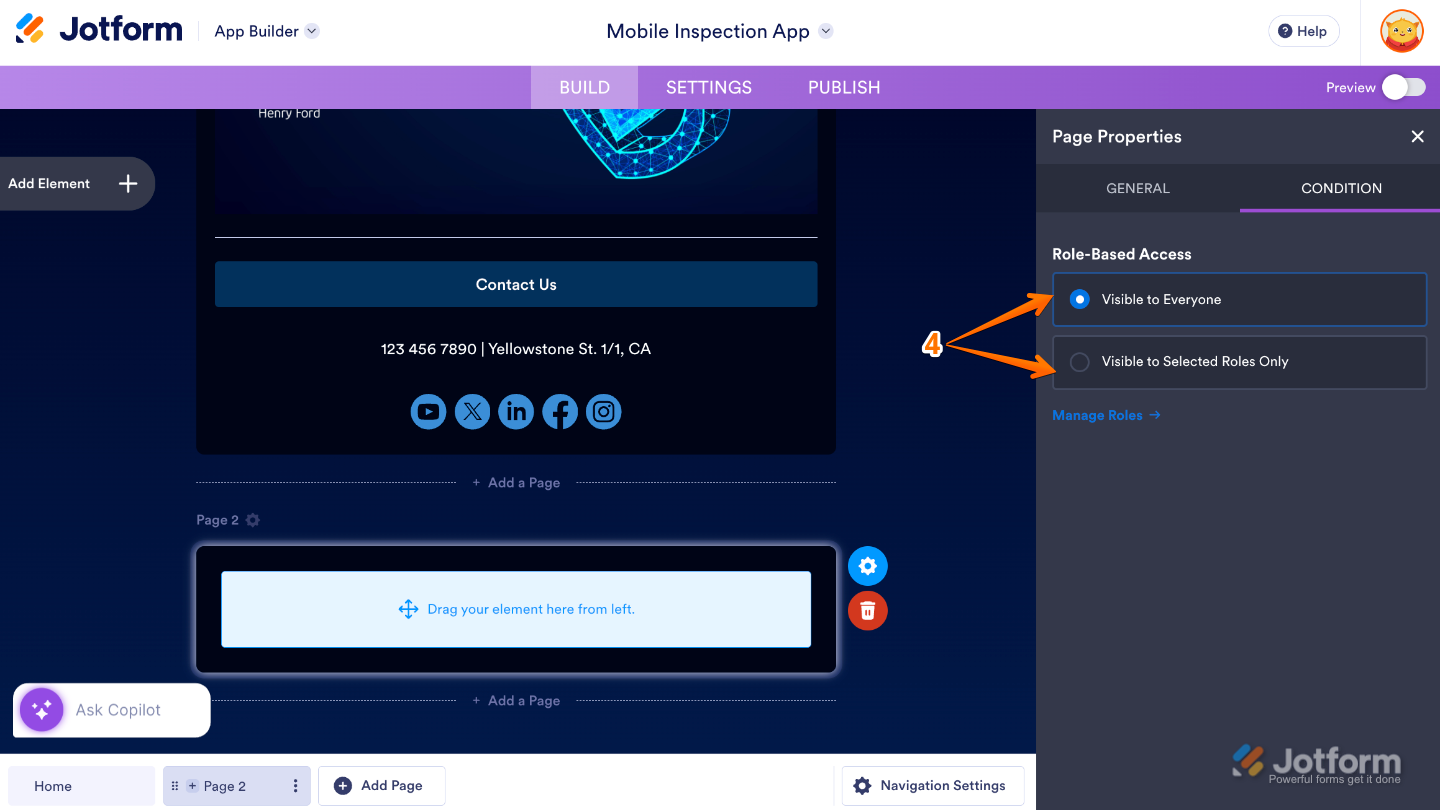
- Now, switch to the Condition tab and configure the Role-Based Access option to control which user roles are allowed to view the page.
That’s it. You’re all set and can now start adding new elements to your app page to bring it to life.
Using Your App Navigation Menu
Your app’s navigation menu plays a big role in how easily users move around and find what they need. With two navigation options to choose from, you have the flexibility to design an experience that feels just right for your app and your audience.
You can go with a top navigation that uses a hamburger menu for a clean, organized look, or choose a bottom navigation with a horizontal layout that keeps key sections within easy reach. Both options are built to feel intuitive and user-friendly, helping your users navigate smoothly and confidently every time they open your app.
Note
The Navigation Settings option only appears and works if your app has multiple pages. If your app is set up as a single page, you won’t see this option until you add more pages.
Enabling Your App’s Top Navigation Menu
Enabling Top Navigation is quick and straightforward. Your app will use a clean top bar with a hamburger menu, giving users a familiar and organized way to move between pages. As long as your app has multiple pages, you’re just a few clicks away from setting it up—here’s how to do it:
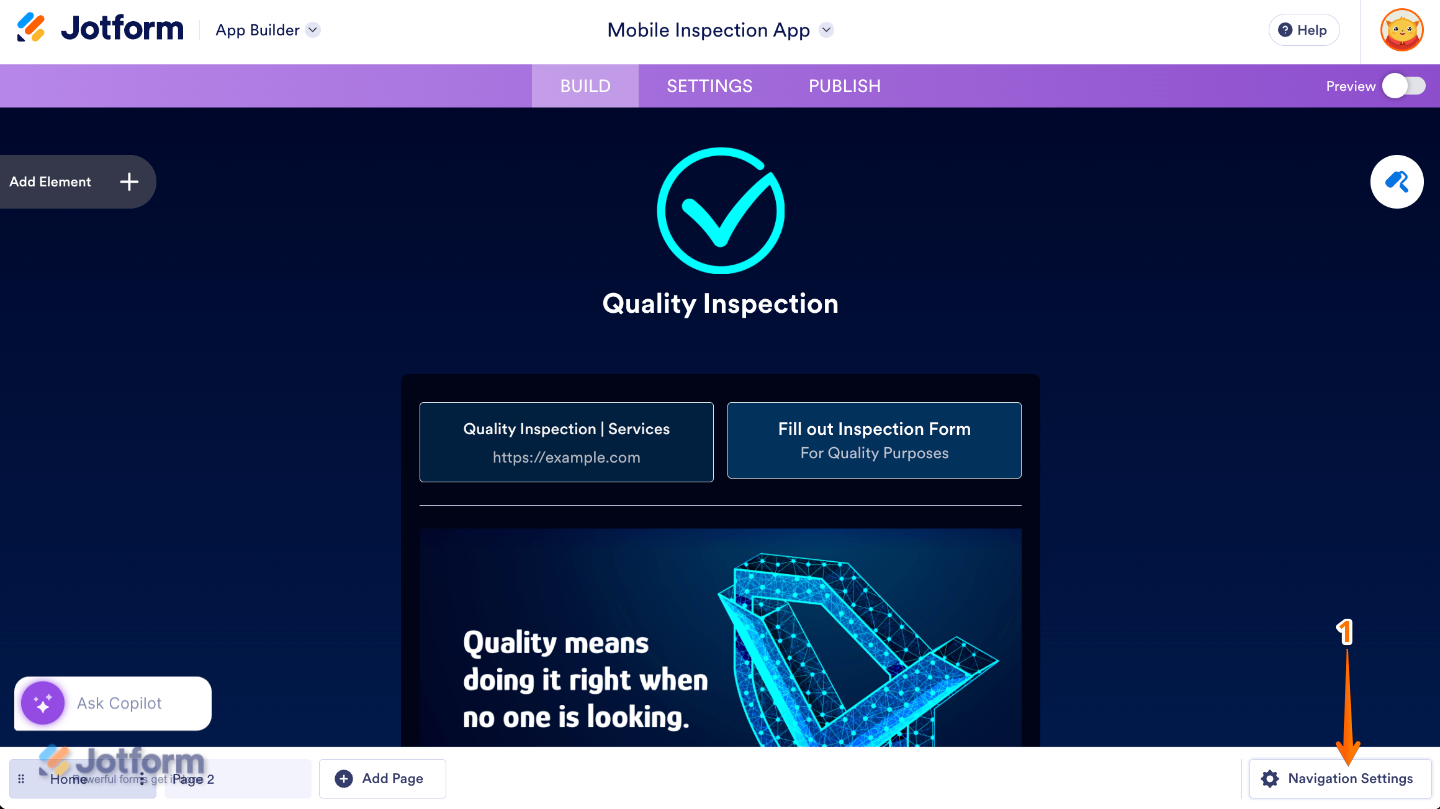
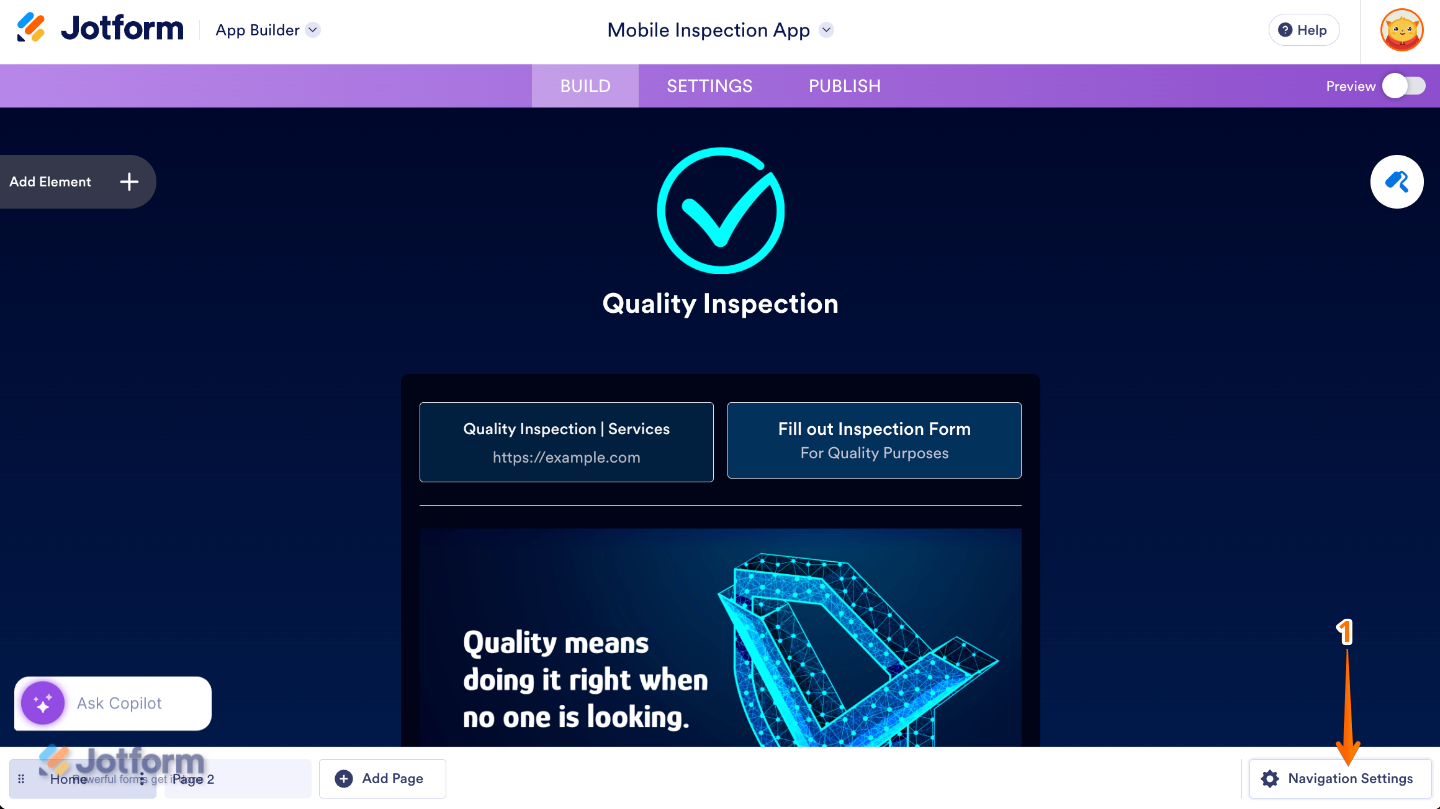
- In the App Builder, click on Navigation Settings at the bottom-right corner of the page.
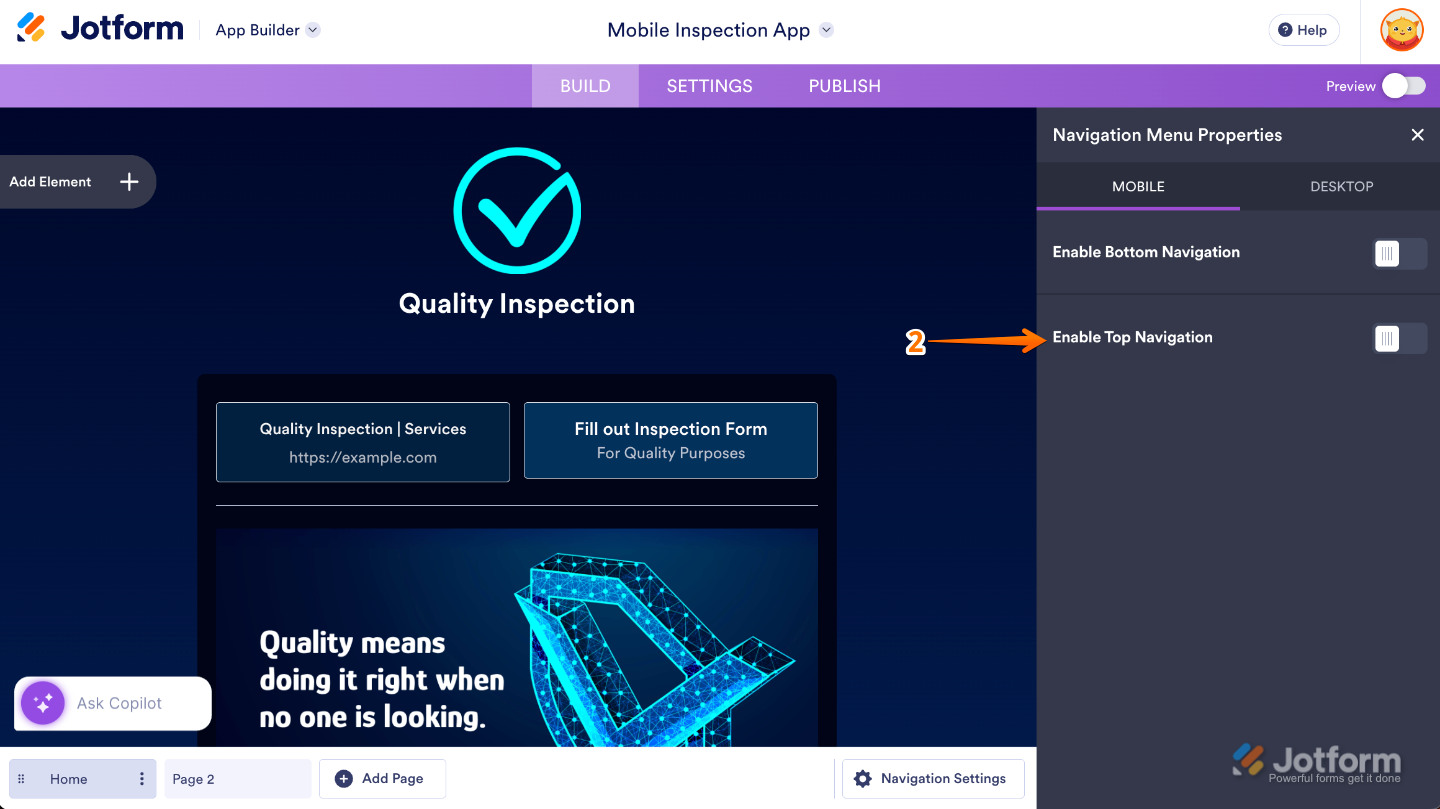
- Then, in the Navigation Menu Properties that opens on the right side of the page, under the Action tab, toggle on Enable Top Navigation.
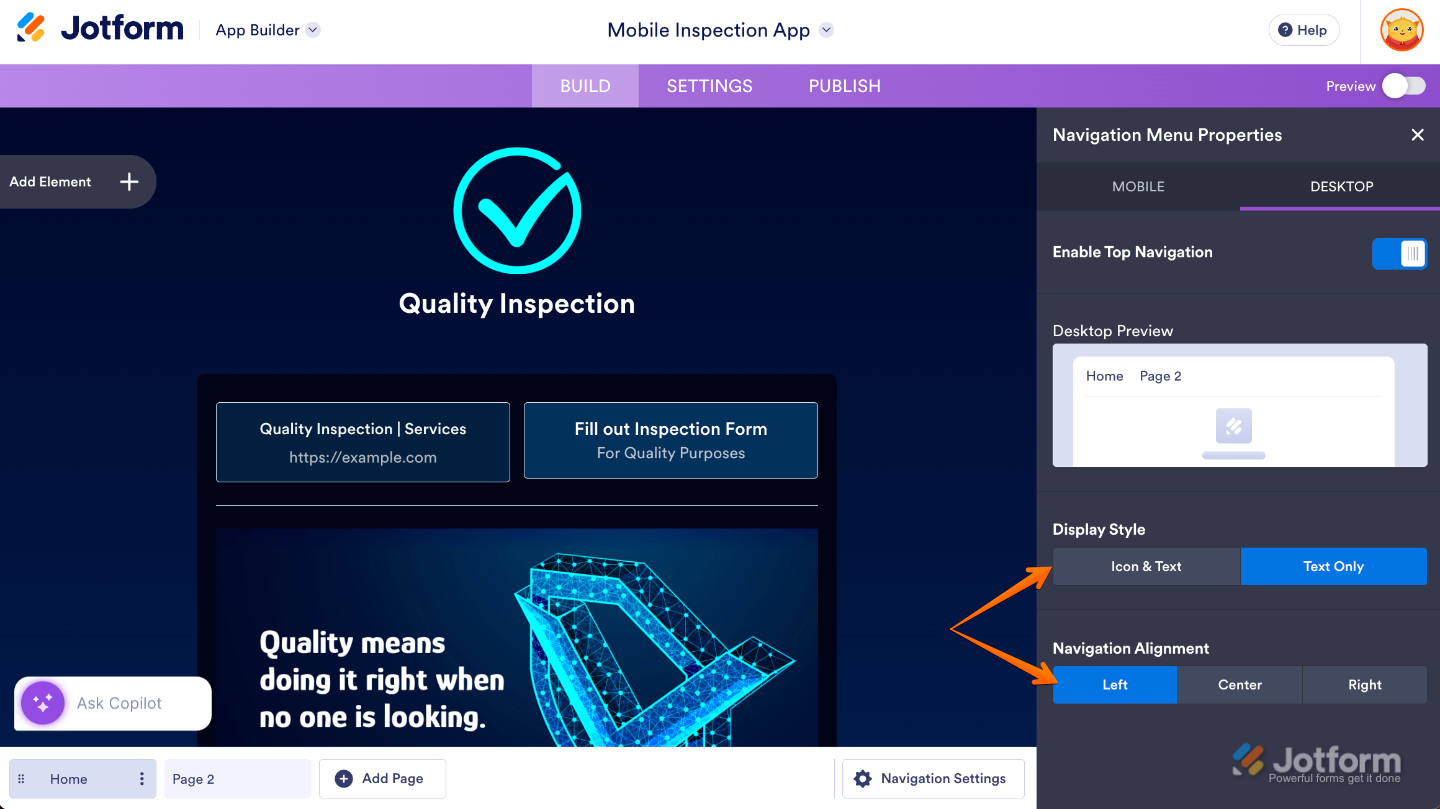
If you want your desktop app to use the same navigation setup, just switch to the Desktop tab and toggle Enable Top Navigation—your changes will apply there too. Once enabled, you’ll see the following options:
- Display Style — Choose how your navigation items look, show both the Icon and Text for clarity, or keep it sleek and simple by displaying the Icon Only.
- Navigation Alignment — Pick where you want your navigation to sit: Left, Center, or Right.
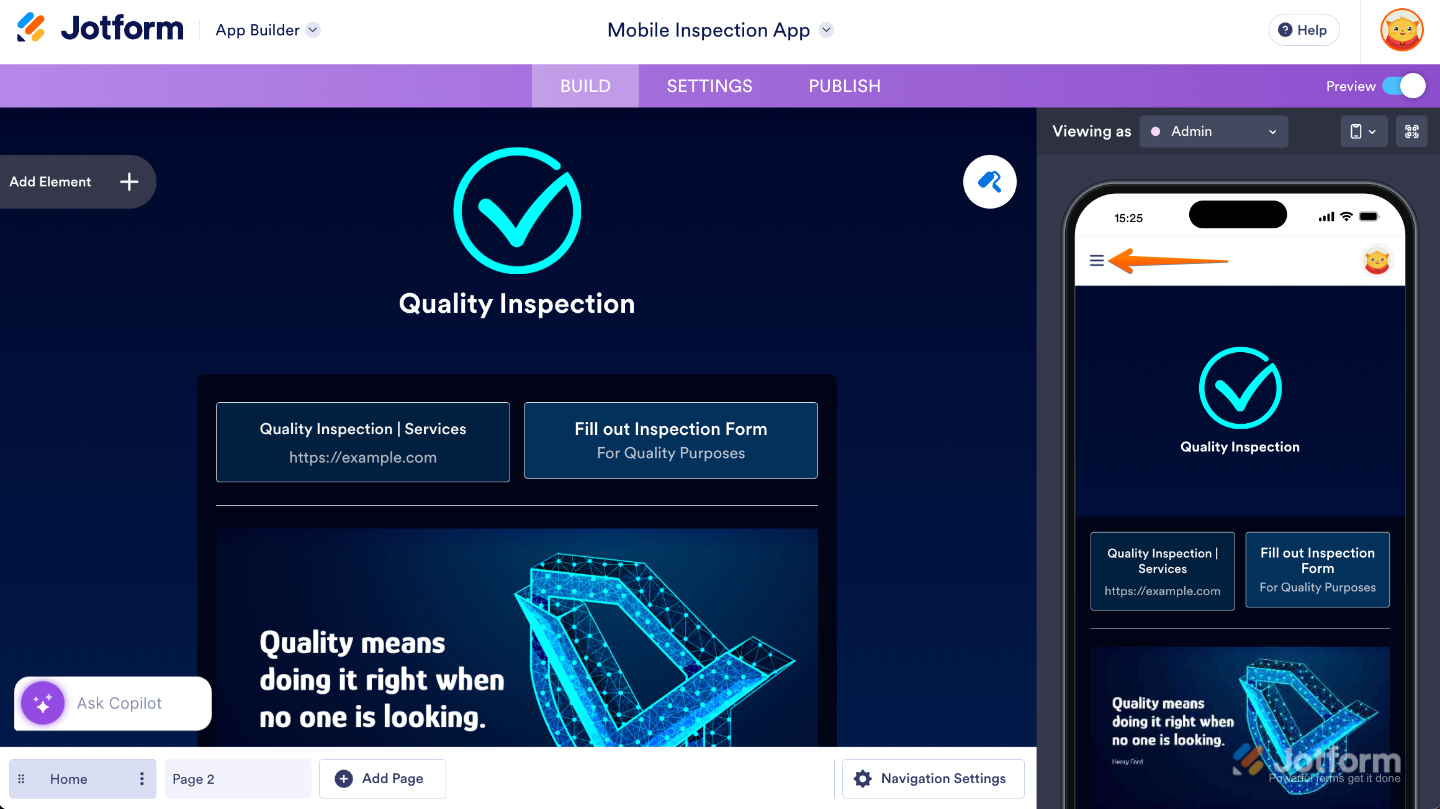
Now, when you preview your app, you’ll see your pages listed in the Three Lines icon at the top-left corner of the screen.
Enabling Your App’s Bottom Navigation Menu
Enabling Bottom Navigation is just as quick and hassle-free. This option places a horizontal menu at the bottom of the screen, giving users easy, one-tap access to your app’s main pages—perfect for mobile-friendly navigation. You can do it in just a few steps:
- In the App Builder, click on Navigation Settings at the bottom-right corner of the page.
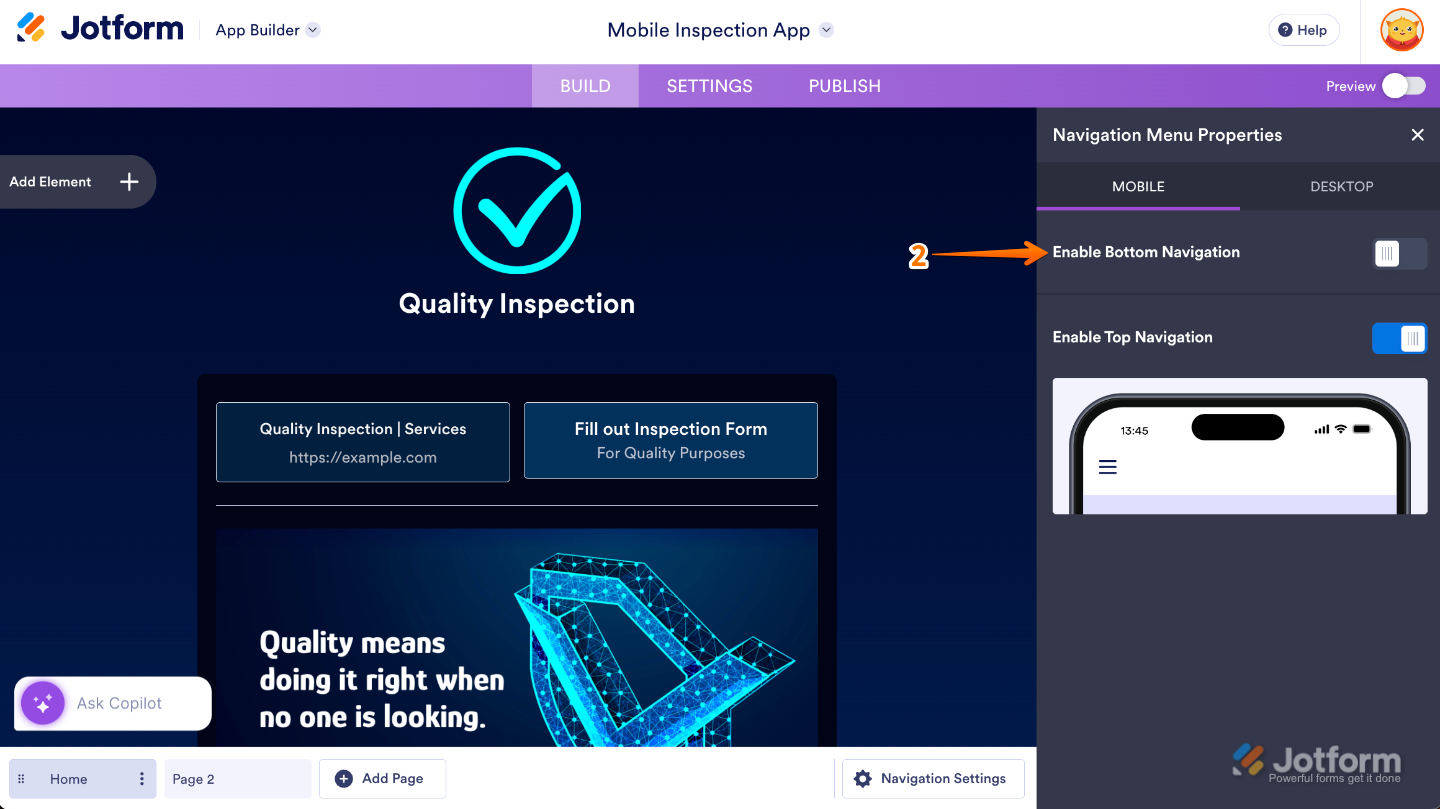
- Then, in the Navigation Menu Properties that opens on the right side of the page, toggle on Enable Bottom Navigation.
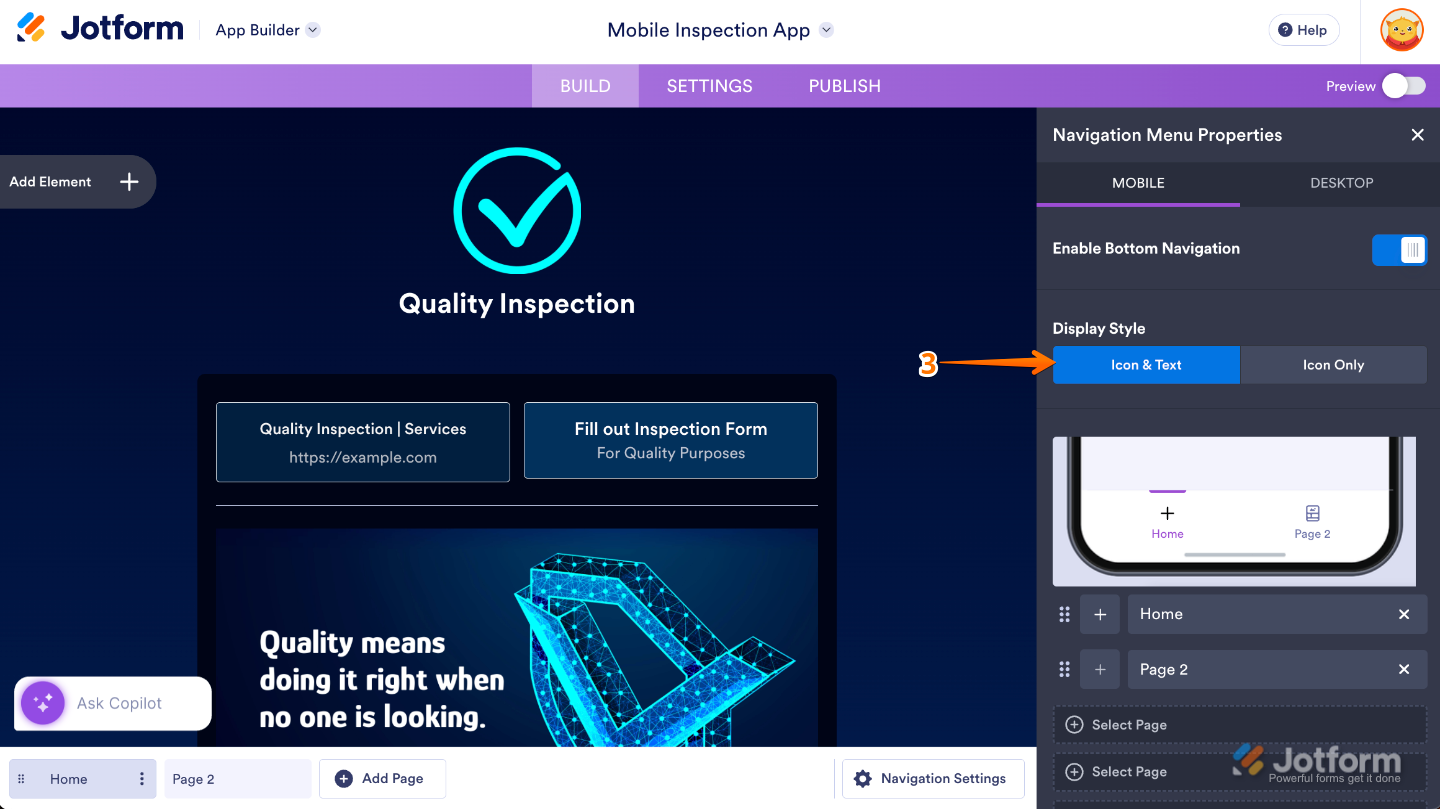
- Next, choose a Display Style to control how your navigation items appear. You can show both the Icon and Text for extra clarity, or keep things clean and minimal by displaying the Icon Only.
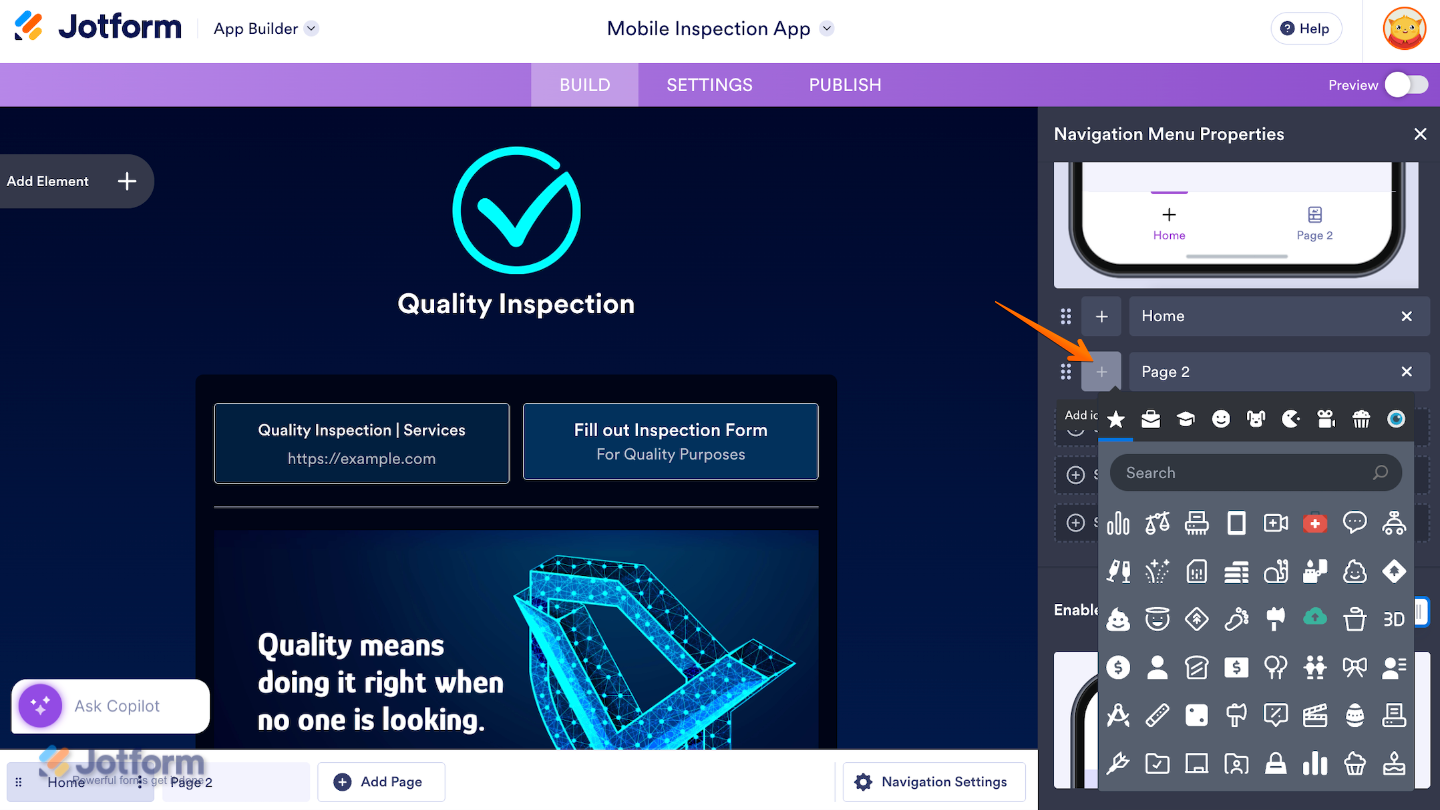
If needed, you can rearrange your pages by dragging them up or down in the list. The order from top to bottom determines how the pages appear from left to right in the bottom navigation menu, making it easy to place your most important pages exactly where you want them. Also, clicking on the Plus icon lets you change a page’s icon.
Note
While Top Navigation is visible on both mobile and desktop devices, Bottom Navigation only appears on mobile. This means if you’ve enabled Bottom Navigation, your users will see it when accessing your app on a phone. On a desktop, however, only the Top Navigation will show—provided it’s enabled—so your app stays easy to navigate no matter the device.

Send Comment:
3 Comments:
May 1, 2025
I have multiple pages in my app. In addition to navigating to each page from the menu, I'd like user to be able to scroll continuously through all content from all pages without having to select each page independently. Is there a way to do this?
April 2, 2025
How can I add multiple pages to my app in Jotform Apps?
December 15, 2022
Hi, like any webapp or site, each page has a distinct URL, but I'm so far unable to find what they are so that I can link to an INTERNAL app page from an external link. Is there anything other than the URL that ends in "page/0" for example? Or do we just rely on those numbers never changing? Does it not use a name or anything more? Thanks