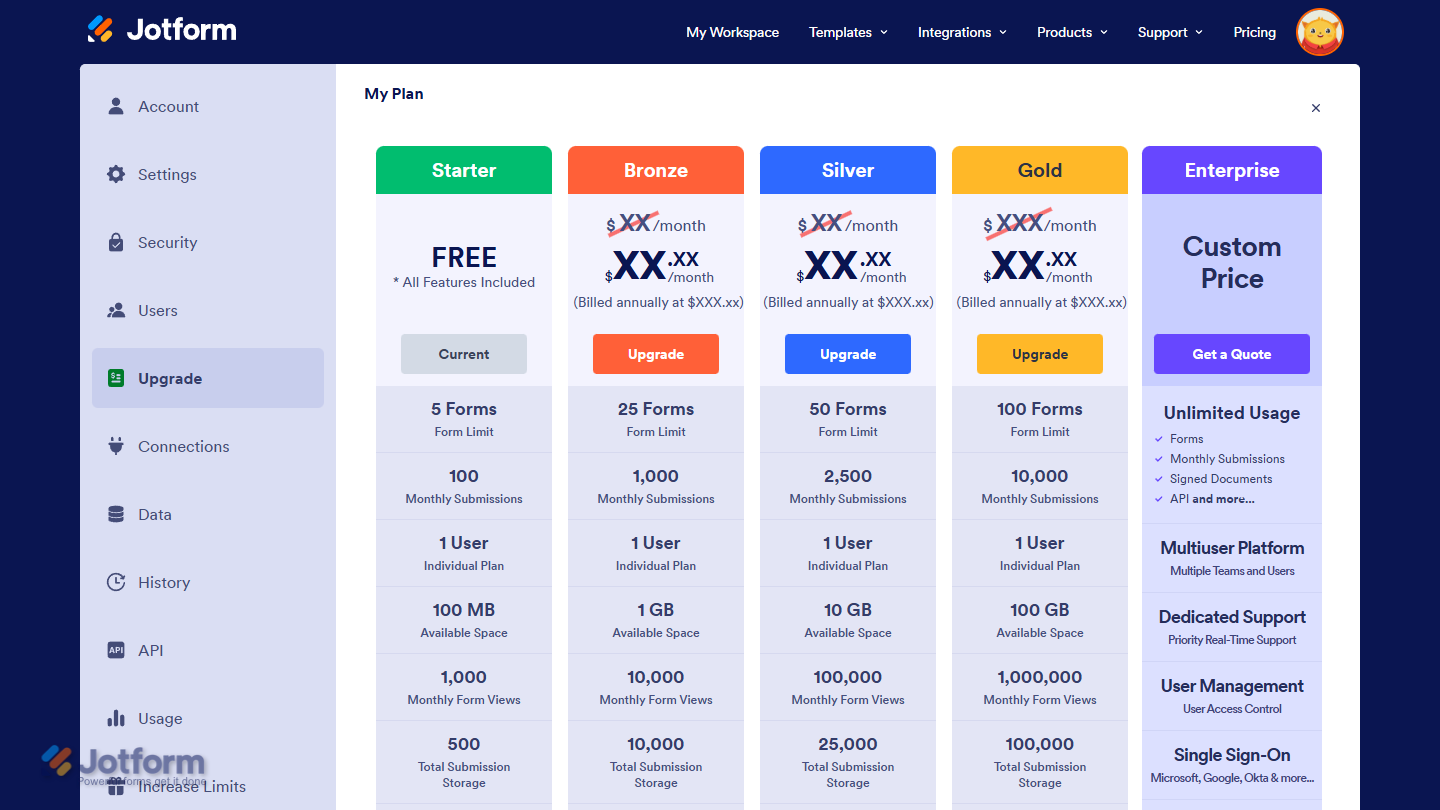
Jotform gives you a lot right out of the gate, no matter which plan you’re on. Whether you’re creating your first form or managing a busy workflow, the free plan already covers almost everything you need. Upgrading mostly increases your limits and unlocks a few extras for larger teams or organizations—but the actual features stay almost the same.
Creating Forms, Apps, and Other Assets
Jotform lets you create a wide range of assets in your account, and the experience is the same on both free and paid plans. The following options are available to all users:
- Forms — Build forms with logic, payments, and automation.
- AI Agents — Train agents to guide users and answer questions.
- Workflows — Automate processes and streamline approvals.
- Apps — Make downloadable mobile apps without coding.
- E-signs — Create documents that can be signed on any device.
- Tables — Sync, manage, and collaborate on data in one place.
- Reports — Generate insights from your form submissions.
- Boards — Organize tasks and keep projects on track.
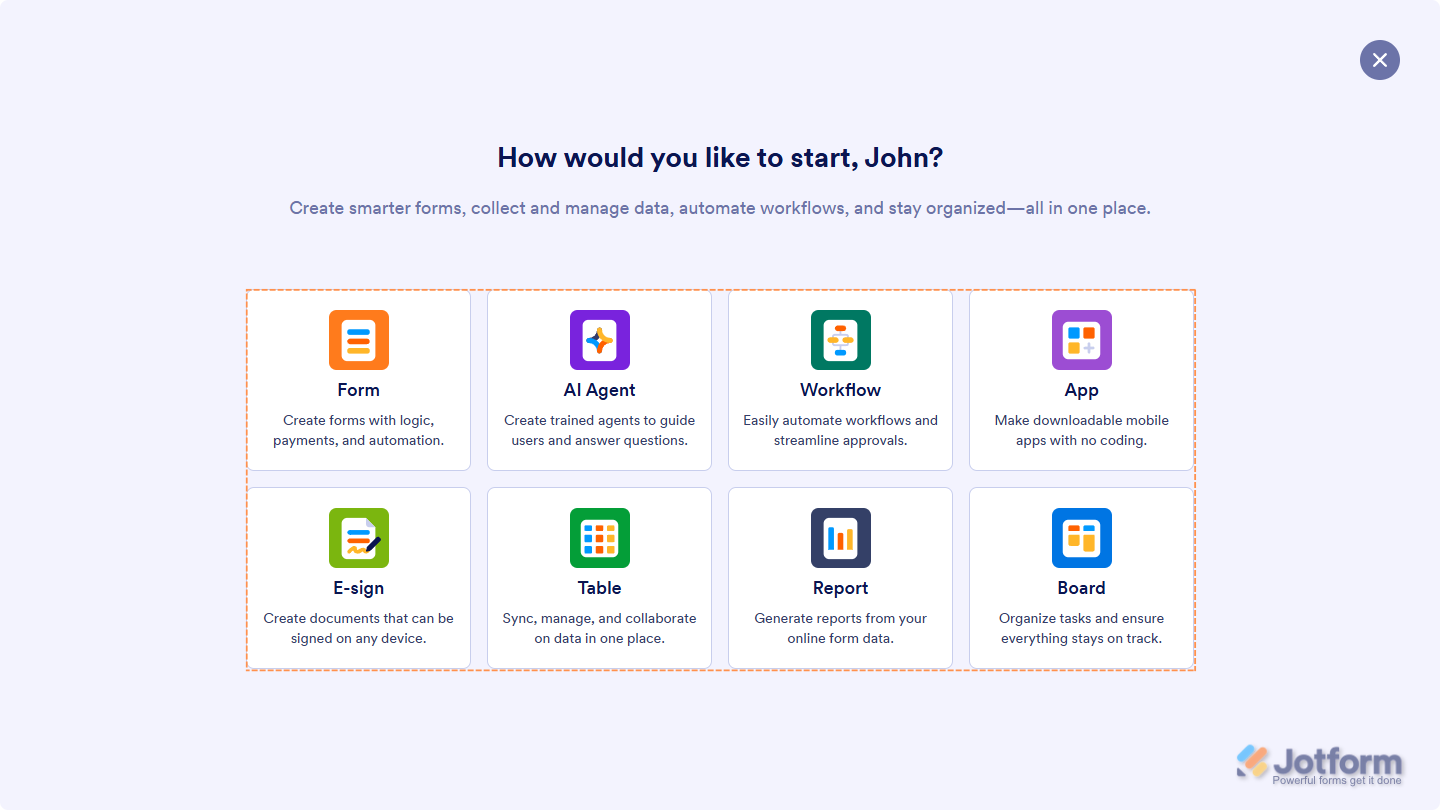
Paid plans mainly increase how much you can create or store — the features themselves are the same. Take a peek at our guide on How to Create Assets on Workspace to learn more.
Organizing Your Data
Every user gets access to Jotform Tables, inbox views, reports, and ways to sort, filter, and manage submission data. Nothing is restricted on the free plan. Paid plans just increase storage and submission limits for heavier workloads.
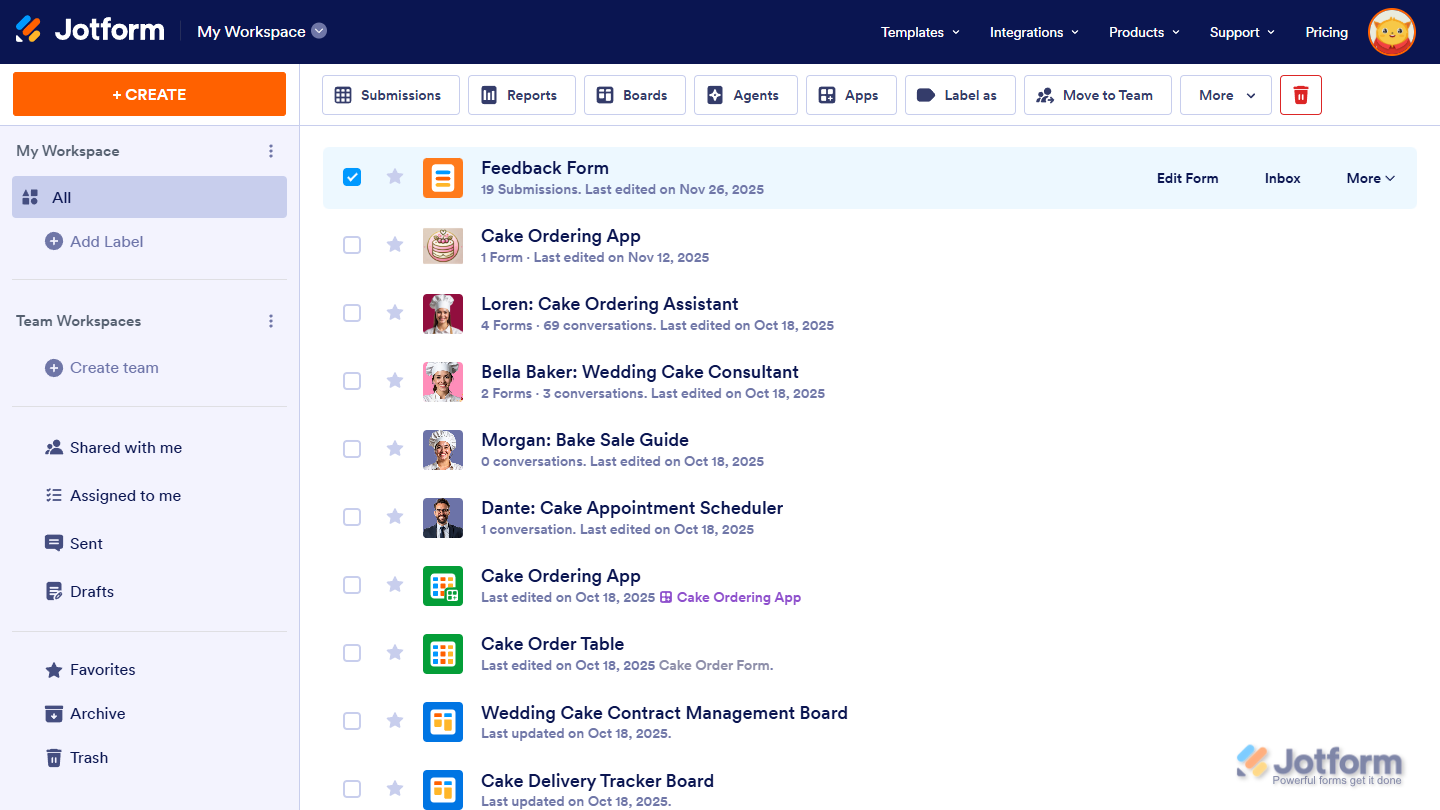
These guides will walk you through more ways to organize your data if you’re curious to learn more:
Collaborating with Teams
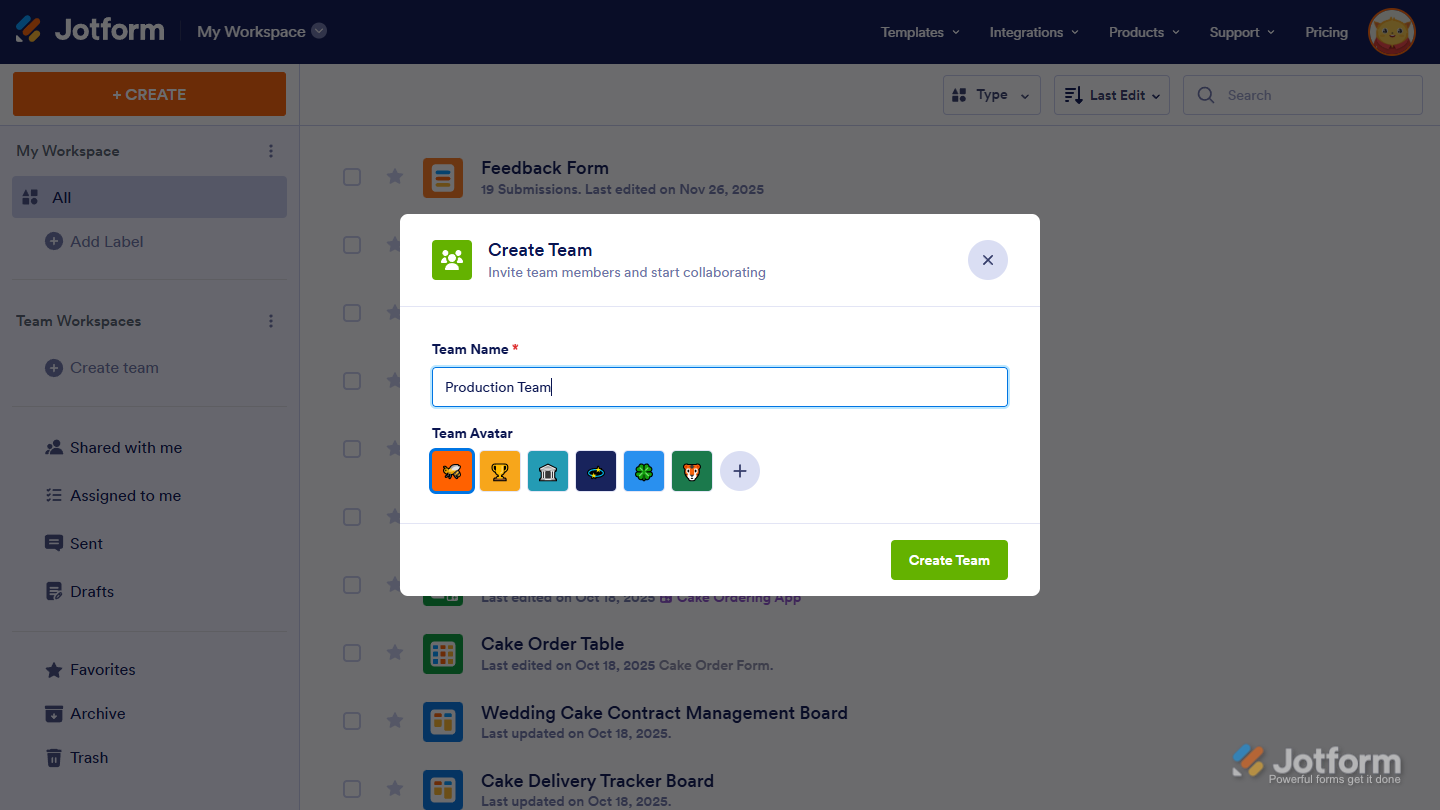
With Starter through Gold plans, you can use Jotform Teams to create teams and organize your forms and assets in those spaces. However, free and non-enterprise paid plans can’t invite team members. Full collaboration inside teams is available only on Enterprise.
Handling Security and HIPAA-Friendly Needs
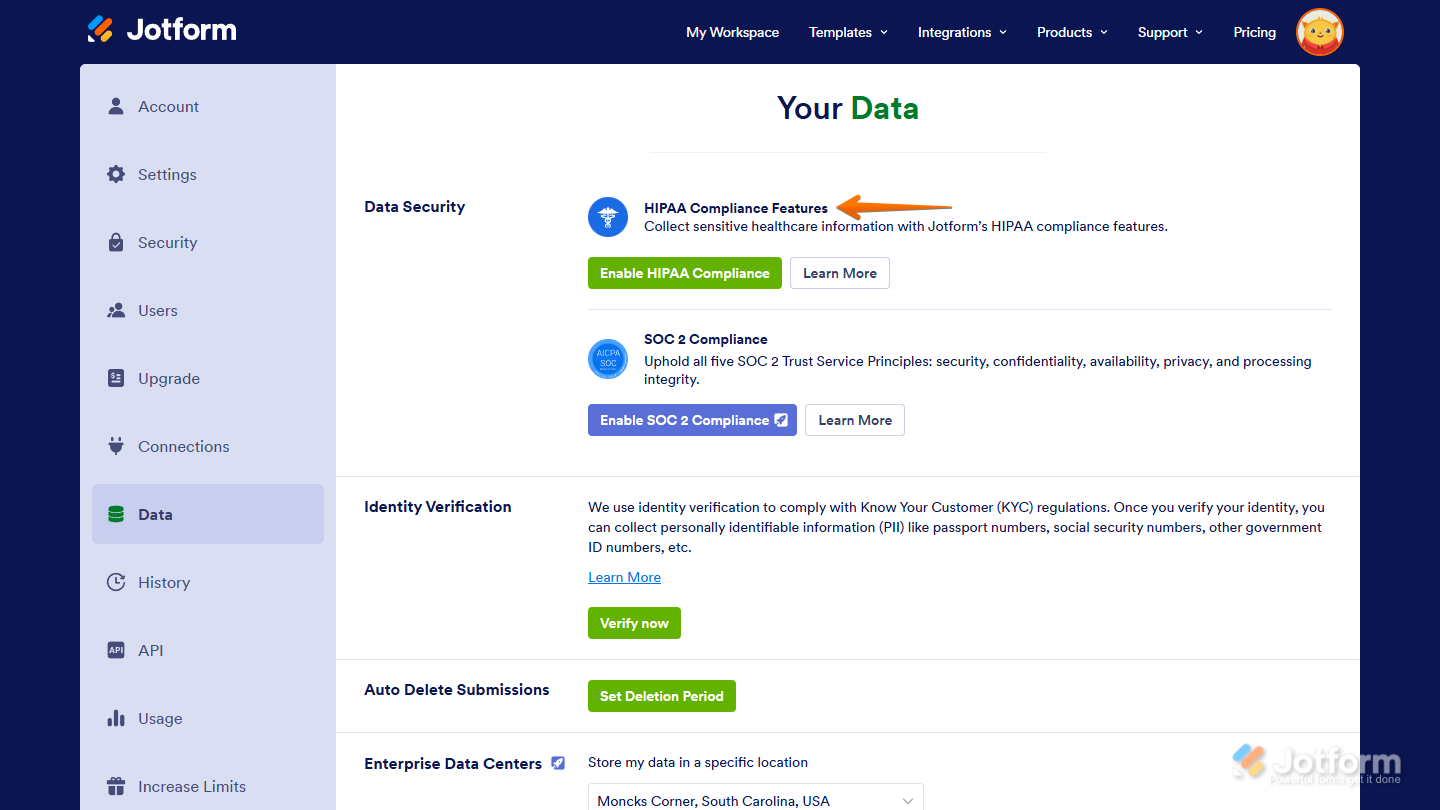
Jotform gives all users strong privacy and security features. You can control access, manage permissions, and protect your data no matter which plan you’re on.
If you work with sensitive health information, higher-tier plans include HIPAA-friendly features that add an extra layer of protection for PHI while keeping everything easy to use.
Getting the Same Features on Free and Paid Plans
| Available on All Plans | What It Means | |
|---|---|---|
| Integrations | CRM, storage, payment, email, and automation integrations | You can connect your forms and data to popular apps and services, even on the free plan. |
| Products | All main Jotform products | You can access everything you need to build forms, apps, sign documents, reports, and workflows without upgrading. |
| Features | Conditional logic, conversational forms, assign forms, form translations, and more | You get the same customization options and form capabilities across all plans. Paid plans mainly add space and usage limits, not new features. |
| Templates | Form, Agent, Board, App, Workflow, Table, PDF, and Sign templates | You can start quickly with pre-designed templates on any plan, saving time no matter your tier. |
| Widgets & Elements | All widgets and all builder elements across Forms, Workflows, Apps, PDF Editor, Report Builder, and Sign | You can use the full library of elements to customize your projects without feature restrictions. |
Jotform’s free plan already gives you the same features, flexibility, and capabilities as paid plans. Paid tiers mainly increase how much you can do, not what you can do. If you’re starting small, the free plan won’t hold you back. And if your projects grow, the paid plans are there to give you more space and higher limits — not different features.
Upgrading When You Need It
If your workflows grow, upgrading mainly helps you avoid hitting limits. It doesn’t change how you build forms, apps, or workflows — it just gives you more room to work with. Daily email limits, API call caps, submission counts, file storage, and the number of AI Agents you can create are the main areas where higher plans expand capacity.
If you want to upgrade your account, our guide on How to Upgrade Your Account walks you through everything.

Send Comment:
1 Comment:
March 22, 2026
Is there a different between the sign field and the sign document?