
Tax form management is the end-to-end process of keeping tax documents under control, including generating the right forms, organizing the information you need, filing everything on time, and securely storing records so you can find them quickly later, whether you’re handling personal taxes or managing tax paperwork for a business or freelance work.
Managing tax forms efficiently saves time and reduces stress. Whether you’re filing personal returns or handling business documentation, staying organized matters. Proper tax form management helps you meet deadlines without last-minute scrambling.
But here’s the challenge most people face: Forms pile up. And you wonder if you’ve collected everything needed. The fear of missing something important keeps you up at night as deadlines approach.
Sound familiar?
Tax form management is the process of organizing and filing tax documents. It covers everything from generating forms to storing them securely. Good management practices benefit individuals, businesses, and freelancers alike.
Think about the typical tax season scenario. You’re searching through emails for W-9 forms. Your contractor information is in three different spreadsheets. Last year’s documents are somewhere in your downloads folder. This chaos creates problems.
Meeting deadlines becomes harder when you can’t find documents. Accuracy suffers when you can’t verify information quickly. And security risks increase when sensitive data lacks proper protection.
At Jotform, we solve these exact problems.
Our platform automates form generation and simplifies document management. It lets you create tax forms and store everything securely.
The result? Less time wrestling with paperwork, more confidence in your tax preparation, and better organization of your financial records.
Essential US tax forms
The Internal Revenue Service (IRS) uses dozens of different forms, and each serves a specific purpose. Understanding which forms you need avoids confusion later.
Let’s go through the most common ones.
Form W-2: Wage and Tax Statement
Employers use W-2 forms to report employee wages. These forms show total earnings and tax withholdings, including federal taxes withheld and Social Security and Medicare contributions. Every employee receives one annually. Employers must provide W-2s by January 31 each year.
Need to generate W-2 forms for your employees? Our W-2 Generator simplifies the process entirely.
You can also learn how to fill out a W-2 form correctly.
Form W-4: Employee’s Withholding Certificate
The W-4 works differently from the W-2. When starting a new job, employees complete this form to tell employers how much tax to withhold. Your filing status matters. So does the number of dependents you claim.
Recent updates have simplified the W-4. The form now uses a five-step process. While some steps are optional, others apply to everyone filing taxes.
Our W-4 Generator walks you through each section. Check out our guide on how to fill out a W-4 for detailed instructions.
Form W-9: Request for Taxpayer Identification Number and Certification
Independent contractors and freelancers encounter W-9 forms regularly. Businesses request these before paying contractors. The form collects taxpayer identification numbers and certification information.
You don’t submit completed W-9s to the IRS directly. Instead, businesses keep them on file, using the information to prepare 1099 forms later.
Here’s what the W-9 captures:
- Legal name
- Business name
- Tax classification
- Address
The IRS also requires your taxpayer identification number.
Generate W-9s quickly with our W-9 Generator. Our tutorial on how to fill out a W-9 form covers every field.
Form 1040: US Individual Income Tax Return
The 1040 is the main form used for personal tax returns, and most taxpayers file one annually. It reports income and determines refunds or payments due.
Different schedules attach to the 1040, providing more detailed information about the taxpayer’s financial situation. Schedule A covers itemized deductions, while Schedule C reports business profit or loss. Schedule D handles capital gains and losses.
Filing a 1040 requires gathering multiple documents first. You’ll need income statements and deduction records, as well as credit information.
Access Jotform’s 1040 Generator to start your tax return, then read our how to fill out Form 1040 guide for step-by-step help. It’ll simplify the process for you.
Forms 1099 (Income from various sources)
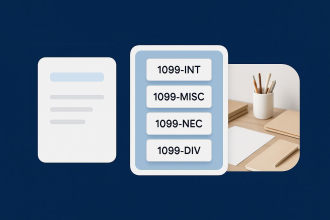
The 1099 includes several variants (1099-MISC, 1099-NEC, 1099-K, 1099-INT, 1099-DIV, 1099-R, and 1099-G), each used to report a different type of nonwage income. Businesses issue 1099s to contractors and service providers.
Form 1099-NEC specifically reports nonemployee compensation. If you paid a contractor $600 or more annually, you’ll need to file this form. The 1099-INT and 1099-DIV are for interest income and dividends, respectively, while the 1099-R is for retirement distributions.
Understanding how to fill out a 1099 form helps businesses stay compliant. Use our 1099 Generator for quick form creation.
Form 4868: Application for Automatic Extension of Time to File US Individual Income Tax Return
Can’t meet the tax filing deadline? Form 4868 grants automatic extensions, giving you six additional months to file. Most taxpayers qualify for automatic approval, and you don’t need to explain why you need more time.
But here’s an important detail you might not know: Extensions apply only to filing — not to payment. You still owe taxes by the original deadline. The extension simply gives you more time to submit paperwork.
Our 4868 Generator makes requesting extensions simple. Here’s a guide on how to fill out Form 4868.
Steps to note include:
- Sharing your personal details
- Estimating your tax liability
- Recording payments you’ve already made
- Indicating how you will file
- Submitting before the IRS deadline
Following these steps will simplify the process.
When and how to file taxes
When do you file taxes? Well, April 15 marks Tax Day. That’s when all individual returns and payments are due.
This date occasionally shifts to the next business day if the 15th falls on a weekend. Holidays can also push the deadline back slightly. The IRS announces any date changes well in advance.
Quarterly estimated tax payments follow a different schedule. Self-employed individuals and contractors make these payments four times a year. Missing these quarterly deadlines can result in penalties.
The dates for making estimated tax payments are
- April 15
- June 15
- September 15
- January 15
Notice how the IRS doesn’t space these dates evenly throughout the year. The gap between April and June is only two months, but September to January spans four months. This irregular spacing catches many taxpayers off guard.
Planning ahead helps you avoid cash flow problems. Set aside money each month rather than scrambling quarterly, and set up automated reminders to keep these dates from sneaking up on you.
Business tax deadlines vary by entity type. Partnerships and S corporations file by March 15, while C corporations have an April 15 deadline. And sole proprietorships follow the individual tax calendar, since business income appears on personal returns.
Different rules apply to fiscal-year filers. Their deadlines match up with their chosen fiscal year-end. Most businesses use the calendar year for simplicity.
Documents you’ll need
Gathering documents before filing prevents delays, and most taxpayers need several items.
Income statements come first. W-2s from all employers belong in this category, as do 1099 forms from contract work. Investment income statements matter too. Bank interest and dividend statements round out income documentation.
Deduction records are also important. Here’s why:
- Mortgage interest statements support itemized deductions.
- Charitable contribution receipts prove donations.
- Medical expense records justify health-related deductions.
- Student loan interest statements reduce taxable income.
Business owners may need additional documentation, including expense receipts that support deduction claims. Mileage logs verify vehicle deductions, while home office measurements justify workspace deductions.
A Tax Return Checklist helps keep you organized. Don’t wait until days before the deadline to get started.
Using extensions when necessary
Sometimes life interferes with tax filing. Medical emergencies happen, business crises arise, and natural disasters disrupt normal routines.
Extensions provide breathing room during such times. They prevent penalties for late filing. Just remember that the payment requirement stays unchanged.
Calculate your estimated tax liability before requesting an extension. Then, submit payment with your extension request. This helps you avoid any interest charges on unpaid taxes.
Guide to less common and niche IRS forms
Some situations require specific documentation that goes beyond the standard forms. These lesser-known forms may have lower usage rates, but they serve important purposes.
Form 4506-T: Request for Transcript of Tax Return
Lost your tax returns from previous years? Form 4506-T lets you request official transcripts, and the IRS provides these free of charge.
Transcripts show most line items from the original returns. Lenders often request them during mortgage applications since they verify income reported on tax returns. Financial institutions also rely heavily on these documents during the underwriting process.
You can request tax returns up to 10 years old. Processing typically takes 10 business days, but rush options exist for urgent situations.
Different transcript types serve various purposes. Tax return transcripts show most line items, while tax account transcripts display payment history and adjustments. Record of account transcripts combine both types of information.
Learn how to fill out Form 4506-T correctly. Our 4506-T Generator speeds up the process.
Form 5329: Additional Taxes on Qualified Plans (Including IRAs) and Other Tax-Favored Accounts
Retirement account mistakes trigger tax penalties. Form 5329 calculates these additional taxes and covers early withdrawal penalties from IRAs and 401(k)s.
The 5329 addresses required minimum distribution failures as well. After age 72, retirees must withdraw specific amounts annually. Missing these withdrawals incurs penalties.
Excess contributions create tax problems too. Form 5329 also calculates taxes on amounts exceeding annual limits.
Our guide on how to fill out Form 5329 clarifies each section. Use our 5329 Generator for accurate calculations. It’ll simplify the process for you.
Form 7004: Application for Automatic Extension of Time to File Certain Business Income Tax, Information, and Other Returns
Businesses need extensions sometimes, just like individuals. Form 7004 provides this option for various business entities, such as corporations and limited liability companies, or LLCs.
The extension grants six months for most business types. Some entities receive a five-month extension instead. The form itself is relatively straightforward.
Remember that filing extensions don’t extend payment deadlines. Estimate your tax liability carefully, and submit payment with your extension request.
Learn how to fill out Form 7004. Our 7004 Generator simplifies business extensions.
Allowances, withholding, and updates
Tax withholding affects your paycheck size and determines how much your employer sends to the IRS. Understanding allowances helps you optimize withholding amounts.
What are tax allowances?
Allowances historically reduced withholding amounts. More allowances meant less tax withheld from paychecks, while fewer allowances increased withholding.
In 2017, the Tax Cuts and Jobs Act changed this system. The new W-4 eliminated allowances entirely and now uses a different calculation method. Current W-4 forms focus on filing status and dependents. They also take into consideration multiple jobs and other income sources, which produces more accurate withholding numbers.
How does withholding impact your refund?
Too much withholding creates large refunds. Too little withholding results in tax bills. Neither extreme is ideal financially.
A large refund means you’ve given the government an interest-free loan. Essentially, you let your money sit with the IRS all year instead of investing it or paying down your own debt.
Owing taxes at filing time creates different problems. Many people struggle to pay unexpected bills, and penalties and interest can apply to large underpayments.
Breaking even is the withholding sweet spot. It means you’ve optimized your cash flow throughout the year — no large refunds, no significant tax bills.
When should you update your withholding?
Significant life changes require withholding adjustments. Getting married affects your tax situation, and having children changes deductions. Starting a side business adds income complexity.
Submit a new W-4 to your employer after each major change. The form should take effect with your next paycheck. You can adjust withholding as often as needed.
Our flexible forms make updating withholding information straightforward. Employees complete new W-4s digitally, and employers receive instant notifications of all changes.
Filing, submitting, and storing tax forms securely
Digital technology has transformed tax form management. Electronic filing (e-filing) offers many advantages over paper returns, and security features help protect sensitive financial information.
E-filing and its benefits
E-filed tax returns process faster than paper returns. The IRS confirms receipt immediately, and refunds arrive weeks sooner through direct deposit.
Automatic error detection during the e-filing process catches mathematical mistakes instantly. And missing information triggers prompts before finalizing any submission.
Electronic signatures also eliminate the hassle of printing and mailing returns. With internet access, you can file from anywhere, meaning no more stressful trips to the post office.
Exporting data to tax software
Integrations between form builders and tax software make for easy workflows. Simply collect the information through forms and then export your data directly to the tax-preparation software.
This eliminates the need for manual data entry. It also reduces transcription errors. Time savings add up quickly during tax season.
Storing and retrieving tax data securely
The IRS recommends keeping tax records for a minimum of seven years. Digital storage makes this requirement manageable. While physical documents deteriorate and consume space, cloud storage provides access from any device and lets you retrieve old returns instantly when needed. No digging through file cabinets required.
Security matters with financial documents. That’s why Jotform protects your data with 256-bit SSL encryption — the same technology used to secure online banking transactions. We encrypt forms for additional protection, and only authorized users can access sensitive information.
Using Jotform Sign for tax documents
Electronic signatures simplify tax form completion.
With Jotform Sign, you can create documents that require multiple signatures. Why not share forms with contractors or employees easily? Using e-signatures, recipients can complete and sign documents on any device. Everything happens digitally and securely.
Tax form management tips for teams and businesses
Collaboration can complicate tax form management. When multiple people need access to different documents, role assignment and permissions become important considerations.
Assigning roles and responsibilities
Clear role definitions are best during tax season. Who collects contractor information? Who reviews completed forms? And who submits the final documentation?
Be sure to document these responsibilities explicitly. Create accountability for each task and set deadlines for completion.
Different team members need different levels of access. Accountants require full access to financial documents, while HR staff need employee tax information. Managers might only need summary reports.
Integrating tax forms with business systems
Modern businesses use multiple software platforms. Payroll systems track employee compensation, accounting systems manage financial records, and HR systems store employee information.
Integrations between these systems can eliminate duplicate data entry. When information flows automatically where it’s needed, updates in one system reflect across all platforms.
At Jotform, we connect with hundreds of business applications: Payroll data feeds directly into tax form generation, accounting systems receive submission records automatically, and so much more.
Meeting the needs of different business types
- Solopreneurs face unique tax challenges. They’re handling everything alone. That’s why simplicity and automation matter most.
A freelance graphic designer collects W-9s from clients. They generate 1099 forms at year-end and file their own Schedule C for business income. Time is their most valuable resource, so every hour spent on paperwork means less time for billable client work. Streamlined processes directly impact their bottom line.
Consider also a solo consultant who works with 20 clients annually. Each client requires an initial W-9 collection, and year-end 1099 preparation becomes overwhelming without proper systems. Our automated documents can handle this workload efficiently.
- Agencies manage multiple contractors and clients at any given time. They track payments across numerous projects, and form generation happens at scale.
Say a marketing agency pays 50 freelancers annually. Each one needs a unique 1099-NEC form. Manual form creation would take days, but automated generation takes just minutes.
Mid-sized businesses like this also juggle project deadlines alongside administrative tasks. Tax season shouldn’t have to derail client work. Efficient systems keep operations running smoothly, even during busy periods.
Agency owners need visibility into contractor payments throughout the year. Real-time tracking prevents surprises at tax time. Our platform provides this transparency automatically.
- Enterprises deal with hundreds or thousands of employees. Compliance requirements are stricter, making accuracy and security essential.
Imagine a retail chain employs 5,000 people across 200 locations. W-2 generation needs to be perfect, and distribution must happen by legal deadlines.
Large organizations face additional complexity with multistate operations. Each state has different tax requirements. Federal forms are just the beginning.
Enterprise HR teams must coordinate with payroll and accounting departments. With multiple stakeholders needing access to tax information, role-based permissions let everyone see what they need — without compromising security.
Audit trails become critically important at this scale. Organizations need to be able to track who accessed which documents at all times. Complete documentation protects against compliance issues.
Organizing forms with Jotform Tables
Spreadsheets work well for small-scale management. But they become unwieldy with hundreds of submissions. Large-scale input requires better organization tools.
Jotform Tables transforms form submissions into organized databases, letting you view information as spreadsheets, cards, or calendars. Tax forms stay accessible on any device. And while search functionality helps you find specific submissions instantly, filter and sort capabilities help you analyze data quickly.
You can update information directly in table view, changing sync across all connected forms automatically — no need to edit original submissions individually.
Simplifying taxes with Jotform’s tax form generators
Technology should simplify complex processes, not make them more complicated. Tax form generation with Jotform exemplifies this idea perfectly.
Extensive form coverage
At Jotform, we provide generators for over 20 different US tax forms. W-2, W-4, and W-9 are just the beginning. The collection also includes 1040, 4868, and 1099 variants, as well as filing extension forms.
Jotform handles business forms too: Form 7004 for business extensions, 1099-NEC for contractor payments, and specialized forms for unique situations.
This means you can handle all your tax documentation in one place. No switching between different platforms. No learning multiple interfaces.
Intuitive drag-and-drop interface
Complicated software requires extensive training, and that overhead wastes time and money.
At Jotform, we believe tax tools should be immediately usable. Our drag-and-drop form building tool requires no coding knowledge. Simply add fields by clicking and dragging, then rearrange elements visually. You can also preview forms instantly.
Customize your forms without any technical expertise. You can easily adjust layouts to match your branding and add conditional logic to show relevant fields only.
Templates provide a starting point for every form type. Modify one to suit your specific needs, or if you prefer, build a form from scratch.
Security features you can trust
Financial information demands protection. That’s why we implement multiple security layers throughout our platform.
Our 256-bit SSL encryption protects data transmission, meaning information traveling between users and our servers remains secure. Form-level encryption adds another layer of protection. And regular security audits verify our protective measures. We address vulnerabilities immediately when discovered.
Automated calculations for reduced errors
Tax calculations are notoriously complex — a single mistake can trigger an audit or a penalty. But with automation, you eliminate human error from mathematical operations.
Our forms calculate totals automatically as users input data. Withholding amounts update based on income entries, and deduction calculations happen instantly.
Validation rules catch impossible or unlikely values. If, for example, someone enters $1,000,000 in a W-4 withholding field, the form flags it. Checks like these prevent obvious mistakes.
Formula fields handle complex tax calculations. You define the logic once, and every form submission after that applies it correctly.
System integrations
Standalone tools create information silos. Moving data around requires manual effort.
At Jotform, we integrate with accounting platforms such as QuickBooks. We also connect with CRM platforms, including Salesforce and HubSpot, to receive form data automatically. These integrations eliminate redundant data entry.
API access also allows developers to create custom integrations. Build your own connections to proprietary business systems and automate workflows specific to your organization.
No more missed deadlines
Tax deadlines create stress for individuals and businesses, and last-minute scrambling often leads to mistakes. But proper planning can prevent these problems.
Jotform’s platform supports early preparation strategies. You can generate forms as soon as you have the necessary information. No need to wait until January for the previous year’s documentation.
Automated reminders also keep deadlines top of mind. Set notifications for important dates and alert team members about upcoming submissions.
Scalability for growing needs
You never know — your small solo operation could become tomorrow’s hottest agency. Current needs differ from future requirements, and your tools should grow alongside your business.
At Jotform, our flexible pricing tiers accommodate various scales. Start with a basic plan for simple needs and then upgrade as your volume increases.
Our enterprise features support large organizations. Dedicated account management assists with complex implementations, and custom solutions address unique requirements.
But don’t worry: Jotform’s core functionality remains consistent across all tiers. You won’t have to learn completely new systems as you scale. Familiar interfaces reduce training overhead during growth.
Transform your tax form management today
Tax season doesn’t have to be a nightmare. The right tools can turn chaos into organized simplicity, and we’ve built those tools for you.
Visit our Tax Form Generator to find out what’s possible. See how automation and integration work together. Start with one form type, and experience the difference immediately. Then expand to manage all your tax documentation through our platform.
From solopreneurs to Fortune 500 companies, businesses worldwide already trust us with their tax forms. They’ve discovered what hassle-free tax management feels like.
You can join them today.
The next tax season is approaching. Will you face it with outdated methods and stress? Or will you go for modern solutions that actually work?
The choice is yours. But the answer seems pretty clear.
If you still have a problem filing your taxes, contact us now. We have tax documents to handle your needs.
This article is for small business owners, freelancers, HR professionals, accountants, and anyone who wants to simplify tax season by managing, generating, and securely storing tax forms with efficient, automated tools.















Send Comment: