
In 2015, AI was a buzzword. In 2023, it became the word of the year. Not bad for something that used to sound like science fiction, right? And now in 2026, AI is making headlines (and decisions), writing copy, designing visuals, and quietly running the world behind the scenes.
Despite what many feared, AI is not replacing people. It’s amplifying what we can do. Generative AI, especially, turns ideas into instant output, helping businesses move faster and creatives push boundaries. And we have a hunch we’re just getting started with AI.
Learn how to leverage AI in 2026 and beyond with these innovative tips and applications in daily life.
Best AI tools by use case
- Use Zapier and Jotform for automation
- Use ChatGPT, Claude, and Gemini for text generation
- Use DALL·E and Midjourney for image generation
- Use GitHub Copilot for coding
Why AI matters today
AI is technology that learns from data and improves with experience. It’s what helps your phone guess the next word you’ll type or recognize your voice when you say, “Play that MJ song on YouTube.” In other words, AI spots patterns, makes predictions, and simplifies everyday tasks.
And it’s spreading like wildfire. According to McKinsey, 62 percent of organizations already experiment with AI Agents, and 64 percent say AI drives innovation across teams. From conversational AI handling customer support to tools that analyze business trends, AI is now the extra pair of hands everyone wants on their team.
Why use AI?
Because it’s smart and
- Automates the repetitive stuff, so you can focus on the work that actually needs your attention
- Enhances decisions by turning piles of data into clear insights and next steps
- Expands creativity by helping you brainstorm, design, and draft, turning blank pages into starting points
- Boosts productivity via AI Agents and assistants, making multitasking smoother than ever
AI use cases: Where is AI making an impact?
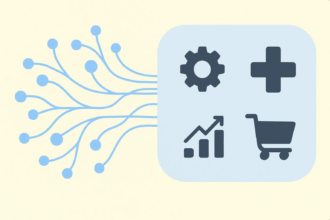
AI is making an impact across all industries. Here’s how an introduction to AI and understanding how to use artificial intelligence can help various sectors:
- Healthcare: Organizations use tools like Jotform’s Healthcare & Wellness AI Agents for patient intake, wellness screening, and appointment scheduling via conversational flows.
- Customer service: Platforms like Zendesk AI and Intercom Fin handle routine queries and support tickets, while human agents step in for more complex cases.
- AI in marketing: From copywriting to audience targeting, tools like ChatGPT and Jasper AI help teams build campaigns, write content, and generate data-driven insights.
- AI in manufacturing and operations: Siemens MindSphere and Amazon Monitron use predictive analytics to monitor equipment, forecast maintenance, and streamline workflows, saving time and money.
- AI in business, coding, and research: GitHub Copilot writes and debugs code faster, and Notion AI and Perplexity AI research, plan, and form strategy.
- Small business and creative work: Freelancers and entrepreneurs turn to Canva Magic Studio for visual design, idea generation, and quick content creation.
AI in action
- Chatbots in customer service: Businesses deploy conversational AI Agents that answer FAQs, collect data, and escalate when needed.
- AI-generated blog posts that work: AI tools generate copy that humans then polish, speeding up writing with credible output.
- AI-driven analytics contributing to business strategy: Firms use data analysis tools to sift through big data, identify trends, forecast outcomes, and make better decisions.
4 Best practices for using AI effectively
If you don’t fine-tune prompts, verify facts, or define clear goals, your shiny new assistant can churn out vague, inaccurate, or just plain weird results. The trick to successfully embedding top paid and free AI solutions into your workflow isn’t more prompts — it’s better ones.
AI best practices for beginners
- Start with one task at a time: Don’t throw everything at AI; test it on one workflow and scale up.
- Refine AI prompts: Small changes in phrasing can completely change the quality of results.
- Verify AI-generated info: Cross-check facts before using them — AI can sound confident but be wrong.
- Use reliable data sources: Feed structured, relevant data to the AI for better accuracy.
- Keep humans in the loop: Use your judgment before publishing or acting on AI outputs.
1. Provide clear, detailed context
AI doesn’t read minds (it can’t) — it reads instructions. The more detail you give about your goal, audience, and tone, the better the output. When you provide rich context, agentic AI tools can tailor their responses to match your intent precisely.
Imagine telling AI to design an ad without explaining your audience or product. Sure, you’ll get something, but don’t be surprised if it sells sunscreen to penguins.
To add context
- Upload relevant documents, datasets, or brand guidelines.
- Describe your industry, target market, and goals clearly.
- Mention tone, length, and purpose, such as short ad copy vs a full blog post.
| Poor | Good |
|---|---|
| “Write me a marketing email.” | “I’m launching a B2B product for SaaS startups. Write a short, friendly email introducing our new analytics dashboard, highlighting ease of integration.” |
2. Use precise steps
When you break a task into steps, AI Agents follow a logical flow just like a human teammate would. This helps the model focus and return useful, structured results.
Here are quick techniques to add structure:
- Be specific about exactly what you want.
- Define the role the AI is playing: “Act as a marketing strategist.”
- Use numbered steps to guide the process.
| Poor | Good |
|---|---|
| “Analyze this data.” | “Analyze this data by 1. Identifying five top trends 2. Summarizing them in plain English 3. Suggesting next steps for product marketing” |
3. Ask for multiple options
What do they say? “The more, the merrier”? When you ask for multiple options, you expand your creative range, whether it’s email subject lines, ad copy, or design ideas. The beauty of how you use AI lies in comparing versions and choosing the best one.
Questions you can ask after your initial prompt include
- “How about we generate five headline variations with different tones?”
- “Make it sound more conversational, please.”
- “Can you please offer three reworded options for a formal audience?”
And yes, a little politeness does pay off! In April 2025, OpenAI CEO Sam Altman revealed on social media that users’ politeness toward ChatGPT often leads to more detailed, higher-quality responses.
HTML Comparison Box
| Poor | Good |
|---|---|
| “Write an email subject line.” | “Please give me 10 email subject lines for a summer sale, mixing playful, urgent, and professional tones.” |
4. Fact check
AI doesn’t lie on purpose, but it can hallucinate. That means it sometimes generates made-up names, stats, or sources that sound real but aren’t. This happens because AI predicts what should come next, not what’s true.
To stay accurate, you should
- Use authoritative sources, like government or academic sites, for validation.
- Choose AI tools with citations, such as ChatGPT with browsing enabled.
- Double-check quotes, data points, and names manually before publishing.
- Find stats from credible sources and feed them to the AI model.
How to integrate AI into your daily workflow
To start using AI, you don’t need to overhaul your entire process. Start small, test, and scale what works. Here’s how you can use AI effectively:
- Identify which tasks AI can improve: Audit your week. Spot repetitive or time-consuming work, such as drafting emails, scheduling, or analyzing reports. These are perfect candidates for automation.
- Choose the right AI tools: Match the task to the tool. Use ChatGPT for writing and brainstorming, DALL·E for quick image generation, GitHub Copilot for coding help, and Notion AI for summarizing research.
- Experiment with prompts and settings: Check what the tool can do. Adjust tone, add context, or reframe prompts for clearer, more detailed results. Treat it like A/B testing — tweak and compare outputs until you find what works.
- Automate recurring tasks: Set up workflows that run themselves, from email responses and meeting transcriptions to data analysis tools that pull insights automatically.
- Evaluate results: Track how much time you save, whether output quality improves, and what costs drop. Keep what’s working and ditch what’s not.
Choosing the right AI tool for your needs
Whether you’re drafting content, generating visuals, or streamlining operations, there’s a tool for every task. Here’s a look at what you can use AI tools for and how to pick the right companion for your workflow.
Automation: Zapier and Jotform
Automation and AI are a match made in efficiency heaven. Tools like Zapier use AI features to build smarter workflows, extract key data, and even generate content automatically. This, in turn, saves you time and effort.
And Jotform’s AI Agents take automation a step further. They turn ordinary forms into dynamic, conversational experiences that adapt to each user’s responses. You can even train your agent on the data you collect, creating a loop that gets smarter over time.
Jotform makes it easy to use agentic AI within real customer service, onboarding, and survey workflows. Try Jotform AI Agents yourself: Build a form, add an AI Agent, and let it do the talking.
Text generation: ChatGPT, Claude, and Gemini
When it comes to generating text, these large language models (LLMs) are your personal idea machines:
- ChatGPT offers web search, document uploads, and a voice mode, making it a versatile companion for writing, research, and brainstorming.
- Claude is known for its nuanced understanding and ability to analyze very large documents, ideal for research-heavy work or deep reading.
- Gemini integrates smoothly with Gmail and Google Workspace, helping you summarize threads, draft responses, and organize your workflow seamlessly.
Image generation: DALL·E and Midjourney
Visuals are no longer limited by design skills. Image generation AI turns a single prompt into professional-grade artwork or product mockups in seconds. You can use
- DALL·E: Built into ChatGPT, it allows both image generation and editing, so you can modify existing visuals directly within a chat.
- Midjourney: Known for its artistic rendering style and community-based feedback, it’s perfect for designers, marketers, and creatives seeking inspiration or concept art.
Coding: GitHub Copilot
AI has changed how developers write code. GitHub Copilot acts like a second set of hands by suggesting completions, writing functions from plain-language descriptions, and even explaining complex code blocks.
Copilot helps you move faster while focusing on solving real problems instead of syntax.
Common challenges of AI
Recognizing common AI challenges, such as misinformation or privacy risks, ensures your use of AI stays smart, safe, and balanced. Watch out for
- AI hallucinations: Sometimes, AI confidently produces false information or made-up sources, as seen when lawyers unknowingly submitted fake AI-generated citations in court. Use AI tools with citations and source links to cross-verify everything.
- Algorithmic bias: Because AI learns from existing data, it can unintentionally inherit human bias. Test multiple tools, compare results, and stay alert to skewed or one-sided outputs.
- Privacy concerns: The more data AI uses, the more sensitive the information it handles, making data protection critical. Stick with platforms that have strong security and encryption, like Jotform’s secure AI Agents, to keep customer and company data safe.
- Lack of creativity: AI often defaults to patterns, leading to generic ideas or repetitive phrasing. Refine your prompts and combine human input with AI suggestions, since the best results come from collaboration, not delegation.
- Overreliance on automation: Relying too much on AI can lead to missed nuances or tone mismatches. Always review outputs manually, especially in customer service automation or communications.
Avoid these AI mistakes
- Blindly trusting AI: Always verify facts, stats, and names before using AI-generated content.
- Ignoring human oversight: Keep a human reviewer in the loop, especially for sensitive tasks like legal or financial content.
- Over-reliance on automation: Balance efficiency with empathy; some interactions — like handling sensitive customer issues or giving important feedback — still need a personal touch.
Use AI adoption to improve your results
When you understand how to use AI with purpose, the results speak for themselves. Logical, goal-driven AI adoption keeps your workflow efficient and your output sharp, all while staying aligned with the latest business automation trends and conversational marketing trends shaping modern work.
Jotform AI Agents can turn forms into dynamic, conversational experiences that engage customers, collect smarter data, and automate busywork. And did we mention they do all of this while keeping your information secure and organized?
Explore Jotform AI Agents to create smarter conversations, automate your routine, and get better results with less effort.
This article is for marketers, business owners, creators, and professionals who want to understand practical AI applications, choose the right tools, and integrate AI into daily workflows to improve productivity, creativity, and decision-making.
































































































Send Comment: