
Top 5 AI humanizer tools
AI humanizer tools help freelancers, marketers, students, and SEO writers create content that sounds more human. It’s not surprising that these tools are becoming more popular as more people turn to AI content writers to write faster.
Generative AI is getting better, but it’s far from perfect.
There is a key problem: robotic-sounding content, including certain words, like “delve” — and, controversially, the em dash (see what I did there?) — are dead AI giveaways.
As an SEO specialist, marketer, and writer, I was curious to see how AI humanizers work and which ones pass the AI detection test. This post shares my short list of the top five tools. There’s an AI humanizer tool for everyone on this list, and to make choosing the right tool for you easier, I included details about my test, the results, key features, the pros and cons of each tool, and, for the budget-conscious among us, the price.
Why use AI humanizer tools?
An AI humanizer tool rewrites content generated by AI tools like ChatGPT, Claude, or Perplexity.
You can use AI humanizer tools to enhance
- Blog writing
- Academic writing
- Freelance copywriting
- Cold outreach
- And more
The idea behind AI humanization is that the rewrite improves your content’s flow, tone, and readability without altering its meaning. After humanization, your writing feels more human, less robotic.
The most important reason to use an AI humanizer tool is for your audience. A piece of content that reads like a human wrote it will come across as more authentic and engaging to your reader.
There may also be other benefits, such as building trust and improving search engine rankings. Google is clear that it rewards high-quality content no matter how it’s produced, and generally, the highest-quality content is, at the very least, humanized.
In short, it’s fine to use AI, but as a writer using AI, you should ensure the content produced is high quality and fit for purpose.
In theory, humanized AI should fly under the radar of AI detectors.
The truth is, no content is guaranteed to bypass AI detectors. I’ve written content from scratch and run it through an AI detector, and the tool flagged it as AI-generated.
Out of interest, and to see where AI detectors are these days, I ran this content through Copyleaks, and it passed the test:
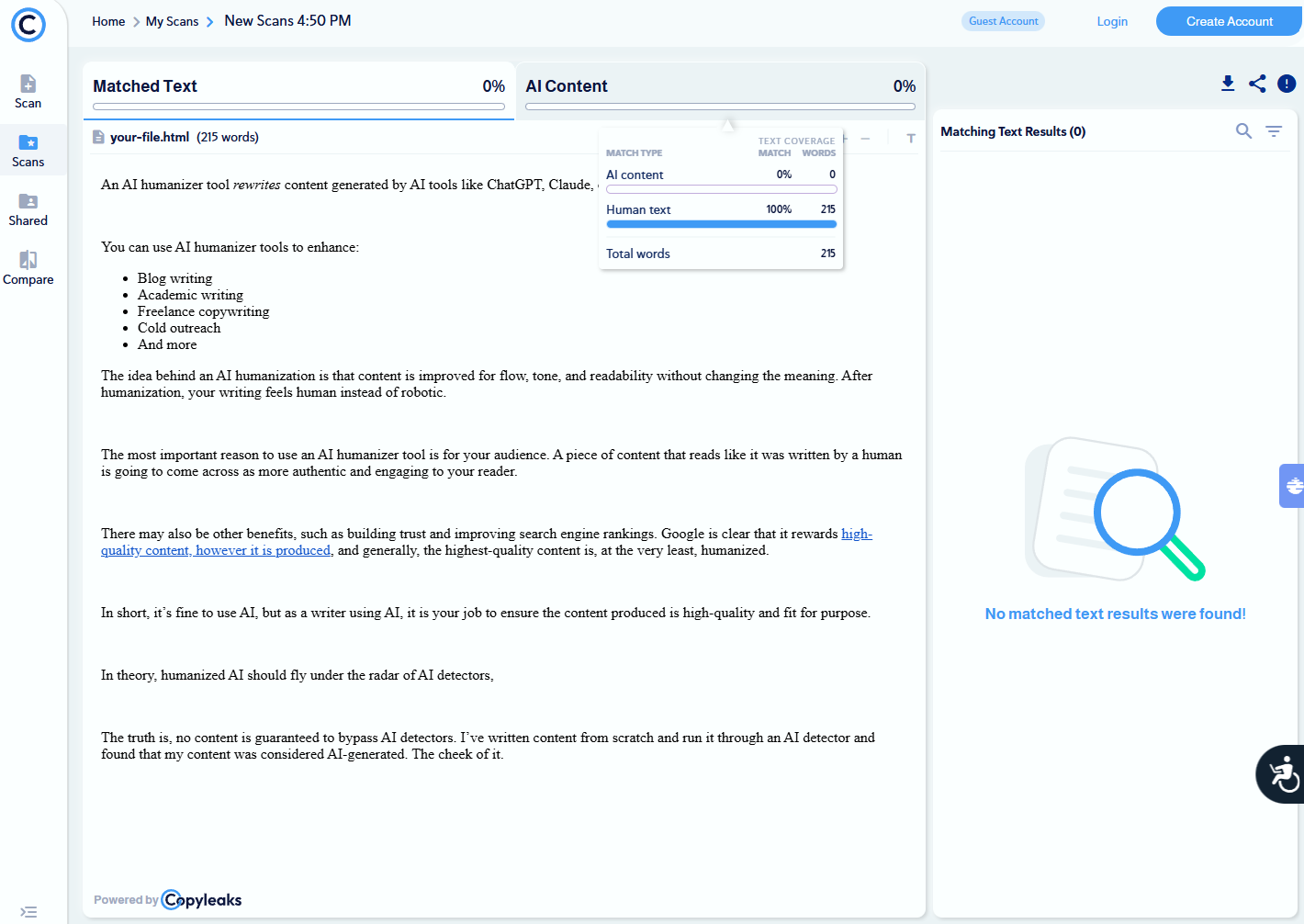
This gives us a benchmark to work toward. Human text can indeed pass an AI detector test, but can AI humanizer tools? Let’s find out.
How I chose the parameters to compare AI humanizer tools
I tested 10 AI humanizer tools in total, but any that didn’t beat the AI detectors, such as Quillbot and Grammarly (to my surprise), were discounted. The final five tools in this article are the short list.
I set some parameters to make this a fair test.
- Tested the same paragraph across all tools
- Used the same detection tool (Copyleaks) across all tests
- Made no manual edits between runs
- Used default settings where available
I judged the tools using
- My subjective review as a writer with over a decade of experience. I was looking for meaning and sentiment preservation as well as for overall readability and flow.
- AI detection scores before and after using Copyleaks. I know this is a popular tool among professional editors when reviewing freelance content.
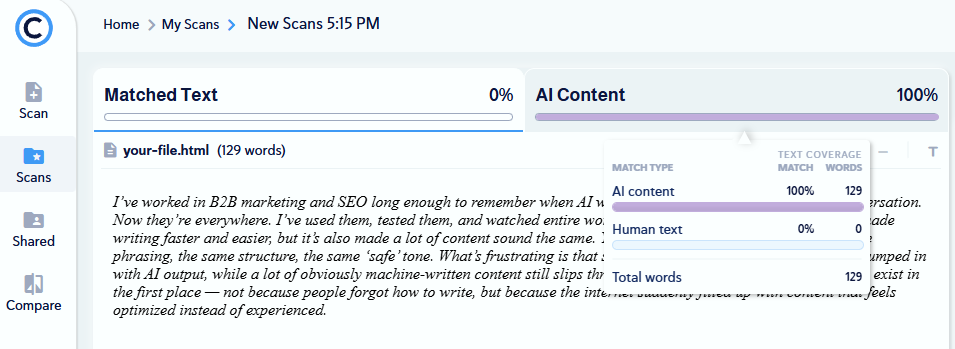
The paragraph I used to test the tools is below. It was AI-generated to begin with.
“I’ve worked in B2B marketing and SEO long enough to remember when AI writing tools weren’t even part of the conversation. Now they’re everywhere. I’ve used them, tested them, and watched entire workflows change because of them. AI has made writing faster and easier, but it’s also made a lot of content sound the same. You start noticing the patterns — the same phrasing, the same structure, the same ‘safe’ tone. What’s frustrating is that some genuinely human writing now gets lumped in with AI output, while a lot of obviously machine-written content still slips through. That’s why ‘humanizing’ tools even exist in the first place — not because people forgot how to write, but because the internet suddenly filled up with content that feels optimized instead of experienced.”
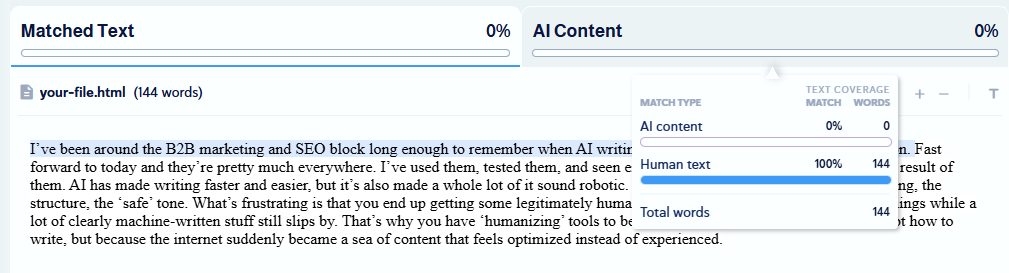
A quick scan in Copyleaks confirms it. This content is 100 percent AI-generated. The following screenshot shows the results:
5 best AI humanizer tools in 2026
| Tool | Best for | Key features | Pricing |
|---|---|---|---|
 Phrasly |
Balancing well-written content that also beats the AI detectors |
|
|
 WriteHuman |
Providing an accurate detection score within the humanizer tool |
|
|
 StealthWriter AI |
Fine-tuned humanization with multiple editing options |
|
|
 Humanize |
Multi-language humanization |
|
|
 GPTHuman |
Guaranteed results and beating the AI detectors |
|
|
1. Phrasly: Best for balancing well-written content that also beats the AI detectors
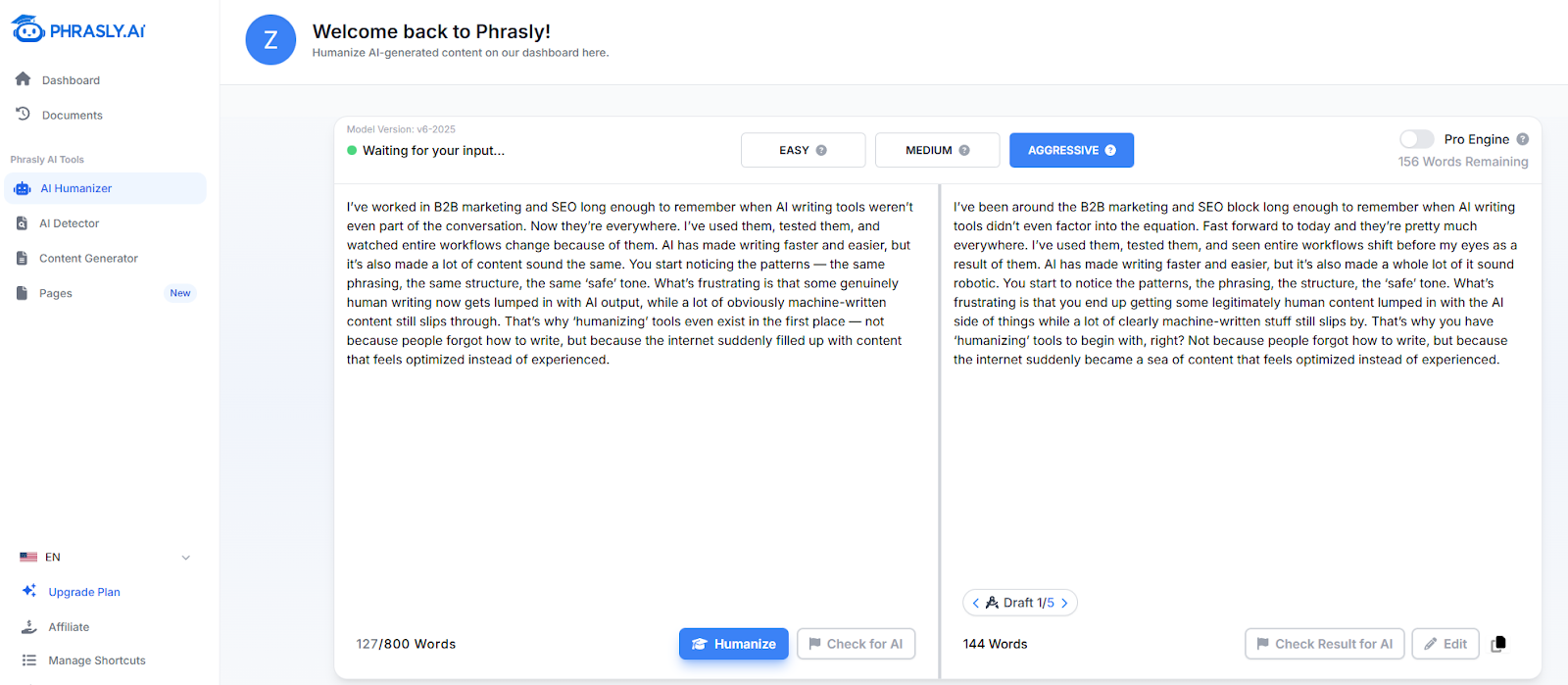
Phrasly humanized content that once scored 100 percent on the AI detector to 0 percent. What’s impressive is that it did this without sacrificing content sentiment, and the quality was pretty good too.
Here’s an image showing what my humanized text looked like in Phrasly:
- Test results:
- Copyleaks AI detection score before: 100 percent
- Copyleaks AI detection score after: 0 percent
Phrasly’s rewrite scored 0 percent AI content in Copyleaks.
My subjective review:
Phrasly was pretty good! Like WriteHuman and GPTHuman (mentioned later), Phrasly managed to score 0 percent on the AI content detector, but Phrasly’s AI humanizer output was a bit better. It’s the output that I would have to edit the least.
- Key features:
- AI Detector lets you review how human or AI-generated the tool perceives your content to be.
- Content Generator is an impressive tool that will create an entire article from a 100-word prompt. You can also add content purpose, language, and word count.
- Pages allows you to write content with AI as you go. It opens up a blank document, and you use “/” to signal when you’re writing a prompt.
- Pros:
- Phrasly creates multiple drafts of any humanized text, and you can click through to find your favorite.
- The Pages tool is a major pro for writers who like using AI but don’t want to depend on it. Working between human-written content and iterative AI-generated content is made really simple with Phrasly’s Pages tool.
- Cons:
- You have to create an account to use Phrasly; most tools let you try around 300 words for free and without an account.
- Plans/Pricing:
- You can try Phrasly for free once you’ve created an account.
- There’s one paid package, which costs $10.99 per month, billed annually.
2. WriteHuman: Best for providing an accurate detection score within the humanizer tool
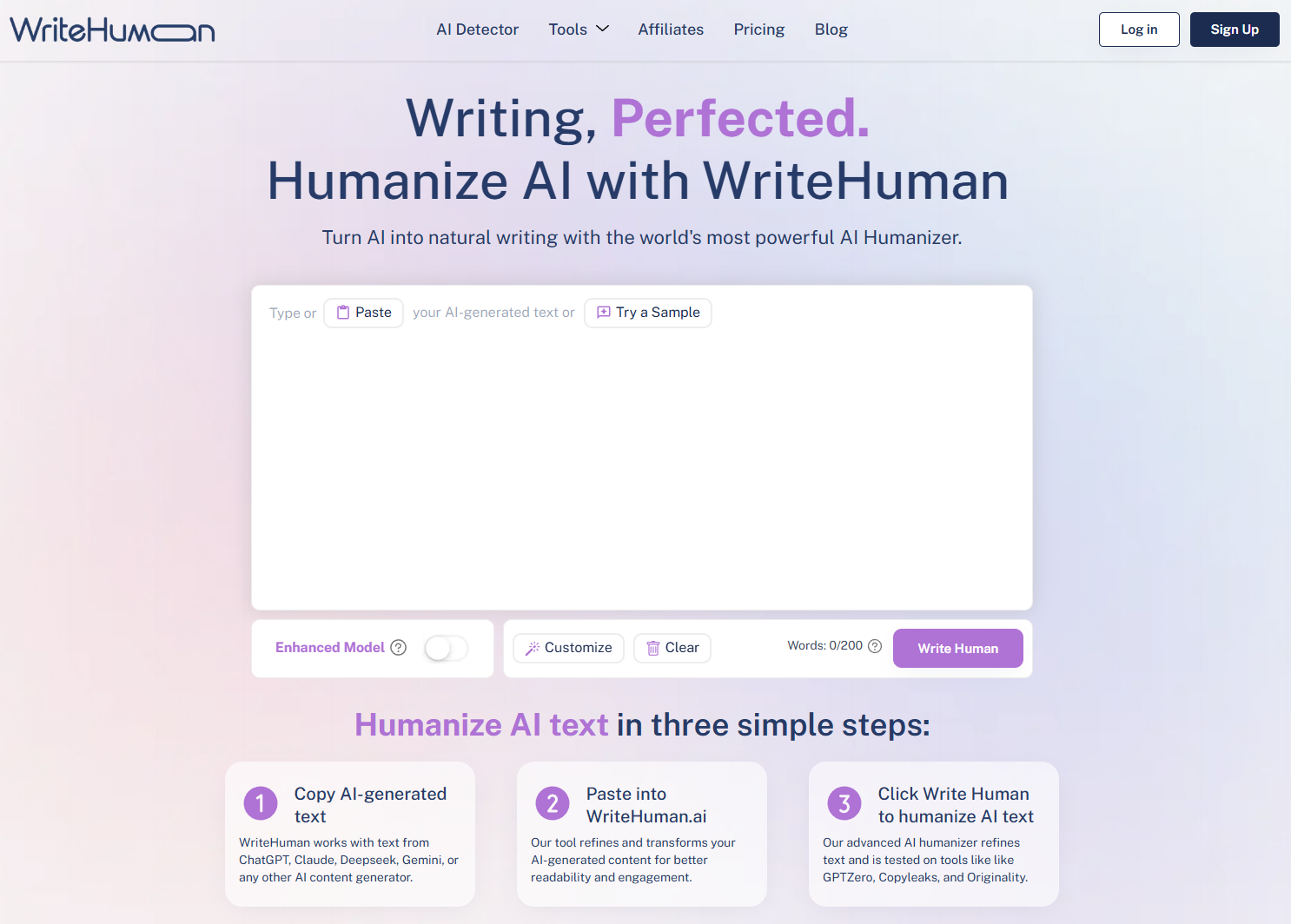
WriteHuman offers an AI humazing tool, an AI image detector, a word counter, and an AI writing detector.
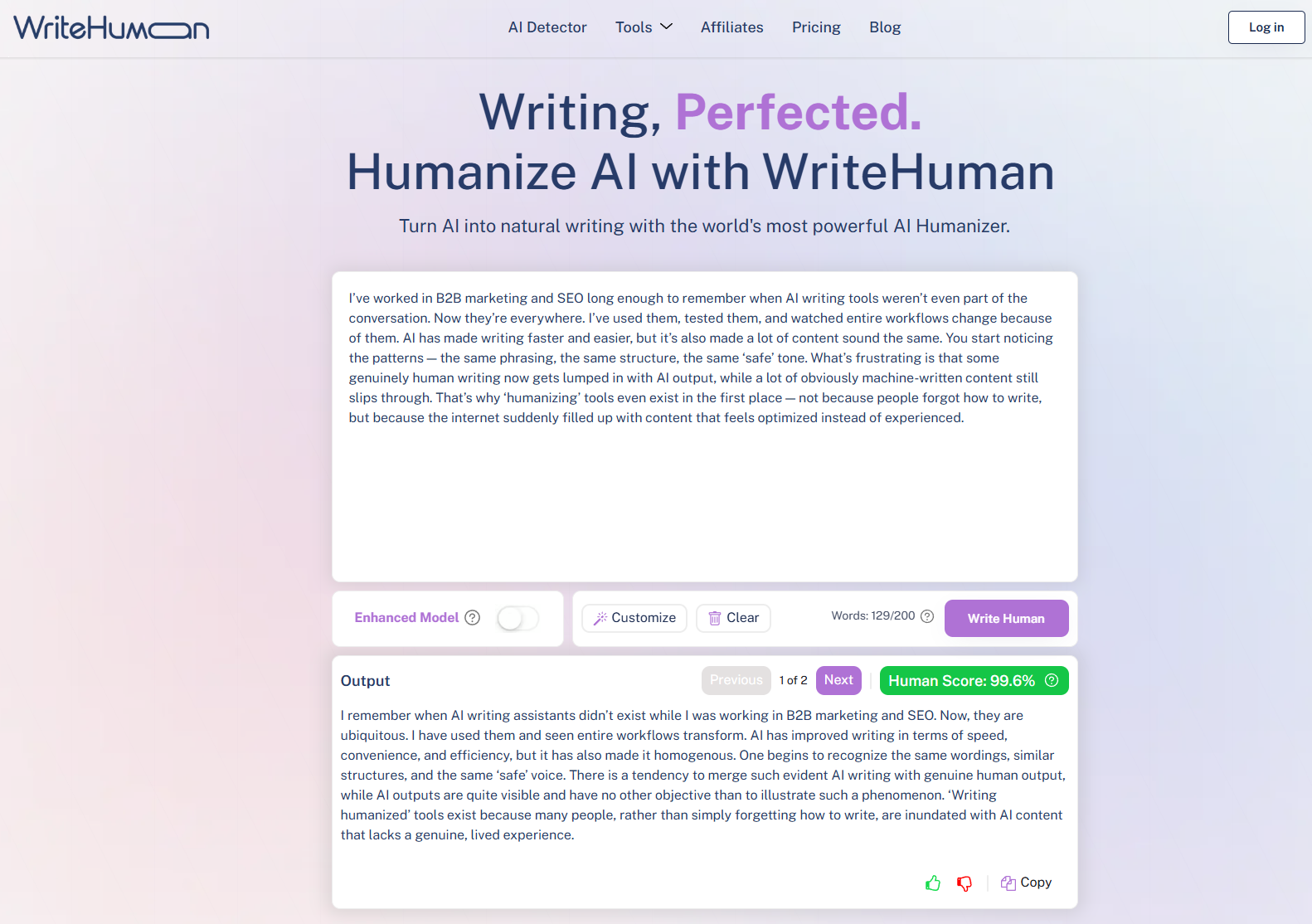
The following screenshot shows WriteHuman in action. It humanized my text, and it provided a human score of 99.6 percent.
- Test results:
- Copyleaks AI detection score before: 100 percent
- Copyleaks AI detection score after: 0 percent
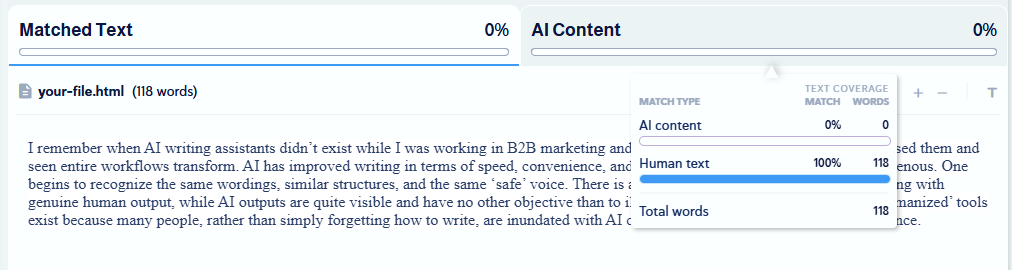
WriteHuman does an impressive job of humanizing content from an AI-detection perspective. The AI-generated content went from being 100 percent AI-generated to 0 percent.
My subjective review:
The output from WriteHuman was actually pretty good, but there were some questionable word choices. For example, describing tools as “ubiquitous” was in the right context, but the tone didn’t really match the rest of the paragraph. I think some rogue words like this help tools pass the detection test. Overall, it was pretty good. I would still need to edit this paragraph to be perfectly satisfied, but that’s what I’d expect from any AI-humanizing tool.
- Key features:
- WriteHuman’s AI detection seems pretty accurate. If anything, it was a little stricter than Copyleaks. It scored its humanized content at 99.6 percent, compared with Copyleaks’ 100 percent.
- Image Detector is a useful addition to WriteHuman. If you’re writing content and including images, you can use the image detector and analyze your entire article for humanized content.
- Pros:
- WriteHuman’s “Human Score” offers a solid insight into how your content might perform in other tools. This could save the need to check content in a second tool.
- WriteHuman’s blog features many posts with supporting documentation, tips, and guides for SEO specialists and writers.
- Cons:
- You’re limited to 200 words on the free plan, which is shorter than others, which allow a minimum of 300 words.
- Plans/Pricing:
- You can try WriteHuman for free.
- Paid packages, billed annually:
- Basic: $12 per month
- Pro: $18 per month
- Ultra: $36 per month
3. StealthWriter AI: Best for fine-tuned humanization with multiple editing options
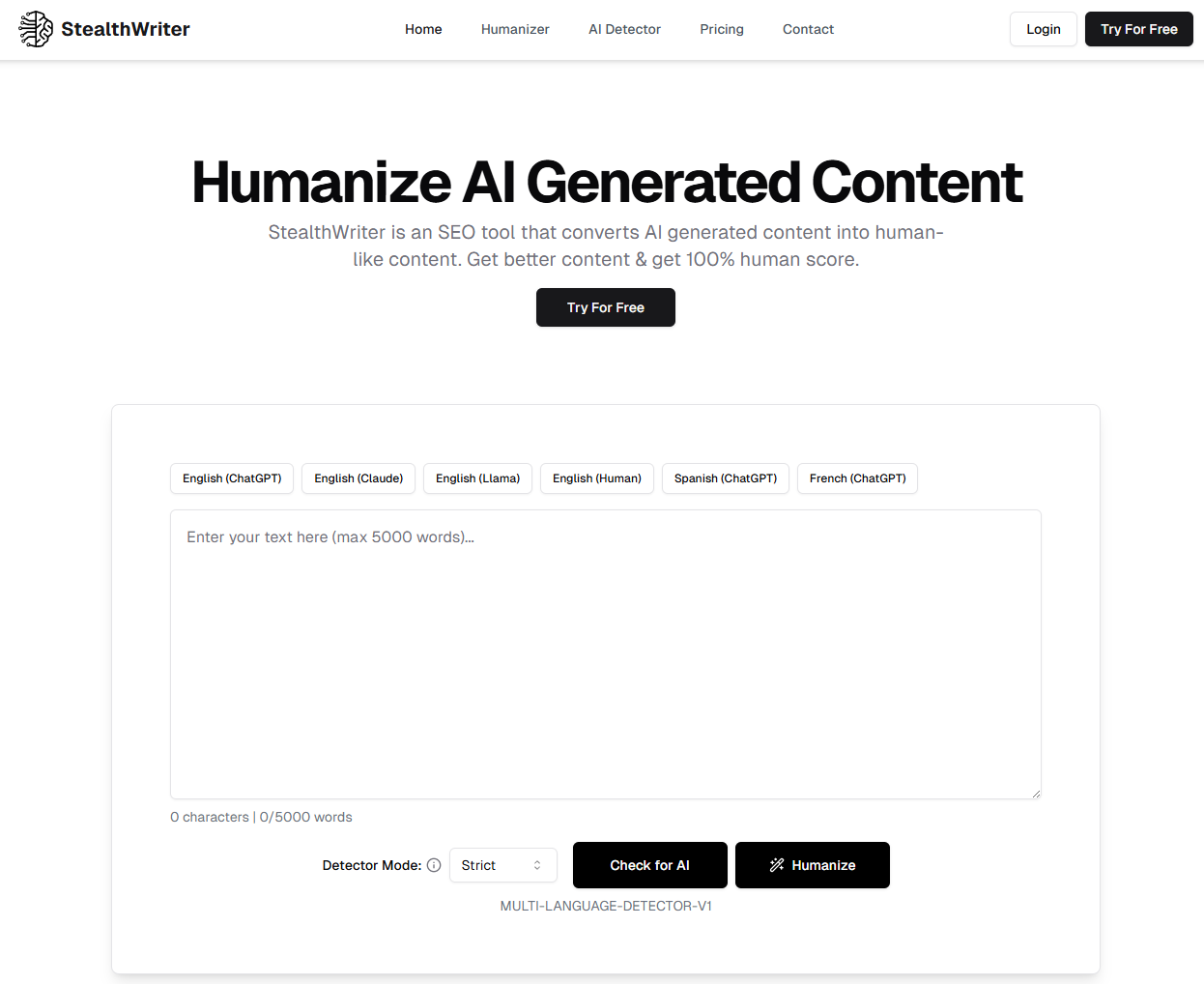
StealthWriter is a really good, but expensive, AI humanizer and writer. It offers model options and editing modes that help refine output.
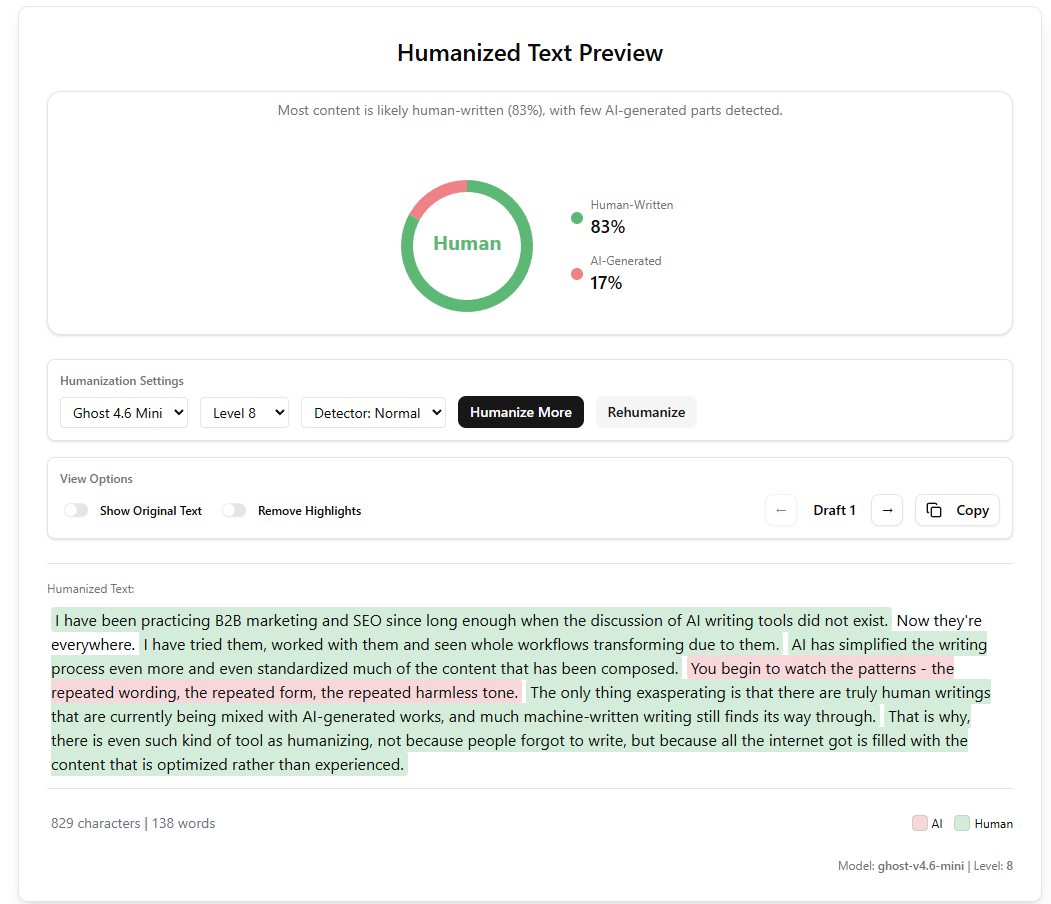
Here’s an image showing what my humanized text looked like in StealthWriter.
- Test results:
- Copyleaks AI detection score before: 100 percent
- Copyleaks AI detection score after: 0 percent
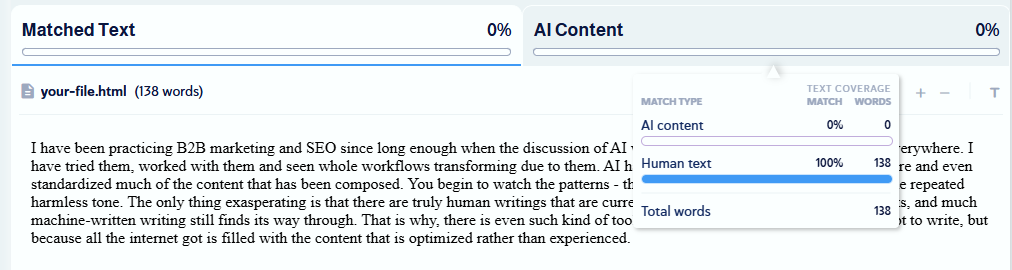
StealthWriter turned 100 percent AI-detected content into 0 percent AI-detected content.
My subjective review:
I thought StealthWriter was really good. I liked how fast it humanized the content. It beat the AI detectors, turning a piece of 100 percent AI-generated content into 100 percent human text. The overall quality of the content was pretty good. Like other tools, it made some rogue choices, and it used a lot of simple sentences, which I don’t like. That said, it wouldn’t take me long to edit this paragraph perfectly into my voice.
- Key features:
- AI detection is featured within the humanizer tool, so you can see how “human” your text is. My test achieved 83 percent human text, leaving one sentence that looked AI-generated. Although I said I wouldn’t iterate on the test, I was curious what would happen when I clicked “humanize more,” and as expected, the AI content was only edited, and the piece scored 100 percent human written in StealthWriter’s tool.
- AI Generator is quite an impressive tool. You can create a piece of content from a 5,000-character text prompt. There are many parameters you can set to improve the output, such as the model, humanization level, creativity, and more.
- Pros:
- There are lots of options for customizing the humanized output, including writer level, detector level, and the AI mode.
- Cons:
- It is more expensive than all the others on this list, but I have to say it is quite good.
- Plans/Pricing:
- You can try StealthWriter for free.
- Paid packages, billed annually:
- Basic: $15 per month
- Standard: $35 per month
- Premium: $50 per month
4. Humanize: Best for multi-language humanization
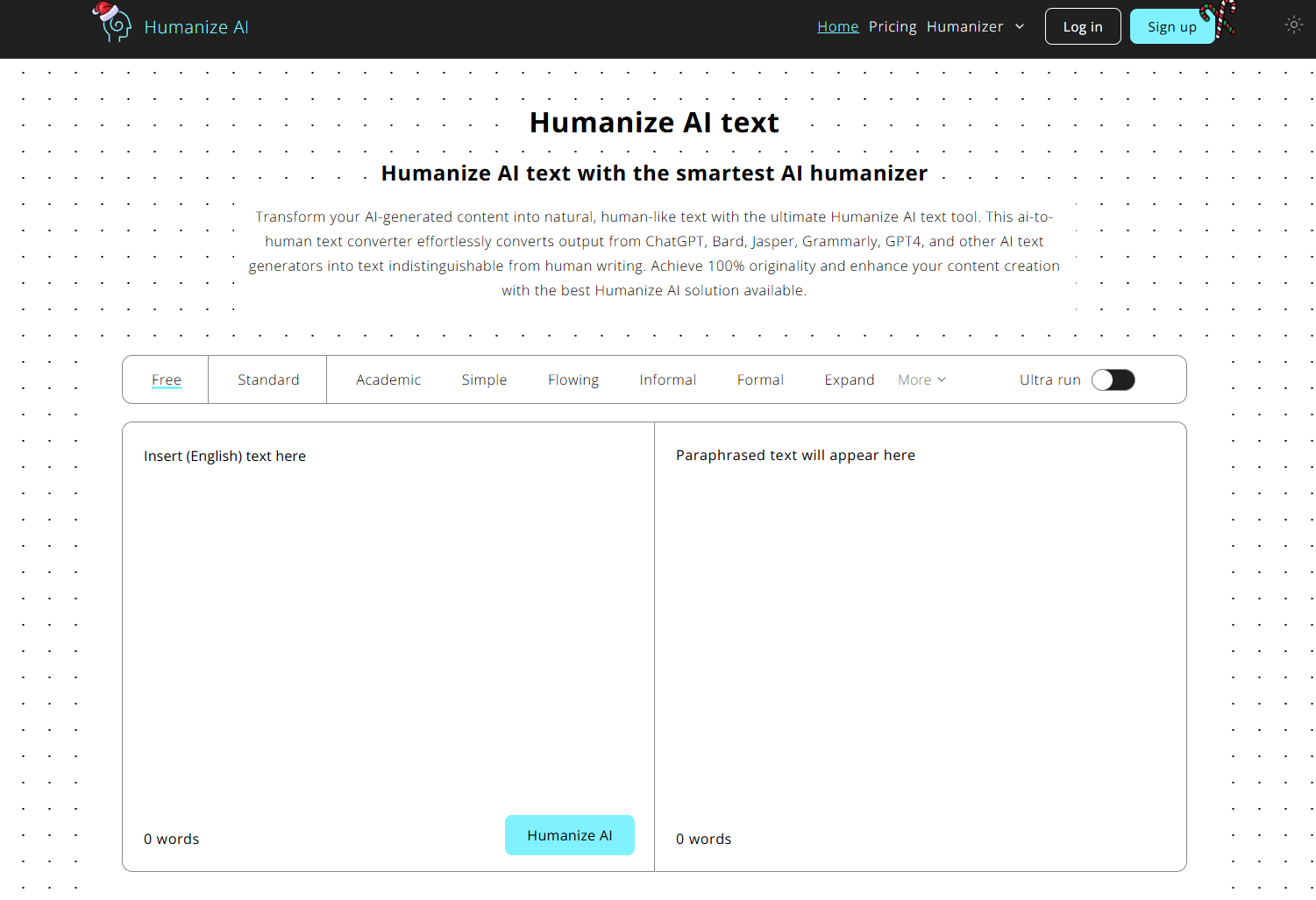
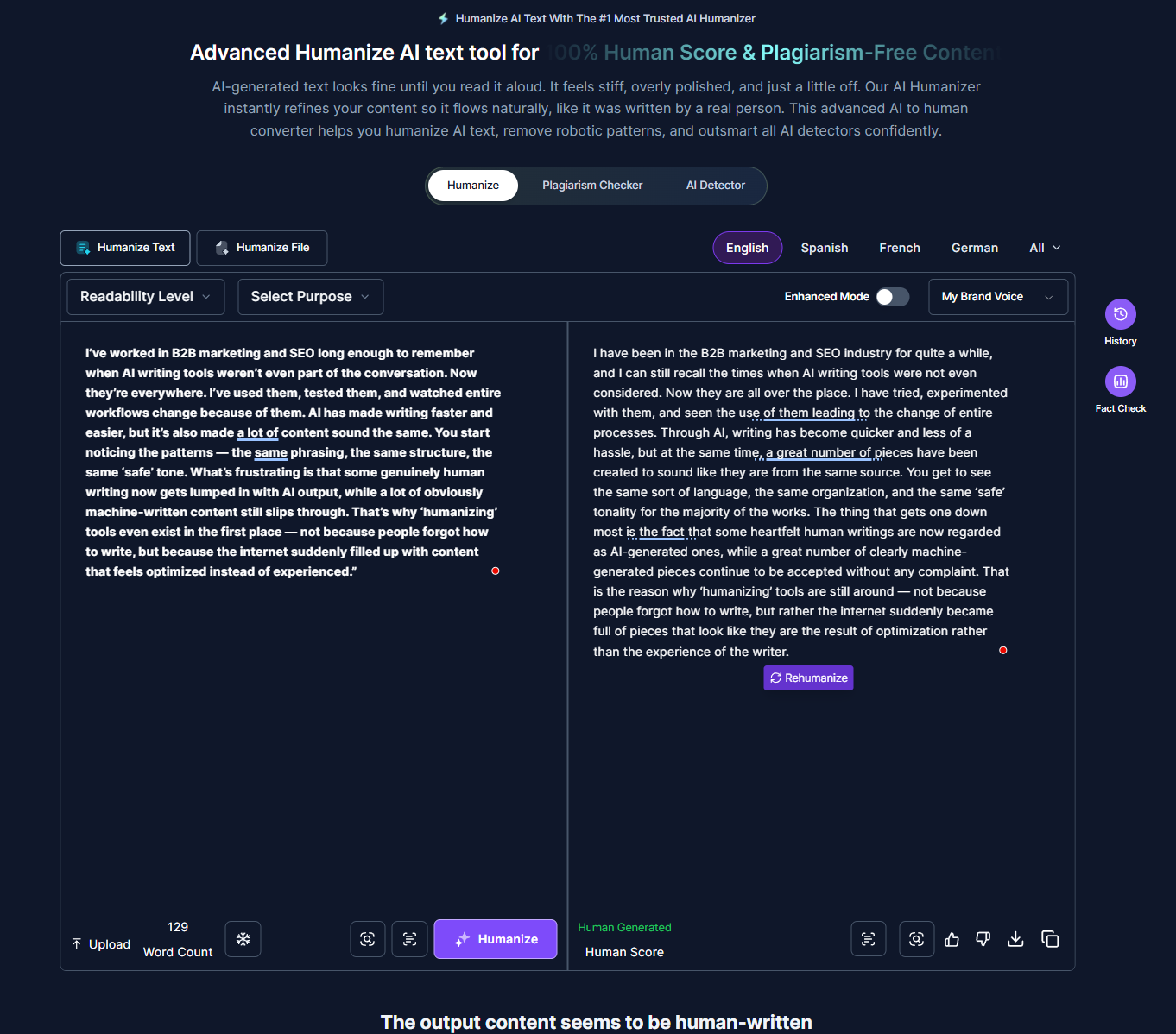
Humanize AI markets itself as an advanced humanized AI text tool. It humanizes text in multiple languages.
Here’s an image showing what my humanized text looked like in Humanize.
- Test results:
- Copyleaks AI detection score before: 100 percent
- Copyleaks AI detection score after: 0 percent
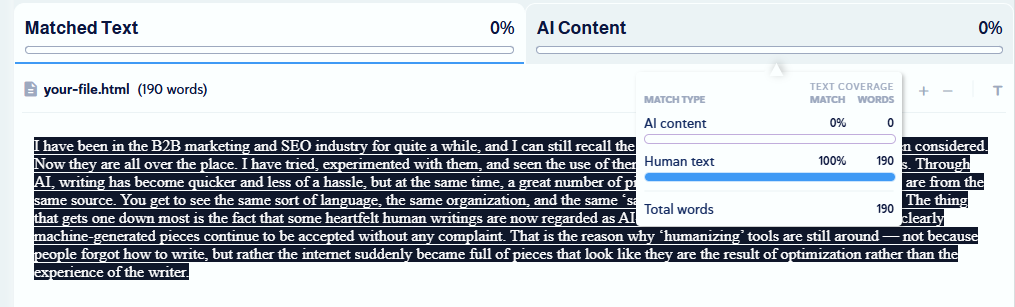
Humanize does an impressive job of making content more human. The AI-generated content went from being 100 percent AI-generated to 0 percent.
My subjective review:
I thought Humanize did a good job of balancing a piece of text that beats the AI detectors while still reading pretty well. I found the content pleasant to read, and it flowed well. If anything, it was a bit waffling, but that’s nothing an edit can’t resolve.
- Key features:
- AI detection within the humanizer tools shows whether Humanize’s detector considers your AI content human-generated. From my test, it matches Copyleaks.
- Plagiarism checker allows writers to check whether their writing is original within the tool.
- AI article generator will generate an article from a topic. While this is a great feature, you can’t trial it for free, unlike other tools like StealthWriter.
- Pros:
- You can see your history. This is a feature that is missing on other tools. Once you click “rehumanize,” you lose the original output on some tools, which isn’t always desirable. Humanize keeps history.
- You can add new brand voices on paid plans, so the humanizer output will sound more like you.
- Cons:
- Lots of features are hidden behind paid plans. You can’t test them without signing up.
- Plans/Pricing:
- You can try Humanizer for free.
- Paid packages, billed annually:
- Grow: $18 per month
- Scale: $28 per month
5. GPTHuman: Best for guaranteed results and beating the AI detectors
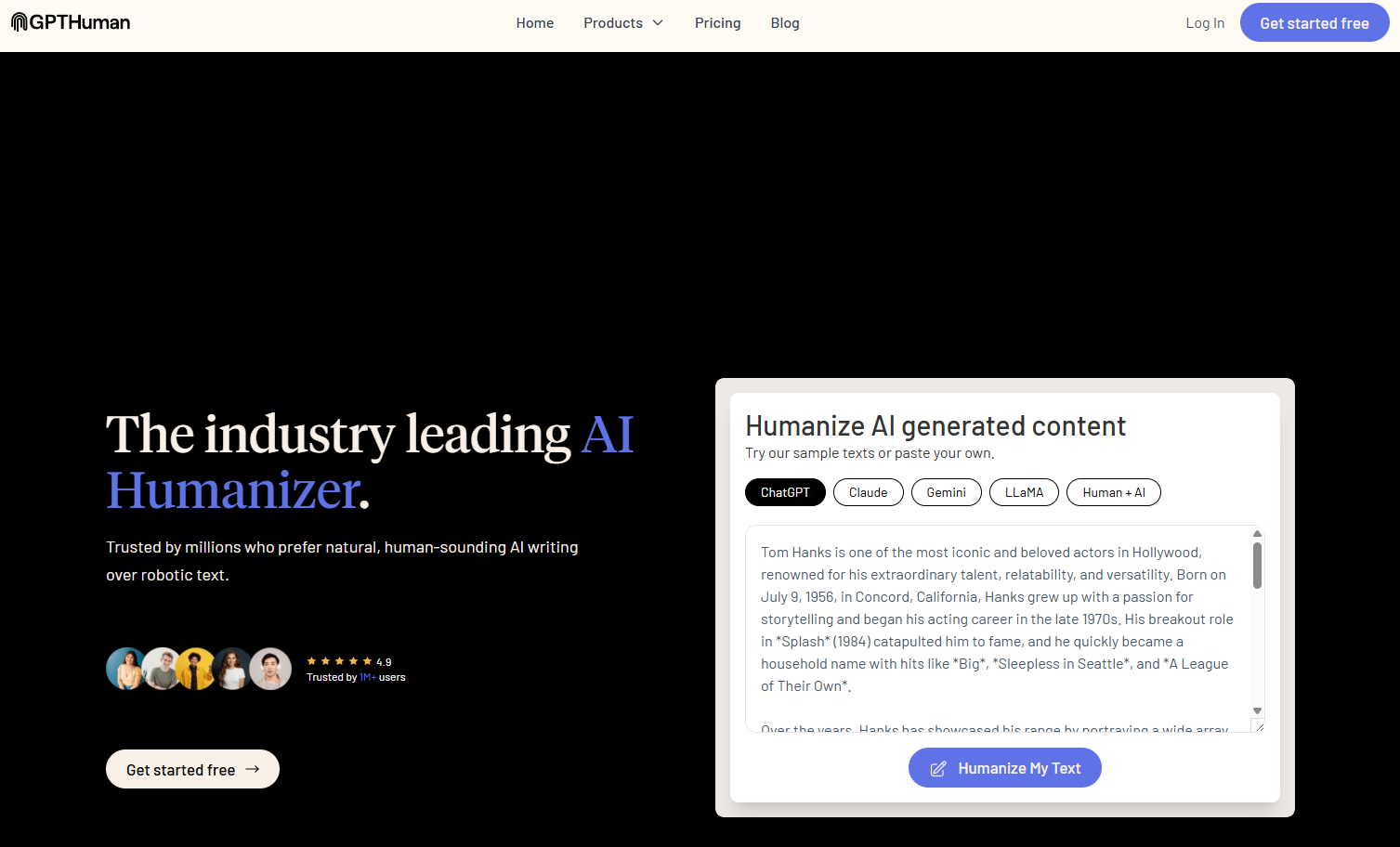
GPTHuman is an AI humanizing tool that also has an AI detector, paraphraser, and AI humanizer API. The company is clearly confident in its product, as it guarantees it can bypass all AI detectors, including premium models.
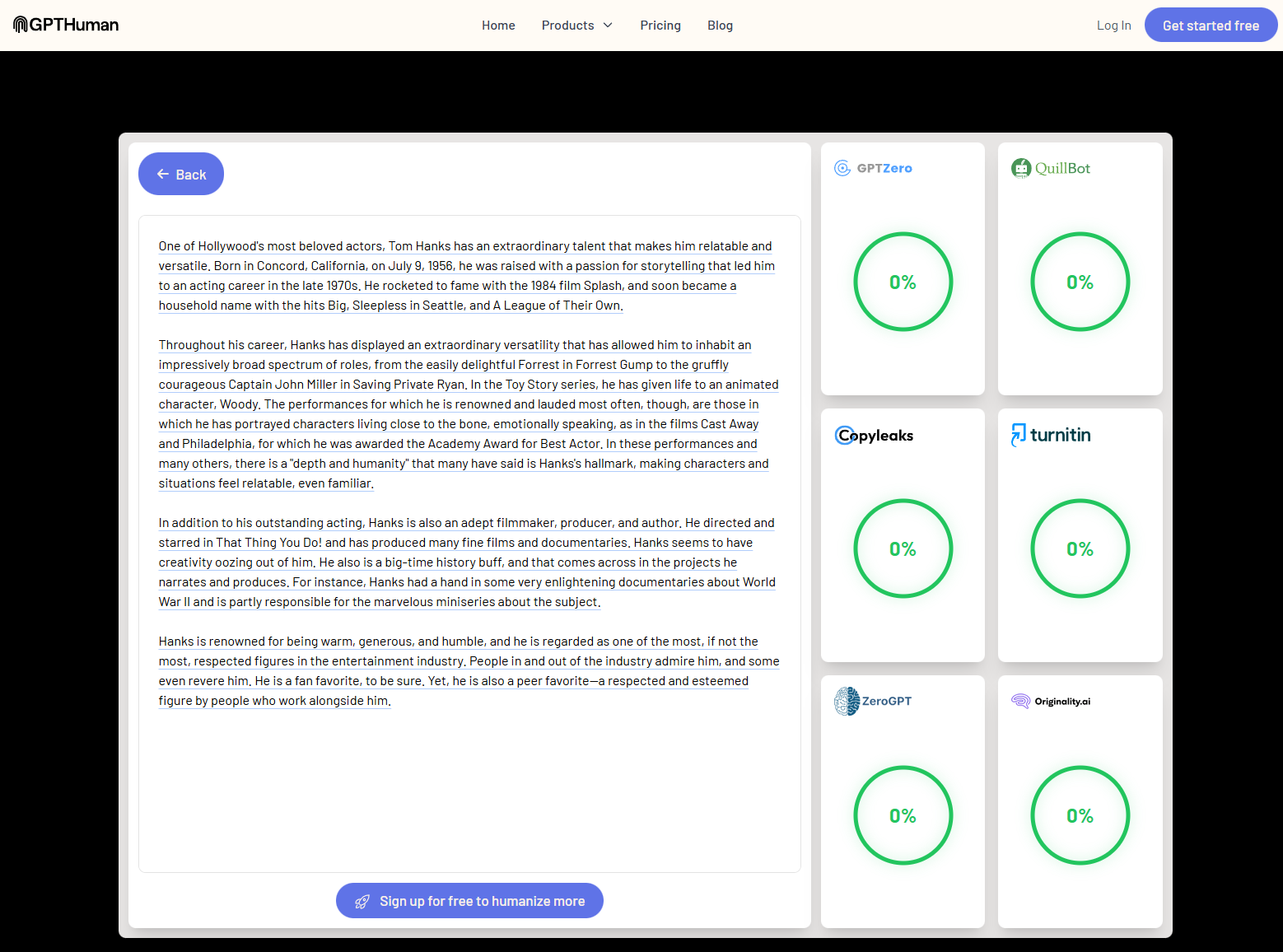
Here’s an image of some humanized text in GPTHuman.
- Test results:
- Copyleaks AI detection score before: 100 percent
- Copyleaks AI detection score after: 0 percent
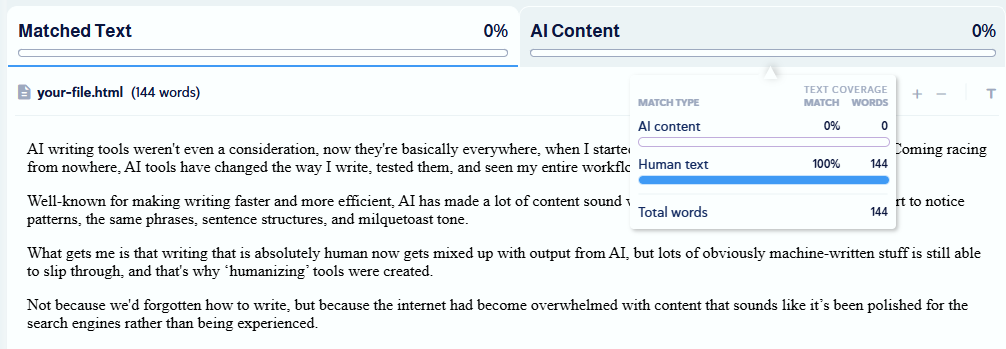
GPTHuman does an impressive job of rewriting from an AI detection standpoint. The AI-generated content went from being 100 percent AI-generated to 0 percent.
My subjective review:
However, the humanized content didn’t pass my review. And I wonder how it passed the AI detection test, because of how poorly written it is.
The paragraph would need a complete overhaul for me to consider it well written or readable. The content itself has
- Extremely poor sentence structure: The first paragraph reads like three ideas crammed into a single sentence.
- Distracting instead of clarifying word choice: Phrases like “coming racing from nowhere” are awkward and hard to follow. They don’t mean anything. “Milquetoast tone” is an unusual phrasal choice for the context. And, at risk of exposing myself, I had to get the dictionary out to understand the definition.
- Key features:
- AI detector: The AI detector is a great addition to an AI humanizer, as it can detect AI in humanized text. It works by highlighting sections of text with AI-generated patterns.
- AI paraphraser: This tool is a nice add-on that lets you paraphrase your content. I tested it with a 272-word extract, but the rewrite condensed the content by only four words, which I didn’t think was very good. Plus, it took about 20 seconds to complete the task.
- Pros:
- It’s undeniable that this tool passes AI detection tests. The AI detector didn’t find any trace of AI-generated content.
- Cons:
- It’s slow to generate text on the humanizer tool and the AI paraphraser.
- The quality of the humanized AI output is poor. I’d have to rewrite this from scratch to get it to where I wanted it, but this is somewhat subjective.
- Plans/Pricing:
- You can try GPTHuman for free.
- Paid packages, billed annually:
- Starter: $8.25 per month
- Plus: $14 per month
- Unlimited: $26 per month
What to look for in a good AI humanizer
Use this decision-making checklist before choosing your AI humanizer tool.
- Subjective analysis: Look for natural, human-like phrasing. You want a tool that emulates real human rhythm. This comes with varied sentence lengths, natural transitions, genuine experiences, and language that doesn’t feel templated or robotic. The detector tools are great, but the best judge of this is you.
- Bypass success rate: A strong humanizer should consistently pass leading AI-detection systems, but it needs to do it while creating content you’re happy with. Nearly all AI content will need at least a light edit, so starting with a capable AI text generator makes the process much easier.
- Tone precision and control: Make sure the tool has options so you can at least edit the tone using default customization (such as professional, friendly, etc.). It’s better if you can humanize your tone of voice and develop your own style.
- Plagiarism safety: The tool must produce original, trace-free rewrites. Failure to create plagiarism-free content is a serious no-no for professionals and students.
- Formatting retention: Heading structures, bullets, lists, code blocks, citations, and links should remain intact. If you have to reformat every output, you might get frustrated.
- Compatibility with major AI platforms: Check that your tool is compatible with your favorite tools, such as ChatGPT, Claude, and Gemini.
- Strong long-form stability: Ideally, your humanizer tool can edit documents of 1,000 to 5,000-plus words without introducing distortions, contradictions, or repetition. This is hard to find in any AI, but if you find something good enough, you can edit it. Alternatively, work in sections when creating long-form content.
- Deep customization: The most customizable tools let you define an AI model, audience, tone, and more.
Enhance your content-humanizing process with Jotform AI
Jotform AI Tools are completely free and can help you transform your content into natural, human-like content. If you’re starting with AI-generated text and it feels stiff, repetitive, or oddly formal, add Jotform AI Humanizer to your workflow, it rewrites your draft so it sounds like it was written by a real person, without losing your message.
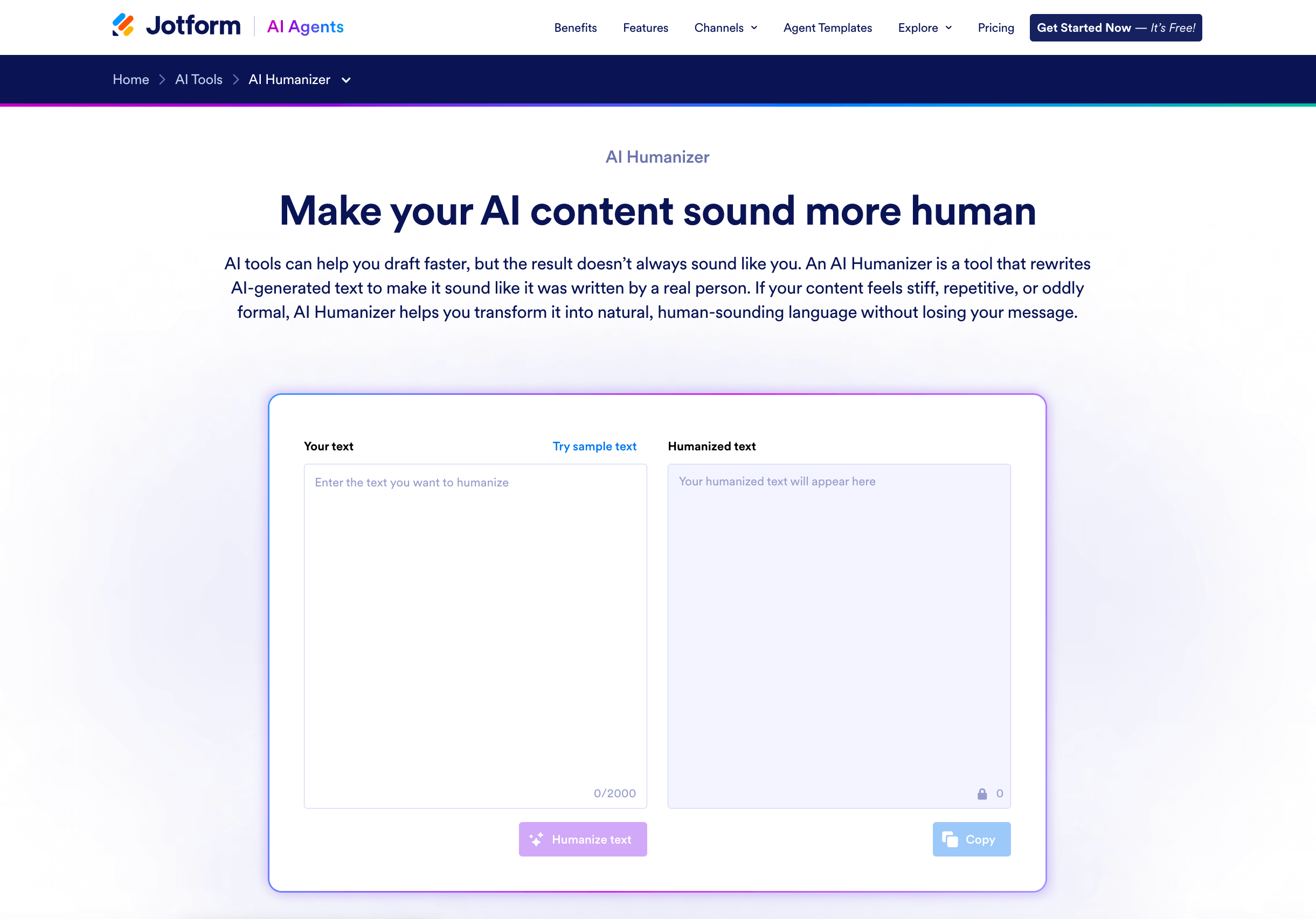
AI Humanizer is especially helpful when the ideas are solid but the delivery doesn’t sound like you. Paste your text, generate a humanized version, then regenerate until the wording, rhythm, and tone feel right. Use it to smooth out awkward phrasing, avoid repetitive patterns, and make your copy easier to read, while keeping the intent intact.
You can also use Content Creator AI Agents to help polish or reframe content, or if you just need a little help tweaking a sentence, try the AI Sentence Expander and AI Sentence Rewriter.
AI Agents are helping writers work faster and create polished, engaging copy.
💡 Did you know?
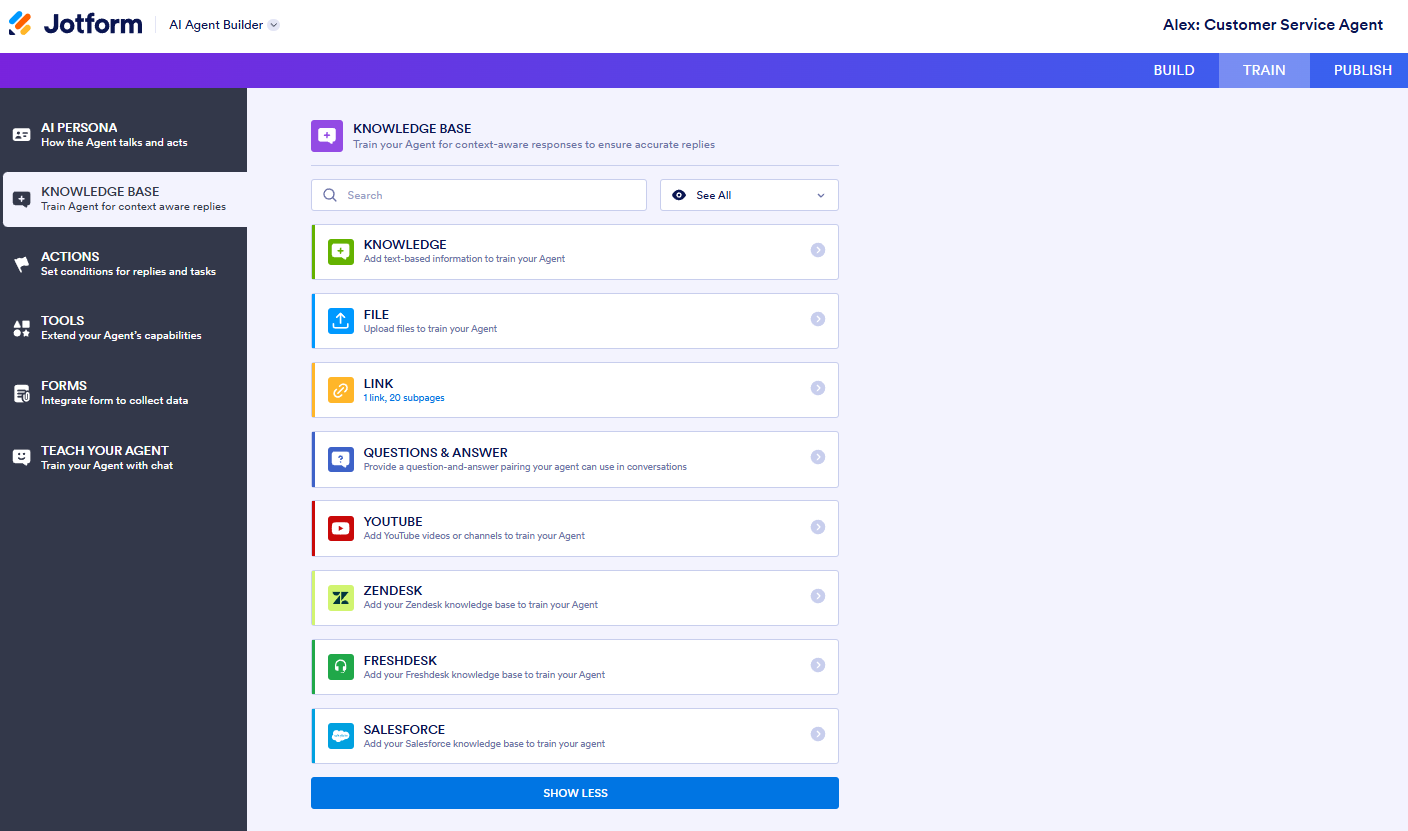
You can train Jotform AI Agents on your own knowledge base, tone of voice document, videos, or other internal resources, so your custom AI Agent will sound just like a real member of your team. The more you give the AI Agent, the better your outputs will be.
The following screenshot shows all the sources you can use to train your agent:
Choosing the right AI humanizer tool
From my testing, it’s clear to see that AI humanizer tools help you quickly turn machine-generated text into writing that passes an AI detection tool. The tools can also improve originality. Similar to built-in plagiarism detectors, you can be sure your content is unique.
Writers, students, marketers, and SEOs can all benefit from using AI humanizers to refine drafts, strengthen tone, and remove the “AI feel” from their content. And because each tool works differently, it’s worth experimenting with a few to find the one that best fits your style.
All tools offer free trials, and the best thing you can do is try them all until you find the one that balances good content while beating the AI detectors.
Not sure where to get started? Explore what you can create with Jotform AI Agents.
Why?
Jotform AI Agents take writing and humanizing to that next level compared to traditional AI tools. You can upload so much, such as your tone of voice document, existing content via your URL, and so much more. The AI will have so much information about you and your writing style that it’ll mimic your style in no time.
This article is for content managers, SEO writers, freelance marketers, and anyone who wants to humanize AI-generated text for better engagement, improved readability, and to bypass AI detection tools.
Frequently asked questions about AI humanizer tools
You can trial most AI humanizing tools for free. Phrasly, WriteHuman, StealthWriter AI, Humanize, and GPTHuman all have free trials. Most free trials are limited to a number of credits or a word count, such as a maximum of 300 words per paragraph.
Phrasly, WriteHuman, StealthWriter AI, Humanize, and GPTHuman all humanize AI text so it scores 100 percent on content detectors. However, in my opinion, the outputs still need work. While the AI detectors can be beaten, some of the humanized content won’t pass a human review.
There’s no single “best” AI human generator because it depends on your budget, team size, and what you want to achieve. Some tools prioritize bypassing AI detection, while others focus on writing quality and customization features.
































































































Send Comment: