
You did the hard work: The patient found you online, read your reviews, booked an appointment, completed their intake, and showed up. The first visit was a success.
Then six months pass. No recall. No follow-up. The patient sees a competitor’s ad, or a friend recommends someone closer to their office and just like that, they’re gone. Not because you did anything wrong. Because you didn’t stay in the picture.
This is the patient retention gap and it costs many dental practices far more than they realize.
Acquiring a new patient typically costs five to 10 times more than retaining an existing one. Yet most dental marketing dollars flow almost entirely toward acquisition: SEO, ads, reviews, referral programs. Retention, by contrast, often runs on autopilot — or doesn’t run at all.
The good news is that fixing the retention gap doesn’t require a massive budget. It requires a system.
The moment most practices drop the ball
The window between a patient’s first visit and their second is when loyalty is gained or lost. During that gap, patients are forming a lasting impression of your practice — not from the quality of the cleaning, but from what happens after.
Did anyone follow up with them? Did you make rebooking easy? Did the practice feel like it remembered them — or did they feel like a number in a schedule?
Most practices have no consistent answer to these questions. The appointment ends, the patient walks out, and the relationship goes quiet until the front desk gets around to a recall call weeks later — if it happens at all.
The practices with the strongest retention rates treat the post-visit window as actively as they treat the pre-visit one. They have a system. And increasingly, that system is automated.
Build a recall workflow that actually runs
Recall — getting patients back for their six-month cleaning or annual exam — is the backbone of patient retention. But manual recall is unreliable. It depends on staff bandwidth, consistent follow-through, and patients answering the phone. None of those are guaranteed.
An automated recall workflow changes the equation. In this workflow, when a patient completes their appointment, a sequence triggers automatically: the patient receives a thank-you message within 24 hours, a recall reminder at the five-month mark, a follow-up nudge if they haven’t booked, and a final prompt before they lapse entirely.
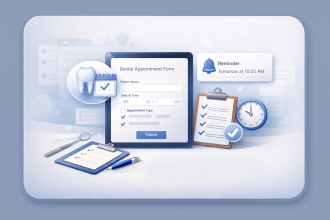
With Jotform Enterprise, you can build this workflow without touching your practice management software. Set up a post-appointment form that triggers an automated notification sequence — each message timed, personalized with the patient’s name, and containing a direct link to rebook. The workflow runs in the background while your team focuses on patients in the chair, not patients who left six months ago.
The result: No patient falls through the cracks simply because your front desk was busy.
Ask how it went — before someone else does
Here is the uncomfortable truth about patient churn: Most patients who leave never tell you why. They do not complain. They do not leave a bad review. They simply book elsewhere next time and disappear quietly.
A post-appointment satisfaction check-in — sent within 24 hours of every visit — closes that gap. It surfaces friction before it festers, gives dissatisfied patients a private channel to raise concerns, and signals to every patient that their experience matters to you.
A satisfaction survey should be short: three to five questions, rating scale, an open field for comments, and a checkbox for whether they’d recommend your practice. The form takes seconds to complete and gives your team something invaluable: early warning that a patient wasn’t satisfied.
Jotform Enterprise’s feedback form templates make this straightforward to set up and automate. When a patient submits a high satisfaction rating, a follow-up workflow can automatically send a review request — channeling positive sentiment directly to Google or Healthgrades. When a low rating comes in, the submission can trigger an internal alert so your team can reach out personally before the patient decides not to come back.
Two automations. One form. A significantly tighter retention workflow.
Make rebooking the path of least resistance
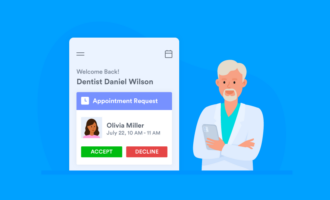
One underrated driver of patient churn is friction. Patients intend to rebook, but life gets in the way. They forget, they procrastinate, and eventually they decide to find someone when they need to.The antidote is to make rebooking the easiest possible next step at every touchpoint. That means including a link to your appointment request form in the post-visit thank-you message. A rebook button in the recall reminder email. A direct booking link in your SMS follow-ups.
With Jotform Enterprise, your appointment request form can be embedded in emails, sent as a direct link, or included in any patient communication, branded to your practice and optimized for mobile. The fewer steps between “I should rebook” and “appointment confirmed,” the higher your recall conversion rate.
The best time to rebook a patient is the moment they’re still thinking about you. Your recall workflow should capitalize on that window every time.
Retention is a revenue strategy, not just a nice-to-have
A patient who visits twice a year for five years — and refers two friends — is worth exponentially more to your practice than a one-time visitor you spent heavily to acquire. Retention is not just about keeping patients happy. It is about maximizing the return on every dollar you invest in marketing.
When your recall workflows run automatically, your satisfaction surveys surface problems early, and your rebooking touchpoints reduce friction at every step, retention stops being something that happens by chance and starts being something you engineer.
Jotform Enterprise gives dental practices the infrastructure to build that system — without complexity, without code, and with the HIPAA-enabled data-handling that healthcare demands.
Acquire well, but retain better. That’s where practice growth compounds.
—
Ready to automate your recall workflows and close the retention gap? Explore Jotform Enterprise for dental practices.






















Send Comment: