Jotform’s Email Validation feature helps catch mistakes that might stop you from reaching your users. The Email field lets people enter their email address so you can follow up, send confirmation messages with Autoresponder Emails, or share important information.
To help catch typos before your form is submitted, Jotform lets you add a Confirmation box to your Email field that asks users to enter their email address twice. If the entries don’t match, they’ll be prompted to correct it—helping you avoid issues with mistyped emails that could block communication later on.
Whether you’re creating a new form or updating an existing one, you can add an Email field and set it up with a confirmation box to verify the accuracy of the email address in a few easy steps. Here’s how to do it:
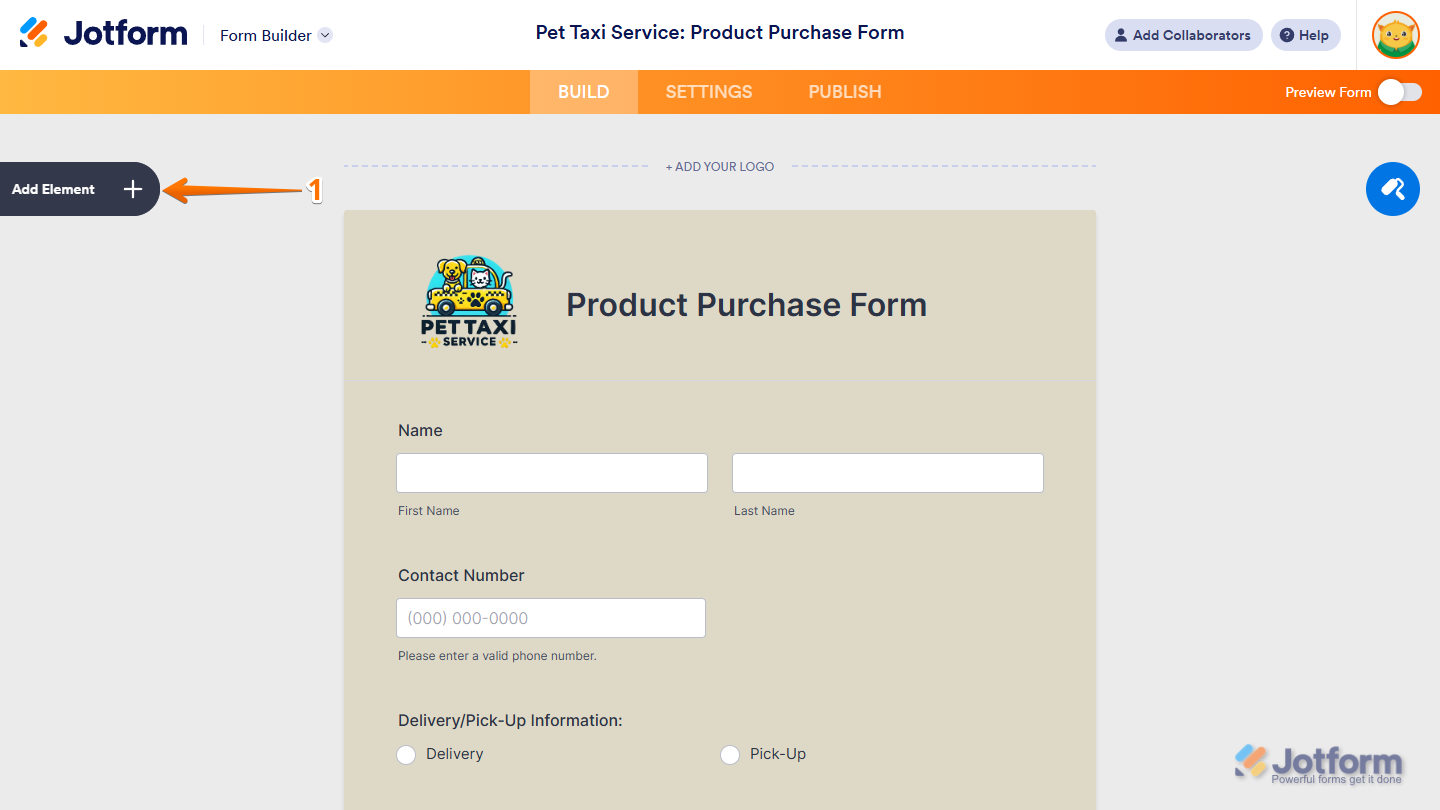
- In Form Builder, click on Add Element on the left side of the page.
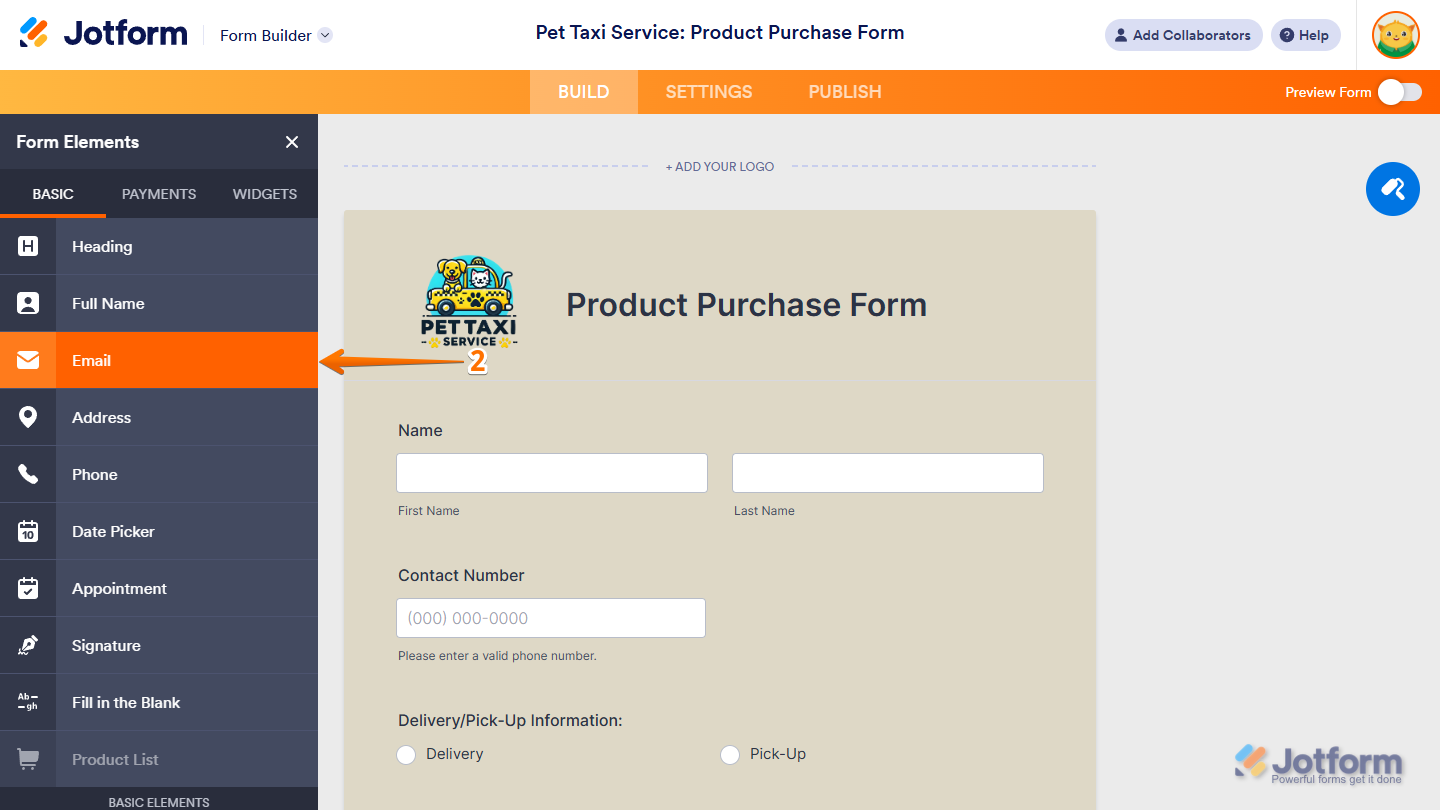
- Now, in the Form Elements menu, under the Basic tab, click on Email. Or drag and drop it where you want it to be on your form.
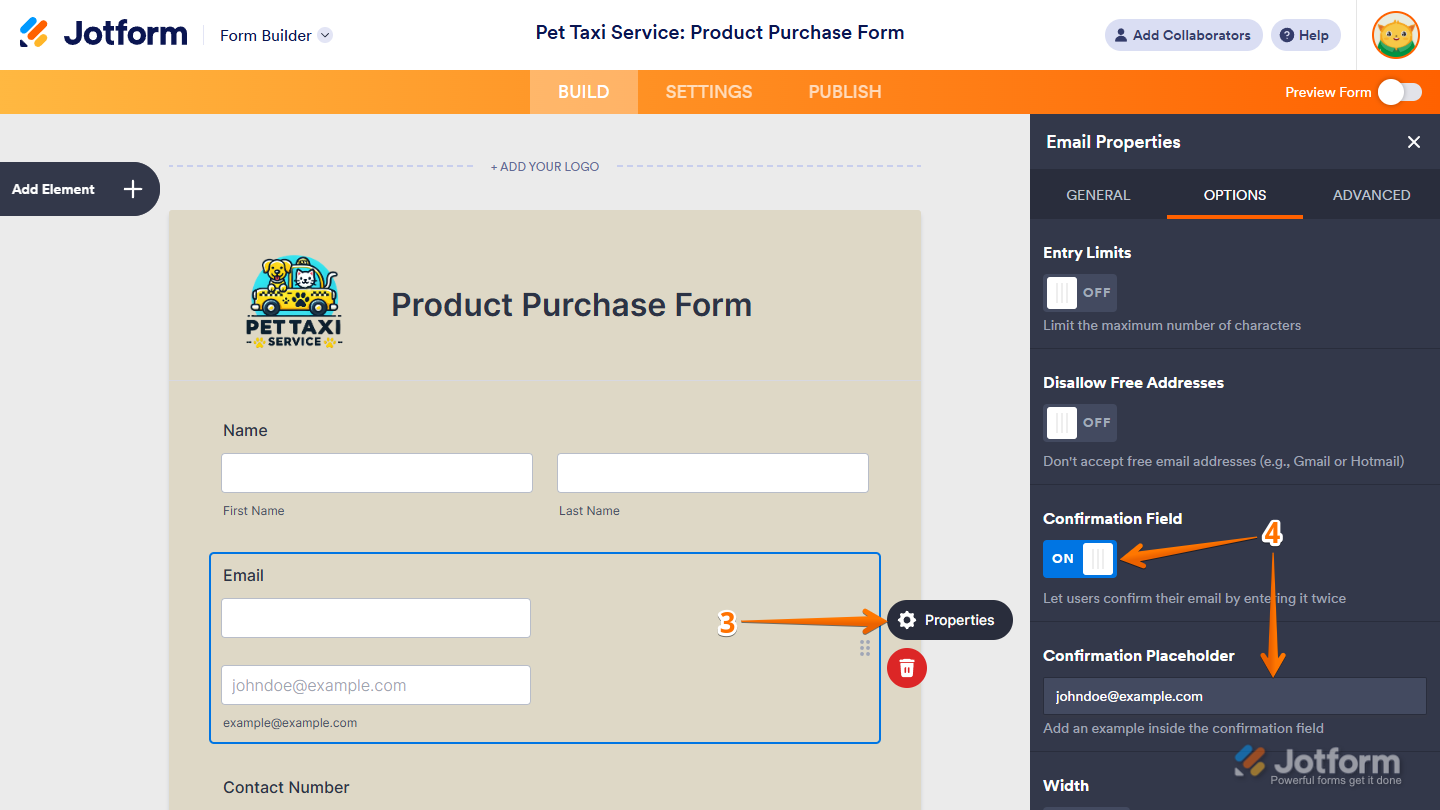
- Next, on the right side of the Email field, click on the Gear icon.
- In the Email Properties window, under the Options tab, toggle Confirmation Field to On, and then replace the default example in the Confirmation Placeholder field to whatever you want as an example on the form.
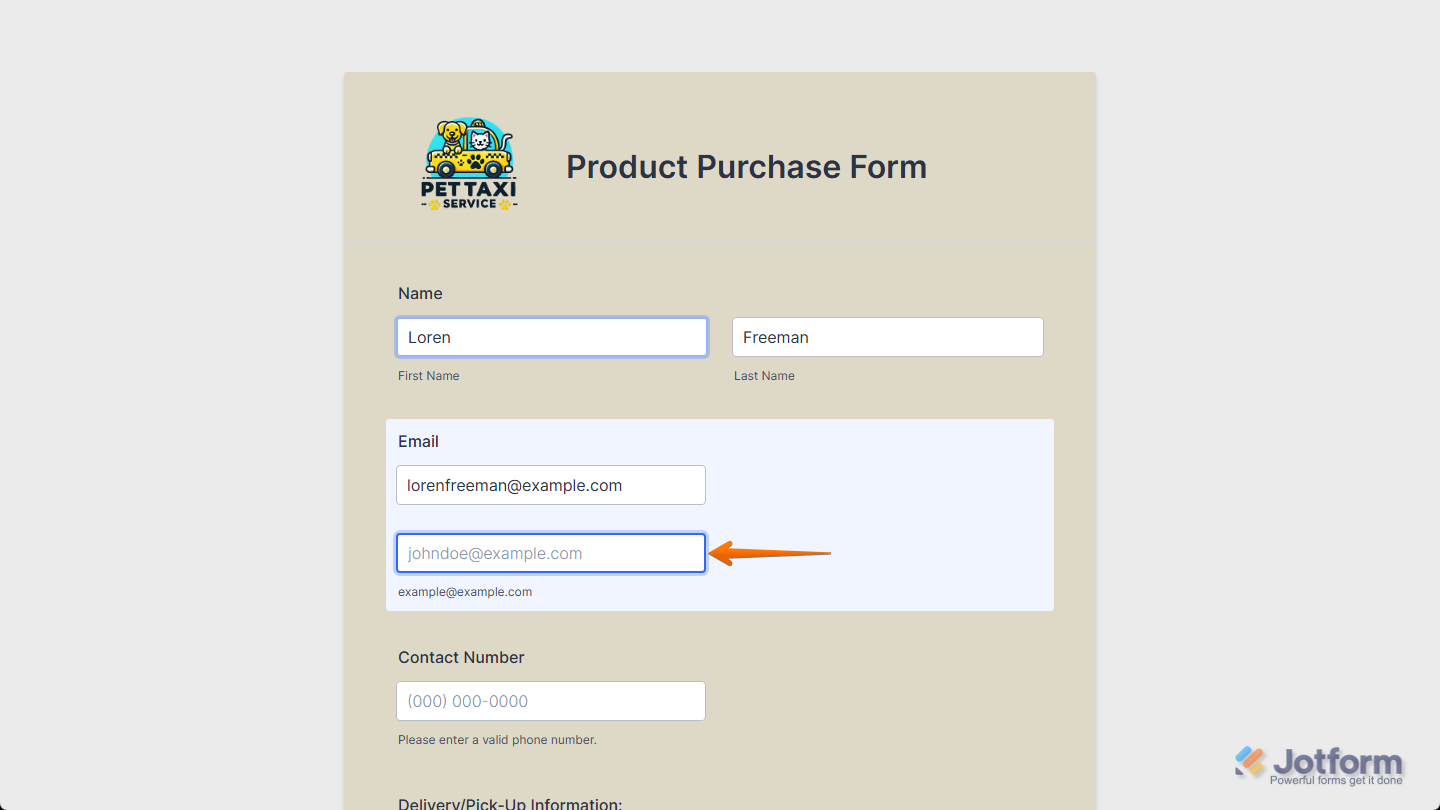
That’s it! With the Email field and confirmation box in place, users can submit their forms confidently, knowing their email address is correct.
Note
- Any changes you make under the Options tab in the Email Properties window are saved automatically.
- In addition to the basic Email field, you can use the E-mail Validator widget to collect verified email addresses. Check out our guide on How to Implement Email Verification on Your Forms to learn more about it.
- If the email address entered in the Email field and its Confirmation field don’t match, an error message will pop up. You can customize the message anytime in the Form Builder Settings. Check out our guide on How to Change Your Form Warning Messages for more details about that.
- Pasting isn’t supported in the confirmation box. Users need to enter their email address manually.

Send Comment:
22 Comments:
February 17, 2024
This feature no longer available? not seeing the option to confrim
January 31, 2022
Is there any way to add a feature that we can have the confirmation box "spread to columns" for the confirmation email field? Right now it will only stack (show up right below the other), and this doesn't always fit the style of our forms.
November 9, 2021
I want to enable a destination (i.e. email address) for my jotform to be sent to once submitted by my clients.
June 24, 2021
I need help with my adoption form. I need to be able to copy the link to people who want to adopt dogs
April 5, 2020
there is no gear icon, so this doesn't work.
October 15, 2019
hi, testing to see if this works
October 13, 2018
Hi I couldn't sigh in green card service cause if the writing if email fiend is invalid
July 31, 2018
is there a way to translate the verification mail,code that is being sent?
June 11, 2018
Thank you so much for including this feature! I thought I was going to have to build it myself...this is very helpful to prevent email typos shutting down our workflow on these forms :)
June 11, 2018
Thank you so much for including this feature! I thought I was going to have to build it myself...this is very helpful to prevent email typos shutting down our workflow on these forms :)
March 15, 2018
Thanks. Great guide
October 20, 2016
thanks
January 7, 2016
Thank you so much for including this feature! I thought I was going to have to build it myself...this is very helpful to prevent email typos shutting down our workflow on these forms :)
September 24, 2015
I've recently started a web site, the information you provide on this site has helped me tremendously. Thanks for all of your time & work. "Everyone is responsible and no one is to blame." by Will Schutz.
June 5, 2015
We would like to have this feature too. Currently the options we have for the Quick Tools E-mail field is:
Question
Label Align
Required
Size
Validation
Max Size
Default Value
Sub Label
Hint Example
Hover Text
Is this a version of your software We're not aware of? Thanks!
June 4, 2015
I'm curious about how I could add a feature to a form to require the form submitter to "verify" their e-mail address. For example, they submit the form, then get an autogenerated message which requires that they click a link to confirm that they received the e-mail.
April 6, 2015
Is this feature still available? I followed this tutorial and there is no "confirmation" feature in "Show Properties." I have a General Settings tab, under which there is Question, Label Align, Required, Size, Validation, Max Size, Input Mask, Default Value, Sub Label, Hint Example, Hover Text and Read-Only.
September 21, 2014
hi hope someone can help me I'm use Adobe muse and need to insert a email field and then upload field if done this but how does it know where to send it to cannot see anywhere to edit this
March 23, 2014
the version I have does not show
Confirmation in the show properties list, where has it gone?
September 25, 2013
yooooohhhh
May 4, 2012
La mejor pagina de toda la web.
Imprescindible, fácil de trabajar y muy intuitiva.
Enhorabuena Jotform is Great!
April 5, 2012
Hello. First, this forms are by far the best I have ever seen online. Great job.
I have a quick question. How do I create a password confirmation field? For example I request the users to provide a password but they need to enter it again tonfirm it. How can this be done?