You can add comments and replies to entries and submission data in Jotform Inbox. Easily communicate with your colleagues when you share your form inbox to collaborate.
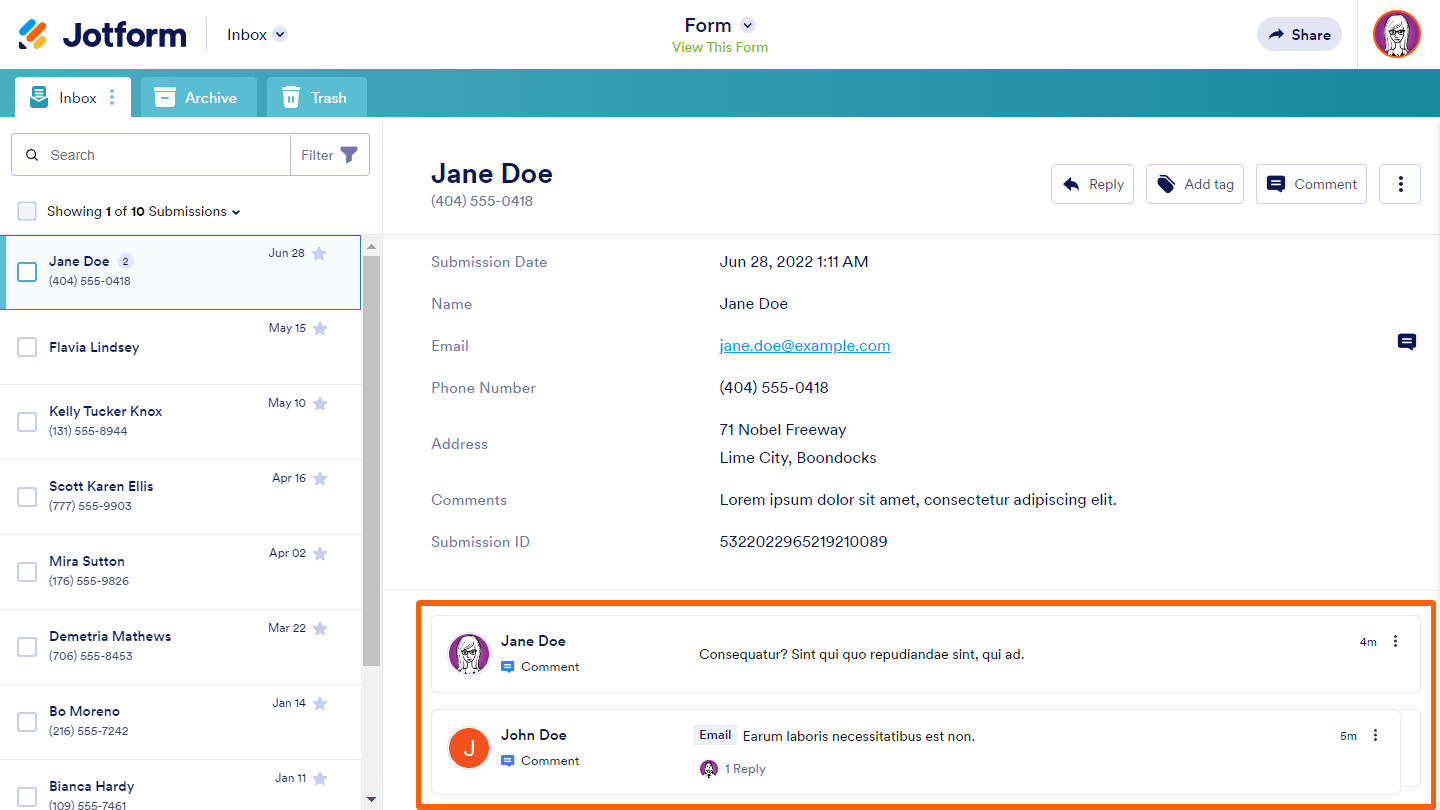
Adding General Comments
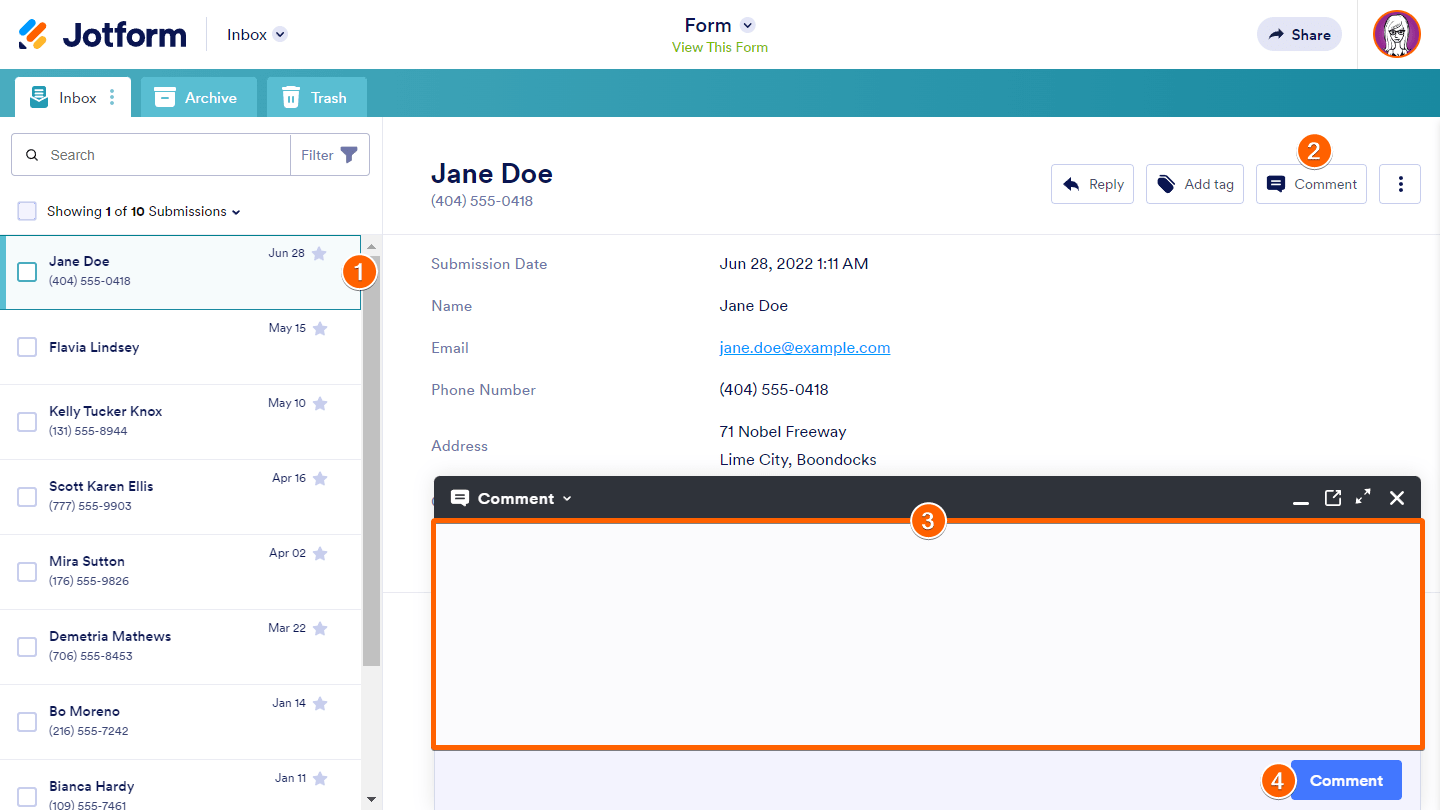
A general comment is when you add a comment to an entry. To add a general comment
- Choose an entry in the left pane.
- Select Comment in the upper-right corner.
- Enter your comment, then select Comment at the bottom.
Adding Inline Comments
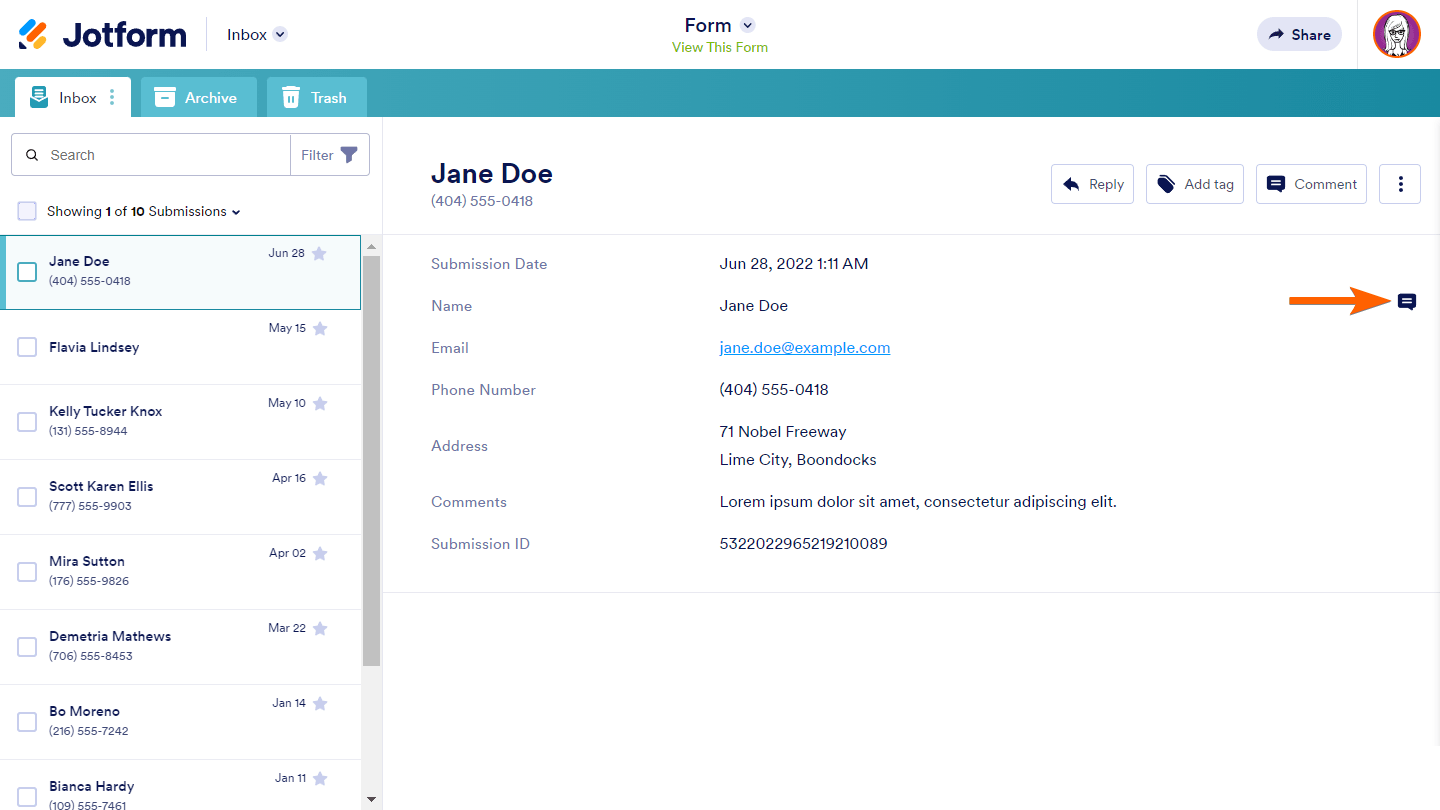
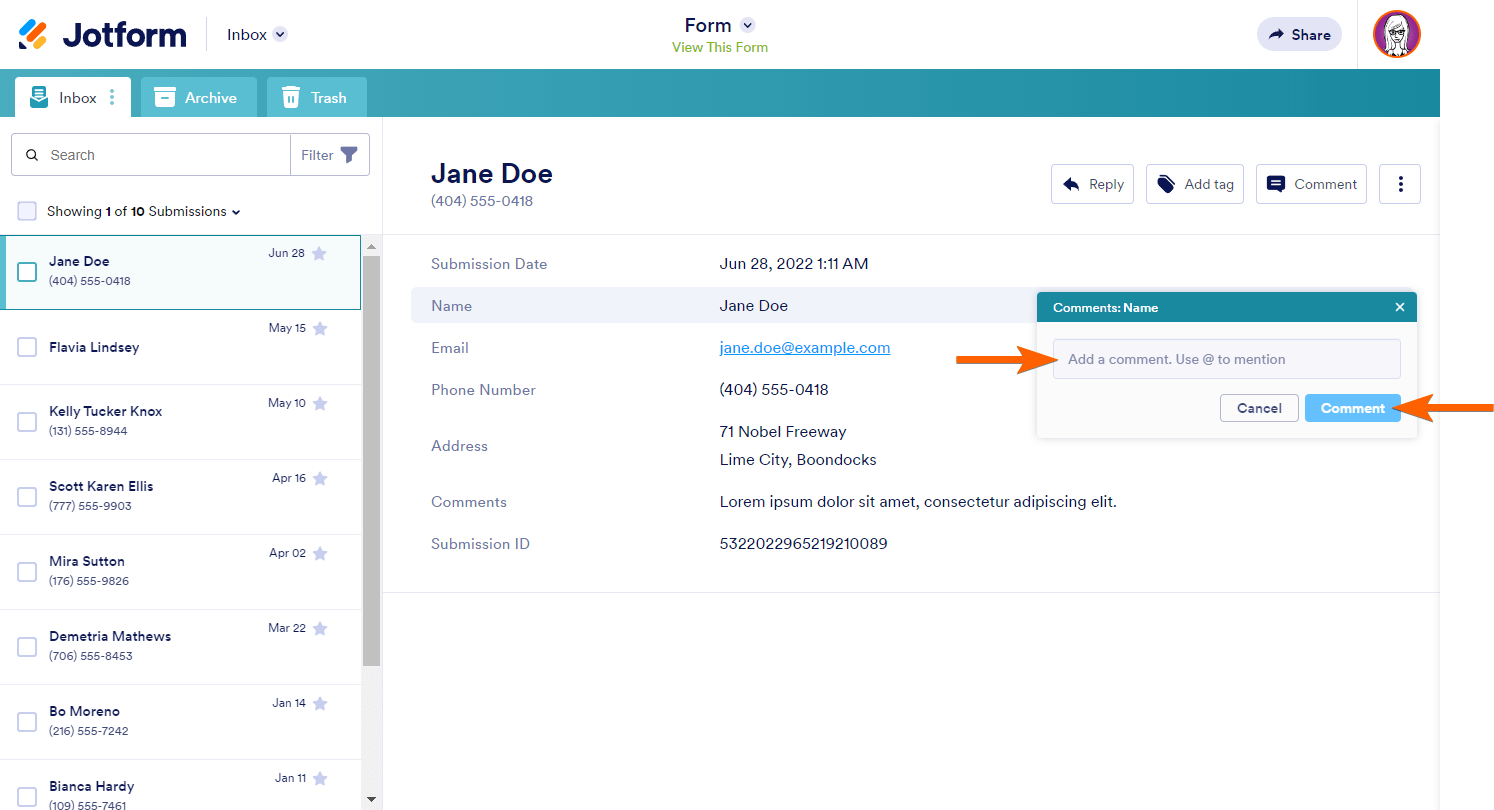
Inline comments are for adding comments to a submission’s answers. To add an inline comment
- Choose a submission in the left pane.
- Select the entry answer’s comment icon.
- Enter your comments in the dialog, then select Comment.
Replying to Comments
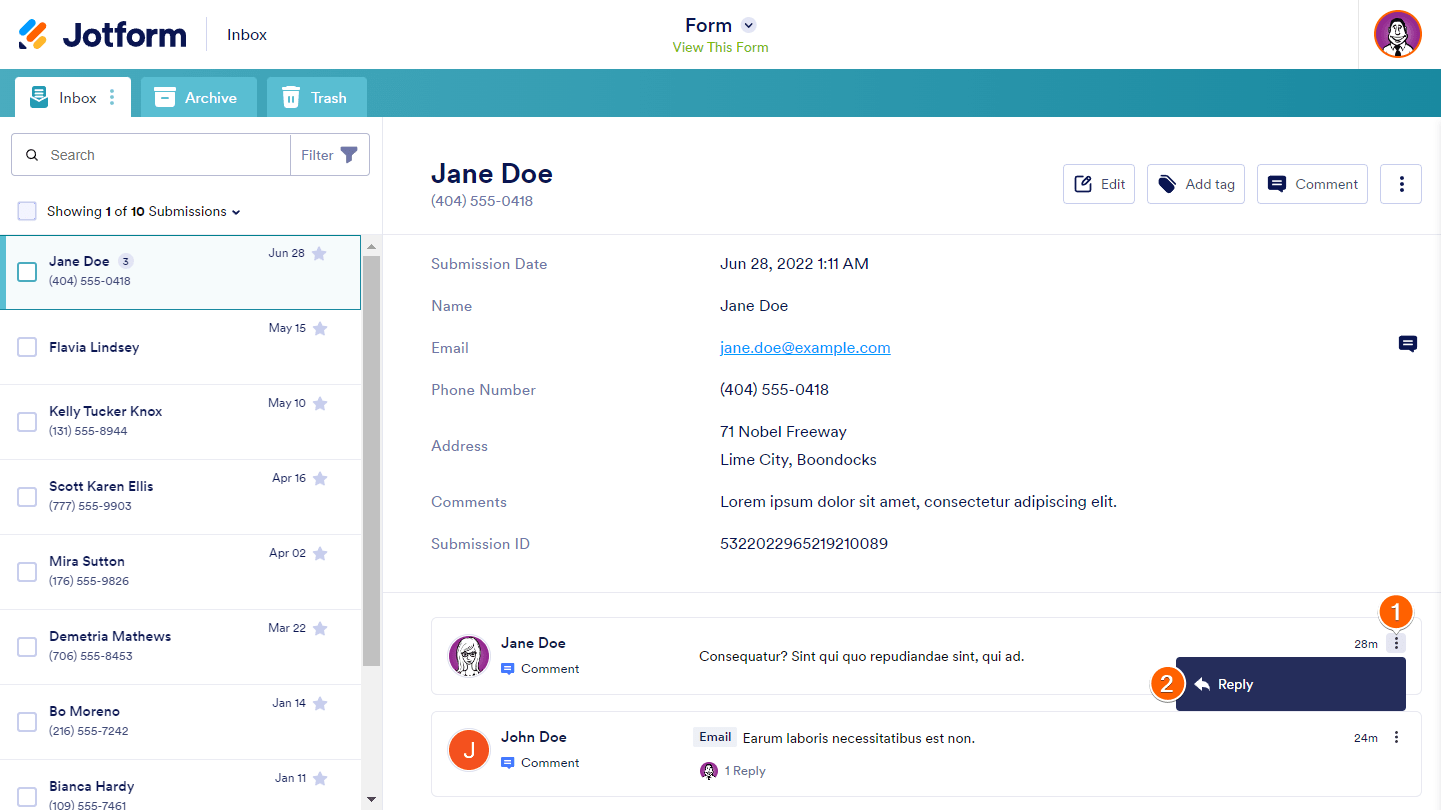
Anyone with collaborator access to your inbox can view and reply to comments. To reply to a comment
- Select the comment’s three-dot icon.
- Select Reply from the menu.
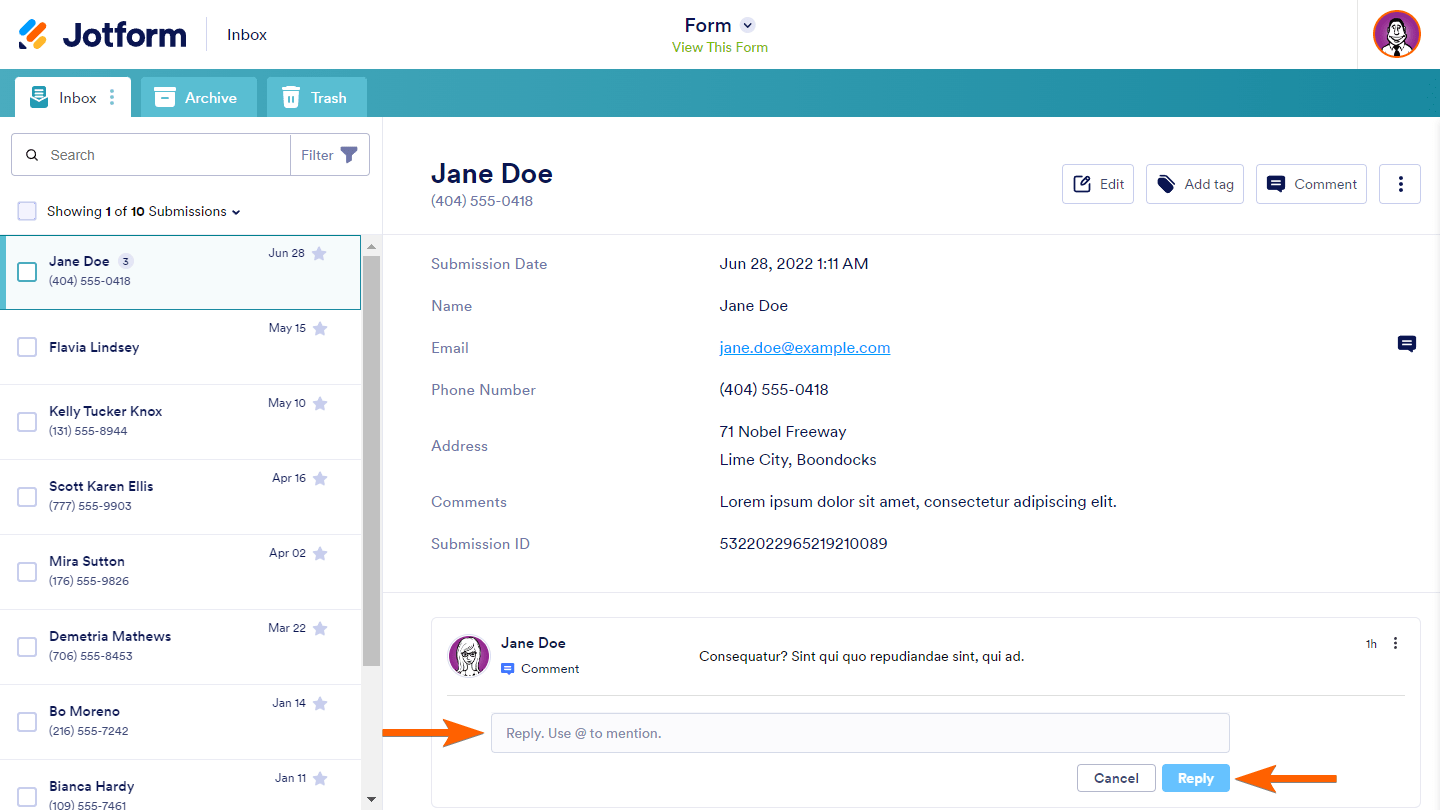
- Enter your reply, then select Reply.


Send Comment:
8 Comments:
October 21, 2025
Everyone on the team receives a notification email about each comment. Can we turn off comment notification? Our comments are notes for future reference only.
July 18, 2025
The steps for adding both general and inline comments are really clear. Makes collaboration in Jotform Inbox much smoother love how simple it is to reply and keep the conversation going within submissions.
December 17, 2024
I'm brand new and have not used Jotform before. I need to send an automatic reply to those submitting forms telling them that our office will be closed for our holiday break. How do I do that?
December 18, 2023
Are there any notifications or alert mechanisms in place to inform users about new comments or replies within Jotform Inbox, ensuring timely communication among team members? Regard Telkom University
October 2, 2023
Hoe kan ik ervoor zorgen dat mijn collega ook alle inzendingen ontvangt in zijn mail box?
July 19, 2023
How does teams work if you can't add people to your jotform account. I'm reallly confused.
May 5, 2022
If I reply to a submission from my form with a comment in the Inbox, does it go directly to their email address? Why I'm asking is because I have not yet gotten responses back.
August 26, 2021
Anything look good