The Request Update action button in Jotform Tables provides an easy way to email an entry’s edit link. This feature is useful if you need your respondents to update their information or correct their entries.
To use the Request Update action button
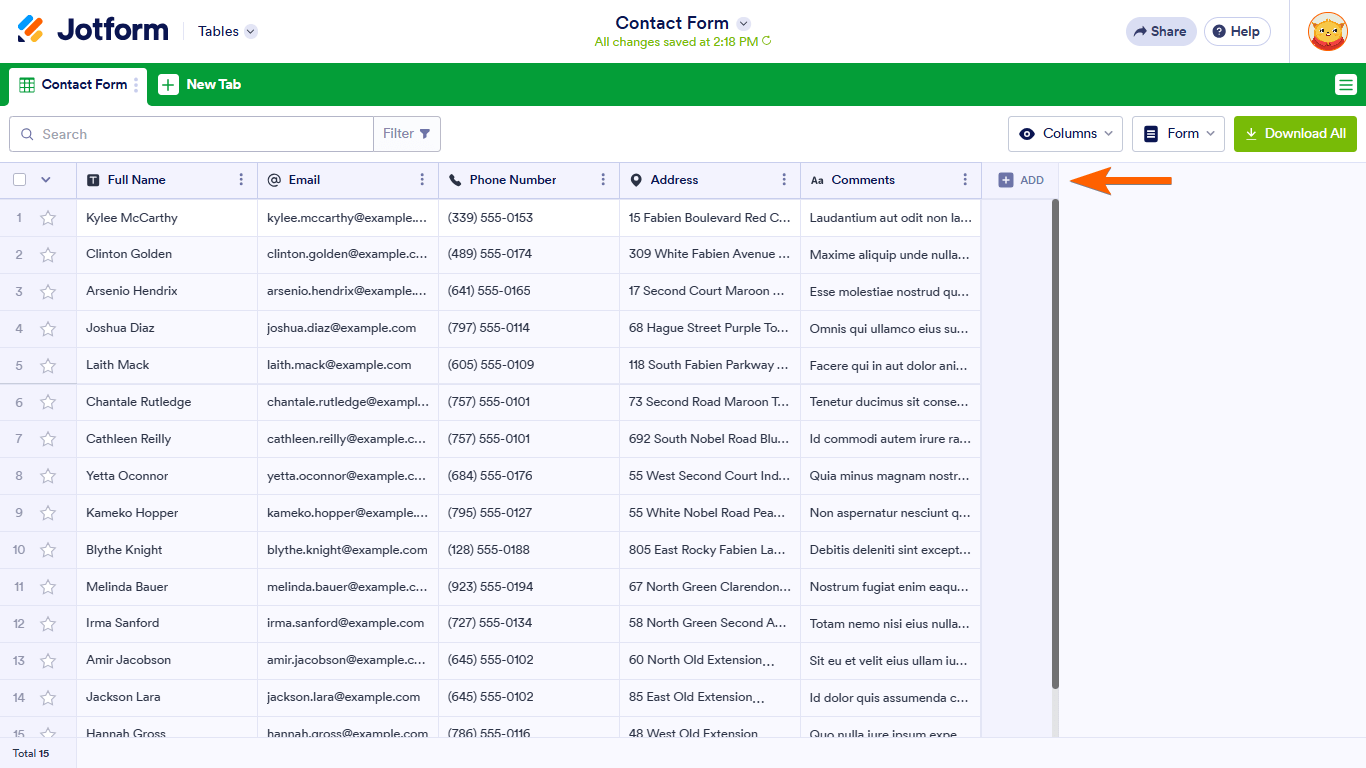
- In Jotform Tables, add or insert a new column. See How to Add and Organize Columns for more information.
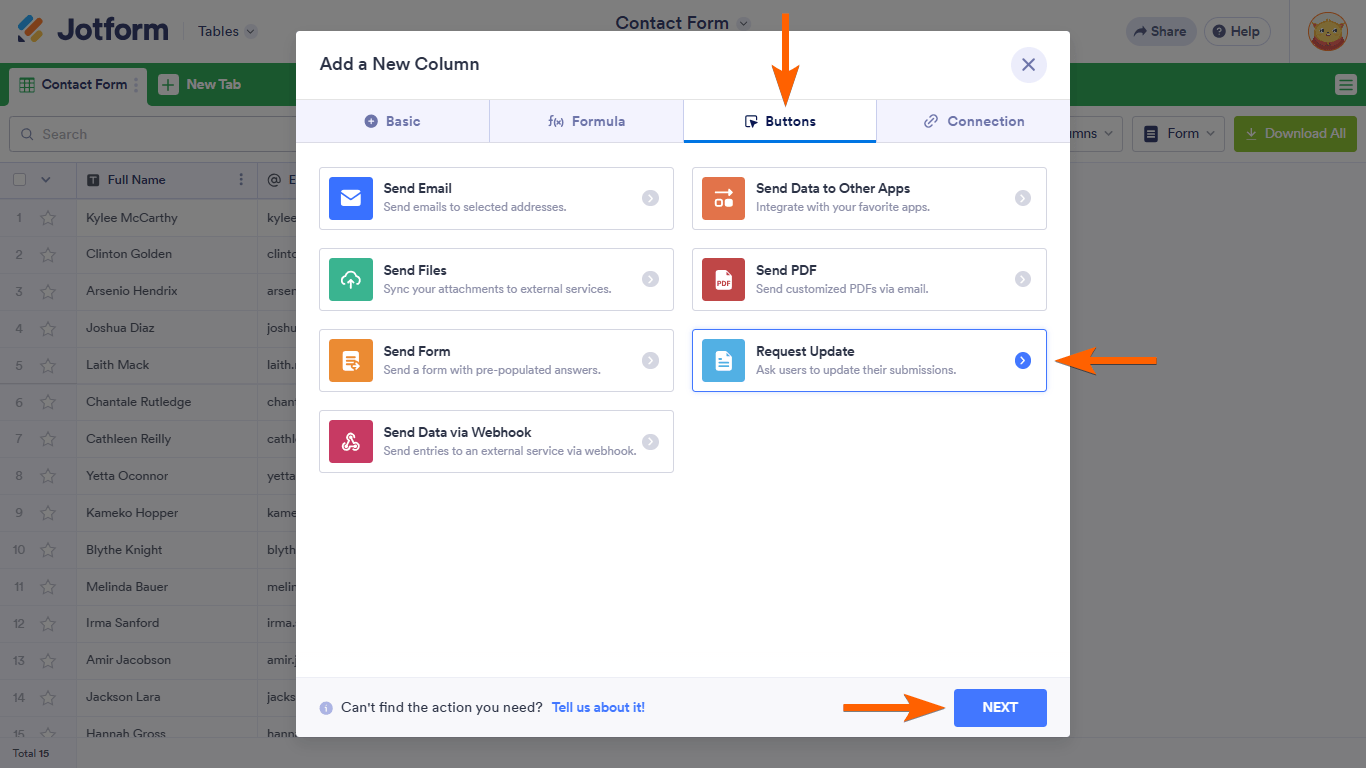
- In the dialog, go to Buttons at the top, then select Request Update.
Note: For standalone tables, select the Export a form message to use the Request Update action button.
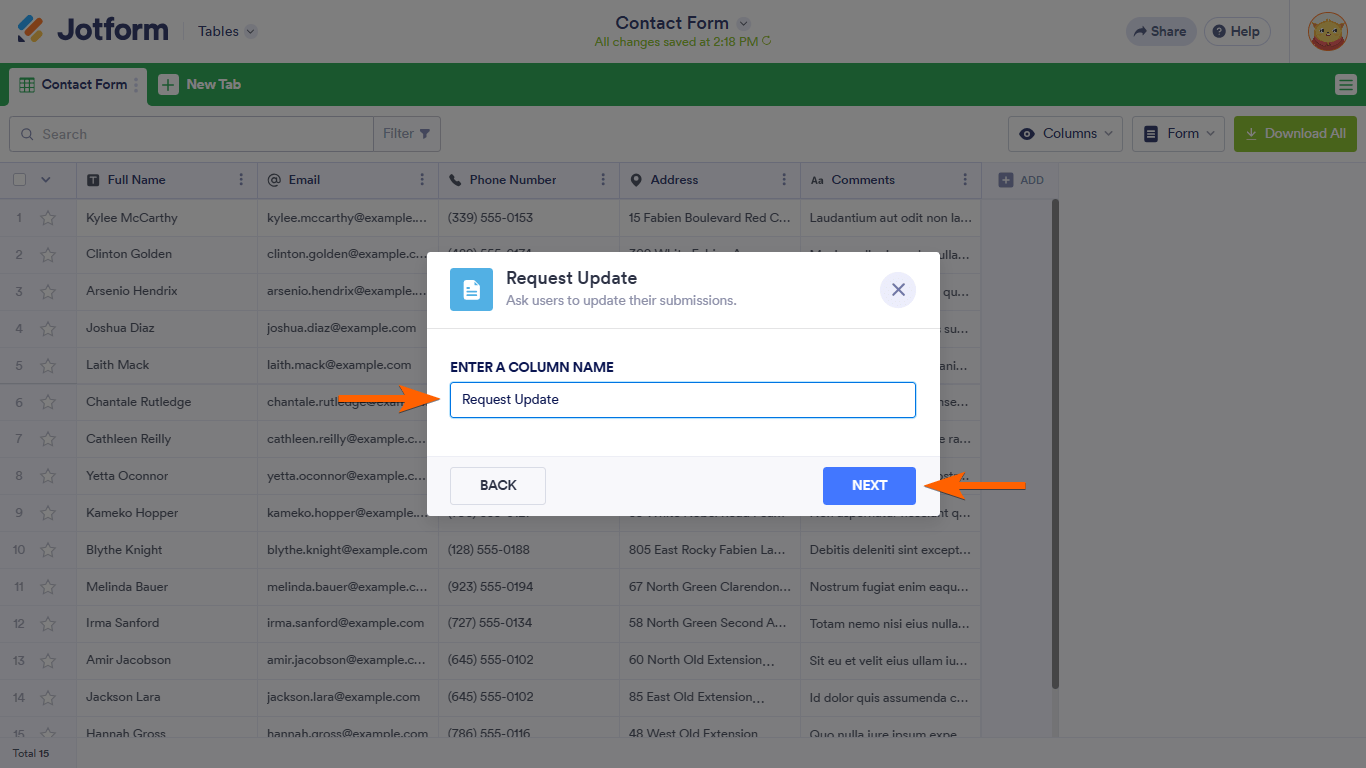
- Next, enter your desired column name.
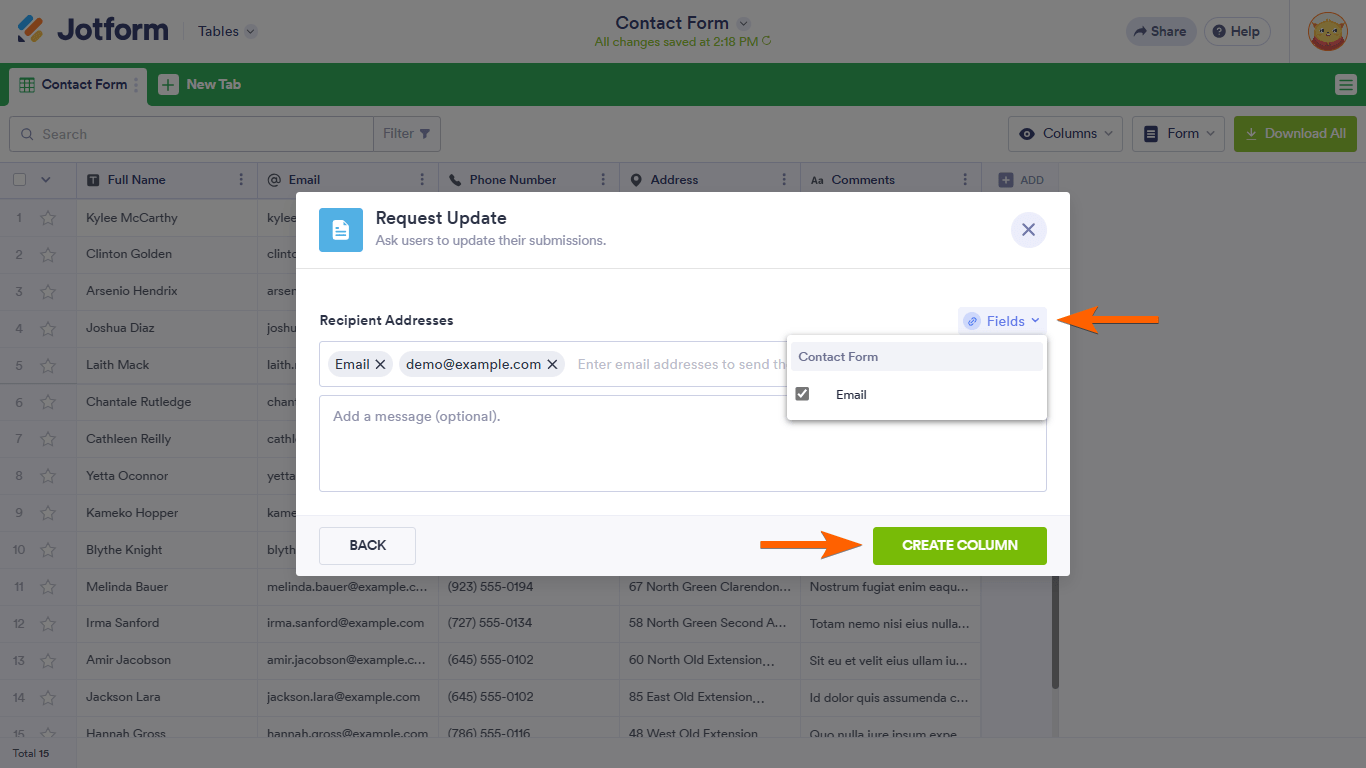
- Next, enter your desired recipients or select Fields on the right to assign recipients dynamically.
- Add an optional message, then select Create Column to complete the setup.
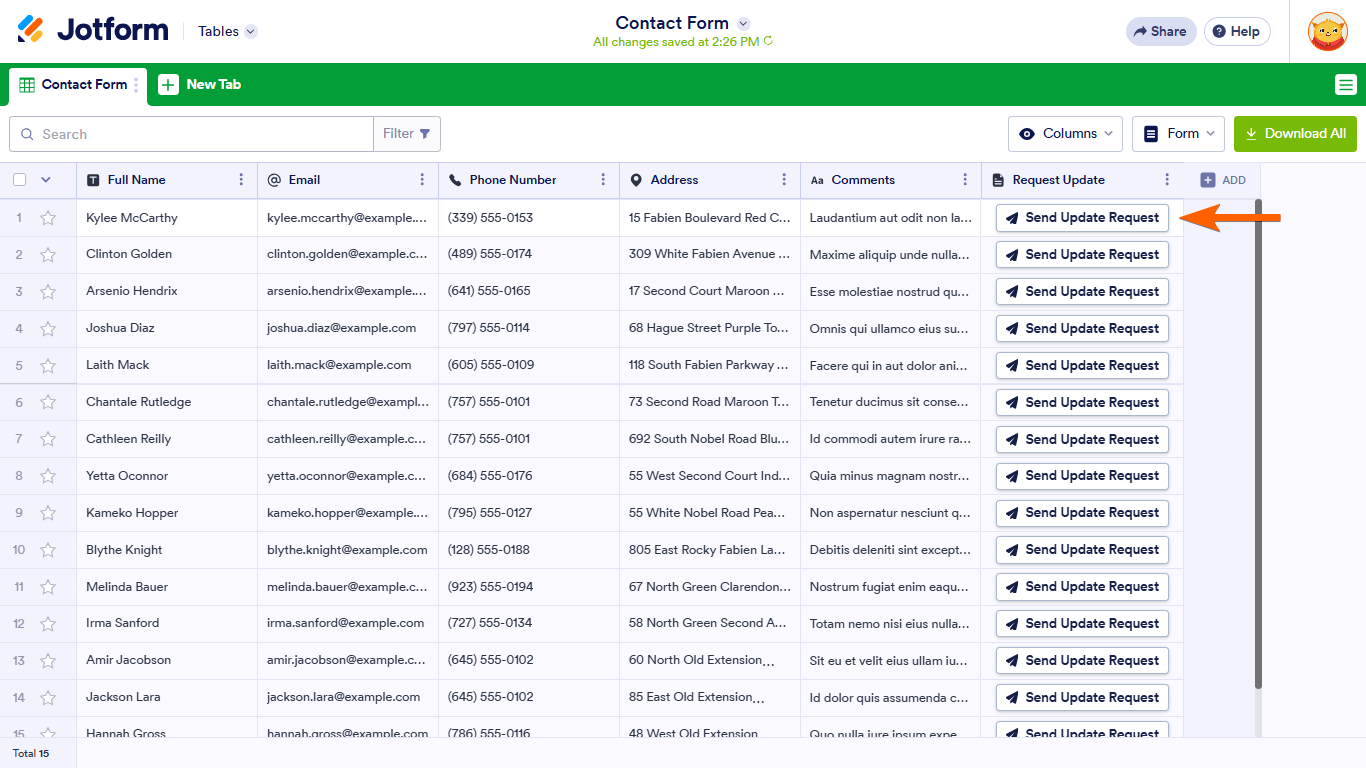
You can now send update requests to your users.
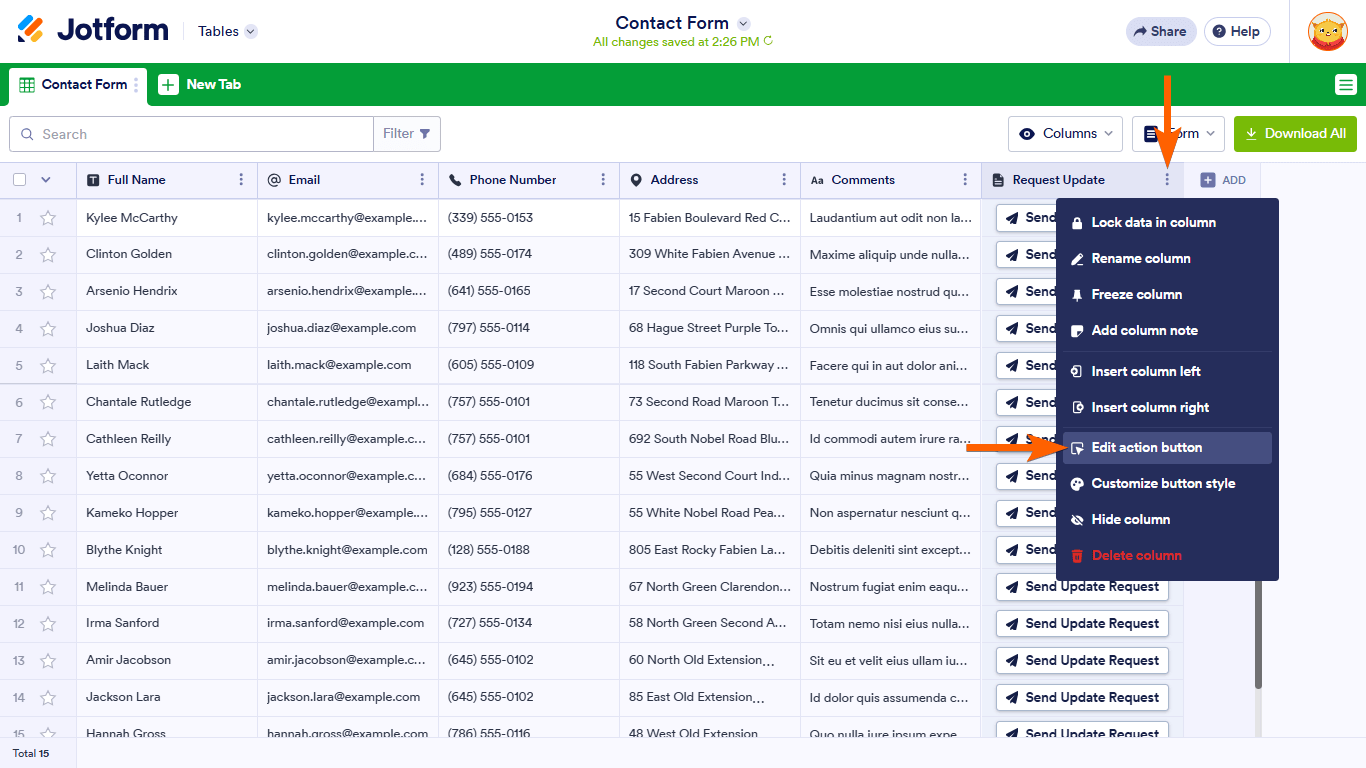
To change settings, open the column’s menu, then select Edit action button.
Emailed recipients will receive a message to edit the submission.



Send Comment:
8 Comments:
March 26, 2026
i want to see form submissions in monday.com
January 22, 2026
Is there a way to duplicate a submission since action buttons cannot be used for a submission that has been signed?
November 13, 2024
Is there a way to add a custom message when I send this update request? A message that describes when they need to edit in their submission?
November 13, 2024
How can we set this function if our form has sign automation? I am getting an error message
December 1, 2023
Can you request all rows to be updated rather than clicking them one at a time?
July 21, 2023
Is there a way for the Request Submission link to only include specific fields that need to be updated? Not the entire original form?
April 7, 2023
Can I change the email template for the Send Update Request button I added to my form based on your help guide?
March 24, 2023
Hello I have successfully got to this stage of setting up the edit link button however there is no prompt to select EMAIL .... it only says
Your form doesn't have any appropriate fields to add.
5. Now, click on Fields then select your form’s email field to use as the recipient address. Or, specify the email address in the Recipient Addresses field.
can you please help me so i can send our artists their submissions to edit
thank you
Natasha