Sometimes assigned people couldn’t sign the document in time. In this case, you can restore an expired link. Here’s how:
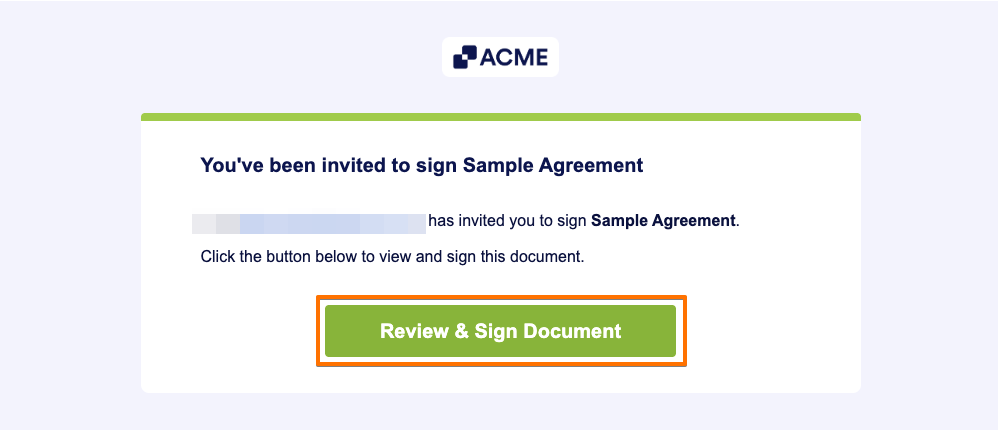
- Click the Review & Sign Document button in the email you received.
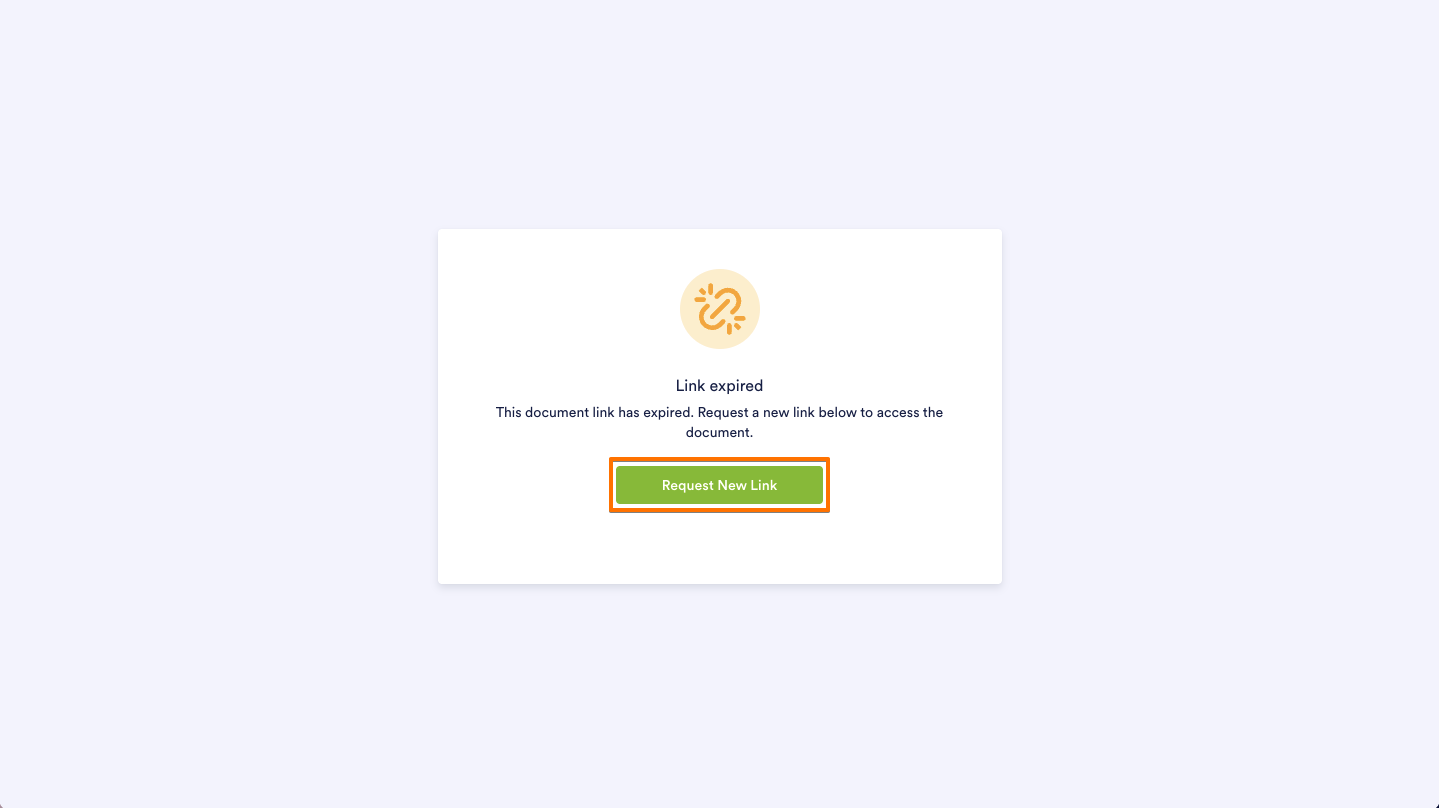
- On the Link Expired page, click Request New Link to have a new signing link sent to your email.
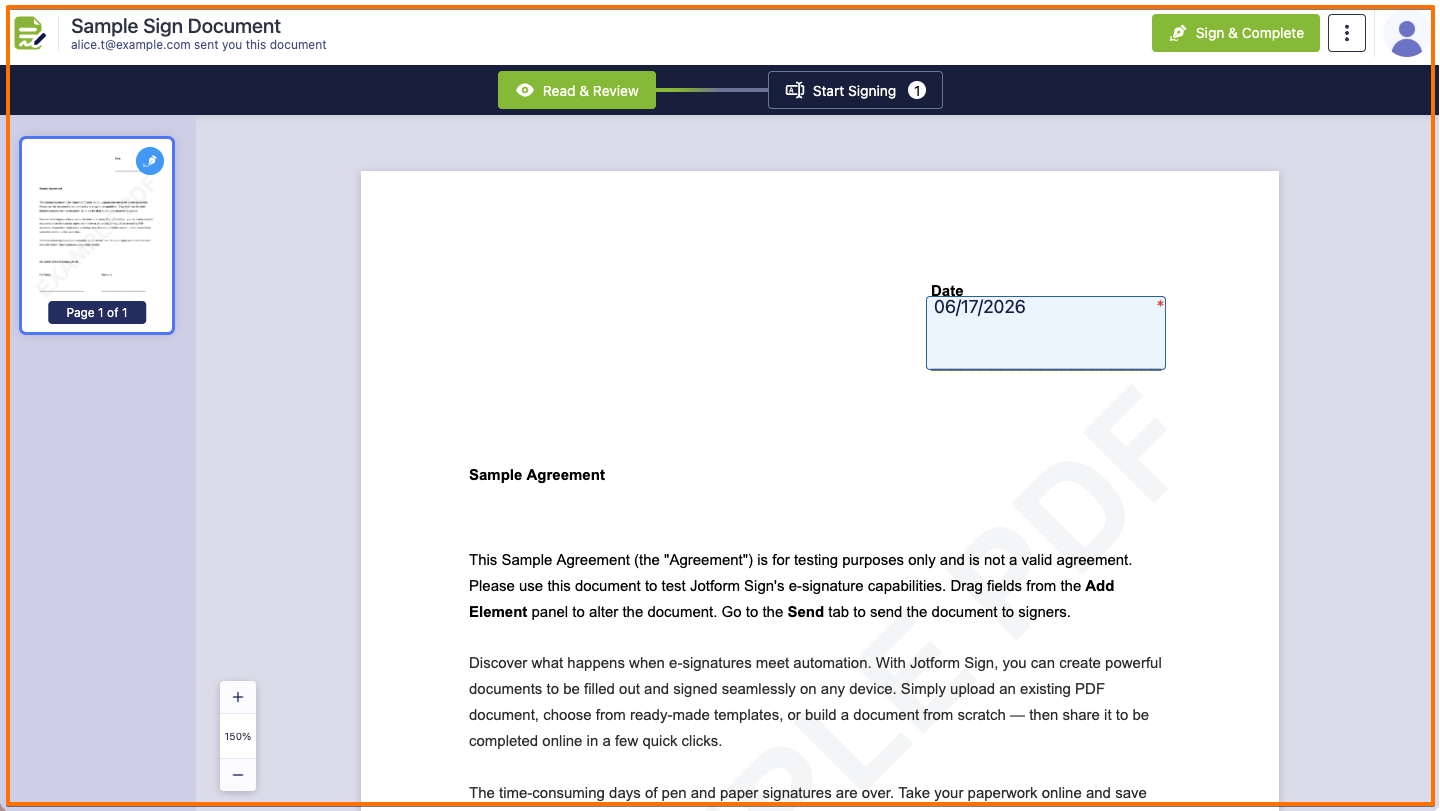
- You will then receive an email containing the new link; open it to access and sign the document.
Note
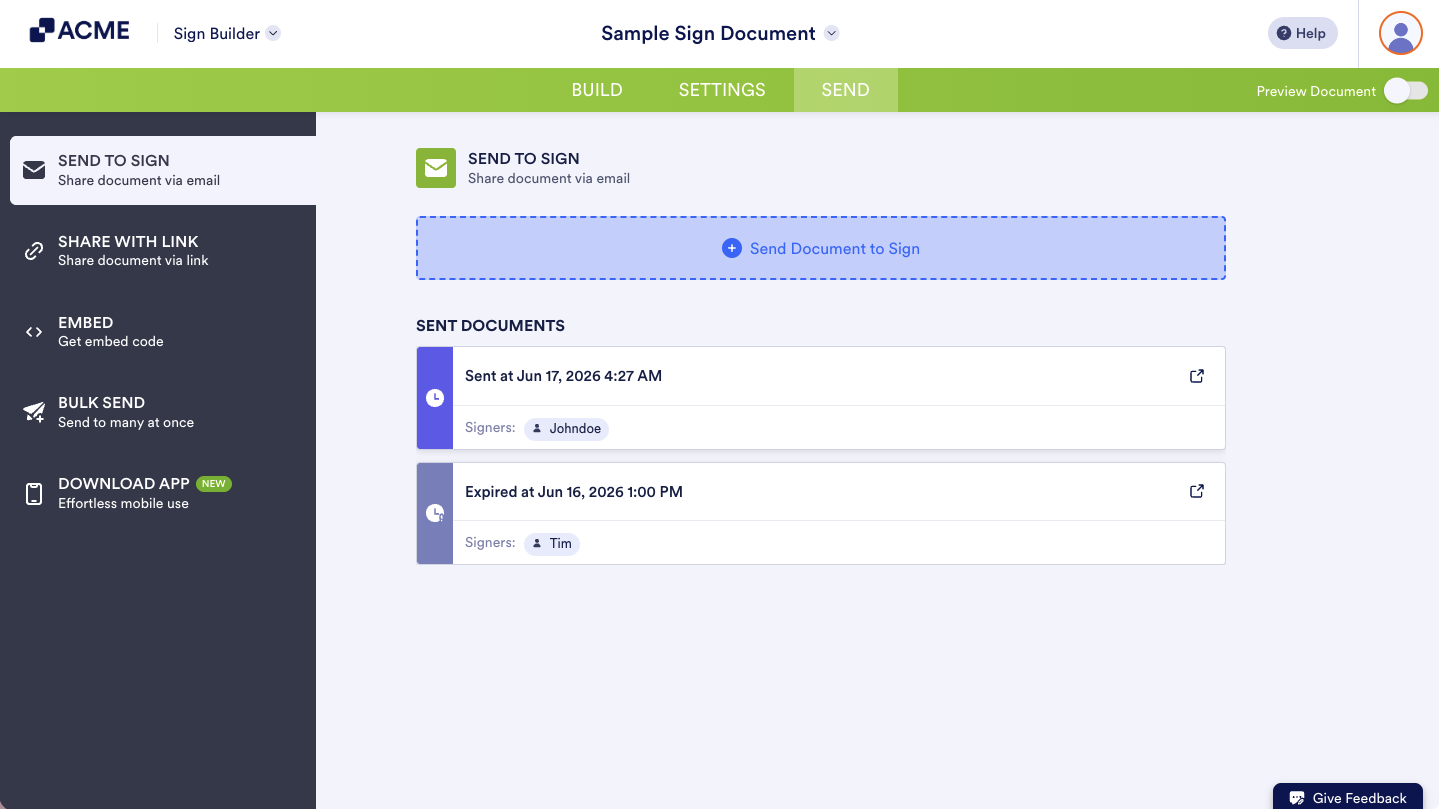
Once you have assigned signers. Each signer will receive a unique URL that will expire after 7 days by default.
You can check the current status of each sent document in Sign Inbox, Tables or under the Send tab of your Sign Builder.
Revitalize your workflow and ensure timely completion by easily restoring any expired signature requests, keeping your document transactions seamless and uninterrupted.
Disclaimer: The information provided in this guide is for general informational purposes only and is not intended to constitute legal advice. While we strive to keep the information accurate and up-to-date, laws and regulations vary by jurisdiction and can change frequently. Should you have specific legal questions about any of the information on this site, you should consult with a licensed attorney in your area.

Send Comment: