Sign Documents
Learn how to create, fill out, and e-sign documents online. Discover how e-signatures meet automation.
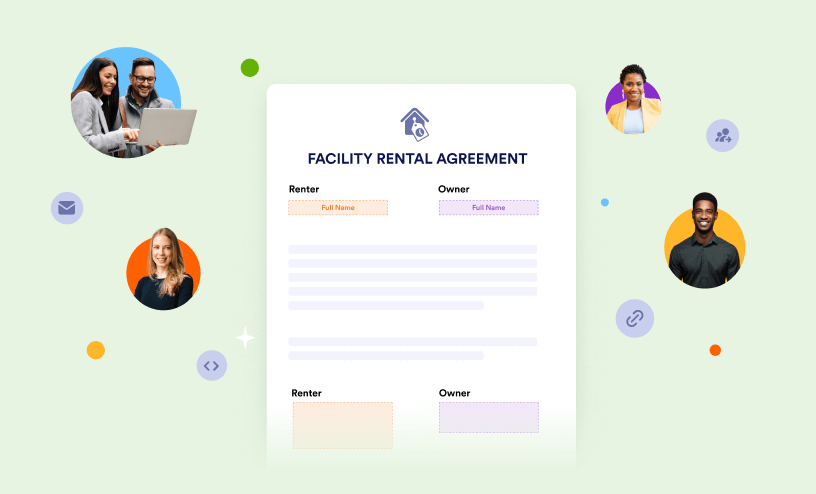
Guides
How to Use Sign Documents
With Sign Documents, you can automate the way you collect electronic signatures and simplify your workflow. It comes with features like Signing Order, letting you send documents to multiple signers in a set order. This helps you skip the hassle of...

How to Add an E-Signature to Your Form
With Sign Documents, you can take things further by creating signable documents and collecting legally binding e-signatures in just a few clicks. Every document created in Sign Document is UETA and ESIGN compliant and seamlessly integrates into an...
How to Track the Signing Process of Other Parties
All sign requests are logged at Sign Inbox as soon as you send the document to other parties for their signature. It allows you to track which documents are waiting for your signature, the documents you signed but still awaiting the other...

How to Send a Document for Signature
The Send tab in Sign Builder is your go-to place for managing and sending documents for signature. In the Share tab, you can add recipients, customize email messages, set reminders and expiration dates, track document status, and more. To...
How to Power Your Signature Widget in Your Forms
The standard Signature Element can also work with Sign Automation. When enabled, it automatically generates a PDF copy of the form submission with an audit trail after the form is submitted. This helps create a more secure and professional...

How to Set an Access Code for Your Sign Documents
Sign documents lets you add an access code to your Sign documents for an extra layer of security. When enabled, recipients must enter the correct access code before they can open and sign the document. This helps protect sensitive information...

How to Set an Expiration Date in Sign Documents
With Sign documents, setting an expiration date can be helpful when sending signers a document with confidential or time-sensitive information. The signer’s invitation link will expire after one week by default if you don’t set an...

How to Restore an Expired Signature Request
Sometimes assigned people couldn’t sign the document in time. In this case, you can restore an expired link. Here's how: Click the Review & Sign Document button in the email you received. On the Link Expired page, click Request New...

How to Add a CC Recipient in Sign Documents
Once you’ve designated your signers and added the appropriate places for them to sign, go to the Send tab. After you fill in your signers names and emails, but before you click Send to Sign, go to the Options tab. Type in the...
How to Preview Document From a Different Signer’s Point of View
Sign documents makes it easy to preview your document from each signer’s point of view before sending it out for signing. This helps you confirm that the right fields, roles, and signing order are assigned to the correct recipients....

How to Allow Signers to Delegate the Document to Other Signers
As part of the automation process, Sign Documents lets signers forward a document to someone else using the Signer Delegate feature. This allows a recipient to pass the document to another person when needed, for example, if they want a legal...

How to Download Your Signed and Completed Document
Sign Documents automatically keeps a copy of your completed signing documents once all recipients have finished signing. This makes it easy to access, review, and download signed documents whenever you need them without having to recreate or...

How to Set an Auto Reminder for Your Sign Documents
Sign Documents makes it easy to send automatic reminder emails to signers who haven’t completed their documents yet. Instead of following up manually, you can set a reminder schedule and let Sign documents handle it for you—saving you time and...

How to Upload Your PDF as Sign Document
With Sign documents, you can turn your existing PDFs into e-sign documents and collect signatures from your clients with ease. Once uploaded, you can add fillable fields, assign signer roles, and automate the signing process through email or by...

How to Integrate Sign Documents With Zoho CRM
Sign Documents makes it easy to connect your documents with Zoho CRM so you can automatically send signer information to your CRM account. This helps keep your leads, contacts, and customer records updated without needing to enter data manually....
How to Set up a Webhook With Sign Documents
Sign documents makes it easy to connect your documents with webhooks so you can automatically send signing data to another app, system, or custom endpoint in real time. Webhooks help automate your workflow by instantly passing document and...

How to Use Auto-Detect Fields in Sign Documents
When you first upload your document to Sign Documents, you’ll see a banner at the top asking if you would like the Sign Builder to automatically detect your document for potential fields. This is the auto-detect feature and it uses machine...

Does Jotform Sign Offer Legally Binding Signatures?
Jotform Sign is the electronic signature solution that provides the easiest, most automated, and most cost-effective way to digitize paper-based signature processes for small and midsize businesses who want to digitize their works for more time...