The Send tab in Sign Builder is your go-to place for managing and sending documents for signature. In the Share tab, you can add recipients, customize email messages, set reminders and expiration dates, track document status, and more.





To send your document for signature:
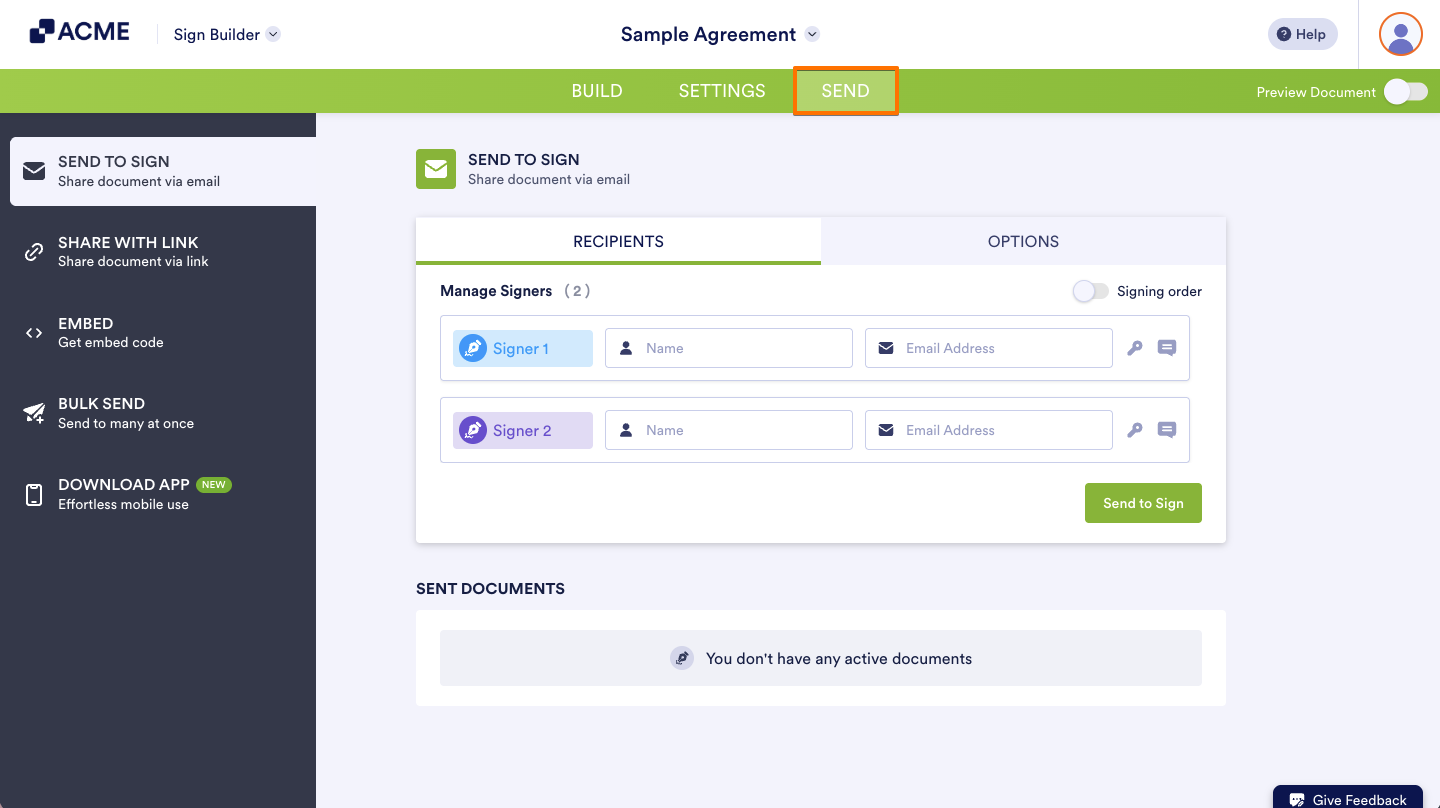
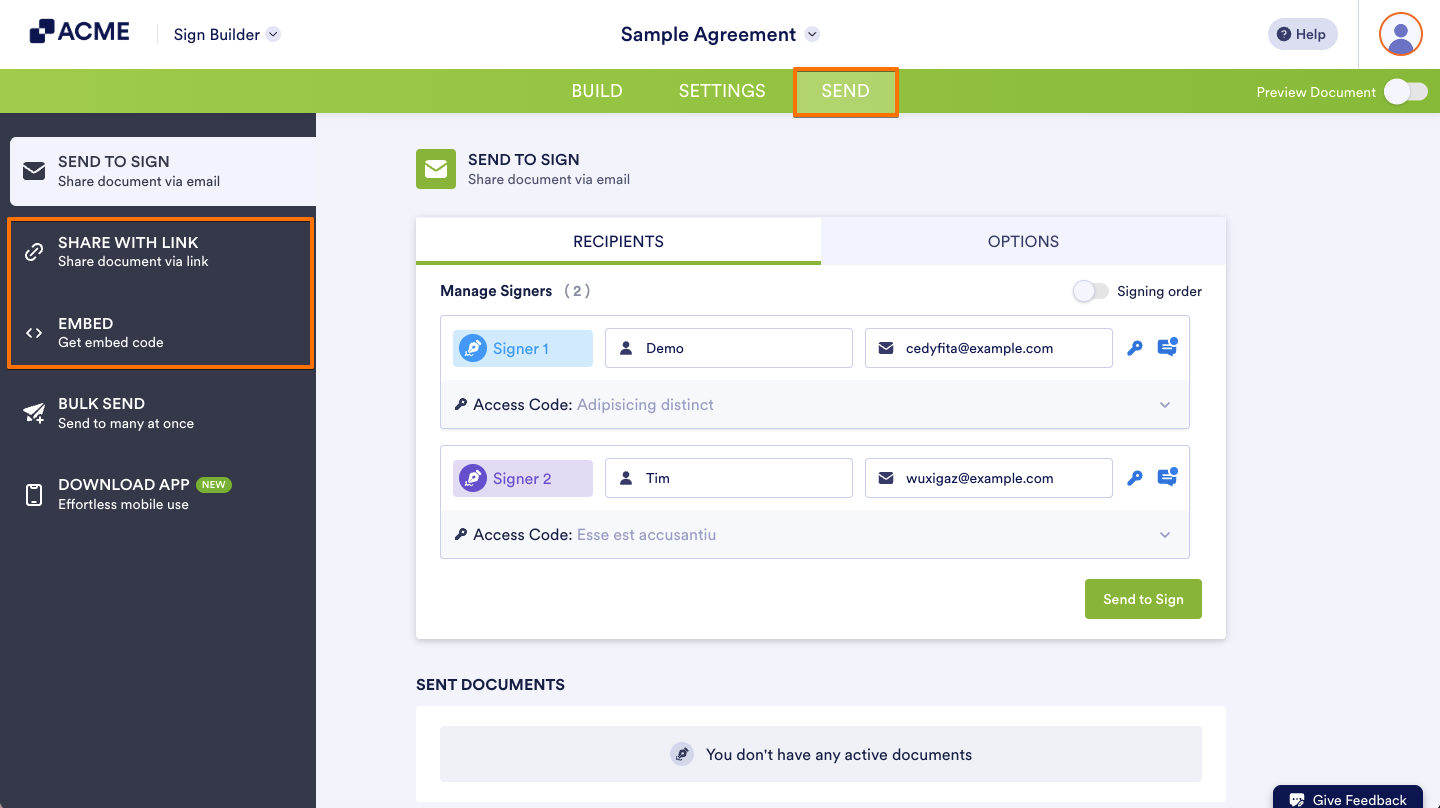
- In the Sign Builder, click the Send tab at the top.
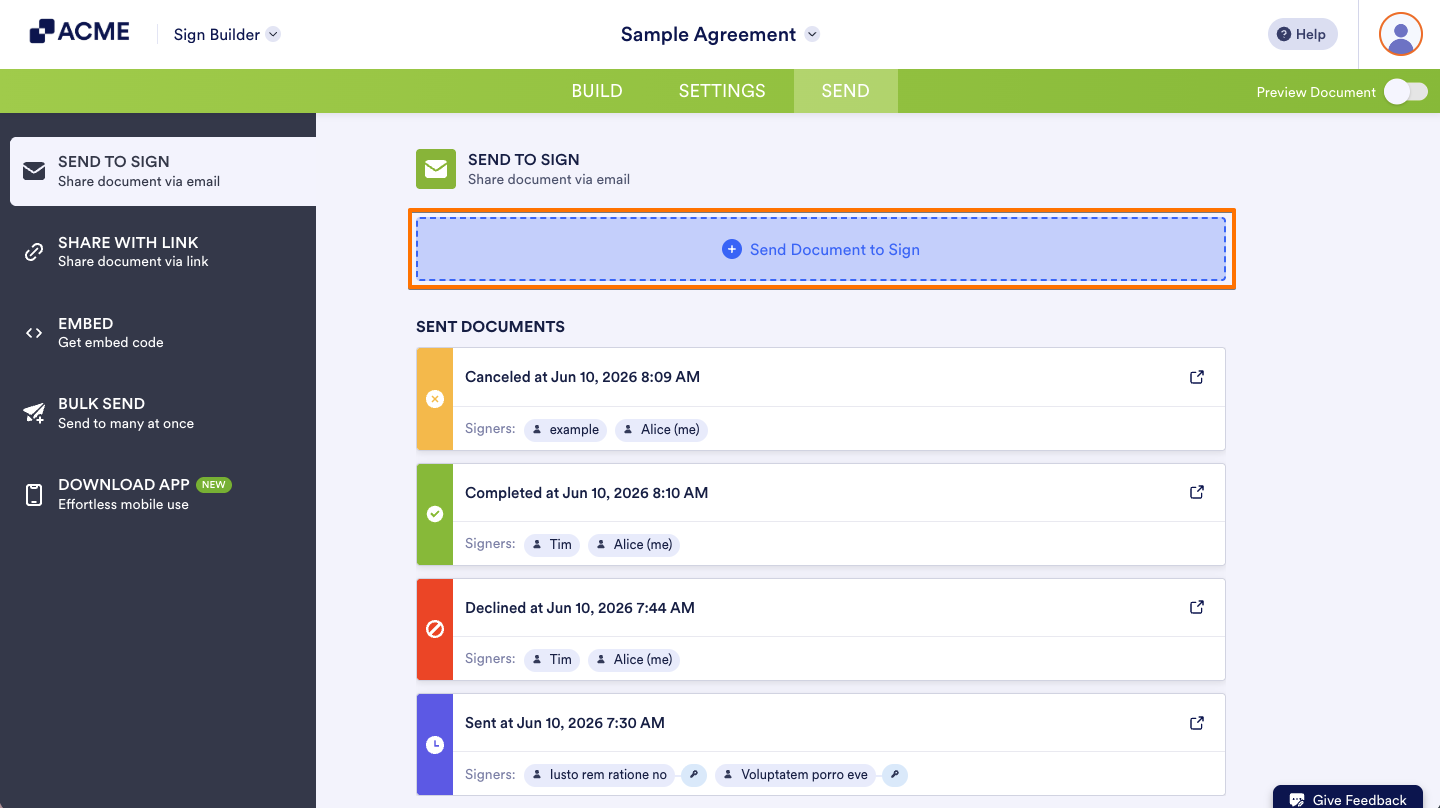
- For documents with existing invitations, select Send Document to Sign to create a new invitation.
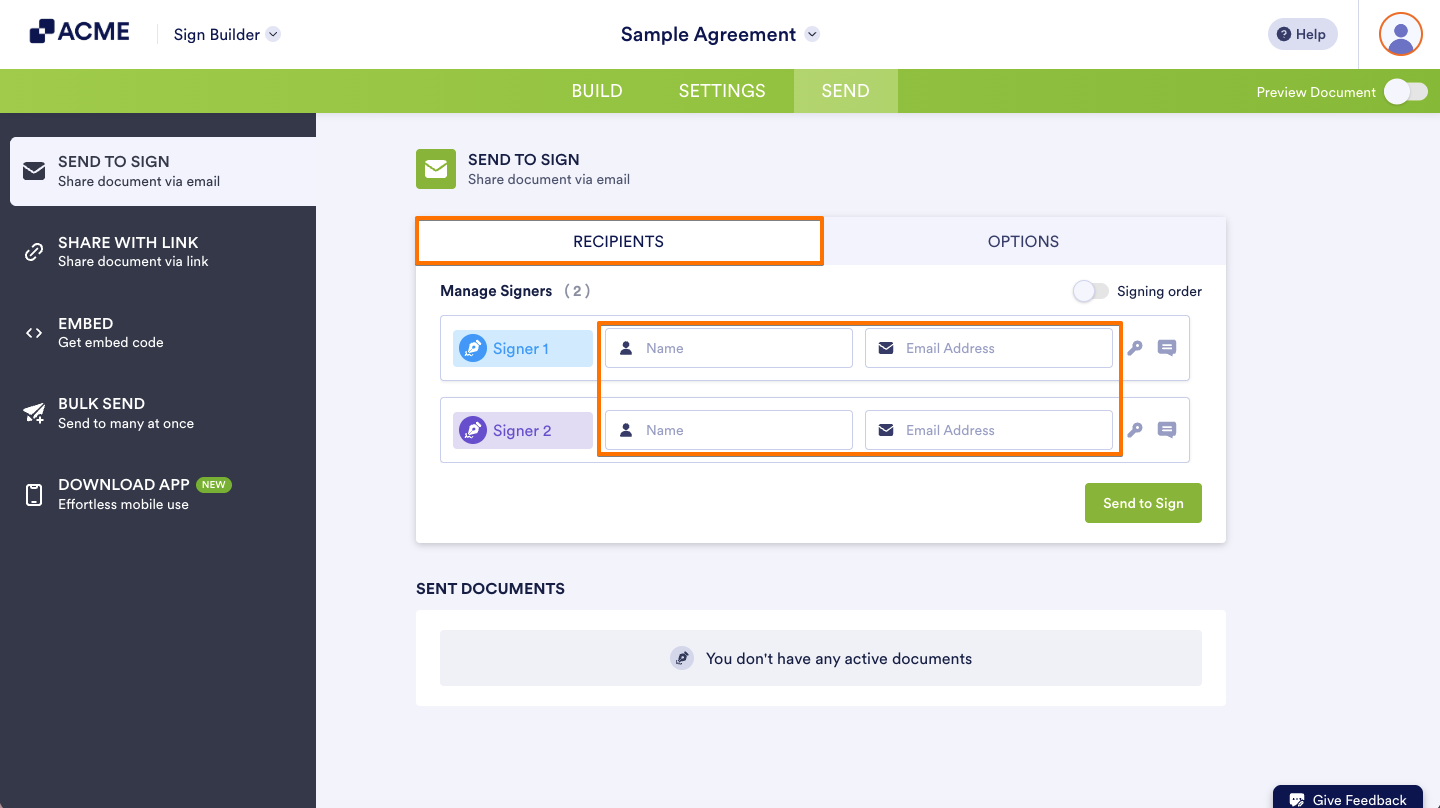
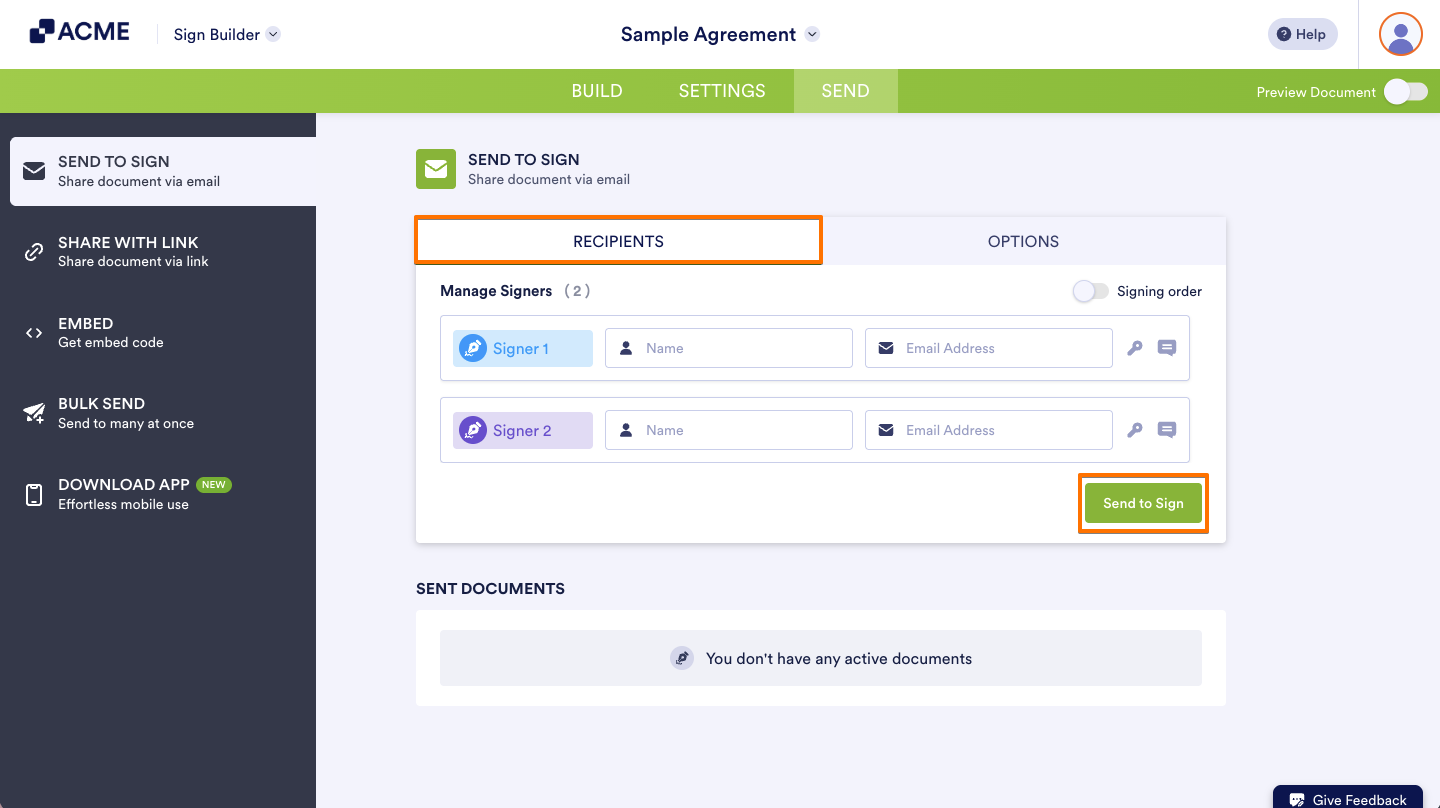
- Under Recipients, enter the signers’ details like Name and Email.
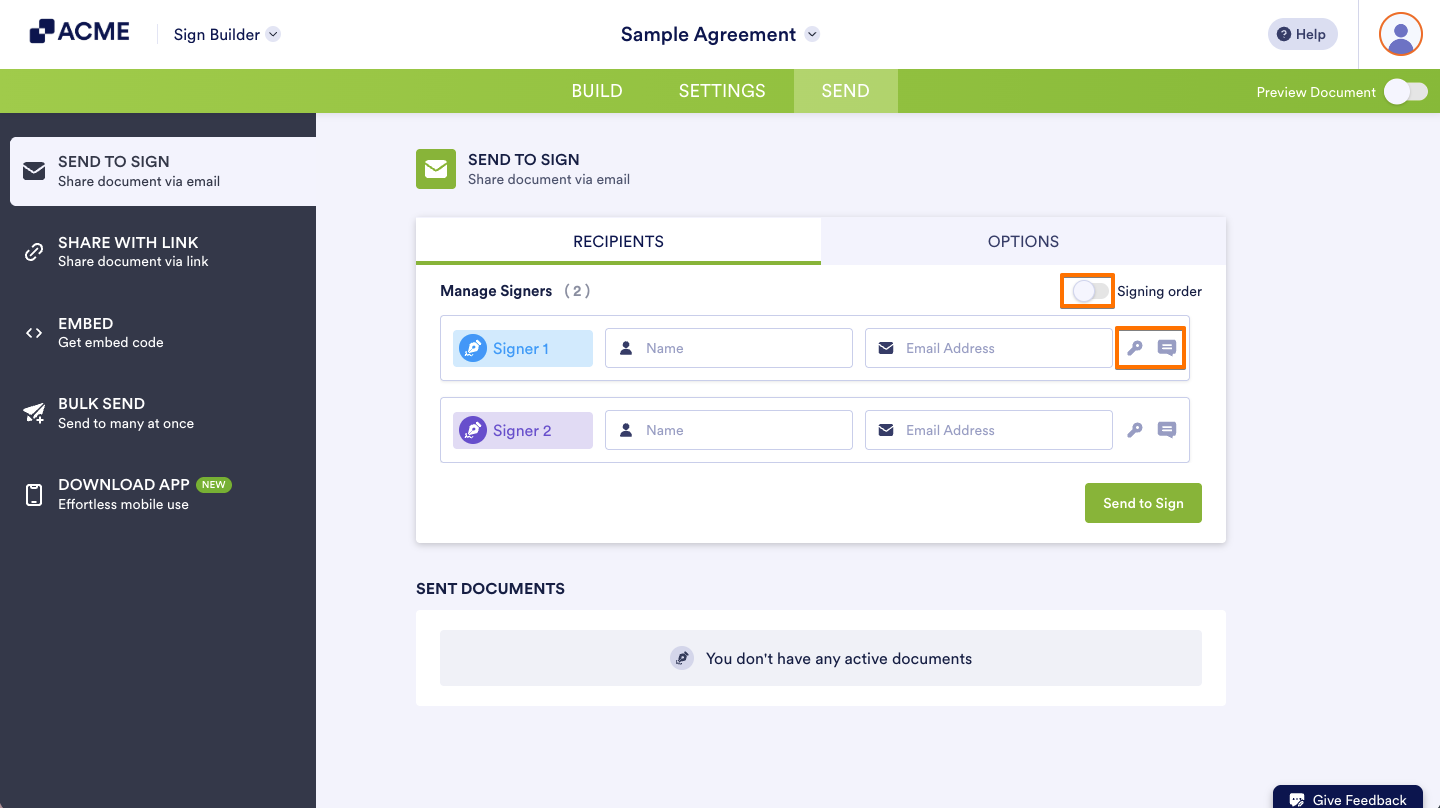
- Toggle the Signing Order, click the Message icon to add a custom message, or click the Key icon to add an access code if needed.
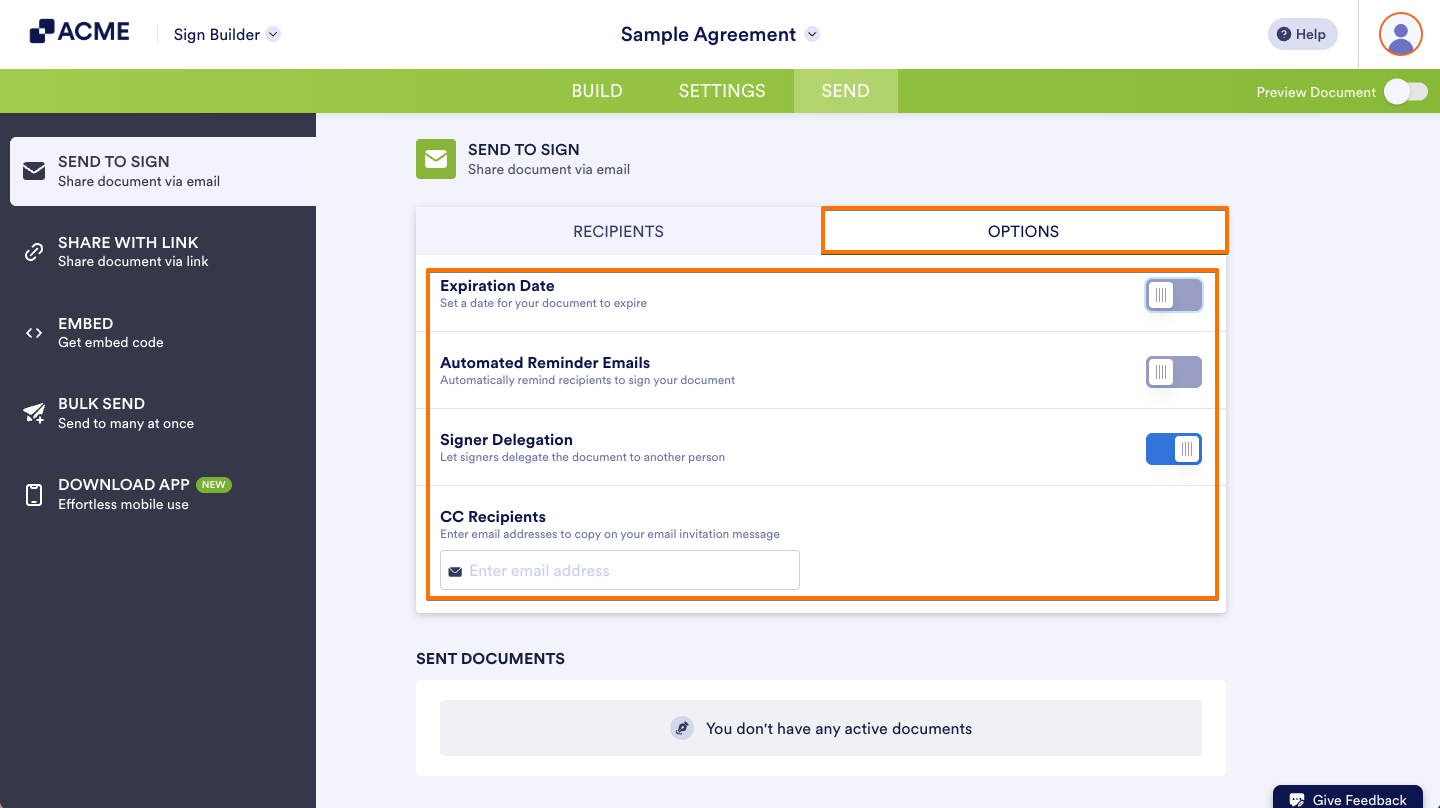
- Go to Options and add an expiration date, reminder emails, CC recipients, or toggle signer delegation if needed.
- Return to Recipients and select Send to Sign when finished.
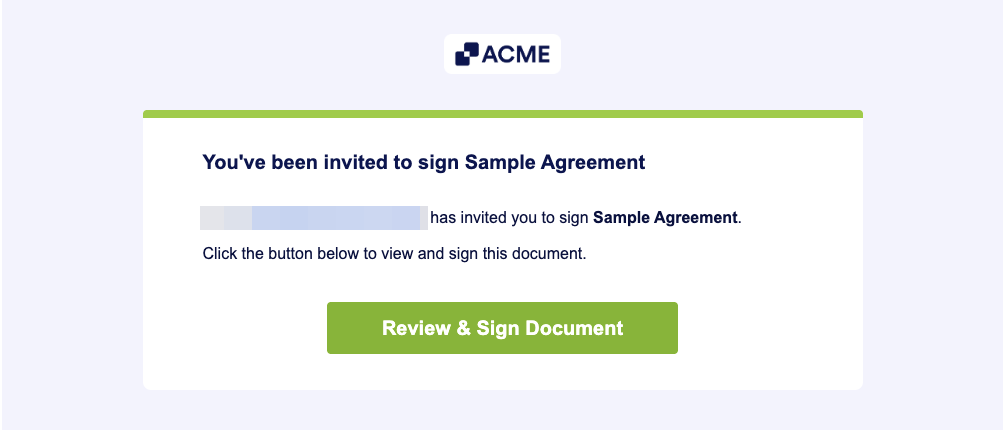
Signers will receive the invitation via email to sign your document.
Sharing Sign Documents Publicly
With a public link or embed code, you can easily share your document with a large group of people without needing to send individual invitations. You can share your document on your website, making it convenient for users to access and sign directly from there. To share your document:
- In the Sign Builder, go to Send tab at the top.
- Select Share With Link or Embed on the left.
- Set the initial signer.
- For multiple signers, enter the details of the other signers.
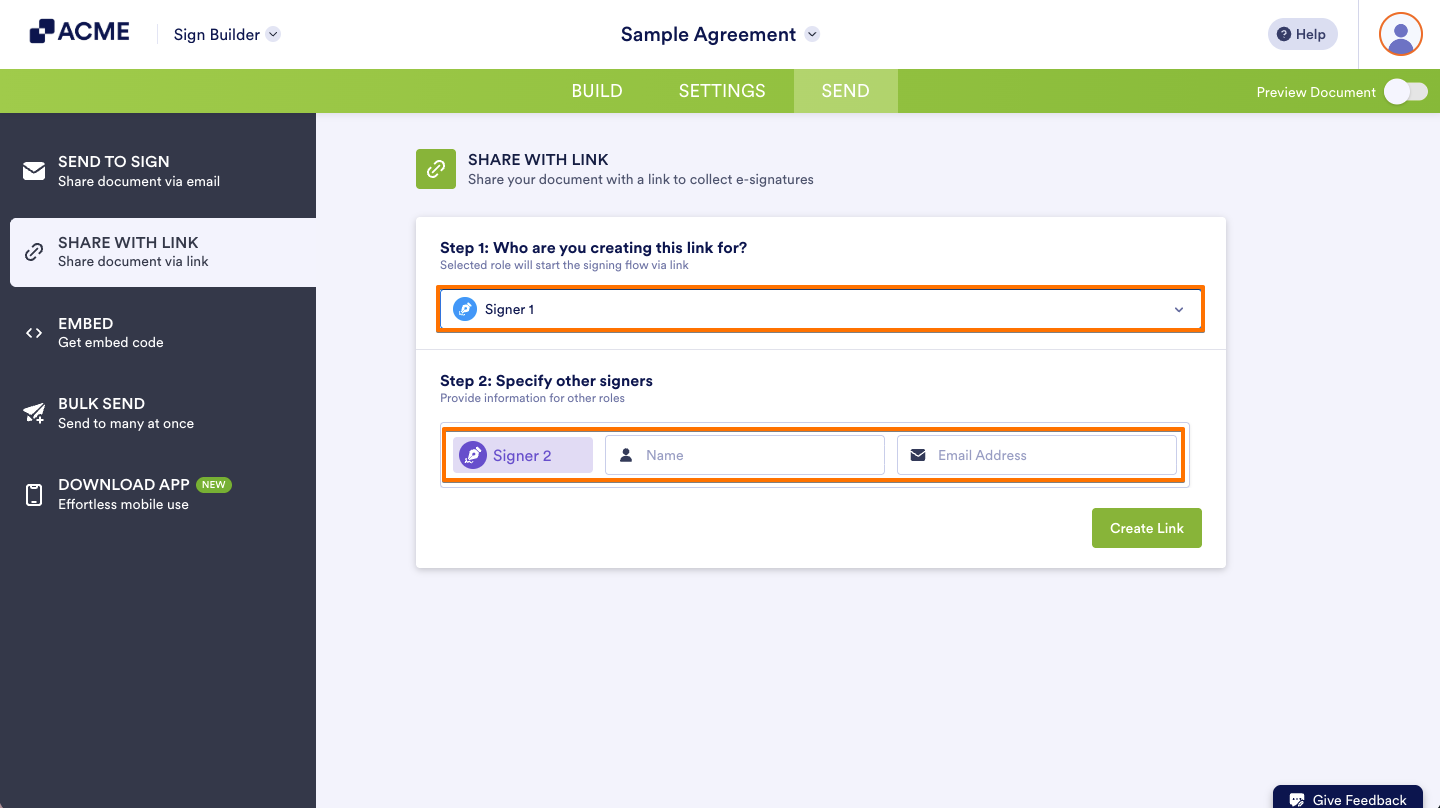
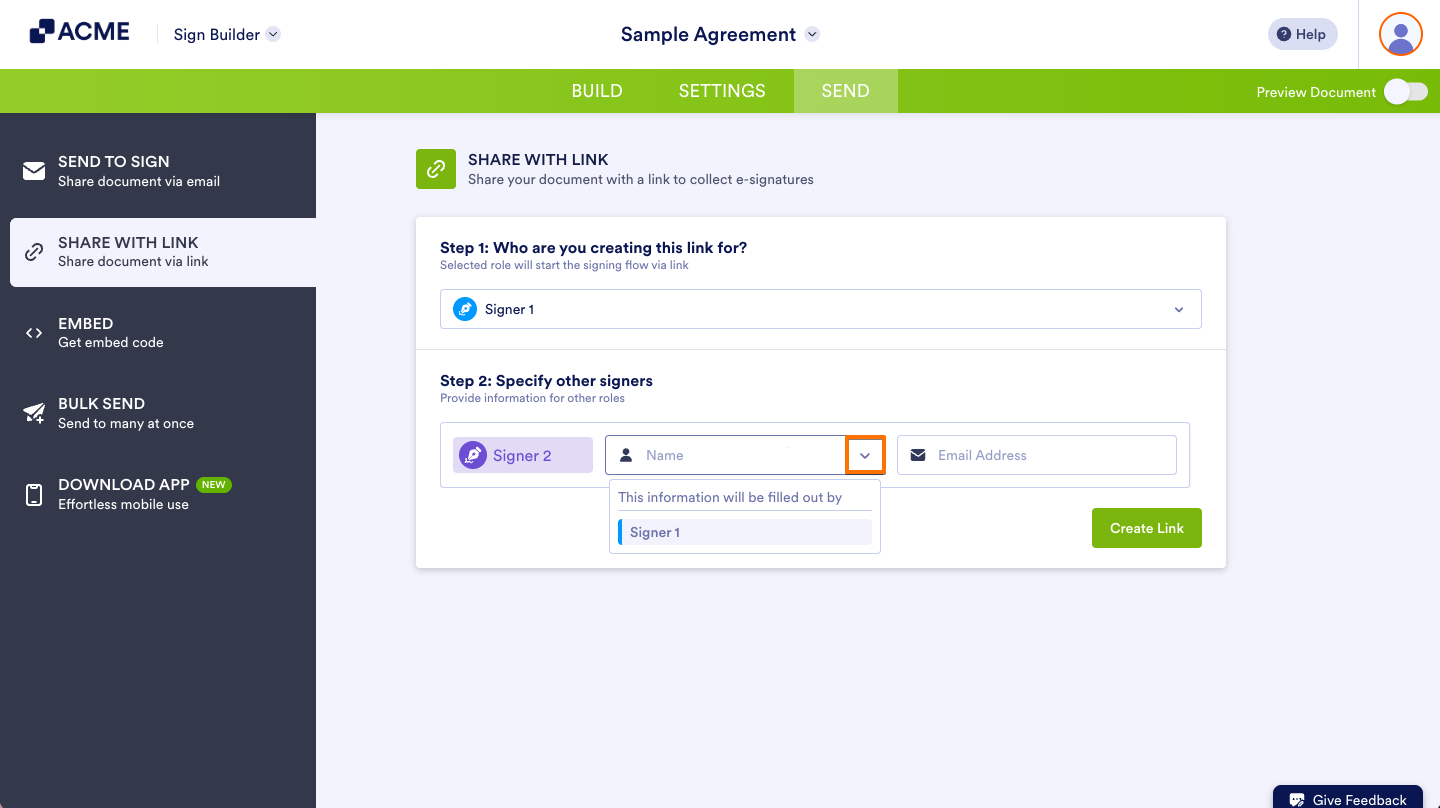
- Or select the Downward icon to enable a signer to specify and assign other signers.
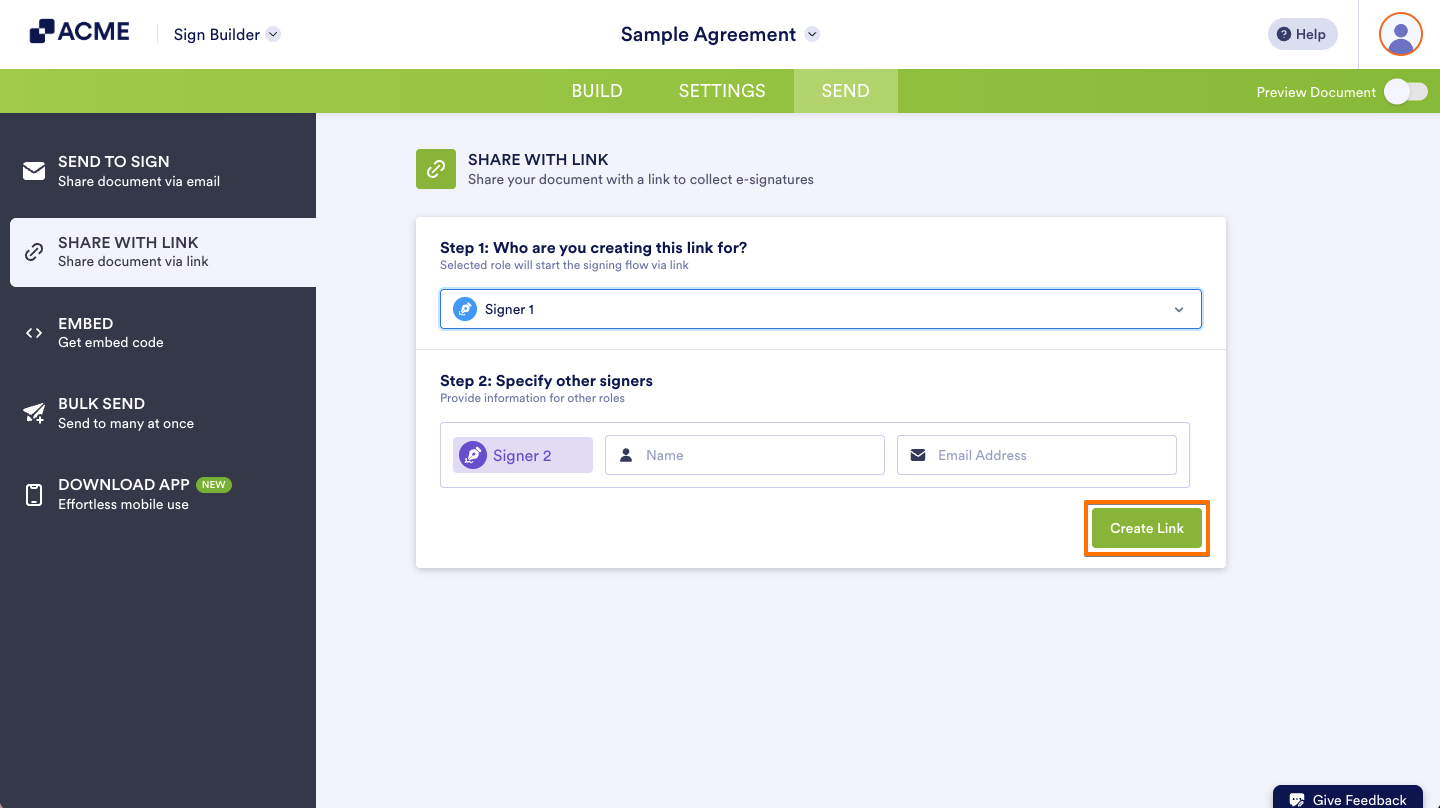
- Select Create Link to generate a public link.
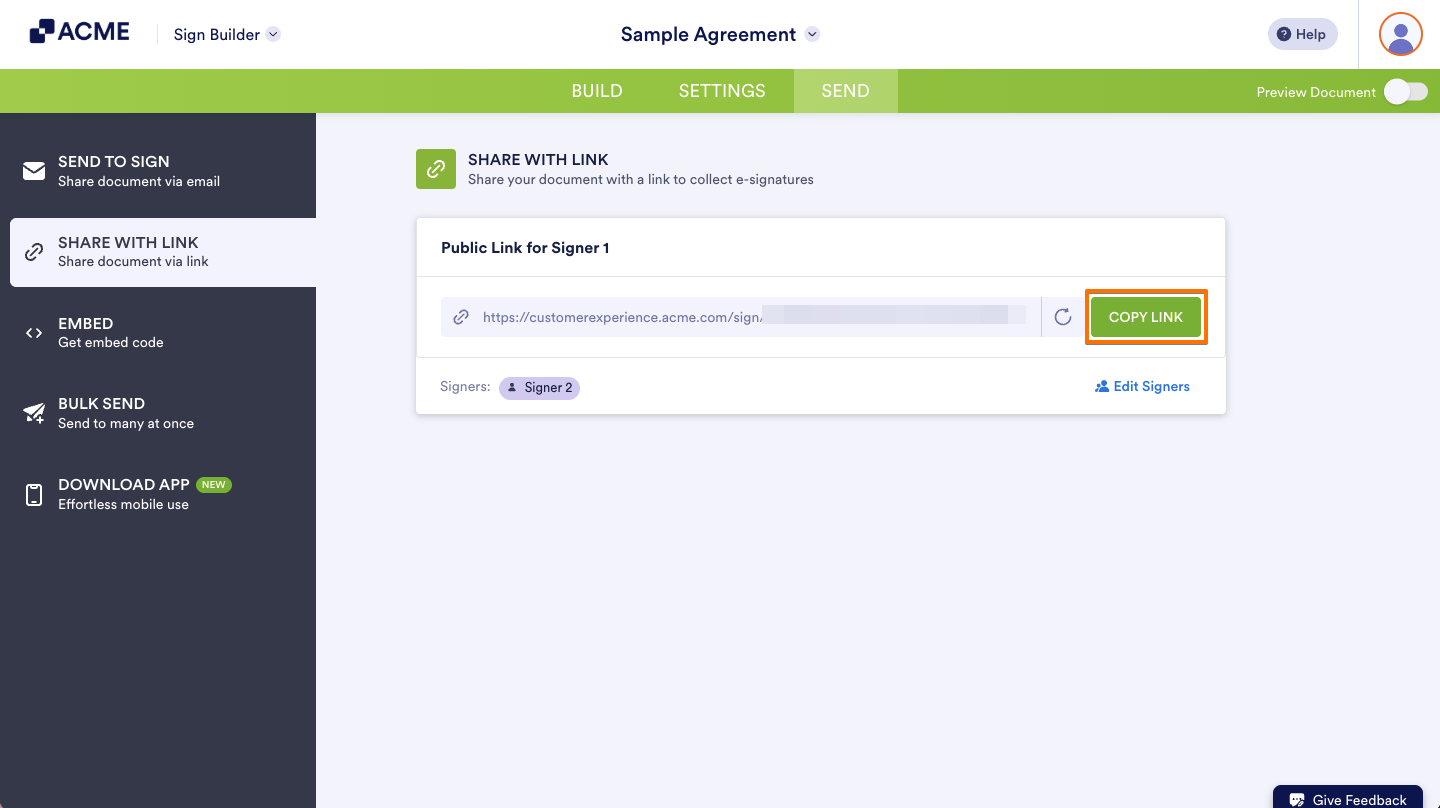
- Finally, click Copy Link to copy the generated link, or click Copy Code to copy the embed code and use it to share your document.
Disclaimer: The information provided in this guide is for general informational purposes only and is not intended to constitute legal advice. While we strive to keep the information accurate and up-to-date, laws and regulations vary by jurisdiction and can change frequently. Should you have specific legal questions about any of the information on this site, you should consult with a licensed attorney in your area.

Send Comment: