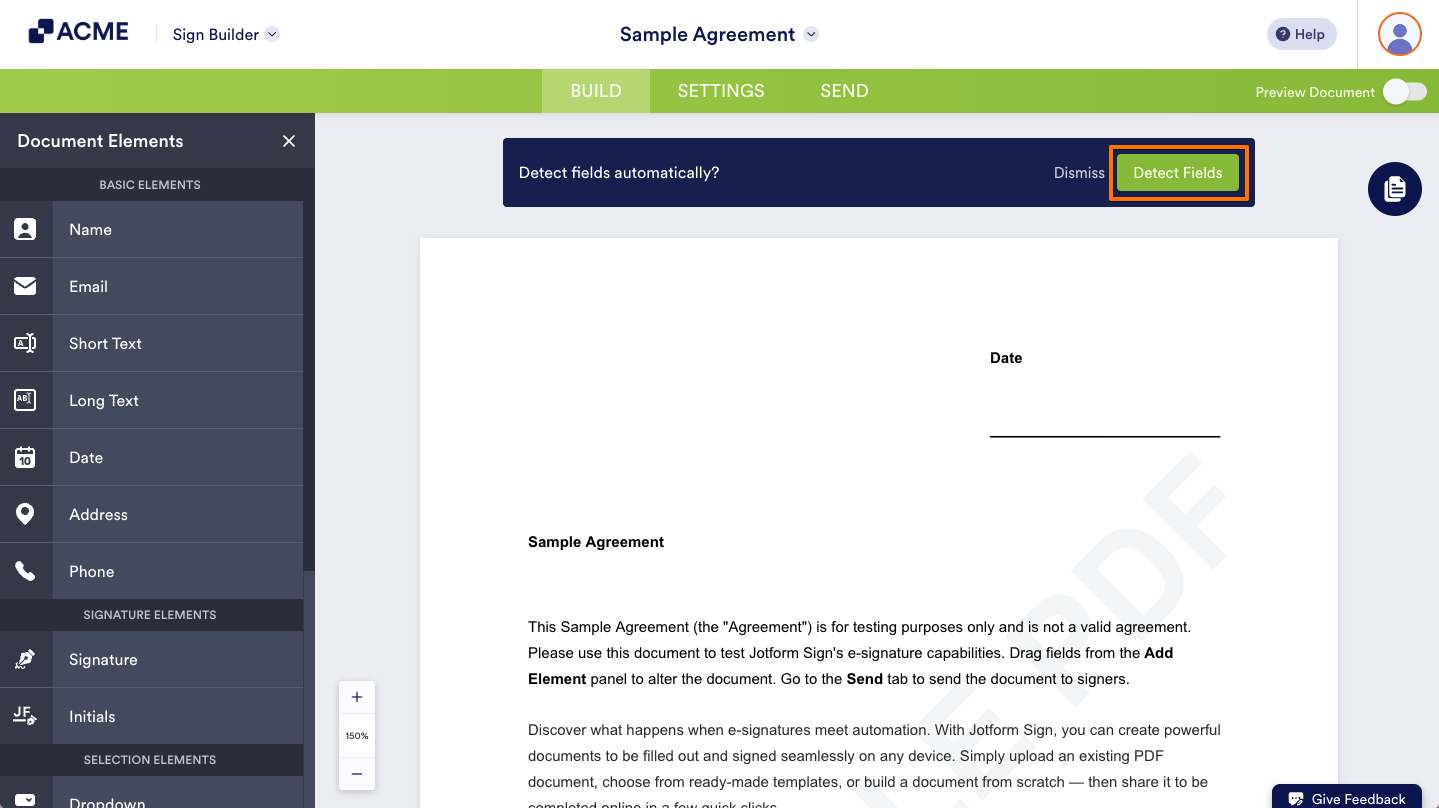
When you first upload your document to Sign Documents, you’ll see a banner at the top asking if you would like the Sign Builder to automatically detect your document for potential fields.
This is the auto-detect feature and it uses machine learning to scan your document for potential signing fields. Machine learning improves itself with each use, so the more you use auto-detect, the more precise it will get.
Here’s how to use it:
- In Sign Builder, click the green Detect Fields button in the banner that appears after uploading your document.
Note
If you do not want the system to automatically detect fields in your document, click Dismiss to continue without running the field detection process.
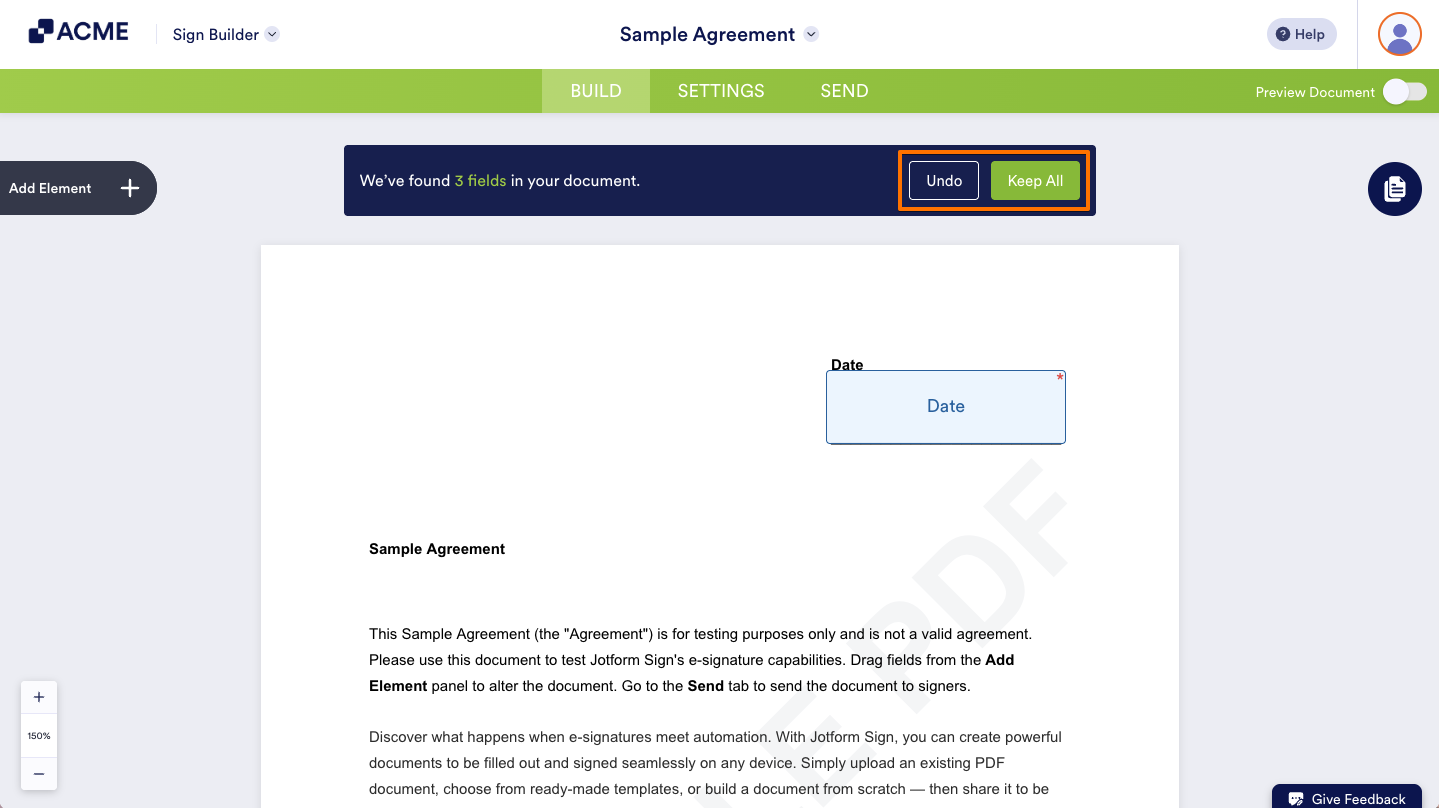
- Then, click the green Keep All button to save those fields, or click Undo to discard them and add your own fields to your document.
Streamline your document setup effortlessly with the precision of auto-detect, and propel your signing process forward today.
Disclaimer: The information provided in this guide is for general informational purposes only and is not intended to constitute legal advice. While we strive to keep the information accurate and up-to-date, laws and regulations vary by jurisdiction and can change frequently. Should you have specific legal questions about any of the information on this site, you should consult with a licensed attorney in your area.

Send Comment: