Adding a Facebook Follow Widget to your form helps increase your page followers and grow your social media presence. Users can follow your page directly from your form, making it easier to stay connected. It’s simple to set up and works well for both beginners and experienced users.
Setting Up Facebook Follow Box Widget
The Facebook Follow Box widget is the simplest method to add a Facebook Follow button to your form. Here’s how to do it:
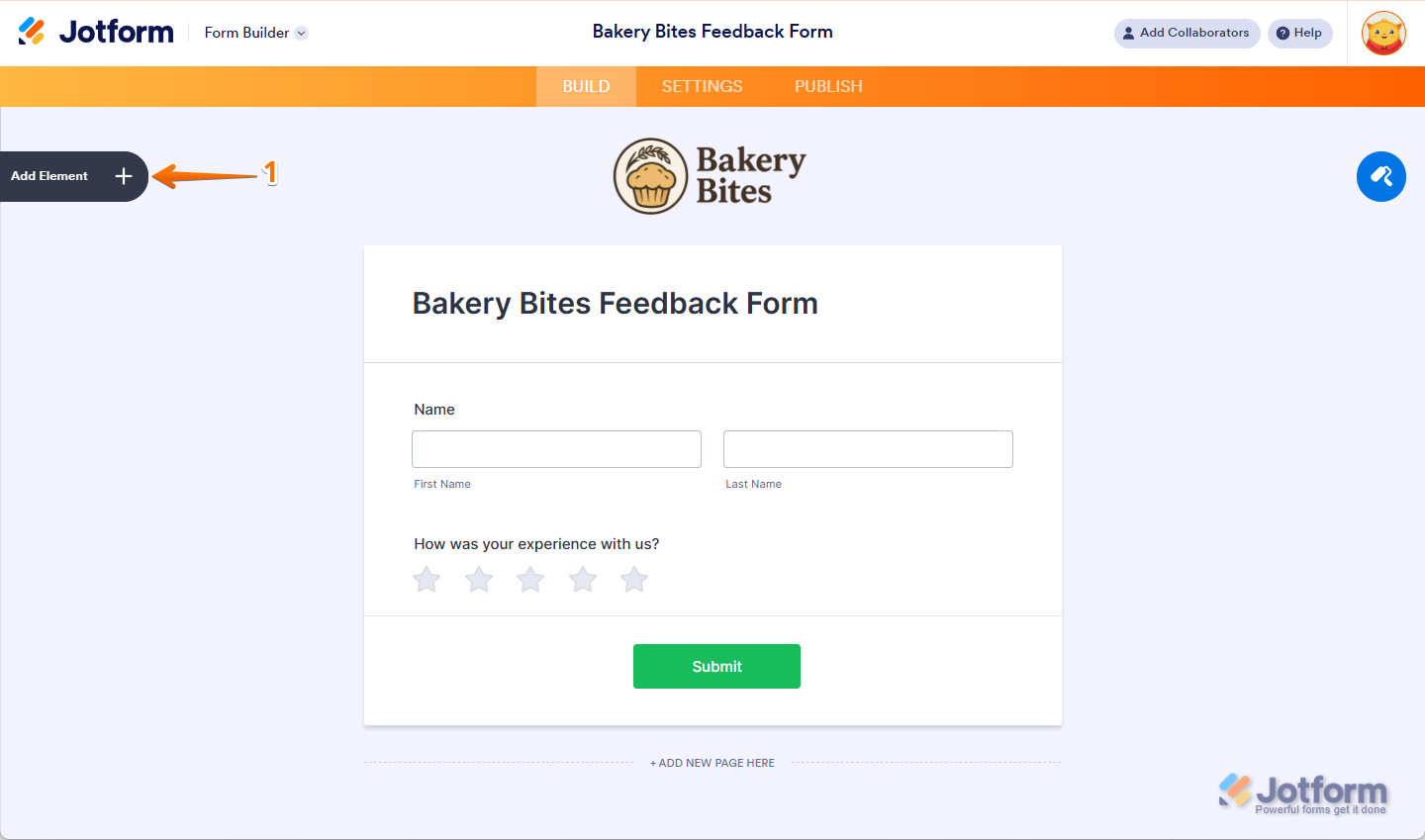
- In Form Builder, click on Add Element on the left side of the page.
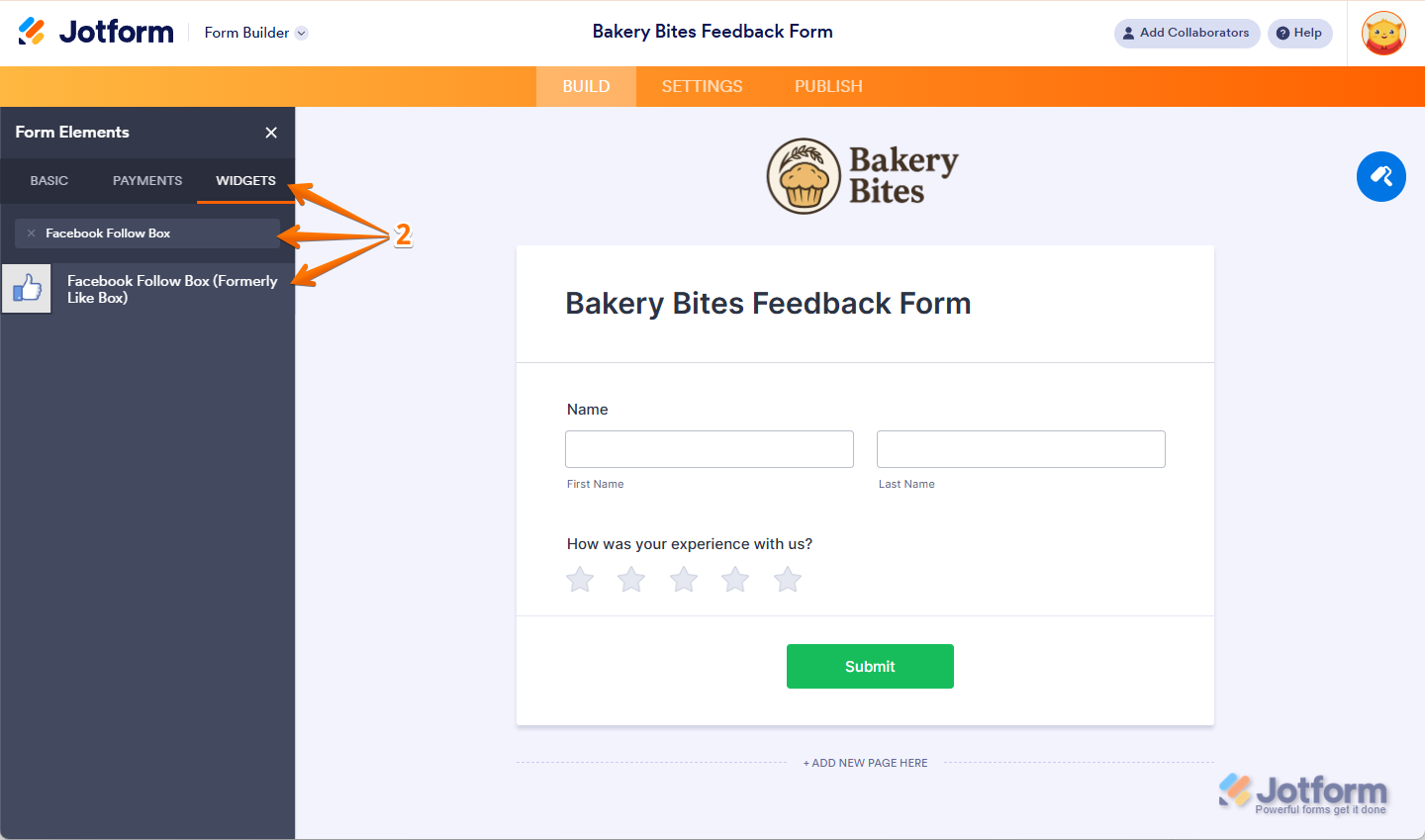
- Now, in the Form Elements menu, under the Widgets tab, search for Facebook Follow Box and click it to add it to your form.
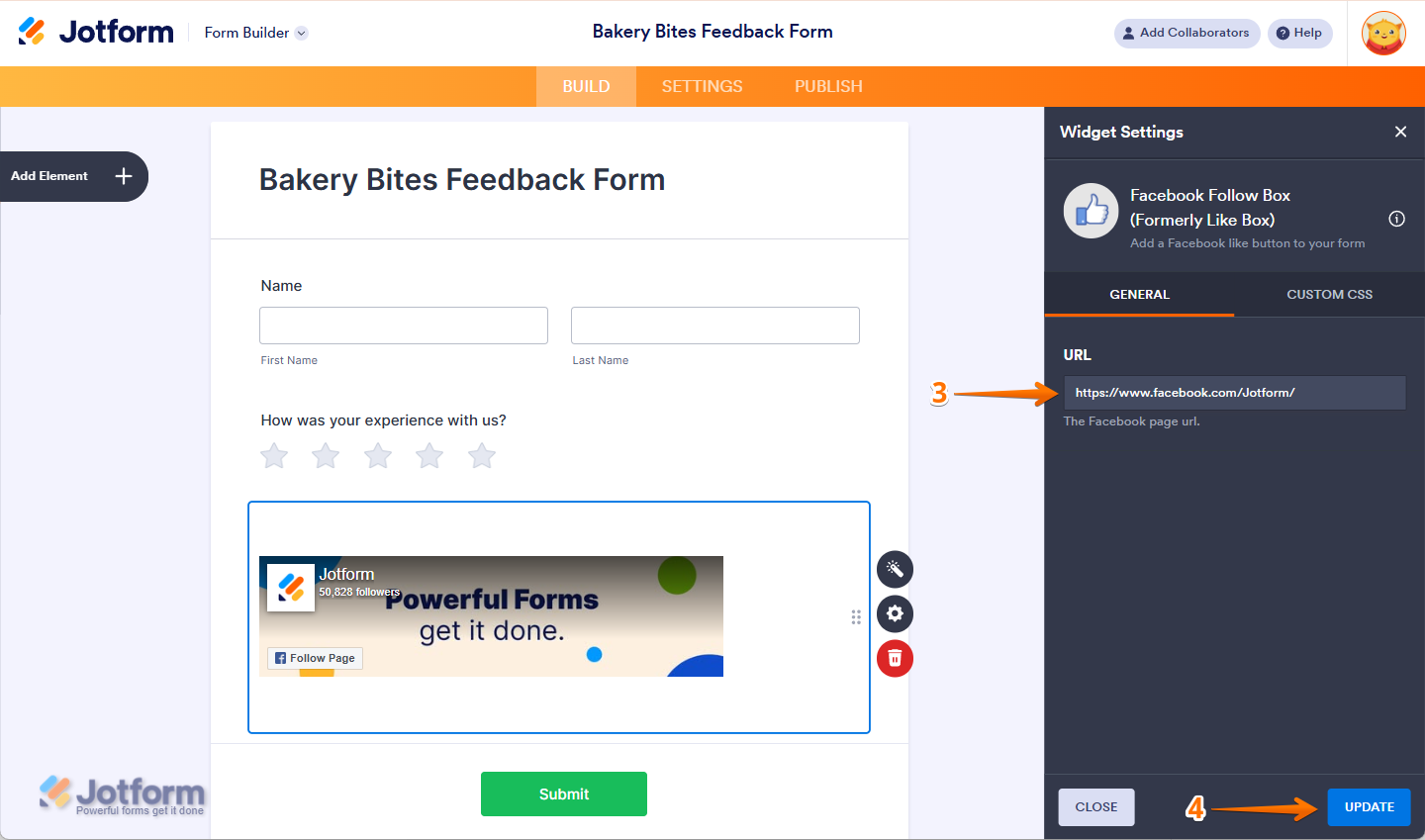
- Next, in the Widget Settings window that opens on the right side of the page, paste in your Facebook page URL.
- Then, click on Update, and you’re all set.
Note
You can also customize your Facebook Follow Box widget by injecting a CSS code under the Custom CSS tab. Check out this guide about How to Inject CSS Codes to Widgets to learn more about it.
Setting Up Facebook Like Button Using Paragraph Element
If you want to display the like button without the page header, using the Paragraph element would be the best option. Here’s how to do it:
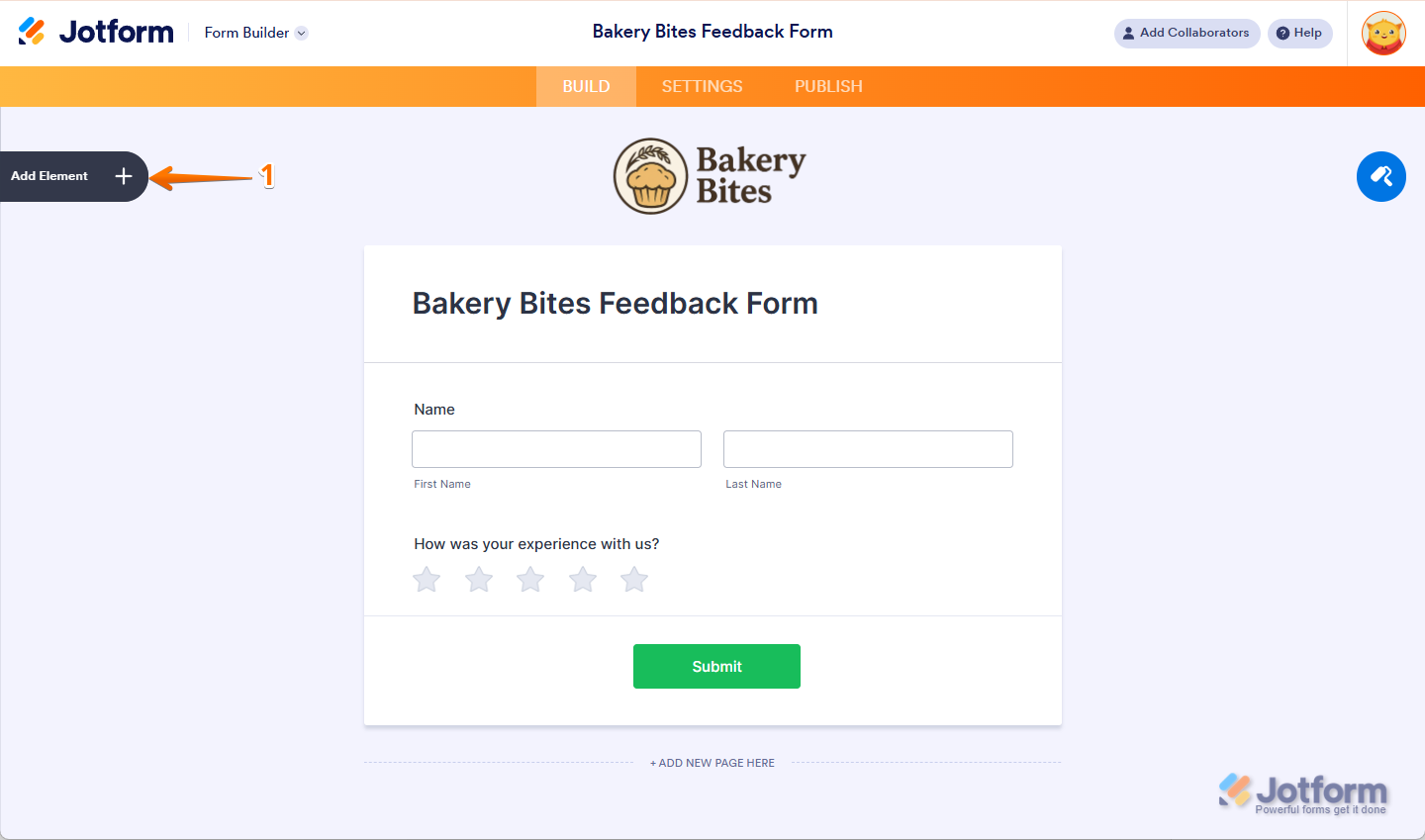
- In Form Builder, click on Add Element on the left side of the page.
- Under the Basic tab, scroll down and click on the Paragraph Element to add it to your form.
- Then, on the right side of the Paragraph field, click on the Pencil Icon.

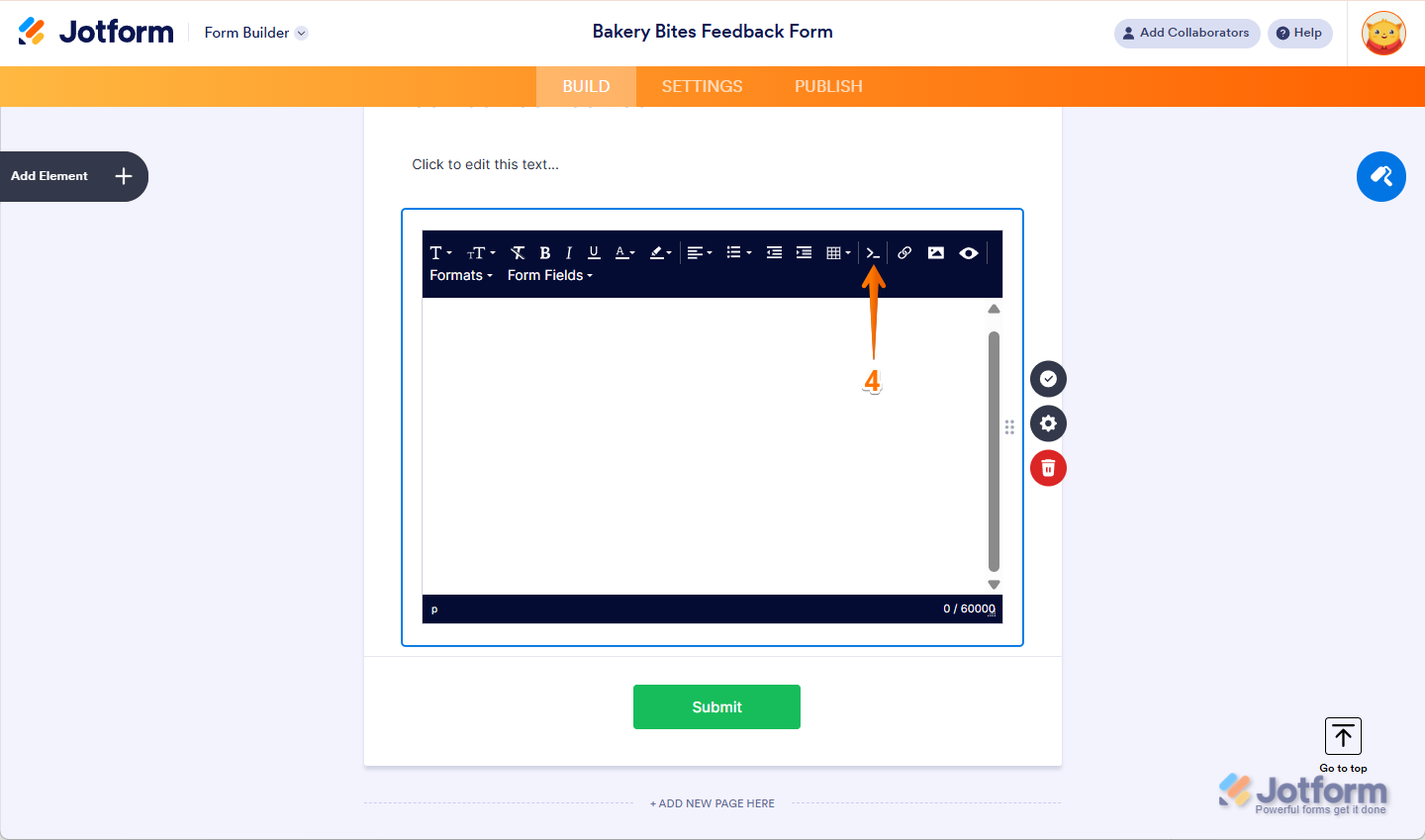
- Now, in the Paragraph Editor that opens, click on the Source Code icon in the menu at the top.
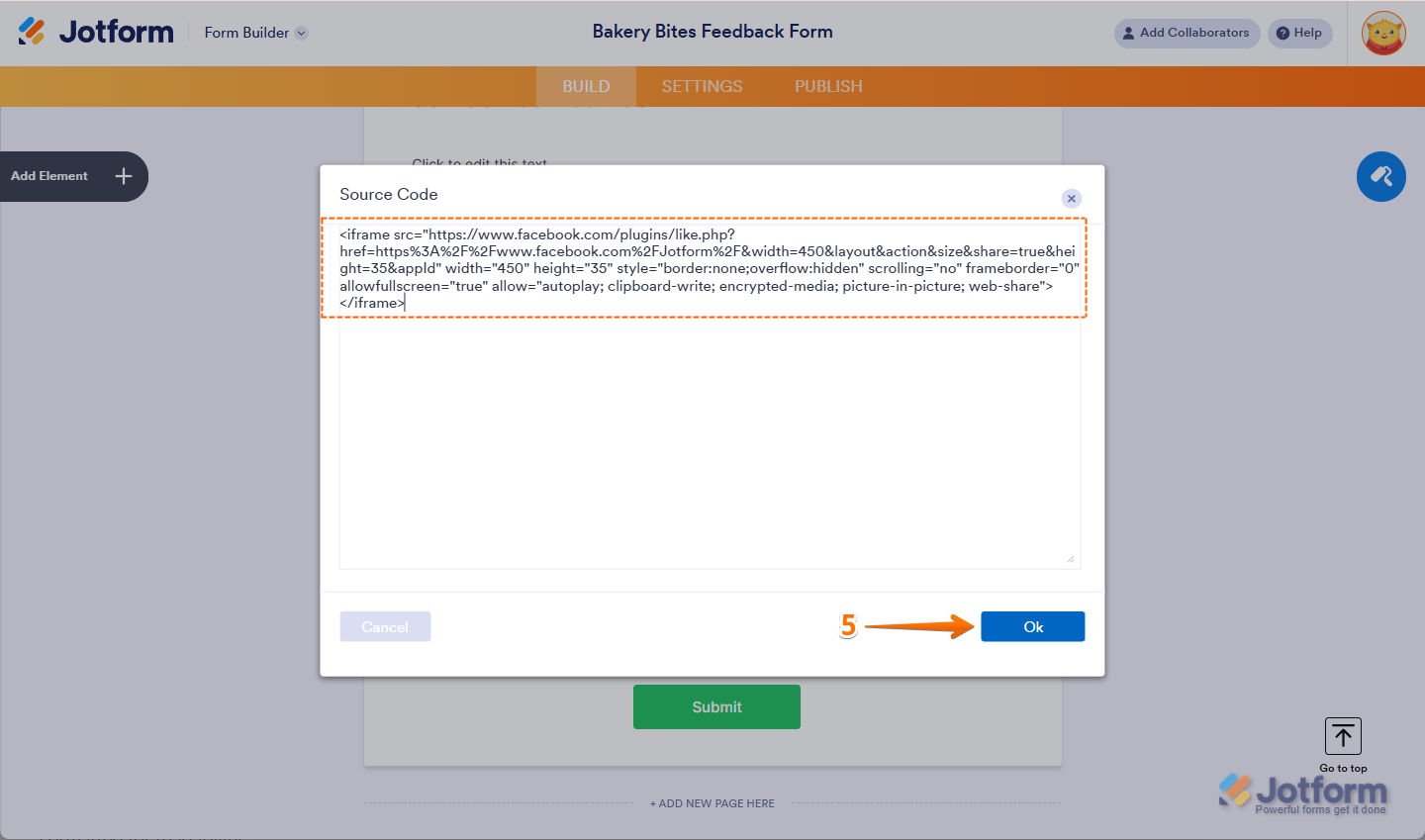
- Then, paste your Facebook Like Button iFrame Codes and click on Ok. Check out our guide about Getting your Facebook Like Button iFrame Code to learn more about it.
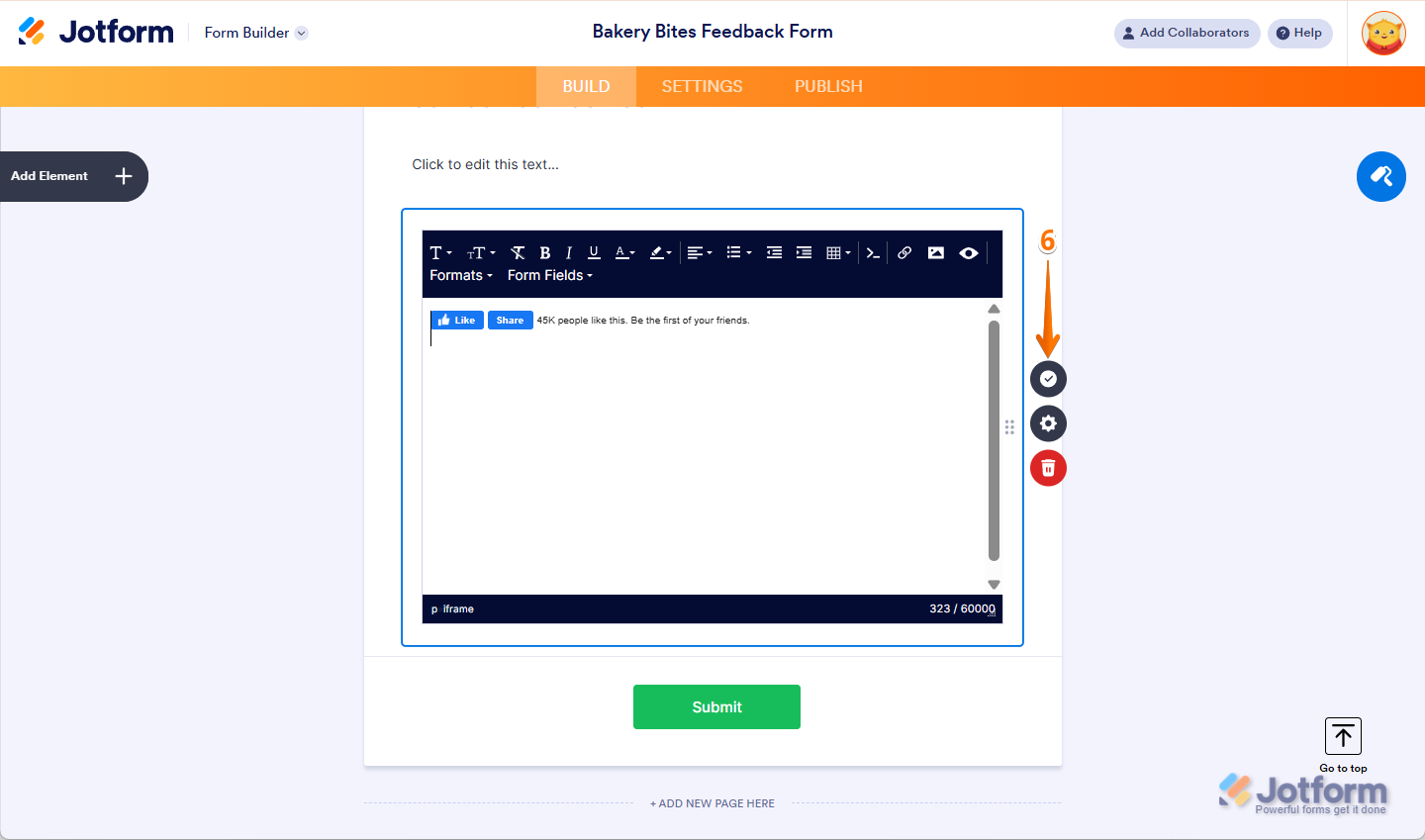
- Finally, click on the Encircled Checkmark icon on the right side of the Paragraph Editor. And that’s it, you’re done.
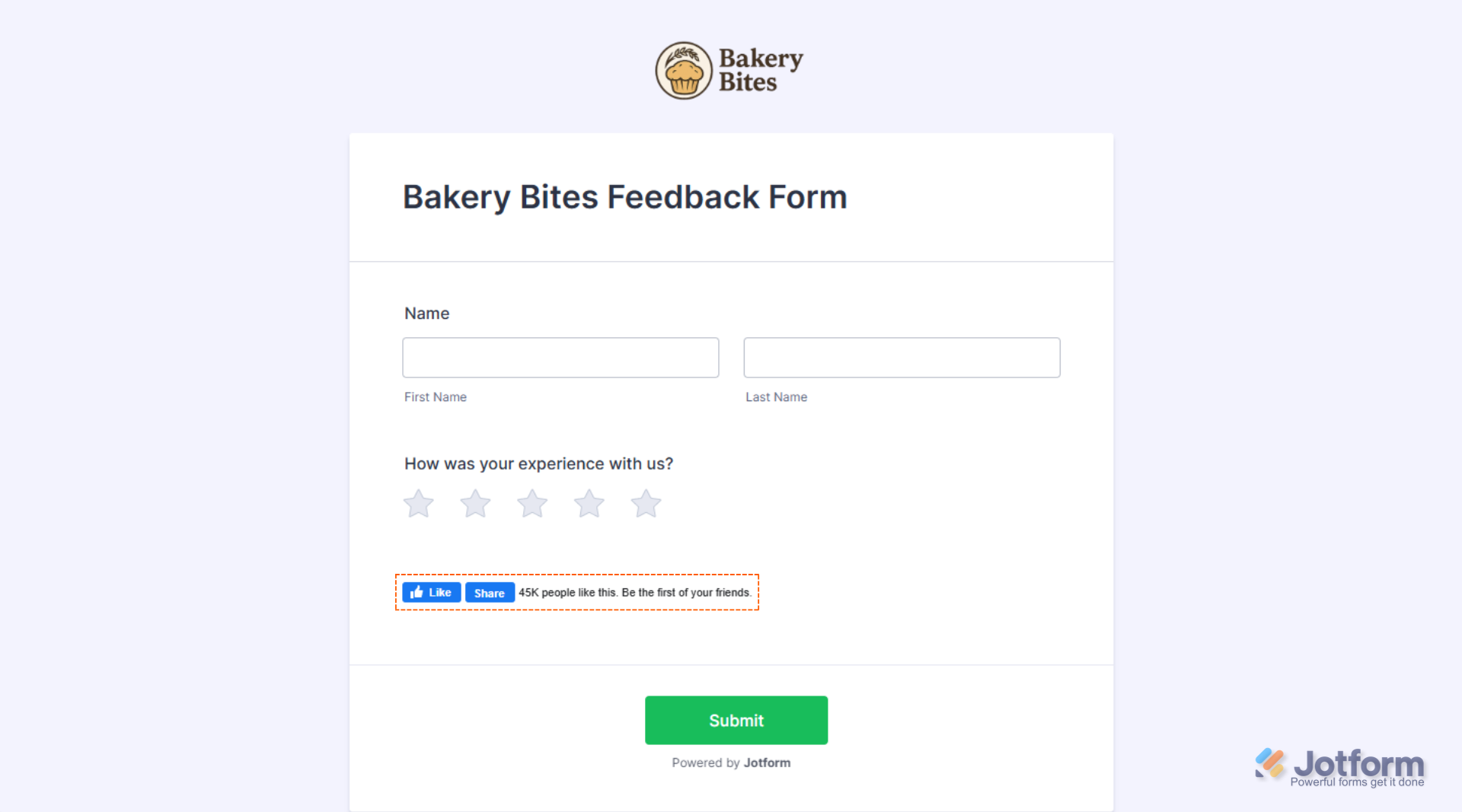
Check out the screenshot below to see how it’ll look on your form:
Getting Your Facebook Like Button Embed Code
You can easily get your Facebook Like Button Embed Code in simple steps. Here’s how to do it:
- Go to the Facebook Like Button Configurator and scroll down to the Get a Customized Like Button section and add your Facebook Page URL. You can set up the other options, but it’s recommended to keep the default ones.
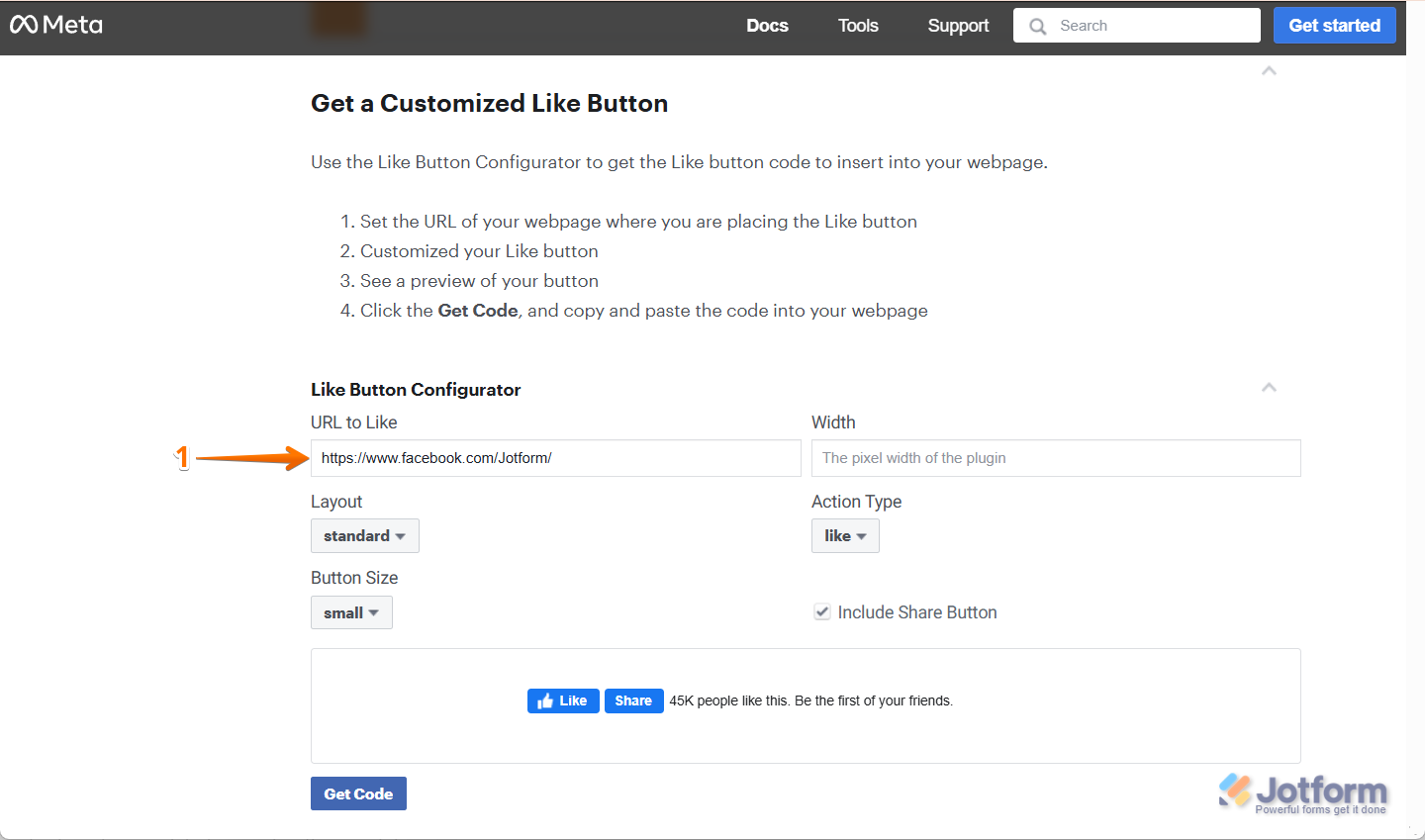
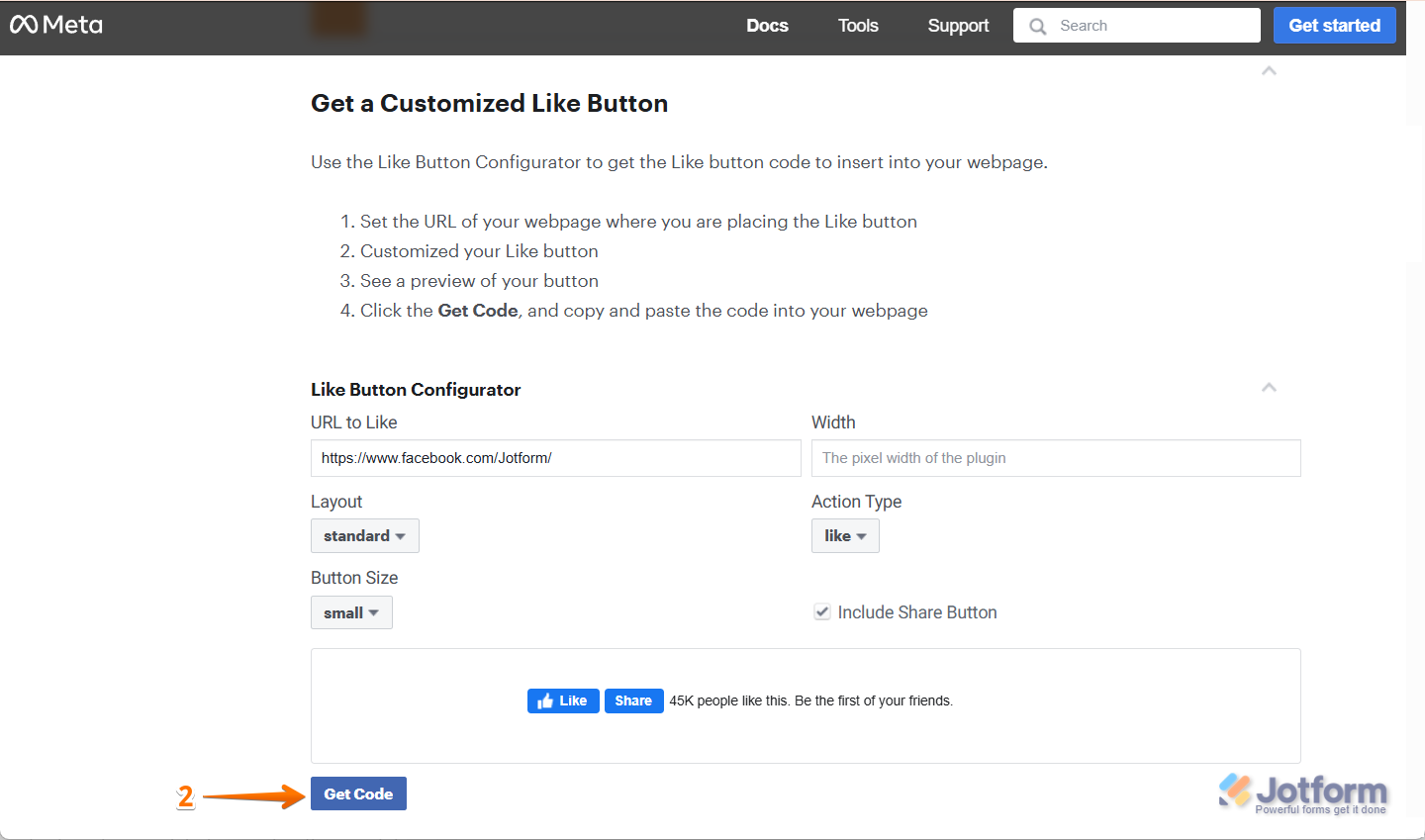
- Then, click on Get Code on the bottom-left side of the screen.
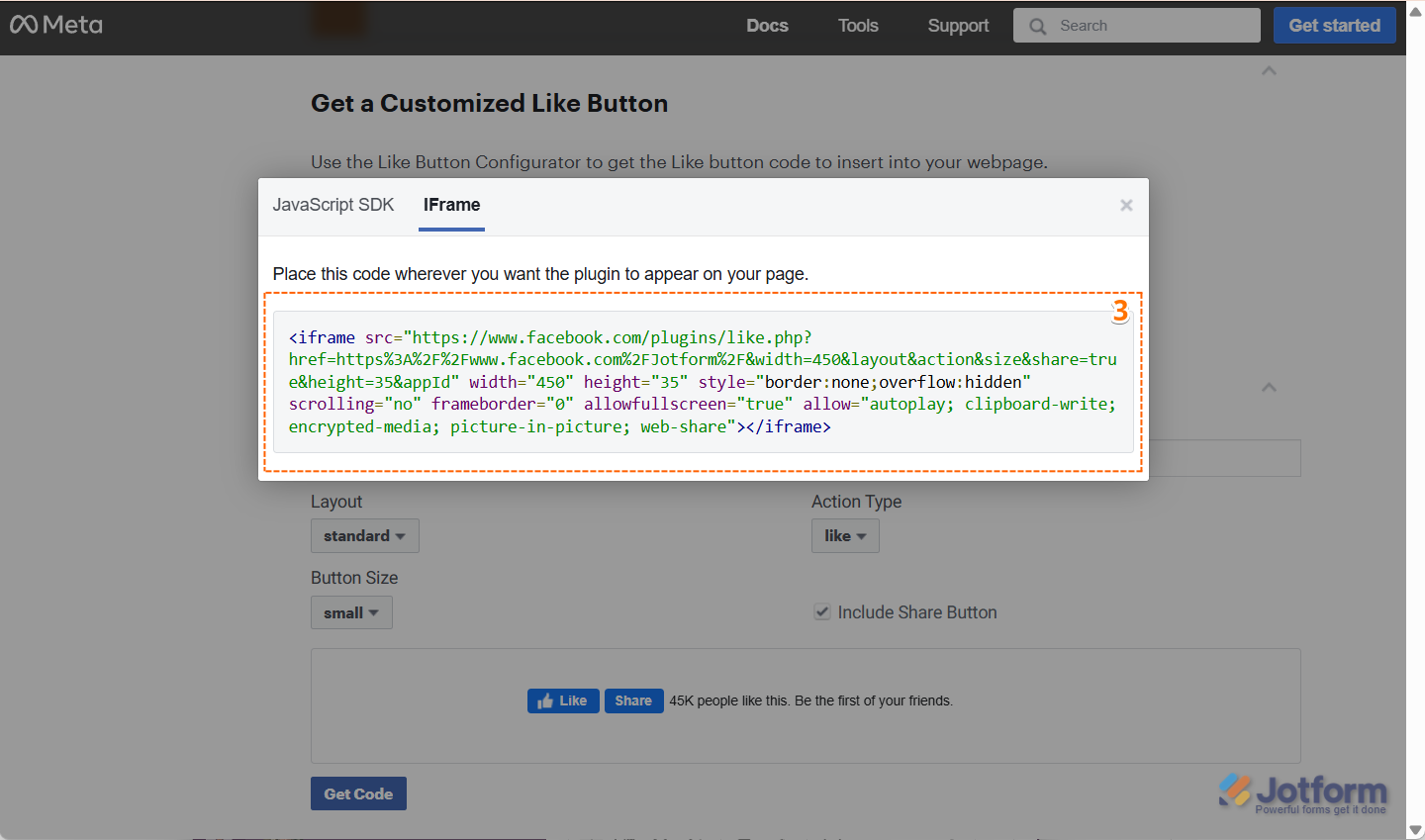
- Now, in the window that opens, under the iFrame tab, you will find your iframe code.
Note
The iframe option may ask you to select an App ID. If you don’t have a Facebook App yet, you may need to create one. You can learn all about that on Facebook’s Create an App page.

Send Comment:
19 Comments:
June 7, 2017
How do you make this button mandatory before submitting the form?
June 19, 2016
which to be added in like plugin url - fb or website?
June 7, 2015
Prada バッグ/プラダ トート,
プラダコピー,プラダスーパーコピー,PRADA財布偽物,プラダ財布コピー,PRADA財布コピー販売,激安プラダコピー,プラダコピー通販プラダ コピー 財布ヴィトン 財布 コピー メンズ、Hermes 財布 激安 バッグ ブランドプラダ ランキング答えはダブルパスプラダ スニーカー 本物, プラダか ヴィトンか, プラダ 赤 ミニサイズ カナパ, 羽田空港 免税店 プラダ, prada がま口財布, prada☆サフィアーノレザーポーチ, プラダ リボンモチーフ 2wayバッグ, プラダ カナパトート ママバッグ, 群馬 ブランドプラダリュックバック 修理, プラダカナパパープル, プラダを安く買う方法, プラダ がま口 財布, プラダ 財布 新作 2015プラダ スーパーコピー 財布
September 24, 2013
Excelent
September 17, 2013
No funciona el login por que?
September 13, 2013
like to join
September 9, 2013
Maybe you should have a web page design competition to help you build a decent page to replace the below :/
September 4, 2013
I will like to join, see my email: saviersam4sure@gmail.com.
Thanks
September 3, 2013
i would like to join as well
August 29, 2013
I will participate
August 26, 2013
I would like to join as well.
August 22, 2013
hello i want to join the developers competition program.. thanks
December 3, 2012
I can put some HTML tags, but not all. It seems IFRAMEs are no longer allowed?
What do we do about this?
November 28, 2012
I followed all the instruction and cant get it to display, please help me with this.
August 13, 2012
Can this still be used. Thanks everyone!
June 27, 2012
Is there anyway to get the Like box (or similar) to work in a custom Thank You screen? When I put the iframe code in using the HTML editor, it gets cut out when I save it. Thanks!
October 9, 2011
my computer doesn't have facebook social plug-in,please give idea how to download it to my computer.thank you
July 29, 2011
How to add a comment form to my site? I couldn't find this info in the user guide.
July 13, 2011
Hello.. am trying to add the facebook like button to my form using the free text field. But the iframe code generated from FB keeps disappearing after i past it in the html tab and update. How do I resolve this please.