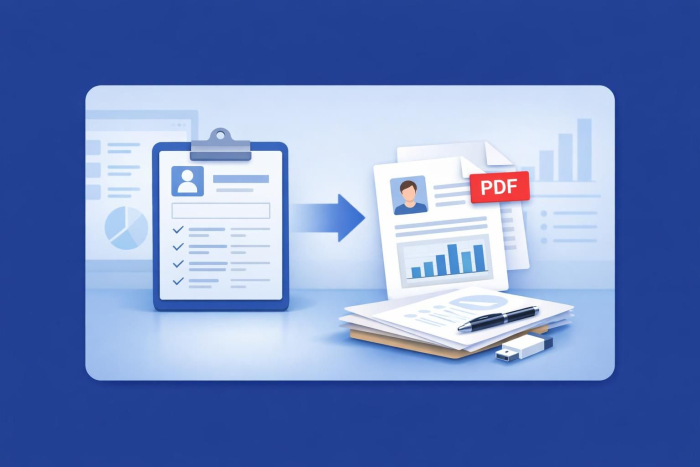
Imagine this: It’s Monday morning, and your fitness studio just had a massive weekend rush. Fifty new members signed up online! You have all their information — names, emergency contacts, membership tiers, and liability waivers — sitting securely in your dashboard.
Now comes the tedious part. Your front-desk staff needs to format member profiles, generate welcome packets, and safely archive signed waivers as PDFs. Doing this manually for dozens of members is a recipe for typos, clutter, and wasted hours.
Fortunately, with the right online forms, you can instantly turn raw registration data into clean, professional, download-ready PDFs. Let’s dive into how you can automate this workflow and get back to what matters most: helping your members smash their fitness goals.
Why turn gym registrations into PDFs?
Before we look at how easy it is to set up, here’s why keeping PDF copies of your gym registrations is a game-changer for your business.
- Flawless compliance: A signed liability waiver needs to be securely stored and unalterable. PDFs are the gold standard format for archiving legal documents.
- A warm welcome: Want to delight your new members? You can automatically email them a beautifully formatted welcome package PDF the second they sign up online.
- Zero paper clutter: Say goodbye to physical filing cabinets. Digital PDFs keep your front desk clean, organized, and eco-friendly.
The easiest way to do it: No code required
You don’t need a computer science degree or an expensive IT team to automate your document workflow. With a powerful form builder tool, the solution is built right into your dashboard.
Here’s how you can set up an automatic data-to-PDF pipeline in just four simple steps.
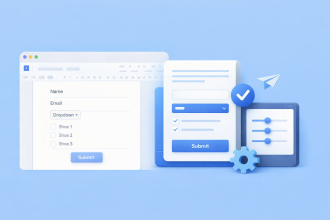
1. Build your registration form
First, ensure your online signup form captures everything you need. This typically includes contact info, membership type, emergency contacts, and an e-signature field for acknowledging your gym’s terms and conditions.
2. Use a PDF template to match your brand
Once your form is ready, you don’t want your finalized document to look like a boring spreadsheet grid. You want it to look like a professional business document.
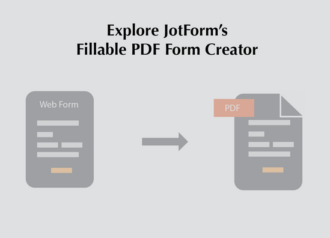
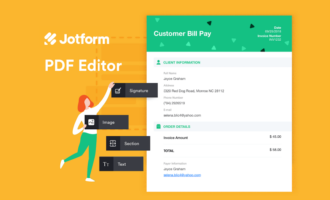
Using a tool like Jotform PDF Editor, you can design a custom template that automatically pulls data from form fields to create a finished document. You can drop in your gym’s logo, choose your brand colors, and arrange the layout so it looks exactly like a traditional paper contract — only entirely digital.
3. Set up automatic email delivery
Why manually download and email every PDF when your system can do it for you? Set up an autoresponder email to send the moment a new member registers.
You can customize the email to say something like: “Welcome to the family! Attached is a copy of your membership agreement and the gym rules.” The system will automatically attach the newly generated PDF to that email.
4. Sync to the cloud
Want a backup archive? Connect your registration form to a cloud storage service like Google Drive, Dropbox, or Box. Every time a new member signs up, a neatly named PDF (like john_doe_registration.pdf) will instantly pop up in your secure cloud folder.
Best practices for managing gym PDFs
To keep your automated system running like a well-oiled machine, keep these quick tips in mind:
- Keep data secure: Gym registrations often contain sensitive personal info. Make sure you use a secure form provider that offers data encryption and privacy features to protect your members’ data.
- Standardize file names: Use form fields to dynamically name your files. For example, setting your file name template to include the submission date and full name makes searching for a specific member’s waiver a breeze.
- Go mobile: Many members will sign up on their phones right in your gym lobby. Ensure your registration form is mobile-responsive, so they can fill it out seamlessly on any device.
Wrapping up
Managing a thriving gym takes a lot of energy, and your time shouldn’t be consumed by manual administrative work. By turning your gym registration data into automated PDFs, you protect your business, elevate your member experience, and save hours of office work every week.
Ready to streamline your fitness business? Explore how Jotform’s free form templates and PDF Editor can do the heavy lifting for you.

























Send Comment: