Jotform makes it easy to include the submission date in notification and autoresponder emails. This gives your team a quick reference for when a submission was received and provides respondents with a clear record of when they submitted your form, keeping that information readily available in the email. You can also display the date in different formats to make it clear and easy to review.
Adding the submission date to a notification or autoresponder email only takes a few steps. Here’s what to do:
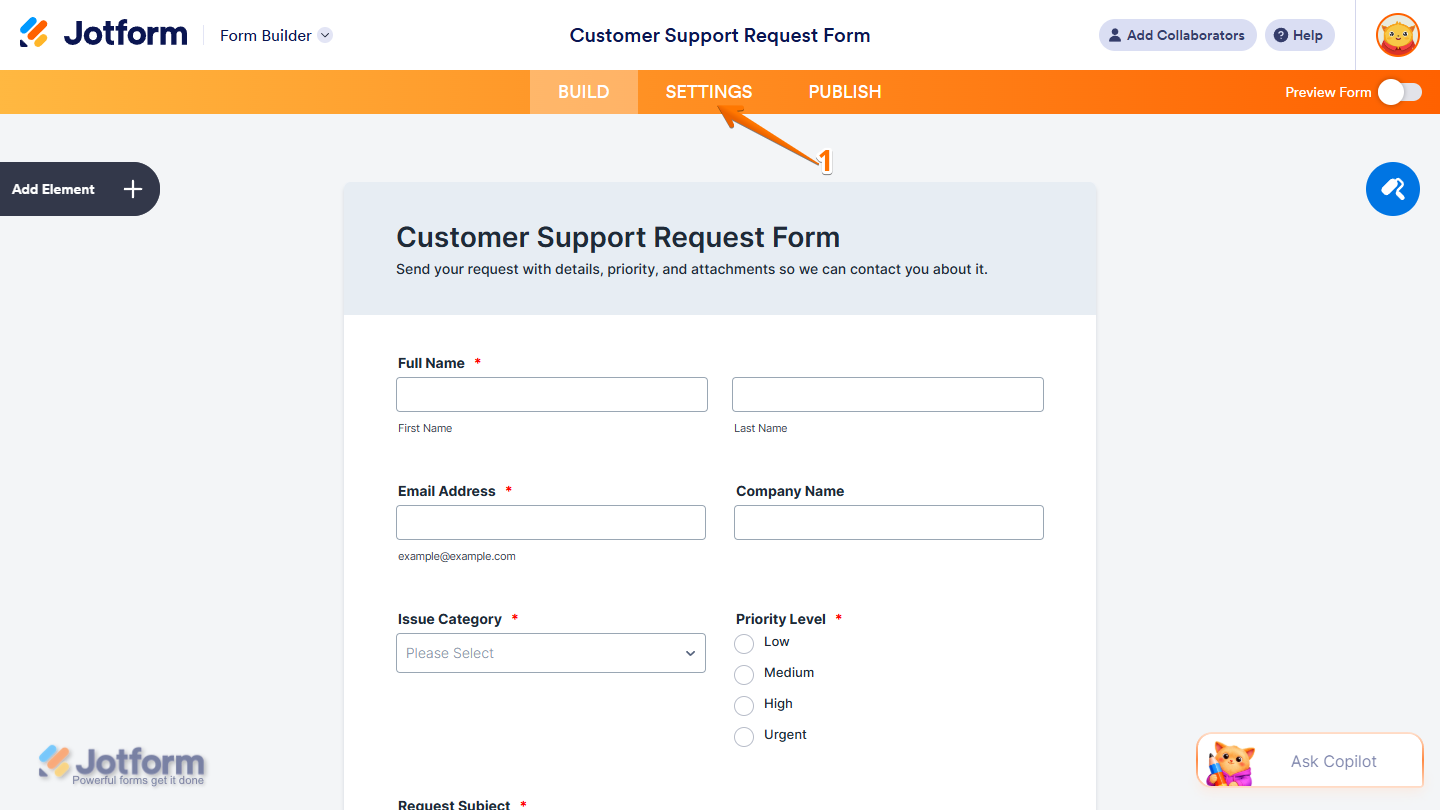
- In Form Builder, in the orange navigation bar at the top of the page, click on Settings.
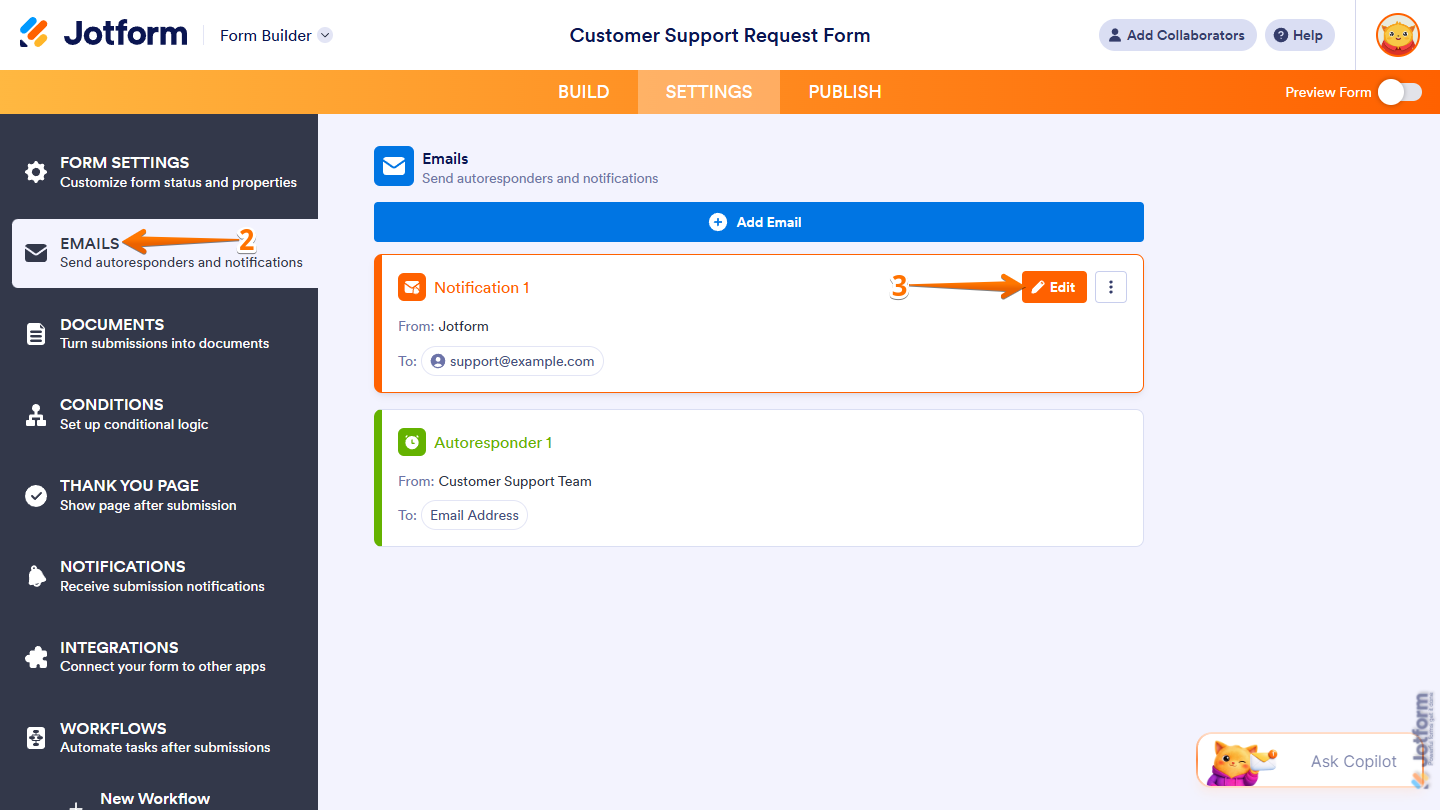
- Then, in the menu on the left side of the page, click on Emails.
- Now, in the Emails section on the right, hover your mouse over the Notification Email or Autoresponder Email you want to add the submission date to, and then click on Edit.
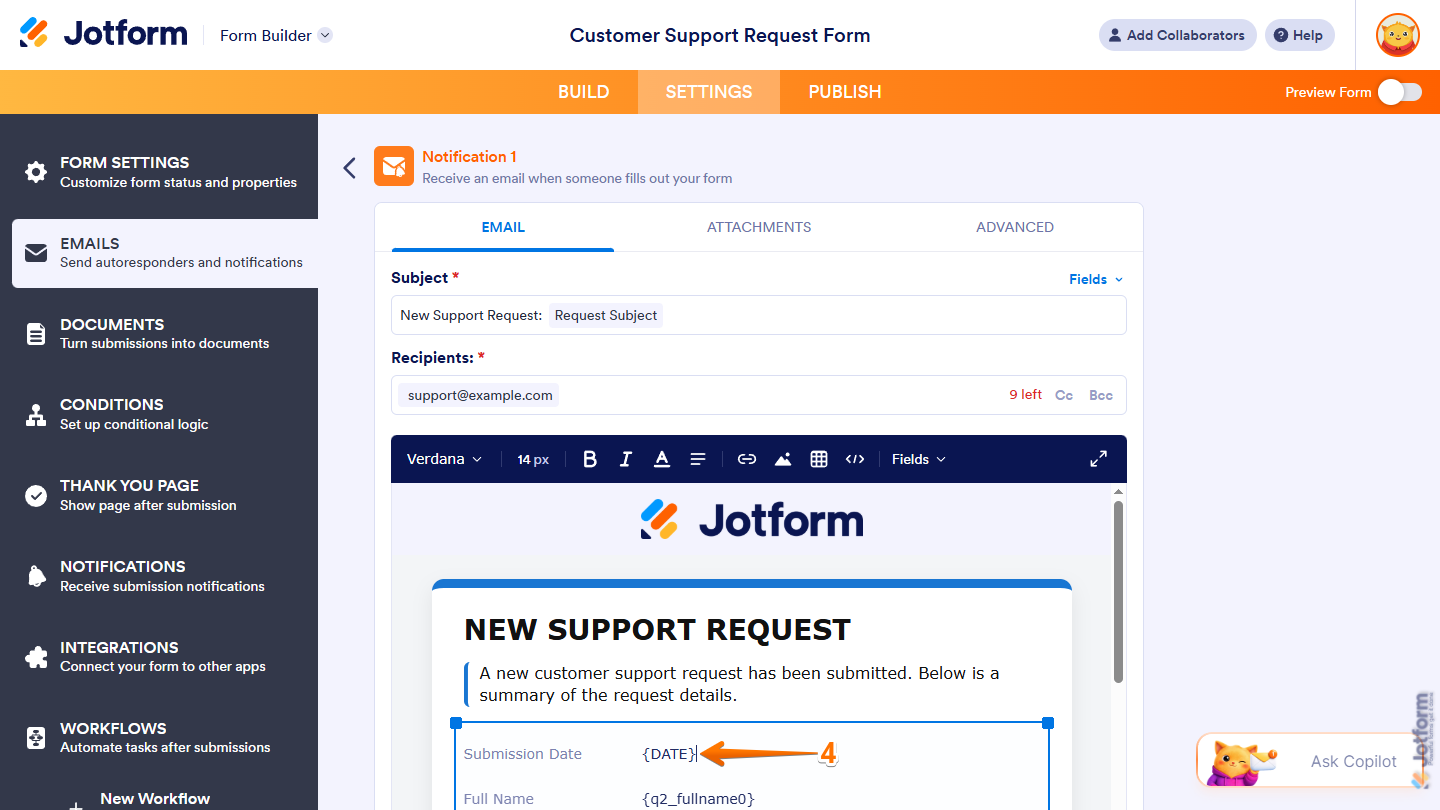
- Next, in the email editor under the Email tab, enter one of the following Date Tag formats where you want the submission date to appear in the email:
| Date Tag | Output |
|---|---|
| {DATE} | 2011-02-07 05:17:05 |
| {DATE:Date-US} | Feb 7, 2011 |
| {DATE:Date-EU} | 7 Feb, 2011 |
| {DATE:Time-US} | 5:17:05 AM |
| {DATE:Time-EU} | 5:17:05 |
| {DATE:Full-US} | Feb 7, 2011 at 5:17:05 AM |
| {DATE:Full-EU} | 7 Feb, 2011 at 5:17:05 |
| {DATE:l, jS \o\f F Y \a\t g:i A} | Monday, 7th of February 2011 at 5:17 AM |
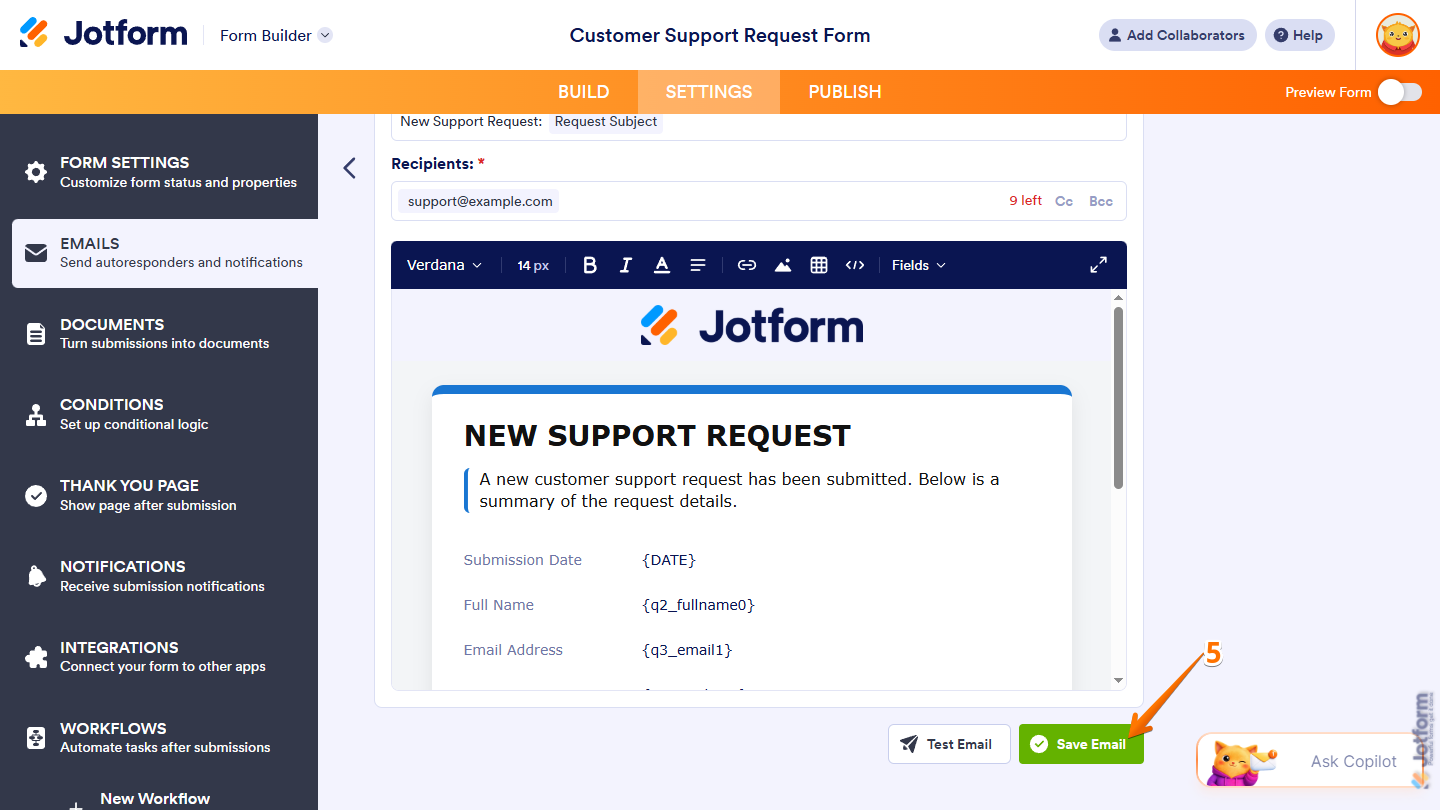
- Once everything’s set, scroll down and click on Save Email.
That’s it! Now the submission date will appear in the email using the format you chose. Here’s an example of how it’ll look:
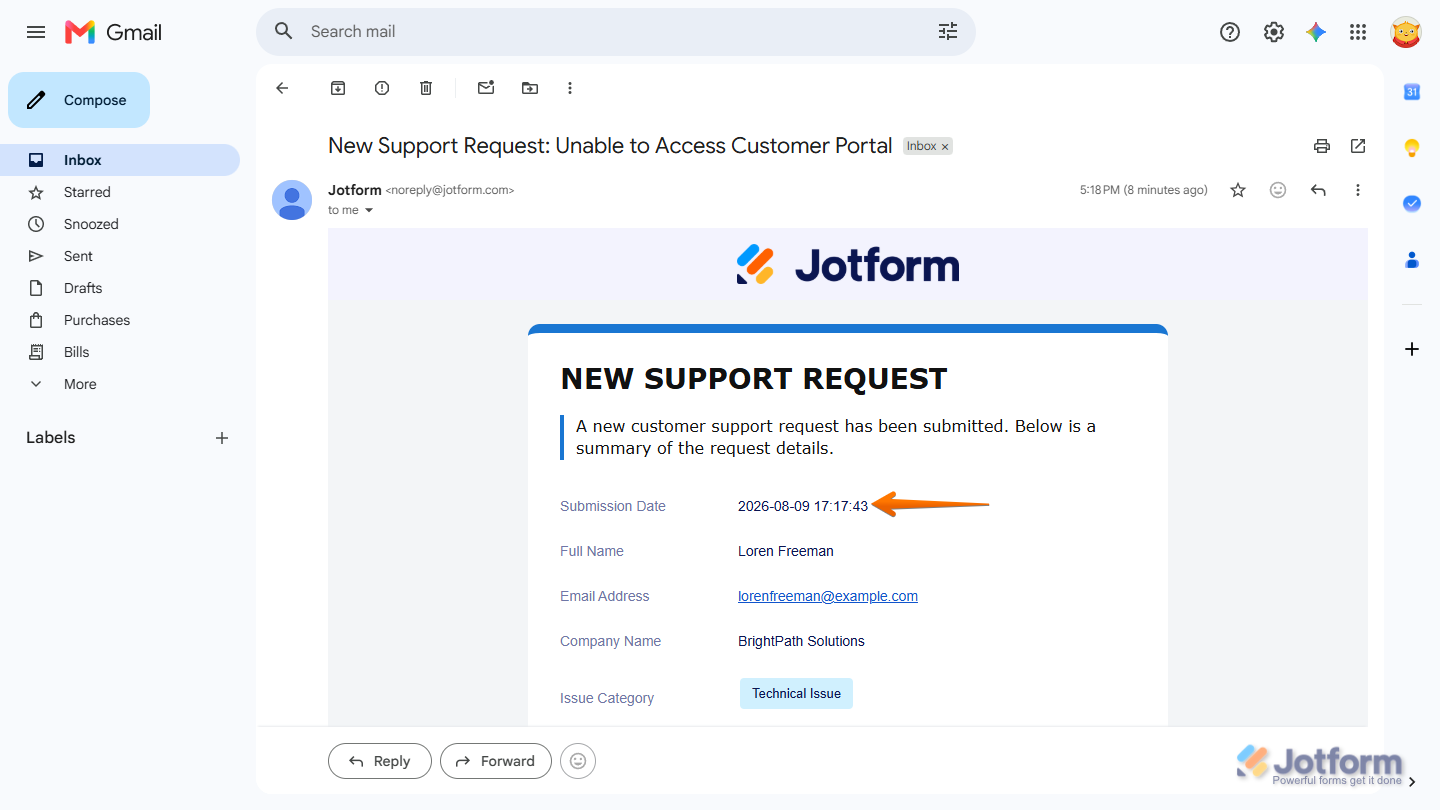
You can customize the date further using Standard PHP Date Formatting. If you have helpful formatting examples that other users can benefit from, be sure to share them in the comments below.

Send Comment:
3 Comments:
October 20, 2022
Daoud, Did you try the EU format. It looks like it might be the same as the Brazilian format. Boa sorte!
September 22, 2021
I need to use the brazilain format date in pdf file
September 22, 2021
Hello, morning!
How can I a brazilian format date? If I use {DATE:Date-BR}, does it works? I would the format dd/mm/yyyy.
Regards,
Daoud