











Form Templates are a go-to solution for many first-time Jotform users. Whether you’re looking for a template to get started with, a form that closely matches your requirements, or if you just like the design, templates are the easiest way to create aesthetically pleasing forms.
With just a few steps, you’ll be able to get started with a ready-made form. You can also browse our Templates Gallery and use a template from there.
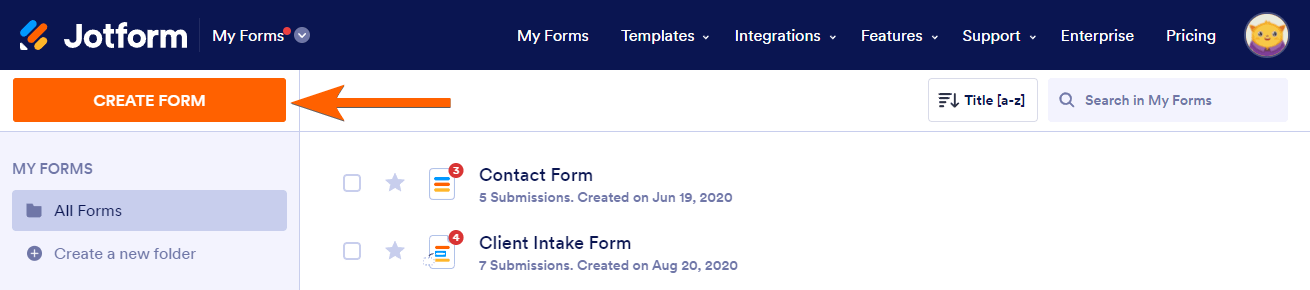
- Go to the My Forms page and click the Create Form button.
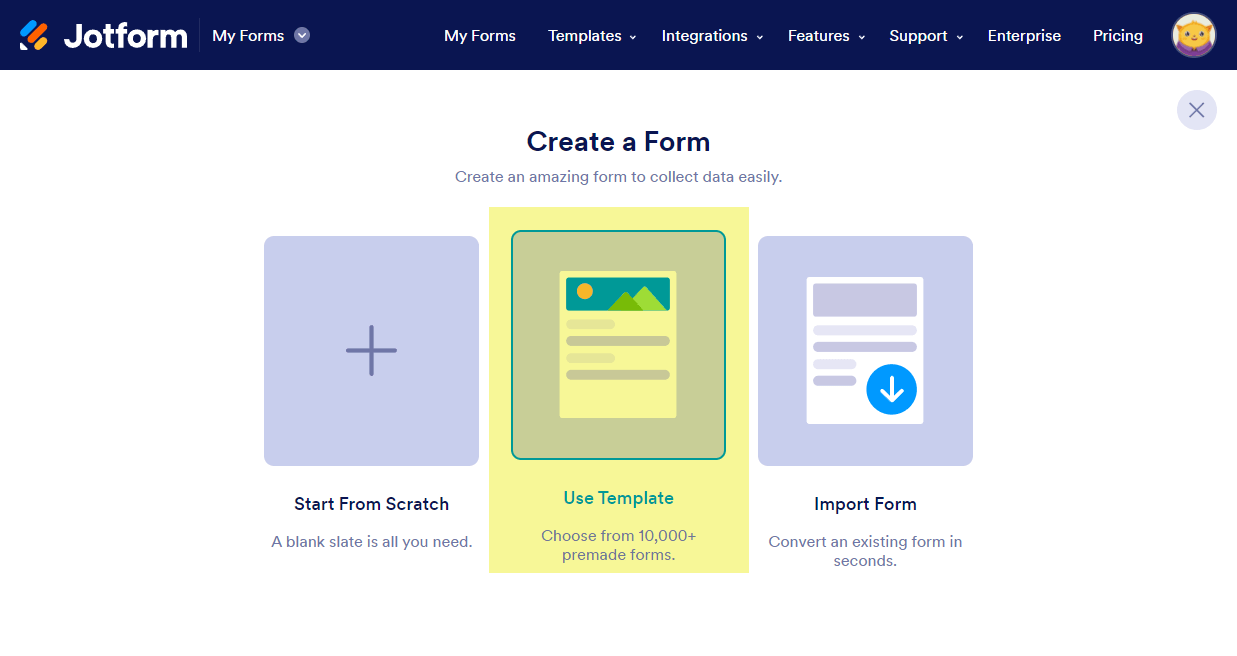
- Choose the Use Template option in the middle of the screen.
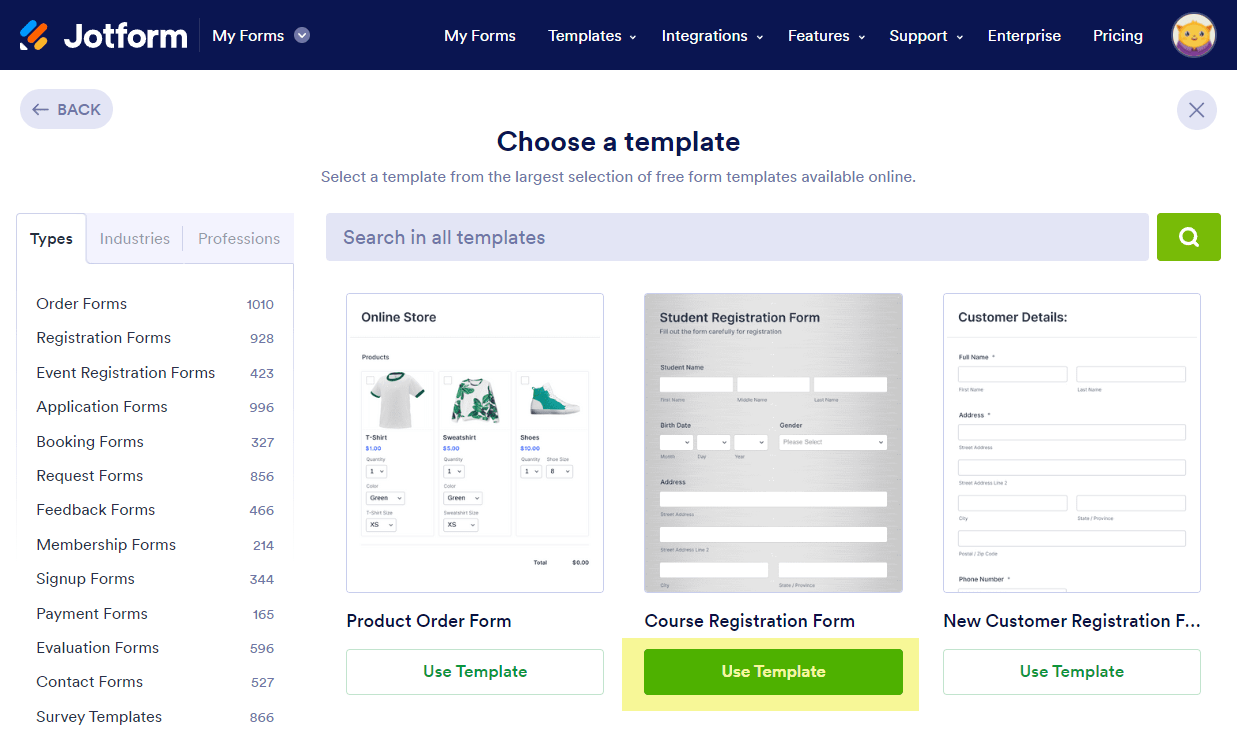
- Use the search bar to find a form template that best fits your needs. Once you find the form, click the Use Template button.
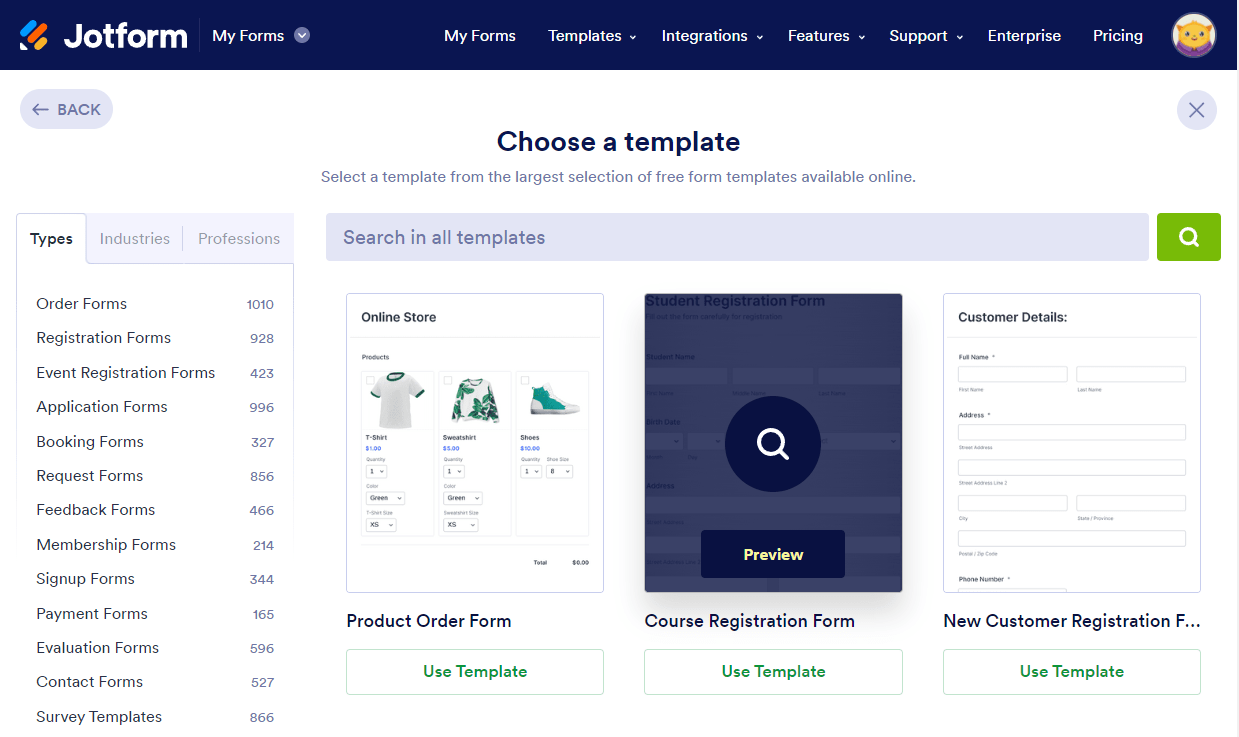
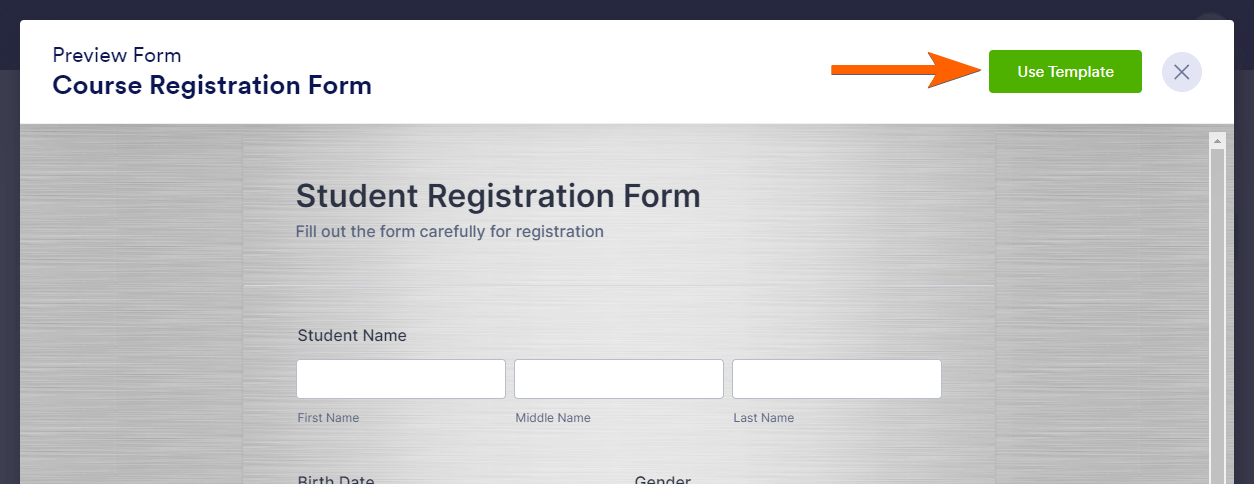
If you’d like to preview a form template, hover your mouse over the picture and click on it.
If you decide to use the template, click the Use Template button on the right side of the screen.
Card Form Templates
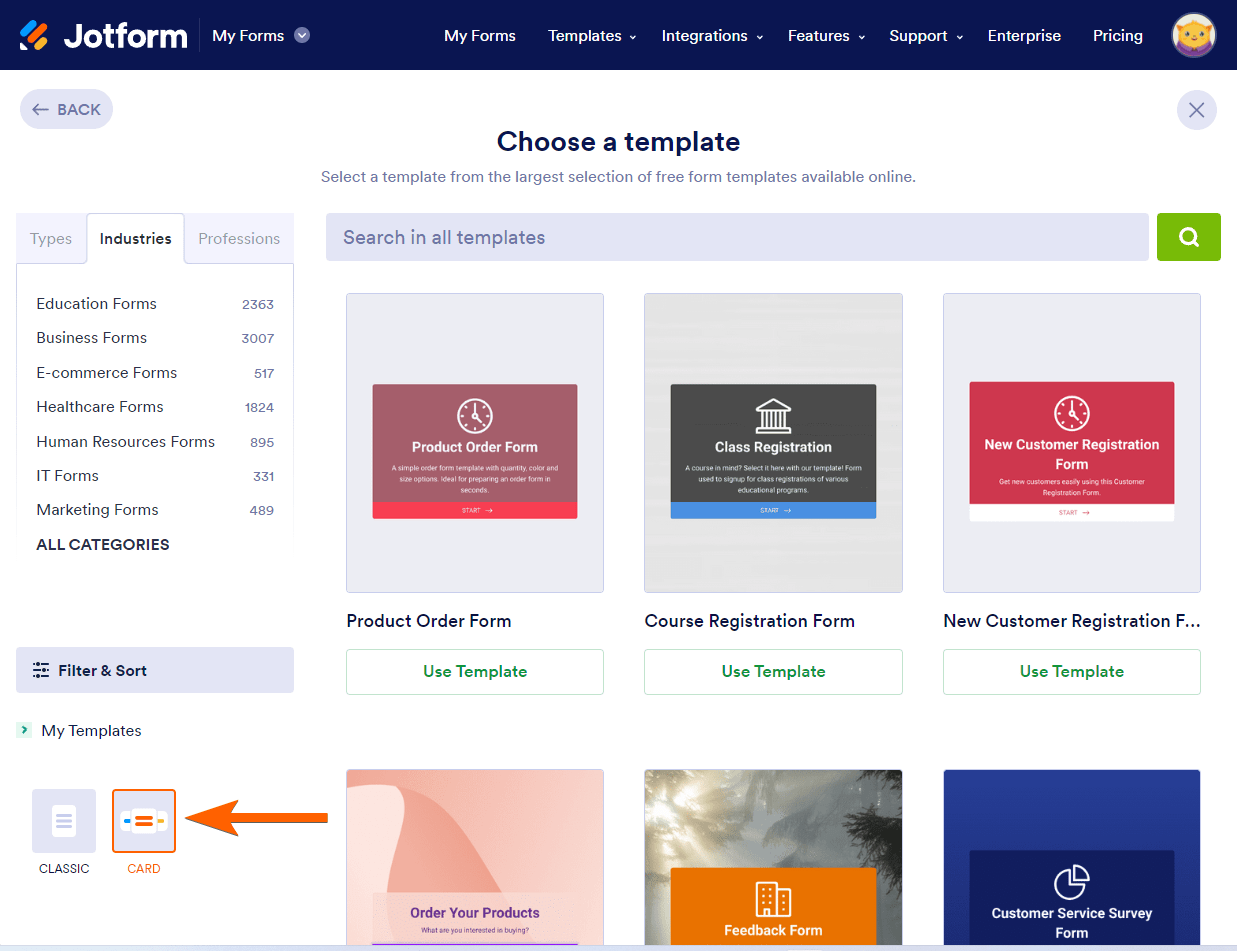
The default view of our template gallery is for classic layout forms. If you wish to use a card form template, scroll down to the Filter and Sort option on the left side of the screen and choose Card.
Choosing a different layout will create a new form on your account, and you’ll be redirected to the Form Builder where you can start modifying the template.

Send Comment:
52 Comments:
More than a year ago
Hello,
I am new to jotform and wondering if or how to merge templates. Is it possible to merge questions from 2 or 3 different forms? For example, I like the employee feedback survey but would like to add a few of the questions from the pulse survey.
More than a year ago
This is helpful, but incomplete. I have the template, but the instructions don't say how to then SAVE that template to my forms. I can't find any button on the template that allows me to save it... and the video above doesn't complete the action -- of how to save it.
More than a year ago
Can you create your own templates? I tried important a form I used previously but it casued more problems than it would have been to create a new one
More than a year ago
Is there anyway we can add questions to a questionaire
More than a year ago
How do I save my finished form so I can send it to customers?
More than a year ago
The following statement is FALSE:
"Our customer support team is available 24/7 and our average response time is between one to two hours."
I've spent countless days for over 2 months messaging your support team, waiting on help and I have yet to be helped. HORRIBLE customer service.
More than a year ago
I don’t understand how to use it for example can it be used to type in your name that is a digital signature?
More than a year ago
Brilliant idea, terrible execution. Trying to find how to download the forms I made but in vain. Won't be using it or recommending it to anyone
More than a year ago
I want to use one of jotforms pdf templates - I choose the one I want but I can not get the header to let me update my business infor and pictures - I am able to Type in one atrea only but it changes the layout on the form.
More than a year ago
Thanks, I can make the form but how do I convert it into a downloadable PDF for the customer?
More than a year ago
Thanks for sharing the information. The details are really given in a very good manner,
More than a year ago
Thanks for sharing, but one thing, I didn't understand that is, how to change our background template color anyone tells me, please
More than a year ago
Thank you!
More than a year ago
very lovely form but please help by providing addition space at the template for marital status and others
More than a year ago
Do these templates allow for signatures?
More than a year ago
How do I change the template file name to my file name? When I try to post the link to my puppy application, it shows Oklahoma Poodles instead of my business name.
thanks,
Amy
More than a year ago
Hi there,
I'm currently working with a spa to create a welcome email sequence for them. Part of it requires them to send through a suggestions checklist that will have to be customized by the spa owner for each client: as someone who hasn't used Jotforms in awhile, would a form template be the best option for this or is there a better option that I'm overlooking?
Thank you!
More than a year ago
How do I change the background color on a template I used?
More than a year ago
I copied over a registration form, then added three new fields. Everything looks great, but when testing the form, I can't enter text into those three new fields. The other fields work just fine. What am I doing wrong?
More than a year ago
I cannot find any way to edit a form I created...Nor can I find anything online
More than a year ago
Hello- I built a form based on a template and the browser tab identifier says "Crowne Plaza Englewood, NJ." How do I change this?
More than a year ago
I really like the templates but the only thing that I'm unable to do is editing my name I'm photographer and I'm unable to change prices and my name in some of the booking forms I must say is frustrating that not even a video is showing in how edit this wonderful templates, very disappointed with it
More than a year ago
Olá, é assim que já fiz uso dos Modelos.
Mas, há meses que não consigo mais e sempre que tento fazer, abre uma caixa de mensagem dizendo que não posso clonar. Qualquer forma que tento, acontece isso.
Já tratei disso ha uns meses atras, mas o problema persiste.
Agradeço qualquer apoio.
More than a year ago
How do I embed the form on my Facebook e-commerce site.
More than a year ago
Please I did not understand how to use this.please Help me.
More than a year ago
Nowhere do I find a single word of explanation about what "page conditions" are or how to set them.
More than a year ago
I am trying to modify the the text in a template so that it doesn't show generic labels (New Product 1, etc) and modify the payment amounts. However, the form is not letting me modify these fields. Help, please.
More than a year ago
Mi formulario no se muestra en mi sitio web ... por más que inserto el código, no sale. ¿Alguien me puede asesorar?
More than a year ago
It will not let me modify a template I saved! Why???
More than a year ago
Templates are very beautiful
We wish more of this beauty :)
More than a year ago
Doesn't seem to work...?
I just get " failed to embed" (form number blanked).
Only shows the link and I tried it even in the text mode.
More than a year ago
Neat.
More than a year ago
Thank you, I will use this feature quite a bit.
More than a year ago
I really like jotform, but when I tried to embed via a plugin on a self-hosted wordpress site the form ins't responsive.
Or is that related to the template I selected?
More than a year ago
Happy and excited! Makes life easier ;-)
More than a year ago
THAT'S GREAT. BEEN LOOKING FOR THIS FEATURE VERY MUCH
More than a year ago
Nope.. doesn't work. :( It just displays the URL..
More than a year ago
really cool
More than a year ago
Its not working for me!
More than a year ago
On my ipad this notice page is black background with dark text.. Nearly impossible to read!
More than a year ago
Great, i have using jotform for many years, and now it's on Wordpress, more exited.
More than a year ago
Excellent! I've been waiting for this for a very long time. Thank you.
More than a year ago
We need to pay for jot form yearly subscription and implement around 11 order forms and 3 contact forms and more.My designer does not have much knowledge to do this.
How about creating a website with Wordpress,any one can help us.
Thanks,
Vanessa.
More than a year ago
Thanx a lot! will love to use it on wordpress.com for it's features with simplicity.
More than a year ago
Do I have to sign up if I were to create the form?
More than a year ago
How to paste copied info into boxes...it isn't giving me a paste option and won't accept CV
More than a year ago
Can you edit form templates? If so how?
More than a year ago
Excellent..I can't say any other word excellent...excellent.
More than a year ago
Xin hỏi cách đưa link https://www.jotform.com/form/13614523130 về link đơn đặt hàng
Thanks
More than a year ago
thank you
More than a year ago
hi
More than a year ago
Very cool!