
As a marketer, I do a lot, but I’m not a trained designer. That’s why graphic design tools like Canva are a critical part of my day-to-day workflow. I use Canva regularly to design LinkedIn carousels, edit images, resize assets for different platforms, and create simple digital products for my own brand.
But Canva isn’t the only design tool built for non-designers. Alternatives like Kittl are gaining traction by giving individuals and businesses more creative control, especially when it comes to typography and expressive visual styles.
If you’re exploring Canva alternatives, I spent several hours testing both Kittl and Canva, side by side. In this graphic design platforms comparison, I’ll show you how both tools stack up across features, pros and cons, use cases, and pricing to help you choose the right online design tool for your needs.
What is Kittl?
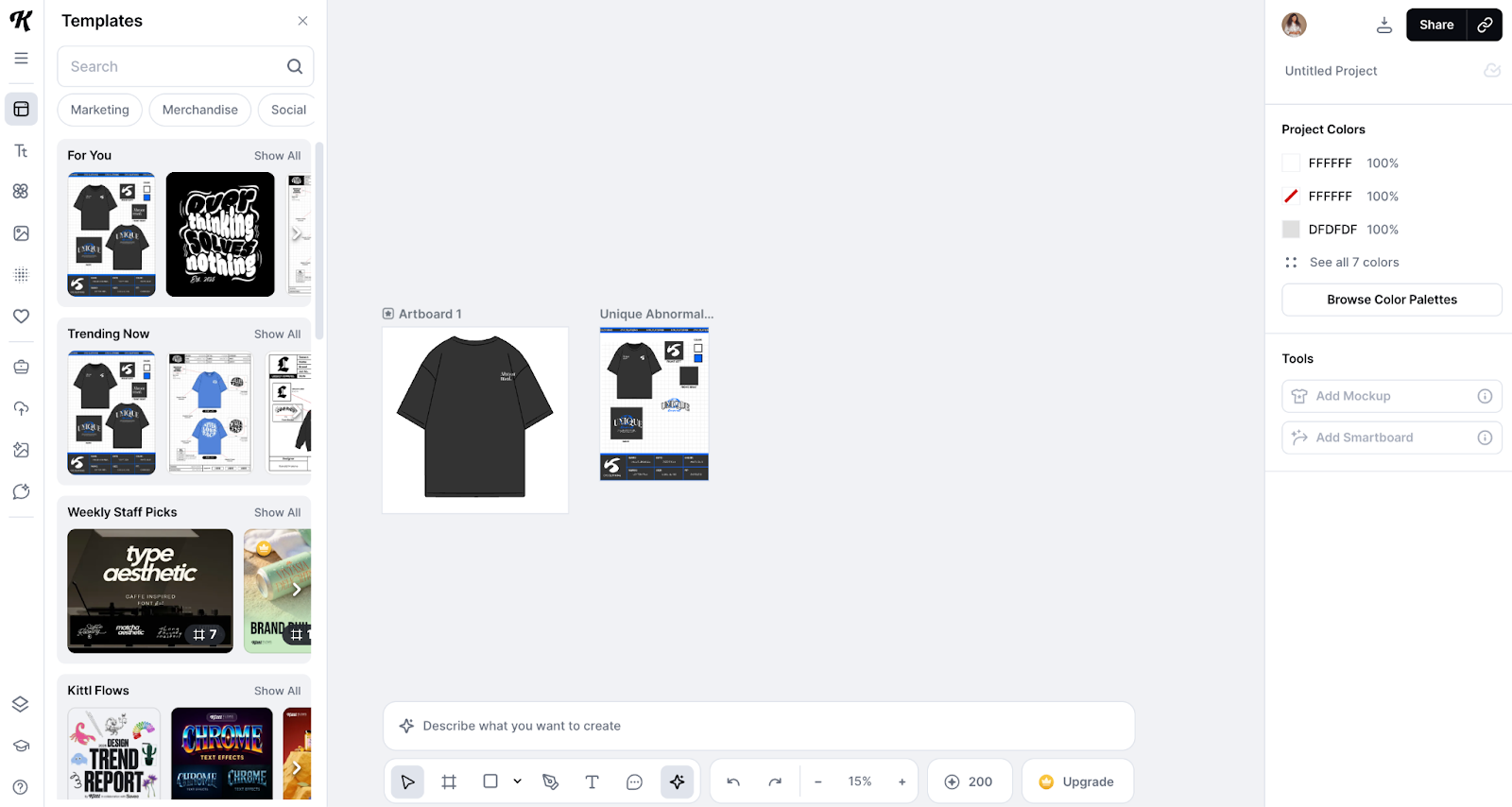
Kittl is an online graphic design tool with a strong focus on typography-led design. It’s built for individuals and small businesses that want to create visually distinctive assets such as logos, posters, merchandise designs, and branding elements without relying on complex software like Adobe Illustrator.
The platform combines an easy-to-use design interface with advanced text effects, illustration tools, and highly stylized templates. While testing Kittl, I found its editor to be very flexible, with multiple options for customizing typography and layouts. Features such as “transformation effects,” “text shading,” and “text decoration” make it easier to manipulate text and produce bold custom designs for both digital and print use.
For image editing, Kittl offers “blend modes” and “clipping masks,” which allow you to alter colors and textures to create complex visual outcomes. It also features a large stock asset library, mockups, and high-resolution export options, which I found useful when exporting designs for both work projects and personal use.
What is Canva?
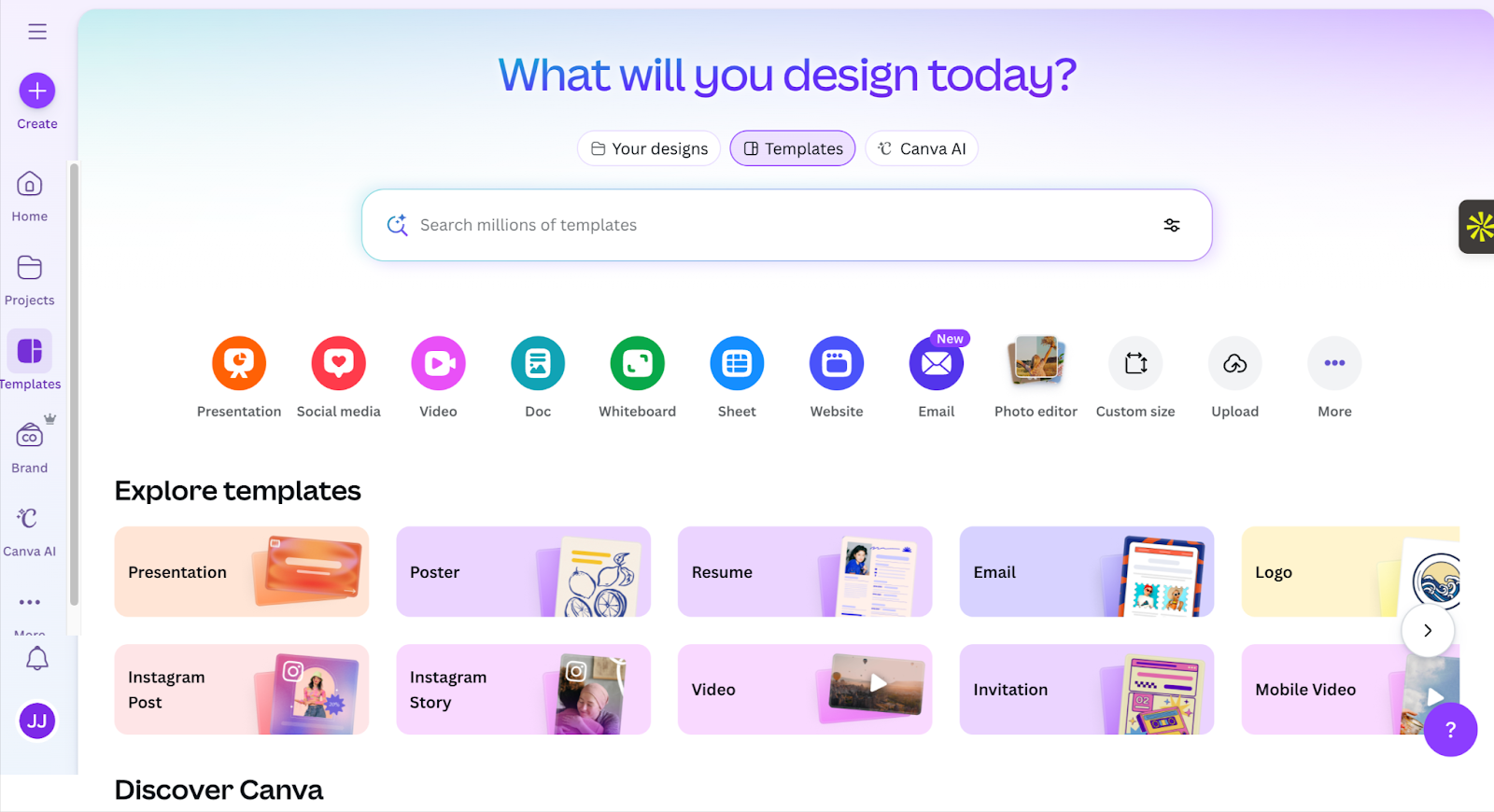
Canva is a popular online graphic design platform that makes visual content creation more accessible to everyone. It’s often the go-to tool for non-designers, marketers, and businesses that need an easy way to create professional-looking posters, social media visuals, websites, videos, and presentations.
My favorite Canva feature is its extensive template library, which allows me to quickly create designs without obsessing over tiny details. The templates come with preset image filters and effects, which you can easily adjust to achieve different looks. Editing a template is simple, as Canva offers a drag-and-drop canvas with up to 12 text effects and more than 40 preset filters. You can choose from “mono,” “natural,” “color pop,” “vintage,” and more to change the look of photos in a template, then adjust the intensity slider to increase or decrease the filter.
Canva’s built-in artificial intelligence (AI) tools make its editor even more intuitive. It offers tools like “Magic Edit”, “Magic Eraser”, “Magic Grab”, and more for adjusting, enhancing, and resizing images with simple text prompts.
Beyond standard design assets, Canva also includes templates for data visualization, making it easier to turn charts, reports, and metrics into visuals that are easy to understand and share. For teams, Canva additionally includes features such as Brand Kits, shared folders, and real-time collaboration, which make it effective for large teams working across multiple departments. And the platform integrates with over 900 third-party tools, including Jotform, allowing you to extend your designs beyond static visuals.
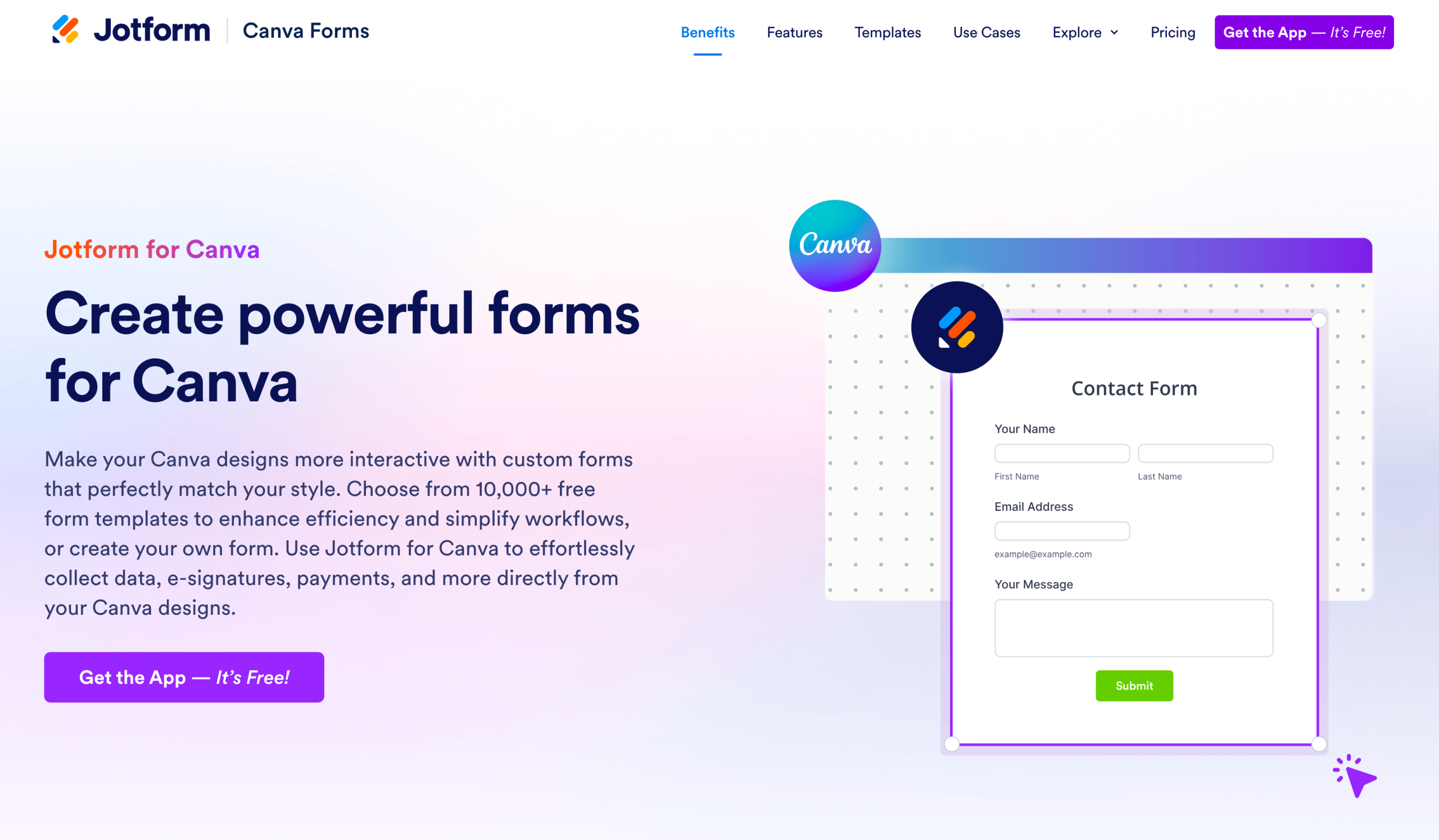
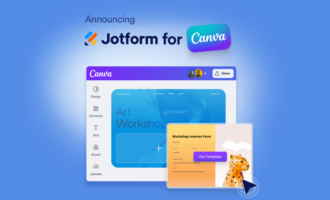
The Jotform for Canva integration enables you to create and add a form to Canva designs and websites without switching platforms. With access to more than 20,000 ready-made form templates across order pages, portfolio sites, wedding invitations, and more, you can collect responses, payments, e-signatures, add conditional logic, and trigger automated workflows — all within the Canva environment. Jotform powers up your Canva design, and it’s completely no-code.
Pro Tip
The Jotform-Canva integration works perfectly across mobile and desktop devices, and you can connect it in just a few clicks. Learn more about adding Jotform forms to your Canva website using the Jotform Canva app.
Kittl vs Canva at a glance
 Kittl |  Canva | |
|---|---|---|
| User interface and ease of use | Easy to use interface with a drag-and-drop builder, but requires some understanding of graphic design techniques and elements | Extremely user-friendly interface suitable for complete novices |
| Templates | Thousands of templates on free and paid plans | Millions of ready-made templates on free and paid plans |
| Brand tools | Decent amount of brand tools, focused mostly on typography | More brand tools beyond text, such as logos, icons, color palette, and images |
| Collaboration tools | You can collaborate with a maximum of five team members | Collaborate with up to 100 team members across your organization |
| AI tools | Small selection of AI tools for image and text generation | Large suite of AI tools for writing, editing images, and manipulating designs |
| Apps and integrations | Integrates with social media platforms like Facebook, Instagram, X, Pinterest, and WhatsApp to share designs; doesn't support other third-party integrations | Integrates with over 900 third-party apps, including social media platforms, AI tools, and more |
| Printing tools | Offers print on demand but has a small library of printable items — just 15 | Over 90 printable items plus an accommodating exchange policy |
| Stock assets | Large library of stock photos, vector illustrations, and graphics | Extensive library of stock assets in more formats than Kittl, e.g., music tracks, videos, animations, and more |
| Text editing features | Advanced text manipulation with text transformation, shading, and decoration effects, which you can combine for a more professional look | Allows you to apply effects to text, but you can't combine the effects for a truly unique look |
| Image editing features | Doesn't include preset image effects but offers greater flexibility with advanced photo editing tools, including blend mode and clipping mask | 40-plus preset image effects and filters for quick photo editing, but lacks advanced effects available in Kittl |
| Additional design tools | Only offers graphic design tools | In addition to graphic design capabilities, it includes tools for video production, presentations, whiteboarding, website design, interactive graphs, and creating documents |
| G2 rating | 4.7/5 | 4.7/5 |
Pros and cons of Kittl vs Canva
After using both tools, it’s clear that Kittl and Canva are built to make design more accessible, but they optimize for very different priorities. Depending on your workflow, skill level, and design goals, one may be a better fit than the other. Below is a closer look at the strengths and limitations of each platform based on my real-time testing.
Kittl pros
- Good balance of ease of use and design control
- Strong focus on creative freedom, especially for typography-heavy designs
- Advanced text effects without complex software
- High-quality stylized templates for logos, posters, and merchandise
- Entirely browser-based with no need to install design tools like Illustrator
Kittl cons
- Limited collaboration and team workflow features
- Smaller template and asset library compared to Canva
- Not optimized for high-volume content creation, e.g., daily social posts
Canva pros
- Extremely easy to pick up, even for complete beginners
- Built for fast, repeatable content creation at scale
- Massive template library covering social media, presentations, videos, documents, and more
- Excellent collaboration features, including shared folders and version history
- Vast user base with strong community and support resources
- Mobile app for creating and editing designs
Canva cons
- Compared to Kittl, Canva has limited creative control
- Basic text effects
- Over time, designs can start to feel template-driven unless you put in extra effort to customize them
- Not ideal for highly distinctive or expressive visuals
Kittl vs Canva: How to choose for your use case
Best for small businesses
Based on my experience, Canva is the better choice for small businesses looking to produce a steady stream of marketing assets with minimal effort. It has almost no learning curve and offers a wide range of templates and brand kits that make it easy to maintain consistent branding across social media, presentations, and marketing materials — even without a dedicated designer on your team.
Kittl is also beginner-friendly, but in practice it’s less suited for ongoing multi-channel content production where speed and volume matter.
Best for advanced design
If you’re working on more expressive logos, posters, and merch designs, Kittl is better for the creative flexibility it offers. It can also appeal to users looking to sharpen their design skills or eventually become a web designer, thanks to its typography and layout controls.
Canva, on the other hand, intentionally limits advanced controls to preserve ease of use, which can feel restrictive if you’re looking to push visual styles beyond the templates.
Best for collaboration
Canva is clearly built with collaboration in mind. Teams can work on designs together, leave comments, manage permissions, follow data visualization best practices, and share brand assets across departments — all within the same workspace. This makes Canva a strong choice for agencies, marketing teams, and organizations producing content at scale.
By comparison, Kittl supports individual workflows better than team-based ones, with fewer tools for collaboration and approvals.
Pro Tip
Learn more about the benefits of data visualization, including enhancing teamwork and informing business decisions.
Kittl vs Canva: Plans and pricing
When it comes to pricing, both Kittl and Canva are generally affordable. But when you look at the features included at each price tier, it’s easy to see how the online design tools prioritize very different types of users.
For starters, they both offer multiple pricing tiers with generous free plans for individuals and small businesses. On the free plan, you get access to professional design templates, stock assets, and limited AI features — enough to experiment with basic design workflows before committing. To unlock advanced functionality, commercial use rights, and team collaboration, you’ll need to upgrade to a paid tier.
Kittl pricing
Kittl’s paid plans start at $10 per editor per month (billed annually) for the Pro plan. This tier includes full access to all design tools and models, a commercial license to sell your designs, and 2,000 AI tokens per month (enough to test multiple complex designs).
The Expert plan costs $24 per editor per month and gives you access to everything in Pro, plus more AI usage; priority access to styles, content, and models; print-on-demand presets; and up to 100 GB of file storage.
For larger teams, the Business plan costs $65 per editor per month. It includes higher AI limits, an extended commercial license, advanced security features, detailed user analytics, and up to 1 TB of storage.
Overall, Kittl’s pricing scales around creative output and commercial use, which makes sense for creators working on clients’ projects or businesses selling design-based products.
Canva pricing
Canva’s Pro plan starts at $15 per user per month and includes access to millions of templates and stock assets, five brand kits, and 100 GB cloud storage. It’s designed primarily for individuals and small teams and excludes features like organization-wide brand kits/templates and approvals.
The Business plan, priced at $20 per user per month, adds approvals, roles, and permissions, as well as AI admin controls. However, even at this tier, some advanced organization-wide branding features and developer tools remain unavailable.
Canva’s Enterprise plan unlocks its full collaboration and brand management capabilities, but pricing is only available via a custom quote. Canva also offers discounts for educational institutions and nonprofits, including up to 50 percent off the first three months on Pro and Business plans.
It’s clear that Canva’s pricing is geared towards team collaboration and content production at scale rather than advanced creative control.
Canva vs Kittl: Which should you choose?
Both Canva and Kittl can help you produce professional graphics quickly and even improve your website. But they serve different user types and workflows.
Canva is a better fit if your priority is speed, consistency, and collaboration — especially for marketing teams and businesses producing content across multiple channels. Kittl, on the other hand, is better suited for creators and small businesses that value originality, typography, and more expressive visual design.
If you’re still unsure which platform is right for you, the best way to decide is to try both tools. Spending time in their editors, exploring templates, and testing workflows will quickly show which one aligns better with your design needs, creative goals, and working style.
This article is for marketers, founders, and creators who need professional visuals without design training, are comparing Canva and Kittl, and want to choose the right online design tool for scalable marketing workflows and growth.





























Send Comment: