Mobile Forms
Guides
How to Download and Start Using Jotform Mobile Forms
Creating and managing forms on your computer works well, but having the ability to access them anywhere can make things even more convenient. Imagine collecting submissions, reviewing responses, and updating your forms right from your phone or...
How to Create Your First Form with Jotform Mobile Forms
Creating your first form with Jotform Mobile Forms is just as easy as using the desktop version. With the Jotform Mobile App, you can build forms anytime, anywhere — making it easy to stay productive on the go. You can easily create...

How to Restore Deleted Forms in Jotform Mobile Forms
Accidentally deleting a form can happen, but Jotform makes it easy to recover it. In the Jotform Mobile Forms App, deleted forms are moved to the Trash folder, where you can restore them if needed. Restoring a deleted form allows you to bring...
How to Purchase a Paid Plan Through the Jotform Mobile App
Purchasing a paid plan through the Jotform Mobile App gives you a convenient way to upgrade your account anytime, anywhere—right from your phone. Whether you need higher submission limits, more storage, or access to advanced features, the mobile...

How to Change the Submission Headings in Jotform Mobile Forms
With Jotform, you can update the submission heading and subheading to show the details that make the most sense for you. Instead of being stuck with just one field, you can combine things like a name and date, or an email and phone number, so your...

How to Use Kiosk Mode in Jotform Mobile App
With Jotform Mobile App, you can easily turn a smartphone or tablet into a dedicated form-filling station using Kiosk Mode. This feature allows multiple people to complete the same form on a single device, making it a convenient way to collect...
How to Take a Photo and Upload It to Jotform Mobile Forms
Jotform Mobile Forms makes it easy to capture photos and attach them directly to your form submissions. With the Take Photo widget, you can take a picture from within the Jotform Mobile Forms app without switching to your device’s camera....

How to Use Jotform Mobile Forms in Offline Mode
Collect responses wherever you are using the Jotform Mobile Forms app. It allows you to view and complete your forms, including any forms assigned to you, even when you do not have an internet connection. Any submissions made while offline are...

How to Use Offline Forms on an iPad
Jotform makes it easy to collect submissions even when you don’t have an internet connection. With Offline Forms in the Jotform Mobile Forms App, you can fill out forms on your iPad while offline and submit them later once your device reconnects...
How to Customize Notifications on Jotform Mobile Forms
With Jotform Mobile Forms, staying in the loop is easy. You can set up instant notifications, so you’ll get a heads-up on your phone the moment someone submits a form—no need to keep checking manually. You’re in control, too. Choose to...
How to Record Audio and Video on Mobile Forms
With Jotform Mobile App, you can easily collect audio and video recordings directly from your respondents. Using the Voice Recorder widget and the File Upload field, users can record their voice or capture video while filling out your form, making...

How to Save Submission Data as PDF With the Jotform Mac App
PDFs are widely used and can be easily opened on various devices and platforms, ensuring submission data is readily accessible. Converting submissions to PDF format helps preserve the data for record-keeping or sharing with colleagues or clients....
How to Collect GPS Coordinates with Mobile Forms
Jotform Mobile Forms makes it easy to collect GPS coordinates directly from a mobile device. By using location-based widgets, you can capture the precise latitude and longitude of where a form is submitted. This is especially useful for...

How to View Your Forms and Submission Data in Jotform Mobile Forms App
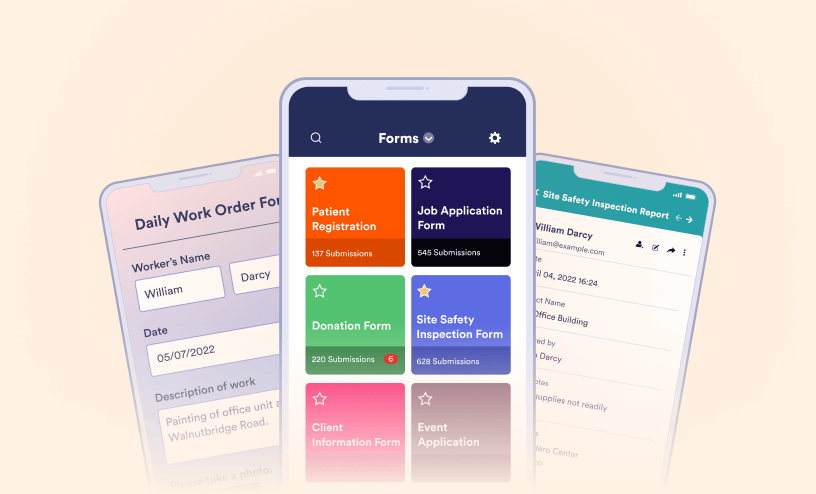
You’ve successfully logged into your Jotform account through the app—great job! Now, you’re ready to explore all the powerful features that Jotform Mobile Forms has to offer. Whether you’re collecting data in the field, managing...
How to Let Users Fill Out Your Forms Using the Jotform Mobile Forms App
With Jotform Mobile App, you can easily collect responses wherever you are. Whether you're gathering feedback, registering attendees, or recording information in the field, you can fill out forms right from your phone or tablet—even without an...