Jotform makes it easy to start a new form from Google Workspace. With the Form Builder app, you can launch a blank form directly from Google Drive or from the Google Apps Launcher, then continue customizing and managing it in your Jotform account. This integration gives you a simple entry point for form creation within your Workspace tools while keeping the full building, publishing, and submission experience in Jotform.


Installing the Form Builder App
Before you can launch the Form Builder from Google Workspace, make sure it’s installed from the Google Workspace Marketplace. Follow these quick steps to get started:
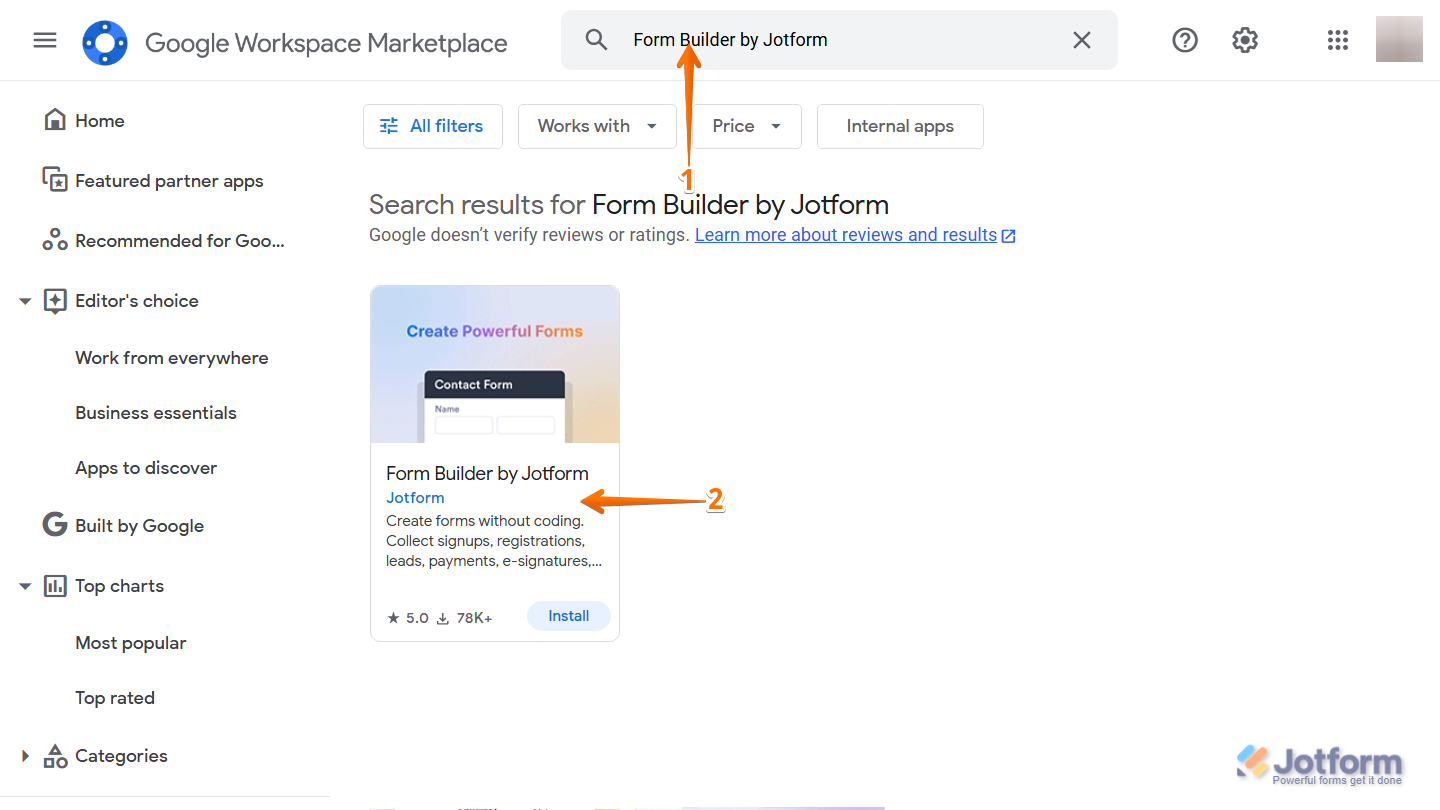
- Go to the Google Workspace Marketplace, then in the search bar at the top, enter Form Builder by Jotform.
- Then, from the search results, click on it.
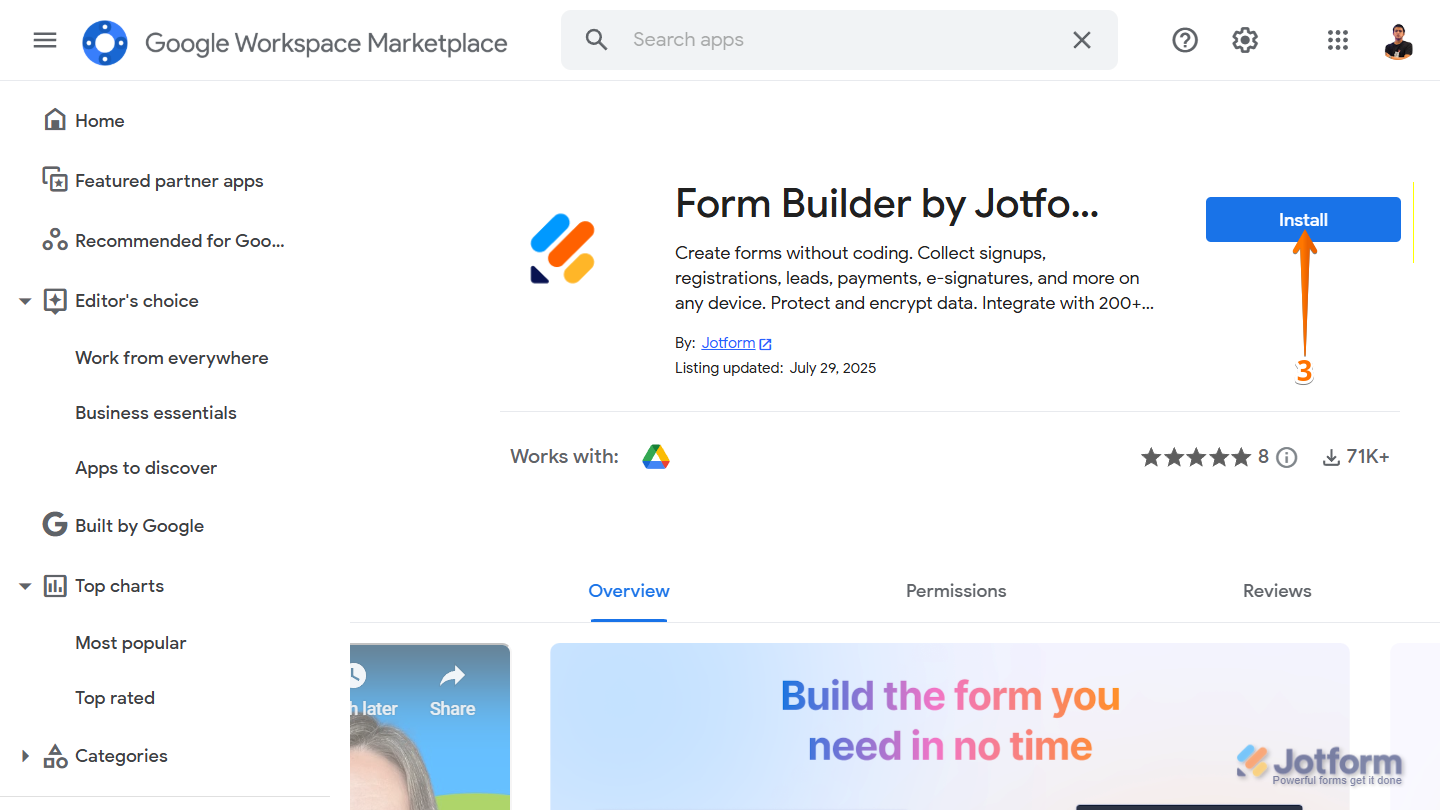
- Next, click on Install.
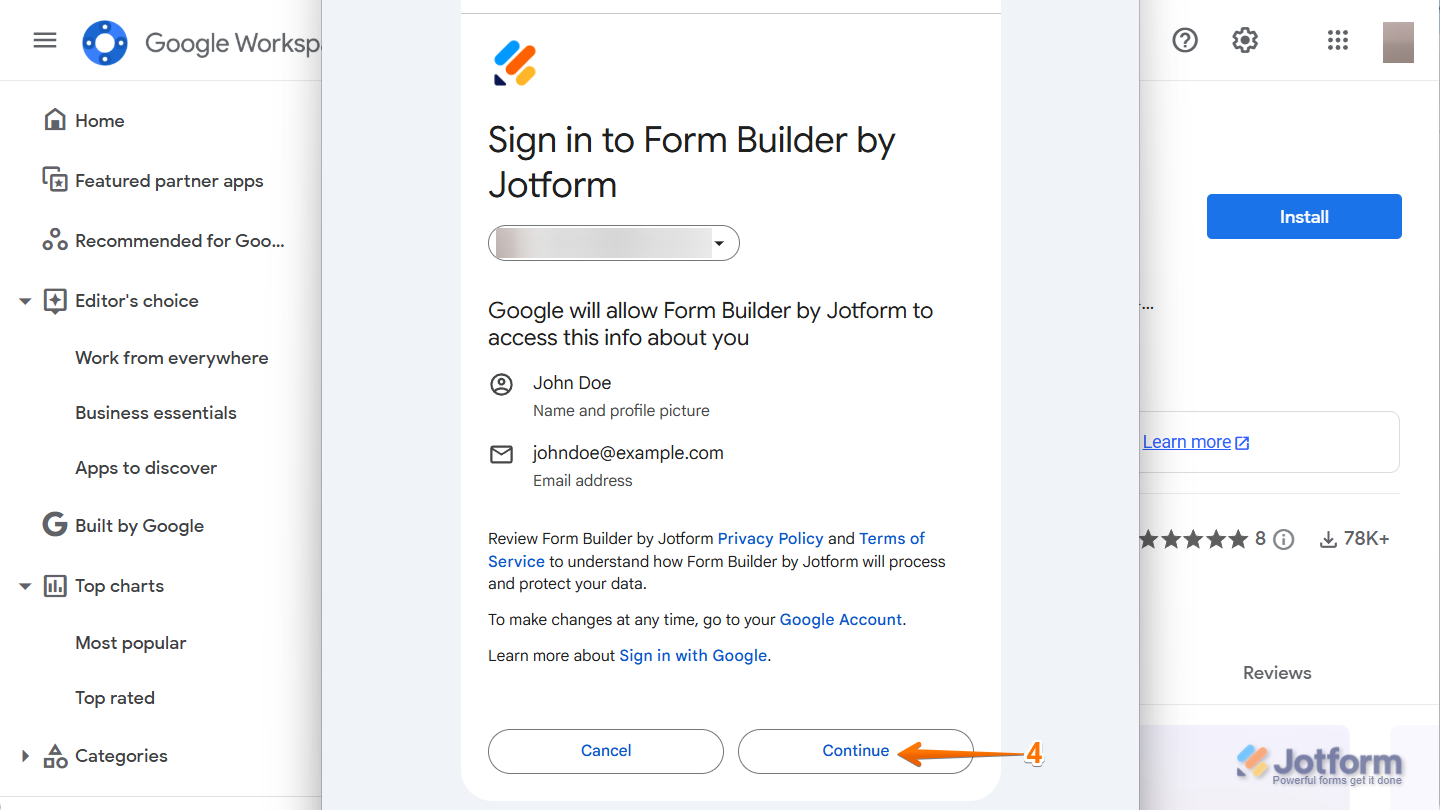
- Then, in the window that comes up, sign in to your Google Workspace account and click on Continue.
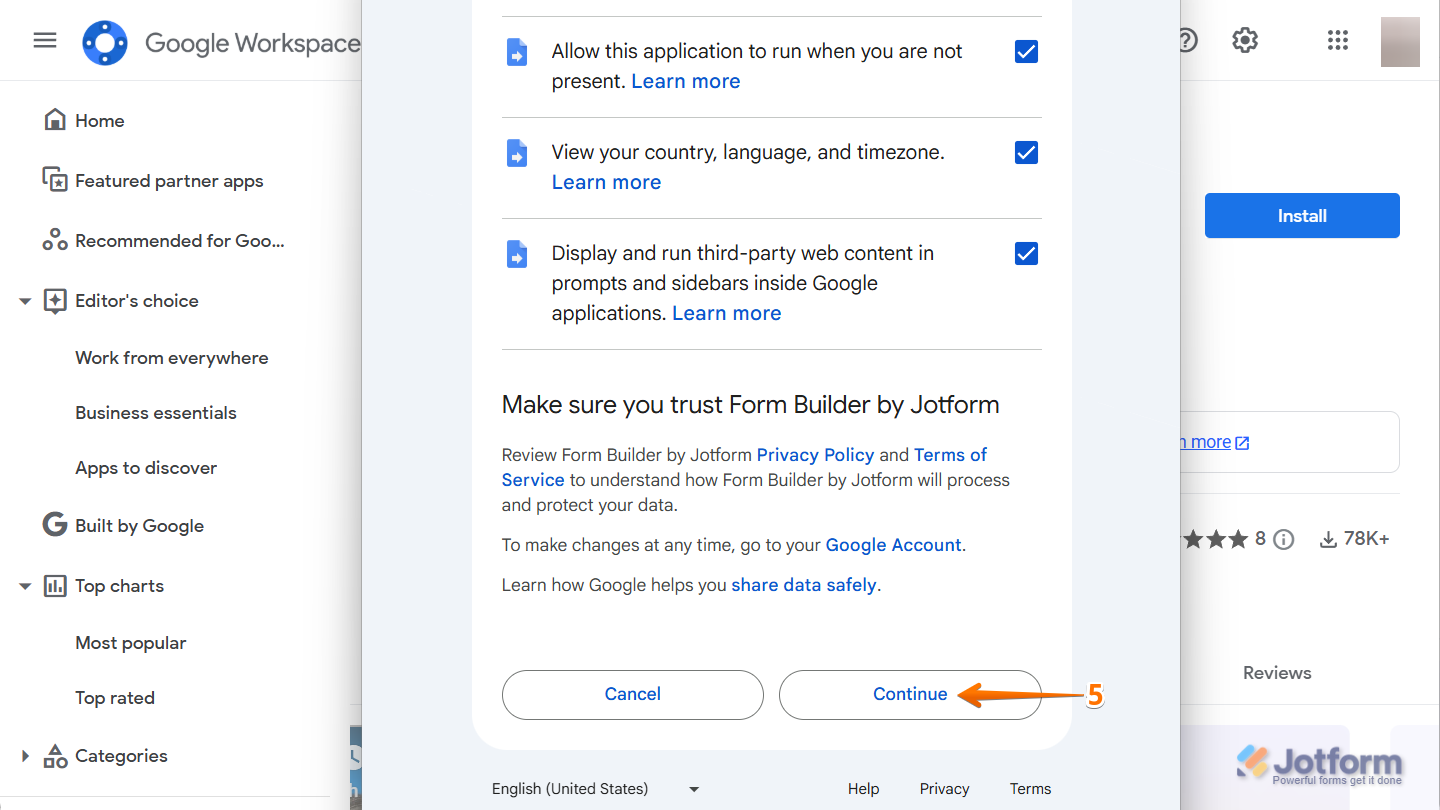
- Now, review the requested app permissions, put a check in the box, and click on Continue at the bottom, and you’re done.
Note
Workspace domain users may need administrator approval before installation.
Launching Form Builder and Connecting Your Jotform Account
Once installed, you can launch Form Builder from Google Workspace and connect your Jotform account to begin creating forms. To get going, here’s what you’ll do:
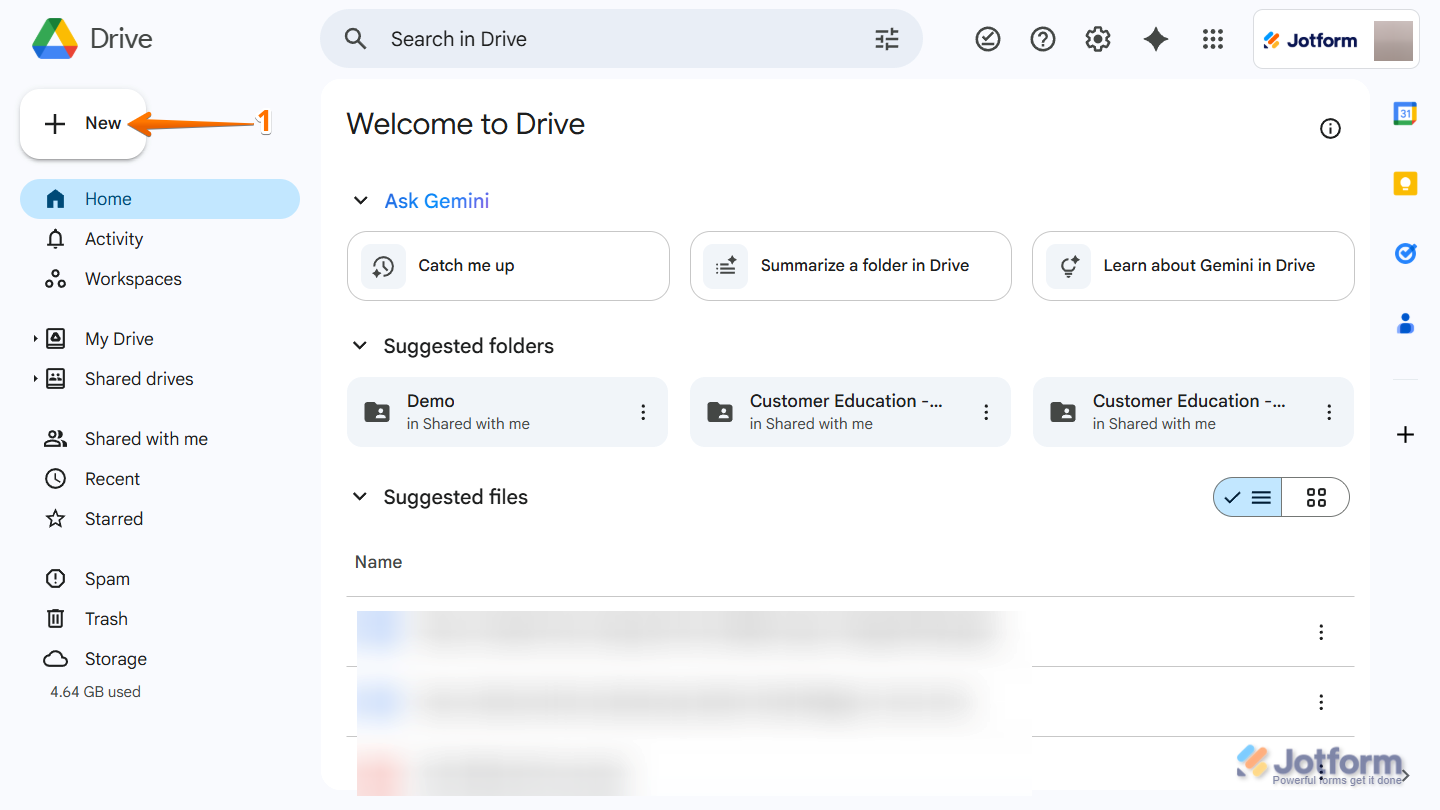
- In your Google Drive, in the top-left corner of the page, click on New.
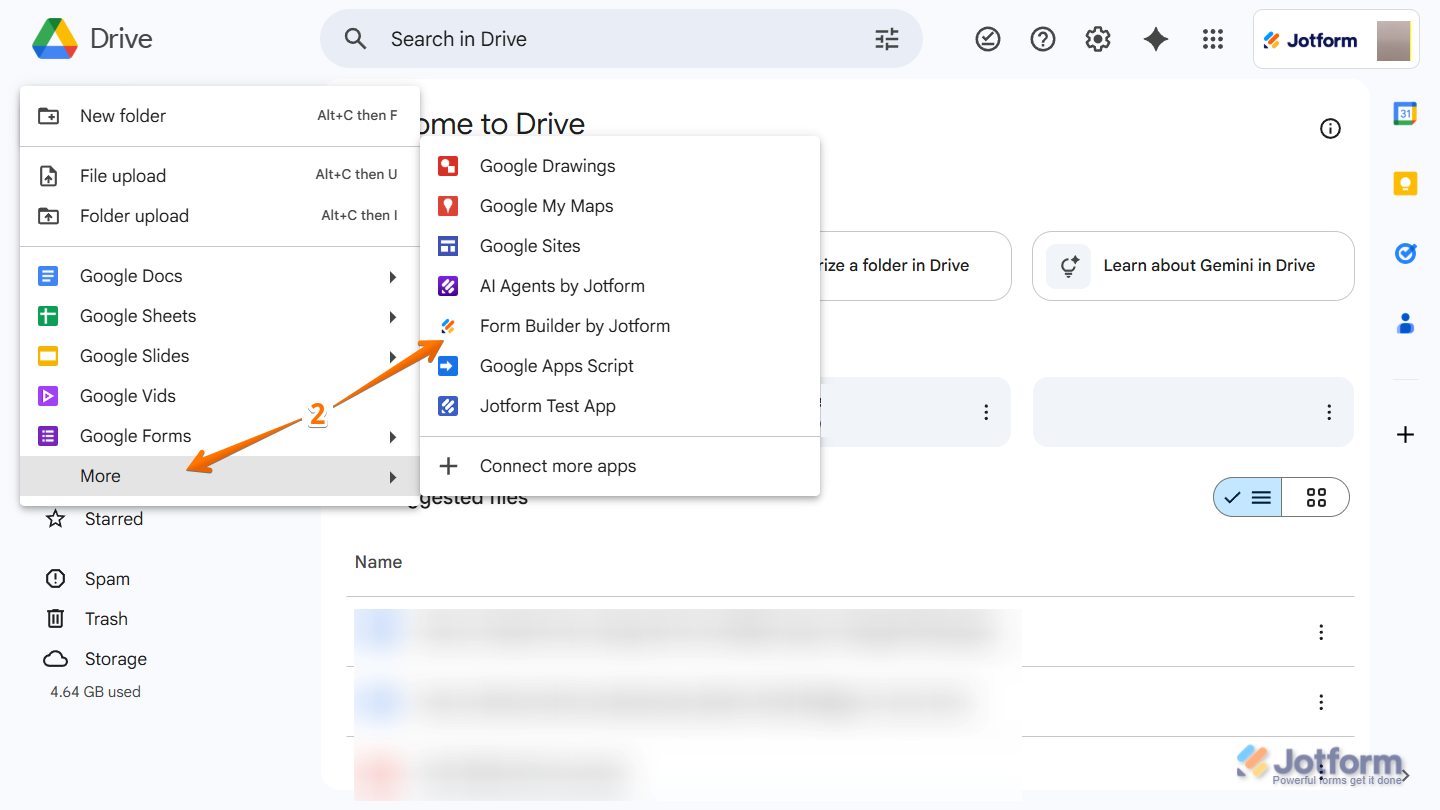
- Then, in the menu that opens, click on More and select Form Builder by Jotform.
And you can also do it this way using the Google Apps Launcher:
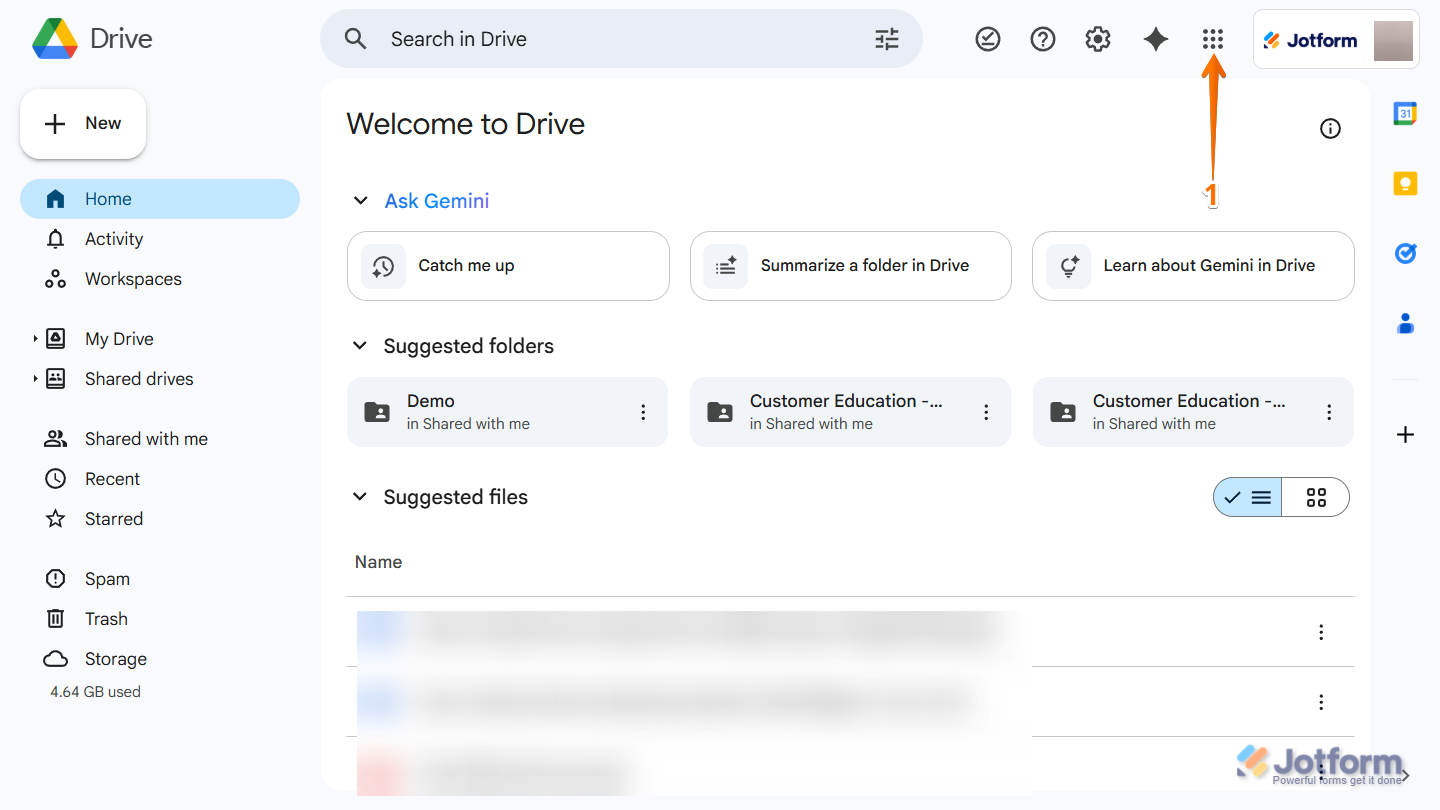
- In any Google Workspace app, in the top-right corner of the page, click on the Nine Dots icon.
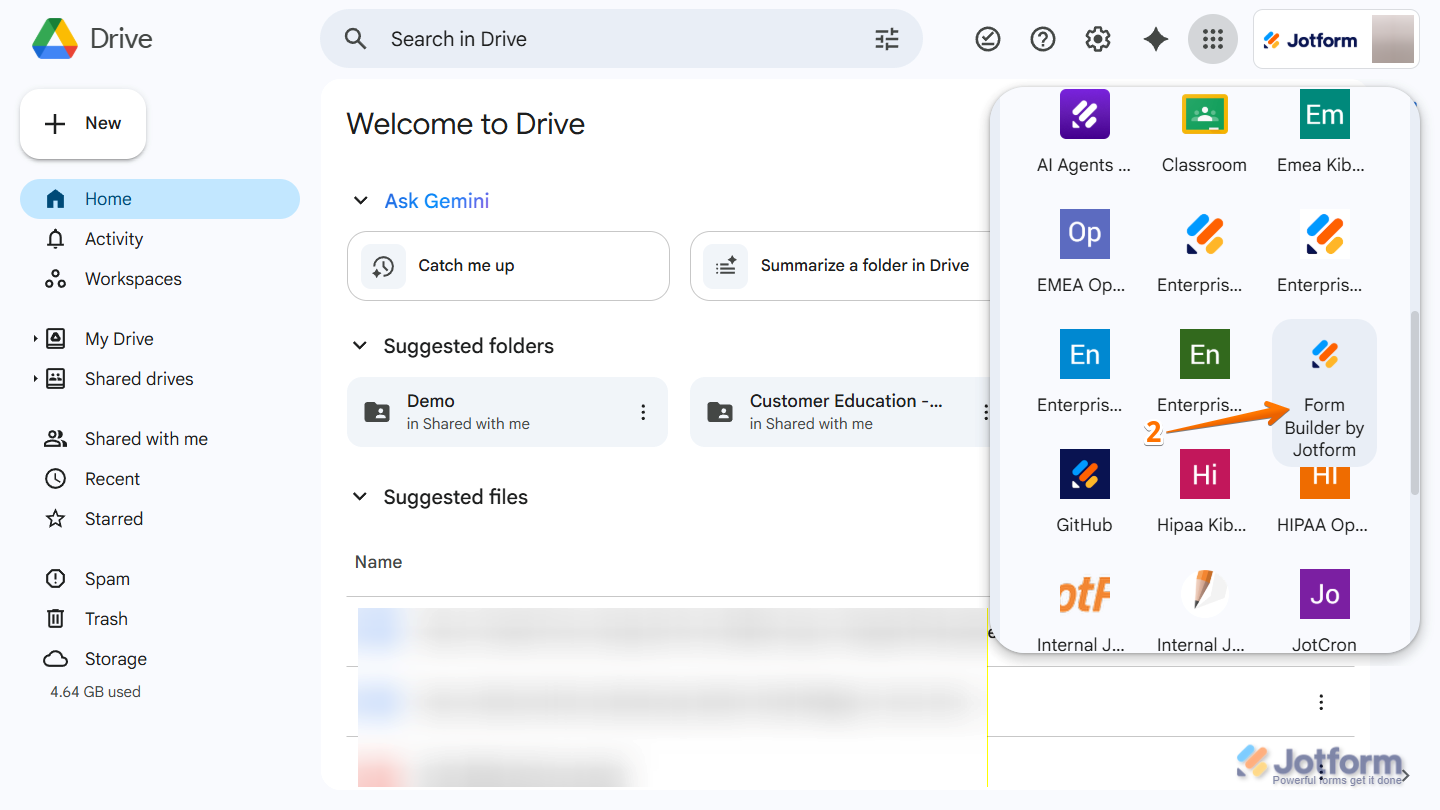
- Then, in the menu that opens, find the Form Builder by Jotform and click on it.
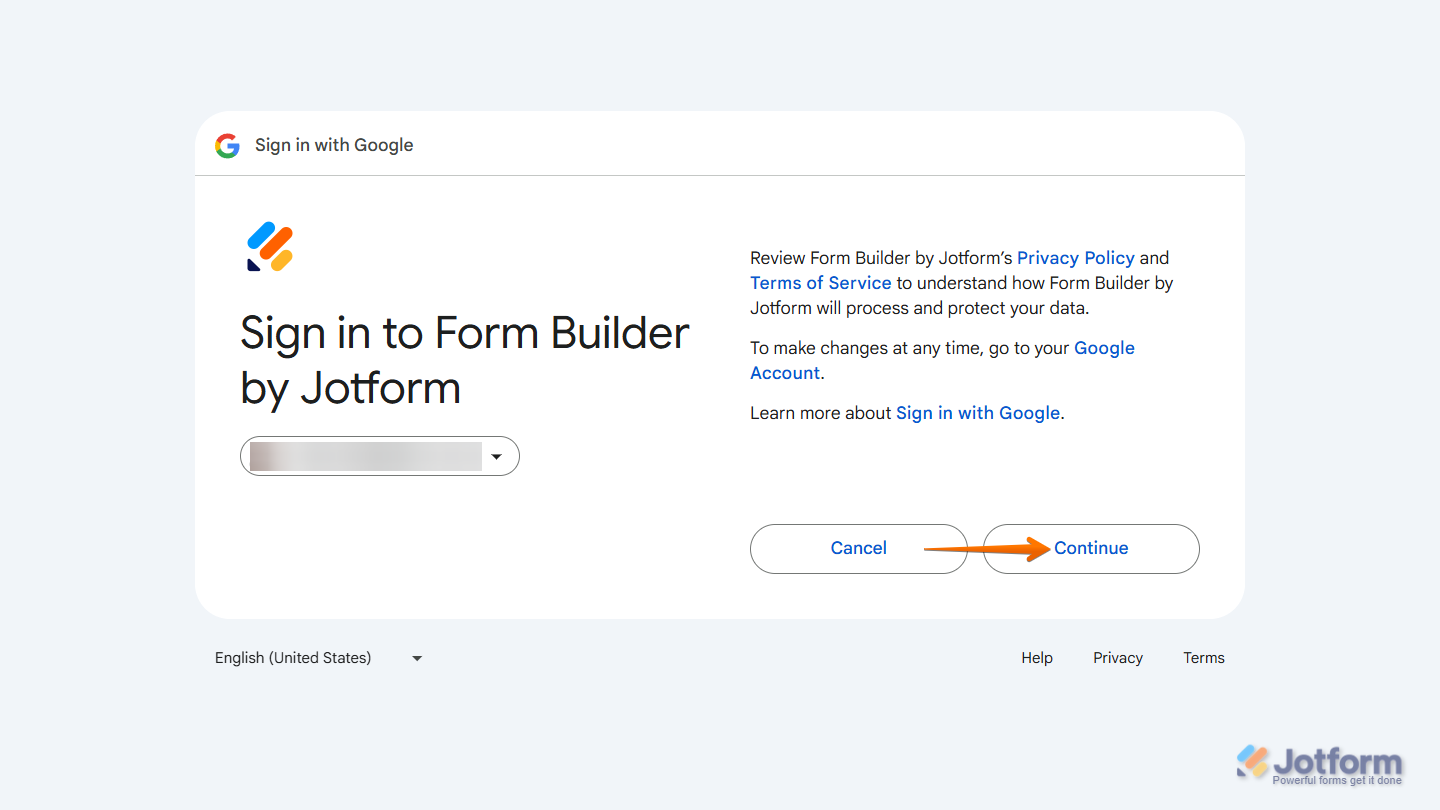
After choosing either option, a new browser tab opens. Sign in to your Jotform account and click on Continue.
Creating a Form
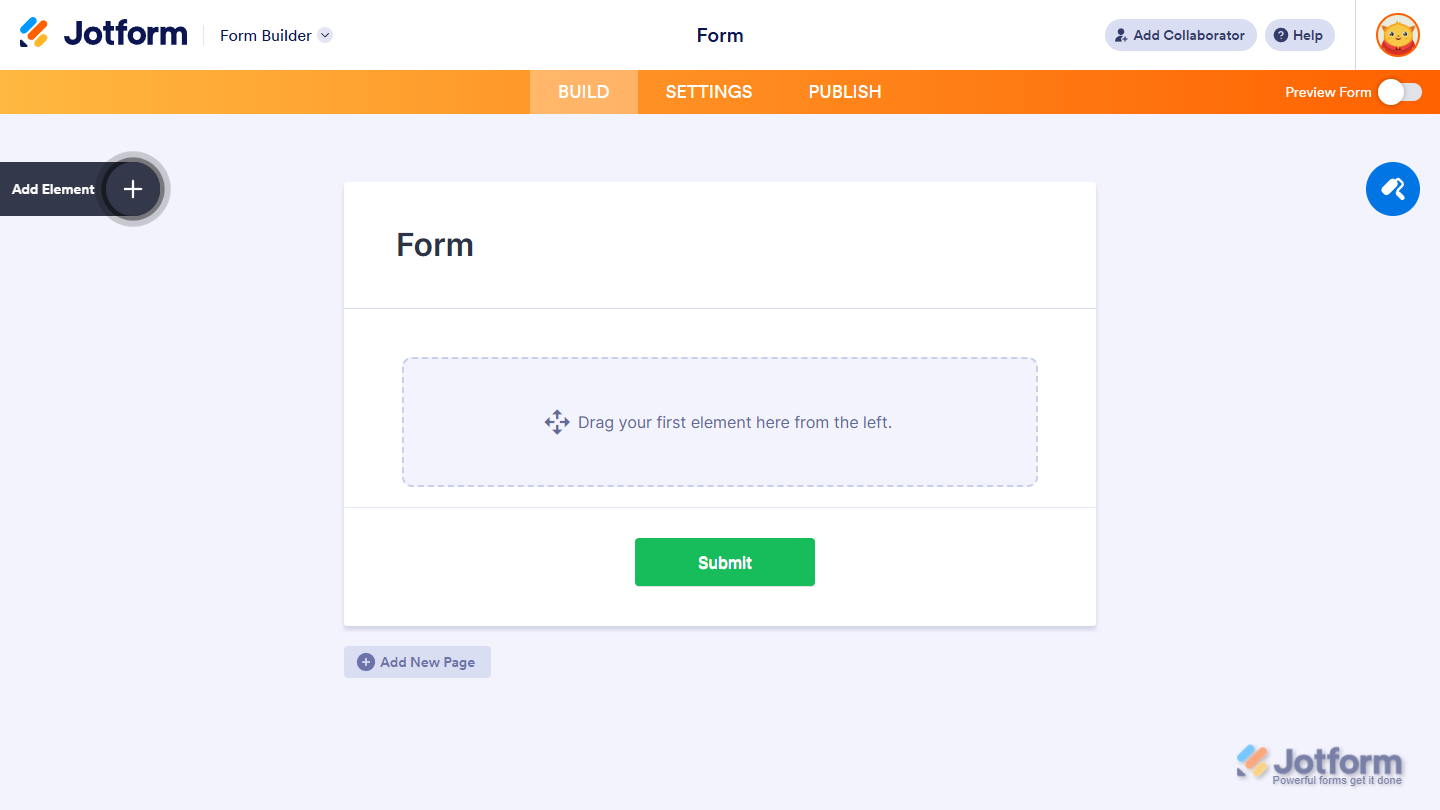
After signing in to your Jotform account, Form Builder opens in the same tab and loads a Blank Form. From here, you’ll complete the form-building process directly in Jotform.
Want a step-by-step walkthrough? Our guide on How to Create Your First Web Form has you covered.
Managing Forms and Submissions
After launching Form Builder in Google Workspace, the rest of the form-building and submission management takes place in Jotform. Here you can edit your form, publish and share it, and view or export submission data. If you’re new to managing forms and submissions in Jotform, take a look at these helpful guides:
- How to Filter and Sort Assets on Workspace
- How to Access Jotform Inbox
- How to Organize Your Inbox With Tabs
- How to Edit Submissions in Jotform Tables
- How to Let Users Update Their Entries
- How to Add a Custom Edit Link to Email Alerts
Publishing and Sharing Forms
Jotform offers multiple ways to publish and share your form, including direct links, email invitations, and embed codes for websites. If you need help publishing or sharing your form, Check out these helpful guides for more details:
- Where to Find Your Form URL
- How to Add Assignees to Your Form
- Which Form Embed Code Should I Use
- How to Share Your Form With Collaborators
- How to Change the Access Settings of a Form
Frequently Asked Questions
If you’re new to the Form Builder app, you may have questions about how it works with Google Workspace and Jotform. Here are some helpful answers:
Does Form Builder by Jotform create Google Forms?
No. Forms created through the Form Builder app are Jotform forms, not Google Forms.
Where are my forms stored?
Forms are stored in your Jotform account and don’t appear in Google Drive.
Can I manage forms or submissions in Google Workspace?
No. Editing, publishing, and submission management take place in Jotform.
Can I open existing forms from Google Drive?
No. The Form Builder app only starts new forms. It does not open or list existing forms.
Why don’t I see my form in Drive?
Drive is only used to launch the form builder. Forms are stored in Jotform.
Do I need a paid Jotform plan?
No. You can create forms with a Starter (Free) Jotform account.
And that’s it. With Form Builder by Jotform in Google Workspace, you can quickly start a new form from Google Drive or the Google Apps Launcher and complete the rest of the form lifecycle in Jotform—including customization, publishing, and submission management.
Pro Tip
Jotform has many other apps designed to make things a lot easier within Google ecosystem. Check our Google Workspace Marketplace directory to learn more about them.

Send Comment: