

Обрасци за веб дизајн
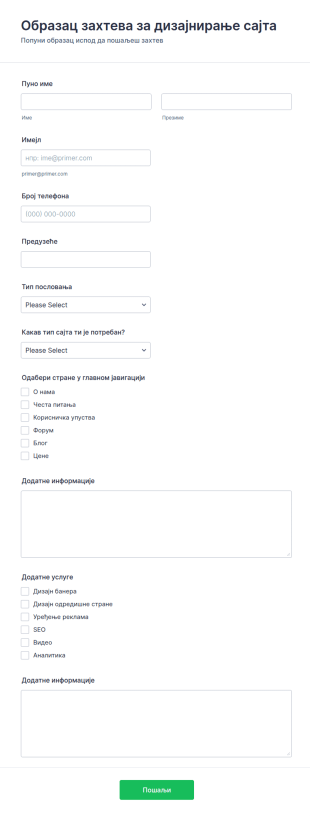
Образац захтева за дизајнирање сајта
Са обрасцем захтева за дизајнирање сајта, можеш прикупљати било које информације да боље разумеш тип пословања клијента и њихова очекивања од сајта. Образац ти дозвољава да сагледаш дизајн у детаље и понудиш додатне услуге као што је SEO, уређивање реклама, аналитику сајта и друго. Са много виџета и алата, креирај свој образац користећи овај као основу.
Иди на категорију:Обрасци за веб дизајн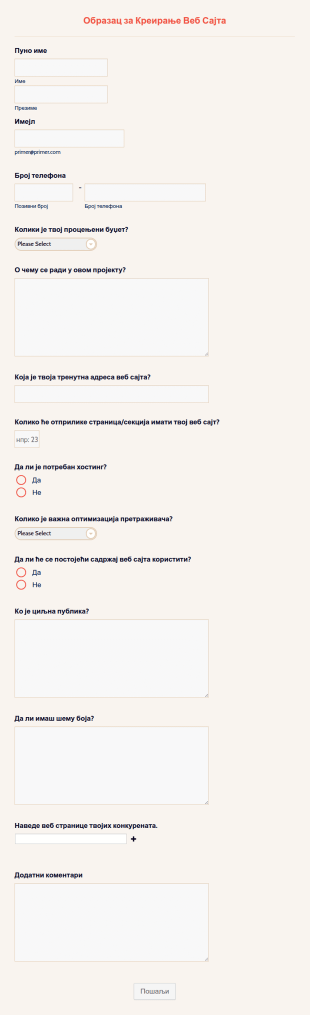
Образац за Креирање Веб Сајта
Образац за Креирање Веб Сајта користе веб дизајнери за прикупљање информација и захтева за дизајн веб сајта од људи који желе да направе веб сајт за своје пословање. Помоћу нашег бесплатног обрасца можеш да прилагодиш и уградиш образац на свој веб сајт да би прикупио контакт податке потенцијалних клијената, захтеве за дизајн, информације о буџету и још много тога. Када сазнаш нешто више о томе шта твоји клијенти желе одмах можеш одговорити детаљним предлогом који ће их сигурно одушевити и охрабрити да користе твоје услуге. Као дизајнер веб сајтова, знамо да желиш да твој образац изгледа добро. Помоћу Jotform Креатора Образаца можеш да додаш лого своје компаније, промениш фонтове и боје, преуредиш изглед или укључиш интеграције за прикупљање уплата или аутоматски пошаљеш пријаве обрасца на друге налоге као што су Trello, Slack, Salesforce, HubSpot и други. Са бесплатним обрасцем који за тебе прикупља наруџбе и захтеве за дизајн веб-сајта, можеш се више усредсредити на израду убедљивих предлога за своје клијенте.
Иди на категорију:Обрасци за веб дизајн
Упитник за Веб Дизајн
Потенцијални клијенти користе Упитник за Веб Дизајн да би захтевали креирање веб странице. Уз бесплатни образац Упитника за Веб Дизајн, можеш прикупити информације које су ти потребне од потенцијалних клијената о њиховој идеалном веб сајту пре него што започнеш процес дизајна! Само додај свој лого, контакт податке и прилагоди образац тако да одговара стилу твоје компаније. Желиш да на најбољи начин искористиш свој Упитник за Веб Дизајн? Додај бренд своје компаније, промени позадину и додај још поља. Можеш га чак користити и на мобилним уређајима за личне састанке са клијентима! Моћи ћеш да прегледаш пријаве на било ком уређају са Jotform-овом бесплатном мобилном апликацијом — а ако желиш да их пошаљеш на своје друге налоге, имамо 100+ интеграција које ће ти помоћи. Услуге професионалног дизајна никада нису биле приступачније уз бесплатни образац упитника за веб дизајн.
Иди на категорију:Обрасци за веб дизајн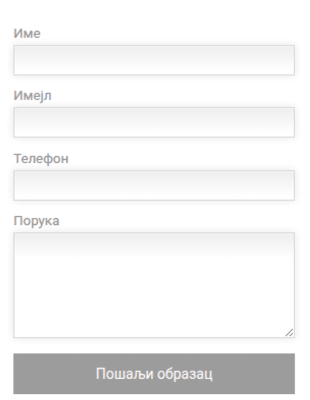
Контакт образац за WordPress сајт
Професионални контакт образац за WordPress и друге платформе. Образац ће се аутоматски прилагодити у зависности од контењера у ком је постављен. Ширина такође зависи и од величине екрана, што га чини погодно и за мобилне уређаје.
Иди на категорију:Обрасци за веб дизајн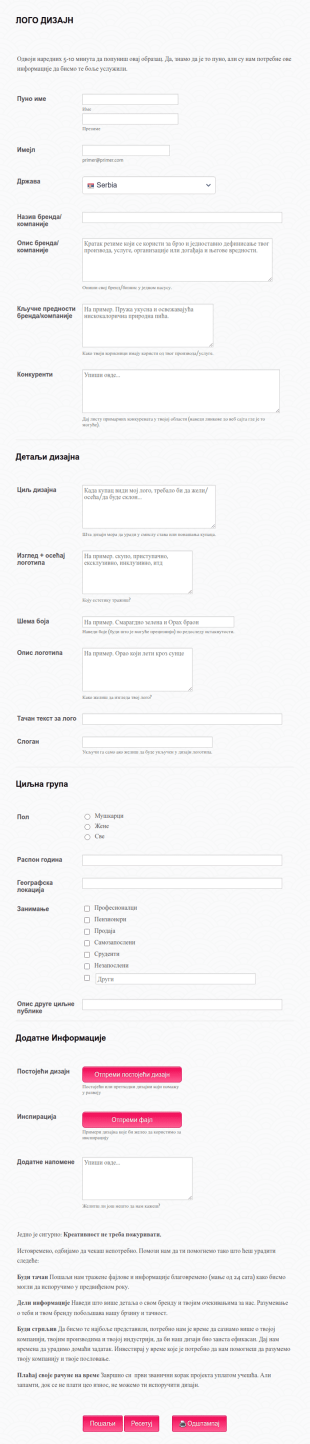
Образац Захтева за Дизајн Логотипа
Да ли желиш да направиш лого? Користи овај Образац Захтева за Дизајн Логотипа како би твоји клијенти описали све детаље логотипа њихове компаније или организације. Лако је дизајнирати ствари када су достављене све потребне информације. Образац прикупља личне податке, информације о компанији, детаље дизајна и циљну публику.
Иди на категорију:Обрасци за веб дизајн
Образац за Наручивање Дизајна Веб Сајта
Да ли си веб дизајнер? Тада си највероватније упознати са обрасцем за наруџбу дизајна. Дизајнери користе Образац за Наручивање Дизајна Веб Сајта да би прикупили детаље о пројекту. Када клијенти наручују изгледе дизајна веб странице, обично имају грубу идеју о свом буџету, процењеном времену и општој теми дизајна.
Иди на категорију:Обрасци за веб дизајн
SEO Упитник за Клијенте
SEO Упитник за Клијенте користе компаније за прикупљање информација од потенцијалних клијената о њиховим потребама веб дизајна. Можеш да користиш овај бесплатни шаблон SEO Упитника за Клијенте да би управљао захтевима за веб дизајн. Само прилагоди поља обрасца тако да одговарају потребама твог предузећа, а затим уградите образац на свој веб сајт, подели линк или га додај на таблет или рачунар своје компаније. Можеш чак да подесиш образац за слање накнадних имјелова својим контактима са захтевом за веб дизајн — што је од помоћи да добијеш информације које су ти потребне за доношење одлука. Желиш да направиш сопствени образац? Додај лого, промени поља обрасца и боје да одговарају твом бренду и додај слику у позадину. Jotform-ова бесплатна апликација нема ограничења! Затим, да би био сигуран да ћеш искористити све што Jotform може да понуди, погледај наших 100+ интеграција да би синхронизовао одговоре са својим другим налозима. Такође, можеш да пратити своје пријаве у покрету користећи Jotform Мобилну Апликацију. Региструј се и почни да прикупљаш захтеве!
Иди на категорију:Обрасци за веб дизајн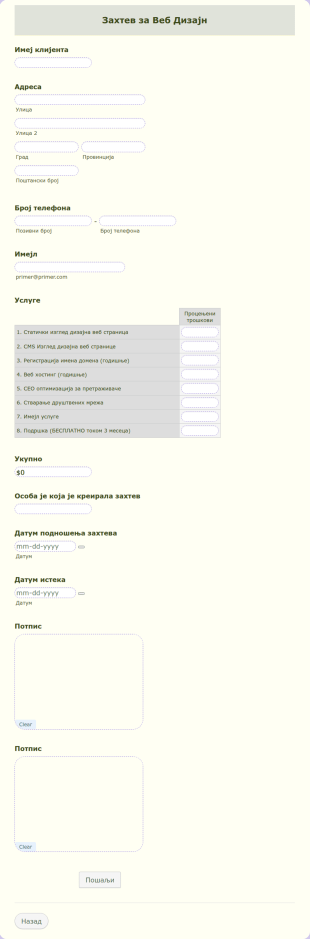
Захтев за Веб Дизајн
Креирај свој образац Захтева за Веб Дизајн сада користећи Jotform-ов шаблон Захтева за Веб Дизајн. Овај шаблон Захтева за Веб Дизајн је само примерак, али можеш га уредити и променити неке информације помоћу алата за уређивање. PDF образац садржи основне информације потребне за израду Захтева за Веб Дизајн. Само прилагоди, додај или уклони поља према својим потребама.
Иди на категорију:Обрасци за веб дизајн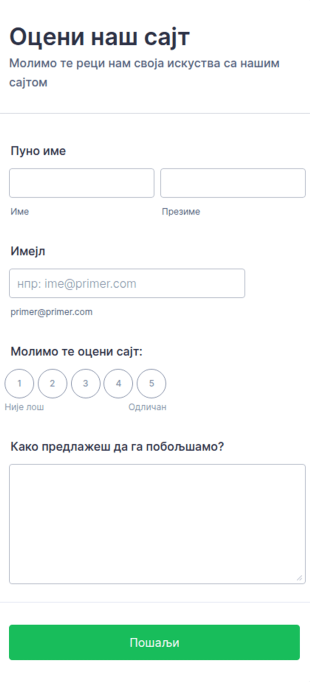
Образац за оцену сајта
Сазнај мишљење корисника о твом сајту користећи овај образац за оцену сајта. Можеш да организујеш прикупљене податке у Jotform извештаје да у реалном времену видиш преглед свих упримљених података.
Иди на категорију:Обрасци за веб дизајнAbout Обрасци за веб дизајн
Web Design Forms are specialized digital forms tailored for the intricate needs of web design projects. These forms facilitate a seamless flow of information between clients and designers, ensuring that all project requirements are captured accurately and efficiently. Whether it's gathering initial project specifications or managing ongoing feedback during the design process, Web Design Forms play a critical role in streamlining communication and documentation. By utilizing these forms, web designers and agencies can ensure that every detail is accounted for, thus enhancing project outcomes and client satisfaction.
Jotform stands out as the premier online form builder for creating and managing Web Design Forms, offering unparalleled ease of customization and robust functionality. Its intuitive drag-and-drop interface allows users to tailor forms to specific project requirements effortlessly, while automated data collection features streamline the process of gathering and storing information. Moreover, centralized data management through Jotform Tables provides a secure and organized platform for storing and accessing form data, ensuring that all project-related information is easily retrievable and manageable. This makes Jotform an indispensable asset for web design professionals seeking to optimize their workflow and enhance client interactions.
Why Use Web Design Forms?
- Web Design Forms ensure that critical project details are captured with precision, reducing the risk of misunderstandings and errors. By using structured online forms, designers can systematically gather client requirements, preferences, and feedback, leading to more accurate project execution.
- The speed of information collection and processing is greatly enhanced with Web Design Forms. Instead of relying on back-and-forth emails or phone calls, clients can quickly fill out forms at their convenience, providing designers with timely and relevant data to move the project forward efficiently.
- Professional data handling is a cornerstone of Web Design Forms, as the digital format minimizes the risk of lost or misplaced information. With centralized digital storage, all form submissions are automatically organized, making it easy to track and reference project details at any stage.
- Customization capabilities allow designers to tailor forms to the specific needs of each project, ensuring that all unique requirements are addressed. This adaptability helps in accommodating diverse project scopes, from simple website updates to complex redesigns, without losing consistency or quality.
- Automation features in Jotform's Web Design Forms reduce manual administrative tasks, freeing up more time for designers to focus on creative work. This leads to increased productivity and a more streamlined workflow, ultimately benefiting both the design team and the client.
Common Problems Solved by Web Design Forms
- Many web design projects suffer from communication breakdowns due to incomplete or unclear information. Web Design Forms help mitigate this issue by providing a structured format for clients to convey their needs clearly and comprehensively, reducing the likelihood of miscommunication.
- Paperwork and manual data entry can be time-consuming and prone to errors. By switching to digital forms, web design teams can eliminate the inefficiencies associated with traditional paperwork, ensuring that all data is captured accurately and stored electronically for easy access.
- Lost or misplaced project details can derail timelines and affect project outcomes. With Web Design Forms, all data is securely stored online, reducing the risk of information loss and enabling designers to maintain continuity throughout the project lifecycle.
- Managing multiple client projects simultaneously can lead to organizational challenges. Web Design Forms provide a centralized platform for tracking submissions and organizing data, making it easier for designers to juggle multiple projects without losing track of individual project requirements.
- The manual approval process can delay project progress. With Jotform's Approval Workflows feature, Web Design Forms can streamline the approval process, allowing for faster decision-making and project advancement.
Matching Use Cases to Features
- For capturing detailed project specifications, the Drag-and-Drop Form Builder allows designers to create forms that include all necessary fields, ensuring comprehensive data collection in a user-friendly manner.
- Conditional Logic can be used to tailor the form experience for clients, showing or hiding fields based on previous responses. This feature ensures that clients only fill out relevant sections, making the form submission process more efficient and personalized.
- To facilitate payments for design services, Web Design Forms can integrate with over 30 Payment Gateways, including Stripe and PayPal. This allows clients to make secure payments directly through the form, streamlining the billing process.
- Electronic Signatures (Jotform Sign) enable designers to obtain client approvals on proposals or design drafts directly within the form, ensuring that all authorizations are documented and legally binding.
- The PDF Editor feature allows for the automated generation of professional PDF documents from form submissions, providing a polished and easily shareable record of all client interactions and project agreements.
- Integration with third-party services like Google Sheets and Salesforce enables seamless data transfer and management, allowing design teams to maintain updated and synchronized project records.
- Secure Data Management with Jotform Tables ensures that all collected data is stored securely, protecting client information and maintaining compliance with data protection regulations.
How to Create a Web Design Form
- Begin by browsing the Template List for a Web Designs template that suits your needs or start from a blank form to build a custom solution.
- Use the Drag-and-Drop Form Builder to customize the design and fields, ensuring that all specific project requirements are addressed and the form is intuitive for clients to complete.
- Once your form is finalized, publish and share it via Direct Link, Email, or Website Embed to ensure easy access for clients and stakeholders.
Top Use Cases for Web Design Forms
- For Managers: Web Design Forms provide managers with a comprehensive tool to oversee all ongoing projects, ensuring that each project is on track and that all client requirements are being addressed. The ability to access real-time data and analytics enables managers to make informed decisions quickly, optimizing resource allocation and improving overall project management efficiency.
- For Teams: Design teams benefit from Web Design Forms by having a centralized platform to collaborate and communicate effectively. With all project details and client inputs readily available, team members can coordinate their efforts, ensuring consistency and alignment with project goals. This collaborative approach leads to higher quality outcomes and a more cohesive team dynamic.
- For Customers: Clients using Web Design Forms experience a seamless and professional interaction with their design partners. The structured format of the forms ensures that clients can convey their needs clearly and efficiently, while the automated processes reduce waiting times and enhance overall satisfaction. This level of service fosters trust and strengthens client relationships.
Summarizing Web Design Forms
Web Design Forms are an essential component for any web design project, offering a structured and efficient way to manage client interactions and project requirements. By leveraging Jotform’s advanced features, designers can streamline their workflows, reduce errors, and enhance communication, ultimately delivering superior results. The ability to customize forms to specific project needs, coupled with secure data management, makes Jotform an invaluable partner in the web design industry.
Често Постављана Питања
1) Is it free to create Web Design Forms on Jotform?
Да, Jotform нуди бесплатан план који корисницима омогућава да креирају и прилагођавају обрасце за веб дизајн, иако постоје ограничења у броју образаца и пријава.
2) Да ли су обрасци и послати подаци безбедни?
Absolutely, Jotform prioritizes data security with measures such as SSL encryption, compliance with GDPR, and secure data storage practices to protect client information.
3) Do I need coding knowledge to build a Web Design Form?
No, Jotform’s Drag-and-Drop Form Builder is designed for ease of use, allowing users to create fully functional forms without any coding expertise.
4) Да ли могу директно да прикупљам уплате путем својих образаца?
Yes, Web Design Forms can integrate with over 30 payment gateways, enabling secure and convenient payment collection directly through the forms.
5) Да ли се ови обрасци могу користити на мобилним уређајима?
Indeed, Jotform’s forms are mobile-responsive, ensuring that clients can complete and submit forms from any device, enhancing accessibility and convenience.
6) Да ли могу да претворим пријаве из образаца у професионалне PDF документе?
Yes, with Jotform’s PDF Editor, you can automatically generate polished PDF documents from form submissions, perfect for record-keeping or sharing with clients.
7) Како обрасци за веб дизајн могу да побољшају комуникацију са клијентима?
Using structured forms ensures all client feedback and requirements are clearly documented, reducing miscommunication and improving project outcomes.
8) Да ли обрасци за веб дизајн могу да се интегришу са алатима за управљање пројектима?
Да, Jotform нуди интеграције са различитим услугама трећих страна, укључујући алате за управљање пројектима као што су Asana и Trello, како би се поједноставили ток рада и синхронизација података.