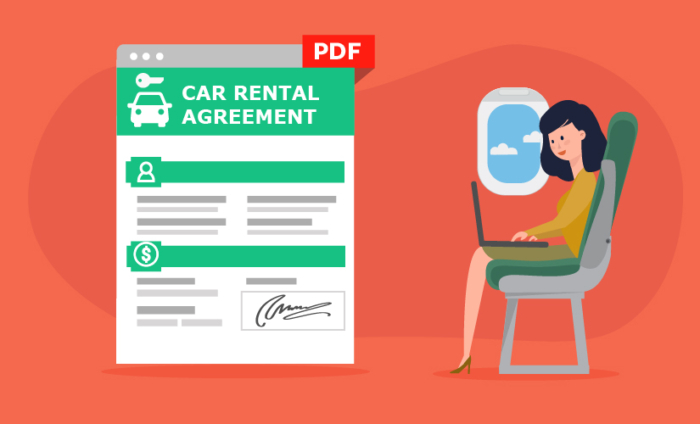

Jotform has long been a leading online form provider. The Jotform interface has hosted well over six million forms since our 2006 launch. Users embed them on their websites, Facebook pages, or just email them out. Sometimes they print them and take them to events for people to fill out with pen and paper. Other than that, Jotform hasn’t catered to users needing forms when internet connections are unavailable. Up until now.
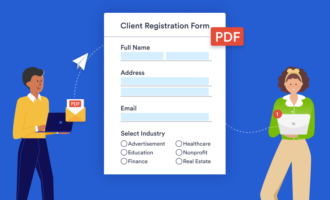
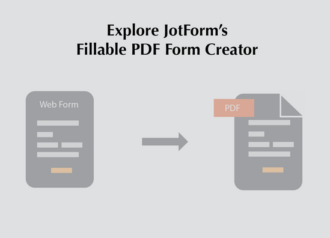
You can now export your forms to fillable PDFs, giving way to an entirely new workflow for Jotform users. Form recipients can fill out the PDFs wherever they are, or save them for later. When they’re done they can submit them through the PDF which sends the results back to JotForm. All data is stored online, and it triggers notifications, as expected.
This new feature is particularly attractive to new users from Adobe FormsCentral. Adobe recently announced they were discontinuing their service, sending all their users to find an alternate form building tool. Jotform’s been instrumental in assisting Adobe users by providing import tools that transfer all their forms and data seamlessly. Jotform has already imported more than 30,000 forms and 1,000,000 data fields from soon-to-be-displaced users. Jotform is now giving them the full functionality they’re leaving behind plus additional features.
To get started with the Fillable PDF Form Creator just create your form as you normally would. From the Fillable PDF Form Creator page select your form and then select the “Create Fillable PDF” button. Save the PDF locally, and then email it out to your users. They can fill them out online, or offline. They only need to be connected to the internet when they submit them.
NOTE: In order to submit the PDF form, we recommend to fill it out using Adobe Acrobat Reader or Foxit PDF reader.
It works perfectly with the online workflow, so you can continue to keep your forms embedded on your websites, or email the permanent link for the form if they don’t need a PDF. The form results will all appear on the submissions page.

Building the Fillable PDF Form Creator is our response to customer feedback. If you have a new feature in mind that you’d like to see Jotform implement, shoot Jotform a note! Have you created a fillable PDF with our new tool? Tell us about it in the comments below. If you have questions, feel free to contact our ever friendly and always available support team.
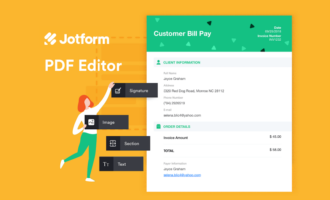
Learn more about how you can edit your PDFs in Jotform’s PDF Editor page.























Send Comment:
37 Comments:
October 17, 2018
I have read your overview with interest. However, I am unclear of how it would adapt to our system. I am interested in my patients being able to fill out (for example) an updated health history, which would reside on my website and which the patient could fill out on their personal computer, submit and have it absorbed into our management software.
Is this application possible with your system.
Dr. Stephen Brown
April 8, 2016
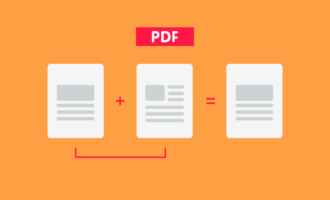
Excellent article ! Just to add my thoughts , if you needs to merge some PDF files , my kids found a service here
March 26, 2015
While using the pdf each time i want to submit, i get the mistake error: An error Occured during the submit process. Unknown Failure.
Would you be able to help?
March 24, 2015
Is there any way of making this PDF password protected atall?
March 24, 2015
this is not working at all for my pdf, it changes proportions on my header image, has duplicate information without the ability to fill out the field, overlaps text and fillable fields. The file is a complete mess...
March 23, 2015
How can I import my pdf form into Jotform?
March 22, 2015
How well would this work with getting clients to sign an agreement?
March 20, 2015
What is the PDF file to big to attach to an email?
March 19, 2015
When I submit after I have downloaded the form in Adobe, I click on the SUBMIT button and nothing happens. however when I open it via system source I can submit it? Please advise, as it seems like a long process to explain to people to that they have to open it with system source other than just it automatically opening using a preferred application like Adobe.
March 19, 2015
Okay.. I have actually found the answer to my first question about the signatures.
I wanna know why the PDF form does allow users to submit them once emailed. I have tested the PDF's on my computer and it worked just fine (I was able to submit) however, once I emailed the same PDF, it would not allow users to submit. Please enlighten us. Thank you!!!
March 19, 2015
Hi! How can we make them put their signature on the PDF form?
March 19, 2015
I've tried to use this a few times. I generate a fillable PDF easily (YES), but when I try fill it out, I can put something on one line, and then my computer freezes. Ugh. Is anyone else experiencing this?
March 19, 2015
Nice feature, but there's still a long way. I've used Jotform for a booking parking system, therefore iI've got multiple calculated fields that unfortunately are not working in current version of pdf generator. I any case it's a good features ;).
Regards
March 19, 2015
good
March 18, 2015
Got excited there for a bit. I thought we can import already made PDF forms and make it fillable PDF. :(just how we can do it Ecosign. :( it's would have been a very exciting new feature.
March 18, 2015
Seems to be working but not perfect. There are missing text fields, and buttons. Also the layout of the form got messed up.
March 18, 2015
I recommend adding an instruction to the PDFs that they must be filled out using Adobe Acrobat Reader. The form will not submit if you try to fill it out in a web browser.
March 17, 2015
We use Jotform for order forms with payment built in (using Stripe). Neither the order form part with payment or the credit card part of the form seem to be transferring to the pdf version.
Is this something which might come later?
Thank you for Jotform and all the new features you are providing.
March 17, 2015
Need help setting up new system. When will old system end? I do not need to change the present form on my web site.
Please reply to Maureen@centralconnectors.com or phone at 732 972 3456Thanx for your support
March 17, 2015
It doesnt seem to be working for my forms.
March 17, 2015
@jukigo
Submit problem occurred because you had custom page. We fixed the issue today, your forms should submit now.
March 17, 2015
@1thomh1: Sounds like this would be perfect for that use case:
1. Create a PDF form2. Give it to the person who has no internet (with a USB stick?)
3. The person fills the form and saves it. No internet is needed for saving the filled PDF file.
4. Make a copy of the PDF file and save it if more needed.
5. The person gives you the filled PDF files
6. You either save the filled PDF files, or if you need them on jotform, click on the submit button when you are online.
March 17, 2015
I like it, I assume this is you guys taking over the Adobe forms? If it still needs to connect to the internet to submit, It's not very viable. It would be much handier if it was a full work offline alternative. I.e. Either the ability to send the file in some type to user with lack of internet, they complete it and somehow get it back to you and you upload it. Or, If you were able to make multiple submissions to the form, then upload it yourself at a later date. This would mean the ability to take a tablet to an exhibition, or out and about, have clients fill out the form on them, then upload the responses in mass when back in the office.
March 17, 2015
Great feature. My forms need to be signed but can't get this part to work. Is this not available yet?
March 16, 2015
It seems a lot of the formatting is gone. I have spent the last 3 months working on something similar to this - was very excited to see this release! Unfortunately, I can't use it until it's a little more advanced. Would love to add photos etc into this somehow and be fully offline!