

Top Laserfiche alternatives
Laserfiche is a business process management (BPM) and document management platform used to automate workflows, manage records, and digitize paper-based processes. When it comes to business process management (BPM) software, there’s a lot to like with Laserfiche. You can streamline workflows and create reports to measure success and employee workloads with Laserfiche. You can also convert your paper files into digital formats to create a centralized system for storage and analysis.
But there are some limitations to the software, which is why business professionals often find themselves seeking Laserfiche alternatives. Common reasons include cost, complexity, or the need for more flexible automation tools. It’s worth exploring what else is out there to find a tool that best fits your business and its needs.
| Tool | Best for | Key features |
|---|---|---|
 Jotform Enterprise |
Scalable, no-code platform with hundreds of integrations and enterprise security |
|
 Xerox DocuShare |
Teams focused on document automation and internal process efficiency |
|
 Box |
Businesses that prioritize secure file sharing and collaboration |
|
 DocuWare |
Companies that need document archiving, invoice processing, and records management |
|
 Docusign CLM |
Contract-heavy organizations managing agreements at scale |
|
 BP Logix |
Highly regulated industries and higher education institutions |
|
 M-Files |
Organizations that want metadata-driven document management |
|
 Hyland |
Enterprises managing complex workflows and case management |
|
 AODocs |
Regulated businesses needing compliance without limiting collaboration |
|
Hyland Nuxeo |
Organizations needing a modern, scalable content platform with strong AI |
|
 Zoho WorkDrive |
Small to mid-sized teams managing documents across multiple platforms |
|
1. Jotform Enterprise
Best for: Organizations that need flexible workflow automation, secure data collection, and no-code app building.
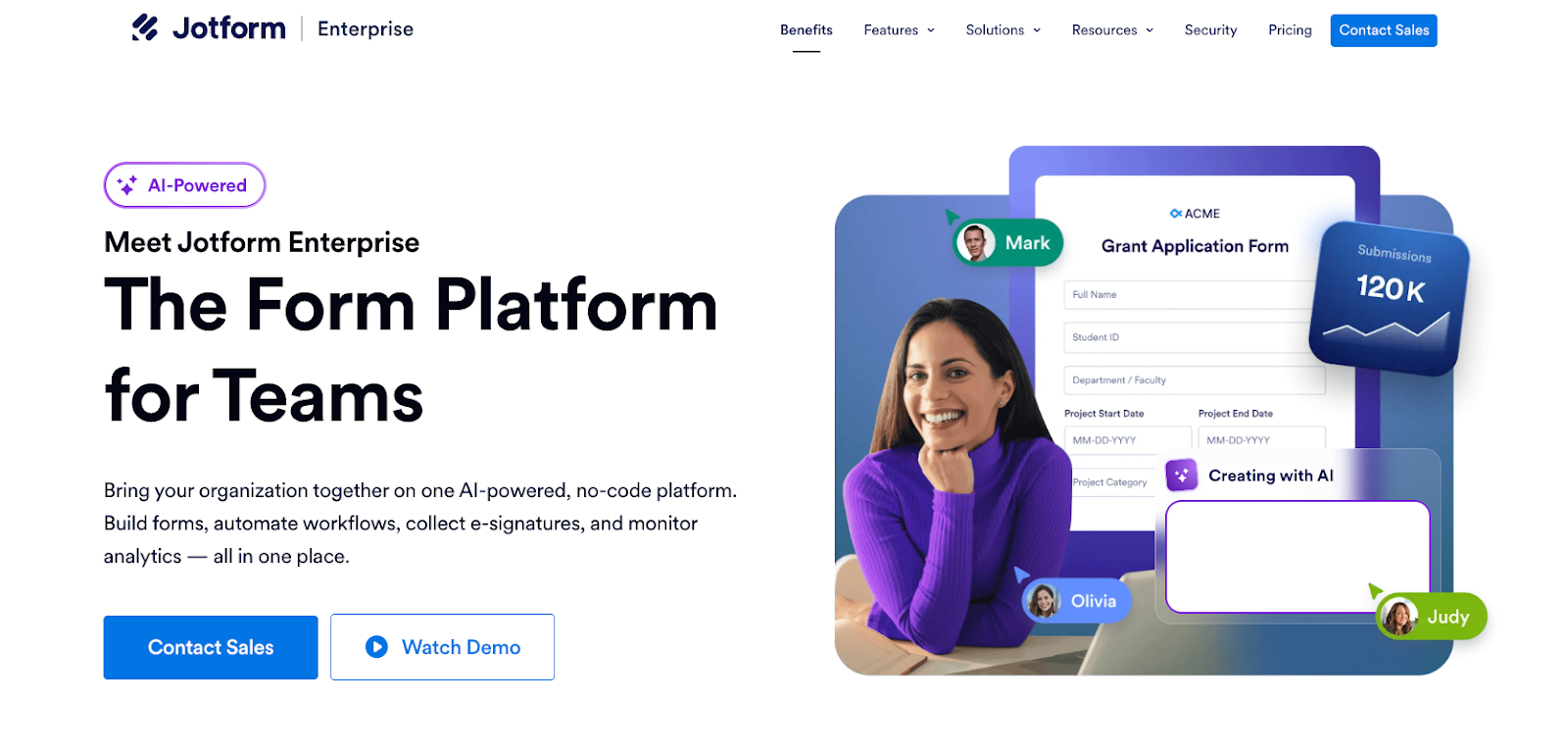
Jotform Enterprise should be top of mind when you’re considering Laserfiche alternatives in 2026. It combines workflow automation, secure data collection, and custom app building at scale. With more than 100 integrations and apps, Jotform Enterprise allows teams to design forms, automate approval workflows, and collect data without writing a single line of code. Organizations ranging from healthcare practices to colleges and universities rely on Jotform Enterprise for its enterprise-grade security and ease of use.
Pros:
- Intuitive drag-and-drop form and app builder with no coding required
- 150+ integrations with popular tools like Salesforce, Google Workspace, and Slack
- Strong security features including HIPAA, GDPR, and SOC 2 compliance
- No limits on the number of forms you can create
Cons:
- Advanced features and higher submission limits are locked behind Enterprise pricing
- Primarily form-centric, so complex document management workflows may require additional tools
How to use Jotform Enterprise: Start by building custom forms or importing existing ones from other platforms — Jotform makes this migration seamless. From there, you can set up automated approval workflows, assign tasks to team members, and collect submissions through a branded, secure portal. Jotform’s app builder lets you go a step further by packaging your forms and data into fully functional internal apps, giving your team a centralized hub for data collection and process management.
For larger organizations, Jotform Enterprise supports dedicated workspaces for different departments, making it easy to manage access permissions and keep data organized. You can connect it to your existing tech stack through native integrations or Zapier, and reports can be generated automatically from submission data for real-time visibility into your workflows.
Pricing: Custom pricing based on organizational needs. Contact Jotform for an Enterprise quote.
2. Xerox DocuShare
Best for: Teams focused on document automation and internal process efficiency.
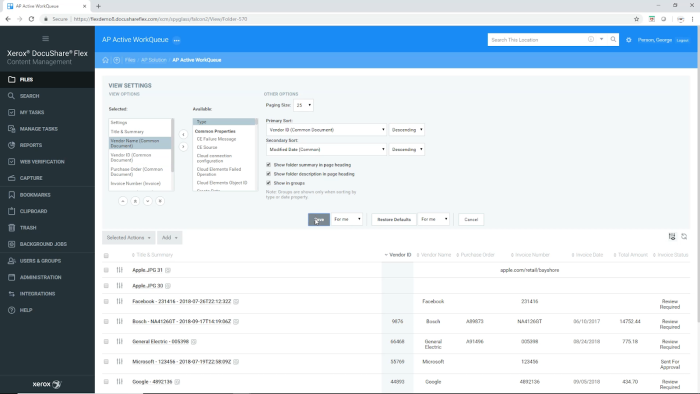
Xerox DocuShare is a document automation platform designed to simplify internal processes by connecting applications, documents, and people through a single interface, making it a strong choice in 2026 for enterprise teams seeking streamlined information management. Built with enterprise teams in mind, it offers robust tools for scanning, capturing, and routing documents automatically, reducing manual handling and accelerating information flow across departments.
Pros:
- Strong document capture and scanning capabilities, especially for physical-to-digital workflows
- Application Connector allows integration with ERP and CRM systems in one click
- Mobile-friendly with access on smartphones and tablets
- Easy task assigning and approvals support team collaboration
Cons:
- Interface can feel dated compared to more modern competitors
- Steeper learning curve for users unfamiliar with enterprise document management systems
How to use Xerox DocuShare: Begin by setting up your document repositories and configuring capture rules to automatically sort incoming files based on metadata, file type, or department. DocuShare’s Application Connector then lets you link these repositories to your existing business systems — such as your CRM or ERP — so relevant documents surface automatically in the context of a customer record or business process. From there, you can assign tasks and approvals directly within the platform to keep projects moving.
For teams managing high volumes of physical paperwork, DocuShare’s scanning and OCR capabilities are particularly valuable. Documents can be digitized, indexed, and routed to the right people or folders without manual intervention, turning what used to be hours of filing work into an automated process.
Pricing: Pricing is available upon request. DocuShare offers both cloud and on-premises deployment options.
3. Box
Best for: Businesses that prioritize secure file sharing and collaboration.
Box is a cloud content management platform built around secure file sharing, collaboration, and workflow automation. It gives administrators granular control over who can access, edit, and share files across the organization, making it a strong choice for businesses where data governance and security are top priorities in 2026. Box also integrates with hundreds of popular tools, positioning itself as a central hub for all your content in 2026.

Pros:
- Highly granular access and permission controls for files and folders
- Seamless integration with tools like Microsoft 365, Google Workspace, Salesforce, and Slack
- Easy-to-configure automated workflows through Box Relay
- Strong compliance certifications including HIPAA, FedRAMP, and GDPR
Cons:
- Workflow automation capabilities are less advanced than dedicated BPM platforms
- Storage pricing can scale quickly for large organizations with heavy file volumes
How to use Box: Set up your folder structure and user permissions first, ensuring each department or team only has access to the content relevant to them. Box Relay is your go-to tool for workflow automation — you can build no-code workflows that trigger actions like approval requests, notifications, or file moves whenever a document is uploaded or updated. This makes it especially useful for review-and-approve processes such as contract sign-offs, marketing asset approvals, or HR document submissions.
Box also shines as a collaboration tool: multiple users can co-edit documents in real time using built-in integrations with Microsoft Office or Google Docs. For organizations in regulated industries, Box’s extensive audit trails and compliance features ensure you always have a record of who accessed or modified any file and when.
Pricing: Business plans start at $15/user/month. Enterprise pricing is available upon request.
4. DocuWare
Best for: Companies that need document archiving, invoice processing, and records management.
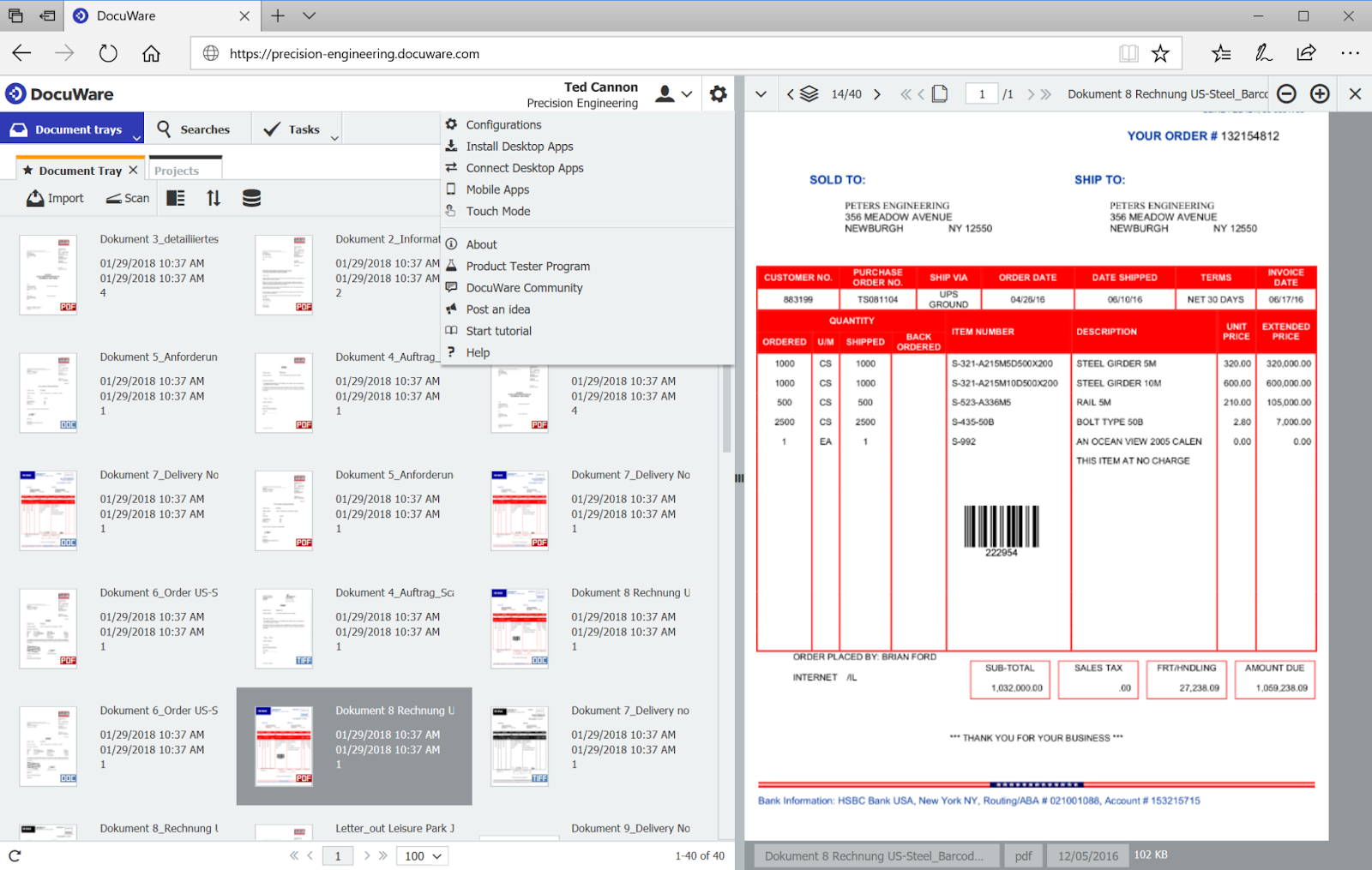
If you need a variety of different business functions in 2026, DocuWare is the place to go. DocuWare is a cloud-based document management and workflow automation platform designed to reduce paper dependency and bring structure to core business functions like invoice processing, HR management, and records archiving. With more than 650 integration partners, it’s built to fit into existing business ecosystems without requiring a complete technology overhaul.
Pros:
- Strong out-of-the-box solutions for invoice processing and employee management
- 650+ partner integrations make it compatible with a wide range of business software
- Suitable for both small businesses and large enterprises
- Secure, centralized document storage with robust access controls
Cons:
- Initial setup and configuration can be time-consuming
- Some users report the interface feels less intuitive than newer competitors
How to use DocuWare: DocuWare is best approached by identifying the specific business processes you want to digitize first — accounts payable and HR onboarding are popular starting points. Once configured, DocuWare automatically captures documents (via email, scan, or upload), indexes them with relevant metadata, and routes them to the right workflow for processing or approval. This eliminates manual data entry and ensures documents are always filed correctly.
For invoice processing specifically, DocuWare can extract key data from invoices automatically, match them against purchase orders, and route them for approval — all without human intervention at each step. Administrators can set escalation rules so that overdue approvals are automatically flagged, keeping your accounts payable cycle on track.
Pricing: DocuWare Cloud pricing ranges from £10 to £60 per user per month, depending on the scale of implementation and functionalities required.
5. Docusign CLM
Best for: Contract-heavy organizations managing agreements at scale.
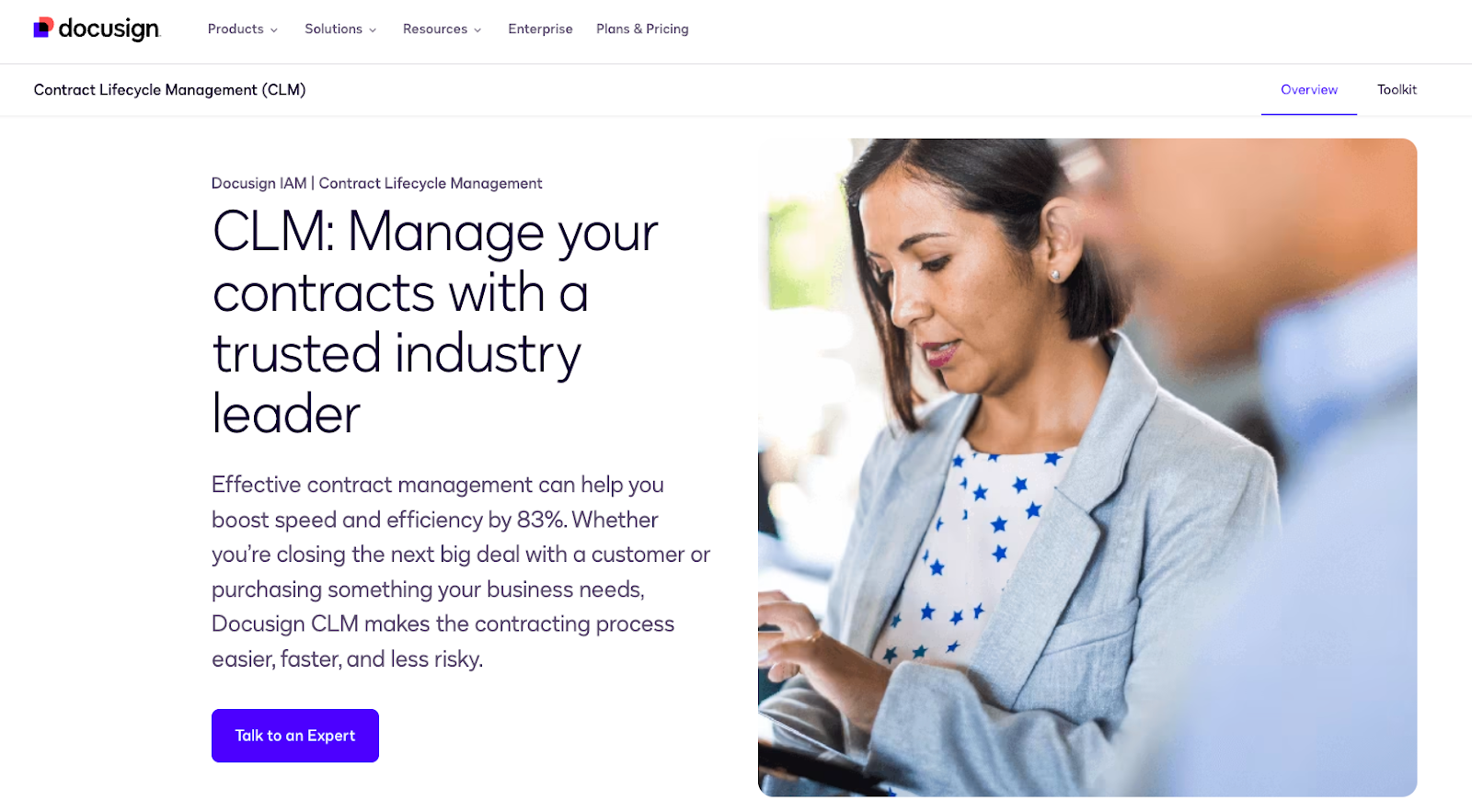
CLM stands for Contract Lifecycle Management, which is a pretty concise way of describing why Docusign CLM is a good Laserfiche alternative. Docusign CLM (Contract Lifecycle Management) is a purpose-built platform for managing contracts from creation and negotiation through execution and renewal. It automates the entire contract process, aligning cross-functional workflows and reducing the risk of errors, missed deadlines, or compliance gaps — making it an ideal Laserfiche alternative for contract-heavy organizations in 2026.
Pros:
- End-to-end contract lifecycle management in a single platform
- Automated workflows reduce manual handoffs and approval bottlenecks
- Native integration with Docusign eSignature for seamless execution
- Robust clause library and template management for contract standardization
Cons:
- Primarily contract-focused, so it’s less versatile for general document or workflow management
- Can be expensive for smaller organizations with limited contract volume
How to use Docusign CLM: Start by building your contract templates and clause libraries within the platform, establishing standardized language your legal and procurement teams can pull from during contract creation. From there, you can configure automated workflows that route contracts through the right reviewers and approvers based on contract type, value, or department — minimizing the back-and-forth that typically slows the process down.
Once a contract is finalized, Docusign CLM hands off seamlessly to Docusign eSignature for execution, and then automatically files the signed agreement in a searchable repository. Built-in alerts notify your team of upcoming renewals, expirations, or key milestones, ensuring no contract obligation is ever missed.
Pricing: Pricing is available upon request. Docusign offers tiered CLM plans based on contract volume and organizational size.
6. BP Logix
Best for: Highly regulated industries and higher education institutions.
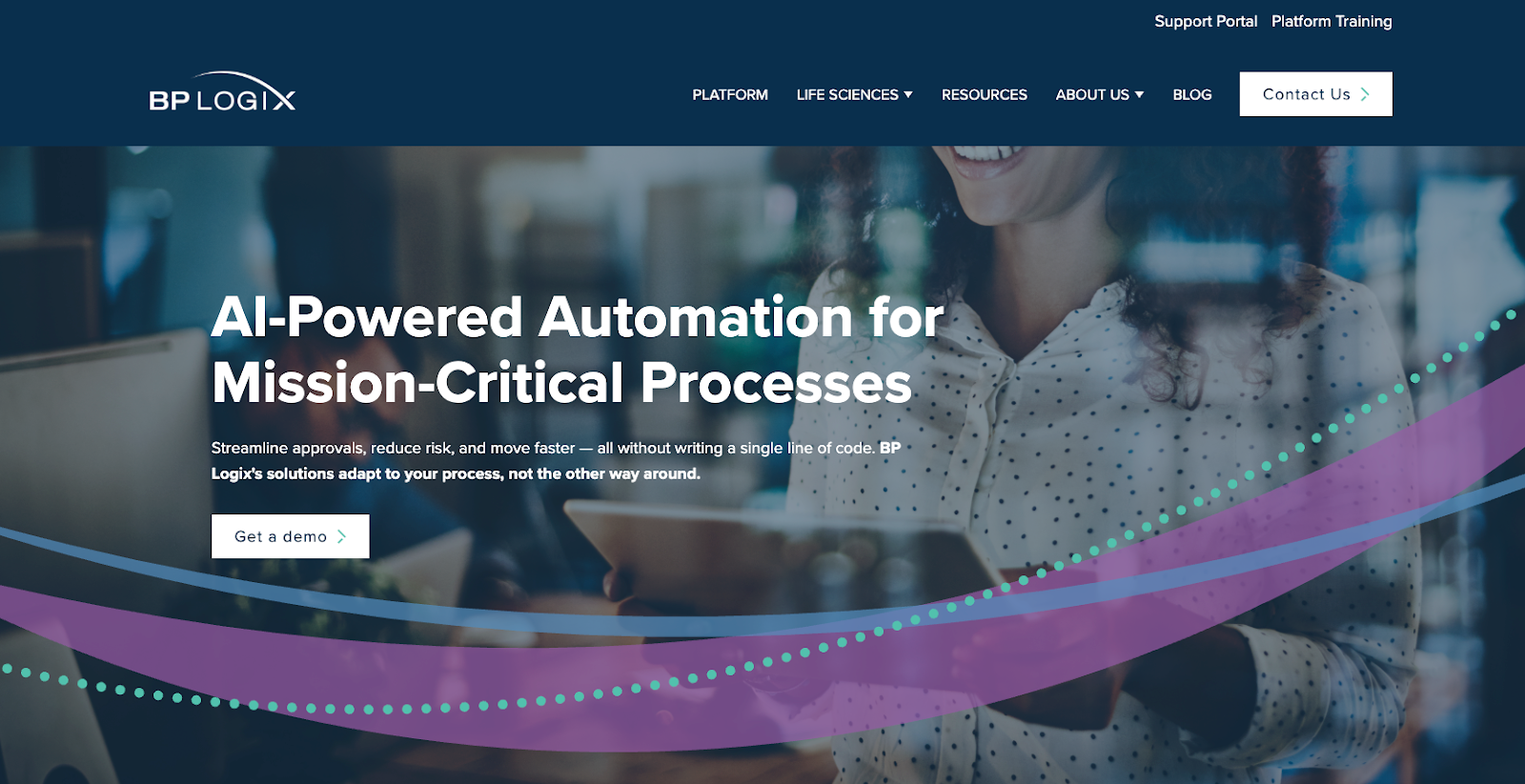
If you work in higher education or a regulatory industry in 2026, BP Logix is the platform for you. BP Logix is a low-code business process management platform with a particular strength in compliance-heavy and highly regulated environments. Its Process Director product combines drag-and-drop workflow design with AI-powered analytics, making it accessible for non-technical users while still delivering the depth that complex industries like higher education, healthcare, and financial services require.
Pros:
- Low-code, drag-and-drop interface makes workflow building accessible to non-developers
- AI-powered Process Director provides smart predictions and task analysis
- Strong compliance and audit capabilities for regulated industries
- Integrates with Salesforce, SharePoint, and other enterprise platforms
Cons:
- Less brand recognition than some larger competitors, which may affect long-term support confidence
- May be overpowered for small businesses with simple workflow needs
How to use BP Logix: Begin by mapping out your existing processes and then rebuilding them inside Process Director using the drag-and-drop workflow designer. You can connect to external data sources like Salesforce or SharePoint to pull relevant information directly into your workflows, eliminating the need to switch between systems. Task assignments, deadlines, and escalation rules can all be configured visually without writing any code.
BP Logix’s AI layer adds a smart dimension to your process management: as your workflows run over time, Process Director learns patterns and surfaces predictions about where bottlenecks or delays are likely to occur. This allows managers to proactively address issues before they impact outcomes, making it especially valuable in environments where timelines and compliance deadlines are non-negotiable.
Pricing: Pricing is available upon request. BP Logix offers custom pricing based on deployment size and industry needs.
7. M-Files
Best for: Organizations that want metadata-driven document management.
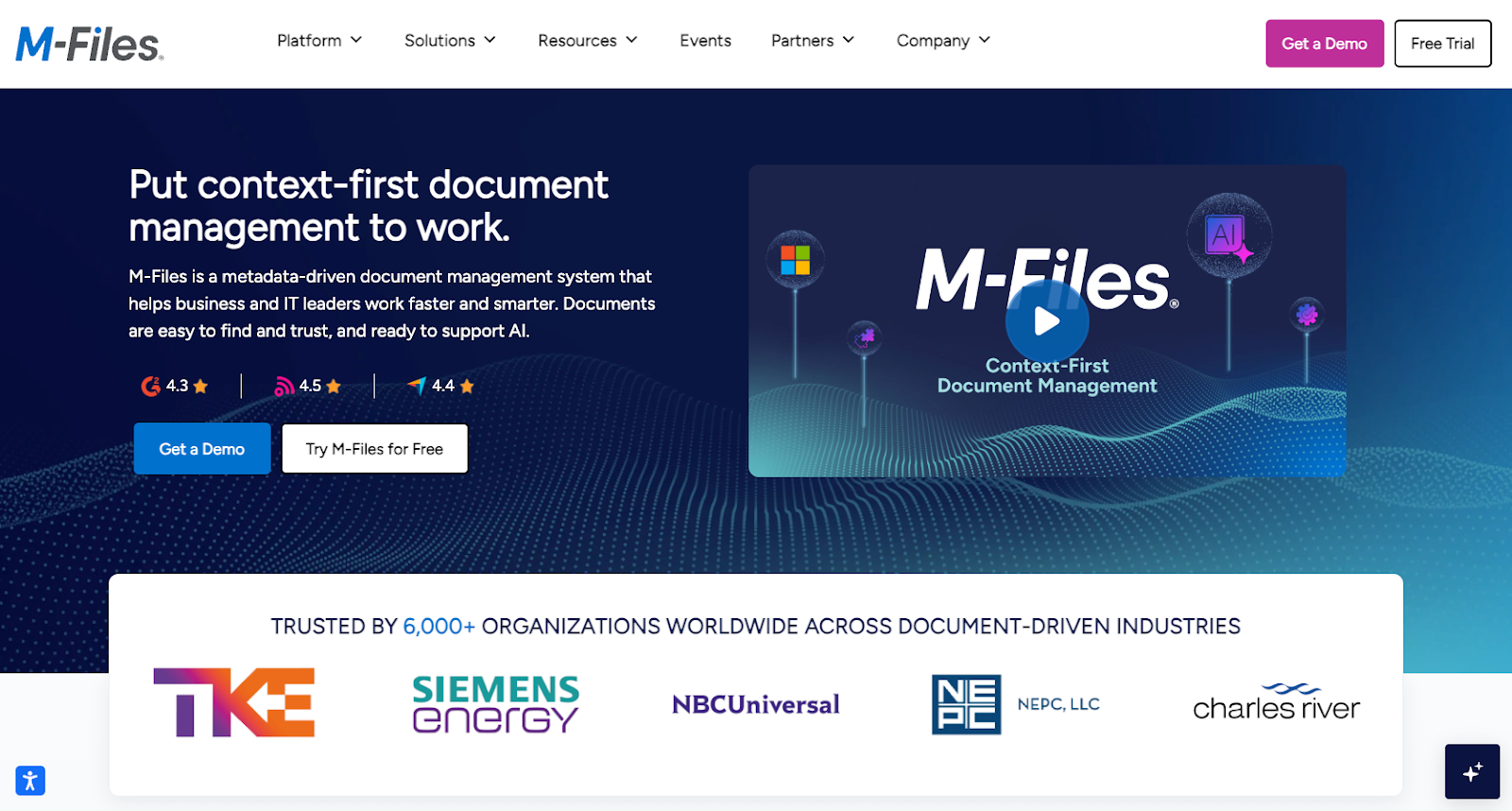
In 2026, M-Files continues to operate as a metadata-driven document management platform that organizes information by what it is rather than where it’s stored. This unique approach means users can find documents based on content, project, client, or status — without needing to know which folder or drive the file lives in. M-Files also supports offline access and cloud collaboration, making it a versatile option for distributed teams.
Pros:
- Unique metadata-based organization eliminates the need for complex folder structures
- No data migration required — M-Files connects to existing repositories
- Supports offline access and syncing for remote or field-based teams
- Single master document approach reduces version confusion during collaboration
Cons:
- The metadata-first approach requires an adjustment period for teams used to traditional folder systems
- Can be complex to configure correctly for organizations with diverse document types
How to use M-Files: Rather than reorganizing your existing files into a new folder structure, M-Files connects directly to your current repositories — whether that’s a network drive, SharePoint, or cloud storage — and applies a metadata layer on top. You define the metadata properties that matter most to your business (client name, project phase, document status, etc.), and M-Files uses these to automatically surface the right document in the right context, wherever a user needs it.
For collaborative work, M-Files maintains a single master version of each document, so team members always know they’re working on the latest version regardless of where they access it. Workflow automation can be added on top to trigger reviews, approvals, or notifications whenever a document changes status, keeping processes moving without manual follow-up.
Pricing: Pricing is available upon request, with cloud, on-premises, and hybrid deployment options.
8. Hyland
Best for: Enterprises managing complex workflows and case management.
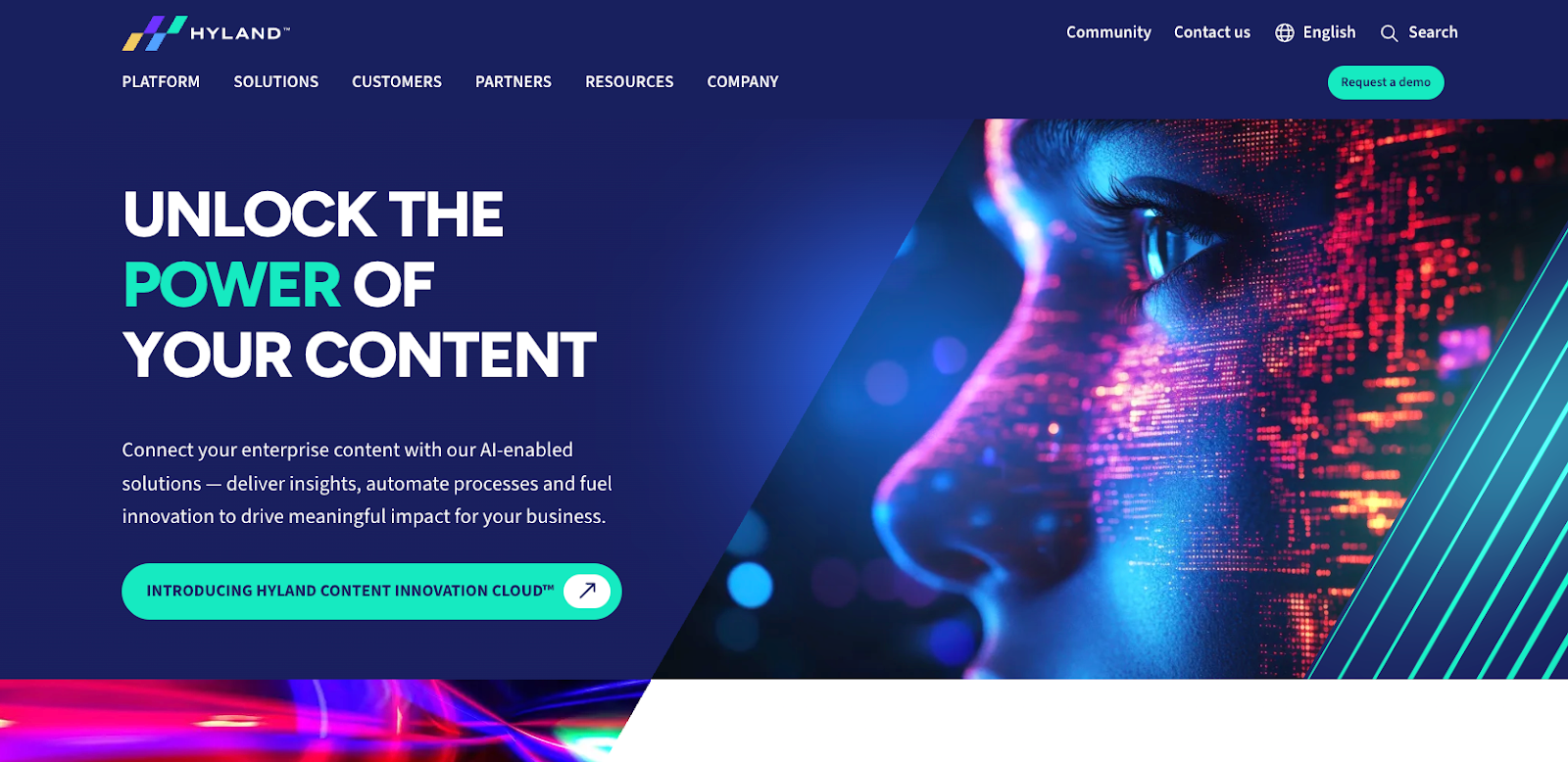
Hyland combines enterprise-grade content management with adaptive machine learning capabilities, making it a powerful solution for large organizations in 2026. It focuses on getting the right information to the right people at the right time, while its machine learning capabilities adapt as your organization grows and integrates more data sources, enabling increasingly intelligent process automation and case management over time. Hyland is particularly well-suited for large enterprises managing complex, multi-step workflows.
Pros:
- Powerful case management tools for complex, multi-step processes
- Machine learning adapts to your organization’s processes over time
- Secure cloud storage with strong compliance support
- Broad integration capabilities with enterprise applications
Cons:
- Implementation can be lengthy and may require professional services support
- Better suited for large enterprises than small or mid-sized businesses
How to use Hyland: Start by identifying the high-volume, document-heavy processes that are creating the most friction in your organization — common examples include patient records management, loan processing, or policy administration. Hyland’s platform lets you digitize these processes end-to-end, capturing incoming documents, extracting relevant data, and routing them through configurable workflows that reflect your actual business rules.
Hyland’s machine learning layer improves the platform’s performance the more you use it: over time, it learns to classify documents more accurately, predict next steps in a case, and flag anomalies that might indicate errors or compliance risks. For case management specifically, Hyland gives workers a unified view of all documents and tasks related to a given case, eliminating the need to jump between systems to piece together a complete picture.
Pricing: Pricing is available upon request. Hyland offers custom enterprise pricing based on deployment scope.
9. AODocs
Best for: Regulated businesses that need compliance without limiting collaboration.
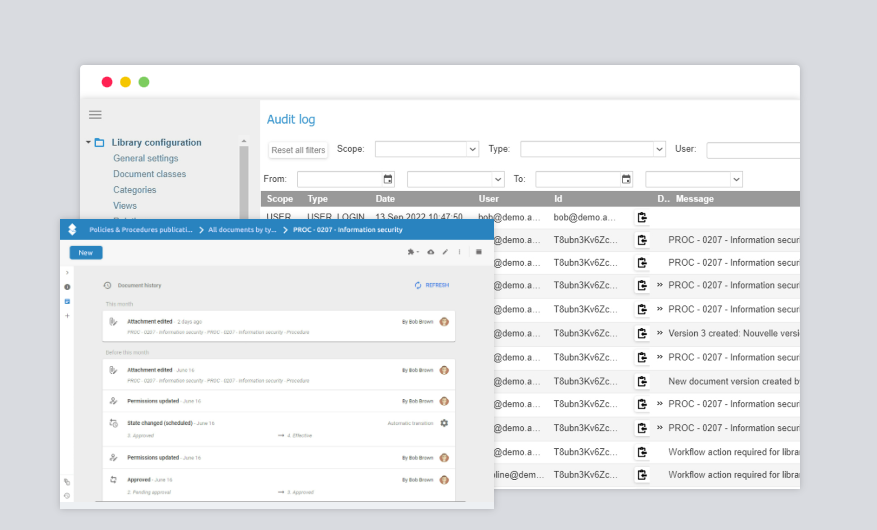
If you’re looking for a workflow processor in 2026 that values security without limiting collaboration, try AODocs. Say you work in a heavily regulated business and need to make sure you’re always up to code. AODocs makes sure that you’re always compliant no matter what you’re working on. It’s designed for businesses in regulated industries that need strict compliance controls without sacrificing the collaborative, user-friendly experience of modern cloud tools. It’s AI-enabled systems help organizations extract value from their document repositories and stay ahead of compliance requirements.
Pros:
- Deep integration with Google Workspace makes adoption easy for Google-first organizations
- Strong compliance and access controls for regulated industries
- AI-enabled features help surface organizational knowledge and automate classification
- Flexible application builder for creating custom document workflows
Cons:
- Less suitable for organizations not already using Google Workspace
- May lack the depth of traditional ECM platforms for very large-scale deployments
How to use AODocs: AODocs works by adding a structured document management and compliance layer on top of Google Drive, giving organizations the governance controls they need without moving employees away from the Google tools they already use. Administrators can define document lifecycles, set access permissions, and configure workflows — such as review and approval chains — directly within the platform using a visual builder.
For regulated industries, AODocs’ audit trail and version control features ensure that every document action is logged and every version is preserved, making it straightforward to demonstrate compliance during audits. The platform’s AI capabilities can also automatically classify incoming documents and route them to the appropriate workflow, reducing manual triage work and accelerating document processing times.
Pricing: Pricing is available upon request. AODocs offers plans tailored to business size and compliance requirements.
10. Hyland Nuxeo
Best for: Regulated businesses that need compliance without limiting collaboration.
Hyland Nuxeo (formerly Nuxeo) is a modern, cloud-native content services platform built for scalability and speed in 2026. Acquired by Hyland in 2021, it continues to be developed as an open-source enterprise content management system that leverages AI-powered automation, real-time analytics, and intuitive cross-departmental workflows. It’s a strong fit for organizations that are growing quickly and need a platform that can scale alongside them in 2026, now backed by Hyland’s broader enterprise ecosystem.
Pros:
- Highly scalable architecture designed for large content volumes
- AI-powered features for content classification, tagging, and search
- Open-source foundation with enterprise-grade support from Hyland
- Real-time data analysis and reporting capabilities
Cons:
- Can be complex to implement without technical expertise or developer resources
- May be more than smaller organizations need in terms of scale and complexity
How to use Hyland Nuxeo: Hyland Nuxeo is best suited for organizations with significant content volumes and a need for intelligent automation across departments. Begin by defining your content types, metadata schemas, and workflow templates within the platform — Nuxeo’s flexible data model means you can tailor it to almost any industry or use case. From there, its AI tools can be configured to automatically tag and classify content as it’s ingested, making it instantly searchable and routing it to the correct workflow without human intervention.
For cross-departmental collaboration, Hyland Nuxeo’s workflow engine enables teams to work on shared content in a structured, trackable way — with clear visibility into who has reviewed, approved, or modified a document at each stage. Real-time analytics give managers a live view of how content is flowing through the organization, helping identify bottlenecks and optimize processes continuously.
Pricing: Pricing is available upon request. Hyland Nuxeo offers cloud and on-premises deployment options with custom enterprise pricing.
11. Zoho WorkDrive
Best for: Small to mid-sized teams managing documents and collaborating across multiple platforms.
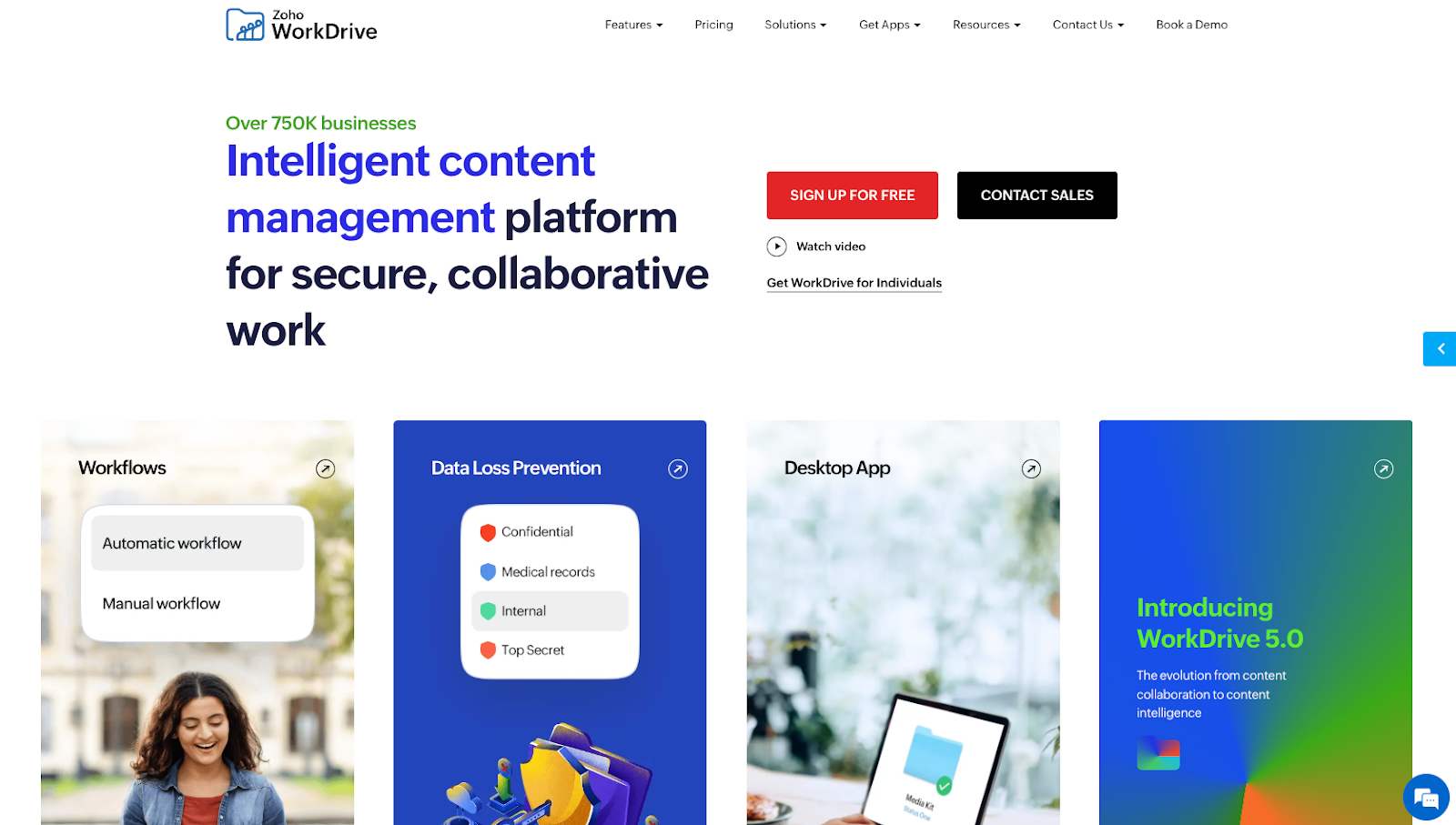
Zoho WorkDrive is the successor to the now-discontinued Zoho Docs, offering a more robust and team-centric cloud document management platform for small to mid-sized businesses in 2026. It provides a centralized workspace where teams can store, organize, share, and collaborate on files across devices, with deep integration into the broader Zoho ecosystem and support for importing content from platforms like Google Drive and Dropbox.
Pros:
- Affordable pricing makes it accessible for small and mid-sized businesses
- Team Folders give structured, permission-based access for different departments or groups
- Seamless integration with Zoho Mail, Zoho Writer, and the broader Zoho suite
- Supports imports from Google Drive, Dropbox, and other cloud platforms
Cons:
- Workflow automation is less robust than dedicated BPM platforms
- May not meet the compliance and security requirements of heavily regulated industries
How to use Zoho WorkDrive: Start by creating Team Folders for each department or project and assigning access permissions so the right people can view or edit the right content. Team members can be invited to collaborate on documents directly within WorkDrive using Zoho’s built-in office tools — Zoho Writer, Sheet, and Show — or you can upload and share files in any format. Syncing is available across desktop and mobile devices, and an offline mode ensures work can continue without an active internet connection.
For teams already using Zoho’s wider product suite, WorkDrive integrates seamlessly with tools like Zoho CRM, Zoho Projects, and Zoho Mail, making it easy to attach files to records, tasks, or emails without leaving your workflow. Admins can monitor team activity through built-in reports, track file versions, and restore previous versions when needed — keeping document integrity intact across even the most active teams.
Pricing: Zoho WorkDrive offers a free Starter plan for individuals. Team plans start at $2.50/user/month (billed annually), with Business and Business Plus plans available at higher tiers for additional storage and admin controls.
Finding the right fit beyond Laserfiche
Choosing the right Laserfiche alternative depends on your workflows, compliance requirements, and automation goals. When it comes to Laserfiche alternatives, it’s important to consider your business needs and goals. You might not need all of the functions some software provides, so be sure to know exactly what it is you’re looking for. Evaluating scope and complexity helps avoid overpaying for unused features. And when you’re working within a BPM system, don’t be afraid to explore and take chances.
The best way to improve is to admit what you don’t know and work to change it. That way, you can ensure that your business remains dynamic, innovative, and runs like a well-oiled machine.
Laserfiche alternatives FAQ
Laserfiche is a business process management (BPM) and enterprise content management (ECM) system used to automate workflows and manage documents.
Laserfiche includes security features such as access controls and audit trails, and overall security depends on how the platform is configured, governed, and deployed.
Laserfiche is used by organizations in industries such as healthcare, education, government, and finance, particularly those with strong compliance and records management needs.
This article is for IT leaders, operations managers, and business process owners, and anyone who wants to evaluate Laserfiche alternatives to find a more flexible, cost-effective, or easier-to-use platform for document management and workflow automation.



































Send Comment: