
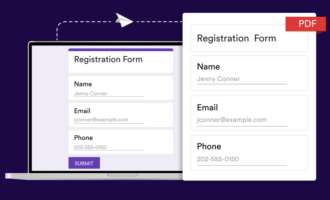
If you want to convert a PDF to a Google Form, you may be disappointed to know that Google Forms currently does not have a built-in solution for this process.
However, there is good news! In this article, we’ve got a few clever workarounds you can try which will help you get the job done — no fancy OCR (optical character recognition) tools required.
Plus, we’ll introduce you to an AI add-on from Jotform which creates Google Forms from multiple file types. It’s a faster, more accurate option you’ll definitely want to try!
Step by step: How to convert PDFs to Google Forms (manual method)
Google Forms doesn’t have a native tool for PDF-to-form conversions, but you can use this manual workaround. Keep in mind that doing any process manually opens up the possibility of introducing human error.
- Upload your PDF document to Google Drive.
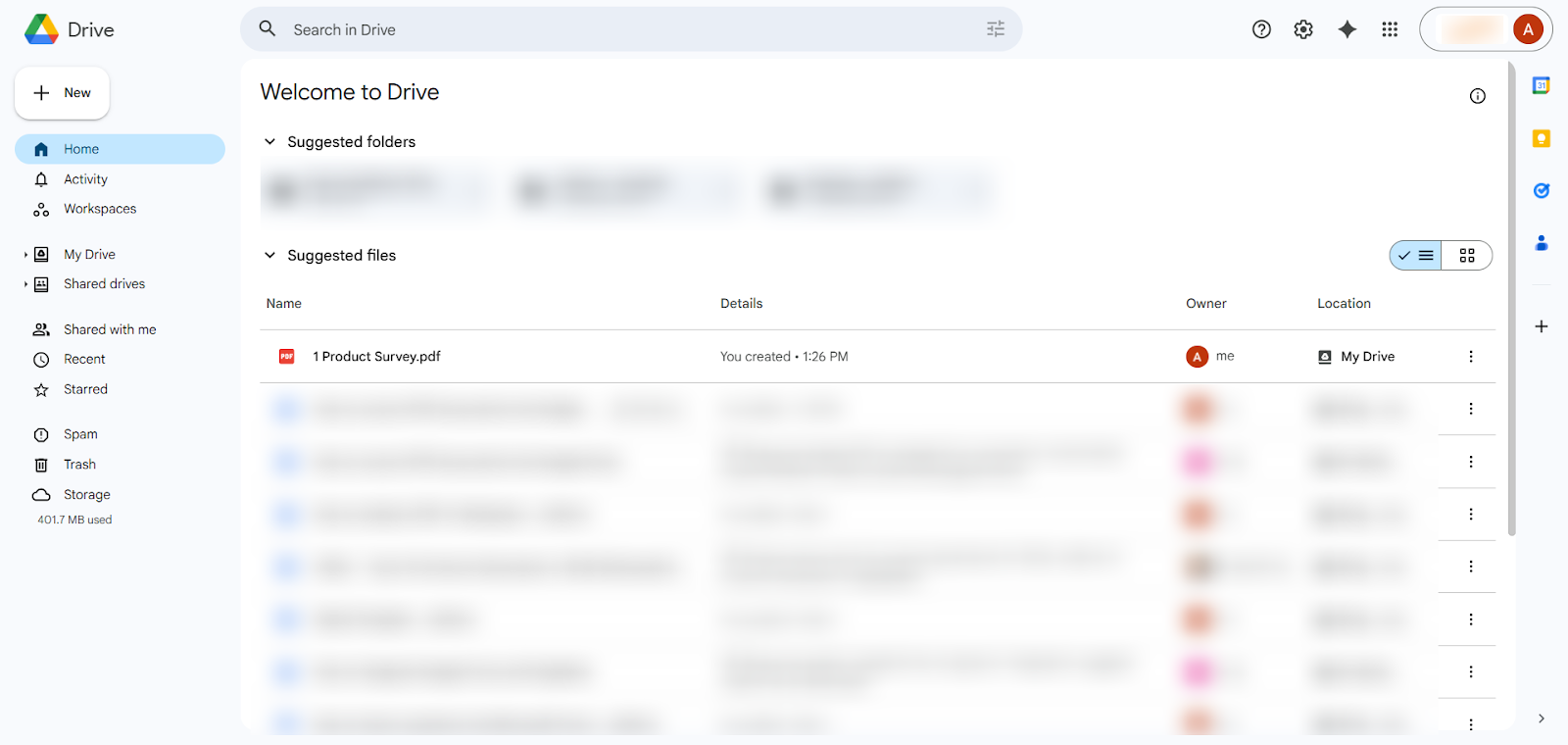
- Right click on the PDF. Click Open with. Select Google Docs. This action extracts the text from the PDF and places it in a Google Doc file in your Google Drive.
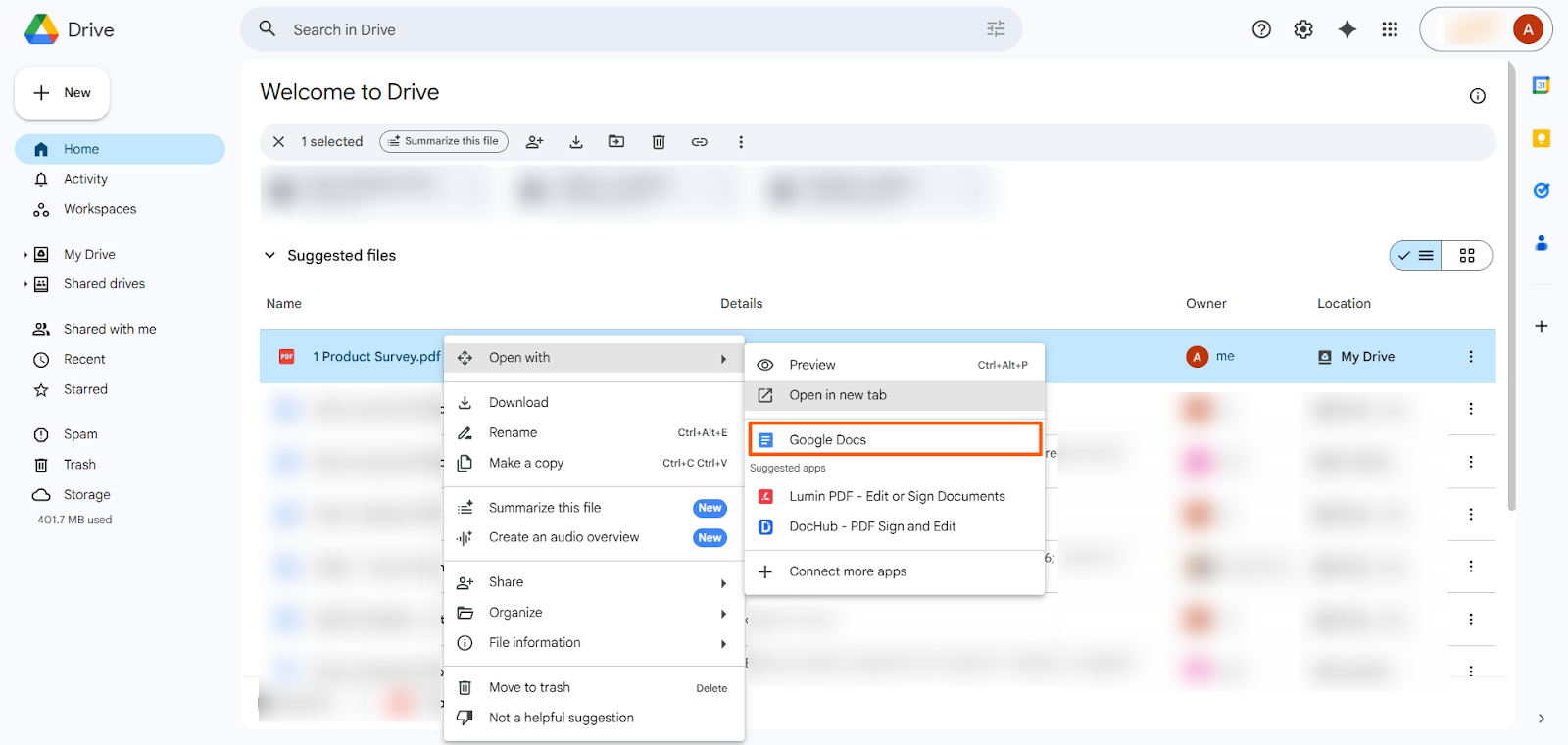
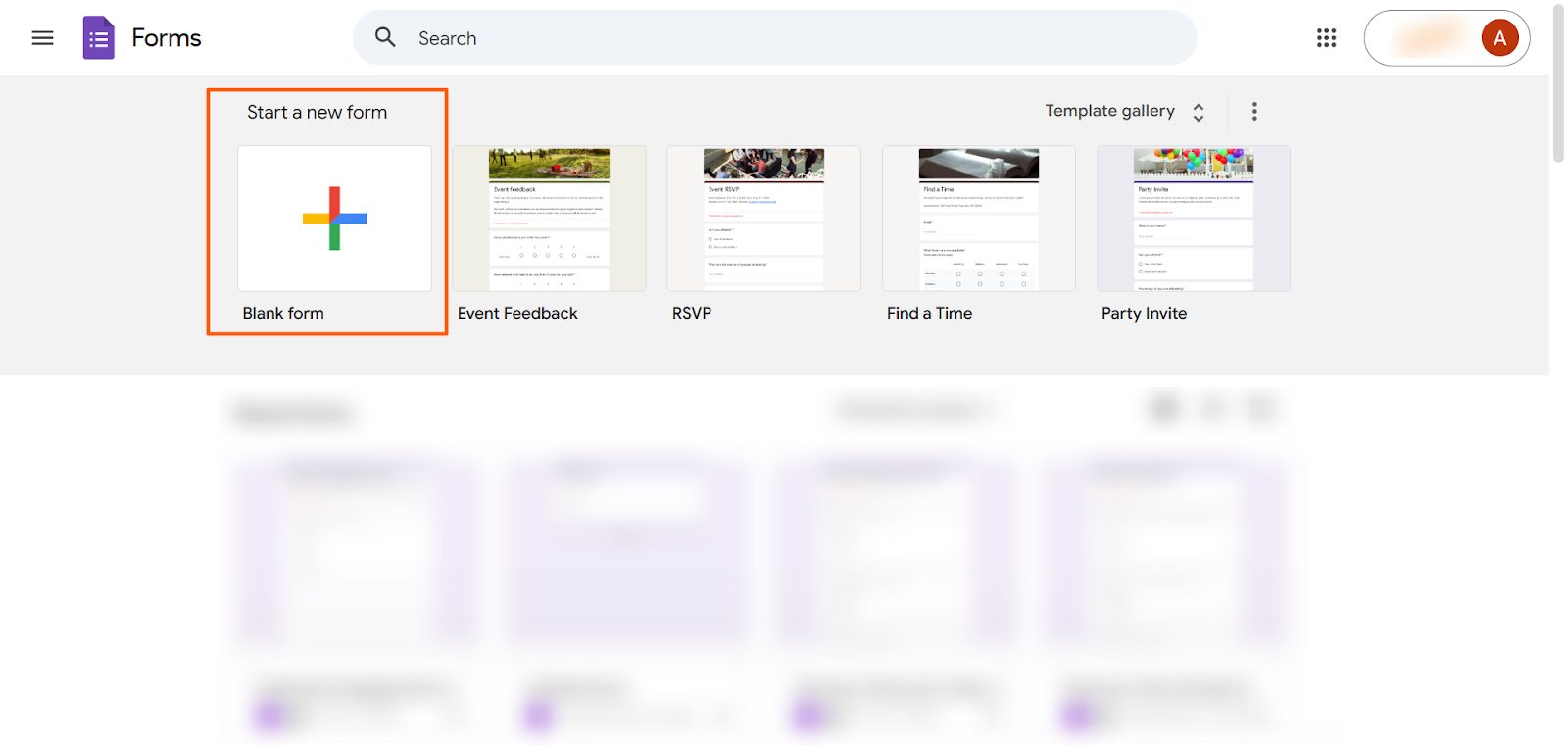
- Open Google Forms. Click Blank form.
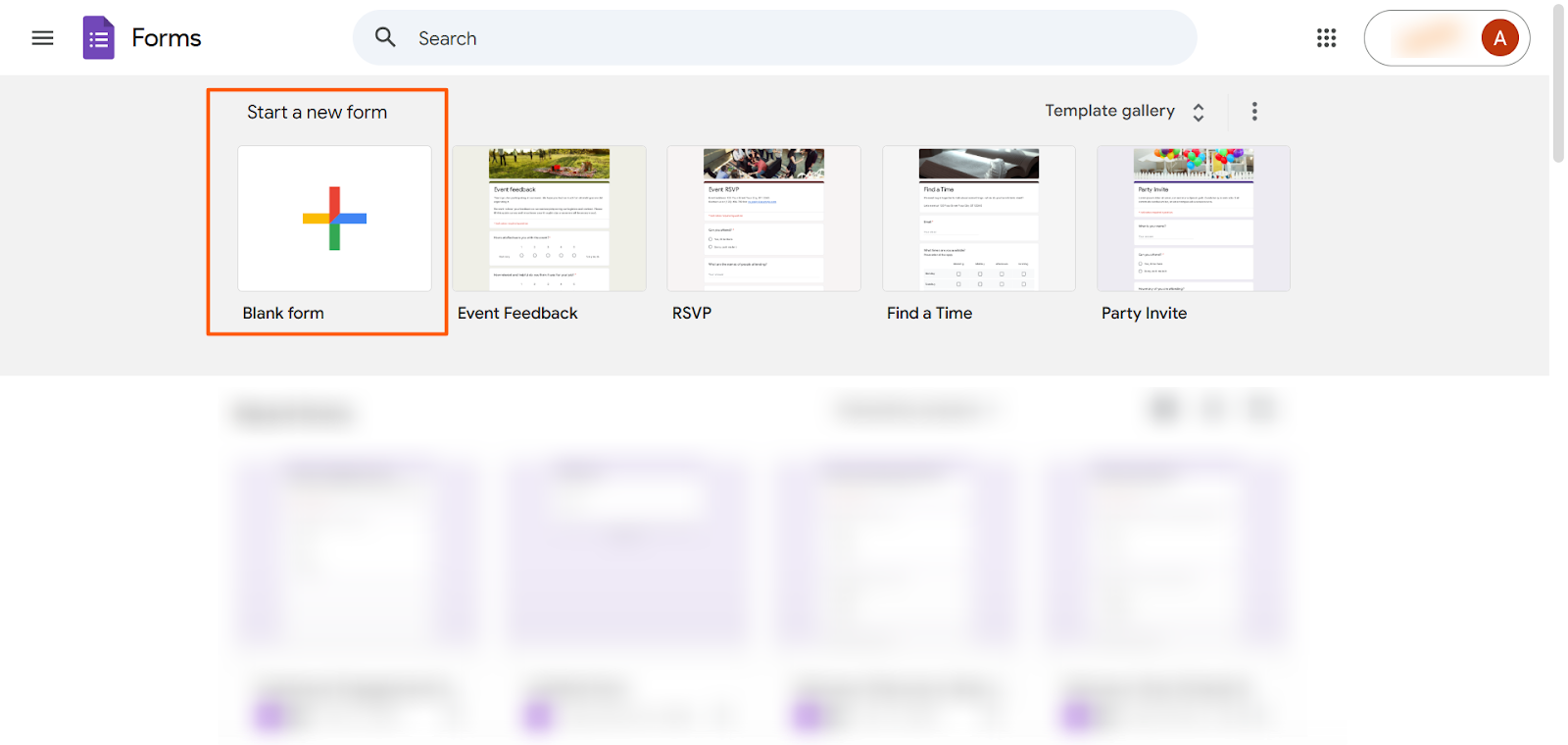
- Manually copy the questions and answers from the Google Doc file into the Google Form. Be sure to select the correct question types. (For basic information on how to use Google Forms, read our helpful tutorial.)
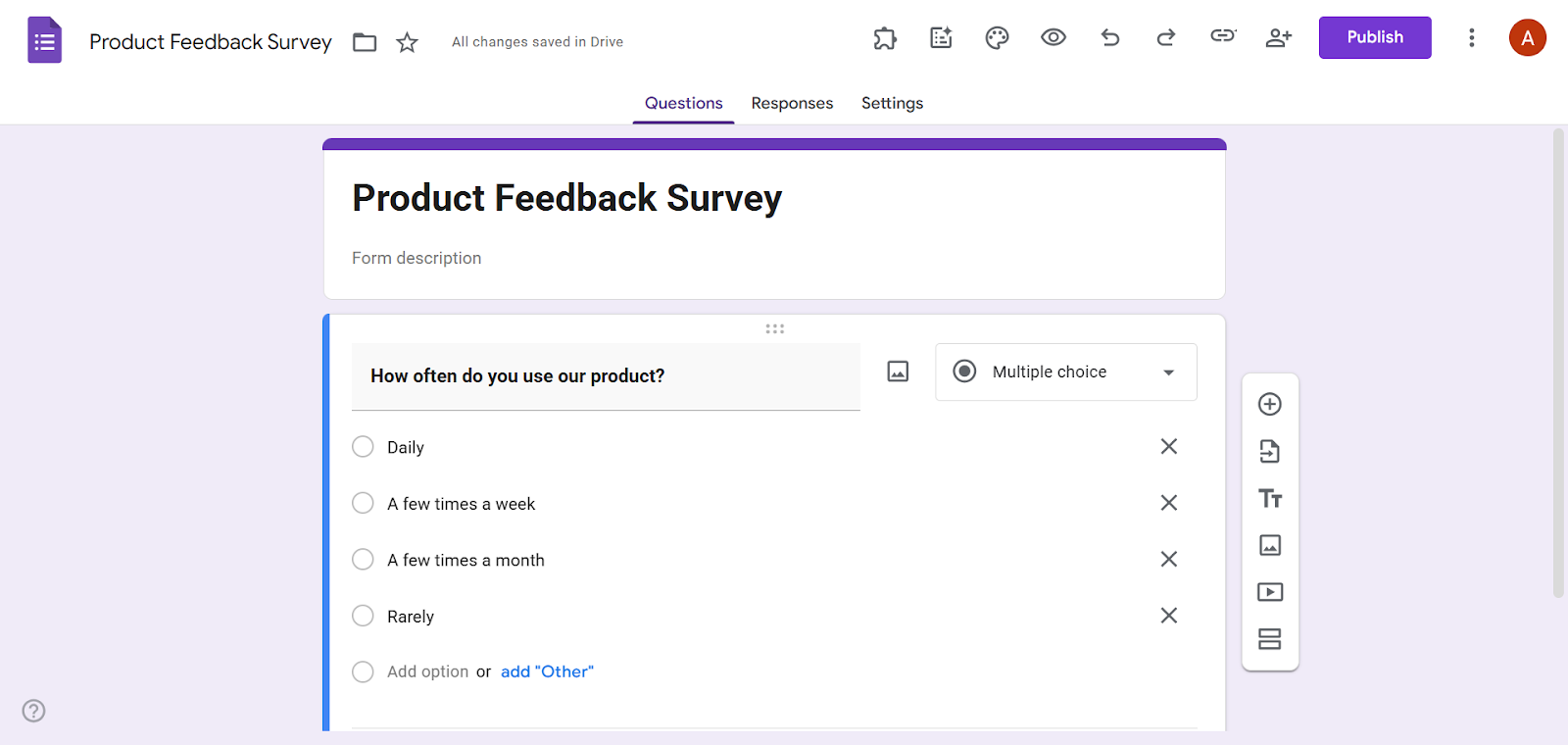
Once you’ve created your Google Form, you can also save it as a PDF if needed. Simply click the three-dot icon, select Print, and then select Save as PDF.
Use a Google Workspace add-on that imports from PDF
While there is no native solution to convert PDFs to Google Forms, you can explore Google Forms add-ons that can help you with this process. One popular tool is Automagical Forms.
Another option is AI Form Builder from Jotform, which completely streamlines the process of importing questions into your Google Form using artificial intelligence. AI Form Builder can import questions from Google Docs, Google Sheets, and Google Slides, in addition to exporting questions from Google Forms to other file types.
If you’re working with a PDF file, simply open it as a Google Docs in your Google Drive first. Then, you can use AI Form Builder from Jotform to import questions into Google Forms.
Here’s how to use AI Form Builder from Jotform:
- Open Google Forms. Click Blank form.
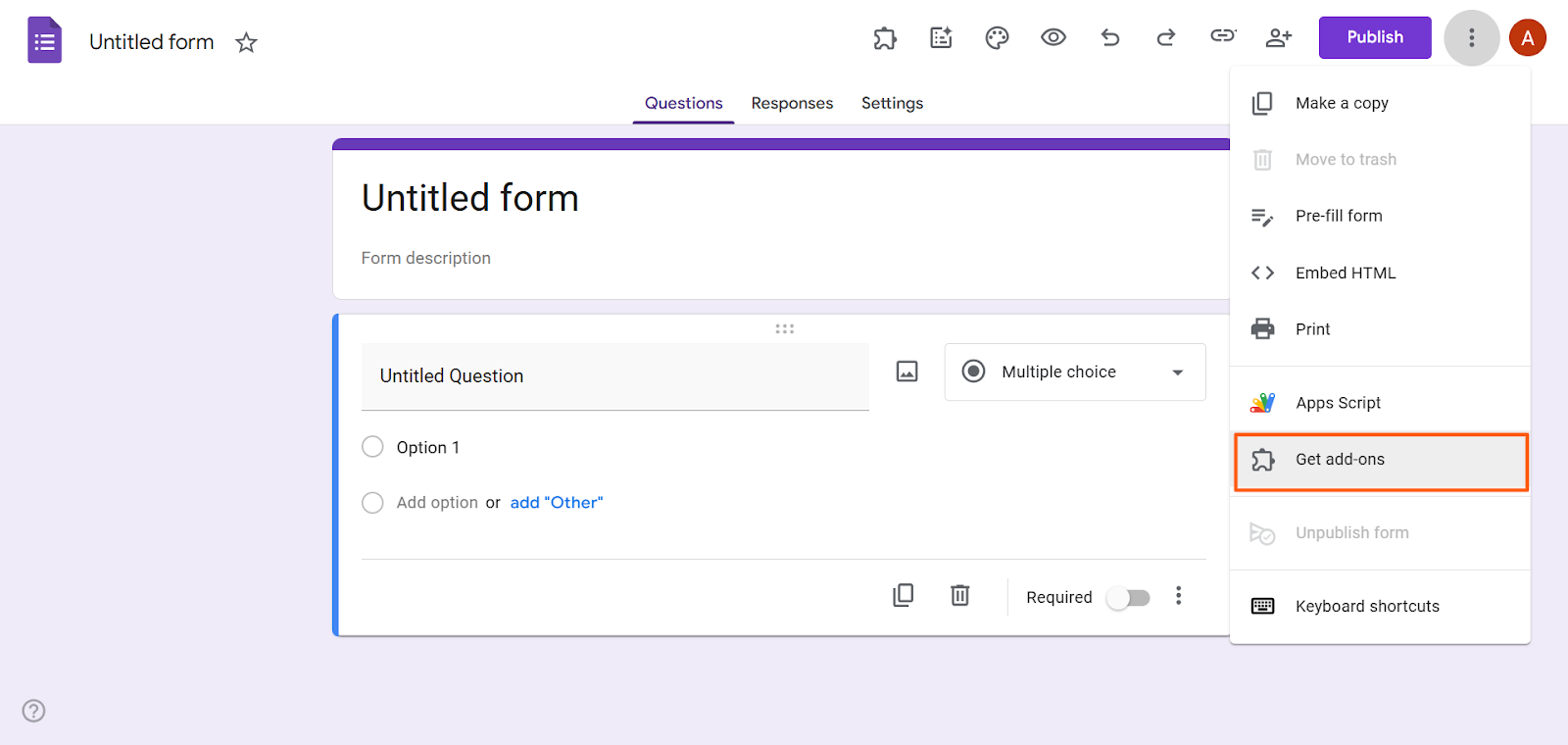
- Click the three-dot icon. Click Get add-ons.
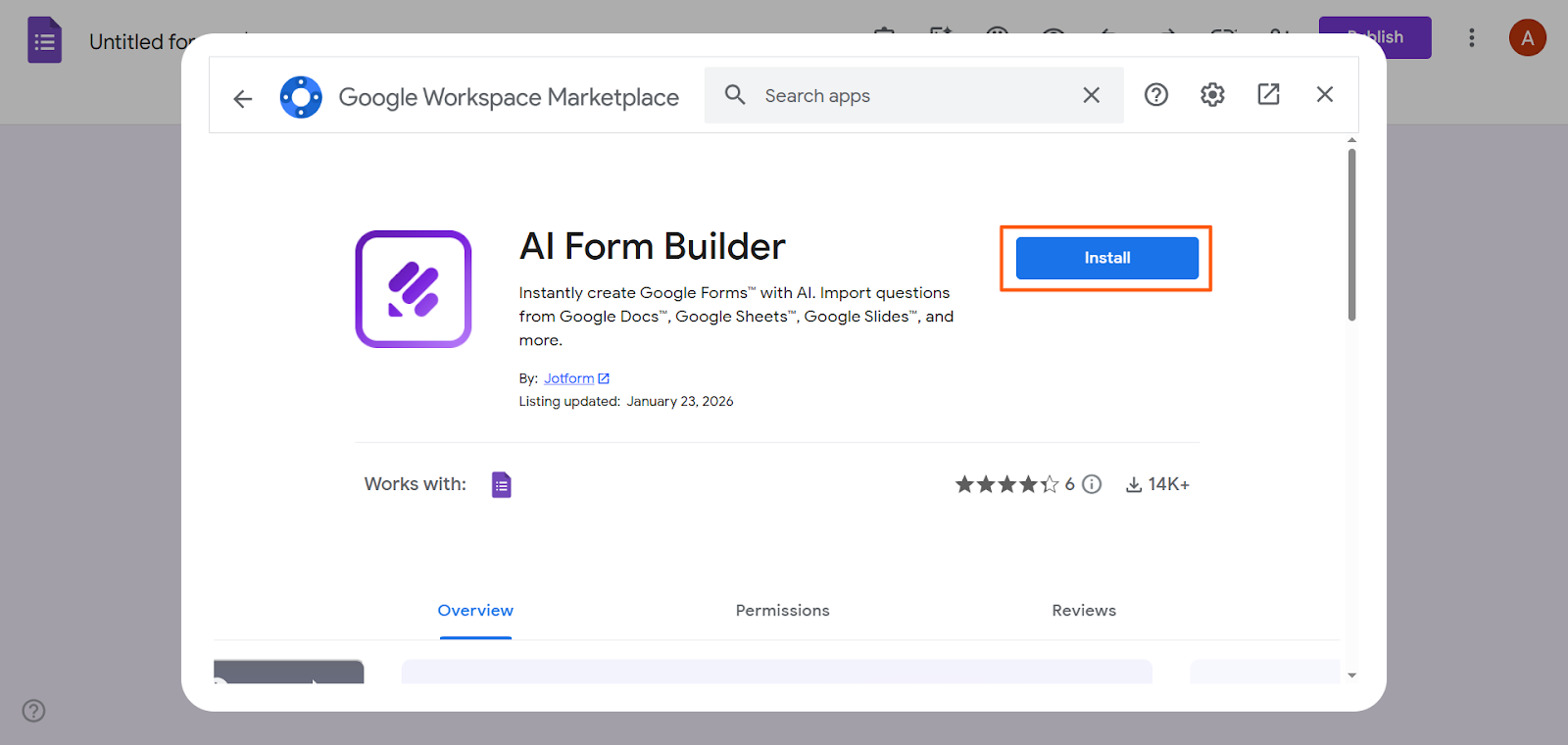
- Search for AI Form Builder Jotform. Click Install. Provide the necessary authorization and permissions.
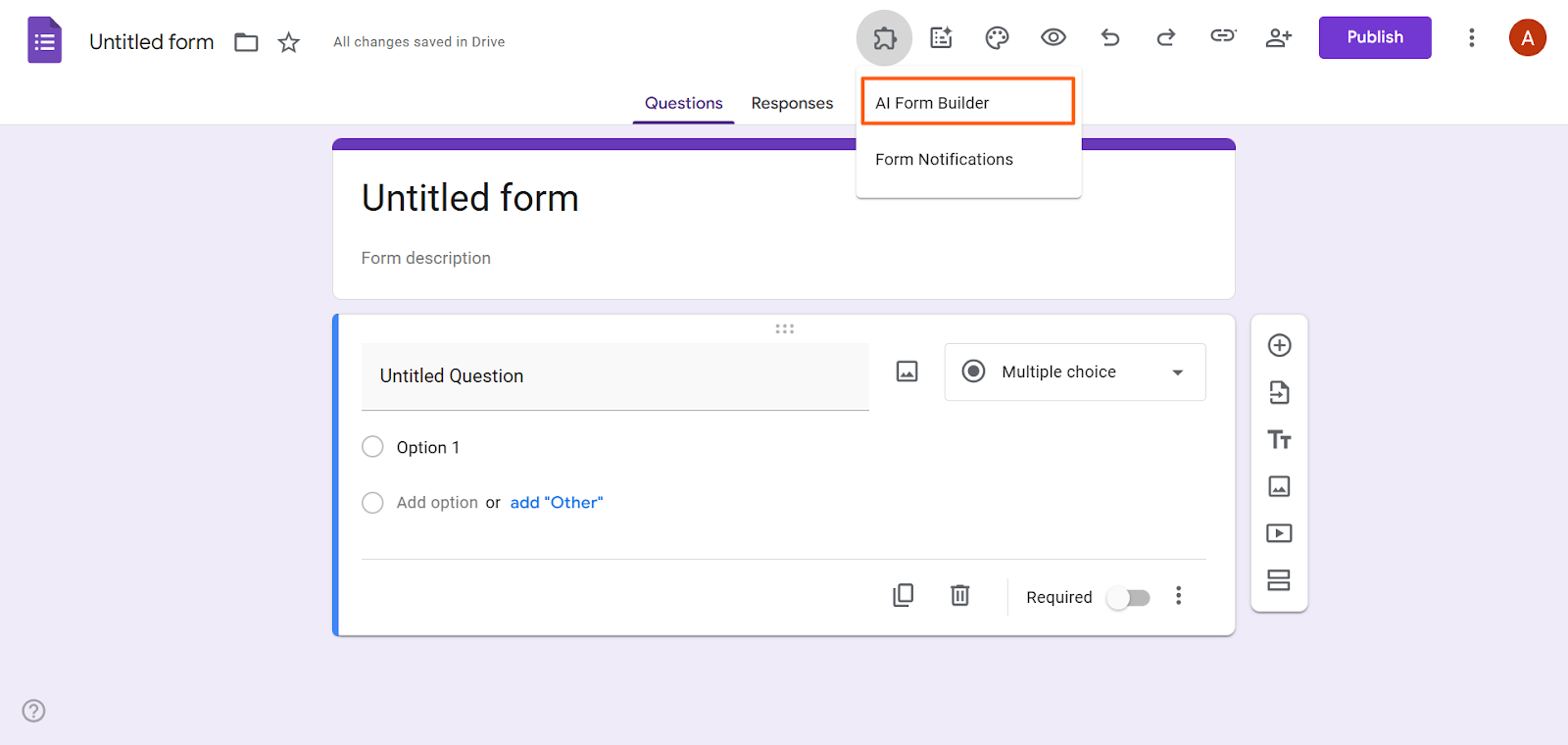
- Click the add-ons icon. Select AI Form Builder.
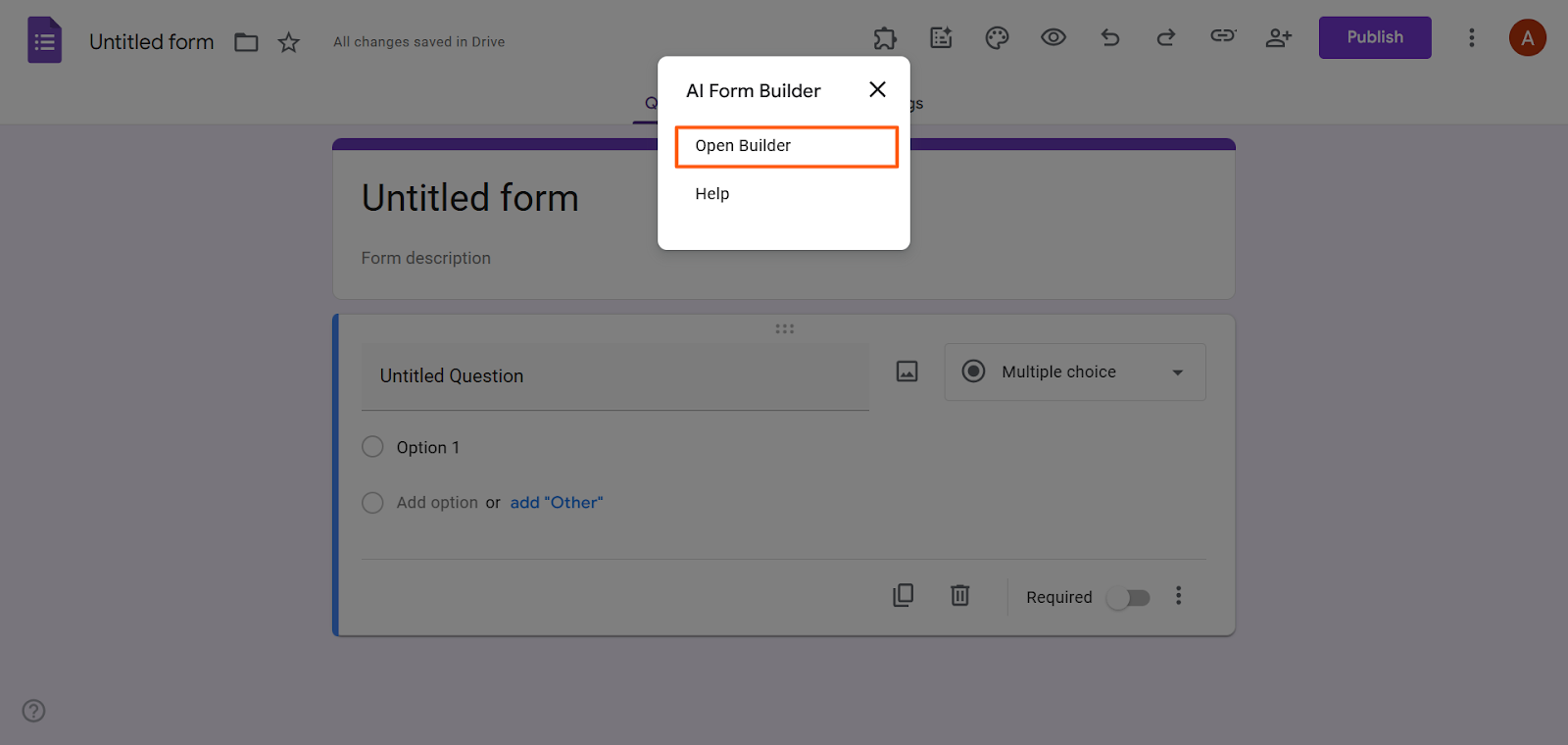
- Click Open Builder.
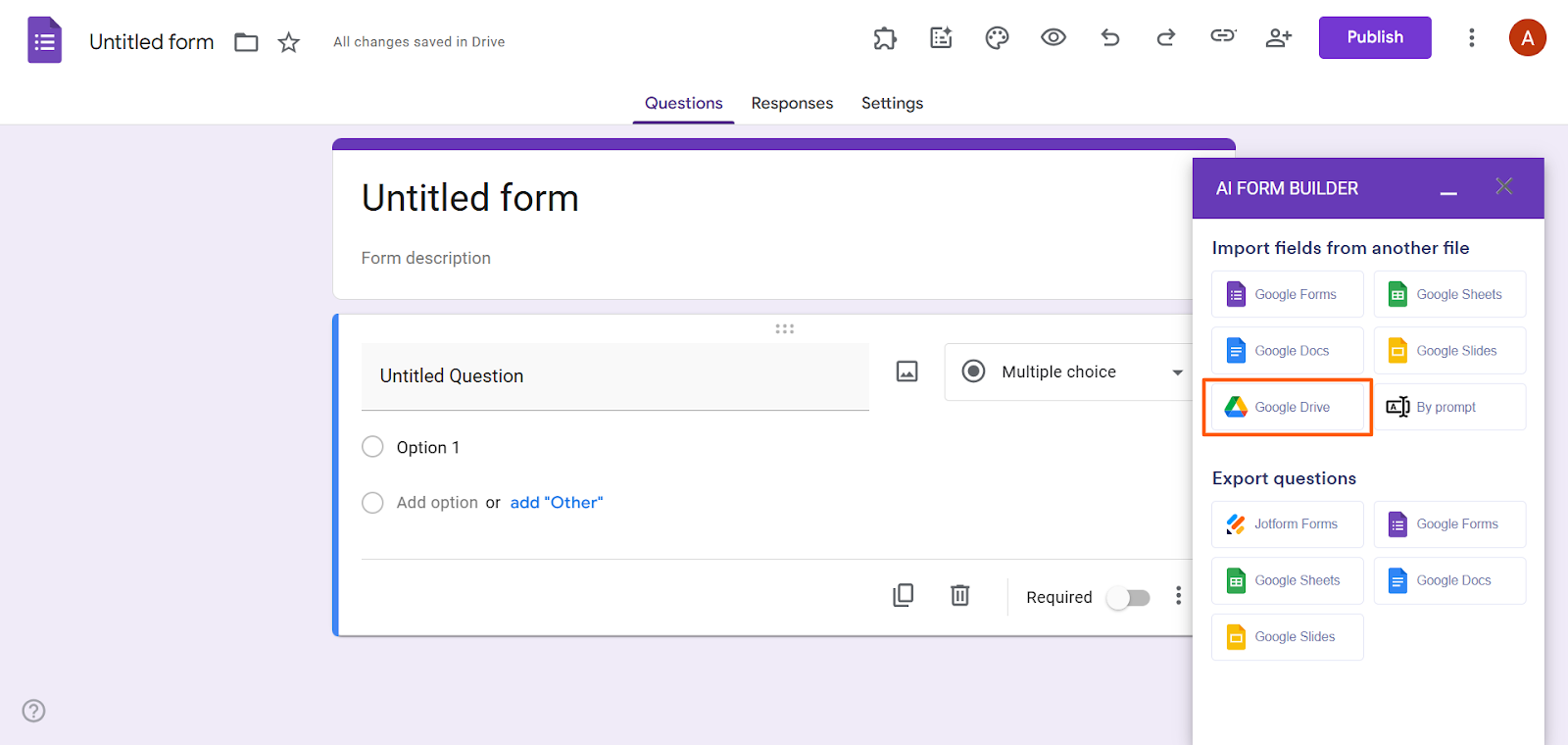
- Under Import fields from another file, click Google Drive or Google Docs.
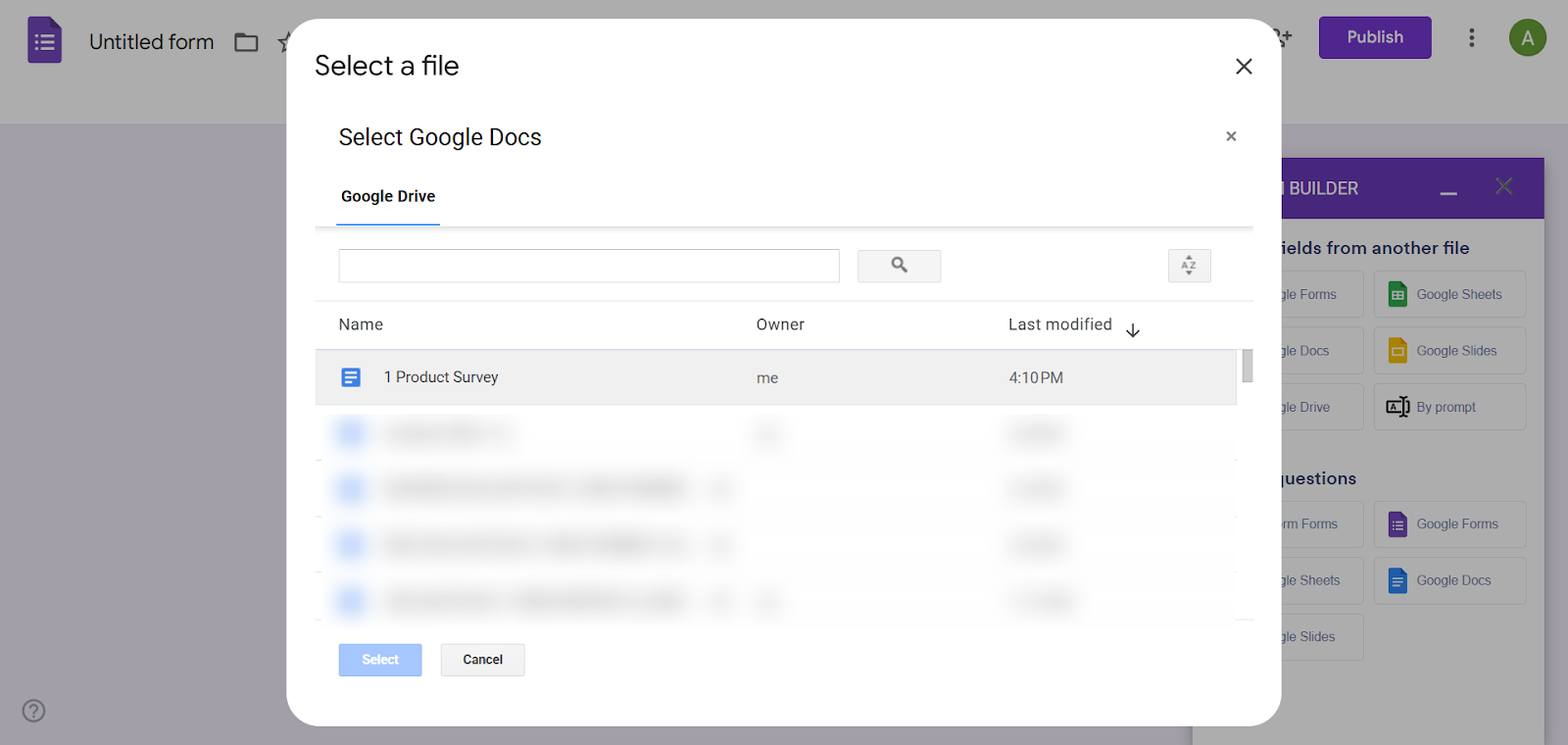
- Select the file you want to convert to a Google Form.
- Choose to make it a Form or a Quiz. Forms are ideal for general surveys, feedback forms, and contact forms. Quizzes are forms that require right or wrong answers.
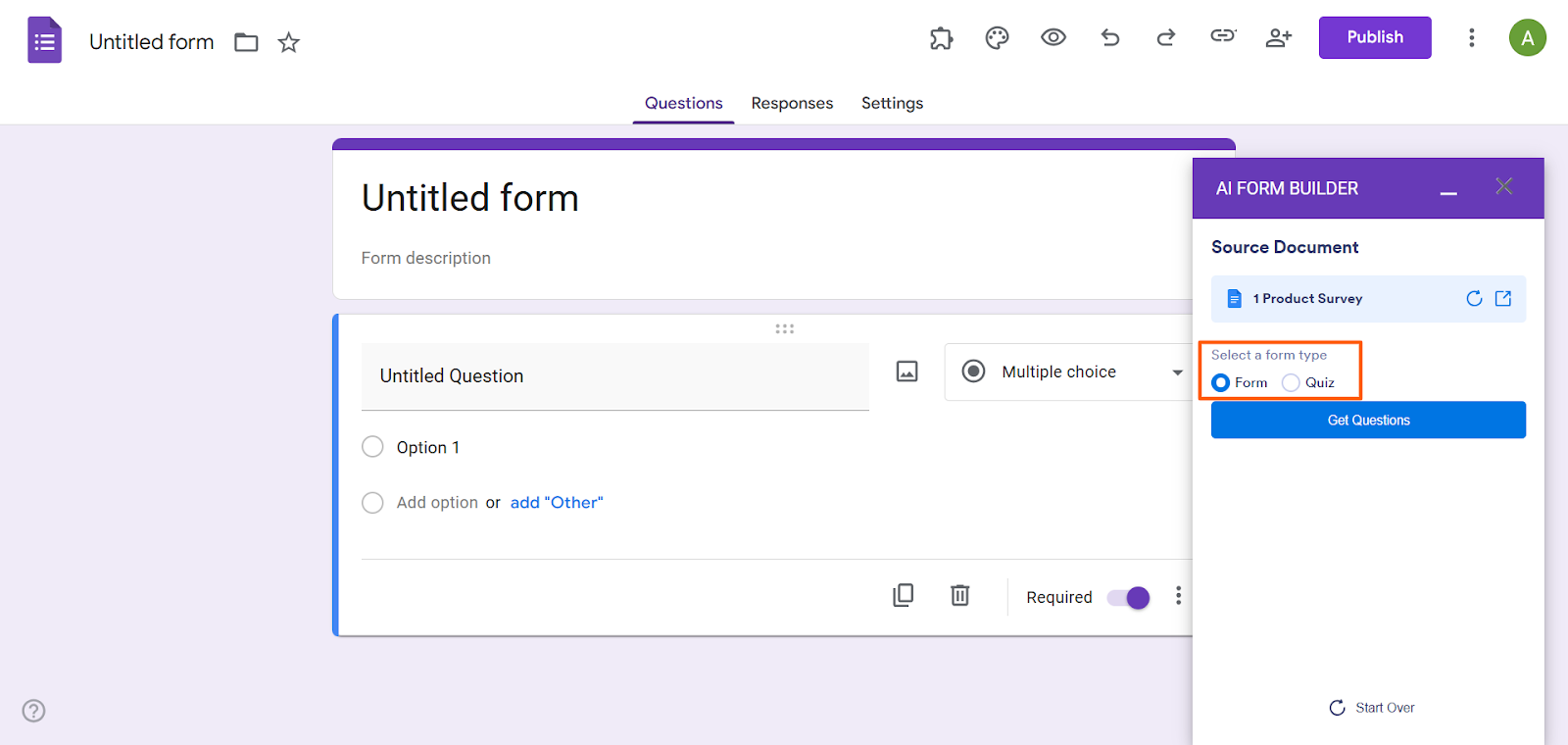
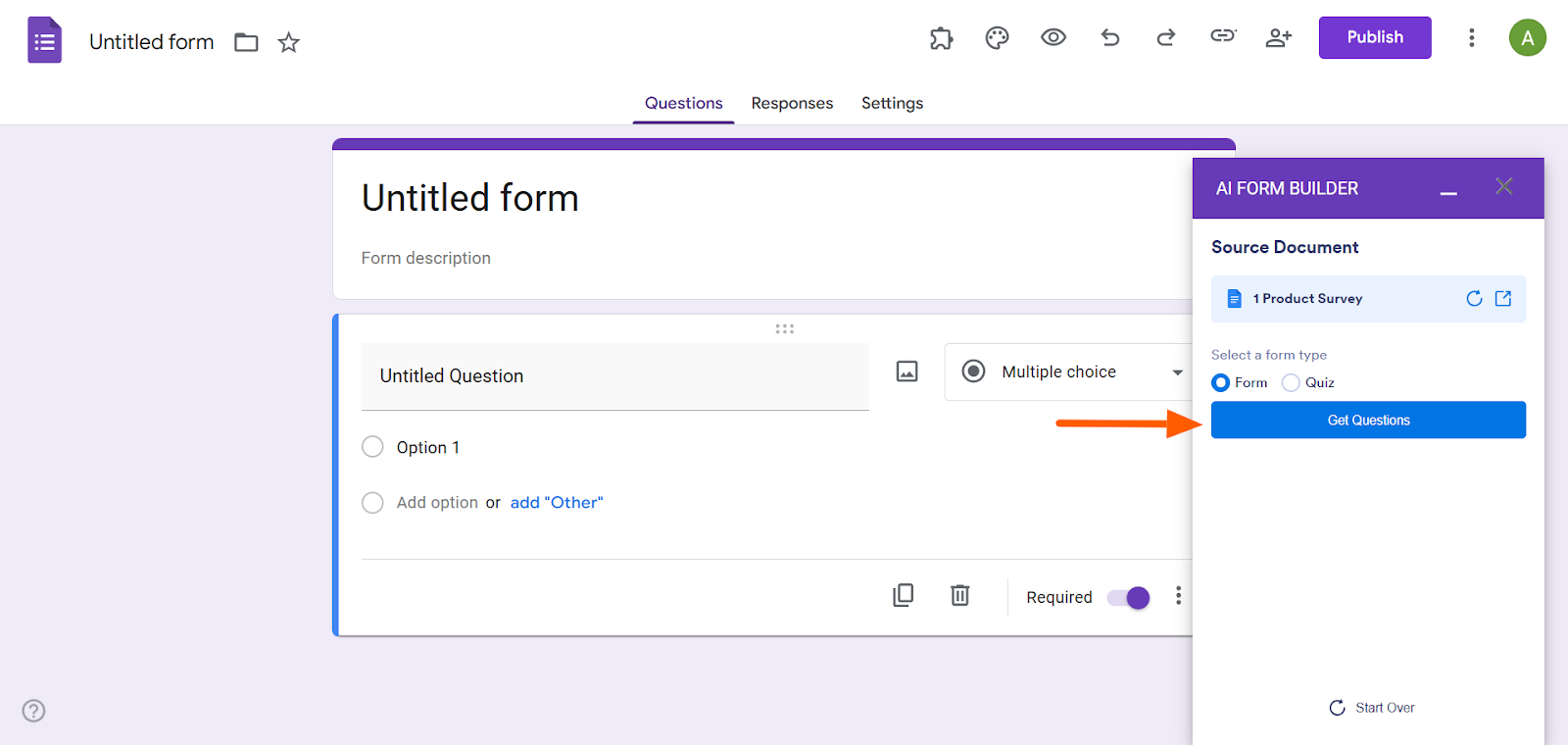
- Click Get Questions. AI Form Builder will provide a preview of the questions it has extracted from the document.
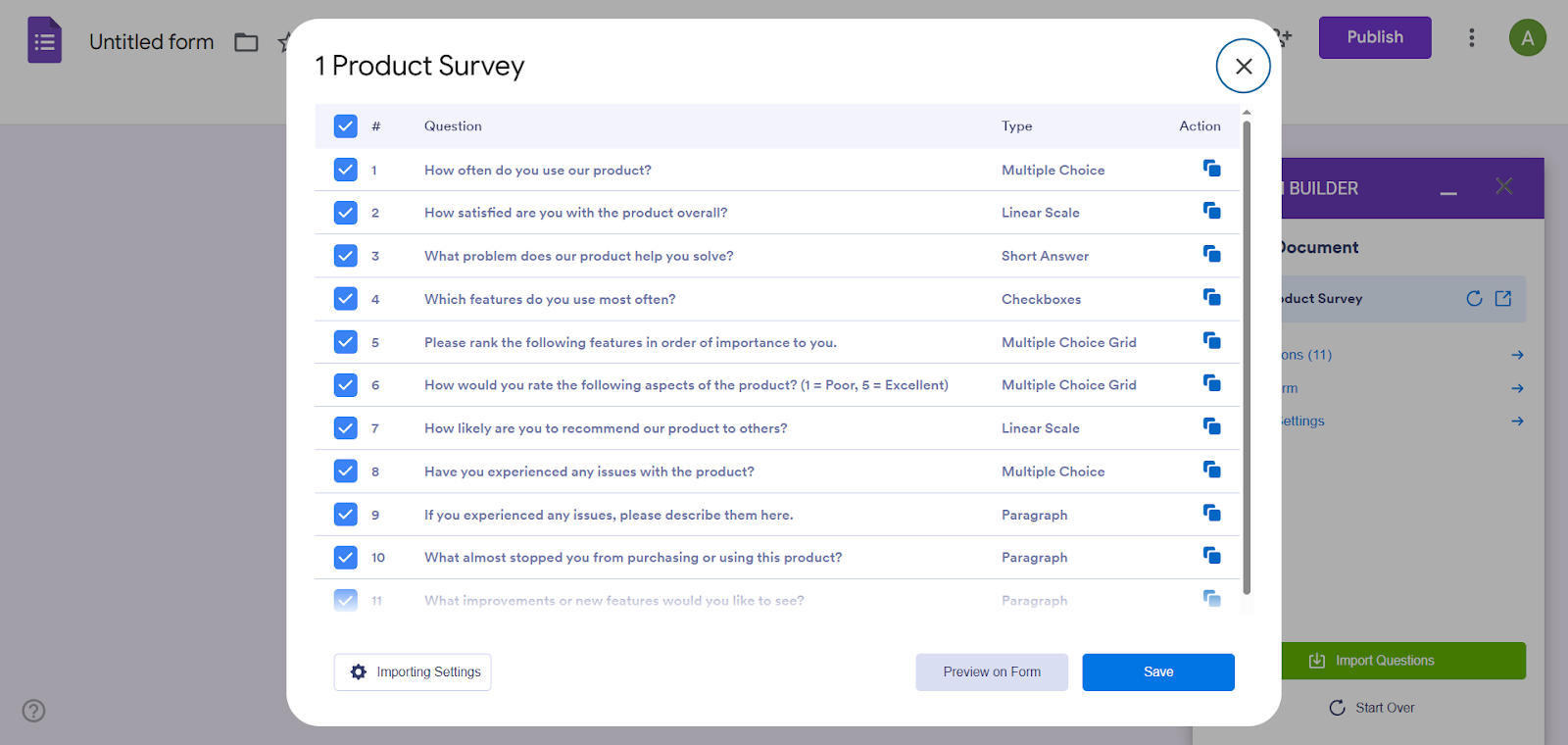
- Click See Questions. Here, you can review question titles, check answer options, confirm formatting, and deselect any questions you do not want to import.
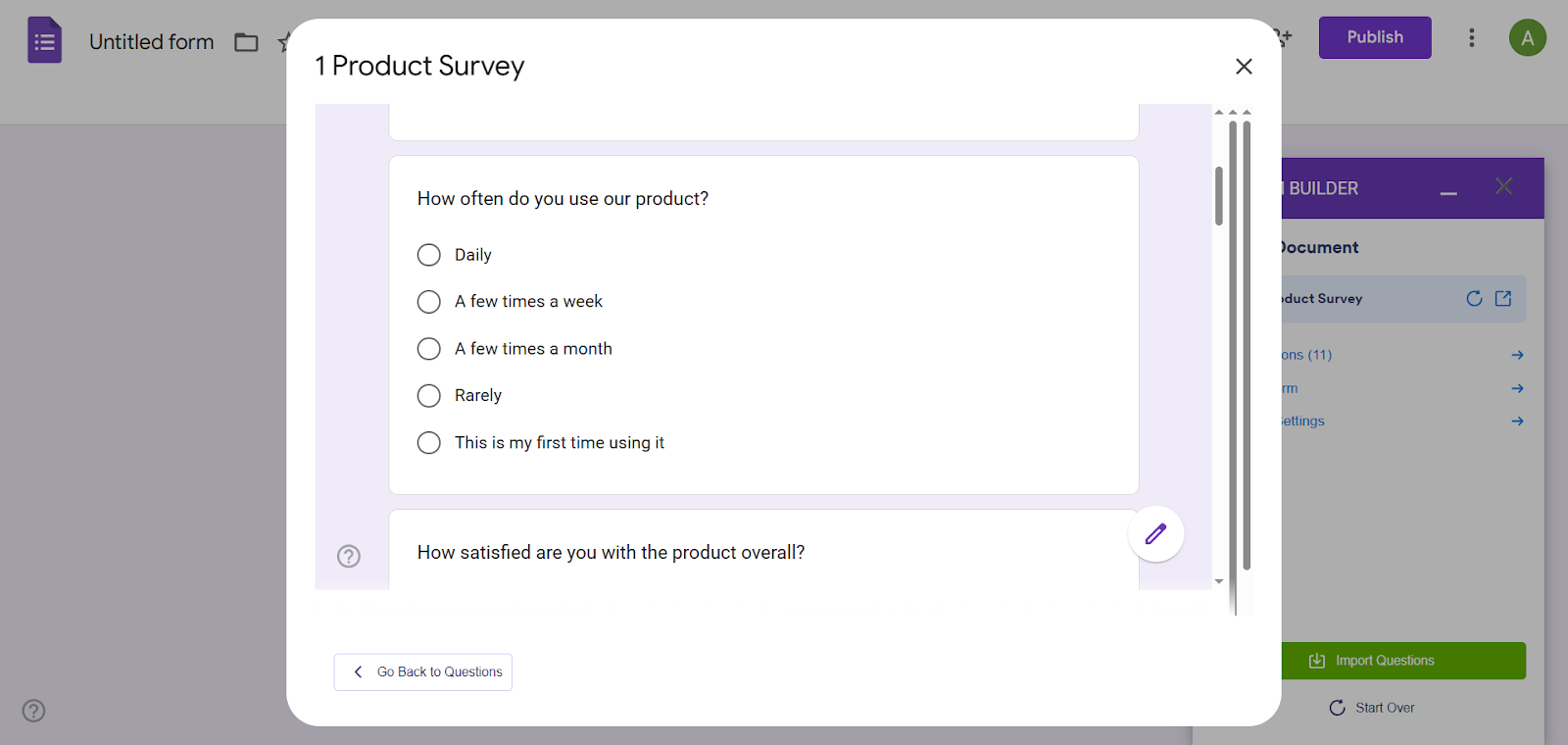
- Click Preview Form. Here, you can see how your form will look once it’s laid out in Google Forms. Verify your question order and check question field types.
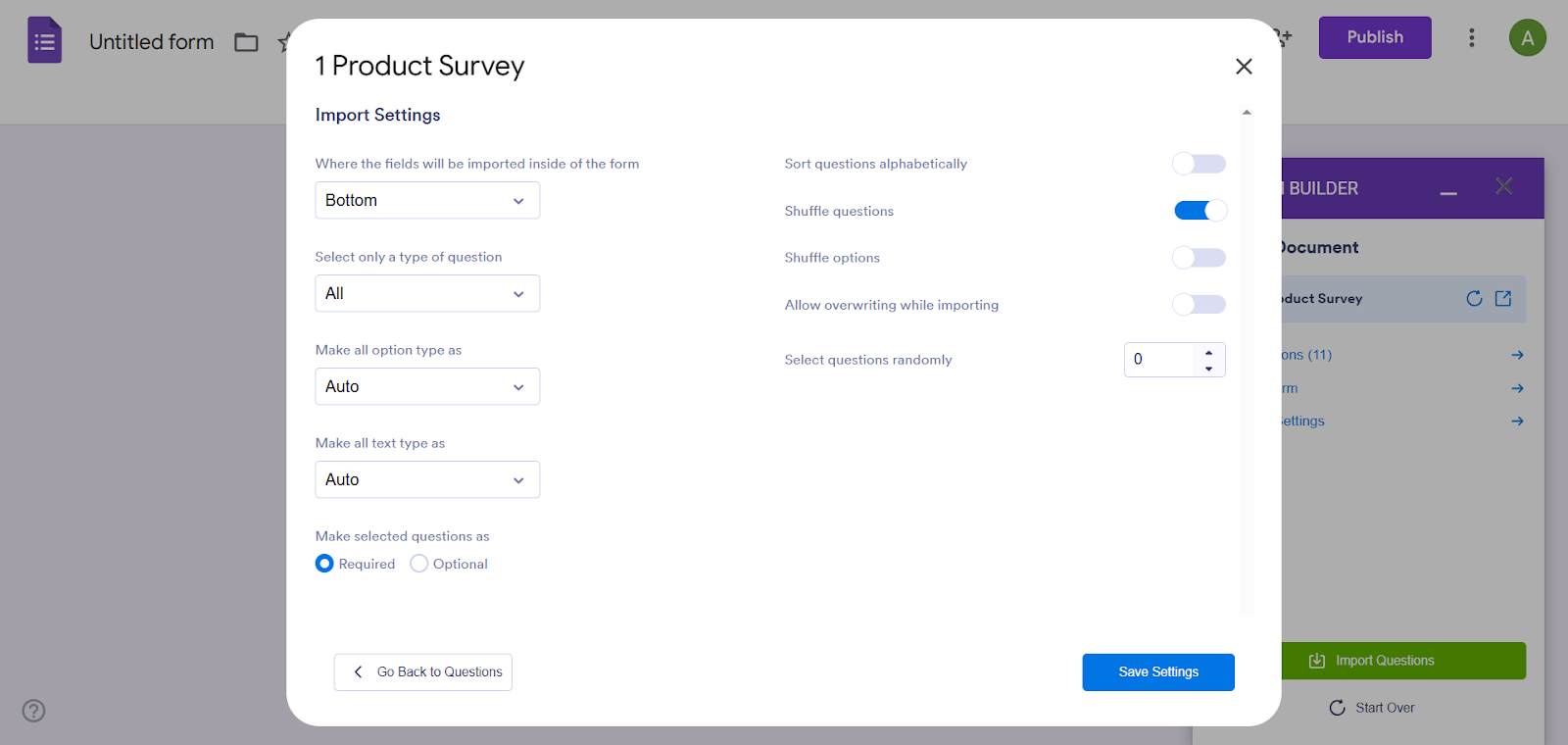
- Click Importing Settings. Select the content settings you need, such as making all questions required or shuffling questions.
- Click Import Questions.
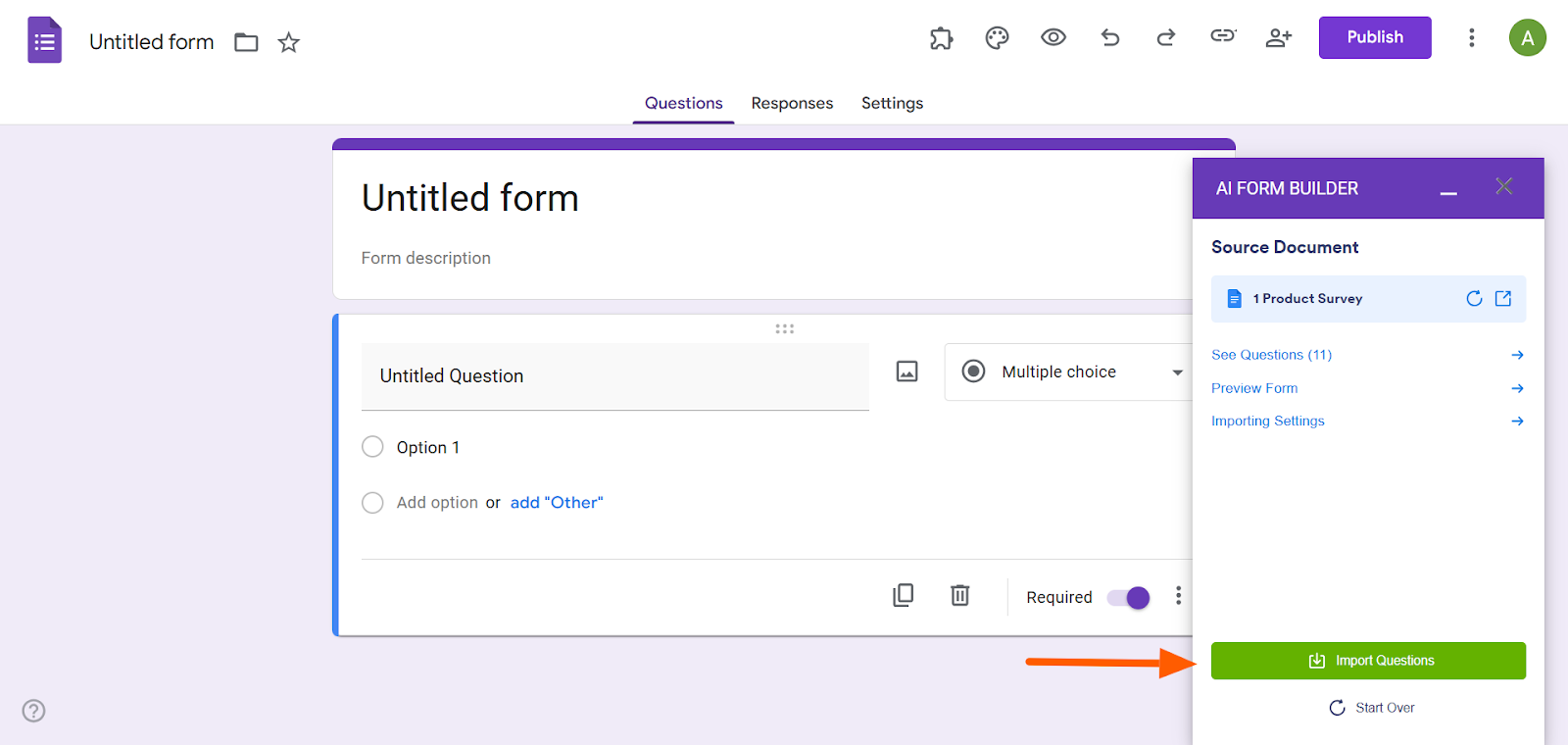
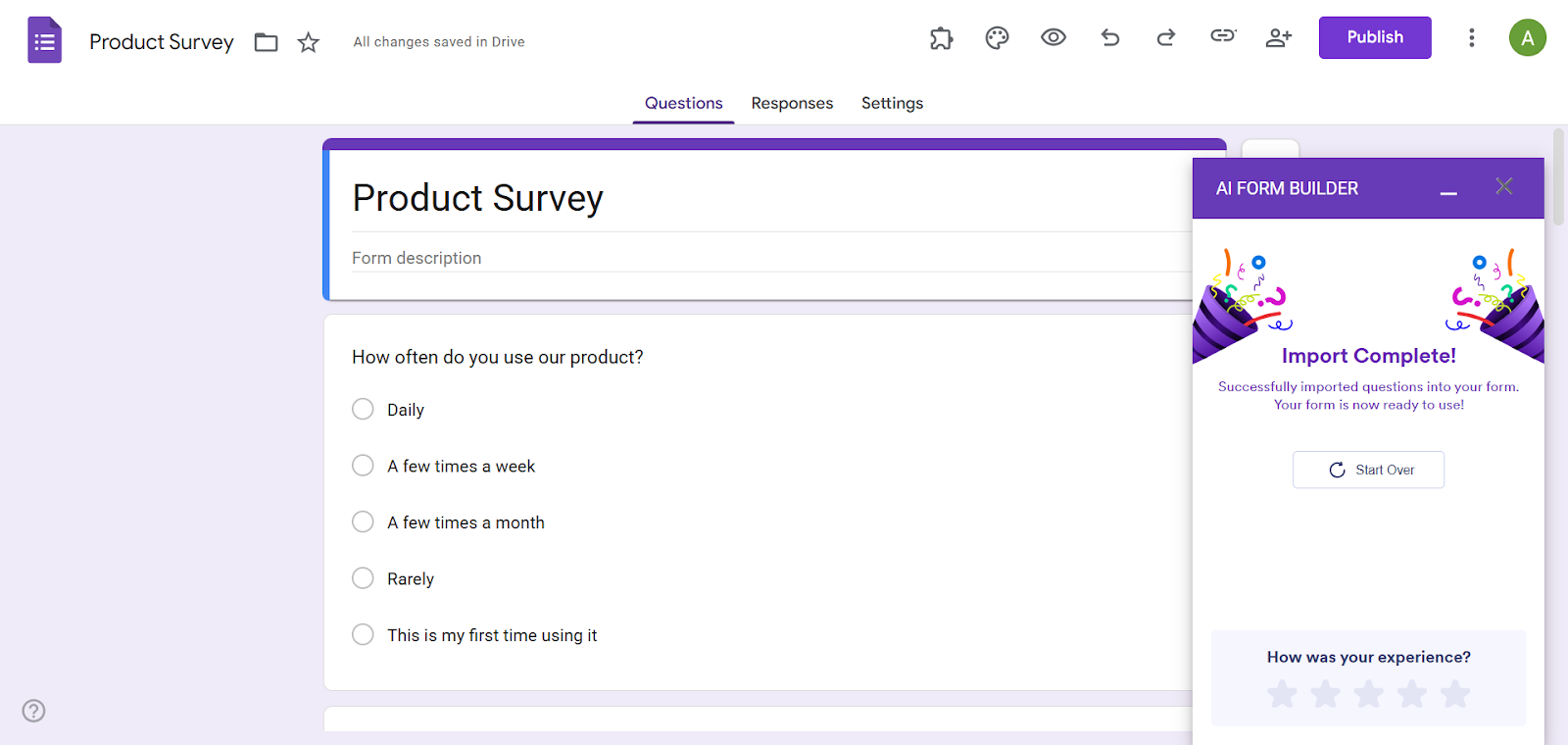
- AI Form Builder will then automatically import the questions from the doc into the Google Form.
Jotform: A smarter Google Forms alternative
There is no built-in way to convert PDF documents into Google Forms. You can either try the manual approach of copying and pasting questions — or you can get things done with ease with a Google Forms add-on like the AI Form Builder from Jotform. Leveraging artificial intelligence, this tool is ideal when you’re working with a high volume of documents or questions. Plus, it’s intuitive and easy to use.
A leading Google Forms alternative, Jotform offers a number of PDF tools that you may find handy. For example, try the Smart PDF Forms which enable you to convert your PDF into an interactive HTML web form.
Whether you need to import questions from your PDF to a Google Form, convert your PDF to a web form, or even chat with your PDF using AI, Jotform is here for you. Give one of our tools a try today!
This article is for educators, HR teams, event organizers, and operations staff who have PDFs like intake forms, surveys, applications, or checklists and need to turn them into a shareable online form without rebuilding everything from scratch.





























































































Send Comment: