

Key takeaways
- Wufoo is more capable if you need branded forms, payment collection, and built-in reporting, but the platform’s user experience is dated (it hasn’t received a meaningful update in years) and many useful features require a paid plan.
- Google Forms is free and works best for simple internal forms and quick surveys, especially for organizations that already use Google Workspace.
- Neither tool offers e-signatures, approval workflows, a mobile app, broad integrations, or meaningful AI features.
- Jotform is both powerful and easy to use. You get 20,000-plus templates, 150-plus integrations, workflows, conditional logic, AI features, e-signatures, and a capable free plan.
In shows like The Last of Us, characters get one of three fates: survive, die, or become a zombie. Software is the same. Most apps either thrive or shut down, but a select few plod along in an in-between state with no meaningful growth, no product updates, and no new features. Developers do just enough to keep the lights on.
The Wufoo form builder is a zombie app. Its last publicly acknowledged update was over half a decade ago, and after years of barebones maintenance, it’s fallen far behind competitors. Chris Coyier, a web developer who worked at Wufoo when it was acquired by SurveyMonkey in 2011, says, “I think it’s fair to say it was largely abandoned. The Wufoo of today isn’t really any different than it was twelve years ago.”
But here’s the thing: Wufoo still works. You can build forms, view reports, and create automations. If you poke around feedback sites, you can find happy customers who’ve used Wufoo for years and would rather stick with what they know than switch apps.
For users who do decide to switch, Google Forms is a common destination. It’s free, and despite being a simpler tool overall, it’s actively updated and has advantages over Wufoo — particularly when it comes to form-building within an organization.
I tested both platforms to help you determine which makes sense for you. If you’re deciding between Wufoo and Google Forms, or considering whether an alternate option like Jotform is a better bet, read on.
 Wufoo |  Google Forms |  Jotform | |
|---|---|---|---|
| Best for | Branded forms with field-level logic and basic automation | Quick, free surveys and internal forms, especially if your team is already on Google Workspace | Teams that want modern forms, payments, automation, and integrations |
| Starting price | Limited free plan available, paid plans start at $16.25 per month | Free | Free plan available, paid plans start at $34 per month |
| Templates | 400-plus | 17 | 20,000-plus |
| Conditional logic | Field-level, paid plans only | Basic section-level branching | Advanced, available on all plans |
| Workflows | Basic post-submission rules like redirects, messages, and notifications | Requires third-party tools | Workflow builder on paid plans |
| Branding and customization | Theme Designer and CSS on all plans, logos on Starter | Header image and accent color only | Full theme control, custom CSS |
| Reporting | Built-in dashboard on all plans | Basic summary, also exports to Google Sheets | Form analytics and Report Builder |
| Payments | Eight gateways on Professional plan and above | 40-plus gateways, available on the free plan, no transaction fees | |
| Integrations | Under 10 native integrations | Google Workspace only | 150-plus |
| Mobile app | Yes, for iOS and Android; includes offline form collection | ||
| E-signatures | |||
| AI features | Limited, requires paid plan with Gemini | AI Form Builder; Jotform AI Agents for conversational data collection via SMS, voice, and chat | |
| Learn More | Learn More | Learn More |
What is Wufoo?
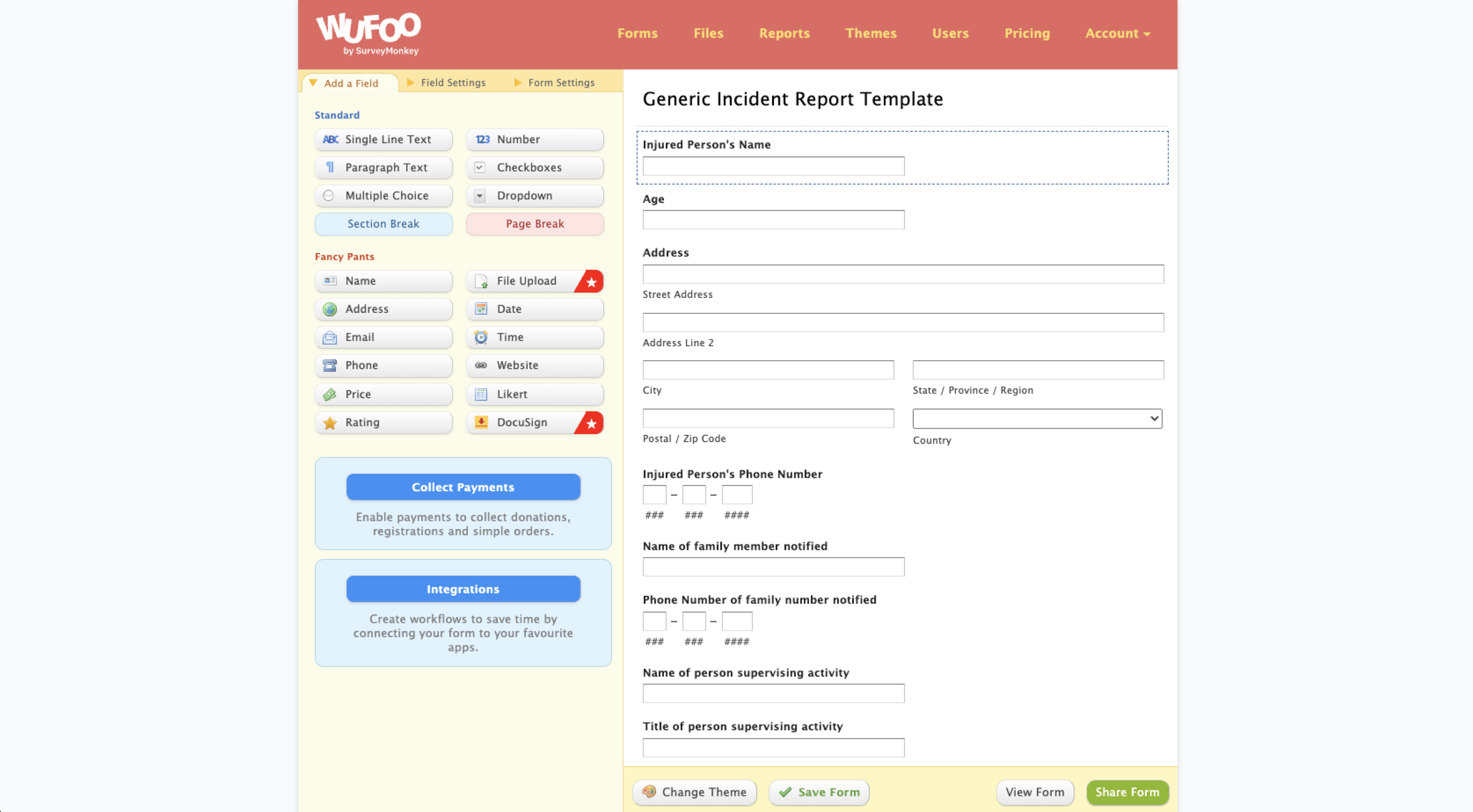
Wufoo is an online form builder that was launched in 2006 and acquired by SurveyMonkey in 2011. In many ways, Wufoo appears frozen in time: Its form editor has barely changed in a decade, its overall aesthetic is “early internet startup,” and its last social media post was five years ago.
In my testing, Wufoo’s old-school design made it challenging to use. Its form editor and report builder are the most dated part of the experience. Apart from simply how it looks, this matters in other ways: None of the buttons are quite where you expect them to be, and Wufoo’s editor doesn’t adapt to smaller screen sizes. That means if you’re trying to do anything on mobile (which you probably shouldn’t) you’ll need to dust off your “pinch and zoom” skills. Wufoo’s form manager is more modern than its editor, but it still fails to work on small screens. (I got a notification saying, “This browser size is not supported.”)
If you’re judging Wufoo by the standards of today’s best form builders, it can’t compete. But Wufoo still has users who stick around because it keeps working year after year. For businesses that need reliable forms, Wufoo does the job — and it also includes features like payments, file uploads, conditional logic, workflows, and analytics.
Pro Tip
Are you looking for a Wufoo upgrade? You can import your existing Wufoo forms to Jotform in just a few steps.
What makes Wufoo stand out?
- Payment collection: Wufoo connects with Stripe, Square, PayPal, Authorize.net, Braintree, Chargify, FreshBooks, and USAePay, which means you can accept one-time payments and donations. However, you need to be on Wufoo’s Professional plan ($33.25 per month, billed annually) or higher. The entry-level Starter plan doesn’t include payments.
- Custom branding and theme control: Wufoo’s Theme Designer lets you adjust colors, fonts, and layout, and anyone on any plan can tweak things further using CSS access. If you’re on the Starter tier and above, you can add custom logos and custom confirmation emails.
- A built-in reporting dashboard: Every Wufoo plan, including the free one, includes unlimited custom reports. You can build reports, export entries, and share results without routing everything through a spreadsheet.
- Conditional logic: Paid plans support field-level conditional logic, which means you can show or hide individual fields based on previous answers.
- 400-plus templates: Wufoo’s template library includes registrations, surveys, online orders, and lead generation. It’s still a fraction of Jotform’s 20,000-plus templates, but it’s enough to start most common form types without building from scratch.
What is Google Forms?
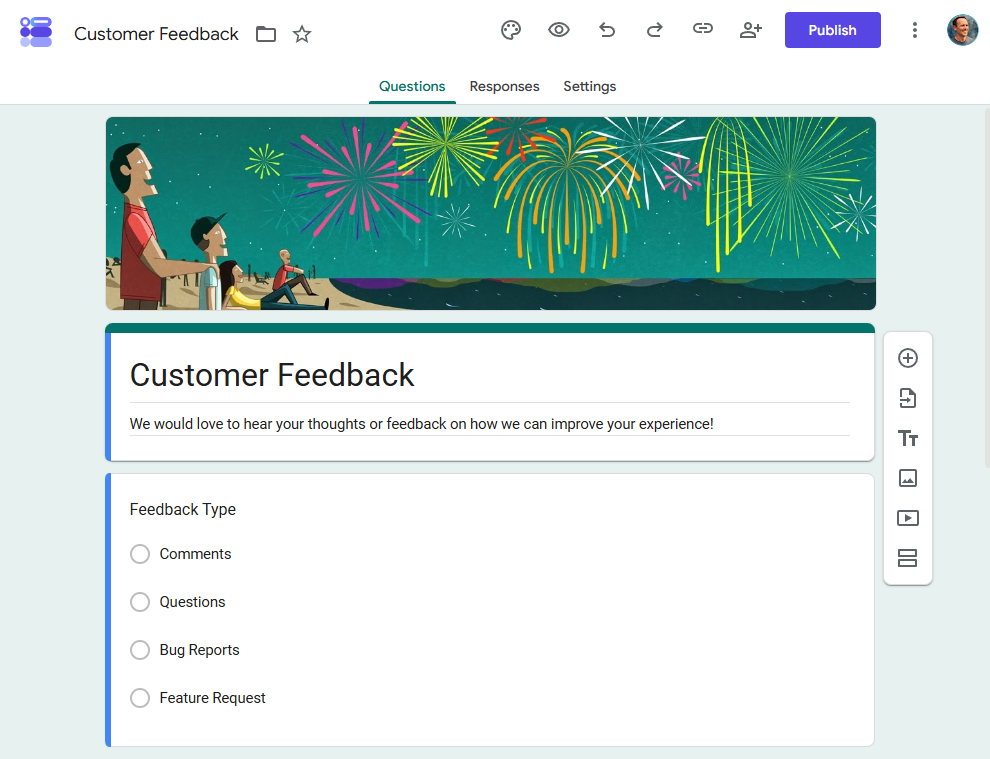
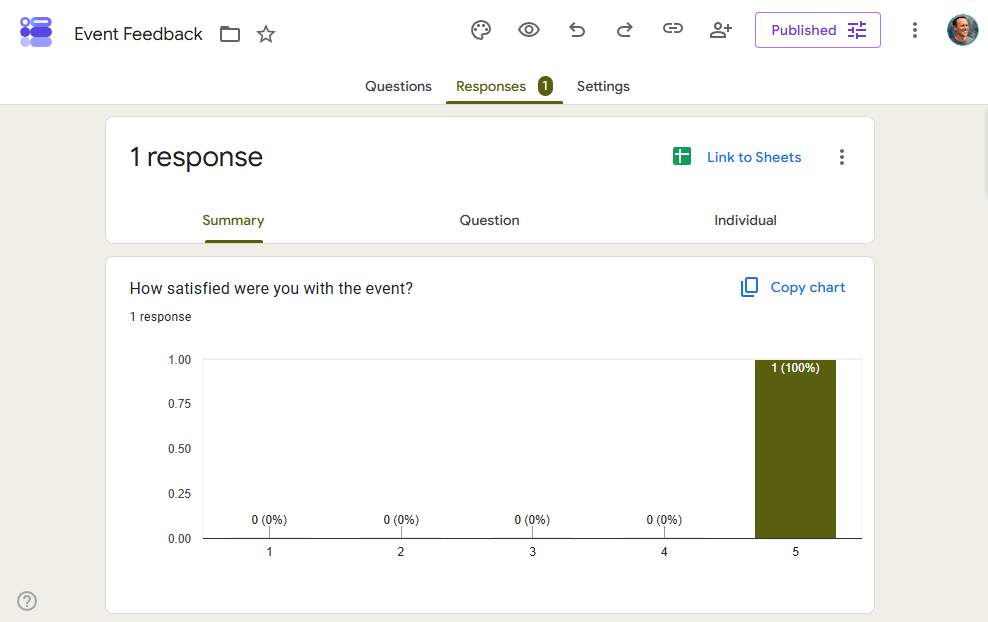
Google Forms is a free form builder included with every Google account. It’s popular for surveys, quizzes, and data collection, particularly within organizations that already use Google Workspace. Responses flow into Google Sheets automatically, and Google Forms also integrates natively with other Workspace apps like Gmail and Google Drive.
Google’s app designs are famously minimalist and intuitive. Google Forms is no different: It’s incredibly easy to use, and in my testing, building a multi-step form with a range of question types took just a few minutes. Whether you need to create a simple quiz or gather employee feedback from your entire company, you can figure it out yourself without digging through help documentation.
That said, if you need advanced features, Google Forms can be limiting. You can’t accept payments, create workflows, set up field-level conditional logic, or do much branding or customization. But for internal data collection, quick surveys, and quizzes, it’s a good place to start and can easily scale across your organization.
Pro Tip
Not sure Google Forms makes sense for you? Check out our full round-up of Google Forms alternatives.
What makes Google Forms stand out?
- Completely free: Google Forms offers unlimited forms, fields, and submissions. If you’re buying software for your business and you’re already a Google Workspace user, there are no per-seat licensing costs.
- Built for teams and organizations: Every person with a Google Workspace account can create or fill out a form, and you can share narrowly with a specific Google Group or team rather than opening access to your whole organization.
- Real-time collaborative editing: Multiple people can edit the same form at once.
- Almost no learning curve: You can build a basic form in minutes. Google Forms’ interface is modern, mobile-friendly, and instantly intuitive.
- Integrates with the Google ecosystem: Form responses sync automatically to Google Sheets, and you also get native connections to Drive, Gmail, and Calendar.
- Quiz and assessment tools: Quiz mode adds autograding, point values, and answer explanations.
Wufoo vs Google Forms: Side-by-side comparison
Ease of setup and everyday use
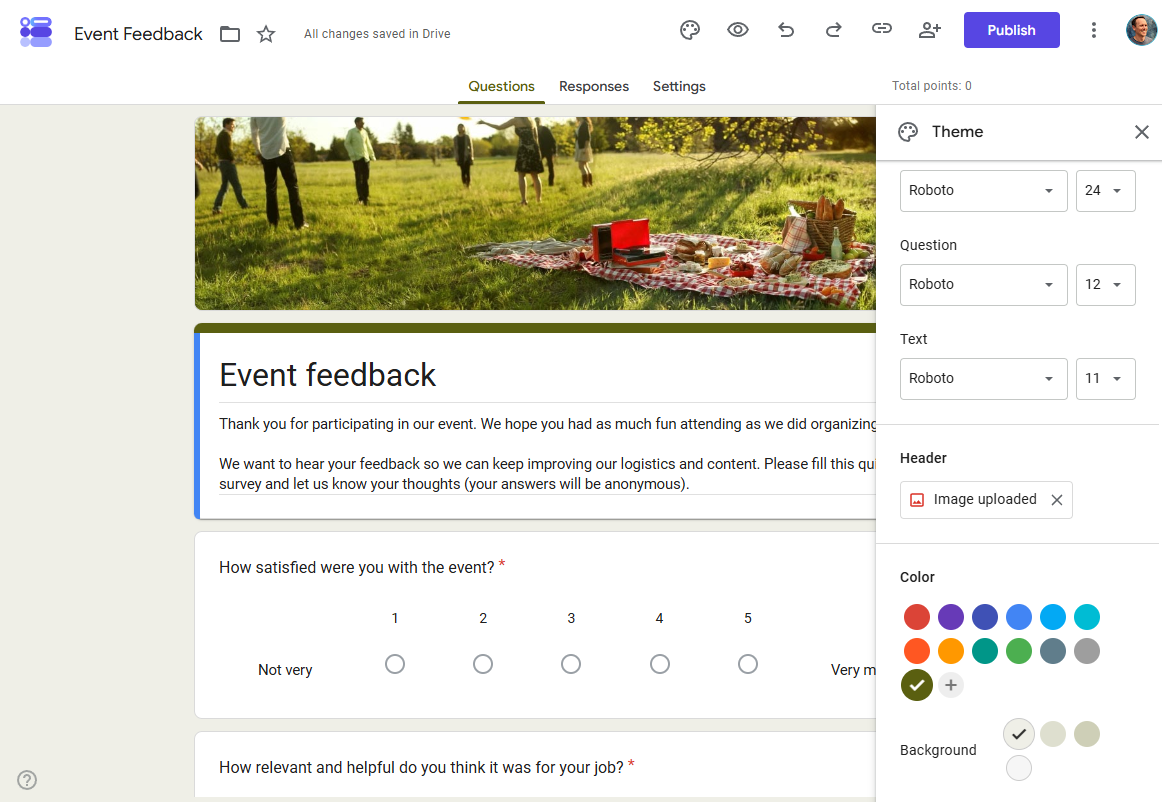
Google Forms has almost no learning curve. Building forms, surveys, and quizzes is intuitive, and it’s easy to share links and check responses. If your team already uses Google Workspace, there’s nothing to install or configure, and permissions carry over from existing accounts automatically.
Wufoo has more friction. It’s fairly easy to get started, but many areas of the app have usability challenges because Wufoo hasn’t been updated in so long. The Form Manager page (where you can see all your forms at a glance) has a modern interface that’s easy to navigate, but form creation, rule building, and custom reports all appear to use Wufoo’s original 2011-era design.
Customization and branding
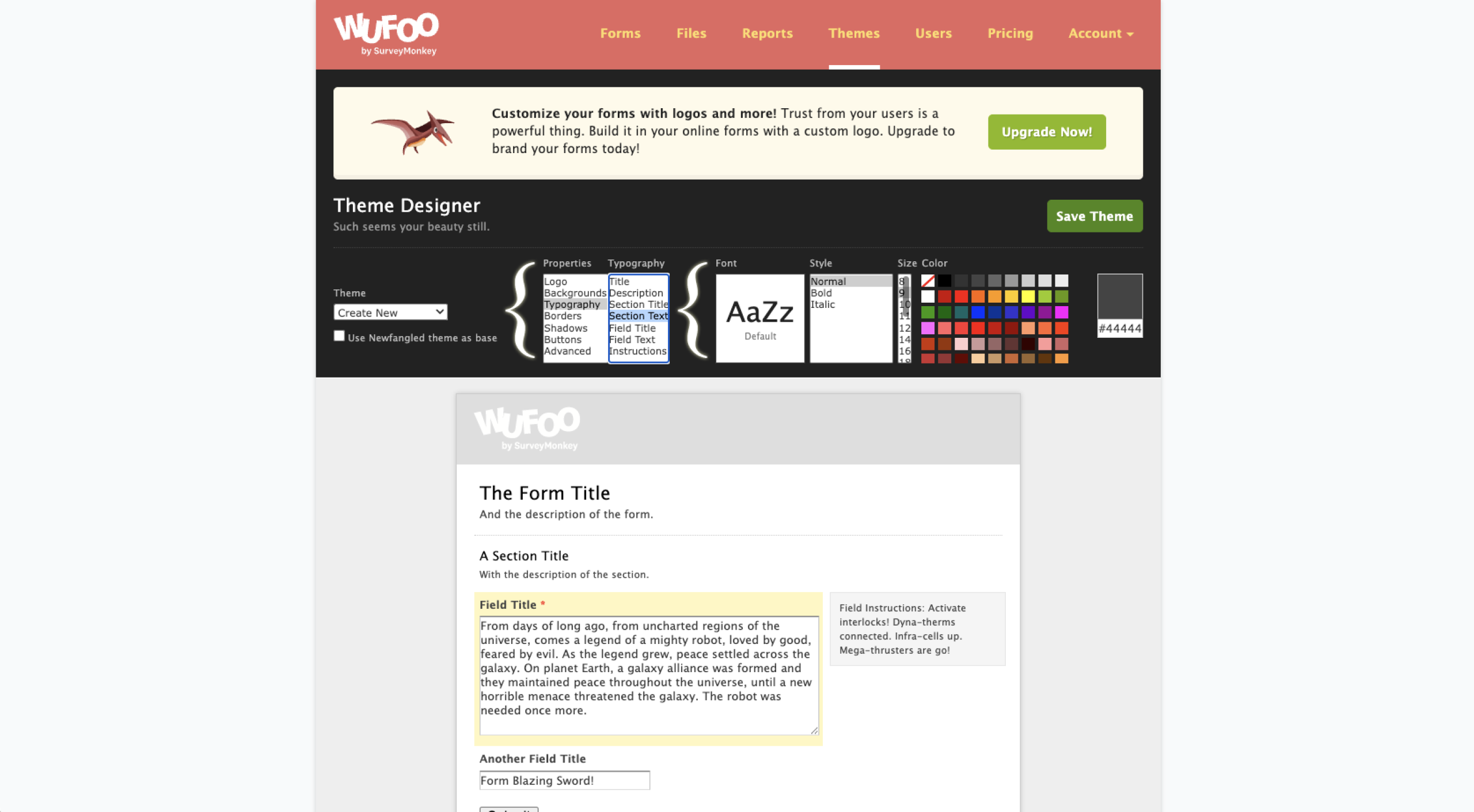
Wufoo is a better option for businesses that need in-depth customization. The Theme Designer gives you control over colors, fonts, and layout, and you get CSS access on all plans. Once you upgrade to the Starter tier, you can also add custom logos and custom confirmation emails.
Google Forms offers basic options to customize your accent colors and header images, but there’s no hiding the fact that you’re using a Google Form. It’s usually not the right choice if you need something that looks like it was custom-branded for your business. Plus, Google Forms has just 17 templates — a much smaller selection than Wufoo’s 400-plus templates.
Payments
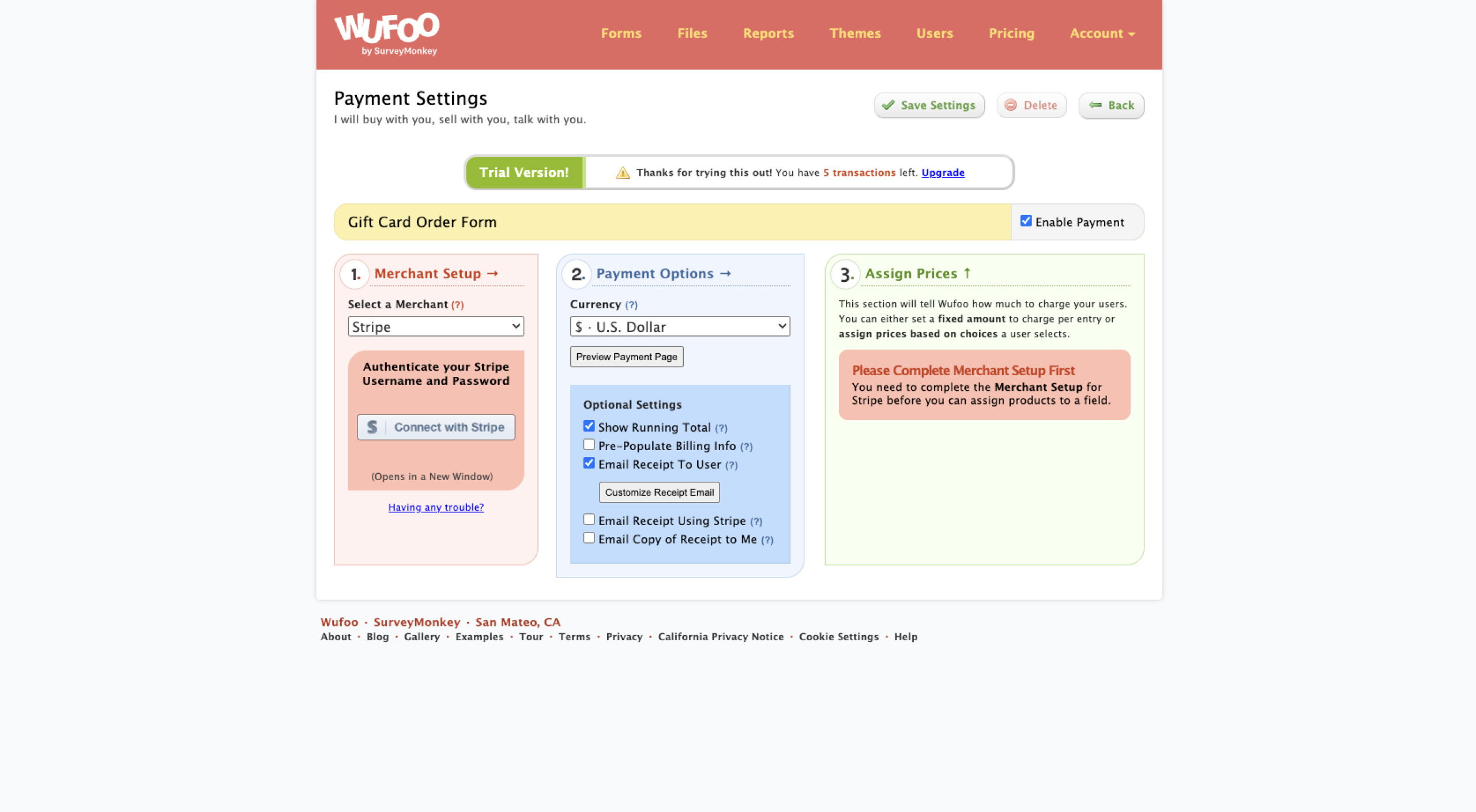
Wufoo handles payments on the Professional plan and above, with payment gateways that include Stripe, Square, PayPal, and Authorize.net. However, it only supports one-time payments, not subscriptions. It’s also worth considering whether Wufoo’s old-school payment interface could impact your conversion rate, since 19 percent of shoppers who abandon their carts do so because they don’t feel safe using their credit card on the website.
Google Forms has no native payment support. While you can find workarounds to accept payments, in most cases it makes more sense to use another app.
Pro Tip
With Jotform, you can accept one-time or recurring payments via a modern, mobile-friendly payment experience with 40-plus payment gateways.
Workflows and conditional logic
On paid plans, Wufoo offers a Rule Builder with field-level conditional logic so that you can show and hide fields based on user responses. Google Forms offers a simpler level of conditional logic: You can show and hide entire sections, but not individual fields.
Wufoo’s Form Rules let you set up automations that trigger under certain conditions. Depending on how users interact with your form, you can show a message after form submission, redirect them to another page, or send them a notification. Google Forms doesn’t offer comparable features natively, though you can hack a solution together with Google Apps Script if you’re technically inclined.
Reporting and integrations
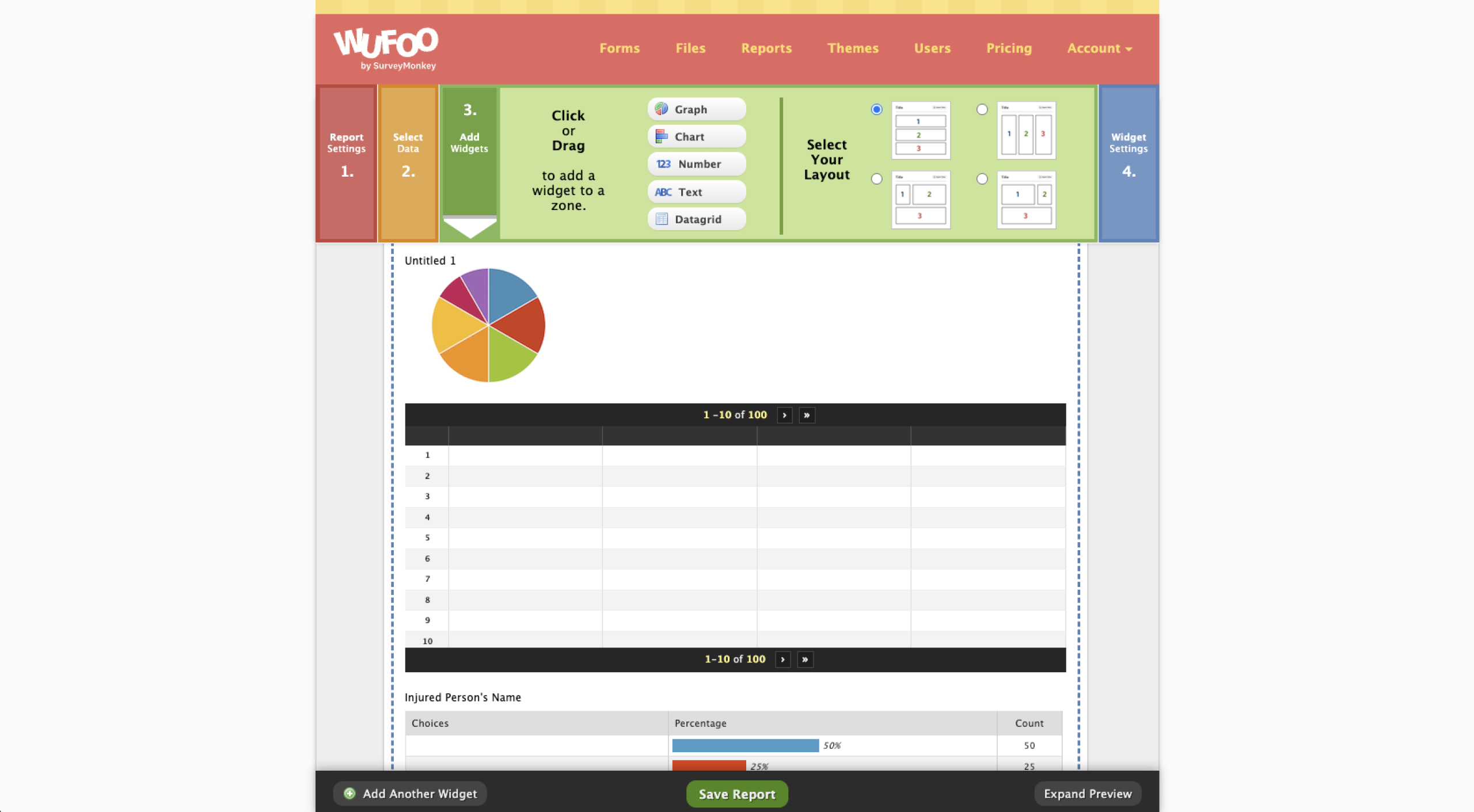
Wufoo offers unlimited custom reports, even on the free plan. It’s a nice perk in theory. But in my testing, the report builder was remarkably clunky and hard to understand — it’s one of those areas of Wufoo that seems like it hasn’t been updated in a decade or more.
Google Forms offers more limited in-app reporting, but you can send your form data to Google Sheets and create more sophisticated reports there.
Neither app offers many integrations. Wufoo has a handful of native integrations — including Salesforce, WordPress, Mailchimp, and Docusign — but it depends on Zapier for everything else. Google Forms integrates with Google Sheets, Drive, Docs, Gmail, and Calendar, and you can extend it more using the Google Workspace Marketplace or third-party integration tools.
Pro Tip
Read our list of the 12 best Wufoo alternatives in 2026 to find more modern form builders that might suit your business’s needs better.
Wufoo vs Google Forms: Pricing and value
Google Forms | Wufoo | |
|---|---|---|
| Free plan | Unlimited forms, fields, and submissions | Five forms, 10 fields per form, and 100 entries |
| Multiple users | Available on the free plan | Available on the Starter plan ($16.25 per month, billed annually) |
| Payment collection | Not available | Available on the Professional plan and above |
| Branding | Limited customization and branding options | Starter plan offers custom logo and branding options |
Wufoo has a free plan, but it’s limited. You get five forms, 10 fields per form, 100 entries, and a subset of Wufoo’s features, so for most users it functions as more of a demo than a “forever free” plan. Google Forms, on the other hand, is entirely free for personal users and is included with any version of Google Workspace for business users. With unlimited forms, fields, and submissions, Google Forms can scale as much as you need it to.
Google Forms won’t be enough if you need payments, a custom-branded experience, or field-level conditional logic, though. Wufoo is one option if you need those capabilities. But to get all of them, you need to upgrade to the Professional plan ($33.25 per month, billed annually) or above. And with Wufoo you generally pay more, and get less, than with most competing form builder apps.
Wufoo has a couple of unusual pricing quirks to point out. First, even if you pay $16.25 per month to upgrade to the Starter plan, you’re still limited to a maximum of 10 forms and one user — and you can’t accept payments, either. And second, Wufoo charges a $0.05 per-entry overage fee if you exceed your monthly allowance (1,000 entries on the Starter plan).
Google Forms vs Wufoo: Which one should you choose?
Choose Wufoo if:
- You need one-time payment collection.
- Your forms go to clients or customers who expect a fully branded experience.
- You need field-level conditional logic and post-submission automations like redirects and custom messages.
- You need more templates, customization, and design control.
Choose Google Forms if:
- You’re looking for a free form builder with no caps on the number of forms, fields, or submissions.
- Your main use case is internal forms like employee feedback, IT requests, PTO submissions, and quick team surveys.
- Your organization already runs on Google Workspace and you want to quickly allow your entire team to build forms with no setup, no training, and no additional cost.
- You’re happy to manage any custom reporting needs in Google Sheets.
If Google Forms feels too limiting and you’d rather not deal with Wufoo’s dated interface, it’s worth evaluating a platform that doesn’t force you to choose.
Switch to Jotform for modern forms without the trade-offs
Jotform doesn’t make you choose between simplicity and features. It can do everything that Wufoo can (and much more), but it’s also as intuitive as Google Forms, has an impressive free plan, and is regularly updated with powerful new capabilities.
Jotform includes features that neither Google Forms nor Wufoo offer:
- Jotform AI for generating entire forms from a prompt
- 150-plus native app integrations and 40-plus payment gateway integrations
- Full branding controls and 20,000-plus form templates
- A dedicated mobile app with offline form collection
- Built-in e-signatures and approval workflows
- Conditional logic on all plans (including the free plan)
- Jotform Tables for viewing and managing submissions


Switching to Jotform is easy. You can migrate your Google Forms or migrate your Wufoo forms in minutes without rebuilding your forms, and all your questions and form structure are imported automatically.
Sign up for Jotform for free and see for yourself whether it makes sense for your team.
This article is for small business owners, marketers, operations teams, educators, and solo operators comparing a free, familiar form tool with a more feature-rich legacy form builder. They want to know whether Google Forms is “good enough,” whether Wufoo is worth paying for, and when it makes more sense to move to a modern alternative instead of accepting workarounds or dated UX.



































































































Send Comment: