Jotform lets you embed your form directly into your website using its full source code. This gives you full control over the form’s structure and appearance through HTML and CSS, and lets you add custom behavior with JavaScript. It’s ideal if you want the form to blend seamlessly into your site or you need to extend how it works. You can also download the form’s resource files and host them on your own server if needed.
Notes
- Full source code is only available for forms in the Classic layout, not the Cards layout.
- The form’s source code doesn’t update automatically, so you’ll need to replace it on your website every time you make changes in Form Builder.
Getting your form’s full source code is quick and easy. Here’s how to do it:
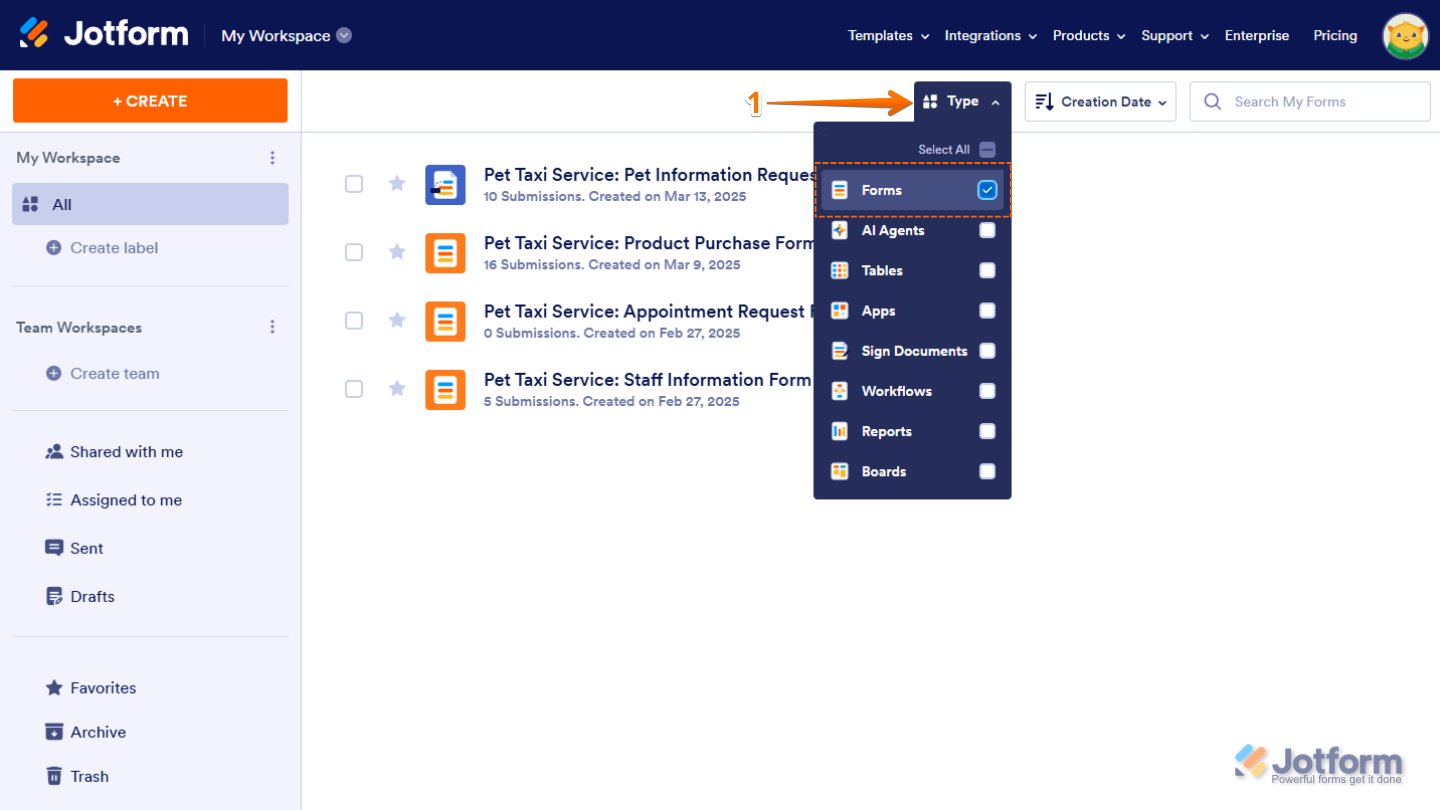
- On your My Workspace page, click on Type at the top and in the Dropdown menu that opens, uncheck the boxes next to all the assets except Forms, so only they’ll be shown on the page.
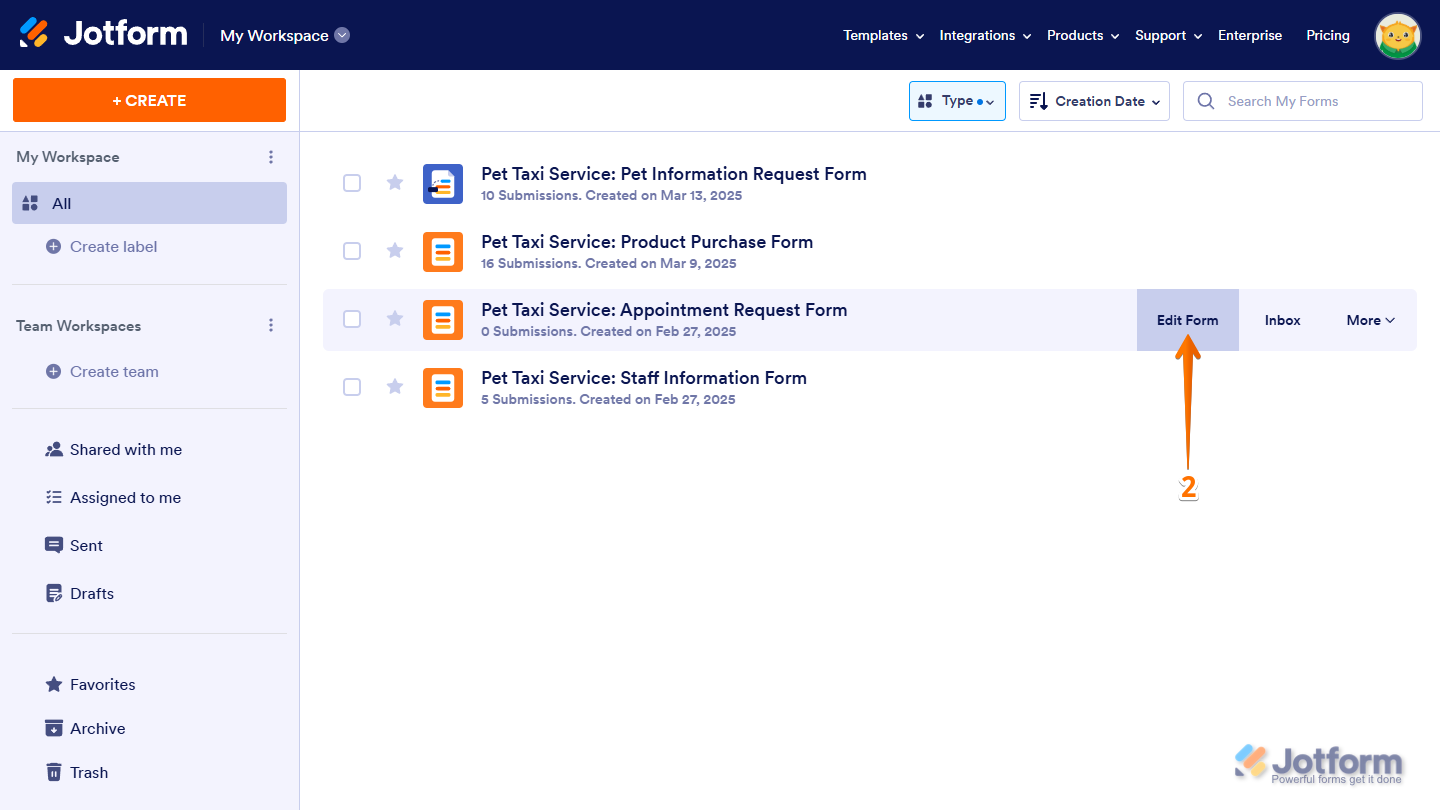
- Hover your mouse over the form you want to embed using an iframe and click on Edit Form on the right side of the page.
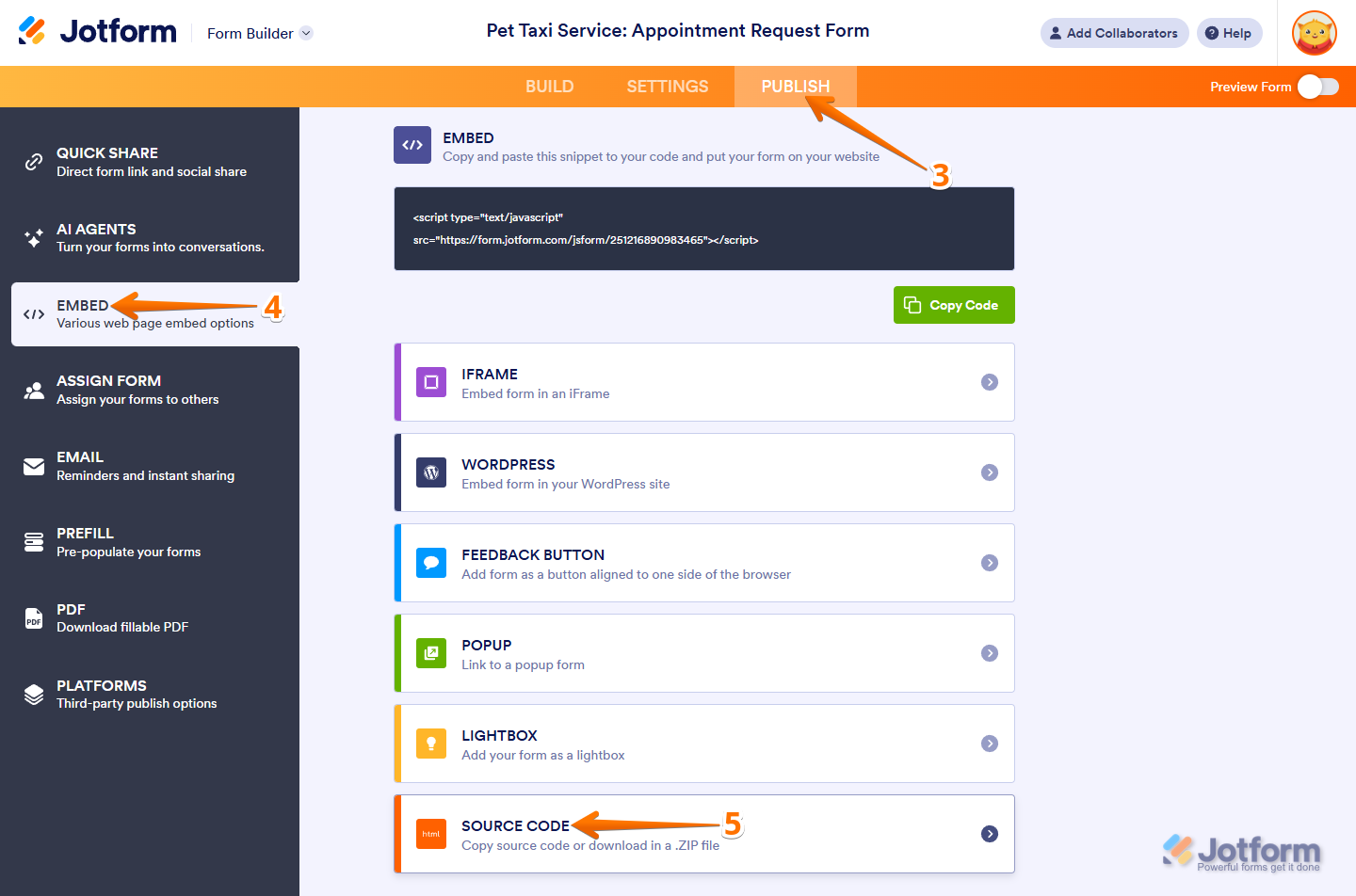
- In Form Builder, in the orange navigation bar at the top of the page, click on Publish.
- Now, click on Embed in the menu on the left.
- Then, on the right, click on Source Code.
- Next, in the Source Code section, click on Copy Code.
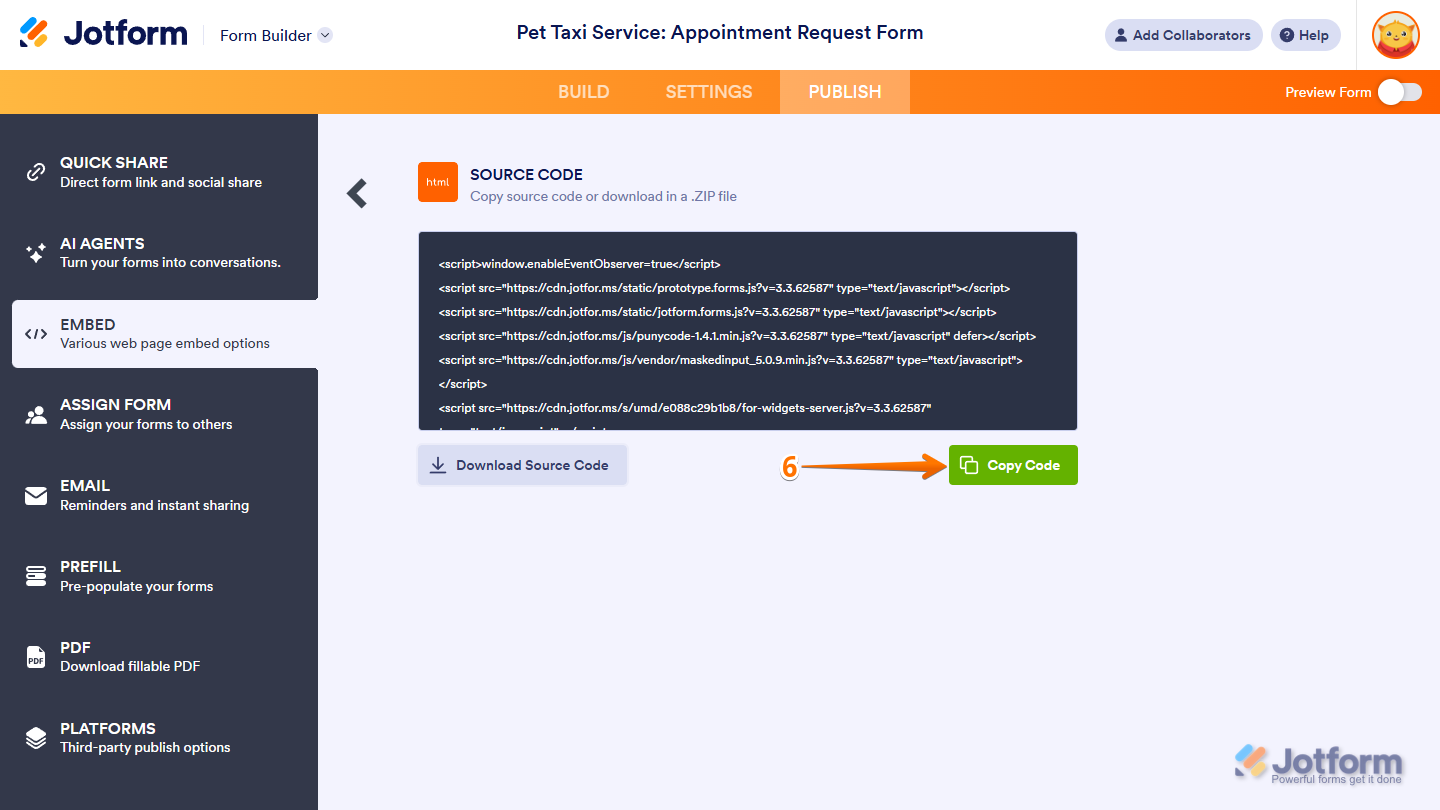
That’s it. You can embed the code into your site and customize it the way you like. You can also select Download Source Code to get a ZIP file with your form’s resource files that you can host on your server.

Send Comment:
83 Comments:
October 2, 2025
I have embedded my form into a website, but JavaScript is not working.
The source was injected in the div with id story-injected-script-container and is suppose to work with any included/embedded JavaScript.
However, the elements and conditionals are not working. For example, the Next and Back pages are non-functional. Images in the link do not show up. I'm thinking this must be a limitation of our website.
August 28, 2025
I will try to implement the way to get the source code and put it in Classic Editor in WP, and see the result. At the same time, I am waiting for the direct resolution in Jotform itself.
Thanks.
July 25, 2025
good toughts thank you
May 4, 2025
I created a website using Next.js and Typescript, how would I embed the form into my website code?
March 11, 2025
Hello. Will you support getting the source code of card forms?
I have a card form and I want to embed it to my side, without the need for an iframe, so I can track analytics using google analytics
Thank u pls
ref: https://www.jotform.com/help/1076-how-to-track-online-form-submissions-using-google-analytics/
November 19, 2024
I set up a discount code, I downloaded the source files, and it seems like the codes are not working. I tried the live link to the form and the code seems to be working. Any ideas on how to make it work on source code?
October 20, 2023
hello great assistance
October 16, 2023
Hi, I would like to collect the GCLID of each person who fill a form in the hidden field I've created on the form. Could you help me with the code I've to use to add this ?
thanks in advance
September 6, 2023
Does this work with HIPAA accounts or forms?
May 26, 2023
Hi,How can I export the data to excel file?
May 22, 2023
Hi lovely assistant 😊
January 19, 2023
i have downloaded the sourcecode and edited
could i get an advice on hosting this edited sourcecode?
or how could i update this changed sourcecode?
November 21, 2022
Hi,
I came across this page telling how to export jotform as html but i can't find this feature in my account.
Is there anything i can do to let me account download the form as html?
June 9, 2022
Should conditions work on my LOCALHOST dev server?
February 9, 2022
I have crated jot form and added into our website but validation design not come as per jot form given...
December 28, 2021
For some reason when you click on my InstaBio for colormatch form it doesn’t take you to the form. I put the link in. Can’t figure out what I’m doing wrong.
November 9, 2021
Hi
I have downloaded the source code, how to add a custom field Validation with an API to text Field. After the validation run on the Field, then only will Form will be Submitted if the text field will valid.t field will v
I need a Documentation for editing the source code.
Thanks,
Vishal
October 20, 2021
Hi! Can somebody please explain WHY does one need cloning?
1. Is it just to save time creating a similar form or does it serve any additional purpose?
2. Is clone tied to the original form? I.e., if I make changes in one, will it affect another?
3. Does cloned form count for all created forms - i.e. if I use a free account and create a clone it will count towards my 5 allowable forms?
4. I need a form to test some features I am not sure about - is there a way to have such Test Form without it being counted towards my free ones?
Thank you kindly,
Galina
July 25, 2021
I dont see the full source code on my starter account.
June 4, 2021
i need to know how to send it
May 16, 2021
How do u re-embed the code? i couldnt change/edit/delete or anything on the embed
May 10, 2021
When downloading the source code, it is only downloading it in the default form language. Is there a way to include the code with other translations as well?
January 29, 2021
I am not very good at HTML code and I need help with my form #203004813843144. I need to know how to change font colors within the form and is there a way to remove/disable the radio buttons once the form is live. Just the buttons so someone can not register. Also, I need to know how to prevent people from registering from more than one class per time period.
Sandra Stewart
December 30, 2020
Hi, can I export the data to excel file?
I will need to input the data to a new software database.
Thanks
November 25, 2020
is this feature still available?
I can't find it in my forms