

Marketing Sheets

Social Media Calendar
Schedule social media posts in advance. Display your social media strategy as a visually stunning spreadsheet. Integrate with 80+ apps. No coding required.
Go to Category:Marketing
Grant Tracking Spreadsheet
Keep track of grant applications online with Jotform’s free Grant Tracking Spreadsheet. Available in spreadsheet or calendar view. Easy to customize and share.
Go to Category:Marketing
Email Marketing Calendar Template
Organize your newsletters with a free Email Marketing Calendar Template. Track click rates, open rates, and analyze results to improve your email campaigns.
Go to Category:Marketing
Shooting Schedule Template
Create a shooting schedule for your film or video — for free. Add scene details, shoot dates, and more. Download, print, share, and access on any device.
Go to Category:Marketing
Marketing Plan Template
Meet marketing goals with our free marketing plan template. Easy to edit, view, and share. Works on any device. Perfect for your marketing team!
Go to Category:Marketing
Social Media Analytics Template
Analyze your social media channels with a Social Media Analytics Template. Track posts, followers, likes, shares, conversions, and more. Free to use and customize.
Go to Category:Marketing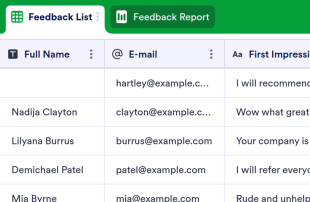
Customer Feedback Log
Collect customer feedback online. Switch between spreadsheet, card, or report view to analyze the feedback. No coding required. Works great on any device.
Go to Category:Event Planning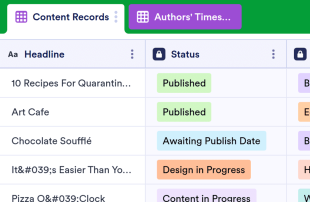
Content Calendar Template
Boost your content marketing strategy with Jotform. Access and edit your Content Calendar from any device. Share with your team in seconds. No coding required.
Go to Category:Marketing
Digital Marketing Campaign Template
Monitor your ad campaigns with a free Digital Marketing Campaign Template. View clicks, conversions, and total money spent. Info stored securely online.
Go to Category:Marketing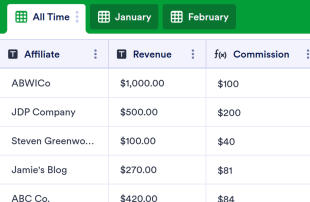
Affiliate Tracking Template
Track your affiliate partners’ revenue, commission amounts, payment status, and more in a free online database. No coding required. Easy to customize and share.
Go to Category:Marketing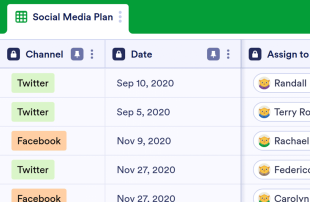
Social Media Plan Template
Schedule social media posts for your company. Free calendar template for social media marketing. View as a spreadsheet. Easy to share and customize. No coding.
Go to Category:Marketing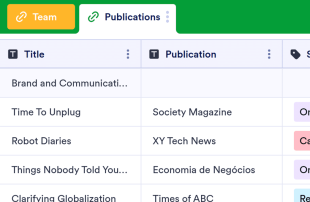
PR Tracker
Track and manage your PR efforts with a free online PR Tracker. View tasks and projects in a professional spreadsheet or calendar view. Easy to customize.
Go to Category:Marketing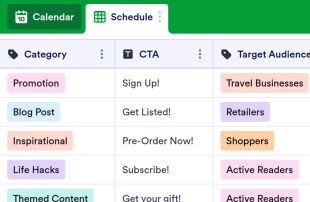
Editorial Calendar Template
Never miss a deadline again with our free editorial calendar. Easy to view and edit from any device. Perfect for content creators and publishers. No coding.
Go to Category:Marketing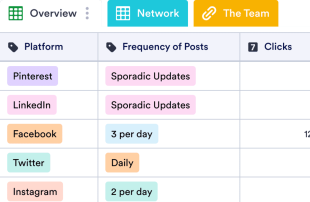
Social Media Audit Template
Evaluate your social media channels with a Social Media Audit Template. Monitor your campaigns in a free spreadsheet. Improve your social media presence.
Go to Category:Marketing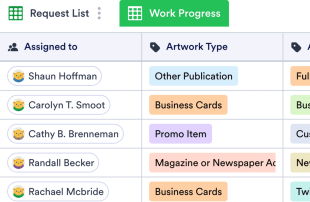
Design Request List
Organize graphic design requests with our free online spreadsheet template. Track request details, work progress, and invoices. Easy to customize and update.
Go to Category:Marketing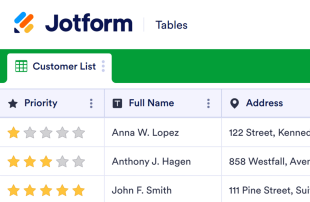
Customer Info Sheet
Collect, store, and manage customer information in one secure and easily accessible database. Easy to customize, download, and share. Works on any device.
Go to Category:Marketing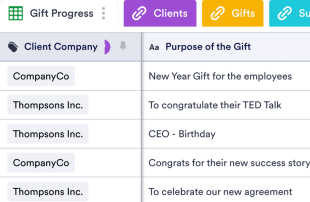
Gift Planner
Become the best gift giver ever. Keep track of all your presents for clients, family, friends, and more. Free and easy to customize. Access on any device. No coding.
Go to Category:Marketing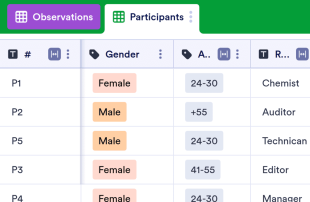
Rainbow Sheet
Record behavioral patterns and store participant information securely with free online spreadsheets. Fully customizable with no coding required.
Go to Category:Marketing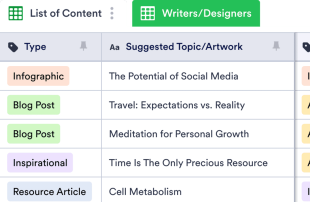
Content Audit Template
Monitor and update content on your website with a free Content Audit Template. Easily track due dates, keywords, and writer or designer contact details.
Go to Category:Marketing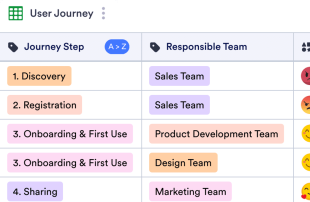
Customer Journey Map Template
Keep track of each step of the customer journey. Easy-to-customize table template. Switch between spreadsheet, card, and calendar view. Collaborate online.
Go to Category:MarketingAbout Marketing
Marketing Sheets are category-specific table templates designed to help organize and manage records related to marketing activities. Form owners use Jotform Forms to collect a wide range of information, including survey responses, customer feedback, event registrations, and promotional sign-ups. These submissions are crucial for marketing teams, companies, and professionals who need to handle requests, analyze data, and maintain customer engagement. The power of Marketing Sheets lies in their ability to transform collected form responses into well-organized records within Jotform Tables, ensuring that vital information is easily accessible and manageable.
Jotform Tables serves as the central hub where submissions from connected Jotform Forms automatically appear. Each submitted form response becomes an entry in the linked table, which can be reviewed in Table View or Detail View. This setup allows users to organize and analyze submissions by employing powerful features such as search, filters, data grouping, and different views like Calendar View and Report View. While manual entry and CSV or Excel import are supported, the primary focus remains on seamlessly integrating form responses into the tables. This end-to-end workflow enhances efficiency by streamlining the process from data collection to comprehensive management.
Why Use Marketing Sheets?
- Marketing Sheets eliminate the need for manual data transfer by ensuring that all Jotform Forms submissions automatically populate the connected tables. This reduces errors and saves valuable time.
- Keeping all submissions together in a centralized table makes it easier to find and manage records, allowing marketing teams to stay organized and efficient.
- With detailed submission information readily accessible, teams can review complete details of each entry, including attachments and uploads, ensuring no important data is overlooked.
- The ability to filter and search through submissions quickly helps users locate specific records, facilitating better decision-making and faster response times.
- By using Jotform Tables to coordinate follow-up actions, marketing teams can ensure that no customer inquiry or feedback goes unanswered, improving overall customer satisfaction.
- Real-time tracking and revision history features enable teams to monitor changes and maintain an accurate record of all submissions and actions taken.
Common Problems Solved by Marketing Sheets
- Manually copying submissions from forms into spreadsheets is time-consuming and prone to errors. Marketing Sheets solve this by automatically importing form responses into organized tables.
- Scattered responses across multiple platforms can lead to confusion and inefficiencies. Marketing Sheets centralize all data, making it easier for teams to stay on top of their submissions.
- Finding specific records in a sea of data can be challenging. The search and filter capabilities in Jotform Tables allow users to quickly locate the information they need.
- Inconsistent review processes can result in missed opportunities or overlooked information. By using columns and column types, teams can standardize data review and ensure thoroughness.
- Large file uploads can be cumbersome to manage. The Uploads View in Jotform Tables provides a streamlined way to review and access all uploaded documents associated with form submissions.
Matching Form Submission Use Cases to Jotform Tables Features
- For marketing campaigns receiving numerous sign-ups, the connected form automatically populates the table, ensuring timely and organized data collection.
- Reviewing customer feedback becomes efficient with Table View and Detail View, allowing detailed analysis and categorization of responses.
- Using search and filters, marketing teams can sort through entries to prioritize urgent customer inquiries or feedback, streamlining their workflow.
- Assignees and access settings help coordinate responsibility among team members, ensuring that all submissions are addressed by the appropriate personnel.
- Report View provides insights into collected data, enabling marketing managers to generate reports that highlight key metrics and trends for strategic planning.
How to Use Marketing Sheets with Jotform Forms
- Begin with a suitable Marketing Sheets template or connect a Jotform Tables setup to an existing Jotform Form. As new responses come in, they automatically populate the connected table, streamlining data collection and organization.
- Configure the table for effective submission management by naming columns, selecting appropriate column types, and choosing views like Table View or Uploads View to match the type of data being handled.
- Manage submissions efficiently by using features such as search, filters, data grouping, and formulas. Employ access settings and assignees to facilitate team collaboration and track revision history for accountability.
Top Use Cases for Marketing Sheets
- For Form Owners: Form owners benefit from Marketing Sheets by reviewing incoming responses directly from their connected Jotform Forms. They can edit submission data to correct errors or update information as needed. By checking details and uploads, form owners ensure that every piece of information is accurately captured and retained. Keeping records organized in Jotform Tables allows them to maintain a comprehensive view of all collected data, facilitating better decision-making and follow-ups.
- For Teams: Authorized team members use Marketing Sheets to find and maintain submissions efficiently. By coordinating responsibility with assignees, they ensure that each entry is addressed by the appropriate team member. Access settings and revision history support shared work by providing transparency and accountability. This collaborative environment helps teams stay aligned and responsive to incoming data and tasks.
- For Managers: Managers leverage Marketing Sheets to monitor collected data and review patterns specific to their marketing activities. They can check the progress of tasks and confirm ownership to ensure that all responsibilities are clear. By utilizing Report View or other relevant views, managers gain insights into the data, allowing them to oversee operations and make informed decisions about marketing strategies and resource allocation.
Summarizing Marketing Sheets
Marketing Sheets offer a streamlined, efficient way to collect and manage marketing-specific information through Jotform Forms and Jotform Tables. This category-specific value lies in the automatic integration of form responses into organized tables, where records are easily reviewed and managed. Jotform Tables enhance productivity by providing tools to search, filter, group, and report on collected data, ensuring that marketing teams can focus on strategic activities rather than data entry.
Frequently Asked Questions
1) Is it free to use Marketing Sheets with Jotform Tables?
Jotform offers a Starter plan, which allows users to begin utilizing Marketing Sheets with Jotform Tables. This plan provides access to essential features needed to manage submissions effectively. Users can explore the capabilities of Jotform Tables without incurring any initial costs. However, for more advanced features and higher usage needs, users may consider exploring other plan options.
2) How do submissions from Jotform Forms appear in Marketing Sheets?
Submissions from Jotform Forms automatically appear in Marketing Sheets when the form is connected to a Jotform Table. Once a respondent submits a form, their response is entered as an entry or a row in the linked table. This auto-population process ensures that new responses continue to flow into the table, keeping all data centralized and up-to-date.
3) Can I edit, search, filter, group, and calculate data in Marketing Sheets?
Yes, you can edit submissions and utilize various features to organize data in Marketing Sheets. Columns and column types allow you to categorize and manage data effectively. The search function helps locate specific entries, while filters and data grouping enable users to sort and analyze information efficiently. Formulas and calculations can be applied to perform necessary data analysis and derive insights.
4) Can I export the data inside the tables as CSV or Excel?
Exporting data from Marketing Sheets as CSV or Excel is supported, allowing you to add existing information alongside submissions from connected forms. This feature is beneficial for creating backups or sharing data with external stakeholders. Exporting ensures that you have flexible options for data handling and reporting beyond the Jotform ecosystem.
5) Which Jotform Tables views can I use with Marketing Sheets?
In Marketing Sheets, you can utilize Table View, Detail View, Calendar View, Report View, and Uploads View. Table View allows you to see all entries in a spreadsheet-like format, while Detail View provides in-depth information for each submission. Calendar View is useful for date-based entries, Report View helps summarize data for analysis, and Uploads View organizes any uploaded files for easy access and review.
6) Can teams collaborate on submissions in Marketing Sheets?
Teams can collaborate effectively using Marketing Sheets through features like access settings, collaboration tools, and assignees. Real-time tracking and revision history enhance transparency and accountability among team members. These capabilities ensure that everyone involved has the necessary access to participate in managing and processing submissions while maintaining data integrity.
7) Can I connect Marketing Sheets to related data or other applications?
Yes, Marketing Sheets can be connected to related data through linked tables and various integrations. Action buttons can be used for specific functions, although the exact integrations depend on the available connections provided by Jotform. These features enable seamless interaction with other applications and data sources, enhancing the versatility and functionality of your tables.
8) Can I create reports, PDFs, and manage files from Marketing Sheets?
Marketing Sheets allow you to create comprehensive reports using Report View. Additionally, PDF generation is available for producing documents that summarize table data. The Uploads View helps manage and review files associated with submissions, and signed documents can be integrated when necessary. These capabilities support a wide range of documentation and reporting needs within marketing activities.