

Salon Spreadsheet Templates

Salon Appointment Calendar
Schedule and track appointments for your salon. Free appointment booking form and calendar for hair, nail, and beauty salons. Easy to customize. No coding.
Go to Category:Salon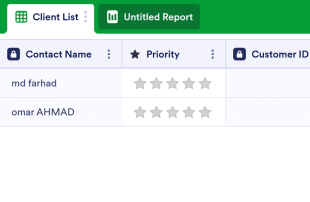
Client List Template
The Client List Template is a sheet that can be used for every job in customer relations and is used to list the general and necessary information of the customers. Whether you are a doctor, a salon owner or a mechanic, and a service owner, use this template!
Go to Category:Construction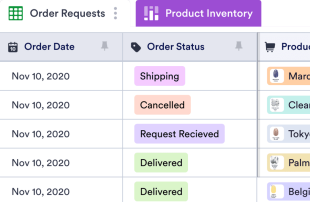
Beauty Supply Store Inventory List
Manage inventory and orders for your beauty supply store. Free online table template. Easy to customize, download, and share. Works on any device. No coding.
Go to Category:Salon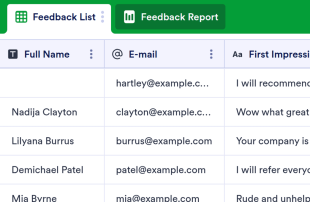
Customer Feedback Log
Collect customer feedback online. Switch between spreadsheet, card, or report view to analyze the feedback. No coding required. Works great on any device.
Go to Category:Event Planning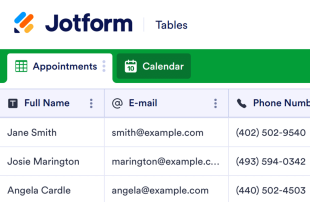
Salon Sign In Sheet
Contactless sign-in sheet for nail salons, hair salons, and more. Works on any device. Easy to customize and share with staff or visitors. No coding required.
Go to Category:Salon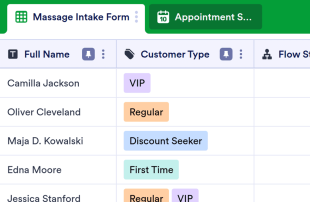
Massage CRM
Collect and manage client information and appointments for your massage business. Free digital CRM platform. Easy to customize, download, and share online.
Go to Category:Salon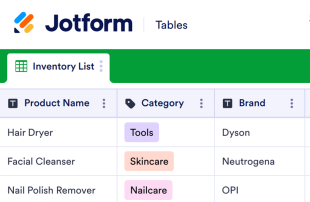
Salon Equipment List
Track your salon inventory with an equipment list from Jotform. Free, easy-to-use template. Great for salons and beauty retailers. Accessible from any device.
Go to Category:SalonAbout Salon Spreadsheet Templates
Salon Spreadsheet Templates are category-specific table templates designed to help salon owners and teams effectively organize and manage records collected from their clientele. Through Jotform Forms, salons can gather a variety of specific information, such as appointment bookings, client feedback, product orders, and employee schedules. These submissions are crucial for maintaining a seamless and customer-focused salon operation. Whether you're a salon manager, a receptionist, or part of the administrative team, these tables ensure that all collected data is structured and easily accessible, enabling better decision-making and customer service. The tables are not forms or apps but serve as a robust management layer for the data you collect.
Jotform Tables provide an efficient platform where submissions from connected Jotform Forms automatically appear, enabling streamlined management of your salon's data. Each form response is transformed into an entry within the table, allowing for comprehensive review through different views such as Table View or Detail View. With features such as search, filters, and grouping, salon teams can quickly organize and prioritize the data. While manual entry and CSV or Excel import are available for adding existing information, the real power lies in the seamless form-to-table submission workflow, ensuring every new submission is automatically integrated into your system.
Why Use Salon Spreadsheet Templates?
- By managing submissions in Jotform Tables, salon owners can eliminate the need for manual data entry, reducing the risk of errors and saving valuable time. This ensures that all client appointments and feedback are accurately recorded and readily accessible.
- Keeping all responses in one centralized table enhances data integrity and accessibility, making it easier for salon teams to coordinate follow-up actions such as confirming appointments or addressing customer feedback.
- With Jotform Tables, salon teams can quickly search and filter through records, allowing them to find specific client information or appointment details faster than traditional methods.
- Reviewing complete submission details becomes effortless, enabling salon managers to ensure that every client request is addressed and every product order is fulfilled accurately.
- Tracking changes and maintaining a revision history within the tables helps salons monitor data updates, ensuring that any modifications to client information or schedule changes are documented and transparent.
Common Problems Solved by Salon Spreadsheet Templates
- Manually transferring submissions from paper forms or disparate systems into spreadsheets can be time-consuming and error-prone. Jotform Tables automatically captures and organizes incoming data, eliminating this tedious process.
- Scattered responses across multiple platforms can lead to confusion and missed appointments. With Jotform Tables, all client submissions are centralized, ensuring no information is overlooked.
- Locating specific records can be challenging, especially when dealing with a high volume of submissions. By using search and filter capabilities, salon staff can quickly find the exact information they need.
- Inconsistent review processes often result in missed details or incomplete follow-ups. Jotform Tables provide structured views and grouping options to ensure a consistent and thorough review of all submissions.
- Uploads, such as client consent forms or hairstyle photos, can be hard to review if not properly organized. Jotform Tables offer an Uploads View to manage and review all uploaded files efficiently.
Matching Form Submission Use Cases
- When a client books an appointment through a Jotform Form, the submission automatically appears in the connected table, allowing salon staff to review and confirm appointments without delay.
- Reviewing submissions in Table View enables salon managers to see all client bookings at a glance, while Detail View provides in-depth insights into individual client requests and preferences.
- By using search and filter options, salon teams can quickly locate specific client records, such as those related to a particular service or stylist, enhancing both service efficiency and customer satisfaction.
- Access settings and assignees allow teams to manage submissions collaboratively, ensuring that each team member knows their responsibilities and can track client interactions in real time.
- Report View offers salon managers the ability to generate comprehensive reports on client trends and service popularity, facilitating data-driven decisions for improving salon operations.
How to Use Salon Spreadsheet Templates with Jotform Forms
- Start with a category-relevant Jotform Tables template, a blank table, or the table connected to an existing Jotform Form. The Jotform Form collects the category-specific information, ensuring that new responses automatically appear in the connected table for seamless data management.
- Configure the table for submission review by naming columns, choosing appropriate column types, and selecting relevant views such as Table View, Detail View, Calendar View, Uploads View, or Report View. This setup helps in organizing and prioritizing data effectively.
- Manage submissions using features like search, filters, grouping, formulas, access settings, assignees, revision history, linked tables, and action buttons. These tools enable precise data organization and facilitate collaborative work among salon staff.
Top Use Cases for Salon Spreadsheet Templates
- For Form Owners: Form owners, often the salon managers or operators, use the connected Jotform Form to gather vital client information. They review incoming responses and edit submission data as necessary to ensure accuracy. By checking details or uploads, they maintain a comprehensive record of client interactions and preferences within Jotform Tables. This organized approach enables them to deliver personalized services and foster client loyalty.
- For Teams: Authorized team members benefit from the centralized data in Jotform Tables by easily finding submissions and maintaining entries. They can coordinate responsibilities with assignees, ensuring that each task or client interaction is accounted for. Access settings and revision history support shared work, allowing the team to collaborate effectively and maintain consistency across operations.
- For Managers: Managers utilize Jotform Tables to monitor collected data and gain insights into client patterns and service trends. They review progress or ownership of tasks, ensuring that the salon’s operational goals are being met. Using Report View or other relevant views, managers can oversee the entire salon operation, making informed decisions to enhance service quality and business performance.
Summarizing Salon Spreadsheet Templates
Salon Spreadsheet Templates offer a powerful solution for collecting and managing salon-specific information through Jotform Forms. By utilizing Jotform Tables, salon owners and teams can efficiently handle client submissions, ranging from appointments to feedback and product orders. The seamless integration between form collection and table management ensures that all data is organized, accessible, and actionable. This category-specific approach not only streamlines salon operations but also enhances the overall client experience.
Frequently Asked Questions
1) Is it free to use Salon Spreadsheet Templates with Jotform Tables?
Jotform offers a Starter plan that includes access to Salon Spreadsheet Templates with Jotform Tables. This plan allows users to explore the basic functionalities and benefits of managing their salon data efficiently. Users can enjoy a seamless data collection and management experience without incurring immediate costs. For more advanced features, users can consider upgrading to higher tiers.
2) How do submissions from Jotform Forms appear in Salon Spreadsheet Templates?
Submissions from Jotform Forms automatically appear in the linked table connected to Salon Spreadsheet Templates. Each form submission becomes an entry or row within the table, ensuring all responses are recorded in real-time. This auto-population feature ensures that as new responses continue to arrive, they are instantly integrated into the table for immediate review and action.
3) Can I edit, search, filter, group, and calculate data in Salon Spreadsheet Templates?
Yes, you can edit, search, filter, group, and calculate data within Salon Spreadsheet Templates. Submission edits allow you to update or correct information as needed. Different column types enable better data organization, while search and filters help locate specific entries quickly. Data grouping and formulas support advanced data analysis and calculations, providing deeper insights into your salon operations.
4) Can I export the data inside the tables as CSV or Excel?
You can export the data inside the tables as CSV or Excel files. This feature allows you to add existing information alongside the submissions collected through connected forms, facilitating a comprehensive database. Exporting data provides flexibility in how you manage your records, enabling further analysis or integration with other systems outside Jotform Tables.
5) Which Jotform Tables views can I use with Salon Spreadsheet Templates?
You can use views such as Table View, Detail View, Calendar View, and Report View with Salon Spreadsheet Templates. Table View offers a comprehensive look at all entries, while Detail View provides deeper insights into individual records. Calendar View helps visualize appointment schedules, and Report View supports generating analytical reports. Each view assists in reviewing data as per your specific salon needs.
6) Can teams collaborate on submissions in Salon Spreadsheet Templates?
Teams can collaborate effectively on submissions in Salon Spreadsheet Templates using access settings and assignees. These features ensure that each team member knows their responsibilities and can track client interactions. Real-time tracking and revision history further support collaboration by maintaining a clear record of changes and updates, fostering a coordinated team effort.
7) Can I connect Salon Spreadsheet Templates to related data or other applications?
Yes, you can connect Salon Spreadsheet Templates to related data or other applications through linked tables and integrations. Action buttons provide additional functionality, offering seamless operational processes. These connections enhance the utility of your data management system, allowing you to expand its capabilities and streamline your salon's workflow.
8) Can I create reports, PDFs, and manage files from Salon Spreadsheet Templates?
You can create reports using Report View, generate PDFs for documentation purposes, and manage files through Uploads View in Salon Spreadsheet Templates. Additionally, you can handle signed documents when necessary, ensuring comprehensive data management. These capabilities support a wide range of documentation and reporting needs, enhancing the overall efficiency of your salon operations.