

Estimate Templates

Bid Comparison Template
Compare bids in an online spreadsheet with a free Bid Comparison Template. Easy to customize, download, and share. Add up totals automatically.
Go to Category:Construction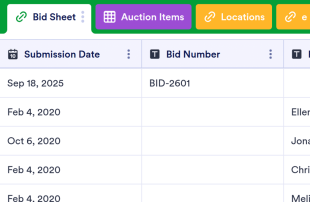
Silent Auction Bid Sheet
Free bid sheet template for silent auctions. Easy to view and fill out from any device. Keep bid details organized and secure. Perfect for charities. No coding.
Go to Category:Estimate Templates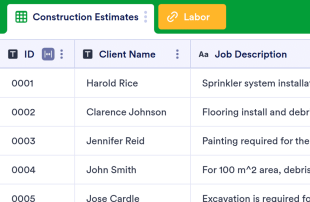
Construction Estimate Template
Track, view and manage construction estimates online. Great for construction companies of all sizes. Add up totals automatically. Free and easy to customize.
Go to Category:Construction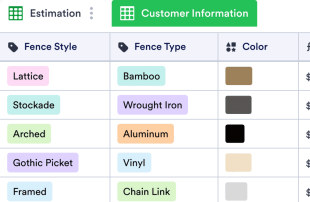
Fence Estimate Template
Track, view, and manage fence installation estimates online. Great for independent contractors. Add up totals automatically. Free and easy to customize.
Go to Category:Estimate Templates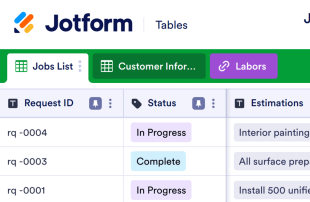
Job Estimate Template
Track estimates for your business with a free Job Estimate Template. Customize and share in an online spreadsheet. Great for independent contractors.
Go to Category:Estimate Templates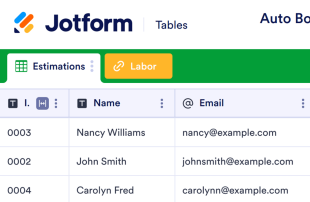
Auto Body Repair Estimate Template
Manage auto repair estimates online. Great for auto repairs shops of any size. Easy to customize and update. Automatically add up totals.
Go to Category:Estimate Templates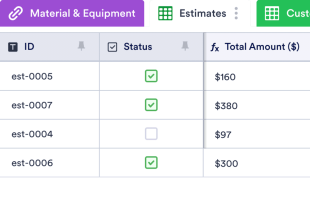
Cleaning Estimate Template
Manage cleaning estimates in an online spreadsheet with a free Cleaning Estimate Template. Easy to customize. Securely collect and store information with Jotform.
Go to Category:Estimate Templates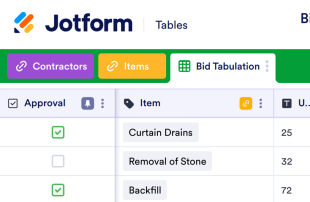
Bid Tabulation Template
Track bids online with Jotform’s free Bid Tabulation Template. A customizable spreadsheet that’s easy to share. Add up totals automatically.
Go to Category:Construction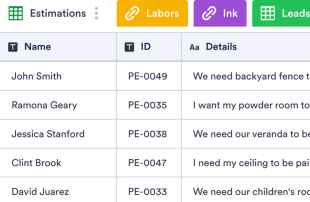
Painting Estimate Template
Free, professional painting estimate template for contractors and painters. Easy to view, edit, and share. Works great on any device. No coding required.
Go to Category:Estimate Templates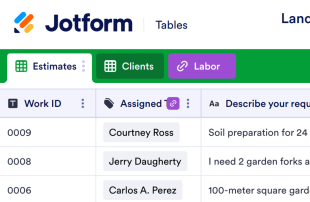
Landscape Estimate Template
Manage cost estimates with this free template for landscapers and lawn care businesses. Easy to edit, share, and print from any device. No coding.
Go to Category:Estimate Templates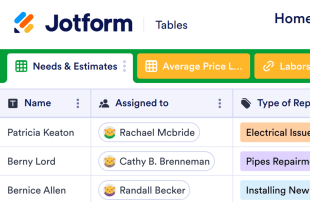
Home Repair Estimate Template
Manage home repair estimates online. Great for independent contractors and business owners. Free and easy to customize. Automatically add up totals.
Go to Category:Estimate Templates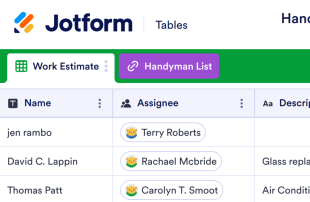
Handyman Estimate Template
Track estimates for your business in an online spreadsheet with Jotform’s free Handyman Estimate Template. Easy to customize. Ideal for independent contractors.
Go to Category:Estimate Templates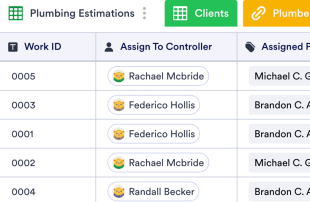
Plumbing Estimate Template
Manage plumbing estimates online. Great for independent contractors and business owners. Free and easy to customize. Automatically add up totals.
Go to Category:Estimate Templates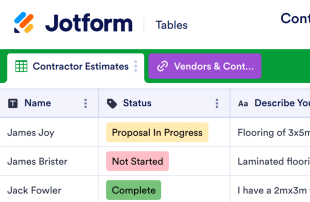
Contractor Estimate Template
Free estimate template for contractors. Calculate and track cost estimates for projects. Easy to view and edit without coding. Works on any device.
Go to Category:Estimate Templates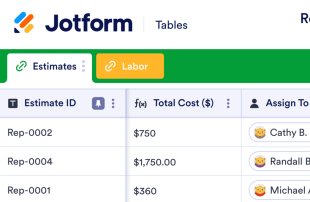
Roofing Estimate Template
Track roofing estimates for your clients with a free Roofing Estimate Template. Easy-to-customize spreadsheet. Great for independent contractors.
Go to Category:Estimate Templates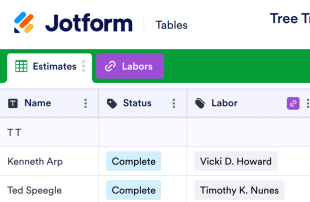
Tree Trimming Estimate Template
Track estimates for your clients in an online spreadsheet. Great for gardening businesses or independent gardeners. Easy to customize and share.
Go to Category:Estimate Templates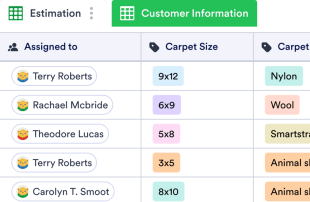
Carpet Cleaning Estimate Template
Manage carpet cleaning estimates in an online spreadsheet. Perfect for independent contractors and small businesses. Free and easy to customize.
Go to Category:Estimate TemplatesAbout Estimate Templates
Estimate Templates are category-specific table templates designed for organizing and managing records efficiently. They serve as a vital tool for form owners who need to collect detailed information such as requests, applications, feedback, or orders through Jotform Forms. These submissions are crucial for industries such as construction, event planning, and sales, where accurate estimates and calculations are essential. The templates ensure that the collected information is structured, accessible, and ready for review or further action. The table functions as a centralized database, making it easier for teams and departments to manage incoming data without being overwhelmed by the complexities of manual data entry.
Jotform Tables serves as the hub where submissions from connected Jotform Forms automatically appear, ensuring seamless data management. Each response submitted through a form becomes an entry in this comprehensive system, which can be reviewed using Table View or Detail View. Users can organize their data with a variety of tools, such as search functions, filters, and data grouping. Additionally, different views like Calendar View or Uploads View offer flexibility in how information is analyzed. While manual entry or CSV and Excel import are available for adding existing data, the primary strength of these tables lies in their ability to manage auto-populated entries from forms, streamlining the entire submission process from start to finish.
Why Use Estimate Templates?
- Managing submissions through Jotform Tables eliminates the need for manual data transfer, which reduces errors and saves valuable time. By automatically populating responses from Jotform Forms, users can focus on more strategic tasks rather than mundane data entry.
- These tables keep all responses consolidated in one location, making it easier for teams to access and review submissions without sifting through scattered emails or documents. This centralized approach enhances productivity and ensures that no information is overlooked.
- Finding specific records is faster and more efficient with the use of search functions and filters, allowing users to quickly sort through large volumes of data and extract the information they need without delay.
- Reviewing complete submission details is seamless, with options to view data in multiple formats such as Table View and Detail View. This comprehensive oversight ensures that all necessary information is considered before any decisions or actions are taken.
- Coordinating follow-up actions is straightforward, as users can track changes, assign tasks, and manage responsibilities directly within the table. This functionality facilitates effective communication and collaboration across teams.
- Reporting on collected data becomes a streamlined process, thanks to built-in capabilities for generating reports and visualizing data trends. This feature supports informed decision-making and strategic planning.
Common Problems Solved by Estimate Templates
- Manually copying submissions into spreadsheets can lead to errors and inconsistencies. With Estimate Templates, data from Jotform Forms automatically populates the connected table, drastically reducing manual input and the associated risks.
- Scattered responses across various platforms make it difficult to maintain a comprehensive view of all submissions. These templates centralize data, ensuring that all information is easily accessible and properly organized.
- Difficulty locating records is a common issue, especially when dealing with high volumes of data. Search and filter capabilities in Jotform Tables make it easy to find specific entries quickly, improving efficiency and accuracy.
- Inconsistent review processes can lead to oversight and missed opportunities. By using column types and different views, Estimate Templates provide a structured framework for consistent and thorough data review.
- Hard-to-review uploads can be challenging to manage when not properly integrated into the data system. Uploads View in Jotform Tables allows users to handle files and documents efficiently within the submission review process.
Matching Form Submission Use Cases to Jotform Tables Features
- Incoming estimate requests submitted through connected Jotform Forms are automatically captured in the table, ensuring that each new entry is logged and organized without manual intervention. This auto-population feature keeps data up-to-date and ready for analysis.
- Review and organization of submissions are greatly enhanced with Table View and Detail View, allowing users to examine individual entries in detail or gain a broad overview of all collected data. This flexibility aids in thorough data assessment and informed decision-making.
- Search and filter functionalities help users quickly locate specific records within the table, streamlining data management and minimizing the time spent sifting through entries. This capability is particularly useful in fast-paced environments where timely access to information is critical.
- For team management, access settings and assignees ensure that the right individuals have control over specific data, fostering accountability and collaboration. Real-time tracking and revision history enable teams to monitor changes and maintain a clear record of data interactions.
- Reporting and document generation capabilities allow users to create detailed reports and PDFs from their data, providing valuable insights and documentation for stakeholders. These features support strategic planning and reporting needs.
How to Use Estimate Templates with Jotform Forms
- Begin with a category-relevant Jotform Tables template, a blank table, or the table connected to an existing Jotform Form. The form is designed to collect category-specific information, and new responses will automatically appear in the connected table, ensuring seamless data capture.
- Configure the table for submission review by naming columns and selecting appropriate column types to match the data being collected. Choose relevant views like Table View for general oversight or Uploads View for managing attached files, ensuring the data is organized and accessible.
- Manage submissions by applying search, filters, and data grouping to streamline the review process. Utilize access settings and assignees to coordinate team responsibilities, and employ action buttons for quick data-related tasks, ensuring efficient management of all entries.
Top Use Cases for Estimate Templates
- For Form Owners: Form owners who have created or own the connected Jotform Form play a crucial role in managing incoming responses. They regularly review new entries, edit submission data as needed, and check the completeness of details or uploads. By using Jotform Tables, they can keep records organized and ensure that all pertinent information is accurately tracked and easily retrievable.
- For Teams: Authorized team members benefit from the centralized system to find and maintain submissions effectively. They coordinate responsibilities with assignees, utilizing access settings to manage data interactions. Revision history supports collaborative work by providing a clear trail of changes, ensuring transparency and accountability in team efforts.
- For Managers: Managers use Jotform Tables to monitor collected data and review patterns specific to their category. They check the progress of tasks or ownership of submissions and employ Report View to gain insights into collected information. This oversight capability enables managers to make informed decisions and maintain control over the data management process.
Summarizing Estimate Templates
Estimate Templates provide significant value by streamlining the process of collecting and managing category-specific information through Jotform Forms. By automatically capturing responses in Jotform Tables, users can efficiently organize, review, and act on their data. This integrated approach reduces manual workload, enhances data accuracy, and supports effective collaboration and decision-making across teams and departments.
Frequently Asked Questions
1) Is it free to use Estimate Templates with Jotform Tables?
Jotform offers a Starter plan, which provides access to Estimate Templates in Jotform Tables. This plan allows users to explore the basic functionalities without incurring any costs. It is a great way to get started with managing submissions efficiently.
2) How do submissions from Jotform Forms appear in Estimate Templates?
When a Jotform Form is connected to an Estimate Template, each submission made through the form automatically appears in the linked table. The responses become entries or rows, ensuring that all incoming data is captured systematically. Future submissions continue to auto-populate the table as they arrive.
3) Can I edit, search, filter, group, and calculate data in Estimate Templates?
Yes, you can edit submissions, utilize various column types, and perform searches to find specific data points. Filters and data grouping help organize entries, while formulas and calculations can be applied to analyze the data further. These features enable comprehensive data management and analysis.
4) Can I export the data inside the tables as CSV or Excel?
You can export the data in Estimate Templates as CSV or Excel files. This capability allows users to integrate existing information with new submissions collected via connected forms. It ensures flexibility in data handling and facilitates further analysis or reporting outside the Jotform environment.
5) Which Jotform Tables views can I use with Estimate Templates?
Estimate Templates support several views, including Table View, Detail View, and Uploads View. Table View offers an overview of all entries, Detail View allows for in-depth examination of individual submissions, and Uploads View helps manage files associated with submissions. These views provide versatile options for reviewing data.
6) Can teams collaborate on submissions in Estimate Templates?
Teams can collaborate effectively by utilizing access settings to control data visibility and permissions. Assignees can be designated for specific entries, and real-time tracking ensures up-to-date information sharing. Revision history maintains a record of changes, supporting transparency and collaborative efforts across the team.
7) Can I connect Estimate Templates to related data or other applications?
Estimate Templates can be linked to related data through linked tables, allowing for integrated data management. Additionally, action buttons and integrations facilitate connections with other applications, providing extended functionality. This capability supports comprehensive data workflows and enhances operational efficiency.
8) Can I create reports, PDFs, and manage files from Estimate Templates?
Yes, you can create reports using Report View, generate PDFs for documentation purposes, and manage files through Uploads View. Signed documents associated with table data can also be handled effectively. These features support thorough data management and provide valuable documentation tools.