

Real Estate Sheets

Rental Payment Log Template
Keep track of rent payments from your tenants. Great for landlords or property managers. View in spreadsheet, card, or calendar format. Easy to customise and share.
Go to Category:Real Estate Sheets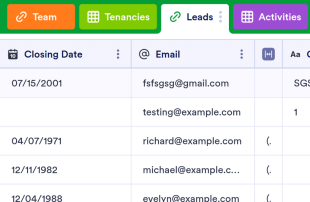
Real Estate CRM
A real estate CRM to keep record of leads and properties categorizing them with labels, and with all their related information, to track activities and deals, assign tasks to your team members, and more.
Go to Category:Real Estate Sheets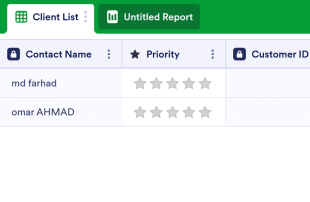
Client List Template
The Client List Template is a sheet that can be used for every job in customer relations and is used to list the general and necessary information of the customers. Whether you are a doctor, a salon owner or a mechanic, and a service owner, use this template!
Go to Category:Construction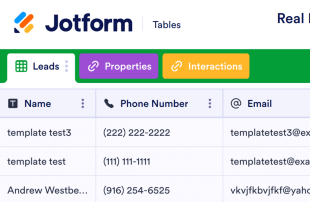
Real Estate Transaction Tracker
Help clients find the perfect home with this free Real Estate Transaction Tracker! Get organized and view properties and leads in a professional online spreadsheet.
Go to Category:Tracker Templates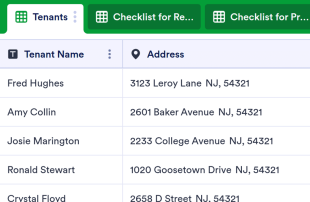
New Tenant Checklist
Keep track of new tenant information in an online spreadsheet. Easy to customize and share. Great for landlords or rental agencies. Securely store data.
Go to Category:Real Estate Sheets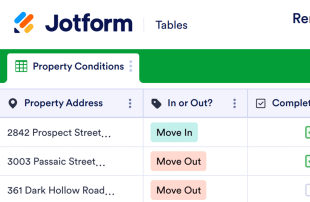
Furnished Rental Inventory Checklist
Keep track of items in your rental properties with a free Furnished Rental Inventory Checklist. Great for real estate agencies and landlords. Easy to customize.
Go to Category:Real Estate Sheets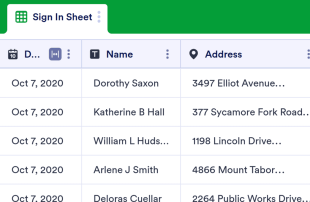
Open House Sign In Sheet
Keep track of guests with this free open house sign-in sheet. Perfect for realtors. Easy to customize and share. Works great on any device. No coding required.
Go to Category:Real Estate Sheets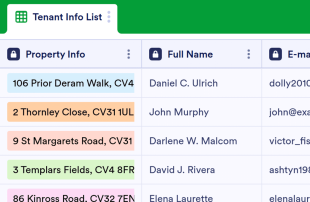
Tenant Information Sheet
Tenant Information Sheet is a simple and very useful sheet for collecting general tenant information, property information, and tenant's workplace information. No coding is required to customize this template!
Go to Category:Real Estate Sheets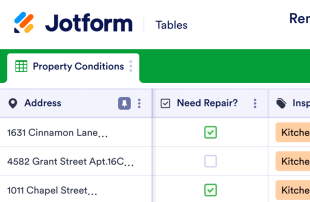
Rental Inspection Checklist
Perform rental inspections fast with a free Rental Inspection Checklist. Fill out on any device. Easy to customize. Securely track rental information online.
Go to Category:Real Estate Sheets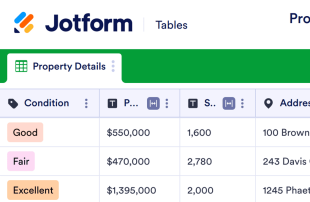
Property Information Sheet
Now it is time to get organized after collecting all necessary data about properties thanks to Property Information Sheet! Keep organized than ever and collect all the data you need. Fully customizable!
Go to Category:Real Estate Sheets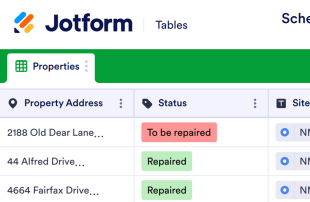
Schedule of Condition Report
Track the condition of items in your properties. Perfect for real estate agencies and landlords. Easy to customize, download, and share. No coding.
Go to Category:Real Estate Sheets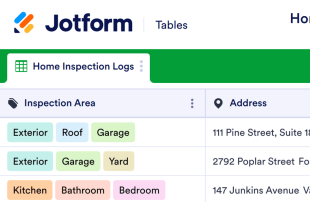
Home Inspection Checklist
Streamline your home inspection process. Seamlessly collect data in the field from any mobile device. Easy-to-customize spreadsheet. Sync with 100+ apps.
Go to Category:Real Estate Sheets
Move In Checklist
Keep track of inspection details in an online checklist. Easy to customize, share, and download. Perfect for landlords or rental agencies. No coding required.
Go to Category:Real Estate SheetsAbout Real Estate Sheets
Real Estate Sheets are category-specific table templates designed to help real estate professionals organize and manage a variety of records and submissions. These tables are essential for handling the influx of information gathered through Jotform Forms, which may include property listings, client inquiries, rental applications, purchase orders, inspection requests, or customer feedback. Real estate agents, property managers, and leasing offices can utilize these tables to ensure that all information collected is systematically organized and easily accessible. With Real Estate Sheets, the focus is on efficiently managing the data collected from forms rather than managing tasks or projects, making it an invaluable tool for any real estate professional seeking to streamline their data management processes.
In Jotform Tables, submissions from connected Jotform Forms automatically populate, with each response becoming a new entry that can be reviewed in either Table View or Detail View. Users can organize and review these submissions using various methods such as search, filters, grouping, and different column types. Additionally, Calendar View, Report View, and Uploads View offer specialized ways to visualize and analyze the data. Though manual entry and CSV or Excel import are available for adding existing information, the primary focus remains on the seamless integration of form submissions into Jotform Tables. This end-to-end workflow ensures that every piece of information collected through forms is efficiently managed in a centralized location.
Why Use Real Estate Sheets?
- By managing form submissions in Jotform Tables, real estate professionals can eliminate the tedious task of manually transferring data from forms to spreadsheets, ensuring that all responses are automatically compiled and organized.
- Keeping all form responses together in one place allows for faster retrieval of important records, making it easier to follow up with clients or stakeholders in a timely manner.
- The comprehensive submission details available in Jotform Tables enable users to review all aspects of a submission, from uploaded documents to specific form responses, without missing critical context.
- Coordinating follow-ups becomes more efficient as form owners can easily assign tasks or client inquiries to team members, ensuring that no lead or request goes unattended.
- Tracking changes and maintaining an accurate record of all submissions is simplified with revision history, which allows users to see how entries have evolved over time.
- Real estate professionals can generate reports on collected data, helping them to analyze trends, make informed decisions, and provide stakeholders with detailed insights.
Common Problems Solved by Real Estate Sheets
- Manually copying form submissions into spreadsheets can be time-consuming and prone to error, but Real Estate Sheets automate this process, ensuring that all data is correctly transferred and organized.
- Scattered responses across multiple platforms make it difficult to locate specific records, but with Jotform Tables, all submissions are centralized, making it easier to find and manage information.
- Inconsistent review processes can lead to missed details or overlooked submissions. Using Jotform Tables, users can establish a standardized review process, ensuring that every submission is given the attention it requires.
- Uploads such as property images or signed documents can be hard to review when scattered across various tools. Real Estate Sheets consolidate these uploads in one place, making it easy to access and review them alongside related submission data.
- The lack of clear ownership over submissions can slow down response times. With assignees and collaboration features in Jotform Tables, team members can clearly see who is responsible for each entry, facilitating faster action.
Matching Form Submission Use Cases to Jotform Tables Features
- For incoming property inquiries, the automatic appearance of responses in the connected table ensures that every lead is captured and ready for immediate follow-up.
- Reviewing rental applications is simplified with Table View and Detail View, allowing real estate agents to easily access and assess applicant information and supporting documents.
- Search, filters, and data grouping make it easy for property managers to organize submissions by criteria such as location, property type, or client status, ensuring that records are easily accessible.
- Access settings and assignees support team management by allowing real estate offices to control who can view or edit information, assigning specific tasks or inquiries to relevant team members.
- Report View enables users to analyze collected data, generate insights, and create visual presentations for stakeholders, providing a clear overview of property trends or client demographics.
How to Use Real Estate Sheets with Jotform Forms
- Start with a category-relevant Jotform Tables template, a blank table, or the table connected to an existing Jotform Form. The Jotform Form will collect the category-specific information, and new responses will automatically appear in the connected table.
- The form owner configures the table for submission review by naming columns, choosing appropriate column types, and selecting relevant views such as Table View for general overview, Detail View for in-depth look, Calendar View for scheduling, or Uploads View for document handling.
- Manage submissions with features like search, filters, grouping, and formulas to analyze data, while access settings, assignees, and action buttons facilitate collaboration and action on the entries.
Top Use Cases for Real Estate Sheets
- For Form Owners: Form owners, such as real estate agents, utilize the connected Jotform Forms to receive incoming responses from clients or potential buyers. They can review and edit submission data as needed, ensuring that all information is accurate and up-to-date. By checking details or uploads directly within Jotform Tables, they maintain organized records that are essential for efficient business operations. This streamlined process allows them to manage client information effectively, leading to better service and higher satisfaction rates.
- For Teams: Authorized team members in a real estate office can use Jotform Tables to find and maintain submissions efficiently. They coordinate responsibility by using assignees to ensure that each task or inquiry is handled promptly. Access settings allow specific team members to view or edit certain entries, while revision history provides a transparent record of any changes made. This collaborative environment supports shared work and enhances the overall productivity of the team, ensuring that all client needs are addressed swiftly.
- For Managers: Managers benefit from the ability to monitor collected data and review category-specific patterns in Jotform Tables. By checking progress or ownership of various tasks, they can ensure that all team members are meeting their responsibilities and that clients are receiving timely responses. Using Report View and other visualization tools, managers gain insights into operational efficiency and market trends, enabling them to make informed decisions and strategic plans for future growth.
Summarizing Real Estate Sheets
Real Estate Sheets provide a category-specific solution for collecting and managing information through Jotform Forms and Jotform Tables. By streamlining the submission process, these tables allow real estate professionals to efficiently handle a wide range of records and submissions. The ability to organize, review, and act on collected data ensures that all information is readily accessible and actionable, enhancing operational efficiency and client satisfaction. In essence, Real Estate Sheets empower real estate professionals to focus on what matters most: serving their clients and growing their business.
Frequently Asked Questions
1) Is it free to use Real Estate Sheets with Jotform Tables?
Jotform offers a Starter plan, allowing users to begin using Real Estate Sheets without an initial cost. This plan provides essential features to help manage form submissions in Jotform Tables. Users can explore the capabilities of Jotform Tables and Real Estate Sheets under this plan before considering any upgrades. However, it's important to note that specific features and capacities may vary depending on the plan chosen.
2) How do submissions from Jotform Forms appear in Real Estate Sheets?
Submissions from Jotform Forms appear in Real Estate Sheets through a seamless connected-form integration. When a respondent submits a form, their response automatically appears as an entry in the linked table, ensuring that all data is captured promptly. This auto-population feature means form owners don't need to manually transfer data, and future responses continue to populate the table effortlessly. This connection keeps all data centralized and easily accessible for review and action.
3) Can I edit, search, filter, group, and calculate data in Real Estate Sheets?
Yes, Real Estate Sheets allow for comprehensive data management, including editing submissions directly within the table. Users can utilize search and filter functions to quickly locate specific records or organize data into meaningful groups. Additionally, different column types and formulas enable calculations, ensuring that all relevant data insights are available at a glance. This level of functionality supports detailed data analysis and informed decision-making.
4) Can I export the data inside the tables as CSV or Excel?
Exporting data as CSV or Excel is a feature available within Real Estate Sheets, making it easy to add existing information alongside new submissions. This capability ensures that users can work with their data in the format they prefer, whether for offline analysis or integration with other tools. The ability to export data complements the automatic population of submissions from Jotform Forms, providing flexibility in how data is handled and shared.
5) Which Jotform Tables views can I use with Real Estate Sheets?
Real Estate Sheets support various views such as Table View, Detail View, Calendar View, Report View, and Uploads View. Table View provides a comprehensive overview of all entries, while Detail View allows for in-depth examination of individual submissions. Calendar View is useful for scheduling and timeline management, Report View aids in generating insights and presentations, and Uploads View helps in managing any associated documents or files. These views make it easier to review and manage the collected data effectively.
6) Can teams collaborate on submissions in Real Estate Sheets?
Teams can collaborate effectively in Real Estate Sheets using features like access settings, assignees, and real-time tracking. Access settings ensure that only authorized team members can view or edit specific data, while assignees help in delegating responsibilities clearly. Real-time tracking and revision history provide transparency and accountability, making sure all team members are aligned and up-to-date with the latest changes. This collaborative environment enhances efficiency and ensures that all submissions are managed seamlessly.
7) Can I connect Real Estate Sheets to related data or other applications?
Real Estate Sheets offer the possibility to connect related data through linked tables and integrations. While specific integration names are not provided, action buttons facilitate connections with various applications, enhancing the functionality of Jotform Tables. These features allow users to expand the utility of their data, enabling seamless workflows across different platforms and datasets.
8) Can I create reports, PDFs, and manage files from Real Estate Sheets?
Yes, Real Estate Sheets support creating reports and generating PDFs, providing valuable documentation capabilities. Report View allows users to compile data insights into comprehensive reports, while PDF generation facilitates the creation of portable documents. Uploads View manages files associated with submissions, and signed documents can be associated with table data when relevant. These features ensure that all data management needs are met efficiently and effectively.