

What is AI customer feedback analysis?
AI customer feedback analysis is the use of artificial intelligence — mainly natural language processing (NLP) and machine learning — to automatically collect, categorize, and interpret customer feedback from surveys, reviews, and support tickets. AI can detect sentiment, themes, urgency, and more, so that teams can act on feedback at scale.
Your customers are constantly telling you what they think: They share feedback in surveys, leave reviews, open support tickets, and complain through your customer support chat at all hours of the day. Combine these sources, and there’s often more customer feedback coming in than any team can keep on top of — particularly if they have to read each individual piece. That’s where AI customer feedback analysis comes in.
AI customer feedback analysis takes the unstructured mess of the different customer feedback sources and signals, and turns it into usable data. It analyzes all the raw data to work out the broad sentiments and themes before giving you the key takeaways that are worth acting on.
Today, I’m going to look at what AI customer feedback analysis is, why it matters, the benefits and challenges it brings, and how to actually use it. I’ll also recommend a top tool that analyzes customer feedback right where you collect it.
Why manual feedback analysis no longer keeps up
Manual feedback analysis is workable when you only get a handful of responses a month. If you run a small café, you can look through the feedback box, social channels, and online reviews once a week and be pretty confident that you’re seeing everything.
But what happens when you’re dealing with dozens of customer signals a week? The best you can really do is a quick triage. You’ll hopefully catch any disasters, but key insights — like a small slip in service quality, more orders getting lost, or an increase in returns — are likely to stay buried until it’s too late to act. It’s no good figuring out that something was going wrong with your holiday promotion when you review the customer feedback in January.
With AI feedback analysis, you’re able to shift from a reactive to a proactive approach to customer feedback. Instead of waiting until an after-action review surfaces an issue weeks or months later, AI tools are able to flag issues as soon as they start to show up in your customer interactions.
Part of the problem is that open-text feedback is now the majority of the customer support signal. It’s easy to see a 0–5 rating or satisfaction score drift downward; it’s far harder to pick up on an increase in customer complaints about one or two specific issues. AI feedback analysis tools are well suited to dealing with this kind of unstructured data as they can convert it into sentiment and theme analysis.
Data from customer experience teams and analysis from customer experience experts back all this up. In one report, customer experience leaders ranked AI-inferred sentiment analysis as the top AI contributor to customer experience improvement at 38 percent (that’s ahead of agentics and AI-powered content creation, both at 34 percent). Similarly, more than 90 percent of customer experience and IT leaders think interaction analytics is among the most valuable data available to them and 84 percent think it should feed company-wide dashboards.
Already, HubSpot’s State of AI report found that 28 percent of customer service professionals use AI to collect and analyze feedback — the second most common support use case after automatically routing requests to reps at 29 percent. With these tools getting better and the volume of customer feedback growing, that number is only likely to increase. If you want to stay on the cutting edge of customer experience, keep reading.
How to use AI for customer feedback analysis
While it’s possible to add AI customer feedback analysis to any workflow, one of the most effective methods is to use Jotform AI Data Assistant. It’s a simple way to collect customer feedback data, analyze the results, and pull out useful insights. By starting with a clean collection workflow, you make it much easier to get better analysis.
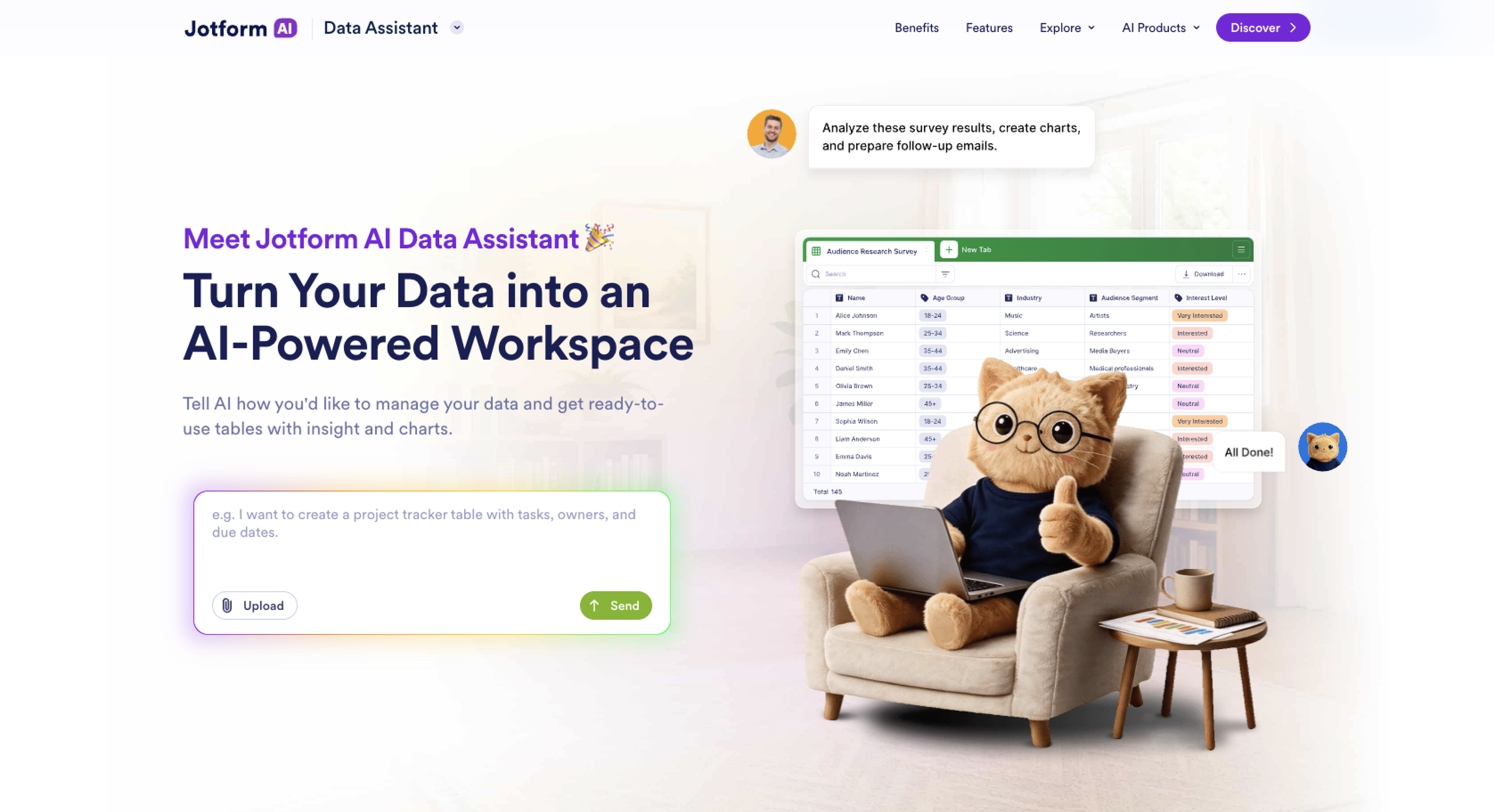
Below I outline what you need to do.
1. Collect structured feedback
If you can turn unstructured data from multiple channels into structured feedback data, it’s easier to analyze as a whole. There are a couple of ways to do this:
- Jotform’s online forms have ready-made customer feedback and survey templates. This standardizes the feedback input at the source, though it requires your customers to fill out a form.
- Jotform AI Agents provide a more conversational approach. The Customer Feedback AI Chatbot or the Customer Service Feedback AI Agent can gather feedback from your customers in a back-and-forth chat and still capture it as structured data. They work across channels like chat, SMS, WhatsApp, and email.
- Jotform integrates with hundreds of other apps. It can import unstructured data from them and combine it with your other customer feedback data.
Whatever form it comes in, Jotform allows you to combine all your customer feedback responses in one place, ready for the next step.
2. Analyze it with AI, where it lives
With your data in Jotform, the Jotform AI Data Assistant is the perfect tool for analyzing your customer feedback data. Instead of having to export your responses to a separate spreadsheet or external analytics tool, you can ask questions in plain language and get answers directly from your submissions. It grounds its responses in what your customers are actually saying.
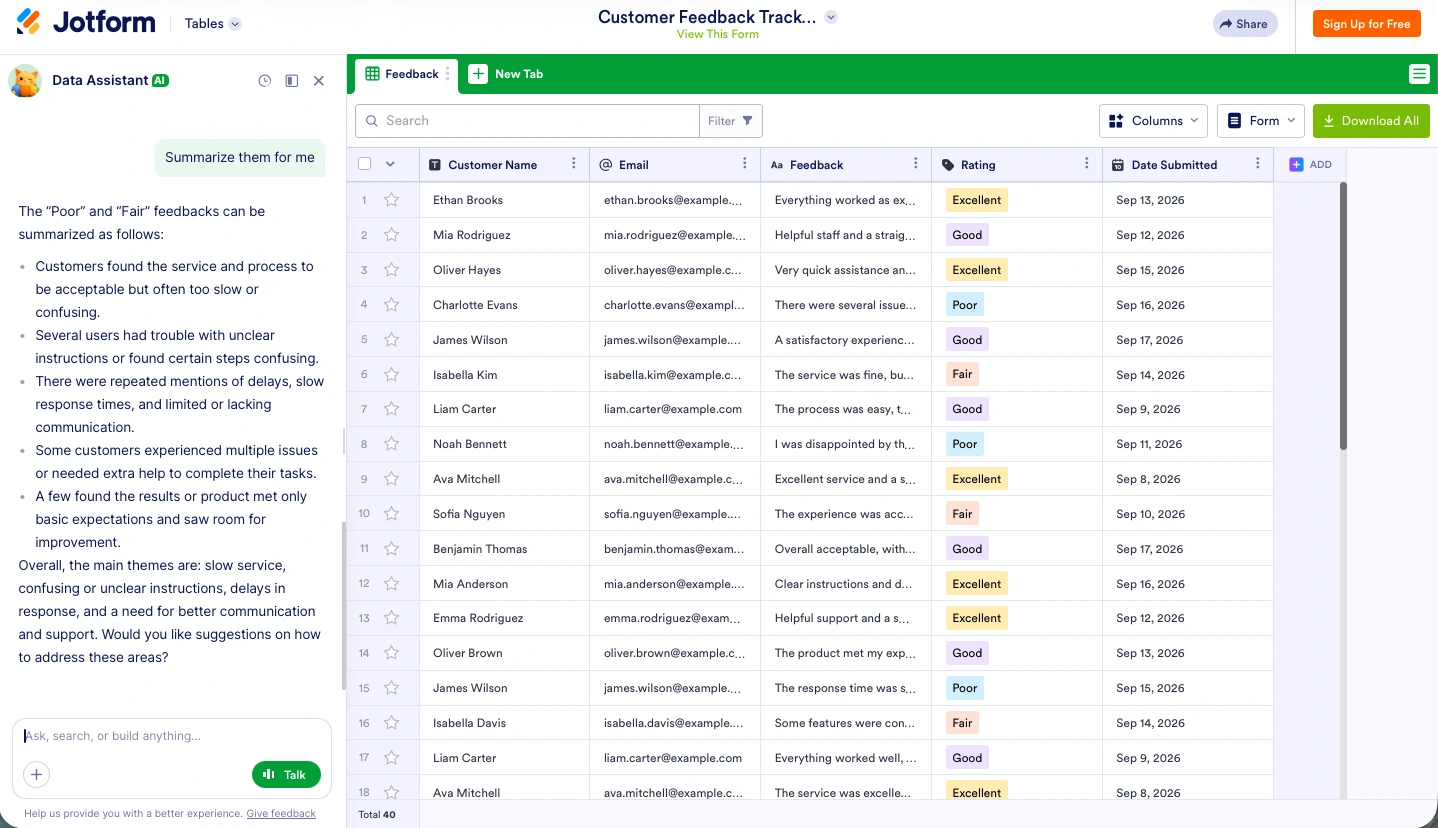
Some of the things you can do are
- Ask and analyze: Jotform AI Data Assistant can calculate totals, averages, and other numerical breakdowns of your data with no formulas needed. You can ask it what the mean or median rating is, what percentage of reviews are positive, or to run any other statistical analysis you want.
- Get deep insights: Jotform AI Data Assistant can identify recurring themes and individual outliers, as well as highlight areas that your customers say need attention. You can ask it to summarize all the feedback from specific categories of customers, identify the common threads in negative reviews, and pull out the most important details.
- Visualize the underlying data: You can use Jotform AI Data Assistant to generate a chart or graph from your data. For example, you can have it create a pie chart that shows how your customers rate your service, or summarize the most common complaints and show them on a bar chart.
As well as analyzing your data through the chat interface, Jotform AI Data Assistant can also proactively analyze your data using AI columns. These allow you to classify consumer sentiment, summarize open-text answers, translate answers from one language to another, or categorize responses automatically in a dedicated column. Not only does it provide useful analysis on its own, but it also makes exploring the data easier through the chat as you can ask it about the recorded sentiments, summaries, and categories.
With your data analysis complete, it’s time to act on what you’ve found.
3. Act on what you find
Not only can Jotform collect and analyze your data, but you can also use it to plan, respond, and act on your findings — all without switching tools.
In Jotform Tables, you can organize responses into tabs and filtered views, and run bulk updates by prompting the Jotform AI Data Assistant. You can do things like tag every shipping issue or pull all the best reviews to feature on your site into their own view for the marketing team.
In Jotform Inbox, you can review individual responses and generate replies, confirmations, and follow-ups straight from the feedback. If you want to offer a discount code to smooth over any issues or just thank loyal customers, it’s a really useful tool.
But perhaps most useful is Jotform Report Builder, which can turn your customer feedback analysis into a shareable report with charts, graphs, and summaries for your team. You can use it to get everyone up to speed on the actionable insights that Jotform AI Data Assistant found.
All told, Jotform AI Data Assistant is a powerful tool that keeps data collection, analysis, and action in one place. It removes many of the challenges that occur when you’re trying to use customer feedback data to improve your business, and it keeps your data input clean and usable for other purposes.
5 benefits of AI customer feedback analysis
AI customer feedback analysis has some real benefits:
- Speed at scale: AI customer feedback analysis is much faster than manual review — it can process hundreds or thousands of responses in seconds instead of weeks. Not only does this help you stay on top of incoming customer feedback data, but it also rapidly clears any backlogs.
- Constant consistency: AI customer feedback analysis tools treat every comment the exact same way. They are all assessed using the same metrics and evidence, removing the selective attention and bias of manual tagging.
- Sentiment analysis and emotion detection: AI is excellent at classifying feedback as positive, negative, or neutral, as well as identifying more granular emotions like frustration or confusion. This allows you to quickly spot which customers need an immediate response, and what is just general feedback worth incorporating into a larger report.
- Theme and root-cause discovery: AI customer feedback analysis can group responses into recurring topics and link them to particular events or situations. That means you can find the “why” behind a score, rather than have to deal with a number with no context.
- Faster, prioritized action: AI enables teams to triage customer feedback by urgency and impact so they can focus on the issues that affect satisfaction, retention, and revenue. This is especially useful as the stakes are so high: 60 percent of customers say they would leave a brand after just one or two negative experiences.
Challenges of using AI for customer feedback analysis
AI customer feedback analysis isn’t perfect. There are a handful of situations where you need to be careful and always double-check the results to make sure they make sense. Here are some of the big things to be aware of:
- AI can miss nuance: Sarcasm, humor, references, and context that are obvious to humans can shoot right over an AI model’s (metaphorical) head. While not always relevant in customer feedback, it’s an important limitation to be aware of.
- You can over-rely on AI: According to a report by KPMG, 66 percent of people have relied on AI at work without evaluating its accuracy and 56 percent of people have made mistakes in their work due to AI errors. It’s important to keep a human in the loop to check themes and sentiment before acting on any data so that you don’t become another statistic in an AI error report.
- You still need the human touch: AI is very powerful for analyzing large-scale customer feedback data and being consistent in its assessments, but it has its limits. When dealing with dissatisfied customers, people are better at exercising judgment, showing empathy, and assessing trade-offs. That makes AI a great amplifier of your customer support team, not a sensible strategy to fully replace them. (Gartner predicts that, by 2027, 50 percent of companies that attributed headcount reduction to AI will rehire staff to perform similar functions, but under different job titles.)
- AI is only as good as your data: AI customer feedback analysis can make messy, inconsistent, or thin data seem better than it is. It will almost always be able to give you some kind of analysis, whether it’s useful or not. This can be offset by improving and standardizing your collection process with a tool like Jotform.
- Feedback can be hard to centralize: Effective customer feedback management is all about centralizing feedback that’s scattered across channels and tools, and that’s often the hardest part. This is another job where Jotform can help, though it’s something you need to do before you begin your feedback analysis.
While some of these challenges are just an inherent part of deploying modern AI models, teams have more control over others. In particular, you can exercise a lot of control over data quality: You can decide what tools you use to collect it, what tools you use to collate it, and what tools you use to analyze it.
Turn customer feedback into insights with Jotform
Customer feedback is only valuable if you can understand it and use it. If you don’t actually analyze it and find some action points in a timely manner, you’re just collecting data for the sake of it.
AI customer feedback software and analysis tools like Jotform AI Data Assistant are what make this possible with today’s volume of customer feedback signals. They analyze customer feedback at scale as you collect it, so you know how your customers feel in real time.
As always, AI works best as an amplifier of human judgment, not a replacement for it. Combining all your customer feedback in one place and analyzing it as a whole is what gets you a trustworthy analysis. AI can help massively with that, but there still needs to be a human in the loop.
If you want to turn your customer feedback into actionable insights, try Jotform AI Data Assistant for free. Instead of leaving valuable data sitting in a spreadsheet or occasionally appearing in a report months too late to be relevant, Jotform AI Data Assistant can analyze customer feedback as it’s collected and give you key insights you can act on right away.
FAQs about AI customer feedback analysis
You almost certainly have lots of customer data, whether it’s order information, reviews, feedback forms, or support requests. The easiest way to analyze it is by centralizing it in a single place like Jotform Tables and getting a tool like Jotform AI Data Assistant to look for correlations and deep insights.
While a predictive AI that tells you exactly what any customer or potential customer is going to do next is a pipe dream, there are still plenty of uses for AI in customer support. In particular, AI customer feedback analysis allows you to spot trends and patterns and act on them. It won’t tell you exactly which customers are going to churn or upgrade their subscription, but it can highlight patterns that correlate with them.
There are many ways to collect customer feedback. Some of the best are customer surveys, online reviews and ratings, social media comments and messages, support tickets, and help chat conversations. It’s also possible to use AI in customer experience management to collect feedback either through a customer support bot or a customer feedback bot. Jotform provides tools like Jotform AI Agents and Jotform Tables that allow you to use all these methods of collecting customer feedback — and then centralize the results so that you can analyze them.
This article is for customer experience teams, support leaders, feedback managers, business operators, and anyone who wants to use AI to analyze customer feedback at scale and turn customer insights into faster, more effective action.


































































































Send Comment: