
The best AI recommendation letter generators
If you get multiple requests to write letters of recommendation for students, co-workers, or former employees, you already know how time-consuming and painstaking the process can be. Finding the right words to capture someone’s strengths, align their skills with the role or application, and strike the right tone — all while keeping the letter concise — can eat up more of your day than you’d expect. Thankfully, there are a lot of AI tools designed to make the process significantly easier.
That said, not all AI writing tools are built for recommendation letters. Reference letters are personal by nature, and handing them off to AI can feel like a shortcut to produce something generic and impersonal. But a dedicated AI reference letter generator is designed specifically to handle the tone, structure, and personalization that a strong recommendation requires.
I spent hours testing AI letter of recommendation generators across a range of scenarios to find the ones that use your input to produce letters that sound genuine and reflect your firsthand perspective on a subject’s character and capabilities. Below is a roundup of the best five options available in 2026.
How I tested and chose the best AI letter of recommendation generators
A strong letter of recommendation can be the deciding factor in a job application, college admission, or professional opportunity. It’s one of the few documents that speaks on someone’s behalf, which means the quality, tone, and substance of what’s written genuinely matters.
That’s why choosing the best AI reference letter generator for your situation is critical, and not every AI writing tool is up to the task. As I tested recommendation letter generators, here’s what I was looking for:
- An intuitive interface that’s easy to navigate
- Ability to add context about the candidate and their skill set
- Ability to generate letters in multiple languages, adjust tone, and tailor output to specific purposes
- Templates that help you write polished and impactful letters quickly
To find the tools that deliver on these, I signed up for 12 platforms — a mix of general AI writing assistants and tools built specifically for recommendation letters. I used them to create a series of recommendation letters using similar prompts, including this one:
“Write a professional letter of recommendation for my colleague Sarah Mitchell, a senior marketing manager I’ve worked with for three years. She’s applying for a director of marketing role. Highlight her strengths in campaign strategy, cross-functional leadership, and data-driven decision-making. Mention her work leading a product launch that increased brand awareness by 40 percent. This letter is from me, James Carter, VP of marketing.”
I wanted to get a real sense of each tool’s workflow — how much input it required, how well it used that input, and whether the output needed significant editing to be usable. After testing all 12 tools, I landed on the five below as the best free AI letter of recommendation generators available in 2026.
Quick comparison table
| Tool | Customization options | Structured input form | Free plan/trial |
|---|---|---|---|
 Jotform |
Yes |
Yes, guided fields for relationship, role, and achievements are available |
Free plan |
 Template.net |
Yes |
No |
Limited free plan |
 Himalayas |
No |
Yes |
Limited free plan |
 Brisk Teaching |
No |
No |
Limited free plan |
 HyperWrite |
No |
Yes |
Limited free plan |
1. Jotform AI Recommendation Letter Generator
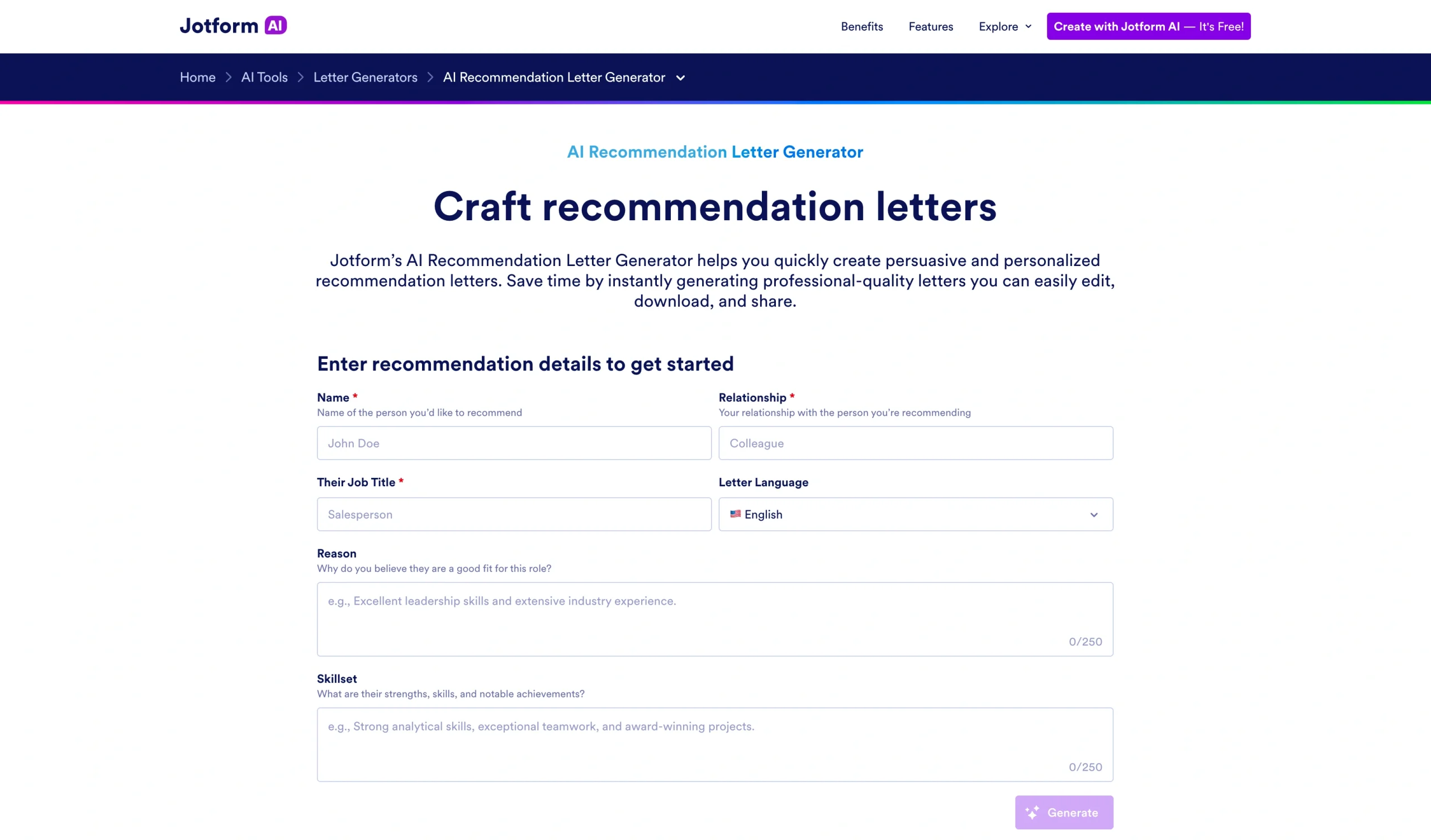
Whether you’ve received a reference letter request from a student applying to college or a professional needing endorsement, Jotform’s AI Recommendation Letter Generator gives you a clear, structured starting point. Instead of staring at a blank page, head over to the AI letter of recommendation writer and enter the requester’s details. There’s no signup required, and the tool works in your browser.
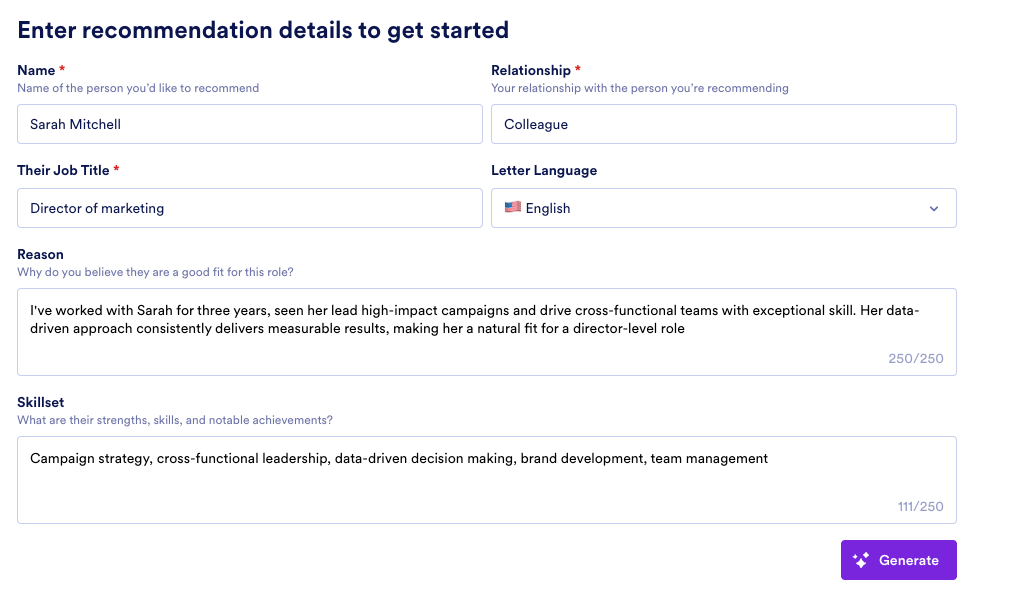
For my test, I provided the candidate’s name, our relationship, the job title they’re applying for, my preferred language (over 30 are available), and the following context about why I believe they’re fit for the role:
Reason: “I’ve worked with Sarah for three years, seen her lead high-impact campaigns and drive cross-functional teams with exceptional skill. Her data-driven approach consistently delivers measurable results, making her a natural fit for a director-level role.”
Skill set: “Campaign strategy, cross-functional leadership, data-driven decision-making, brand development, team management.”
Within seconds of clicking generate, Jotform produced a professional, well-structured reference letter that credibly outlined my relationship with the candidate, included clear examples of their skills in action, and aligned those skills to the opportunity I was recommending them for.
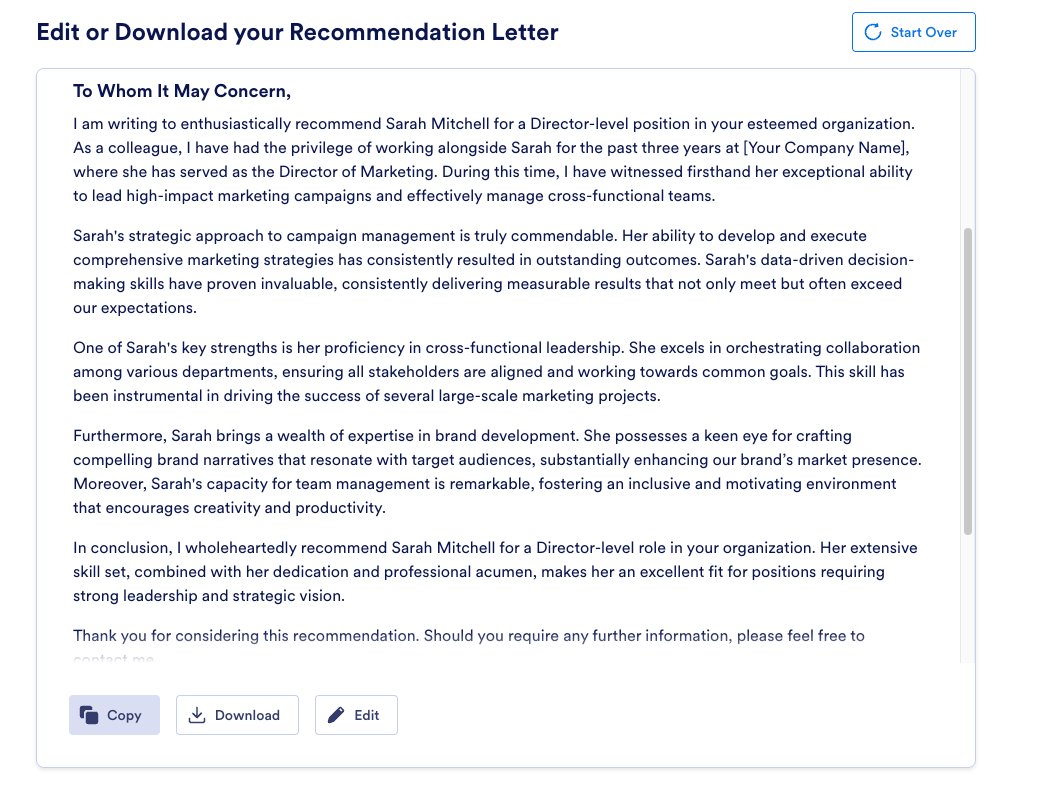
Once generated, the recommendation letter is fully editable. I could adjust the wording with specific anecdotes and proof points, swap out sections, and personalize the look of the letter with my preferred fonts and colors. The letter also included placeholders for my contact information to make it easier for the recipient to get in touch with me for any further inquiries about the candidate. And after editing, I could copy the letter or download it as a PDF.
Jotform also offers free reference letter templates for specific scenarios, such as professional licensing or certification, internships, academic, and job applications. For employment purposes, Jotform offers templates for writing a character reference letter. Each template uses professional language by default and is tailored to highlight the key strengths, traits, and skills necessary for the specific position or opportunity. Once you pick a template, simply click the placeholders to add the candidate’s details into the missing fields.
These templates allow you to focus on providing a thoughtful, accurate assessment of the person you’re recommending rather than worry about the structure and organization of your draft. You can customize any template with your logo and brand colors, and sign the letter with an electronic signature before sending it.
The Jotform recommendation letter generator is mobile-friendly, and the templates are accessible via the Jotform Sign mobile app, so you can draft and edit letters from any device. In fact, Jotform lets you manage the entire recommendation workflow from your smartphone. This means you can submit recommendation letter requests and track them directly through the Jotform Sign Mobile App.
What’s more, for teams handling high volumes of recommendation requests, Jotform AI Agents can automate the collection and routing of reference letter requests, so nothing falls through the cracks.
- Best for: Tailored reference letters across professional, academic, and personal needs with use-case-specific templates
- Key features
- Use-case-specific templates structured to reflect the most relevant traits for each opportunity
- E-signing available
- Mobile-friendly and accessible via your smartphone
- Pros
- Generates a well-structured professional letter in seconds using your input
- Templates handle content organization so you can focus on the substance of your assessment
- Supports the full recommendation workflow from request to drafting, signing, and tracking
- Cons
- Input fields have character limits, which may restrict more detailed context for complex recommendations
- Design customization options, such as fonts and colors, may feel more useful for template-based letters than for AI-generated ones
- Plans/pricing
- Free
- Bronze ($19.50 per month, billed annually)
- Silver ($24.50 per month, billed annually)
- Gold ($64.50 per month, billed annually)
- Enterprise (custom pricing)
Ready to craft persuasive and personalized recommendations? Use the AI Recommendation Letter Generator — it’s free. For other types of letters, explore Jotform’s AI letter generator.
Build faster with Jotform AIDescribe what you need, and let Jotform AI build it for you instantly.
Get Started Now
2. Template.net AI Recommendation Letter Generator
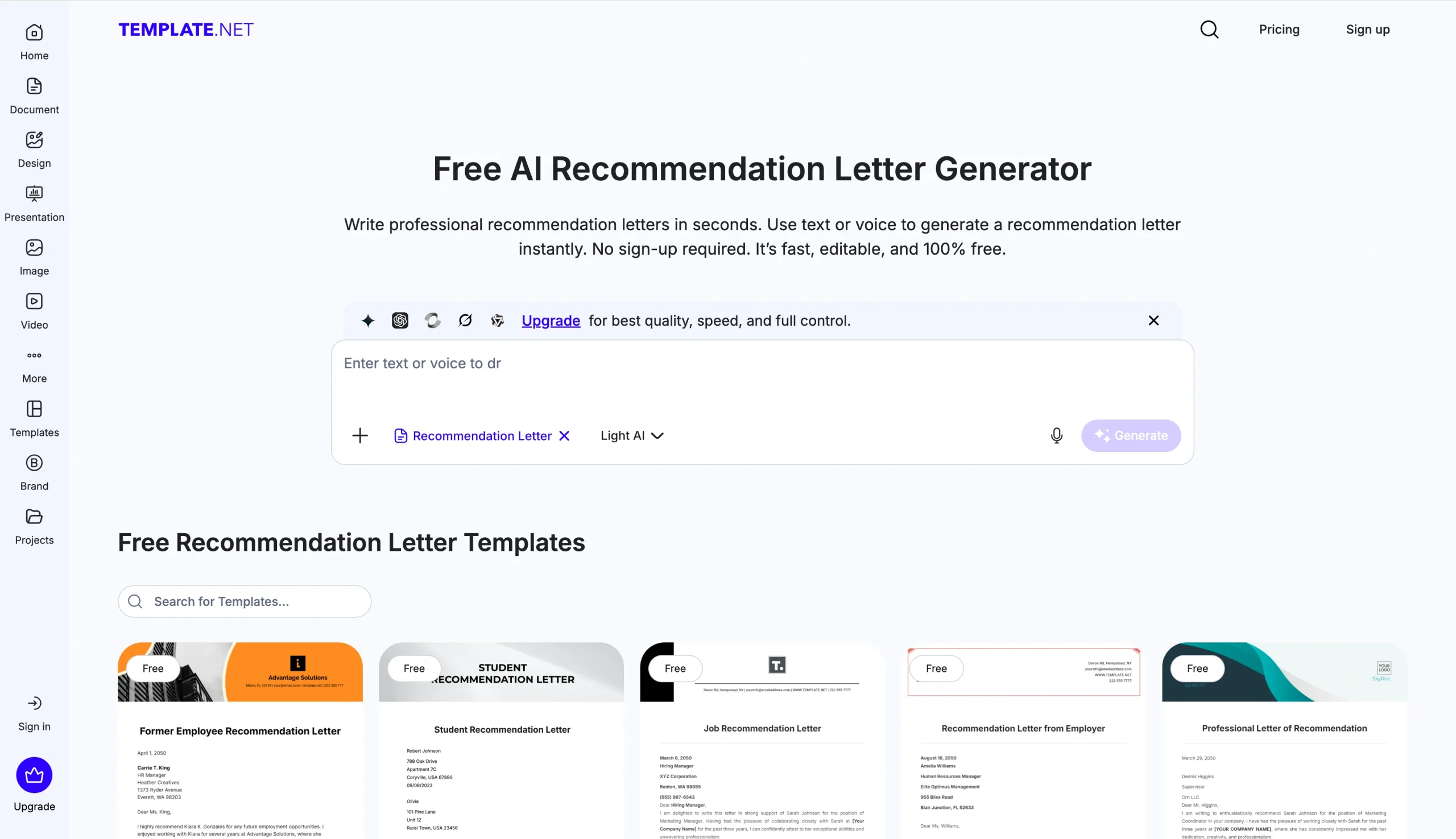
Instead of using structured fields to collect the candidate’s information, Template.net’s Free AI Recommendation Letter Generator allows you to type your details into a free-text prompt box so the AI can interpret your input.
You can also use voice to prompt the AI, which is handy for anyone who prefers speaking to typing. To test Template.net, I used the same prompt from the “How I tested and chose the best AI letter of recommendation generators” section above.
After I hit generate, the AI analyzed my prompt for a few minutes. It then produced a detailed, well-structured recommendation letter with a fully fleshed-out section on personal achievements that felt credible and grounded.
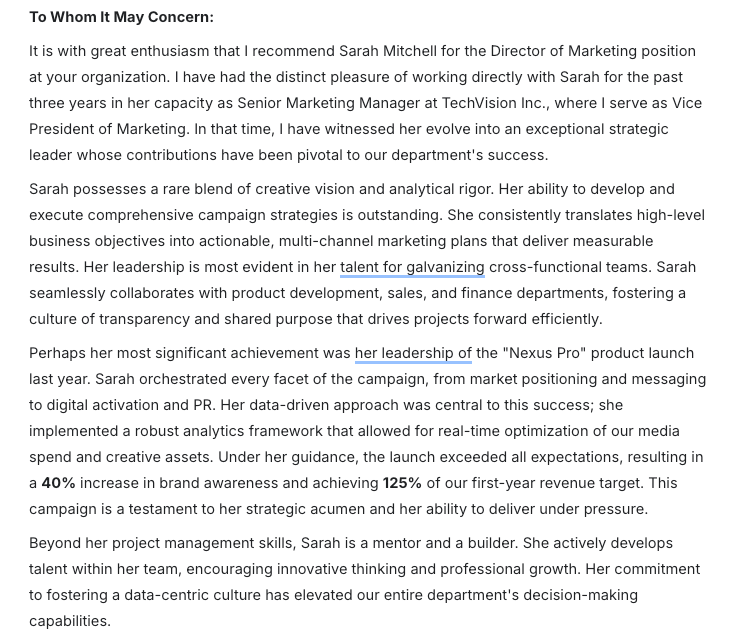
Note that details in the achievement were fabricated by AI, so you’ll want to review the output carefully and replace any invented details with accurate ones before sending. That said, the quality of the writing itself was impressive and required minimal cleanup.
One thing to keep in mind is that, because Template.net uses a free-text prompt rather than structured fields, the quality of your output depends heavily on the detail in your prompt. The more context you provide upfront, the better the letter.
Once generated, the letter is fully editable. You can adjust the wording, change fonts, apply your brand colors to the header, and translate the letter to any language before downloading the final version in multiple formats, including PDF and DOCX.
- Best for: Delivering recommendation letters across multiple formats and platforms
- Key features
- Free-text and voice prompting
- High-quality, detailed outputs that go beyond surface-level summaries
- Multilingual generation and export flexibility in PDF, DOCX, Notion, and Zoho Writer.
- Pros
- No signup required to generate a letter
- Output quality is strong with detailed, natural-sounding prose
- Broad export and sharing options make it easy to deliver the final letter in any format
- Cons
- Cluttered interface with frequent upgrade prompts, which can interrupt the workflow
- Account signup and upgrade required to access most features
- Plans/pricing
- Free
- Plus ($12 per month, billed annually)
- Max ($47 per month, billed annually)
3. Himalayas AI Letter of Recommendation Generator
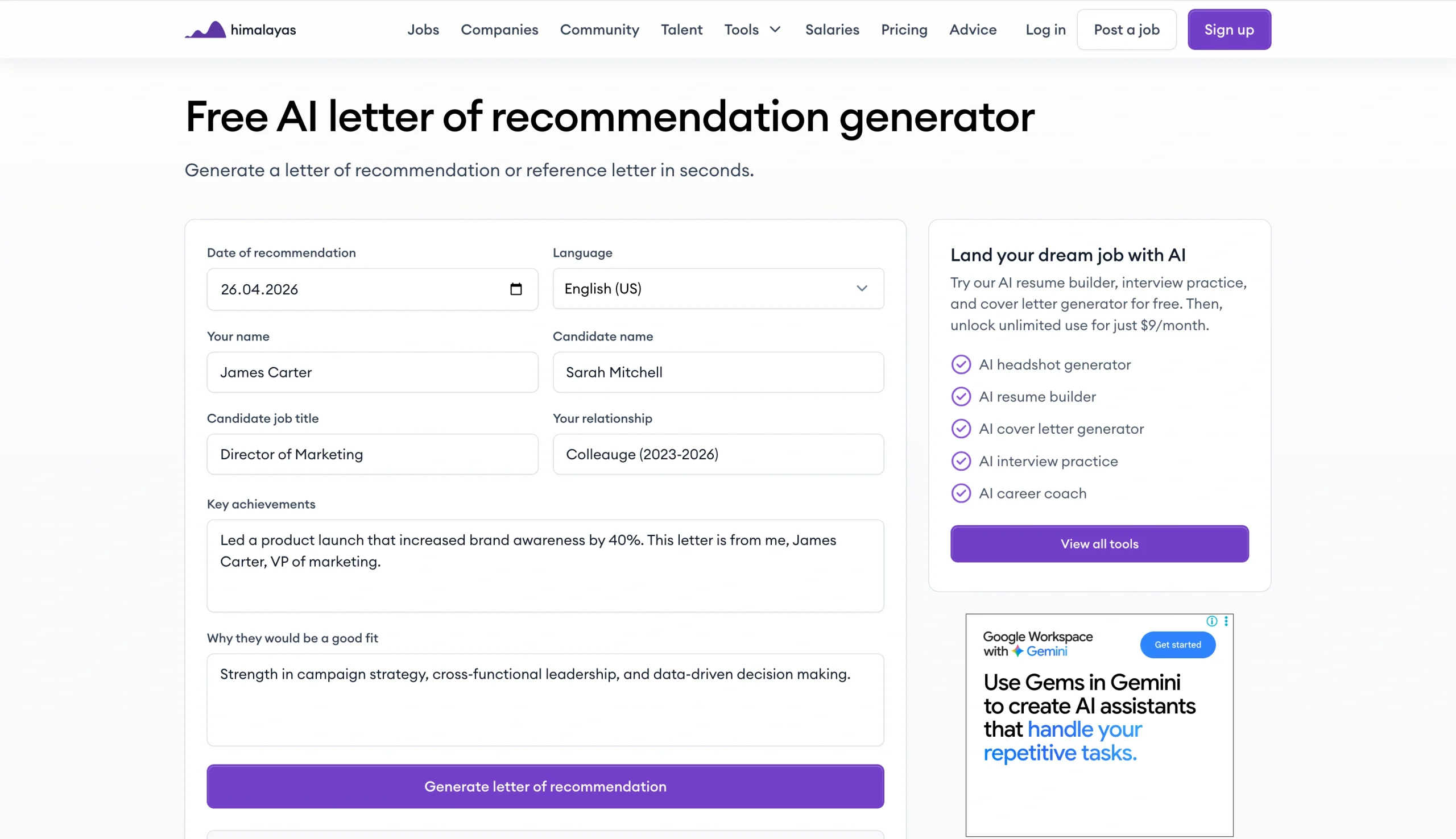
Himalayas is primarily a remote job platform, but its free desktop-based AI letter of recommendation generator is a solid standalone tool for generating compelling recommendations. The interface is clean and minimal with a straightforward form that covers all the essentials:
- Date of recommendation
- Language (the AI letter generator supports 10 languages)
- Your name
- The candidate’s name
- The candidate’s job title
- Your relationship to the candidate
- Key achievements
- Why you believe the candidate is a good fit
I filled in the fields with the same candidate details in my Sarah Mitchell prompt and hit generate. The output was detailed and well-structured, relying entirely on the information I supplied without fabricating any additional achievements.
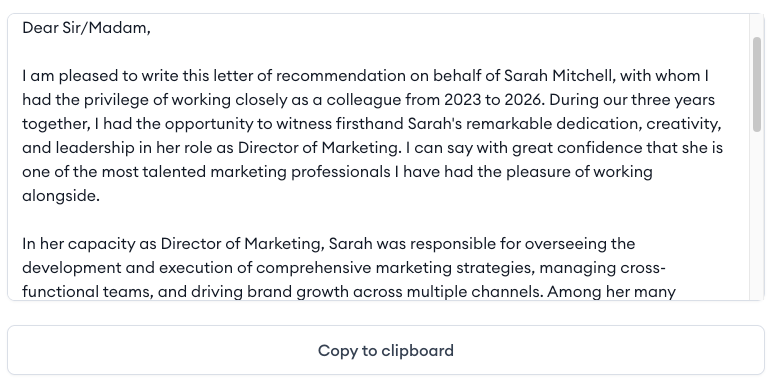
With Himalayas, what you put in is what you get out — which means the quality of the letter depends on the quality of your inputs. In-tool editing isn’t possible either, so you’ll need to copy the output to your clipboard to improve it.
- Best for: Job seekers and managers looking for a no-frills, structured recommendation letter generator
- Key features
- Structured input fields for candidate details, key achievements, and fit rationale
- Multi-language support
- No signup required
- Pros
- Clean, distraction-free interface with no upgrade prompts interrupting the workflow
- Output stays aligned to your inputs
- Quick and accessible — no account required to use the tool
- Cons
- Daily use limits may be a constraint for HR professionals handling multiple recommendation requests at once
- Fewer language options compared to some other tools
- Plans/pricing
- Free
- Plus ($9 per month)
- Max ($29 per month)
4. Brisk Teaching AI Letter of Recommendation Generator
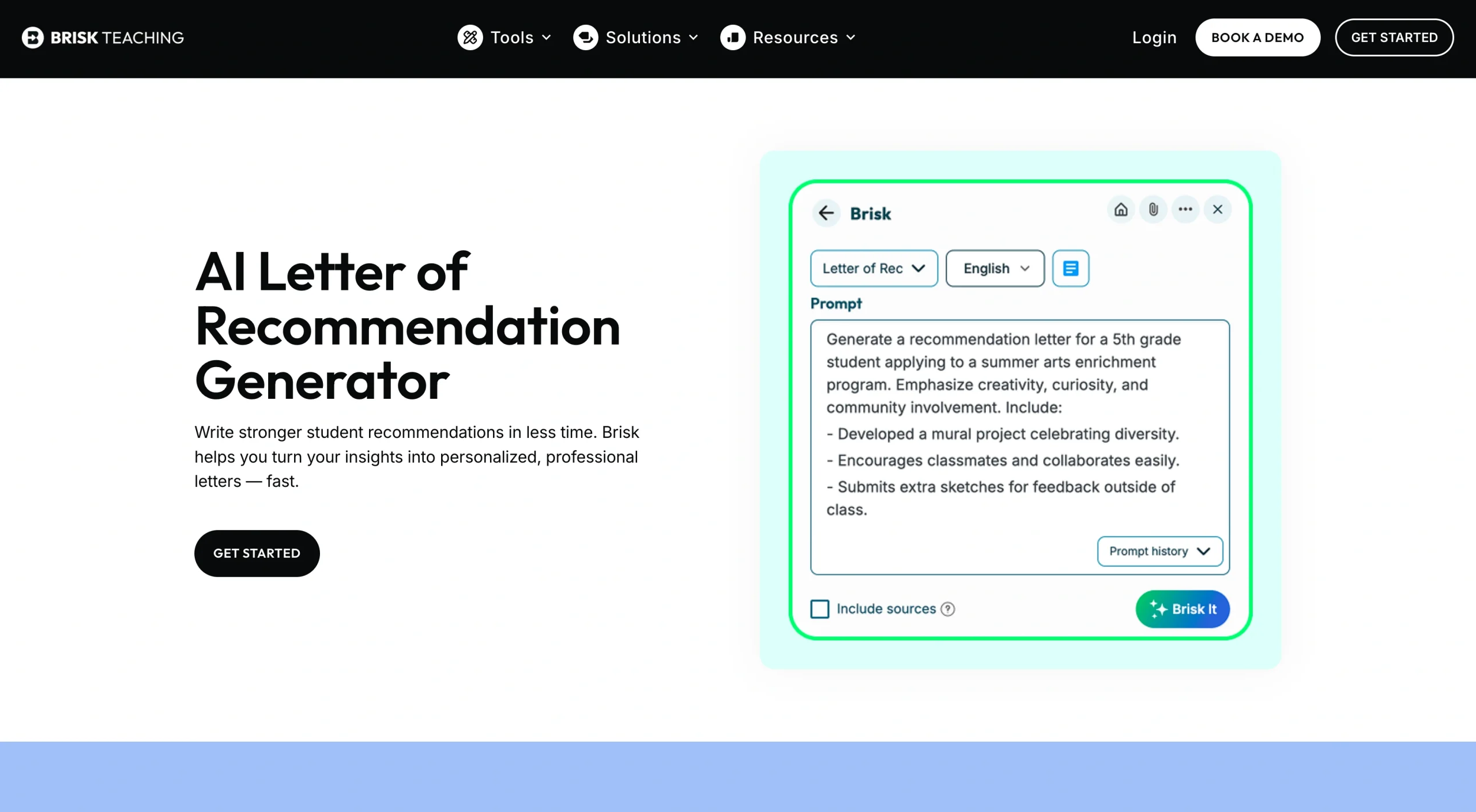
Brisk Teaching is a platform built specifically to support educators with classroom tasks and admin. It offers a dedicated AI letter generator for students and education professionals, making it easy to write strong, scholarship-ready endorsements quickly.
To get started, you’ll need to create a free account and download the Brisk Teaching Chrome extension, which enables the tool to work directly inside Google Docs. Once you’re set up, locate the tools for managing administrative tasks and then select Letter of Rec to input the prompt you want the AI to use in generating the letter.
To test, I used this prompt:
“Write a letter of recommendation for my student James Okafor, a senior at Westfield High School applying for the Rhodes Scholarship. I’ve taught James in AP History and AP English Literature over the past two years. Highlight his strengths in critical thinking, academic writing, and community leadership. Mention his work organizing a school-wide literacy initiative that engaged over 200 students. This letter is from me, Dr. Patricia Moore, Head of Humanities.”
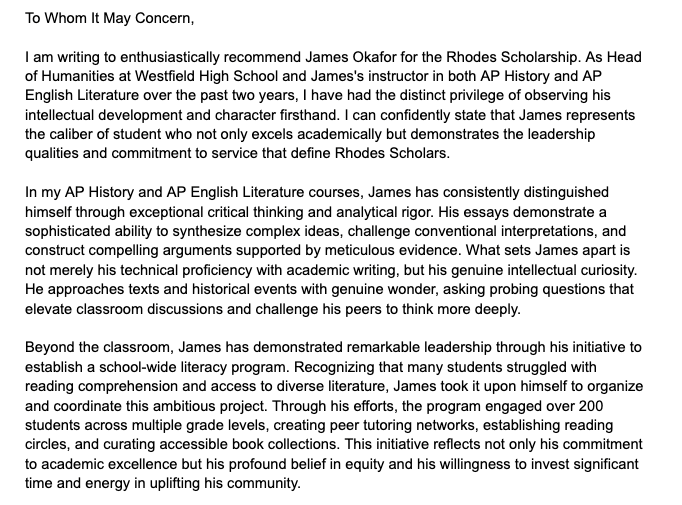
The output was well structured and impressive. The AI expanded on the achievement, highlighted traits that matter for a scholarship application, and captured how the student stands out in a way that felt genuine.
Since Brisk Teaching works directly in Google Docs, you can easily edit and refine the draft without copying and pasting outputs into separate tools.
- Best for: Education professionals who want an AI letter generator for students that fits into their existing Google Docs workflow
- Key features
- Google Docs integration
- Education-specific outputs since it’s designed with educators in mind
- Wide range of tools for educational professionals beyond recommendation letters
- Pros
- Impactful recommendation letters without fabricated details
- Draft lands directly in Google Docs for immediate editing
- No usage cap on the recommendation letter tool, even on the free plan
- Cons
- Longer setup process compared to other tools
- Since it uses a Chrome extension, it might not be accessible outside of a Chrome browser environment
- Plans/pricing
- Free
- Paid plans have custom pricing
5. HyperWrite AI Reference Letter Generator
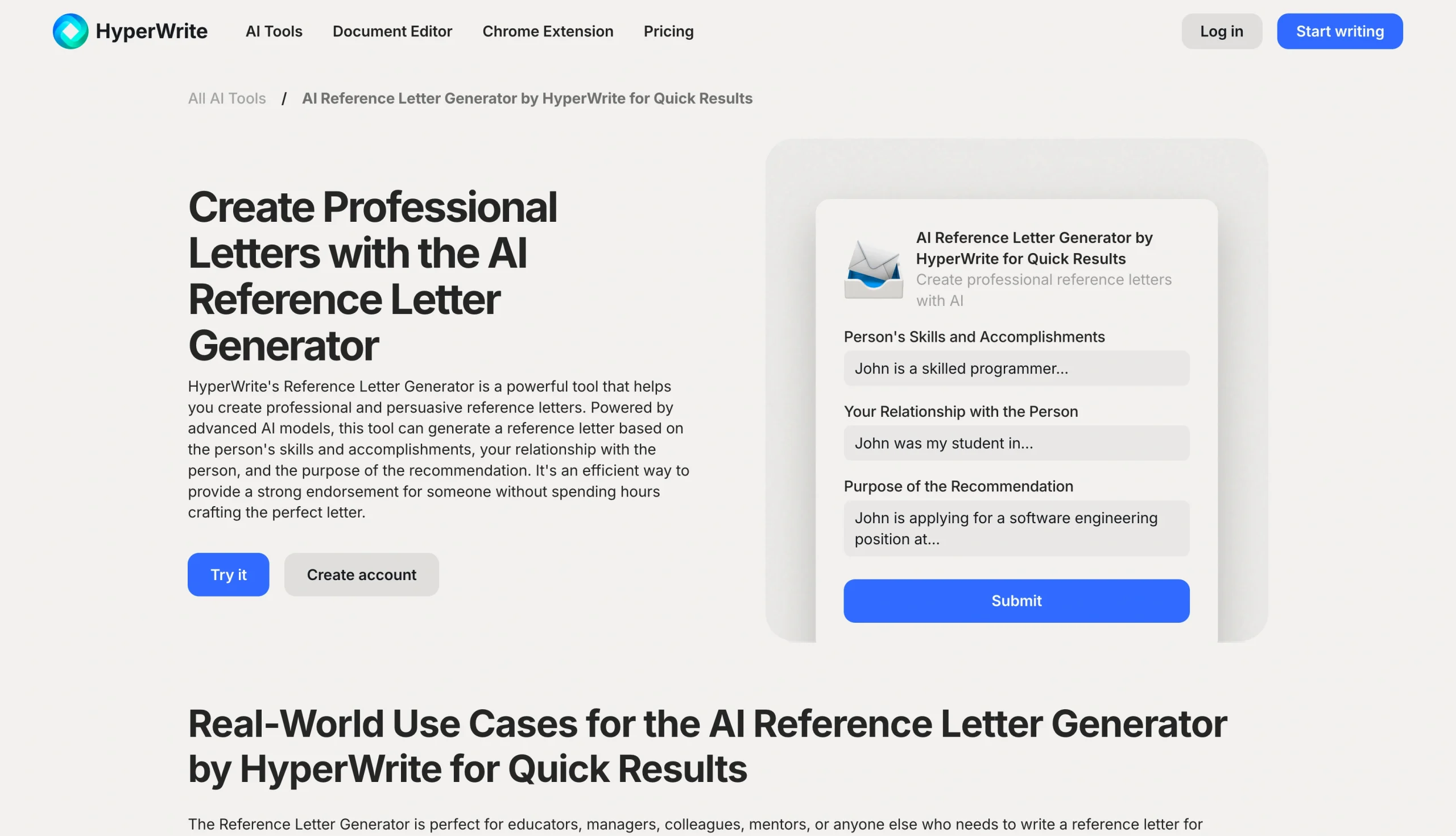
HyperWrite is a broad AI writing platform with hundreds of tools. But its professional reference letter generator is one of its most straightforward offerings. To get started, you’ll need to sign up via Google, which also enables you to open your generated letter directly in Google Docs once it’s ready.
The input interface uses three free-text fields: the person’s skills and accomplishments, your relationship with them, and the purpose of the recommendation.
To test, I used the same Sarah Mitchell prompt and distributed the relevant details across the three fields. The output was well structured and concise, and covered the essentials competently.
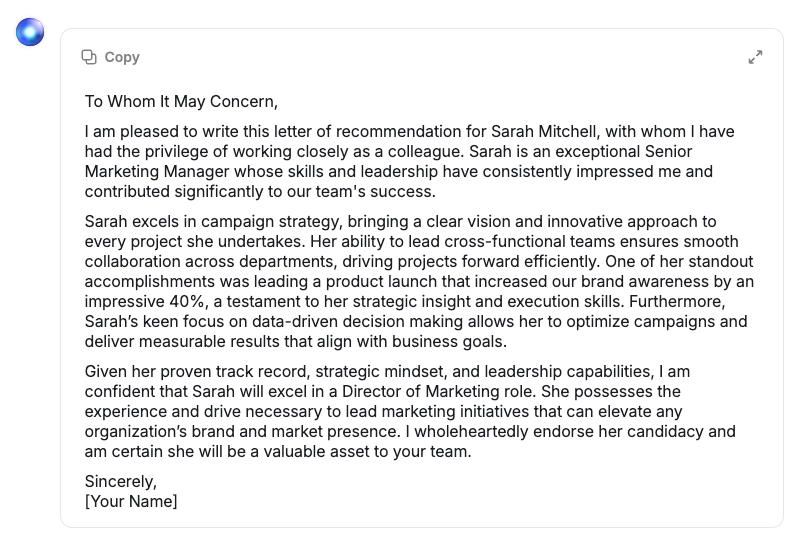
If the output doesn’t meet your expectations, you can regenerate the letter as many times as needed within your sessions. HyperWrite doesn’t offer in-tool editing, so once you’re relatively happy with it, you either copy the letter to your clipboard or open it directly in Google Docs where you can refine it further.
It’s worth noting that the free version of HyperWrite only allows one generation. If you’re handling multiple recommendation requests, you’ll need to upgrade to a paid plan.
- Best for: Quick reference letter generation with Google Docs integration
- Key features
- Dedicated text fields to give the AI clear context
- Google Docs integration for editing and formatting output
- Regeneration option in case the first output doesn’t hit the mark
- Pros
- Clean, simple interface with a straightforward input structure
- Google Docs integration makes editing and finalizing the letter easy
- Output stays closely aligned with your inputs
- Cons
- Free tier is limited to one letter generation
- Output quality is competent but slightly weaker in depth and specificity compared to other tools on this list
- Plans/pricing
- Free
- Premium ($16 per month, billed annually)
- Ultra ($29 per month, billed annually)
5 best practices for using AI recommendation letter generators
Getting the most out of the best AI reference letter generator comes down to how you use it. Here are five things to bear in mind if you want to produce a recommendation letter that’s polished, accurate, and reflective of the candidate.
1. Be specific with your prompt or input fields
The more detail you give the AI upfront, the less generic the output will be. Instead of entering “Sarah is a strong marketer,” try “Sarah led a product launch that increased brand awareness by 40 percent in under six months, managing a cross-functional team of eight across design, content, and paid media.”
2. Review for fabricated details
If the AI generates an achievement you don’t recognize — say, an award or project milestone you have no memory of — flag it and replace it with something you can personally verify. Sending a letter with inaccurate details can damage your credibility as much as the candidate’s.
3. Use the AI draft as a starting point, not a final product
After generating the letter, add a sentence in your own voice, such as “In the three years I’ve worked with James, I’ve never seen him walk away from a challenge without seeing it through.” If you’re not sure what elements to include in your letter, our guide on how to write a letter of recommendation walks you through what every strong letter should contain.
4. Match the letter to the opportunity
A teacher recommending a student for a STEM scholarship should emphasize academic performance and curiosity rather than general character traits. The same student applying for a community leadership award needs a completely different framing.
5. Double-check the sign-off before sending
If the AI generates a placeholder like “[Your Name]” or “[Your Title],” replace it with your actual details. Also, remember to sign the letter with your e-signature to make it official and credible using something like the Jotform e-signature tool.
Generate recommendation letters in minutes with Jotform
Writing a strong letter of recommendation doesn’t have to take hours. The five tools we’ve covered in this article offer a fast, free way to draft professional letters. But if you’re looking for a tool that balances ease of use with flexibility and output quality, Jotform’s AI recommendation letter generator stands out.
It combines use-case-specific templates for academic, professional, and personal recommendations with a clean, intuitive interface that works on any device. You can generate a polished draft in seconds; personalize it with your own fonts, colors, and logo; and manage the entire recommendation process through the Jotform Sign mobile app. Jotform AI Agents can also take things further with automation, handling recommendation requests, routing, and follow-up without manual intervention.
If you’re ready to get started, choose one of Jotform’s free AI reference letter templates, add the subject’s details, customize the output, and then sign the letter in one quick workflow. With a Jotform letter of recommendation template, you’ll be ready to send professional, personalized, and impactful endorsement letters in minutes.
FAQs about AI recommendation letter generators
Yes, as long as the final letter accurately reflects your genuine assessment of the candidate. Reference letters remain a trusted part of the recruitment process, and AI-generated ones are no exception as long as they’re authentic.
Using AI to draft a recommendation letter is acceptable, provided you review the output carefully and make it your own. Think of the AI as a writing assistant that handles structure and formatting while you focus on providing an honest, accurate assessment of the person you’re recommending. Always verify the details before sending.
Yes, always. AI tools can occasionally fabricate details, use generic language, or miss nuances that only you would know. Reviewing the output ensures the letter accurately represents your relationship with the candidate and reflects a genuine, firsthand endorsement.
AI recommendation letter generators save time, reduce the pressure of starting from scratch, and help you produce a well-structured, professional draft quickly. They’re especially useful when you’re handling multiple requests at once or when you know what you want to say but struggle to find the right words.
This article is for students, job seekers, HR professionals, and managers looking for a fast and free way to generate professional letters of recommendation using AI.
































































































Send Comment: