

Key takeaways
- Sales teams spend 60 percent of their time on non-selling tasks according to a 2026 Salesforce report.
- Automating CRM data enrichment with AI can free up your sales team’s time for actual selling.
- Instead of manual updates, AI can extract structured data from unstructured data to fill in your CRM fields based on your chosen triggers.
- To automate enrichment, choose an AI tool that integrates with your CRM, connect data sources, define the fields to enrich, set triggers, and use the data to inform your outreach.
- Jotform helps you collect, standardize, and categorize first-party data before sending it to your CRM, so AI has cleaner data to work with.
Your CRM data is degrading. As you’re reading this, some leads are changing roles, companies are restructuring, phone numbers are changing, and emails are becoming invalid. According to HubSpot, B2B data naturally degrades by about 22.5 percent every year — so a database you cleaned in January is nearly a quarter out of date by December.
Automated CRM data enrichment with AI keeps your data complete and current without manual research. And with sales reps spending only 40 percent of their time on actual selling, automation can also take manual tasks off your team’s plate and give them more time to sell.
Here’s a breakdown of how to automate CRM data enrichment with AI.
How to automate CRM data enrichment with AI (step by step)
To keep your CRM data updated, you need an ongoing enrichment effort. Automated data enrichment helps you keep records current without relying on your sales team to research every detail manually.
Follow these steps to set up an AI-powered data enrichment workflow for your CRM.
1. Choose an AI enrichment tool that integrates with your CRM
The first step in automating CRM data enrichment is evaluating your AI tool options. Shortlist several AI CRM tools and test them on a sample of your real records for fill rate and accuracy. Then, pilot your top options with your team and iron out as many details as possible before landing on one.
More importantly, check how the AI enrichment tool connects to your CRM. Look for native integration with your CRM workflows and current tech stack. The platform should also meet your security and compliance requirements to protect sensitive customer data and support your organization’s regulatory obligations.
2. Connect your data sources
Using your AI enrichment tool’s integration options, connect your CRM and the data sources you want to use to fill in or update CRM records. These can include
- Email and calendar data
- Your website
- Public web sources
- Third-party data providers
- Online forms
- First-party data
The more relevant data sources you connect, the more context the AI has to identify missing information and keep existing records up to date.
3. Define the fields to enrich
You can enrich multiple CRM fields, but the best practice is to prioritize categories that directly impact revenue-generating activities. This table can help you decide which fields to enrich and why.
| Priority | Data category | Examples | How your AI uses it for enrichment |
|---|---|---|---|
|
Highest impact |
Contact details |
Verified email, direct phone, job title |
Identifies and updates key contact information |
|
High impact |
Firmographics |
Company size, industry, revenue |
Classifies and segments accounts |
|
High impact |
Intent signals |
Hiring activity, funding news, content engagement |
Identifies accounts showing buying signals |
|
Medium impact |
Technographics |
Tools and software a company uses |
Identifies technology fit and potential opportunities |
4. Set your enrichment trigger
Configure when your AI should enrich or refresh CRM data. You can trigger enrichment
- At record creation, so every new lead arrives complete
- On a schedule, to catch decay during monthly or quarterly refreshes before it affects your outreach
- On demand, when your reps need the latest information
- During batch imports, such as event lists and trade show scans
5. Operationalize the enriched data
Use your enriched data in workflows that your sales and marketing teams already rely on to drive better targeting and follow-ups. For example, you can use firmographic and intent data to power AI lead generation and prioritize high-value accounts. You can also use enriched contact data to route leads to the right reps and personalize outreach based on each prospect’s characteristics.
Start with clean first-party data using Jotform
Now that you’ve started to tap into the potential of AI in CRMs, you should know that your AI enrichment will only be as good as the data entering your CRM.
The cleanest source is first-party data that you collect directly from leads and customers. Jotform helps you collect and organize this data before it reaches your CRM.
Collect structured data at the source
With Jotform’s online form builder, you can build lead capture, signup, and intake forms to collect the information that your sales team needs. On your forms, you can
- Add required fields to prevent incomplete submissions.
- Use dropdowns to standardize responses.
- Apply conditional logic to show relevant questions based on previous answers.
- Validate email and phone fields to catch errors before a lead submits.
These controls let you collect more consistent information, so your sales team doesn’t need to chase leads for missing details or manually correct entries before adding them to your CRM.
Standardize your data with Jotform AI Data Assistant
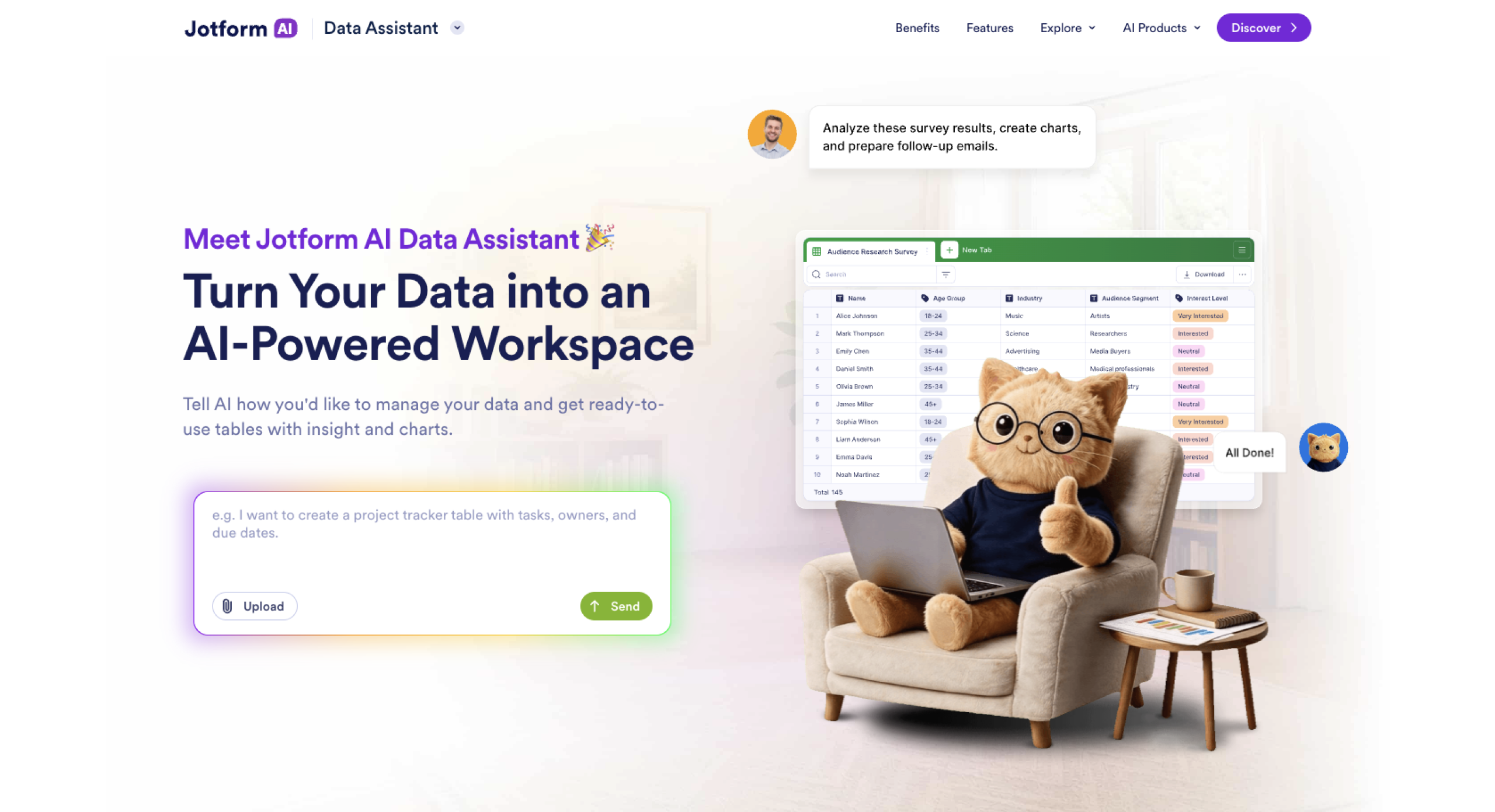
Form submissions often arrive in inconsistent formats, especially when your form includes an open-text field. Your prospects may describe their needs in different ways or enter information that doesn’t match your CRM’s preferred format.
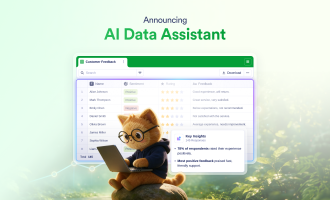
Jotform Tables lets you organize and manage your submissions in one place. With the help of Jotform AI Data Assistant, you can interact with your collected data using plain-language instructions. You can categorize entries, summarize open-text answers, pull key details out of messy text, and standardize inconsistent responses before sending the data to your CRM. Your sales team will spend less time cleaning up submissions and more time using customer information to personalize follow-ups.
Feed customer data into your CRM
Jotform integrations let you send the form data you collected to your CRM without manually entering each submission. You can connect Jotform to Salesforce, HubSpot, Zoho CRM, and more than 170 other CRMs to give your sales team access to the customer information they need in their existing system.
Better enrichment starts with cleaner data
AI can enrich your CRM records, but enrichment quality depends on the data your AI model uses. If you collect structured first-party data and fix inconsistencies before they reach your CRM, your sales team will have a reliable foundation for lead qualification and follow-ups.
Jotform helps you collect clean first-party data so that your CRM has a reliable foundation before you start enrichment. After collection, you can organize and standardize responses before you feed them into your CRM to reduce manual data cleanup.
Try Jotform AI Data Assistant today to turn the information you collect into structured data your CRM can actually use.
FAQs about AI CRM data enrichment
Beyond enrichment, you can use AI in CRMs to
- Score and route leads
- Draft follow-up emails
- Summarize calls and notes
- Forecast pipelines
- Flag duplicates
AI can help you create parts of a CRM system. Jotform AI can help you build forms to collect customer and lead data to use in your CRM system. After you’ve received submissions, Jotform AI Data Assistant can help you organize and standardize your data, while Jotform AI Workflows lets you build workflows to manage CRM-related tasks. However, you need a dedicated platform for a full CRM with pipelines, permissions, and integrations.
No. While AI can handle repetitive CRM tasks so that your sales team can spend more time selling, it doesn’t replace the need for a central system to manage customer relationships and data.
This article is for sales teams, CRM managers, revenue operations professionals, marketing teams, and anyone who wants to use AI to automate CRM data enrichment, keep records accurate, and improve lead scoring, routing, and personalization.



























































































Send Comment: