
Making a form from scratch can be time-consuming. You have to come up with questions, figure out the best form structure, and determine the style and colors. That’s why many people like to use tools such as ChatGPT to make the process faster and more efficient.
In this article, we’ll provide step-by-step instructions for how to create a Google Form using ChatGPT. It isn’t a straightforward process, unfortunately, but it is possible.
There’s also an easier way to use AI for form creation — and it doesn’t involve messy workarounds. Stick around and we’ll introduce you to a quicker, more flexible AI-powered form builder that offers everything Google Forms does and so much more: Jotform.
Looking for the best alternative to Google Forms?
Jotform’s full-featured form-building solution is mobile-friendly and has the most integrations in the industry. Use it to collect payments, automate workflows, gather leads, and more.
Step-by-step: How to create a Google Form using ChatGPT
Google Forms doesn’t have a direct way to use ChatGPT for form creation, but that doesn’t mean you’re out of luck. There’s one workaround you can try, and that’s to create a Google Apps Script.
You can generate a custom Google Apps Script — essentially a block of code that tells Google how to build your form — in ChatGPT. If you’ve never created a Google Apps Script or worked with code, this method might seem daunting. However, these step-by-step instructions will help you get the results you need.
How to create a Google Form in ChatGPT with a Google Apps Script
- Open ChatGPT.
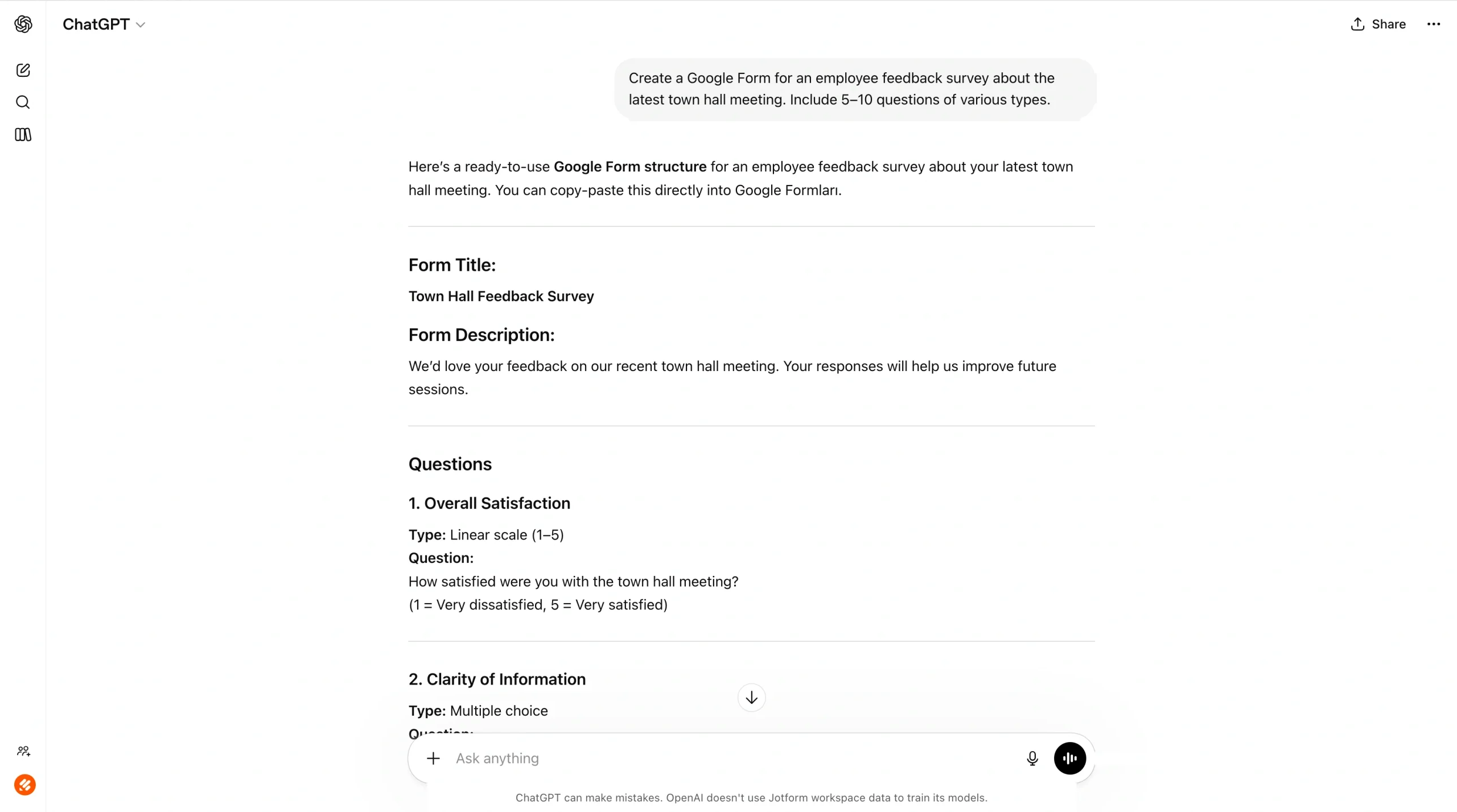
- Prompt ChatGPT to provide you with questions for your Google Form. For the best results, be as specific as possible.
An example prompt is “Create a Google Form for an employee feedback survey about the latest town hall meeting. Include 5–10 questions of various types.”
ChatGPT will then generate the form content for you. Ask ChatGPT to edit the form content until it works for your needs.
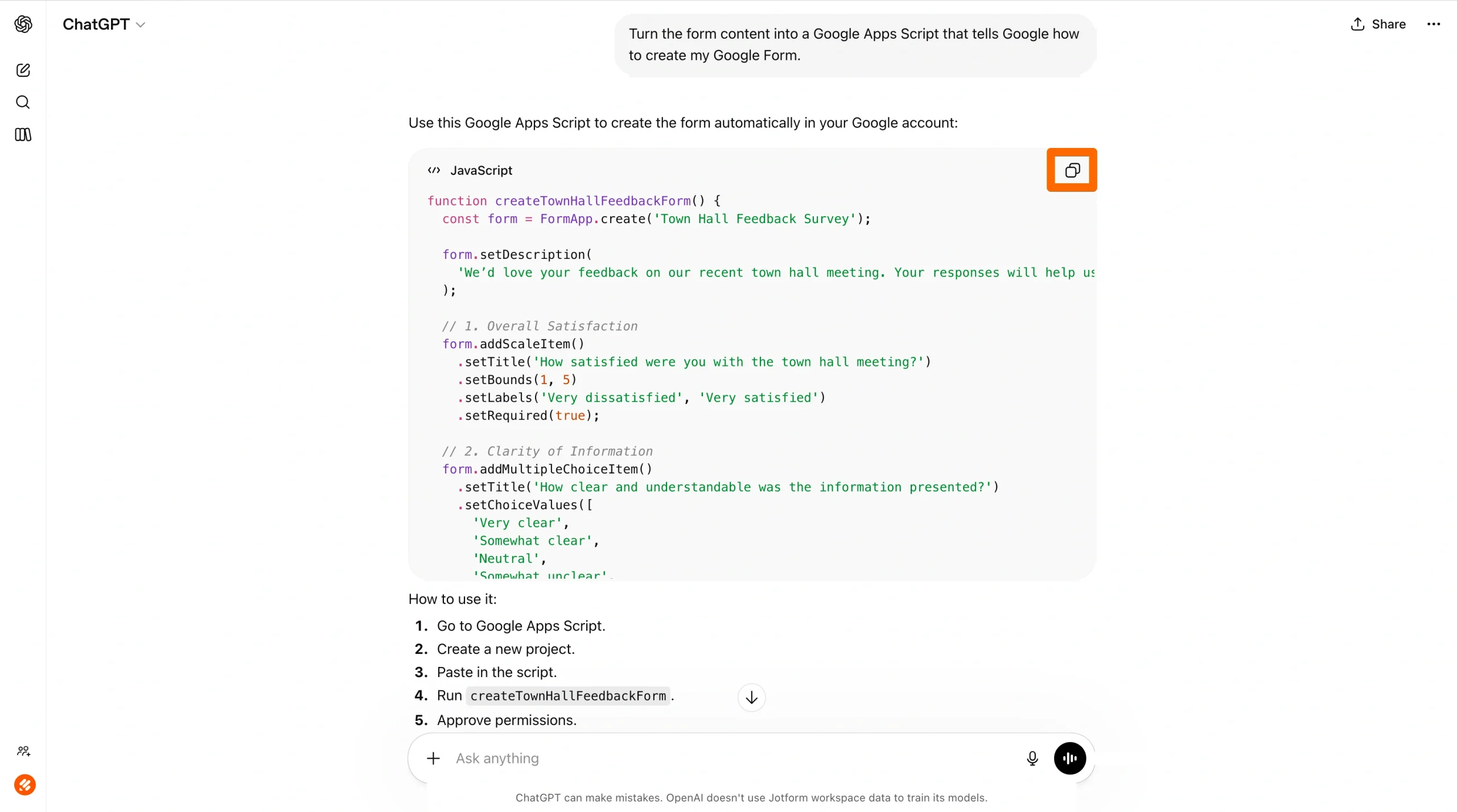
- Next, prompt ChatGPT to turn the form content into a Google Apps Script that tells Google how to create your Google Form. ChatGPT will provide you with a block of code. Click Copy code.
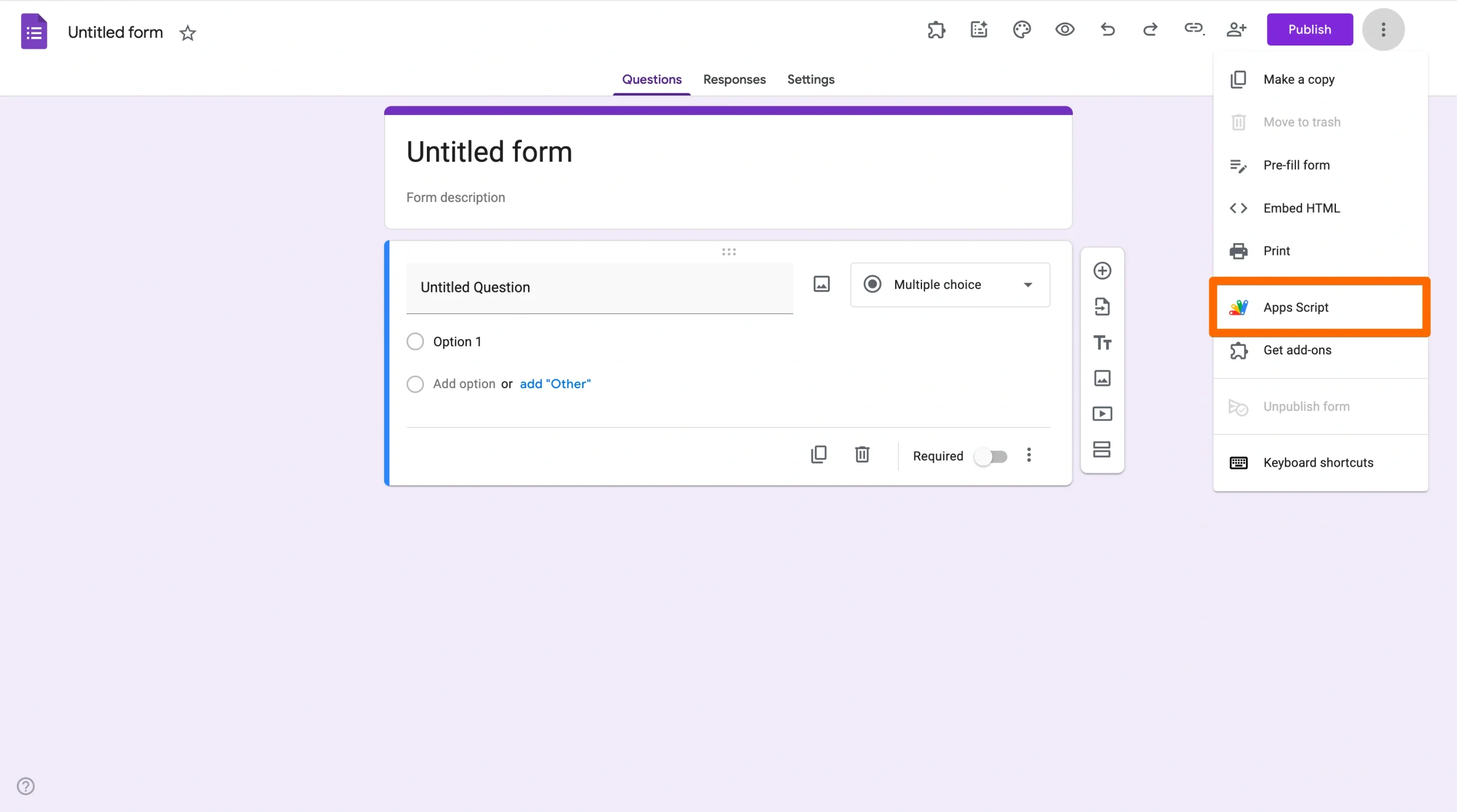
- Go to Google Forms and open a blank form.
- Click the vertical three dot icon and select Apps Script.
- Paste the code from ChatGPT into the script.
- Click Save. Then click Run.
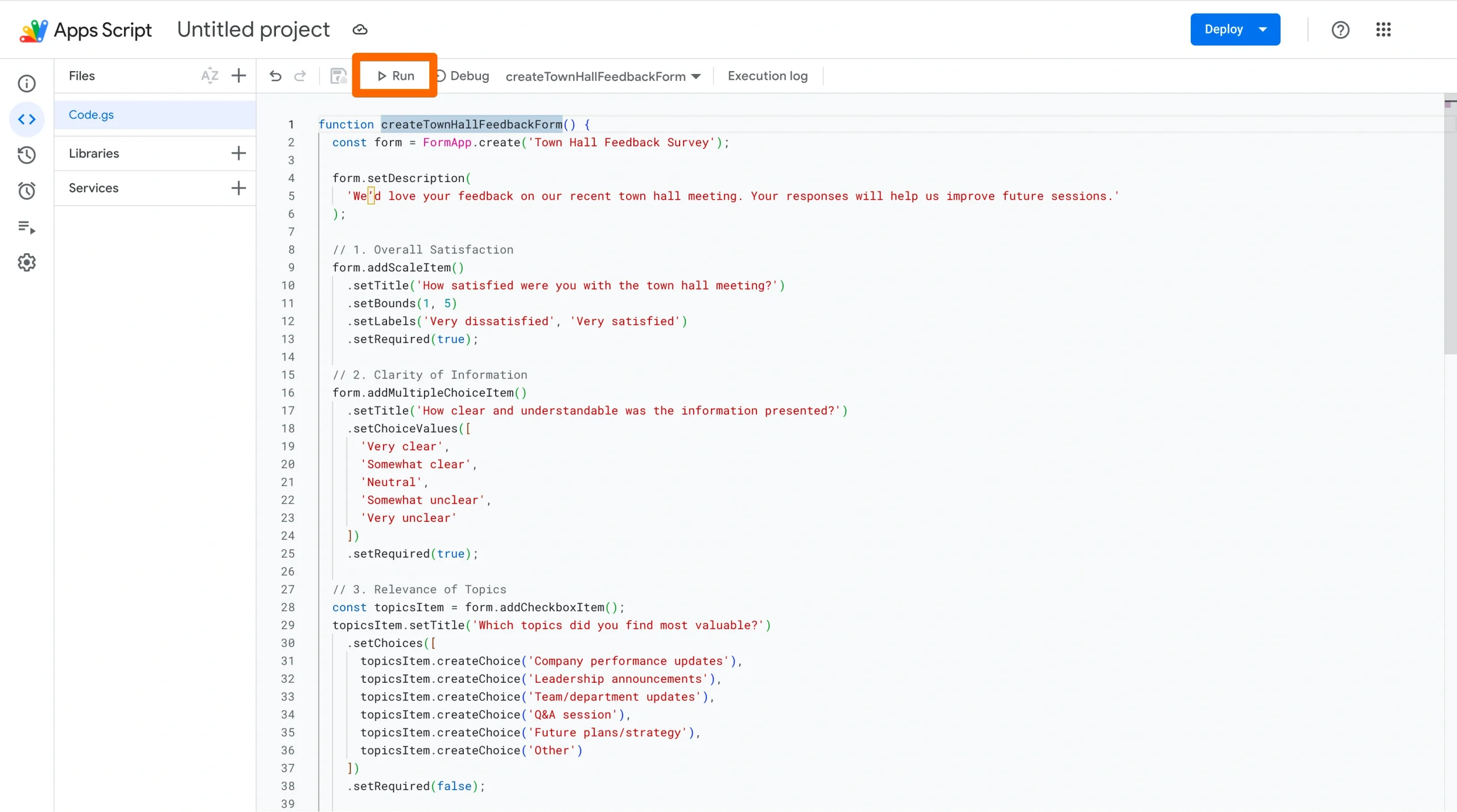
Google Apps Script may request permissions to complete the action. Provide the necessary authorization.
It’ll then create your Google Form, which you can find in your Google Drive.
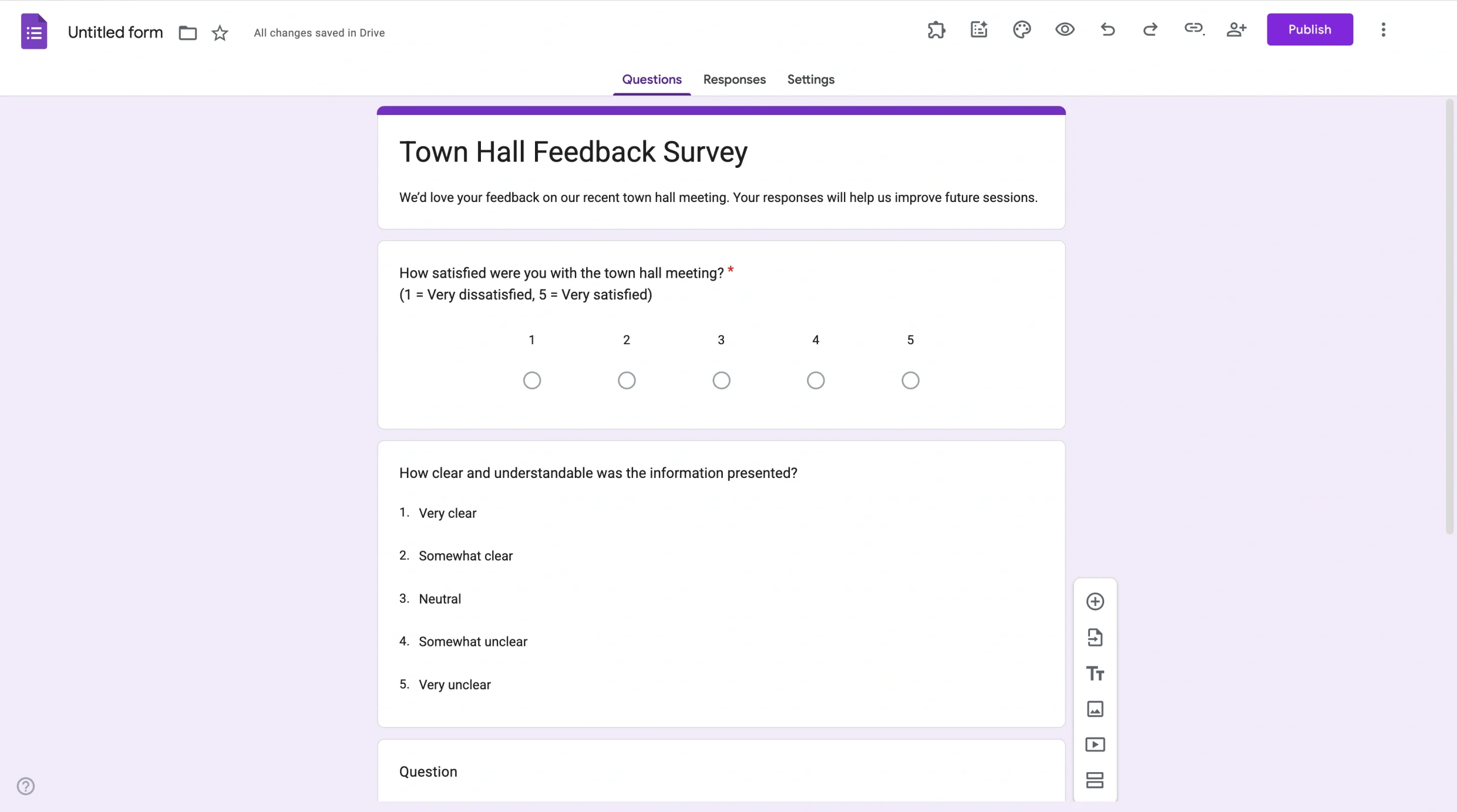
- Review the Google Form and make any edits as necessary.
Pro Tip
Want to figure it out the old-fashioned way without AI tools? Our blog has guides on how to use Google Forms, how to create a Google Form, and how to use Google Form survey templates.
Limitations of creating a Google Form in ChatGPT with a Google Apps Script
While this workaround can help you create a Google Form with ChatGPT, it’s not a native solution — and that means there are plenty of opportunities for something to go wrong:
- ChatGPT may inadvertently include an error in the code
- The Google Apps Script may not work without some troubleshooting
- You may receive permission or authorization errors when trying to run the Google Apps Script
- If your form is long, the script may exceed its execution time limits
If you’re not technically savvy, any of these failures could be hard to overcome, especially if you don’t have a developer on your team to turn to for help. Thankfully, there is a better way.
Jotform ChatGPT App: The best Google Forms alternative
If you want to avoid scripts altogether, it’s time to try another form builder.
One of the best Google Forms alternatives is Jotform. This form builder offers the best of all worlds: the ease of Google Forms combined with sophisticated features and apps.
Jotform’s ChatGPT App lets you create forms in seconds using ChatGPT. You can refine them through conversation to ensure they meet your exact standards. And the greatest part is that there’s no need to switch tabs or go from app to app. Everything, from creation to editing to design, happens in ChatGPT until you’re ready to see your form in Jotform.
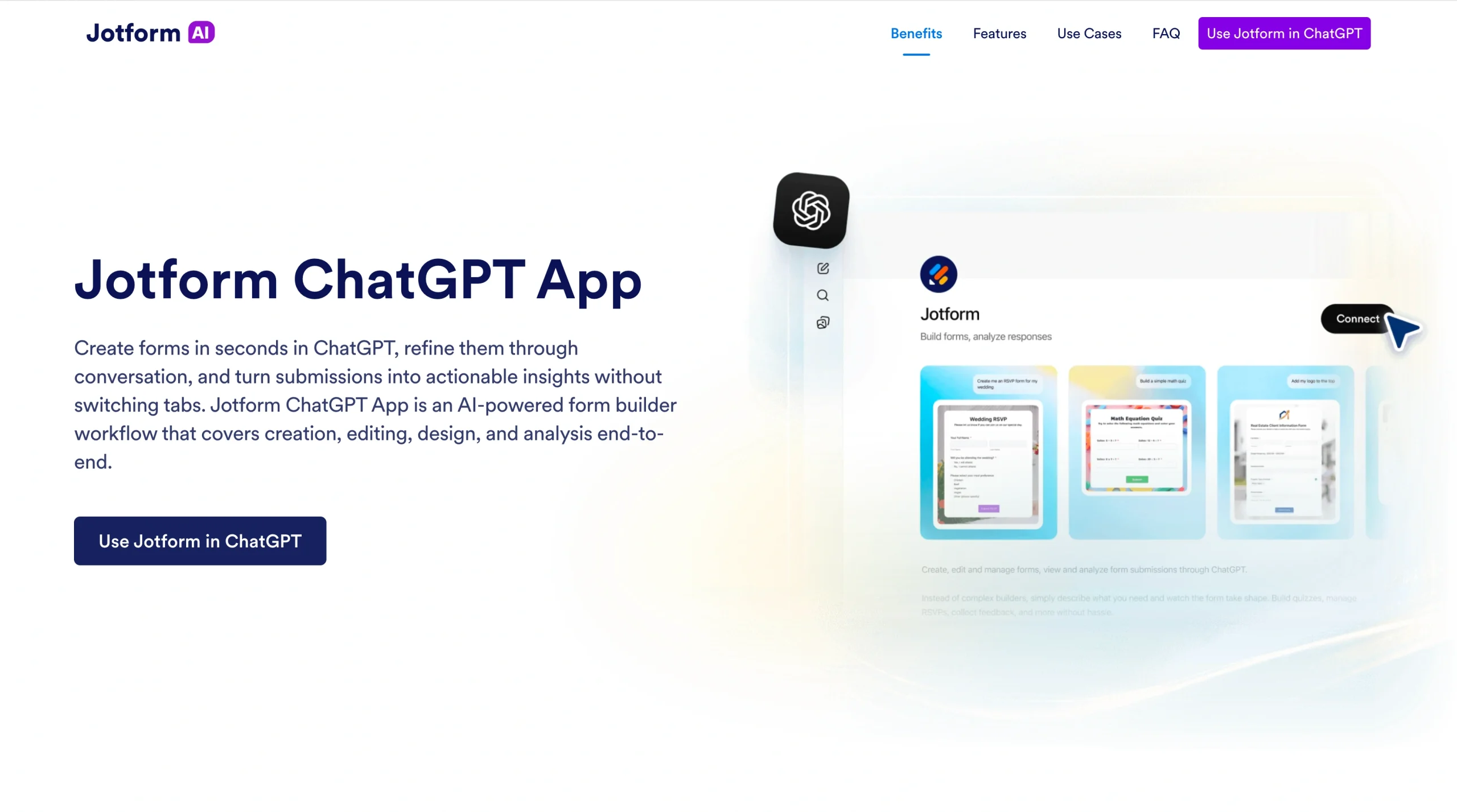
Here’s why users love the Jotform ChatGPT App:
- Intuitive and easy to use: You don’t need to learn all about the form builder to get started; you can create a form in seconds just from a simple prompt — such as “Create a survey for parents about the school fall fair.” It’s an ideal tool for novices and experts alike.
- Flexible editing capabilities: It’s easy to make changes to your form. You can update questions, settings, and form structure. You can also add or remove fields as well as reorder them with prompts in ChatGPT.
- Advanced design: Feel free to change the theme, layout, and styling of your form to align with your brand guidelines. Just tell ChatGPT what you need.
- Response filtering: Once you start getting form responses, you can pull response lists for a specific form or filter submissions by date, status, keyword, or field values.
Whether you’re new to using ChatGPT, Jotform, or similar tools, you can master the Jotform ChatGPT App in seconds. All you have to do is have a conversation. Jotform takes care of the hard work for you.
How to create a form with the Jotform ChatGPT App
Ready to explore Jotform’s ChatGPT App? Follow these step-by-step instructions to create a Jotform form with ChatGPT. Note that you’ll need both a ChatGPT account and a Jotform account.
- Open ChatGPT.
- Click Apps. Search for and click on Jotform.
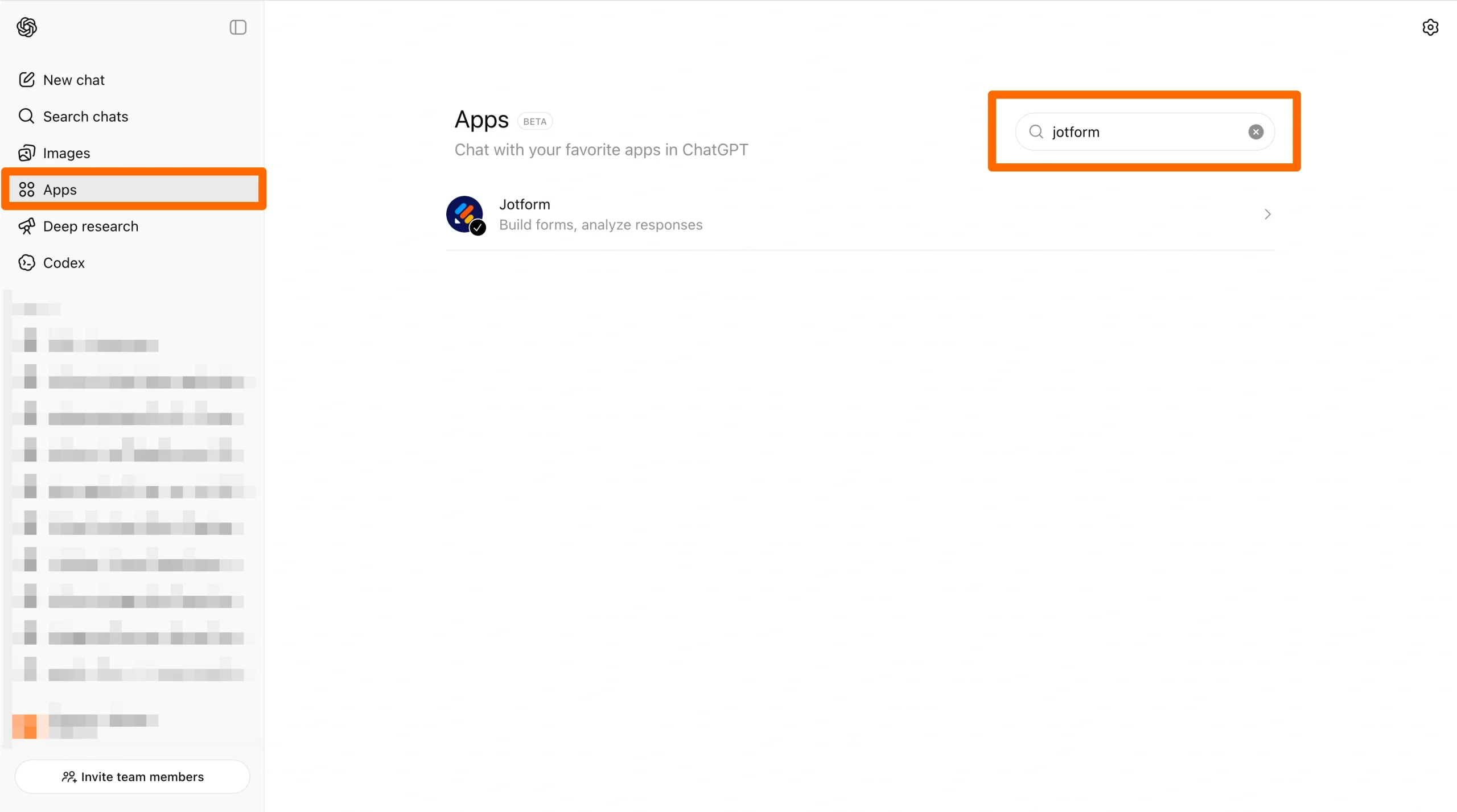
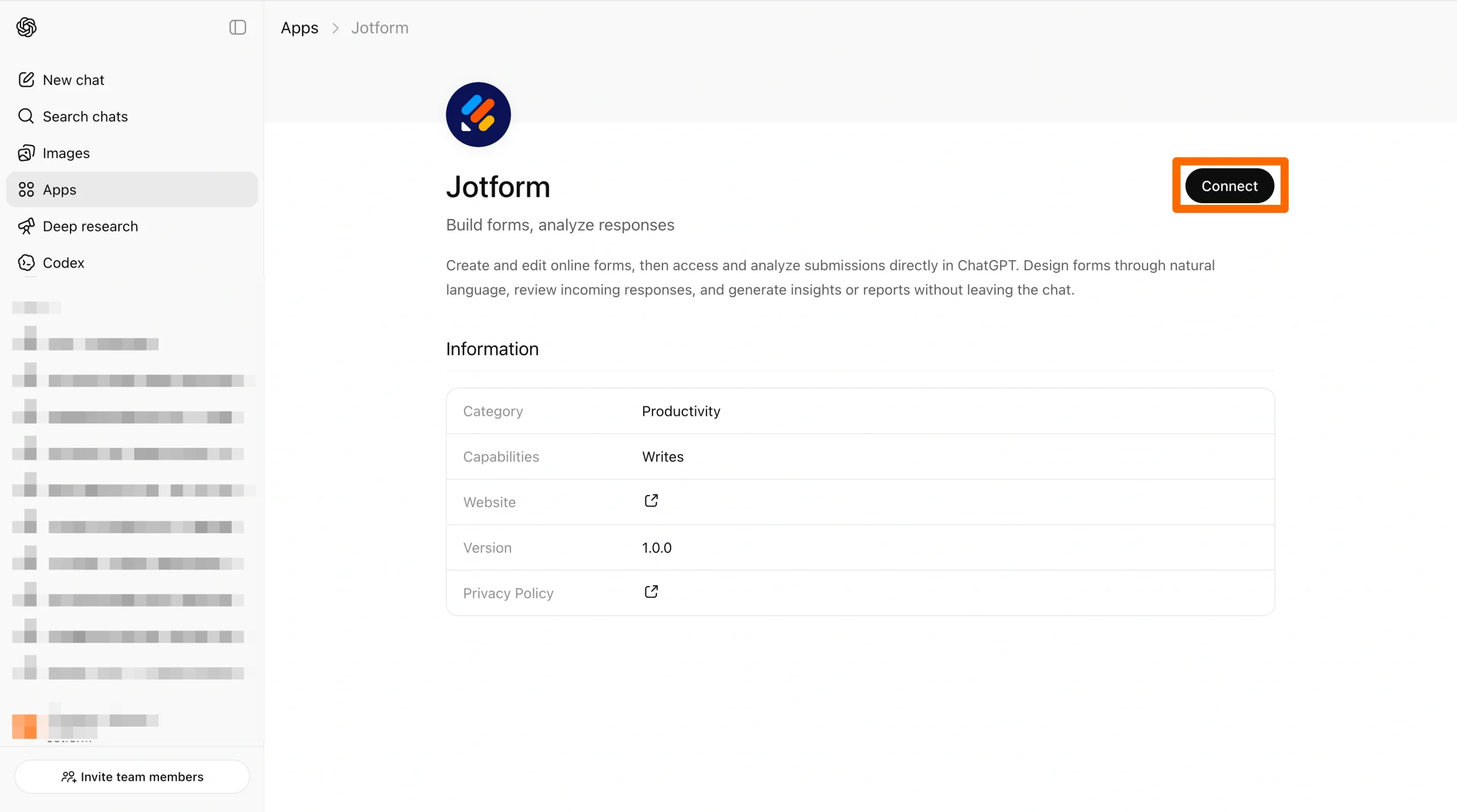
- Click Connect. Follow the prompts to connect with your Jotform account.
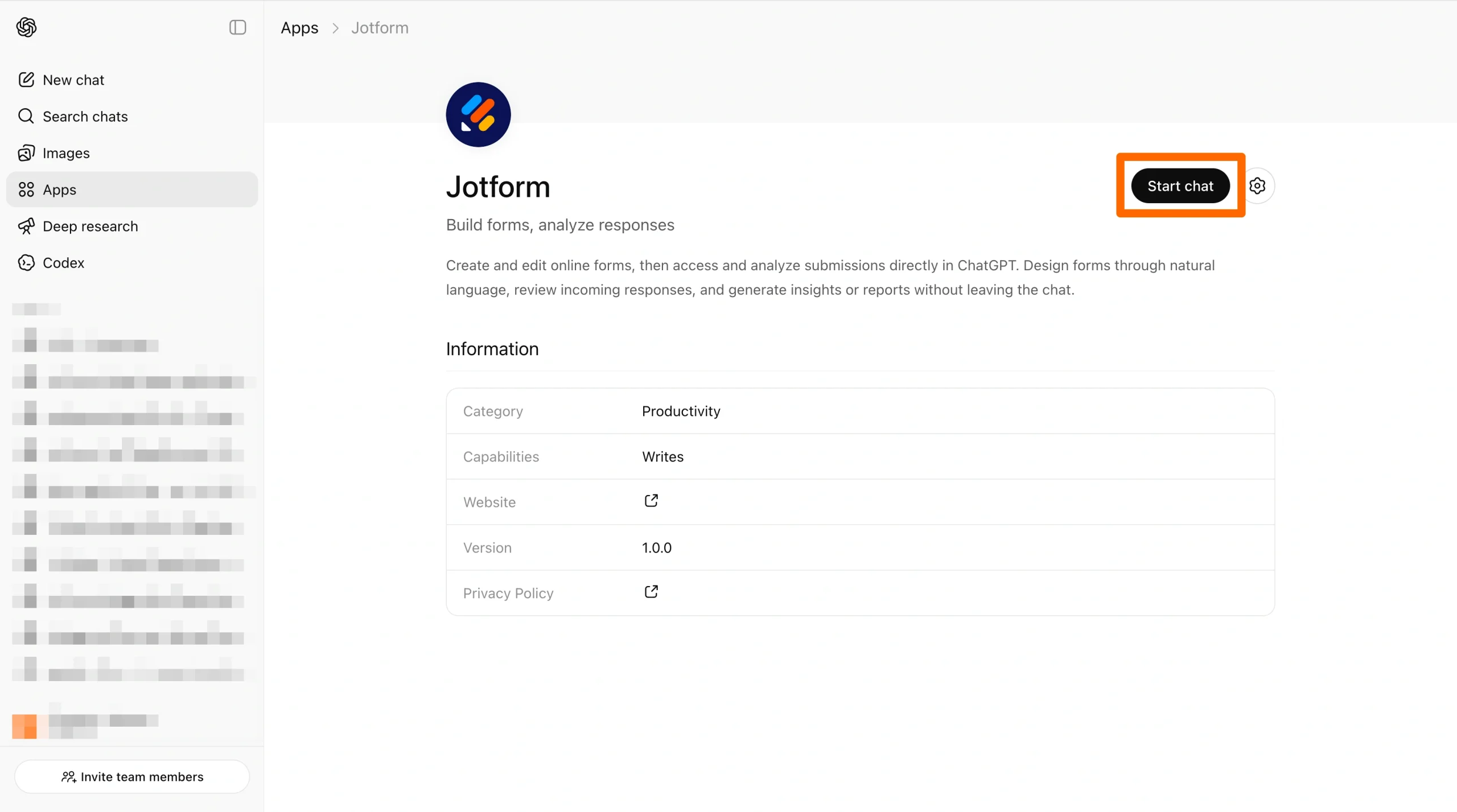
- Click Start chat.
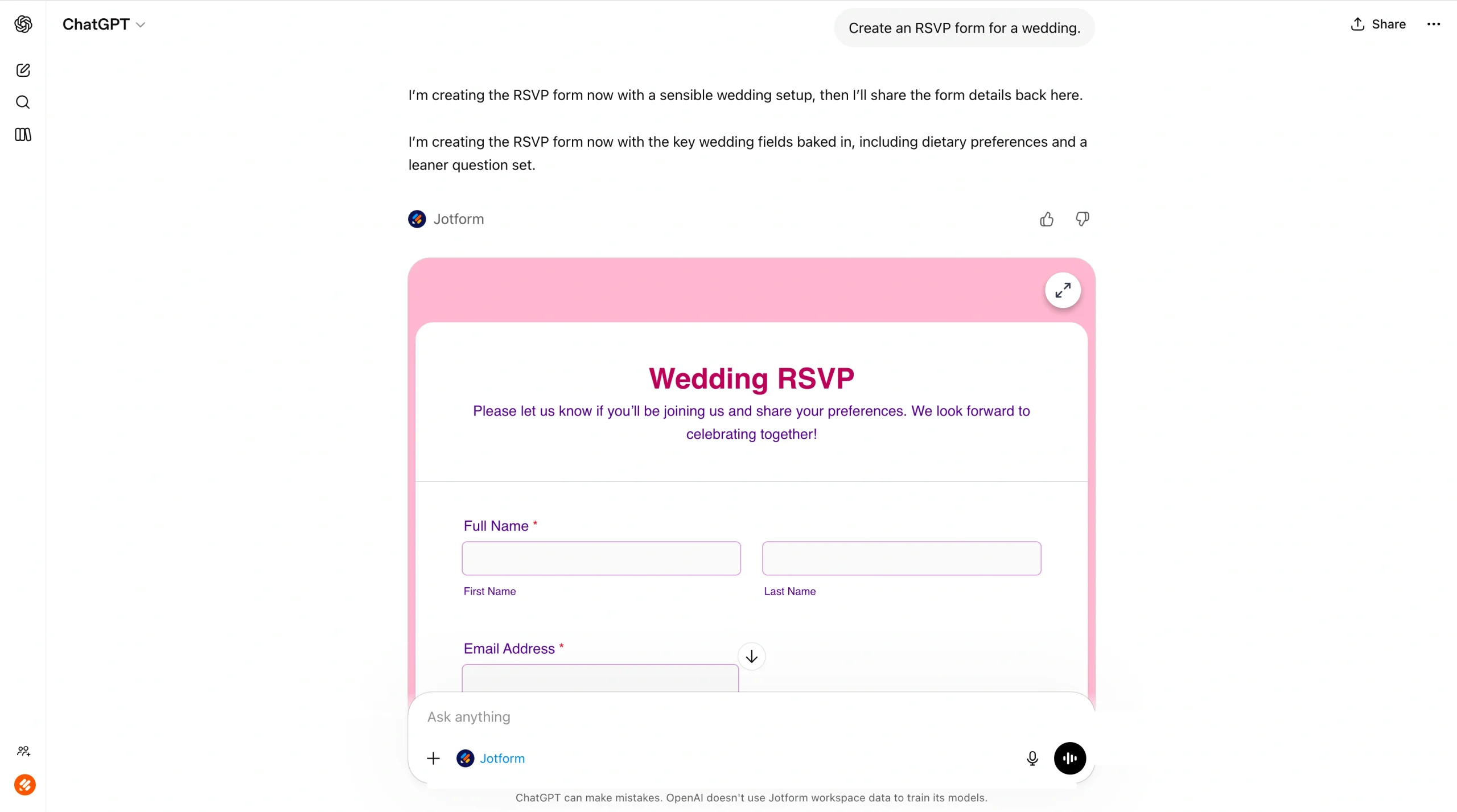
- Provide a prompt to create your form — for example, “Create an RSVP form for a wedding.”
You can edit the form simply by giving more directions, like “Add a dietary preferences field, and remove one unnecessary question.”
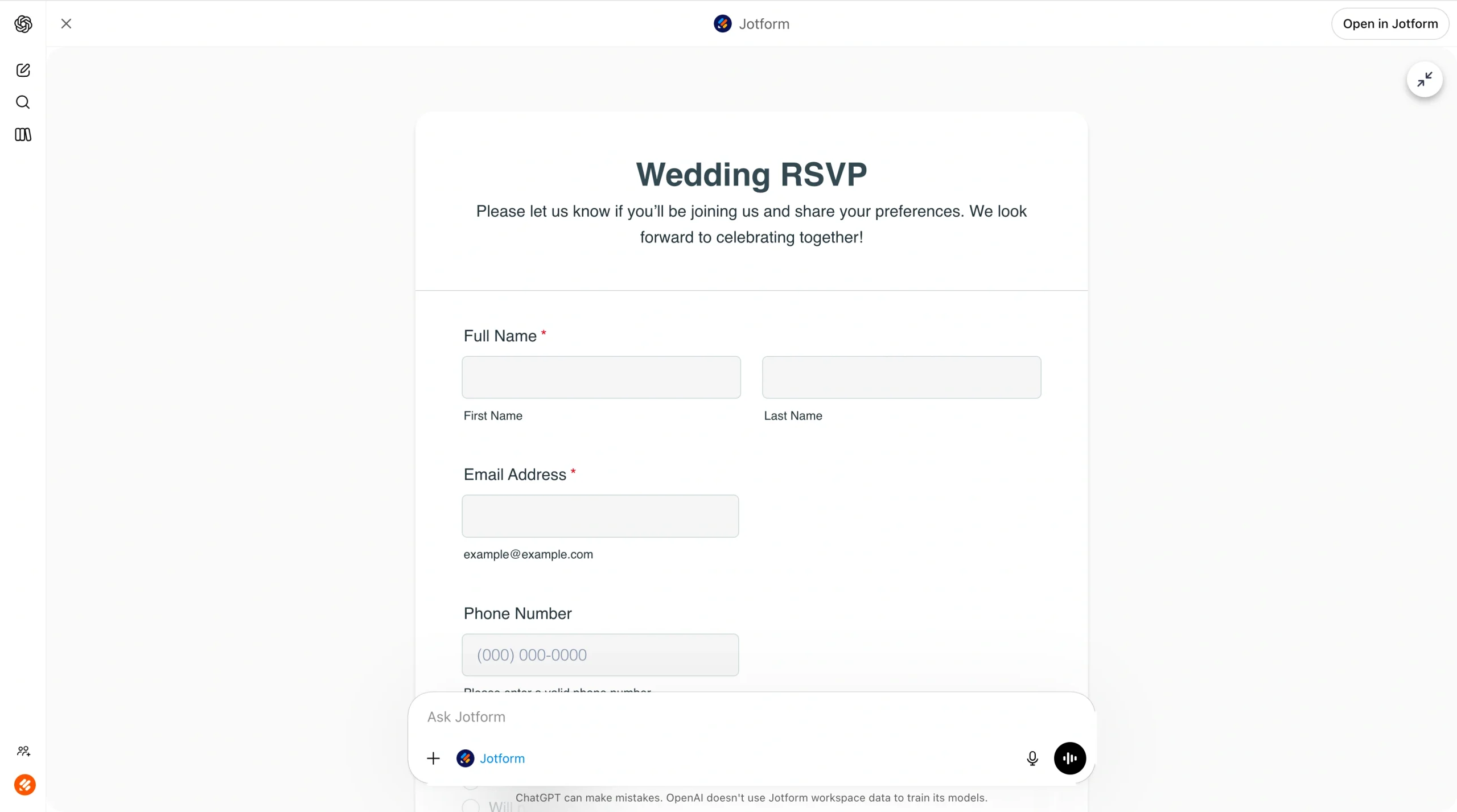
ChatGPT will display a preview of your completed form. Click the expand icon on the top right of the preview when you’re ready to view it in full.
- Refine the form by asking for design edits.
For example, prompt the Jotform ChatGPT App to “refresh the design so that it is simple, clean, and modern.”
As it makes the edits you’ve requested, the Jotform ChatGPT App provides you with a rundown of all its actions. This way, you can confirm you’re happy with the modifications or suggest additional changes. The app also provides further suggestions for refinement. In the wedding RSVP example, it may ask whether you’d like to match the form to your wedding colors.
- Once you’ve sent your form to respondents, use the Jotform ChatGPT App to analyze responses. For example, you can prompt it to list submissions and summarize what stands out, or filter submissions by a specific answer and highlight any patterns.
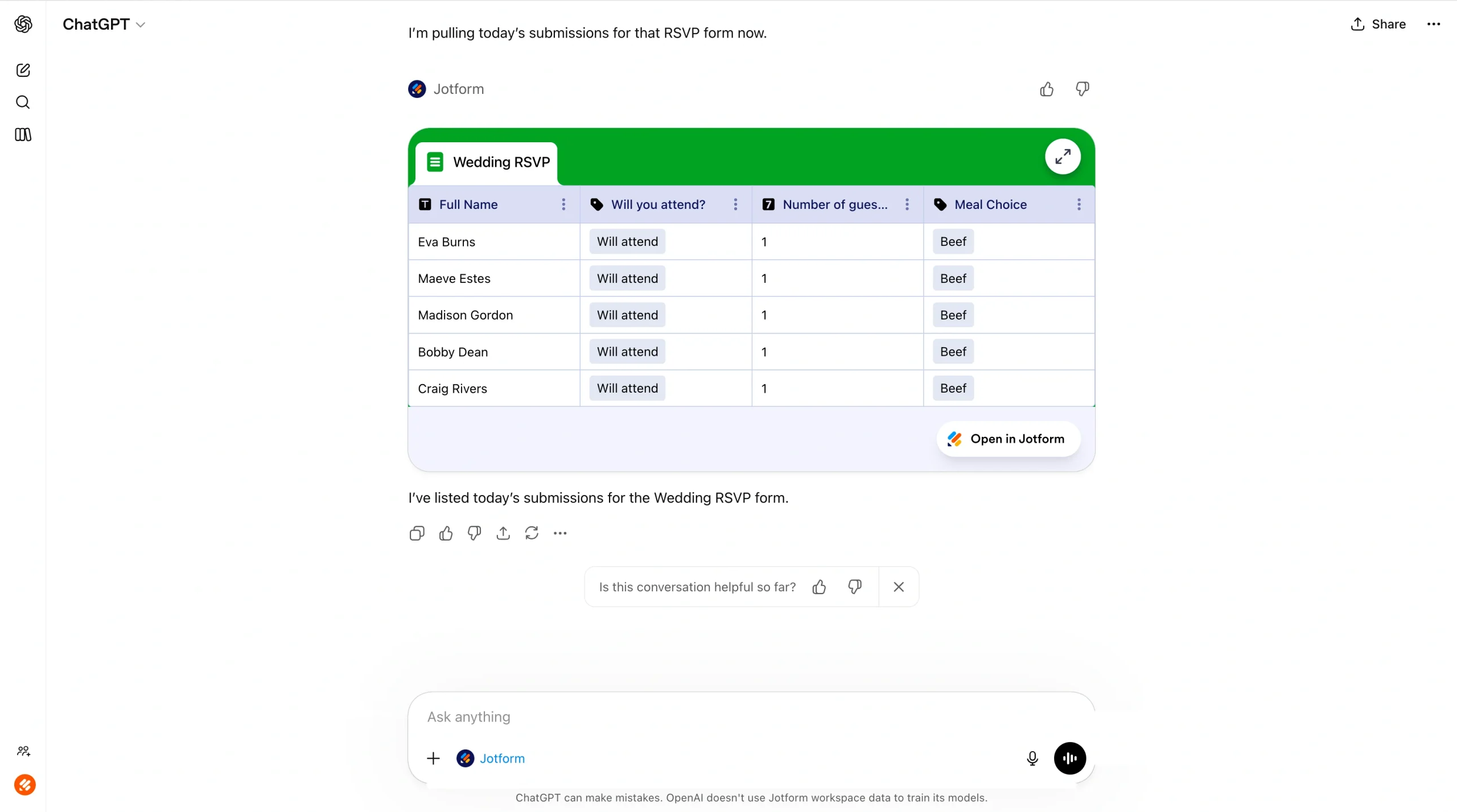
Do more with Jotform in ChatGPT
Creating a Google Form using ChatGPT requires a workaround that can be overwhelming for those who aren’t familiar with code. It’s not a native solution, so it can be difficult to use.
Thankfully, there’s another way to create forms with ChatGPT. The Jotform ChatGPT App is an excellent alternative for Google Forms users. By connecting ChatGPT to Jotform, you can easily create forms through conversational prompts directly in ChatGPT — no complicated scripts or workarounds needed.
Jotform ChatGPT App enables you to not only create the form, but edit its contents and design, too. And, once you receive your form responses, you can analyze them using ChatGPT to highlight trends or anomalies.
Explore the Jotform ChatGPT App today and see how easy it is to create sophisticated forms using the AI chatbot.
This article is for anyone who wants to build online forms faster with AI, especially if you use Google Forms today and want clearer steps, fewer workarounds, and an easier way to create, edit, and refine forms through chat.






























































































Send Comment: