
Before reaching out, a prospective client might look at both your website and your company’s LinkedIn page. But if your website hasn’t changed in months and your LinkedIn posts include a new case study, a team milestone, and an open role from this week, visitors may wonder which one reflects where your business really is.
For B2B companies, agencies, and recruiters, LinkedIn is often where thought leadership, company news, and job openings appear first. Adding a LinkedIn feed to a site built with the Wix website builder populates your website with those posts automatically, so when visitors check out your site, they’ll see an active, credible brand without you updating pages manually.
Getting that feed onto Wix takes a workaround, though, since its editor doesn’t include a LinkedIn feed element. You can add social icons that link to your page, or embed a single post using LinkedIn’s embed code and Wix’s Embed HTML element, but neither displays a timeline that updates as you post. For a full, auto-updating feed, you have to either install a third-party app from the Wix App Market or embed a free widget.
If you want to add a LinkedIn feed to your Wix website without paying a monthly app fee, this guide covers both options, starting with the App Market extension.
Option 1: Install a Wix App Market extension
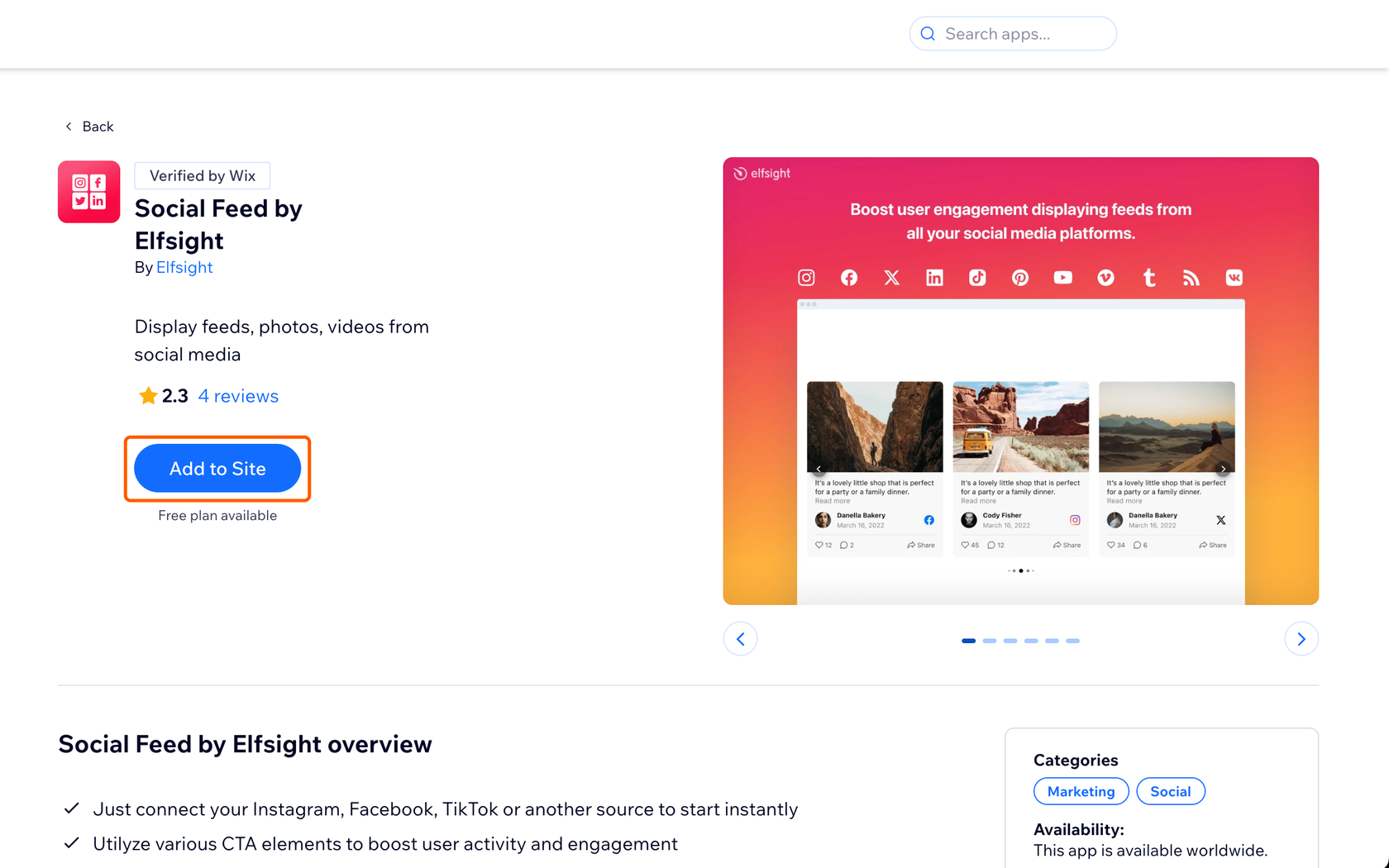
A common way to add a multi-post LinkedIn feed to Wix without having to code is to install a social feed app from the Wix App Market. For example, Social Feed by Elfsight, which is verified by Wix and free to install, can display posts from LinkedIn alongside social channels like Instagram, Facebook, and YouTube. You add the app in your Wix editor, then set up the feed through Elfsight’s own dashboard.
Here’s how to embed a LinkedIn feed on Wix with an App Market app:
- Install the app: In the Wix App Market, search “Social Feed by Elfsight” and click Add to Site on its listing.
- Add your LinkedIn source: Finish the setup, choose a template, and paste the URL of a public LinkedIn company page or personal profile.
- Publish the feed: Preview the feed, then click Publish.
The free plan comes with limits, though: It allows 200 views a month and one widget, and it displays Elfsight branding on your feed. Because 200 views works out to about seven a day, a company site with steady traffic would likely need a paid plan, which starts at $10 a month for 5,000 views. Elfsight also says its LinkedIn feeds refresh every 48 hours, so a new post may take up to two days to appear on your site.
Option 2: Add a free, customizable LinkedIn widget (recommended)
If you manage your company’s LinkedIn page and want a custom LinkedIn feed on Wix without a monthly fee or third-party branding, a hosted widget is the simpler option. The Jotform LinkedIn Feed Widget works as a free Wix LinkedIn app alternative because you set it up in Jotform and add it to your site with Wix’s Embed HTML element. That means there’s no app to install.
Since LinkedIn only provides approved access to company pages, the widget connects to an organization page you manage through your LinkedIn account. It doesn’t support personal profiles, so if you post mainly from your own profile, Option 1 is the better fit.
Here’s how to add a free LinkedIn widget to Wix with Jotform:
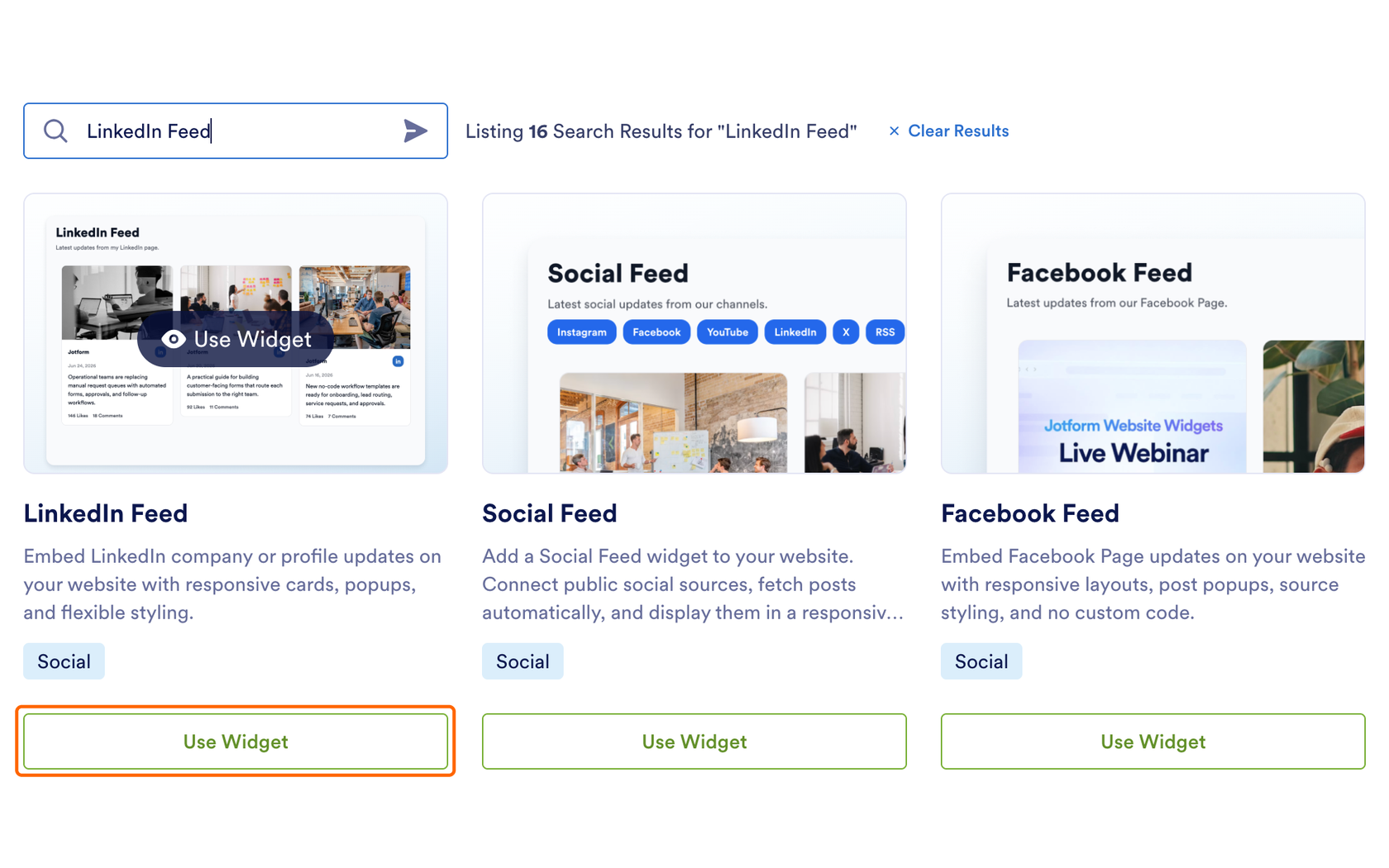
- Create the widget: On your Jotform Workspace page, click + Create, select Website Widget, search for “LinkedIn Feed,” then click Use Widget.
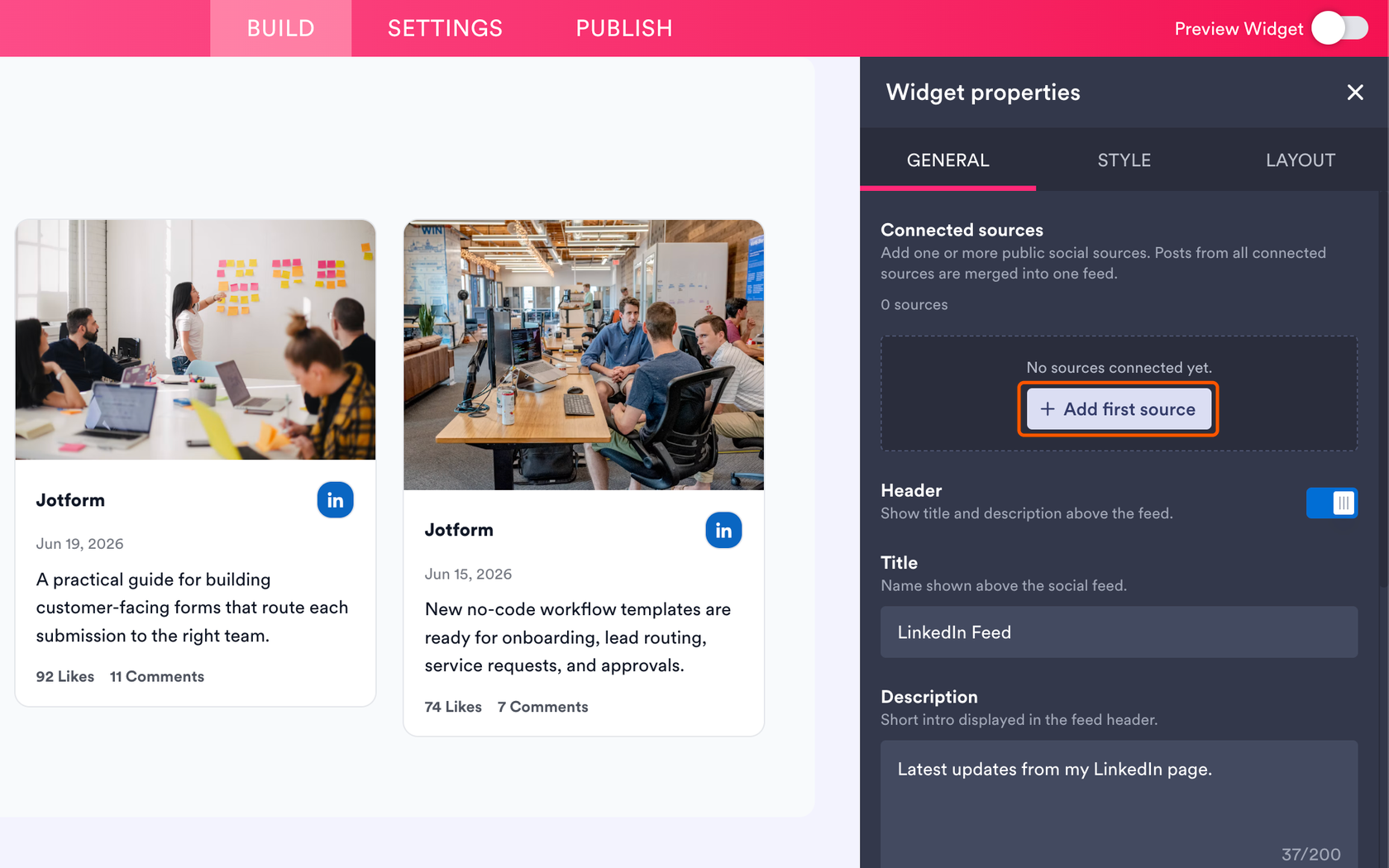
- Connect your company page: Under the General tab, click + Add first source, select Organization Page, click Connect, log into LinkedIn, and choose the page you manage. You can connect more than one page, and their posts will merge into a single feed.
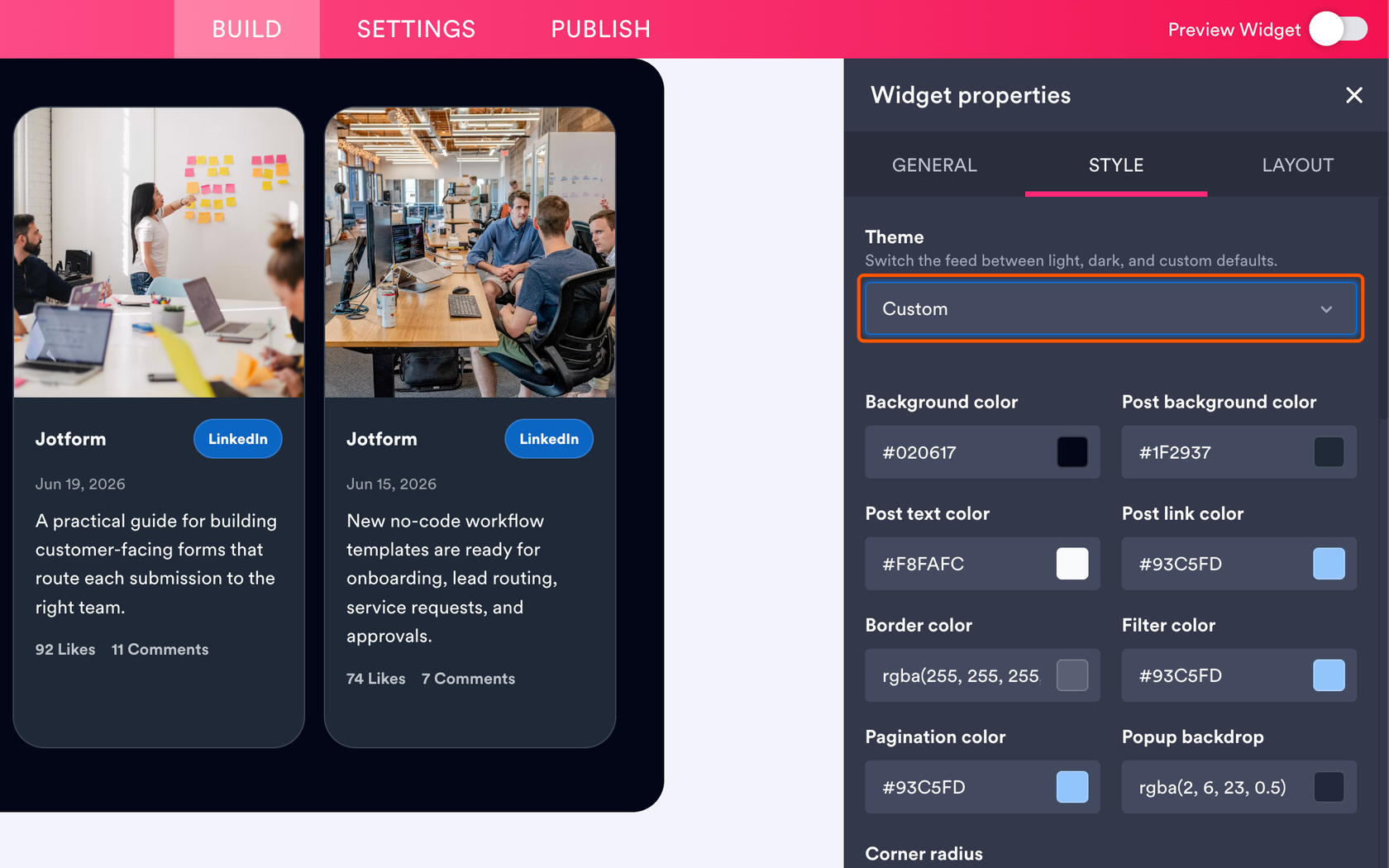
- Customize the feed: Under the Layout tab, choose a grid, masonry, list, carousel, or slider layout, and set how many columns and rows to show. Under the Style tab, pick a light or dark theme, or choose Custom to match your site’s colors. Then select a font and turn off Jotform branding if you’d like.
- Copy the embed code: Click Publish, then click Copy Code.
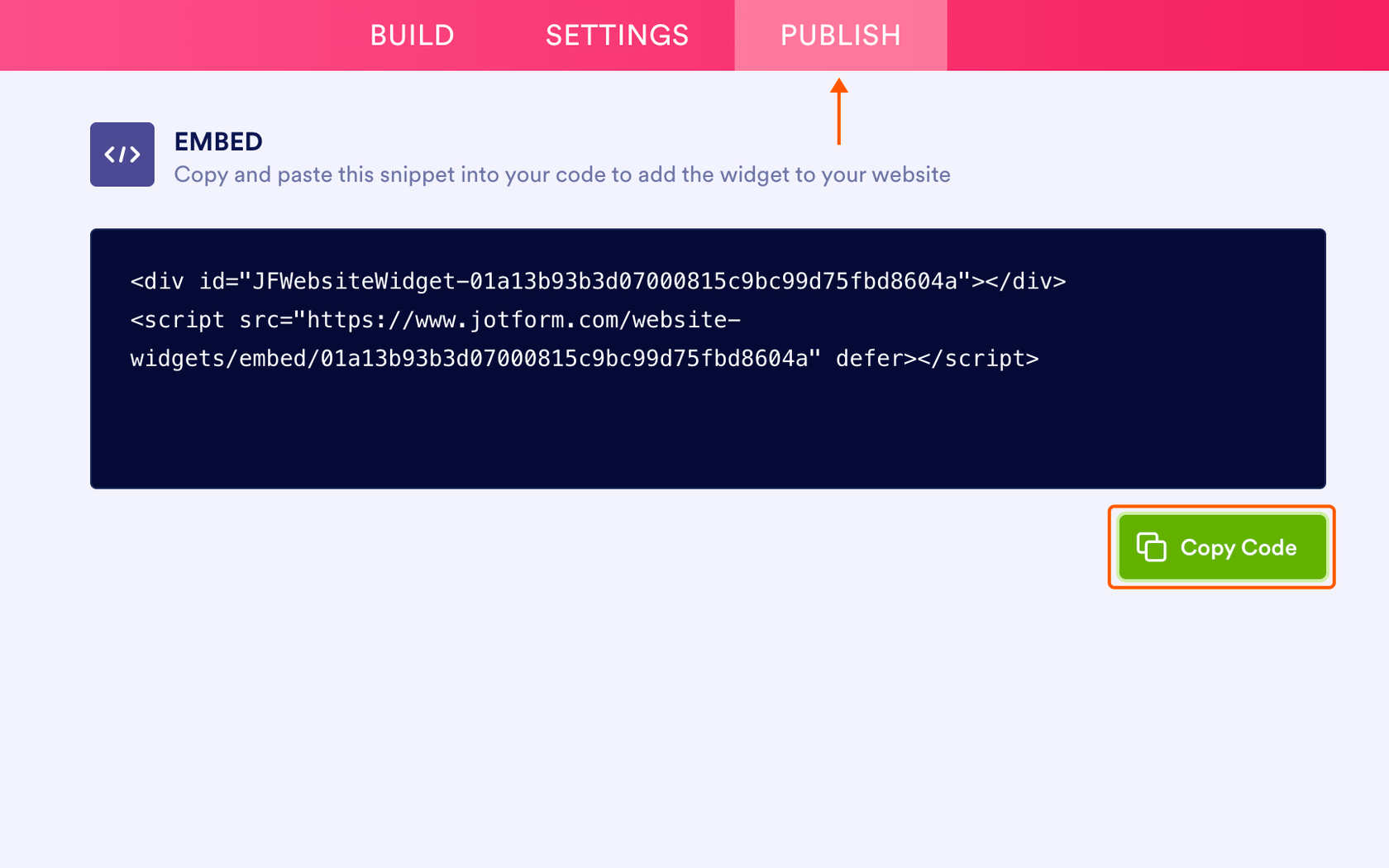
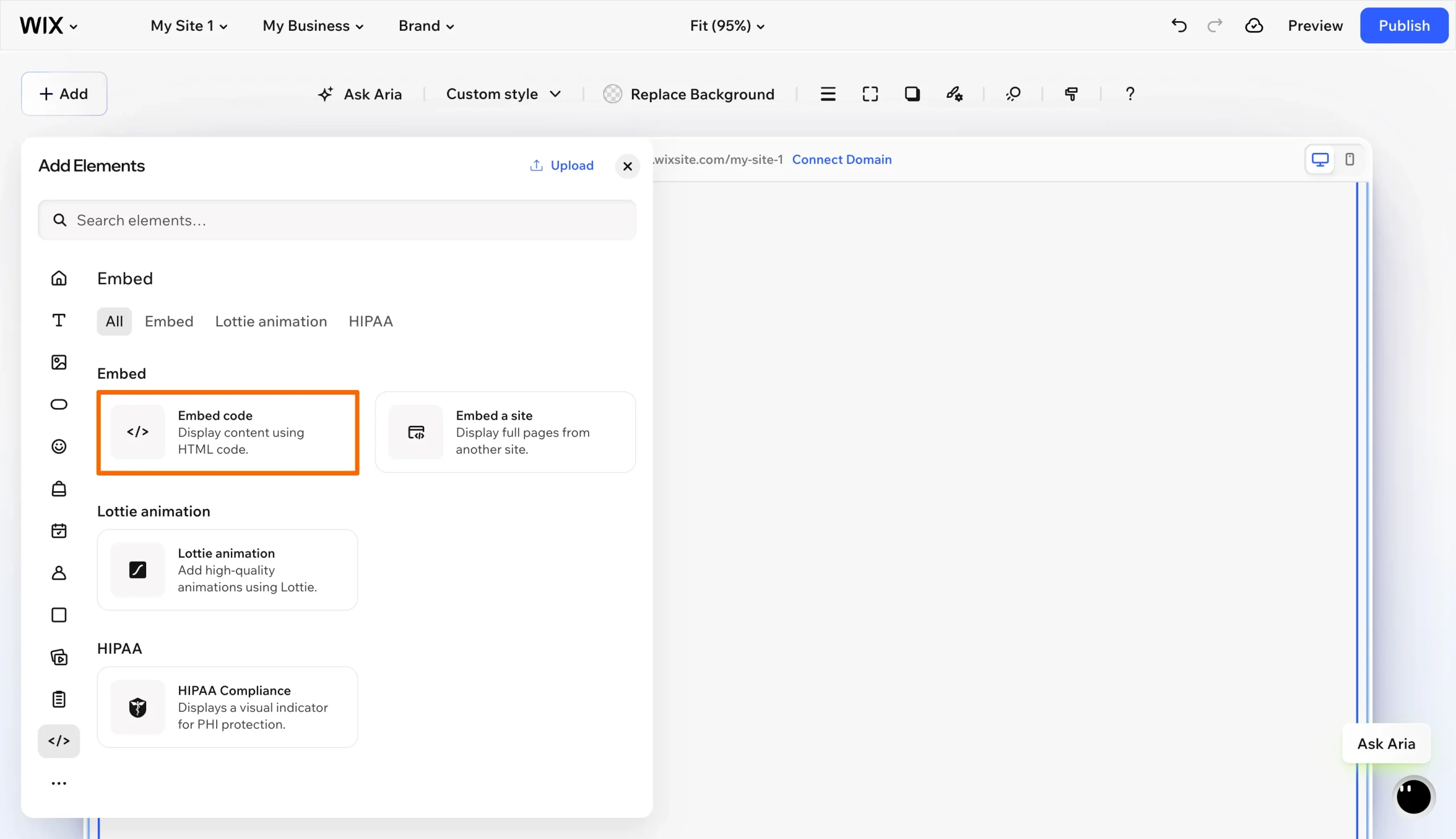
- Add it to Wix: In the Wix editor, click Add Elements, then search for Embed Code, double-click the box that appears and paste the code, and click Apply.
That’s it! You can now preview your LinkedIn feed on your website before publishing it.
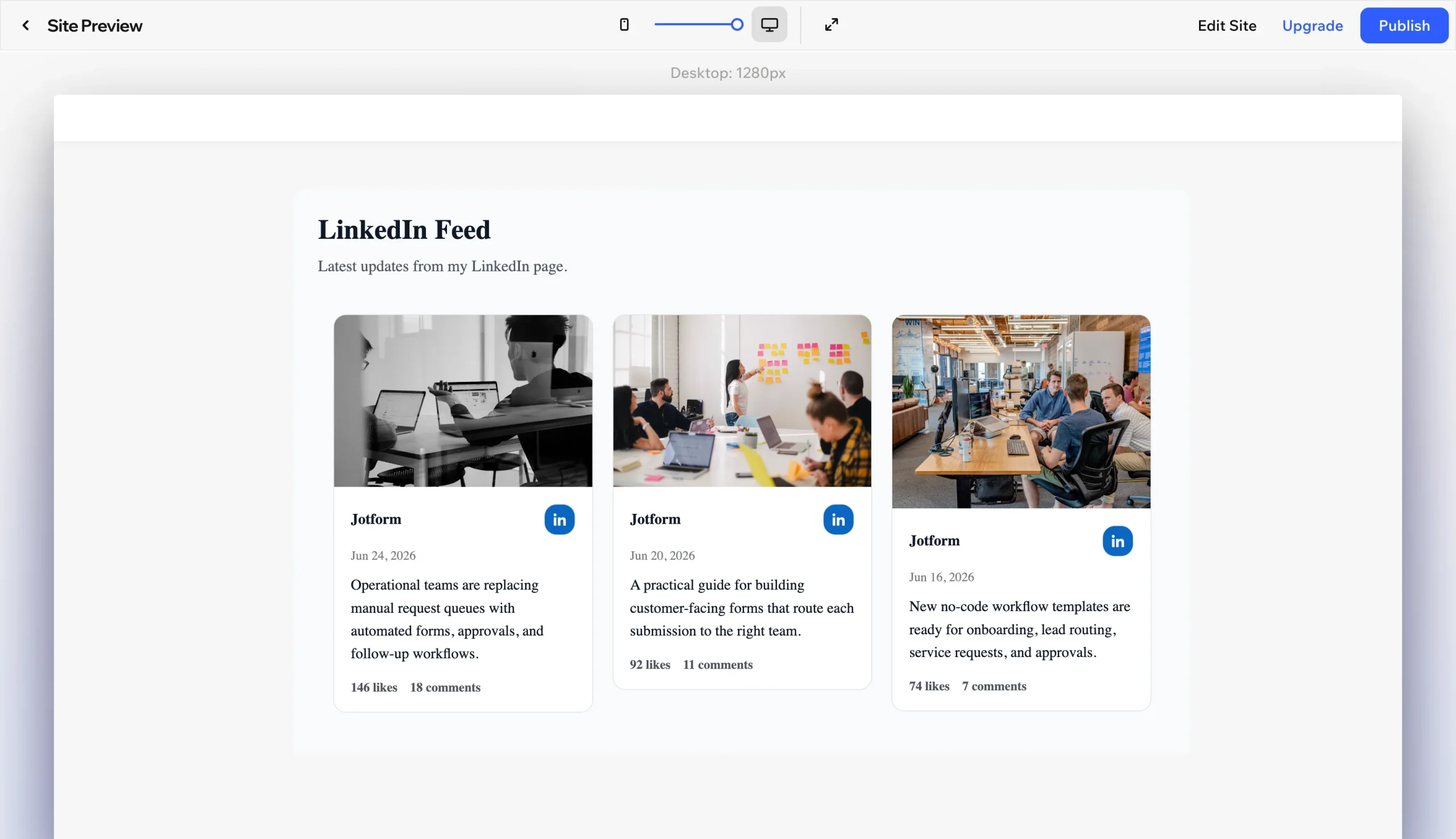
The widget works on Wix’s free plan, and you can turn off Jotform branding at no cost, so your company’s latest LinkedIn posts appear on your site without an extra app fee. For B2B companies and agencies, that means a professional social feed that matches your site’s design, built from the content your team already publishes.
Supercharge your Wix site with smart, serverless widgets
A Wix B2B social feed is one of several ways to keep your site professional and engaging without stacking up app subscriptions. To build on it, you can browse Jotform’s free website widgets directory, which includes options that pair well with your feed, such as
- A social feed widget that combines LinkedIn with networks like Instagram and YouTube in a single section
- A follower count widget that displays the number of your LinkedIn followers and totals from other networks as social proof
- A click-to-call button so that prospects can reach your team from any page
Each one embeds through the same Embed HTML element as your LinkedIn feed. The Jotform Wix integration lets you add Jotform forms to your site as well, so visitors who like what they see can get in touch.
For agencies and B2B companies, Jotform’s capabilities keep your budget focused on winning clients rather than paying a monthly fee to simply display your latest posts. Explore the Jotform directory to discover the widgets your site is missing today.
This article is for Wix site owners, B2B companies, agencies, and consultants who want to display dynamic company updates from LinkedIn without dealing with rigid native blocks or paying monthly App Market fees.
























Send Comment: