
So, you publish a lot of content on social media and you’d like to sync it with your Wix website. It’s a great idea – not only does it show you have an active following, but it gives visitors instant social proof and keeps your website fresh. Plus, when visitors see your feed, it encourages them to stay on your website longer, increasing dwell time.
The Wix website builder supports social media feed integration with its free, native Instagram Feed app. However, the app is strictly limited to Instagram. You can’t pull in posts from other social media platforms such as Facebook or TikTok.
As an alternative, you can use a third-party marketplace app (most charge subscription fees), or take advantage of a free, lightweight serverless widget. This guide explains how to add a social media feed to Wix using both options, as well as factors to consider when evaluating the two.


Option 1: Use Wix App Market integrations
The Wix App Market is where you’ll find Wix-created and third-party marketplace integrations for your website. Here, you can search for the native app that embeds an Instagram feed on Wix or other solutions that connect with different social media platforms.
Keep in mind that integrating your social media feed requires installing an app on your website and granting access to your accounts using API tokens.
Take these steps to get started:
- Log into your Wix account. From the editor, click Add Apps > App Market.
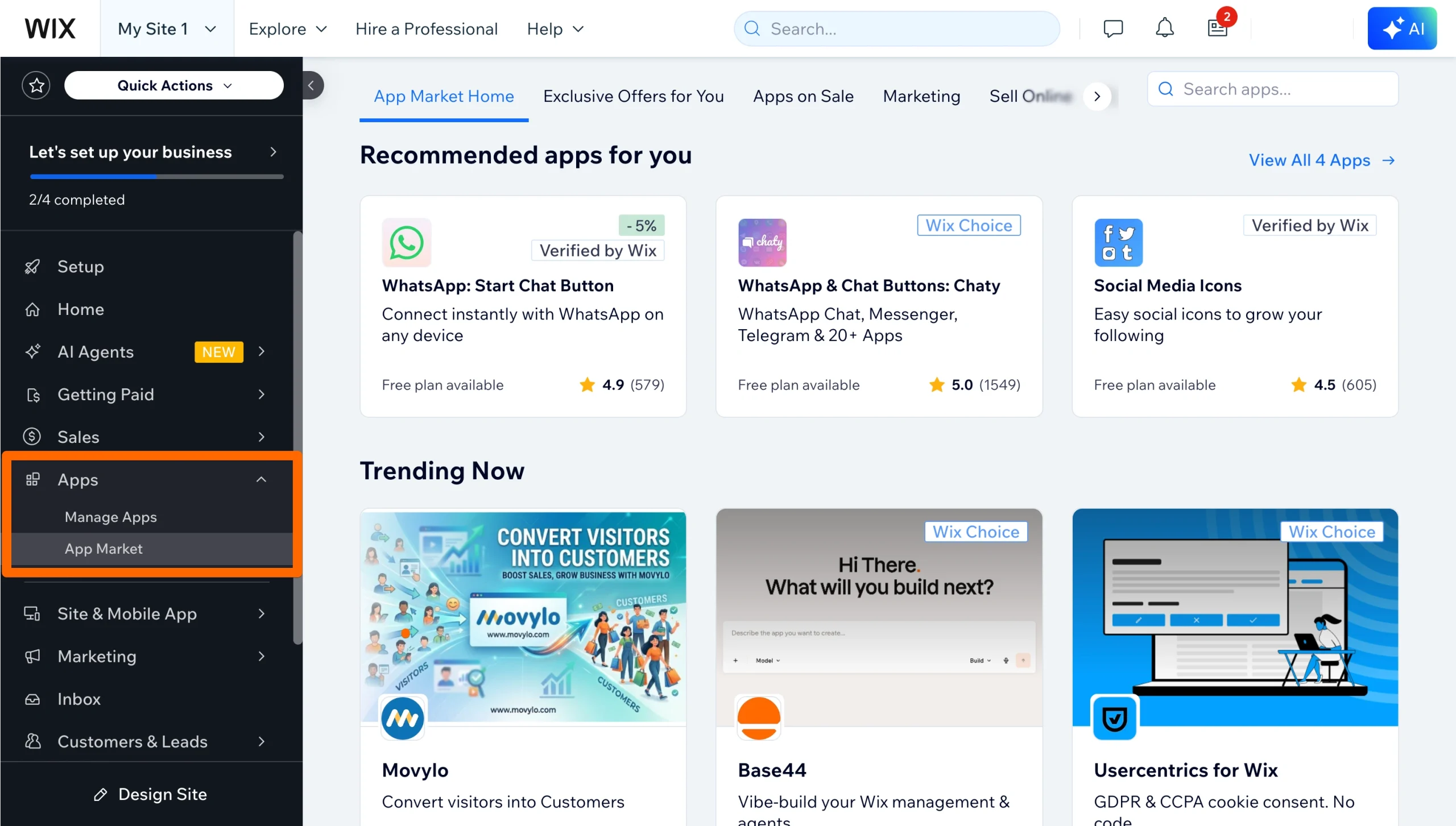
- Type in the feature you’re looking for to pull up a list of apps that offer it. In this example, we entered “social media feed.” If you prefer to use the Wix-developed Instagram app, you can enter “Wix Instagram Feed.”
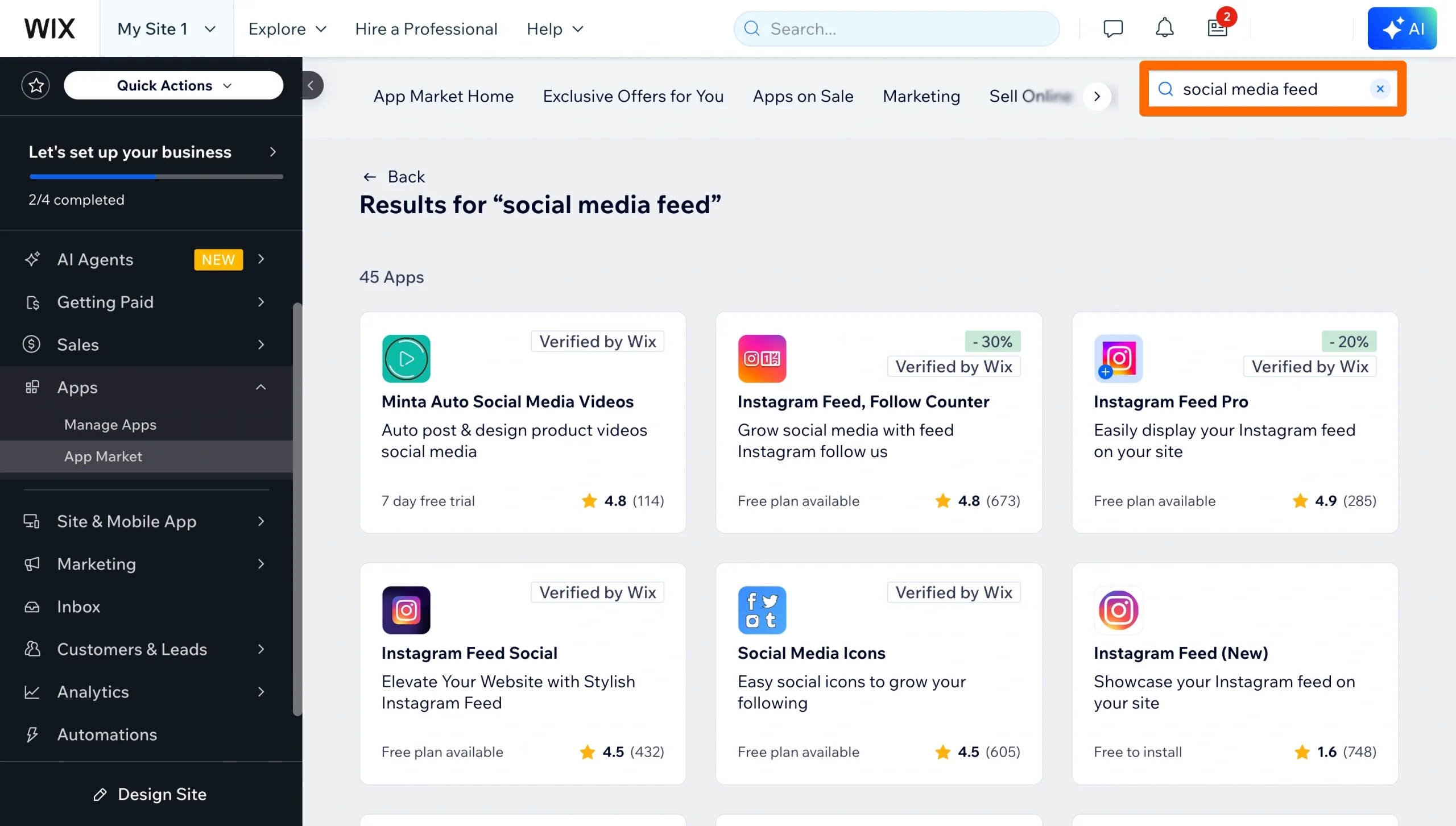
- Review the suggested apps to find one you like. Check each app’s features, reviews, and pricing plan to make sure it aligns with your needs and budget. When you find one you’re satisfied with, click Add to Site.
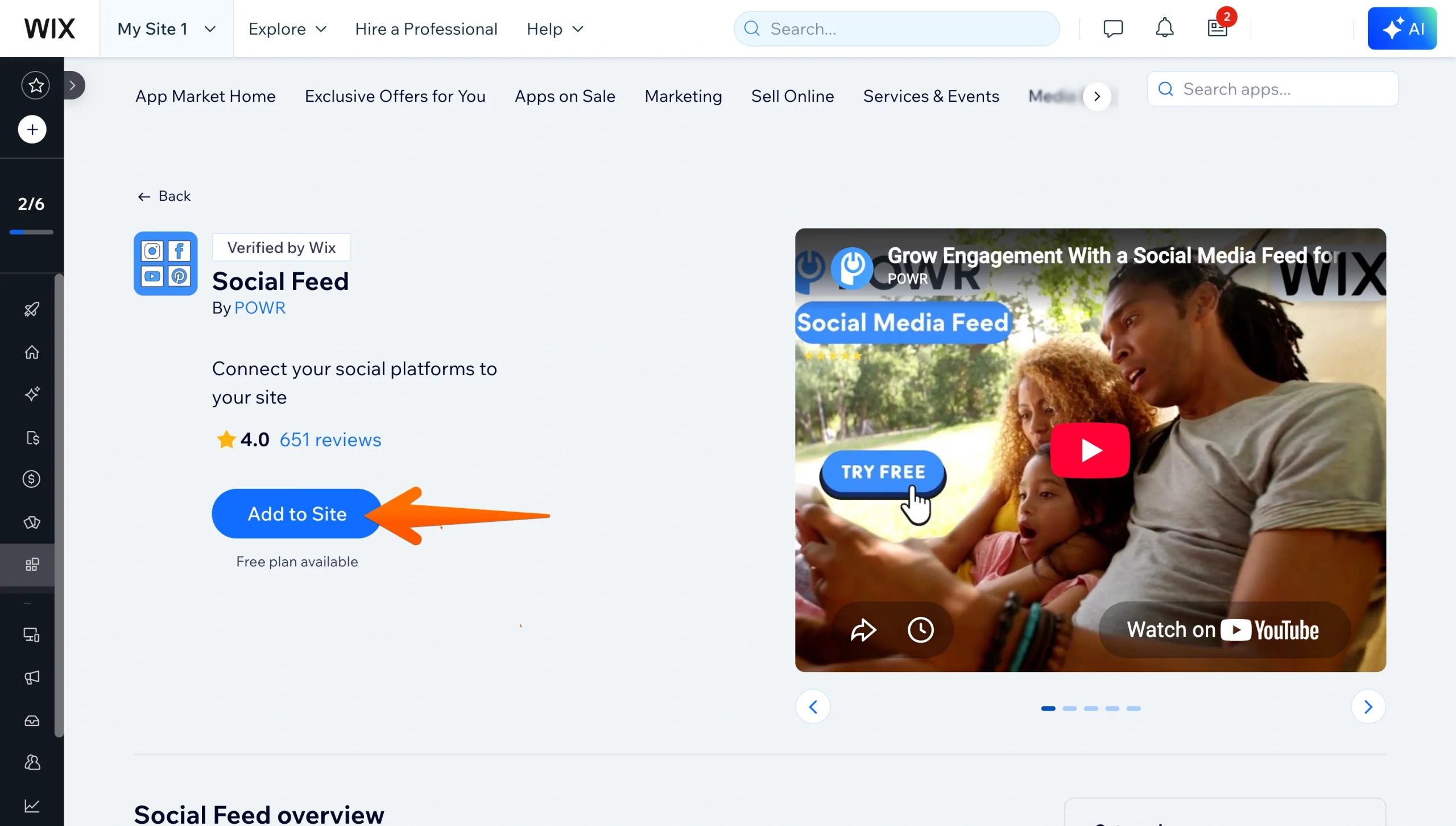
- Follow the developer’s instructions to connect your website with your social media account. This may require logging into your account through your website and sharing an API token generated by Instagram, Facebook, TikTok, or your other social media accounts.
Know that there are drawbacks to using a native or third-party app. They include
- Fragmented experience: Some apps (like the Wix Instagram Feed) only display a single social media account feed. If you want to merge accounts into a single grid, your best option is a paid third-party app.
- Subscription fees: Many apps use a freemium model, which provides basic features. Advanced tools are often available for a monthly or annual fee, substantially increasing your expenses.
- API token expiration: Social media platforms may place time limits on API usage. If your key expires, you’ll need to request a new one and update it on your site to avoid a blank or broken feed.
There is another way to integrate multiple social feeds on Wix without relying on clunky interfaces or expensive third-party tools. Jotform delivers a streamlined, customizable social feed that won’t slow down your website.
Option 2: Add a free, unified social feed widget (recommended)
Jotform Social Media Feed Widget allows you to display content from multiple social media feeds on Wix websites. You can add TikTok to Wix, embed your Instagram feed on Wix, or connect other public accounts from Pinterest, X, and Facebook. This is the way to go if you want to avoid costly subscription fees or brittle API tokens.

To get started, follow these steps:
- Navigate to the Jotform Social Media Feed Widget. Add the social media accounts you want to display on your website and details about how you want the feed to appear. Click Continue.
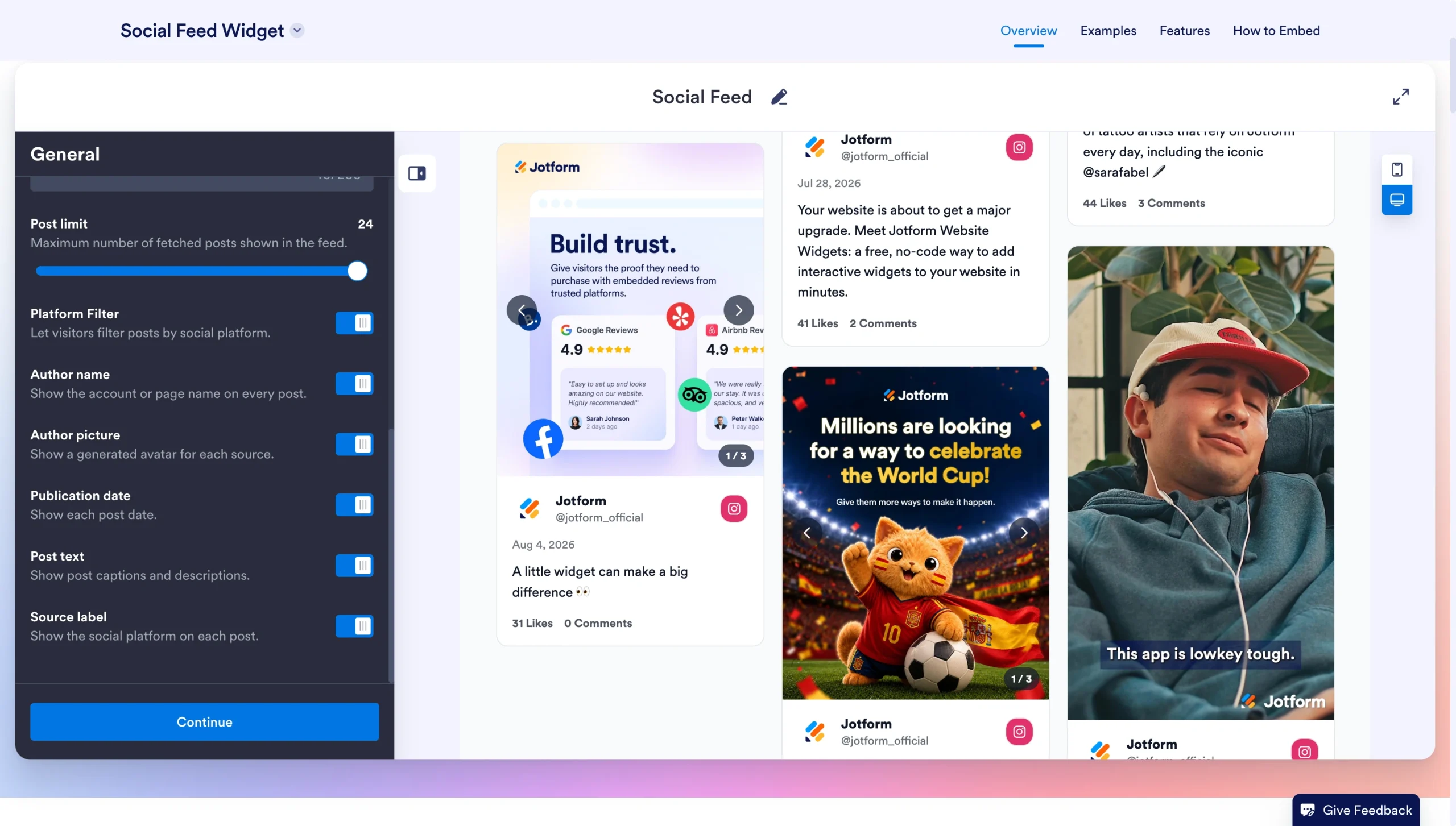
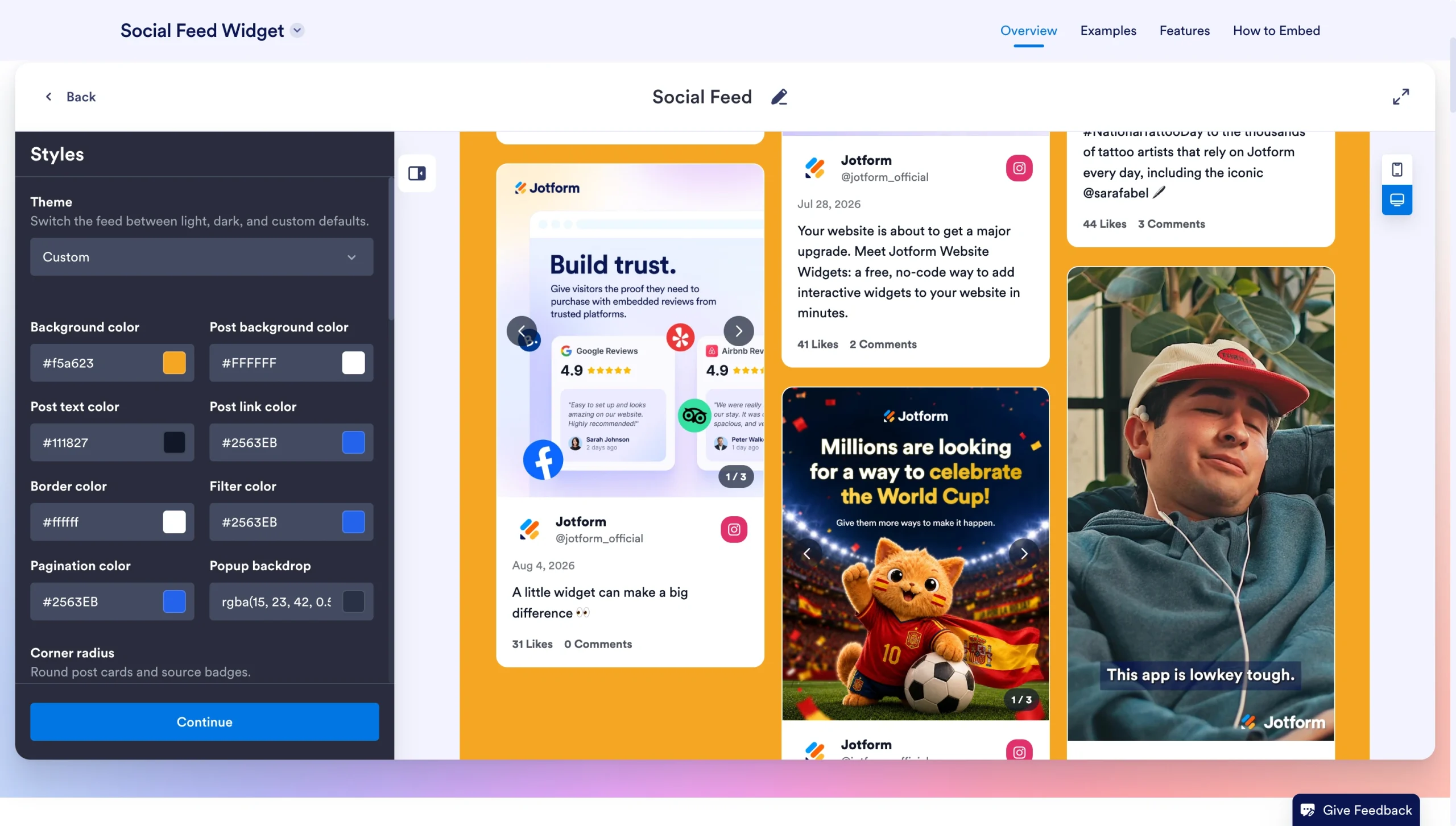
- Style your feed to fit your preferences. You can change theme colors, image ratios, fonts, and more. Click Continue when you’re done.
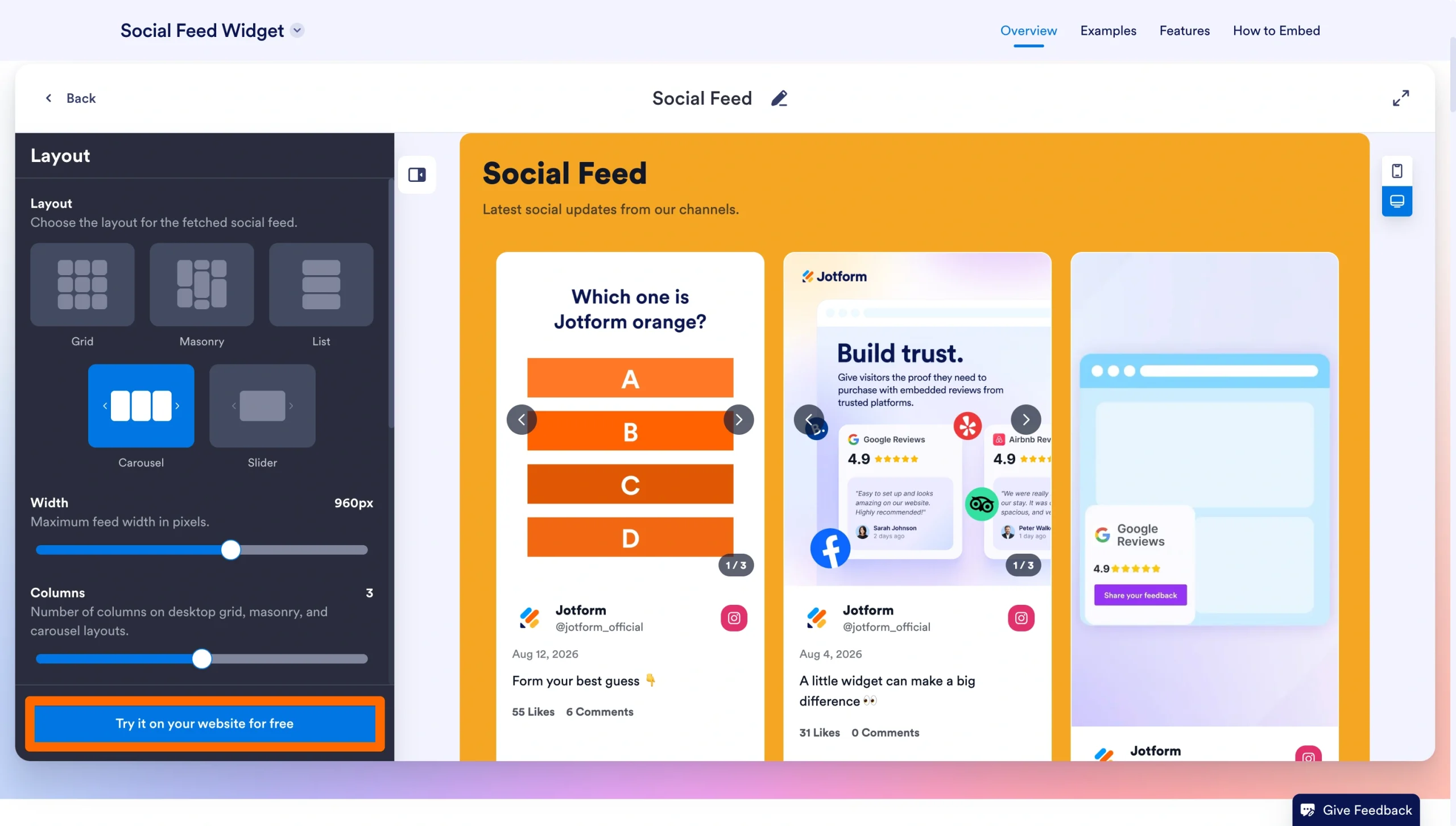
- Select your layout and adjust the sizing of your posts. Once happy, click Try it on your website for free.
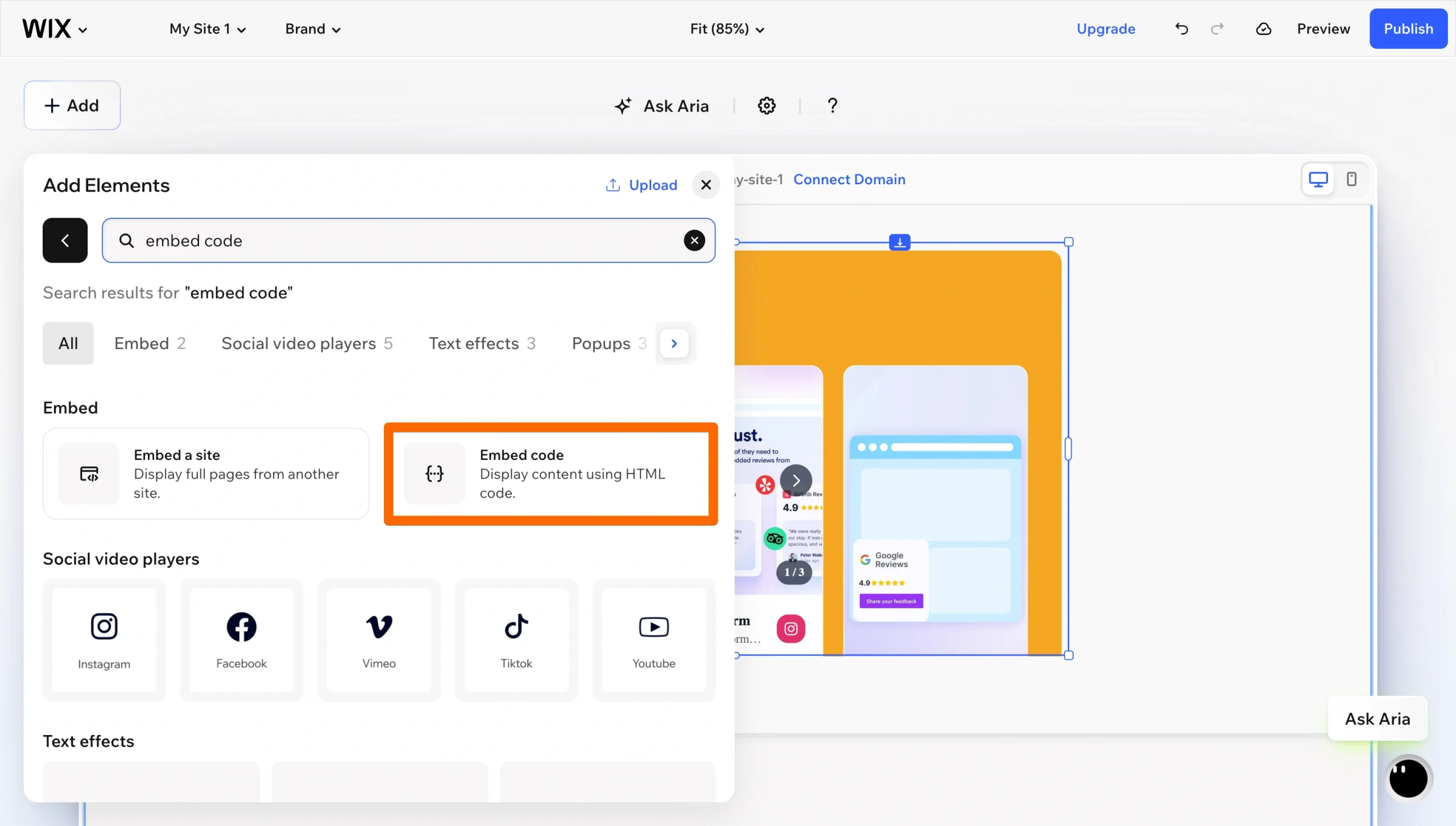
- Copy the embed code from Jotform and return to your Wix website. Click Add > Elements > Embed > Embed code. Paste the Jotform code into the HTML element, choose your settings, and then click Apply.
Jotform is the optimal solution for Wix social media widgets. With our tools, you can combine social media feeds from multiple platforms into a single, visually stunning layout — no expensive subscriptions required. And since Jotform manages API connections externally, you don’t have to worry about an expired token crashing your feed.
Pro Tip
A social media feed can keep visitors engaged, while a form gives them a clear next step. Check out Jotform Wix App to add newsletter signup, contact, or lead-capture forms to your site and manage the responses in Jotform.
Supercharge your Wix site with smart, serverless widgets
Chances are that you want to do more with your website than add a social media feed. Jotform Website Widgets give you access to tons of tools you can take advantage of to improve site functionality. For example, our Google Reviews Widget displays recent customer feedback, building trust with new visitors. And with our Button Widget, you can add a customized call-to-action button that drives sales, email signups, and other conversions.
Jotform Website Widgets turn your website into an engaging, multimedia-rich environment without slowing down your load times or requiring expensive monthly subscriptions. And when you’re ready for a full Jotform Wix integration, you can take advantage of our forms to collect and save visitor information, which is highly useful for marketing and sales.
Our free, off-server tools keep costs low while giving your Wix site a premium and dynamic user experience. Sign up today to get started.
This article is for Wix site owners, small businesses, and portfolio creators who want to increase dwell time and showcase dynamic social proof without paying monthly fees for premium App Market aggregators.
























Send Comment: