Theoretically, scheduling appointments should be the easiest part of your job. You have an available time slot, a client books it, and everyone shows up when they said they would. Child’s play, really.
In reality, it’s often not that simple. Just ask any harried receptionist working the phones at a busy doctor’s office. It’s easy to make mistakes, such as accidentally double-booking a slot or forgetting to send a reminder text. These seemingly small snafus can throw off your entire schedule and frustrate even the most patient clients. Not a good look for your business.
A thoughtful, well-structured scheduling system can prevent these issues. Here are a few challenges you might experience and how to avoid appointment scheduling mistakes.
Common scheduling errors and how to prevent them
Everyone makes the occasional scheduling error. But many businesses repeat the same mistakes, sometimes without even realizing it. Here are a few issues you might encounter and strategies to prevent them.
Not using the right scheduling system
It’s easy to blame yourself (or your team) for scheduling errors, but you might not have the right tools you need to succeed.
A clunky system can often cause problems. For example, you might not know how to add an unusual type of appointment to the calendar, so you write it on a sticky note instead. Then you promptly lose it on your cluttered desk. Your scheduling tool also might not work with your notification system, forcing you to enter every client’s details twice.
The right system will help you avoid mistakes and save time. Choose an appointment scheduling platform that’s compatible with your existing tools, including calendars and payment systems. That way, you won’t need to bounce across platforms.
Lack of automated reminders
There’s nothing worse than getting all set up for an appointment, only to have a no-show. Your clients probably aren’t blowing you off on purpose. If you don’t send a reminder, however, some clients will forget they booked time with you.
Refresh their memory with automated email and SMS reminders. One or two friendly nudges are often all it takes to keep people informed and engaged.
Double bookings and overlapping appointments
You might add a client to your calendar for noon, not realizing that your colleague has already given the slot to someone else over the phone. When both people show up at the same time, it can disrupt your workflow and leave your poor clients fuming.
Syncing calendars is key to preventing double bookings. All team members should have access to the same scheduling information and update the calendar immediately with any changes.
It also helps to build an automatic buffer into your schedule. An extra 10 or 15 minutes between clients can help you stay on track when an appointment runs over.
Not allowing easy rescheduling or cancellations
Clients often schedule appointments with the best intentions, but life gets in the way. A sick kid, a dead car battery, icy roads: Anything can throw off their plans.
Show your customers some grace with a flexible system that allows them to reschedule with a few clicks. This option reduces the risk of cancellations and builds goodwill in stressful situations.
Disconnected systems
When your appointment tools don’t play nicely together, scheduling issues can add up fast.
For example, in your workflow, clients might request an appointment on your website and then a staff member manually adds it to the calendar. That’s fine until an appointment doesn’t save correctly or no one confirms it with the client. Suddenly, you have a scheduling error on your hands.
Resist the urge to use separate tools for your calendar, forms, and notifications. Sure, each platform might work great by itself. But if you can’t integrate them, you risk losing essential information every time you switch between tools. Plus, you’re creating more work for yourself, and you’re already pretty busy.
Not optimizing availability
A canceled meeting or delayed project can free up time on your calendar. But it’s probably better to have a paid client during that time, and if you don’t update your availability, no one can book that slot. Suddenly, you’re aimlessly scrolling on Instagram when you could be earning money.
Regularly updating your availability and syncing it across platforms can reduce downtime when you don’t need it. That way, you can stay productive and help more clients.
Ignoring feedback
Your clients are usually the first to notice issues with your scheduling system. For instance, your appointment form might malfunction every time they try to submit, so they have to call instead. If you don’t ask them about their experience, they might not mention it.
Consider sending a brief survey after appointments to gather their feedback. Here are a few potential questions:
- On a scale of 1 to 5, how easy was it to schedule your appointment?
- Did you encounter any problems while booking?
- How could we improve your experience next time?
Read this feedback carefully, and look for any troubling trends. A scheduling issue could be a one-off glitch or even a user error. Not everyone is tech savvy, after all. But if clients keep reporting the same problems, your system may have a serious flaw.
Unclear payment methods
Clients may feel tempted not to show up when there are no consequences. If their behavior costs them money, however, they might think twice.
Of course, this practice works only if you collect the payment or deposit up front. If you tell them they owe you a no-show fee after the missed meeting, clients just won’t come back.
To charge clients on the front end, choose a scheduling platform that integrates with your payment system. That way, you can collect a deposit and book the appointment at the same time. Combining these tools can also streamline invoicing because everything is in one place.
Best practices for flawless appointment scheduling
Booking appointments doesn’t have to be stressful. These tips will help you get it right every time:
- Enable self-scheduling: Phone calls have fallen out of favor these days, especially for phone-phobic Gen Z. Clients of all ages appreciate having the freedom to book appointments online at their convenience. Also, you won’t have to return calls or communicate back and forth over email.
- Sync your calendars: Link everything, so your entire team can see any changes immediately. Integrating applications easily prevents duplicated or overlooked bookings.
- Analyze your data: Digital scheduling systems generate a wealth of information, but it’s useless if you never analyze it. Use software such as Jotform Form Analytics tool to gather data (e.g., response rates and client location). Then look for meaningful patterns. Say, for instance, you discover that 500 people looked at your appointment form, but only 40 filled it out. That might suggest your form is overwhelming, so you may need to simplify it.
Don’t overlook the value of basic time management strategies, too. Simple tactics (such as handling all your scheduling tasks during your most productive hours) can make a huge difference.
Fix your scheduling woes with Jotform’s calendar integrations
Scheduling issues can have an enormous impact on your business, but you don’t need to invest in pricey scheduling systems to get back on track. Jotform’s calendar integrations can help you get the most out of your existing tools.
Our software pairs with popular platforms.
Google Calendar
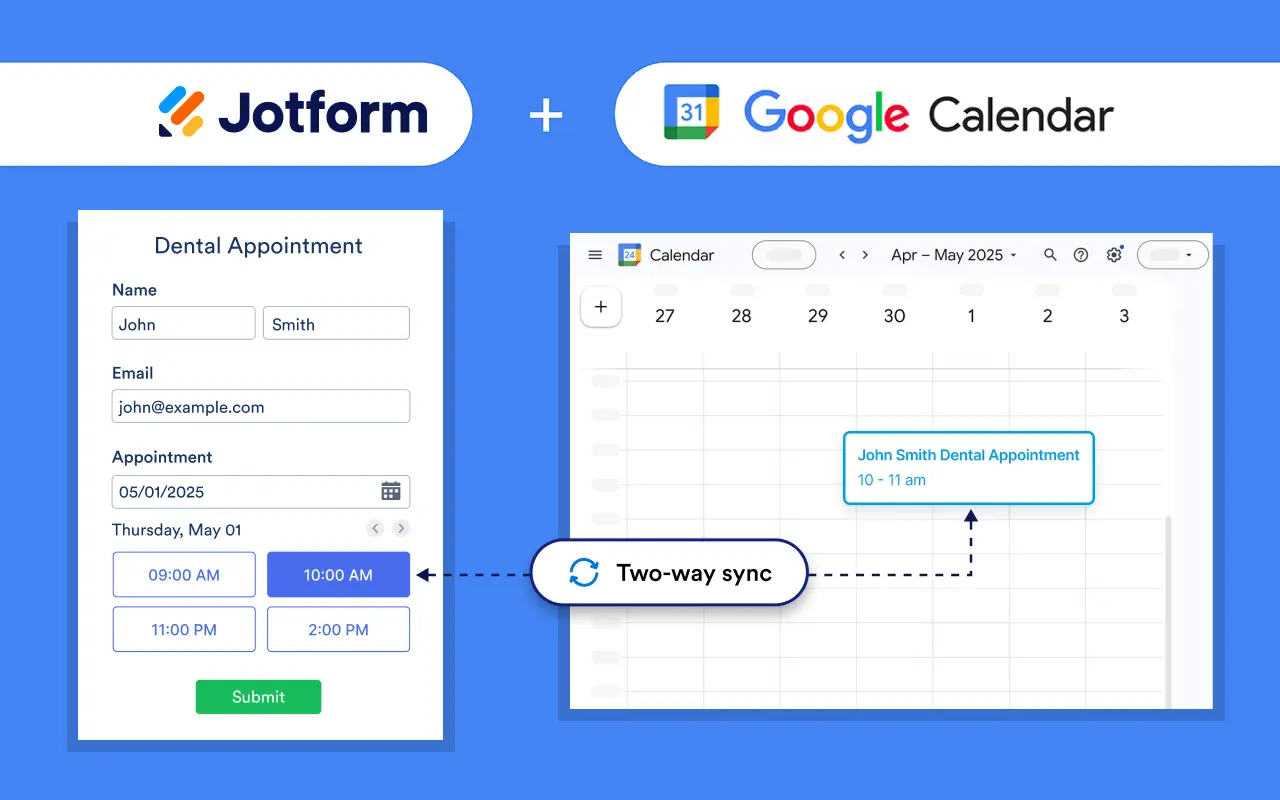
Updating your schedule manually is just inviting errors. One wrong click, and you’ve made an appointment for the incorrect time or day.
The Jotform Google Calendar integration prevents mistakes by automatically creating and updating events based on form submissions. Every booking appears instantly on your schedule. No typing necessary.
Calendly
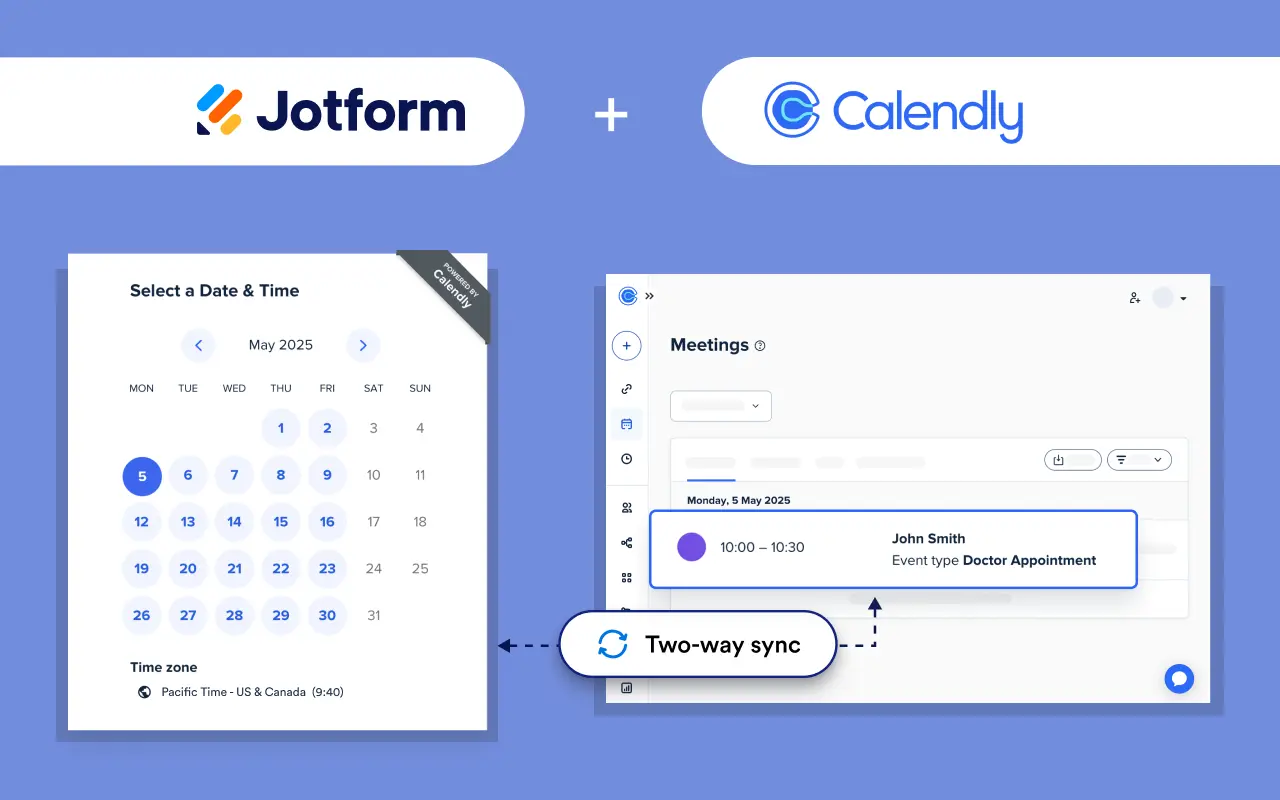
The Calendly Widget also lets you automatically create appointments based on form submissions. That way, you can combine all your scheduling and data collection tasks in a single workflow.
Outlook Calendar
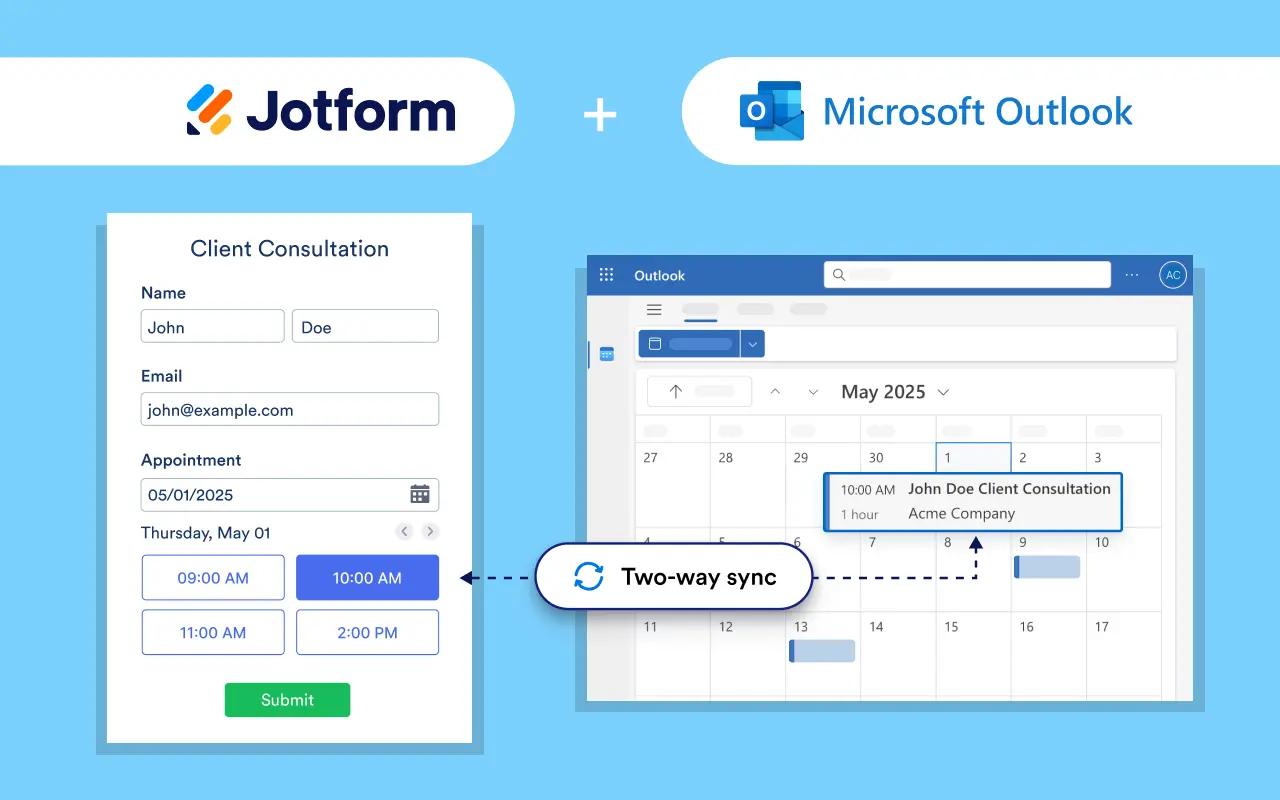
Don’t worry. We didn’t forget about Microsoft users. Jotform lets you automate event creation, so your Outlook Calendar is always up-to-date.
Benefits of integration
While these integrations take a little time to set up, they’re well worth the effort. Here are a few reasons to combine tools:
- Doing so prevents double bookings and other miscommunication.
- You can automate reminders and notifications. No more tedious texting and emailing by hand.
- All your data collection and scheduling happen in one platform.
- You’ll slash your administrative workload.
- Features such as online booking improve your clients’ lives.
Additional automation tips
Once you’ve learned the basics (for example, how to schedule an appointment with your new system), experiment with more advanced workflows. For example, you could send custom notifications based on client behavior or sync your schedule with bookkeeping tools.
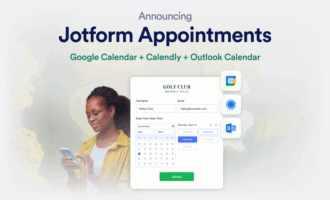
If you’re looking for a single tool to tie all of this together, Jotform Appointments lets you manage your availability and book appointments online. With 500+ appointment form templates to choose from, there’s no need to piece together separate platforms. Schedule, sync, notify, and repeat — all without the hassle.
Be sure to review your scheduling data and client feedback regularly. That’s the fastest way to spot issues and fine-tune your tools. Your scheduling errors will soon be a thing of the past.
This article is for business owners, receptionists, and service teams who manage client appointments and want to reduce no-shows, prevent double bookings, streamline scheduling workflows, and improve customer experience with integrated, automated calendar tools effectively.



















































Send Comment: