
Top 7 Tally form alternatives
Tally is a refreshingly simple form builder. It strips form building back to the essentials: You provide questions and collect responses without having to think too much about design or setup. For creators and small businesses, this simplicity is a plus — until you start to hit Tally’s limits.
Tally may not be robust enough for teams that want more control over their forms, customizable branding, powerful automations, deep integration with other tools, and more collaboration options. If that’s the case, it’s time to start looking for an alternative.
This guide is here to help. I’ll take you through the best Tally alternatives currently available and explain why you might want to use one of them for building forms instead. For the full breakdown, keep reading. Now, let’s look at the best Tally competitors available in 2026.
Pro Tip
We also have a guide to the best online form builders. If you want a comprehensive overview of all the form building options and survey tools available, give it a read.
What Tally does and what to look for in an alternative
What Tally does well:
Tally is a great online form builder. It has a document-style form creator that is quick and easy to use, especially if you are familiar with modern web apps like Notion. Its free plan is also more generous than many Tally alternatives.
Why you should look for a Tally alternative:
Tally is good as a basic form builder, but it lacks some advanced features. It has limited automation tools, and you can’t easily build complicated workflows or use AI tools. While it integrates with third-party apps, it doesn’t have the same deep integrations as platforms like Jotform. Its collaboration and team features may also be too basic for growing companies.
Key features to look for in a Tally alternative:
If you’re looking for a Tally alternative, you probably need an app with more. Tally is great for simple data collection, so the key features to look for are
- Branding and customization options
- Advanced conditional logic and automation tools
- Integrations with a wide variety of apps and native tools
- Team collaboration and approval features
- Reporting, data management, and regulatory compliance
7 best Tally form alternatives: Quick comparison
Before diving into the full comparison, here’s a quick overview of the best Tally form alternatives.
| Tool | Best for | Key features | Pricing |
|---|---|---|---|
 Jotform |
Creators and teams that want an end-to-end system for data collection, automation, and AI-assisted workflows |
|
|
 Typeform |
Conversational forms and surveys with high engagement |
|
|
 Google Forms |
Basic, fast data collection |
|
|
 Paperform |
Creating highly branded forms |
|
|
 forms.app |
A budget-friendly Tally alternative |
|
|
 Formstack |
Compliance-heavy and enterprise use cases |
|
|
 Gravity Forms |
WordPress-based form building |
|
|
1. Jotform
Jotform is one of the best online form builders. I like how it combines a simple and easy-to-use form builder with a wide range of powerful automations, integrations, and AI features. Not only does it offer forms, but it also provides the tools you need to analyze and act on the data you gather. With its conditional logic and workflow features, you can use it to automate everything from a wedding guest list to complex customer onboarding flows that require payment ande-signatures. Honestly, I don’t think there are many form-based things you can’t streamline through Jotform.
If you’re looking for a more flexible alternative to Tally, I think Jotform is the app to go with. It’s simple to get started with the free plan and can scale with your organization. Whether you’re a solo creator or a team looking for a form builder with collaboration and approval workflows, Jotform fits the bill.
- Best for: Creators and teams that want an end-to-end system for data collection and advanced features like automation and AI-assisted workflows
- Why Jotform is a great Tally alternative: Jotform is the most flexible Tally alternative. It’s more than a simple forms app; it’s a powerful data collection tool and automation platform that also happens to have really easy-to-use forms. In addition to simple forms, Jotform can also collect e-signatures. It also connects with thousands of other apps, so you can automate full workflows.
- Key features
- Easy-to-use drag-and-drop form builder with a large template library to get you started
- Advanced conditional logic and multi-page forms
- Integrations with payment processors, as well as CRM, marketing, storage, and automation tools
- E-signature collection
- Built-in tables for data management and reporting, as well as AI features and agents that can analyze and act on form data
- Pros
- Jotform can start simple and scale with your organization and its needs.
- It’s packed with features like Jotform Tables, AI Agents, and AI Chatbot Builder but is still easy to use.
- It offers a great free plan.
- Cons
- Team plans require contacting sales.
- The features can be overkill for very simple forms.
- Plans/Pricing
- Generous free plan with paid plans available
Pro Tip
If you like the sound of Jotform but want to explore other options, check out our guide to the best Jotform alternatives.
2. Typeform
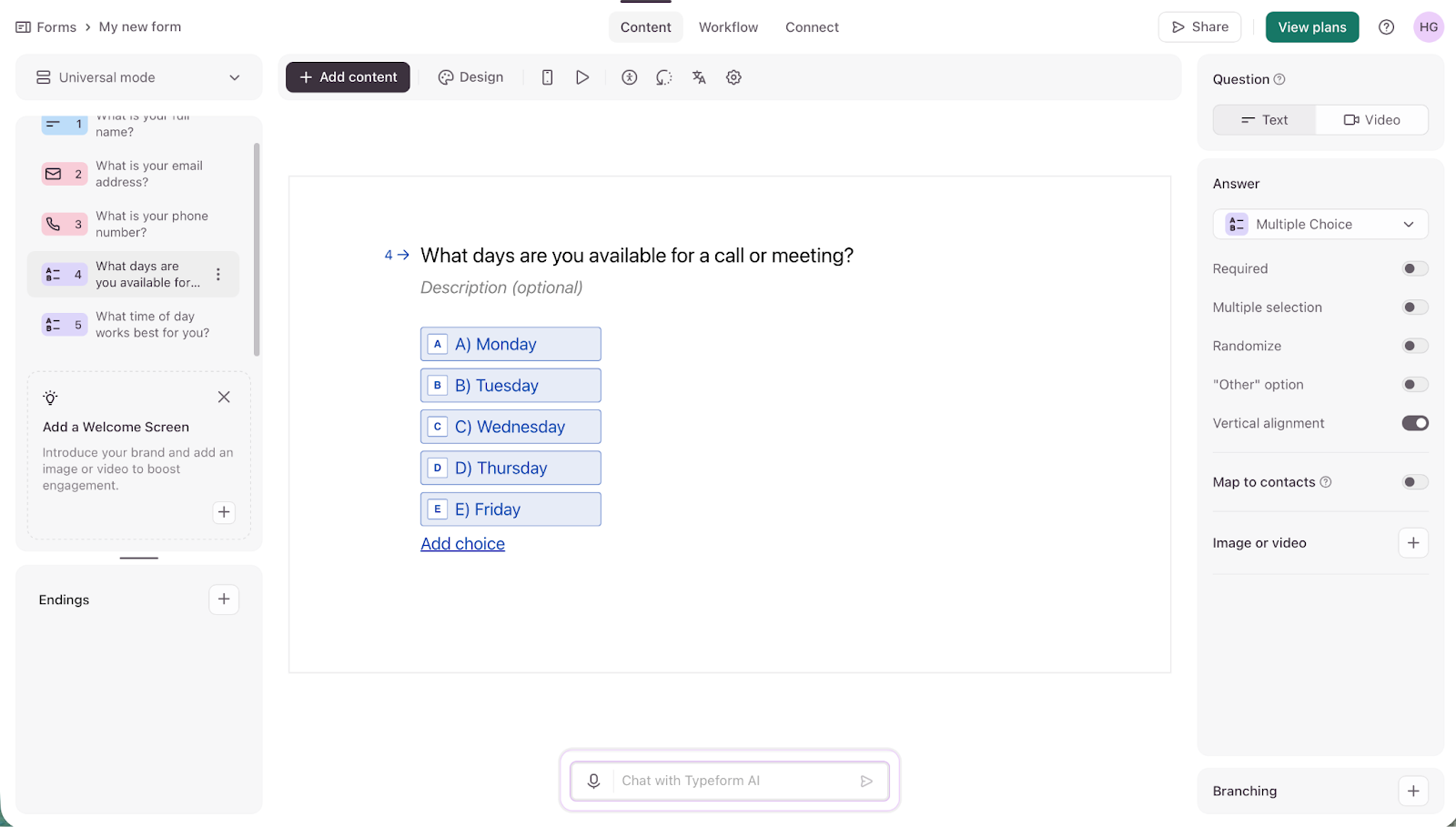
Typeform pioneered the one-question-at-a-time approach to online forms. The idea is that respondents get presented with a single question and can answer using just their keyboard. I’ve always liked it as an approach, and it’s great for quickly gathering certain kinds of information, but it is also less flexible. I know from experience that it’s a pain to tap through a few dozen one-off questions.
Like Tally, Typeform has a clean, modern look — but it packs in a few more options. Despite appearing simple to respondents, Typeform has advanced conditional logic, integrates with thousands of other apps, and even has solid AI features. I like it, and it’s a solid choice if you accept its limitations.
- Best for: Conversational forms and surveys
- Why Typeform is a great Tally alternative: Typeform has a similar clean aesthetic to Tally, and its one-question-at-a-time model makes it a great choice for when you need high-engagement forms.
- Key features
- One-question-at-a-time and keyboard shortcut approach
- AI features to build a form from a prompt
- Integration with popular tools and conditional logic
- Pros
- The polished user experience has a premium feel.
- It has advanced workflow logic and integrations.
- It’s a popular choice.
- Cons
- It can be expensive.
- The one-question-at-a-time approach is inherently less flexible than some other options.
- Plans/Pricing
- Limited free plan
- Paid plans available from $29 per month
3. Google Forms
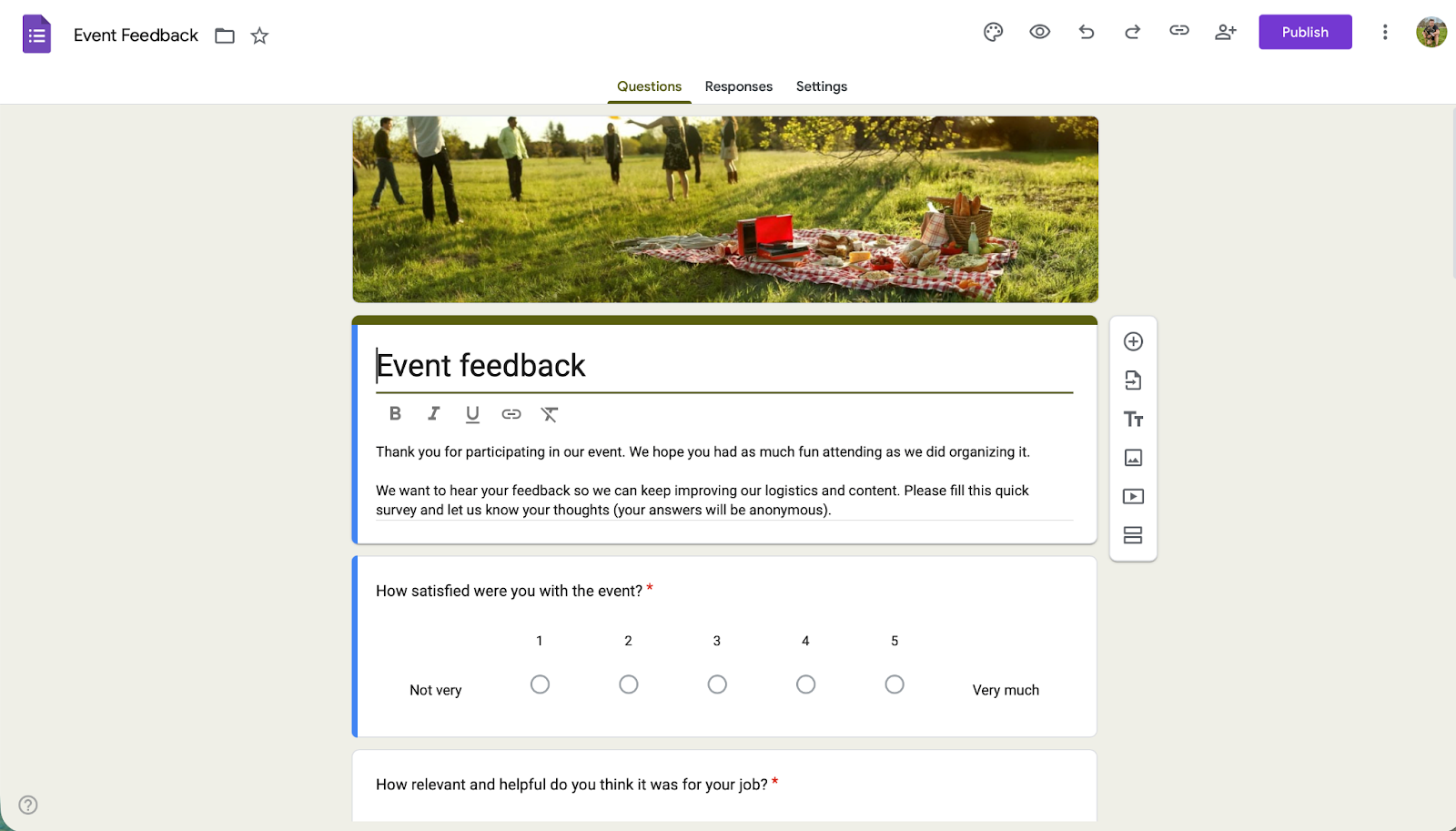
Everybody has filled in a Google Form — I’ve probably filled in a few thousand. That’s because Google Forms are easy to set up, and, if you have a Google account, you already have access to them. For basic data collection, they’re incredibly convenient — all the data is even sent directly to a Google Sheet. However, they are very limited.
If you need a free Tally competitor that’s also simple and document-like, Google Forms are a good choice. I recommend them to people all the time if they just need to create a one-off form.
- Best for: Basic data collection
- Why Google Forms is a great Tally alternative: Google Forms is fast and free, and you probably already have an account. It’s a good choice when you need a basic form without having to think too much about design or functionality.
- Key features
- Integration with Google Workspace
- Form submissions automatically added to Google Sheets
- Completely free
- Pros
- It’s free and easy to use, and it has collaboration built in.
- You almost certainly have a Google account already.
- It’s popular, so respondents know what to do.
- Cons
- There are less customization options.
- It has limited automation, workflows, and advanced logic.
- Plans/Pricing
- Free with a Google account
- Included with Google Workspace
Pro Tip
If you want other simple forms apps, check out our guide to the best Google Forms alternatives.
4. Paperform
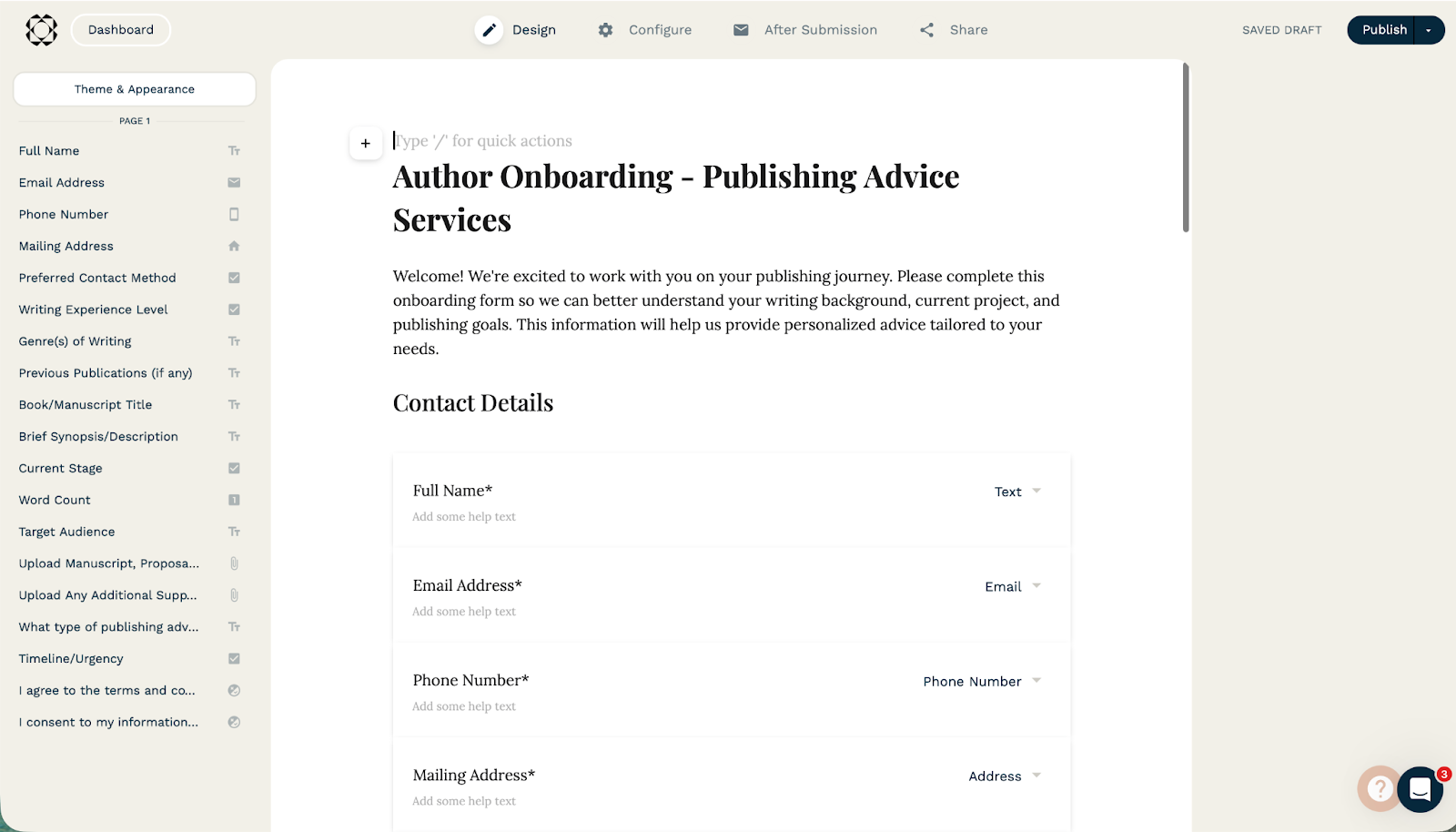
Paperform is a powerful design-forward form builder. I really like how it’s possible to make forms that look like a part of your website. They naturally fit in with the rest of your content. Paperform also has advanced logic and integrations with payment processors and other services, so you can schedule appointments or take customer orders.
Like Tally, Paperform uses a document-style form builder. Alternatively, you can use the AI form builder to generate a form from a prompt. I was impressed by how well it worked. If you want something similar to Tally with a bit more power, Paperform is a decent option.
- Best for: Creating forms that match your branding
- Why Paperform is a great Tally alternative: Paperform has a document-like approach to building forms like Tally, but with more customization options and advanced features.
- Key features
- AI form builder
- Design-focused editor that allows you to create forms that match your web design or other branding
- Integration with payment processors and other tools
- Pros
- You can create forms that look great and seamlessly integrate with the rest of your branding and design.
- It’s a very similar form builder to Tally, so it’s easy to get started if you’re switching.
- Cons
- It’s expensive; Paperform branding is only fully removable on the $59 per month Pro plan and up.
- The better your design skills, the better the results you will get.
- Plans/Pricing
- Limited free plan
- Paid plans available
Pro Tip
If you’re interested in other apps for making great-looking forms, check out our guide to the best Paperform alternatives.
5. forms.app
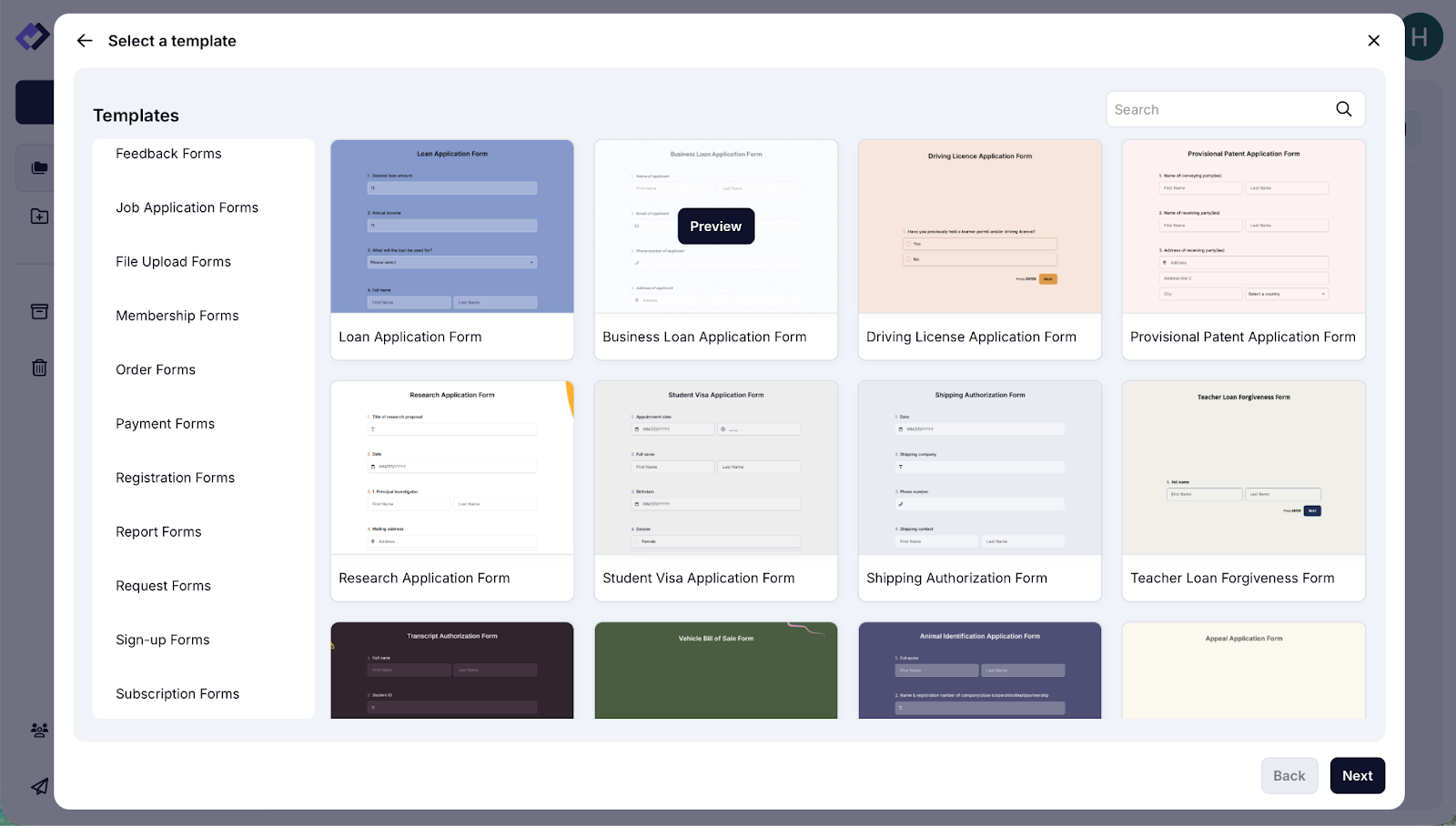
If you’re after a traditional form building experience, forms.app is a great place to start. It has a decent free plan and thousands of templates that allow you to build almost any form you want. If Tally’s document-style builder didn’t quite click with you, I get it. In that case, forms.app is a good one to try.
Of course, forms.app still looks and feels like a modern app. I think its user interface is just a little more familiar for people who haven’t used Notion or other similar web apps.
- Best for: A budget Tally alternative
- Why forms.app is a great Tally alternative: forms.app has most of Tally’s features, but with a more traditional user interface.
- Key features
- Solid free plan and affordable paid plans
- Template-based and AI form builders
- Integration with payment providers and other apps
- Pros:
- It offers a traditional form building experience as well as an AI form builder.
- It has a solid free plan and good-value paid plans.
- Cons:
- It doesn’t offer unlimited forms or responses on most plans.
- It’s more limited in options for advanced workflows.
- Plans/Pricing
- Free plan
- Affordable paid plans from $25 per month
Pro Tip
Check out our guide to the best forms.app alternative for another great affordable forms app.
6. Formstack
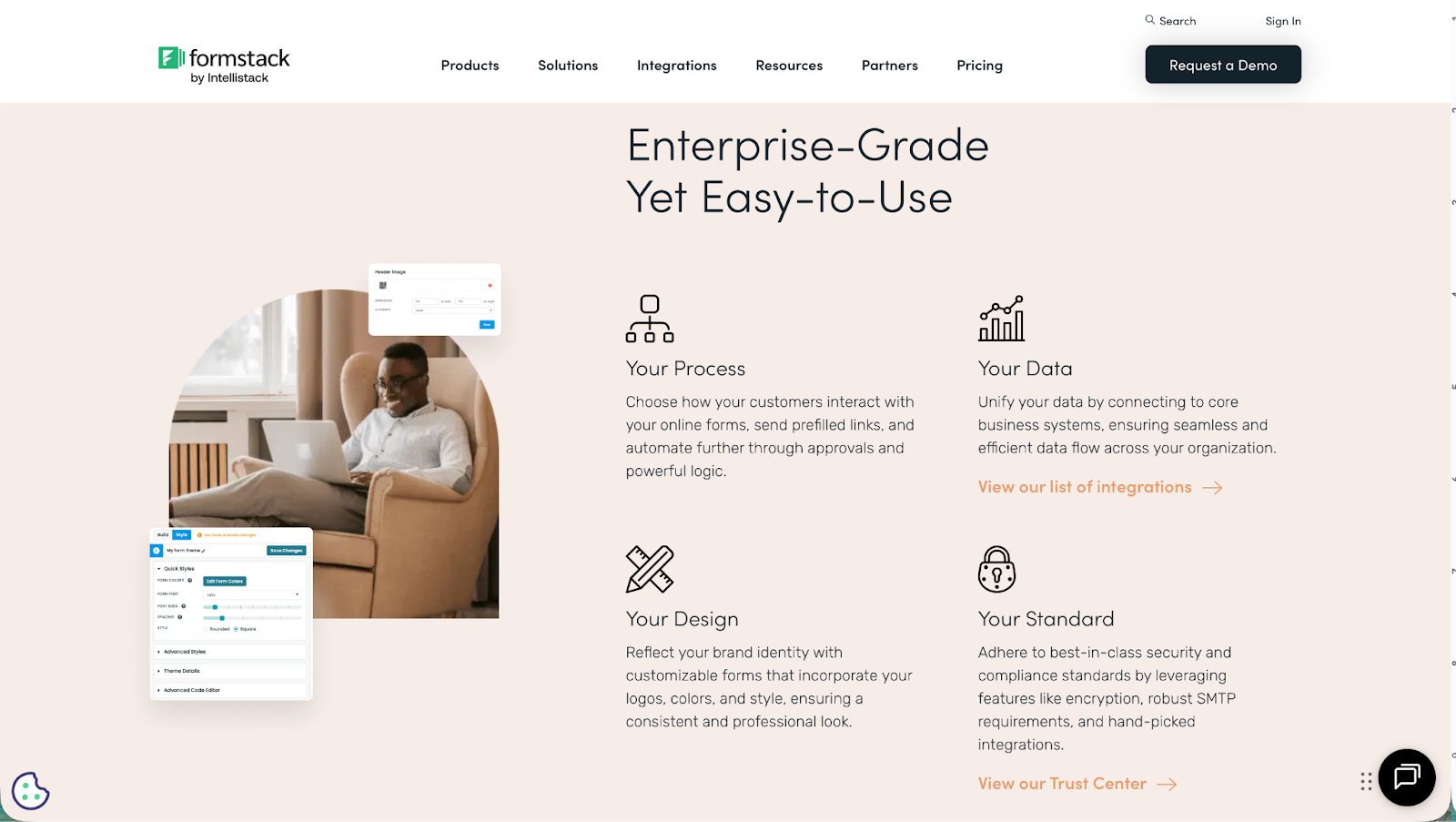
Formstack is an enterprise-focused form builder. It’s designed for organizations where meeting regulatory requirements is an essential part of day-to-day operations. If your team likes to move fast and break things, Formstack may not be the app for you.
On the other hand, if you need a professional form building tool that your legal department will appreciate, it’s a good option. As a no-code form builder like Tally, it’s easy to use while still checking all the (legally required) boxes. I’m based in the EU, so I can really respect its focus on meeting all the various rules and regulations.
- Best for: Businesses where compliance is key, like healthcare and legal services
- Why Formstack is a great Tally alternative: Formstack is an enterprise-grade form builder, so it’s a great choice if you need a Tally alternative that is compliant with different regulations right out of the box.
- Key features
- No-code form builder
- Integrations with CRMs and other business tools
- Enterprise-grade data management and compliance
- AI and automation tools
- Pros
- It’s tailored for large businesses with enterprise-grade data handling and offers GDPR, HIPAA, and other regulatory compliance features.
- It’s built for advanced integrations with enterprise tools like Salesforce and AWS.
- Cons:
- It doesn’t have a free plan, and its paid plans are expensive.
- It isn’t the best choice for solo creators, startups, and small teams unless they’re in a heavily regulated industry.
- Plans/Pricing
- Paid plans starting from $99 per month
Pro Tip
Check out our guide to the best Formstack competitors for other form apps that offer HIPAA and GDPR compliance features.
7. Gravity Forms
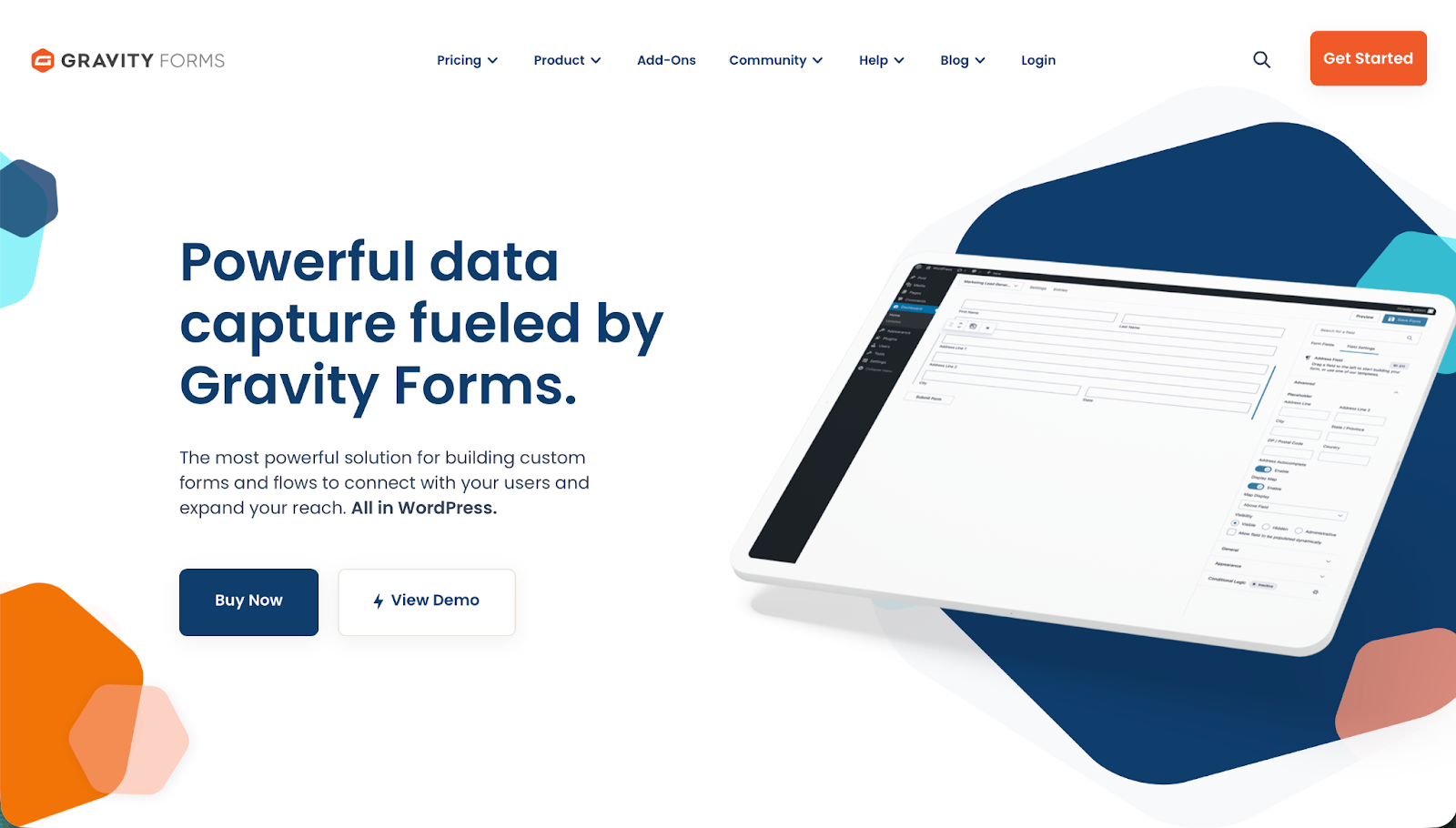
I’m a big fan of WordPress. It’s the most popular website builder in the world by a long shot. More than 43 percent of websites use it. If your website is one of them, Gravity Forms is a great online form builder.
Instead of using a separate web app, Gravity Forms allows you to build, customize, and configure forms directly in your WordPress backend. I found it made it simple to integrate data collection and surveys across all the web pages and blog posts on my test site.
Of course, Gravity Forms’ deep integration with WordPress can also be considered a negative. (I disagree, but I understand the position). If you aren’t a fan of WordPress, don’t have the technical skills to make the most of it, or want to have more options with how and where you build your forms, another tool will probably be a better choice.
- Best for: Integrating with a WordPress site
- Why Gravity Forms is a great Tally alternative: If you run a WordPress website and want to integrate a form, Gravity Forms offers a more seamless workflow than Tally.
- Key features
- Drag-and-drop form builder directly integrated with your WordPress backend
- Integrations with apps like HubSpot, Stripe, and Mailchimp
- Can be used across multiple WordPress sites
- Pros
- Build forms directly within your WordPress site.
- It has a large integration and add-on ecosystem.
- Take advantage of great support documents and community help.
- Cons
- It requires WordPress.
- It’s more technical than some of the other tools on this list.
- Plans/Pricing
- Annual licenses from $59 per year
Pro Tip
If you want other form-building tools that integrate with WordPress, check out our guide to the best Gravity Forms alternative.
How I tested these Tally alternatives
For this guide, I tested all these online form builders by signing up for an account or free trial and creating a few test forms. I was looking for apps that made the experience of creating forms feel seamless while still offering plenty of controls and customization.
After building a few forms, I also explored each app’s advanced features like conditional logic, workflow automations, and integrations with other tools. I feel that Tally does simple forms really well, so the best Tally alternatives would pack in the extra power.
In addition to my hands-on testing, I also relied on the latest product information, pricing tables, road maps, and support docs as well as third-party reviews and feedback to form my full opinion of each tool. I wanted to make sure that my initial impressions matched long-term user experiences.
Why Jotform is more than a Tally form alternative
Tally is an online form builder, while Jotform is a powerful platform where form building is just one of its many offerings and capabilities. If you just need a free form builder to collect a few responses, Tally can work well, but if you want a no-code form builder that can scale with your business, integrate with powerful automations, and even deploy AI agents, then Jotform is the better choice.
Jotform’s form builder makes it easy to create on-brand forms with conditional logic, payments, and AI integrations that can be embedded anywhere you need. You can also combine forms with links and other content to create app-like experiences with Jotform Apps. For data analysis and generating reports, Jotform Tables provides a spreadsheet-style interface.
Many of these tools can also be automated with Jotform Workflows, so you can turn form submissions into multistep processes with approvals, assignments, and automatic notifications. You can also create chatbots with the AI Chatbot Builder that connect directly with your form data so they can reply to customers and leads. Or you can fully lean into Jotform’s AI features and use Jotform’s app-specific AI Agents — like the Gmail Agent and Instagram Agent — to streamline your communications and automate follow-ups.
Jotform allows you to combine data collection, automation, and experience building into a single tool. This is a killer feature for most teams, since you don’t have to stitch together multiple different services like you would with Tally. This is one of the big reasons that Jotform is the better form builder for creators and startups. Everything you need is in one service — not spread out across five different tools.
Imagine: With Jotform, you can create workflows where every form submission is automatically stored in a database, while content is routed to the correct apps and handled by AI agents with minimal manual effort. It turns form building into the front door of an all-encompassing, intelligent system. That’s just not possible with most other form builders.
This article is for the creators, solo founders, small businesses, marketing and operations teams, and product and research teams that currently use Tally (or tools like it) and are starting to hit limits around branding, automation, collaboration, or integrations.

































































Send Comment: