

Formulare für Fotografen

Online Terminformular
Ihre Kundschaft wählt online ein freies Zeitfenster und nennt die gewünschte Leistung. Öffnungszeiten, Pausen und Termindauer legen Sie selbst fest.
Zur Kategorie:Geschäftsformulare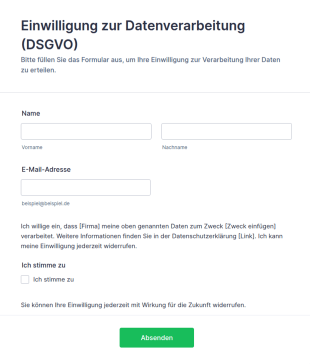
Vorlage Einwilligung Zur Datenverarbeitung (DSGVO)
DSGVO-konforme Einwilligungsformular-Vorlage für Jotform: Opt-in-Checkbox, Widerrufshinweis und Datenschutz-Platzhalter – direkt anpassbar und einsatzbereit.
Zur Kategorie:Werbeformulare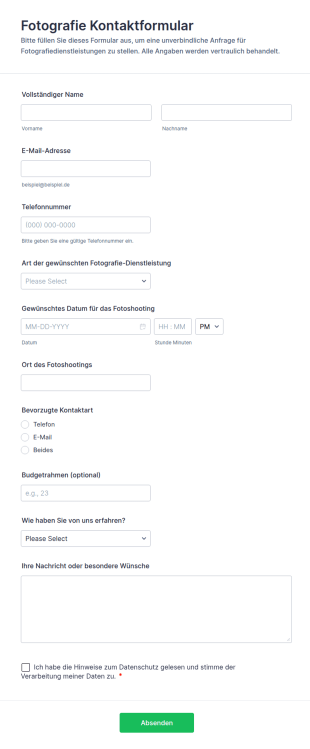
Fotografie Kontaktformular
Fotografie Kontaktformular unterstützt Fotografen und Fotostudios bei der Datenerfassung von Shooting-Anfragen, damit Interessenten online Kontakt aufnehmen und Buchungen über eine Formularvorlage aus den Jotform Formularvorlagen anstoßen können.
Zur Kategorie:Kontaktformulare
Vorlage Drehgenehmigung Für Private Drehorte
Nutzen Sie diese Vorlage für Drehgenehmigung Formular, um Angaben online zu erfassen, Abläufe zu automatisieren und Antworten mit Jotform zu organisieren.
Zur Kategorie:Werbeformulare
Vorlage Einwilligung Foto & Videoaufnahmen
Nutzen Sie diese Vorlage für Video Einverständniserklärung, um Angaben online zu erfassen, Abläufe zu automatisieren und Antworten mit Jotform zu organisieren.
Zur Kategorie:Dienstleistungsformulare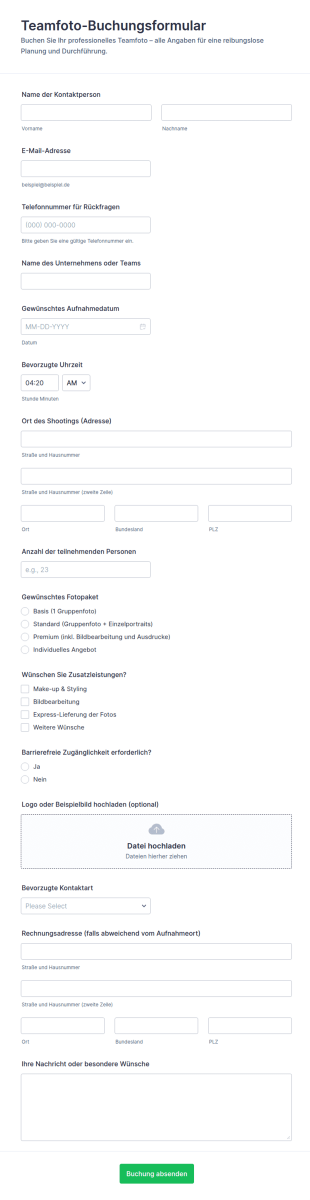
Teamfoto Buchungsformular
Planen Sie Teamshootings zuverlässiger mit dem Teamfoto-Buchungsformular von Jotform, ideal für Fotostudios und Unternehmen zur Terminabstimmung, Paketwahl und zentralen Datenaufnahme über ein Online-Formular.
Zur Kategorie:Buchungsformulare
Vorlage Videoproduktion Anfrageformular
Erfassen Sie Videoanfragen vollständig , inklusive Angaben zu Projektart, Drehort, Umfang, Verwendungszweck und Budget sowie Hinweisen zu Drohnenflug und Einwilligungen.
Zur Kategorie:Dienstleistungsformulare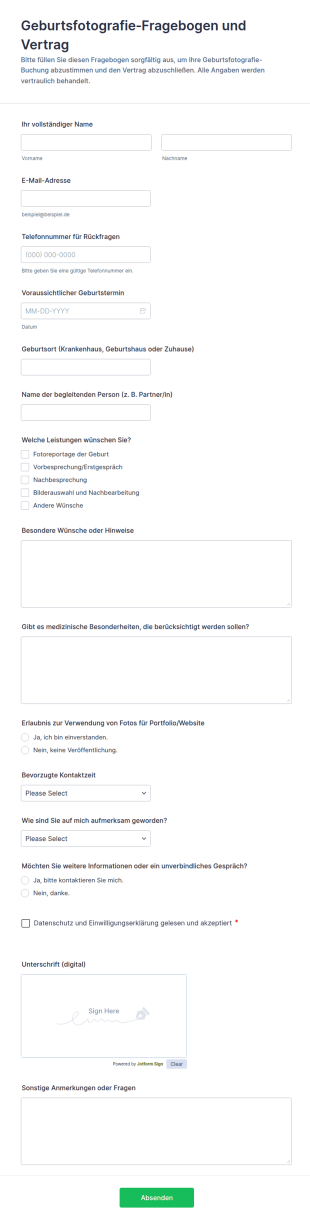
Fotografie Anfrage Für Die Geburt
Erfassen Sie Anfragen zur Geburtsfotografie, klären Sie Leistungen und Einwilligungen und holen Sie Unterschriften digital ein, damit Fotografen und Fotostudios Termine und Absprachen rund um den Geburtstermin verlässlich vorbereiten können.
Zur Kategorie:Einverständniserklärungen
Fotografen Fragebogen Für Seniorporträts
Der Senioren-Fotografie-Fragebogen-Formular hilft Fotostudios und Porträtfotografen, Wünsche für Seniorporträts vorab zu erfassen und Shootings besser vorzubereiten, inklusive zentraler Datenerfassung und übersichtlicher Formularantworten mit Jotform.
Zur Kategorie:Vorlagen für Fragebögen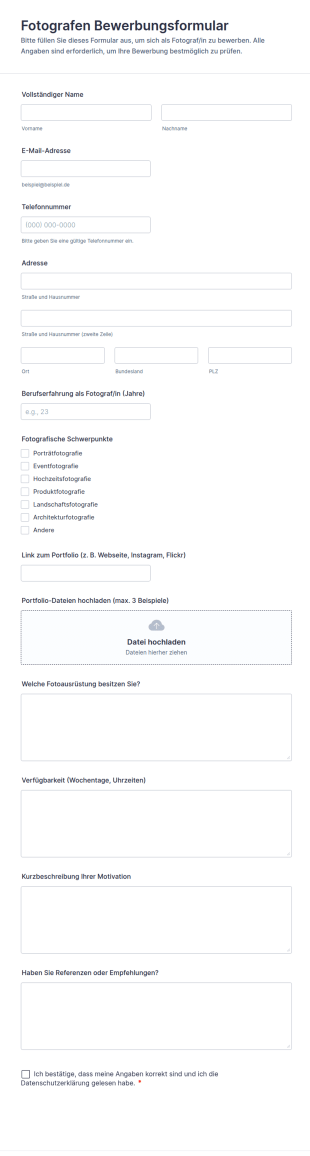
Fotografen Bewerbungsformular
Sammeln Sie mit dem Fotografen Bewerbungsformular von Jotform Bewerbungen für Fotojobs und freie Projekte, bündeln Sie Daten erfassen und behalten Sie alle Formularantworten für Auswahl und Einsatzplanung übersichtlich an einem Ort.
Zur Kategorie:Bewerbungsformulare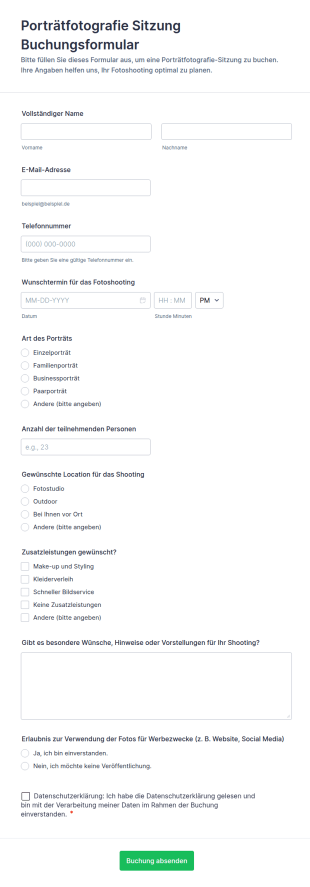
Porträtfotografie Sitzung Buchungsformular
Koordinieren Sie Porträtshootings, indem Sie Anfragen, Terminwünsche und Einwilligungen online erfassen, ideal für Fotostudios und selbstständige Fotografen, die mit Jotform schnell mit der Datenerfassung starten möchten.
Zur Kategorie:Buchungsformulare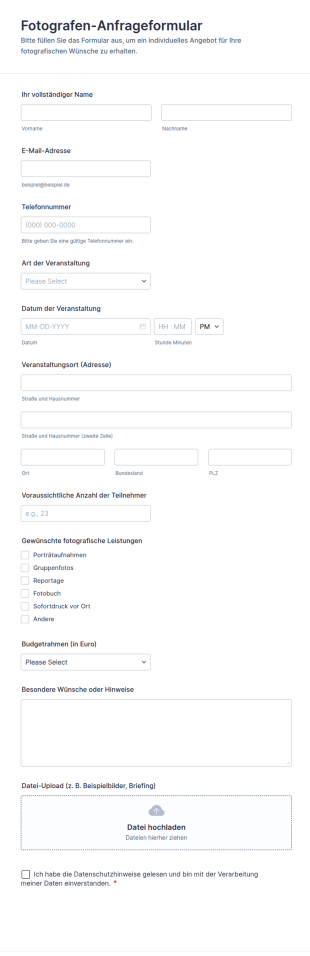
Fotografen Anfrageformular
Das Fotografen-Anfrageformular erleichtert Fotografinnen und Fotografen die Datenerfassung für Eventanfragen, damit Umfang, Termin und Rahmenbedingungen früh geklärt werden und jede Formularantwort zentral in Jotform ankommt.
Zur Kategorie:Kontaktformulare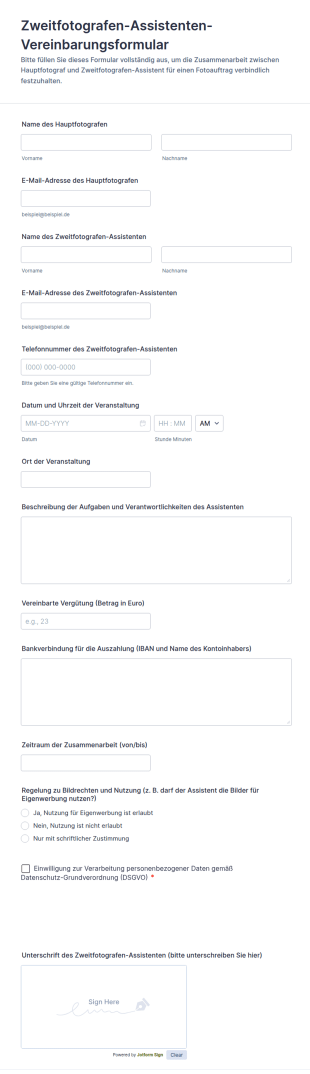
Zweitfotografen Assistenten Vereinbarungsformular
Dokumentieren Sie mit dem Vereinbarungsformular für Zweitfotograf und Assistenz Absprachen zu Einsatz, Vergütung und Zusammenarbeit für Shootings und Veranstaltungen und sammeln Sie alle Angaben zentral mit Jotform.
Zur Kategorie:Formulare für FotografenÜber Formulare für Fotografen
Fotografieformulare sind spezielle digitale Formulare, die Verwaltung und Organisation in Fotografiebetrieben vereinfachen. Sie sind besonders nützlich für professionelle Fotografinnen und Fotografen, die Buchungen, Veranstaltungstermine, Feedback und Zahlungen effizient verwalten möchten. Typische Anwendungsfälle sind Kundenaufnahmeformulare, Formulare zur Veranstaltungsplanung, Einwilligungen zur Bildnutzung (Model Releases) und Rechnungen. Im Arbeitsalltag gehören dazu die Planung von Shootings, das Erfassen von Kundenangaben, das Einholen von Einwilligungen und die Zahlungsabwicklung – alles lässt sich in ein Online-Formularsystem einbinden.
Jotform stands out as the premier online form builder for photographers, offering a robust platform that simplifies form customization and automates data collection processes. With Jotform, photographers can effortlessly tailor forms to meet specific business needs through its user-friendly Drag-and-Drop Form Builder. The platform also supports centralized data management with Jotform Tables, ensuring that all client and business data is securely stored and easily accessible. This not only enhances operational efficiency but also allows photographers to focus more on their creative work, knowing that the administrative side is well managed.
Why Use Photographer Forms?
- Photographer Forms significantly improve the accuracy of data collection. By eliminating manual entry errors, photographers can ensure that client information, booking details, and payment records are correct and up-to-date. This leads to a reduction in misunderstandings and enhances client satisfaction.
- Speed is another critical advantage of using Photographer Forms. The automation capabilities of Jotform allow photographers to quickly gather and process information, reducing the time spent on administrative tasks. This efficiency enables photographers to allocate more time to their core activity—capturing stunning images.
- Ein professioneller Umgang mit Daten ist ein wichtiger Vorteil von Fotografieformularen. Funktionen zur geschützten Datenverwaltung helfen Fotografinnen und Fotografen, Kundendaten zu schützen und vertraulich zu behandeln. Das schafft Vertrauen bei einer Kundschaft, der Datensicherheit immer wichtiger ist.
- Customization is a key feature that sets Photographer Forms apart. Whether it's altering the layout or adding specific fields, photographers can easily tailor forms to align with their brand and operational needs. This flexibility ensures that every form is a true reflection of the photographer's unique style and business requirements.
- Photographer Forms also facilitate seamless client communication. By integrating with third-party applications like Google Sheets and Slack, photographers can keep track of all interactions and updates, ensuring no detail is missed and all parties are informed promptly.
Common Problems Solved by Photographer Forms
- Paperwork overload is a common issue in the photography industry, where manual documentation can be cumbersome and prone to errors. Photographer Forms digitize these processes, reducing paper usage and associated costs while boosting operational efficiency.
- Manual data entry often leads to inaccuracies, which can affect service delivery and client satisfaction. By automating data collection, Photographer Forms eliminate these errors, ensuring that all client information is accurate and readily available for decision-making.
- Lost data can be a significant concern, especially during busy seasons or large events. With Photographer Forms, all data is securely stored and easily retrievable, preventing loss and ensuring continuity in service delivery without interruptions.
- Time-consuming administrative tasks can detract from the creative aspects of photography. Photographer Forms streamline these processes, allowing photographers to automate repetitive tasks and focus more on their creative endeavors, thus enhancing productivity.
Passende Anwendungsfälle für Features
- For client bookings, the Drag-and-Drop Form Builder allows photographers to create intuitive and easy-to-use booking forms. This feature simplifies the scheduling process, ensuring that all client appointments are accurately captured and managed.
- When dealing with event logistics, Conditional Logic can be employed to create dynamic forms that adapt based on client responses. This ensures that photographers can gather all necessary information without overwhelming clients with irrelevant questions.
- Financial transactions are simplified with the integration of 30+ Payment Gateways, such as Stripe and PayPal. This allows photographers to process payments directly through their forms, ensuring secure and efficient financial management.
- For legal and compliance needs, Electronic Signatures via Jotform Sign allow photographers to obtain necessary client approvals and model releases digitally, ensuring that all legal requirements are met without the need for physical paperwork.
- Photographers requiring analytics on their business performance can utilize the Report Builder to generate insightful reports. This feature enables photographers to analyze data trends and make informed business decisions, enhancing strategic planning and growth.
- The PDF Editor allows photographers to automatically generate professional PDF documents from form submissions. This is particularly useful for creating client contracts, invoices, and other official documents with ease and consistency.
- Offline Data Collection via Jotform Mobile Forms ensures that photographers can gather client information even in locations without internet connectivity. This feature is invaluable for on-location shoots where connectivity may be a challenge.
How to Create a Photographer Form
- Start by browsing the Template List for a Photographers template or begin from a blank form to tailor it to your specific needs.
- Customize the design and fields using the Drag-and-Drop Form Builder, ensuring the form aligns with your branding and operational requirements.
- Publish and share the form via Direct Link, Email, or Website Embed to reach your clients effectively.
Top Use Cases for Photographer Forms
- For Managers: Photographer Forms provide managers with the ability to oversee operations efficiently by digitizing administrative tasks and streamlining communication. With centralized data management, managers can easily track project progress, manage client relationships, and handle financial transactions. This increases operational transparency and improves decision-making processes.
- For Teams: Team collaboration is enhanced through the use of Photographer Forms, as they facilitate seamless information sharing and task delegation. By integrating with platforms like Slack and Salesforce, team members can stay updated on project developments, ensuring everyone is aligned and working towards common goals. This fosters a collaborative work environment and enhances team productivity.
- For Customers: Customers benefit from the convenience and efficiency offered by Photographer Forms. They can easily book appointments, make payments, and provide feedback through user-friendly interfaces. This not only enhances the customer experience but also builds loyalty by making interactions smooth and hassle-free, ultimately leading to higher satisfaction and repeat business.
Summarizing Photographer Forms
In summary, Photographer Forms are a vital asset for those in the photography industry looking to streamline their operations and enhance client interactions. By leveraging Jotform's capabilities such as customizable form creation, secure data management, and seamless integrations, photographers can optimize their workflows. This leads to increased efficiency, reduced administrative burdens, and improved client satisfaction, allowing photographers to focus on their core creative work while ensuring business operations run smoothly.
Häufig gestellte Fragen
1) Is it free to create Photographer Forms on Jotform?
Yes, Jotform offers a free plan that allows you to create and use forms with basic features. However, for advanced functionalities and higher submission limits, you may need to consider one of their paid plans.
2) Sind die Formulare und die übermittelten Daten sicher?
Ja. Jotform schützt Ihre Formulare und Daten mit Verschlüsselung und erfüllt die DSGVO.
3) Do I need coding knowledge to build a Photographer Form?
No, Jotform's Drag-and-Drop Form Builder is designed to be user-friendly, allowing you to create forms without any coding expertise.
4) Kann ich Zahlungen direkt über meine Formulare erfassen?
Yes, you can collect payments directly through your forms using Jotform's integration with over 30 payment gateways like Stripe and PayPal.
5) Können diese Formulare auf mobilen Geräten verwendet werden?
Yes, Jotform forms are mobile-responsive and can be accessed and completed on any mobile device, ensuring convenience for users on the go.
6) Kann ich Formularantworten in professionelle PDF-Dokumente umwandeln?
Ja, mit dem PDF Editor von Jotform können Sie Formularantworten automatisch in professionelle PDF-Dokumente umwandeln, um sie problemlos weiterzugeben und zu archivieren.
7) How can Photographer Forms help with client scheduling?
Photographer Forms streamline client scheduling by allowing clients to book appointments directly through the forms, which automatically updates your calendar and notifies you of new bookings.
8) Can Photographer Forms integrate with my existing CRM system?
Yes, Jotform supports integration with over 100 third-party applications, including popular CRM systems like Salesforce, enabling seamless data synchronization and management.