

Supplier Management Forms

Artikelstammdaten Anfrageformular
Artikelstammdaten-Anfrageformular erleichtert die Datenerfassung für Neuanlagen und Änderungen von Artikelstammdaten und unterstützt Einkauf, Lager und Produktteams bei der schnellen, einheitlichen Bearbeitung von Anforderungen.
Zur Kategorie:Anfrageformulare für Informationen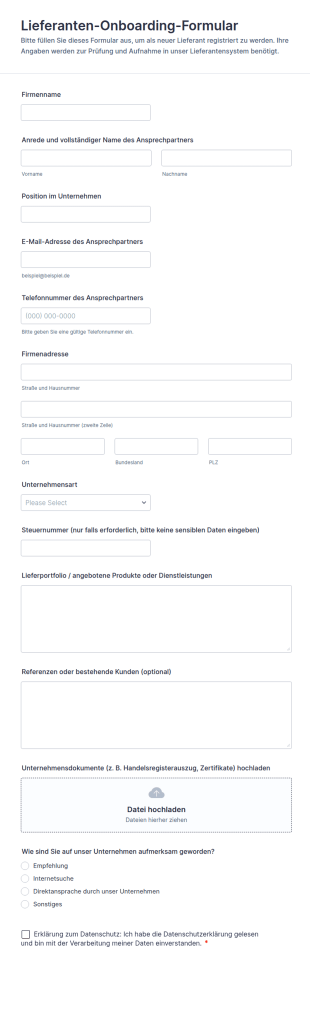
Lieferanten Onboarding Formular
Erfassen Sie neue Lieferanten zentral mit dem Lieferanten-Onboarding-Formular und vereinfachen Sie Datenerfassung, Dokumentenabfrage und interne Abstimmung für Einkauf und Lieferantenmanagement mit Jotform.
Zur Kategorie:Onboarding Formulare
Lieferanten Audit Checkliste Fragebogen
Bewerten und dokumentieren Sie Lieferantenstandorte, Lieferfähigkeit und Qualitätsprozesse mit dem Lieferantenprüfungscheckliste Formular von Jotform, ideal für Einkauf und Qualitätsmanagement zur konsistenten Datenerfassung.
Zur Kategorie:Supplier Management Forms
Rechnungszahlungen Formular
Das Kreditorenformular Form erleichtert die Datenerfassung für Lieferantenanliegen und Rechnungsprüfung, damit Buchhaltung und Fachabteilungen Formulareinsendungen priorisieren, zuordnen und zuverlässig bearbeiten können.
Zur Kategorie:Buchhaltungsformulare
Rechnungs Einreichungsformular
Sammeln Sie Lieferantenrechnungen zentral mit dem Lieferantenrechnungsformular und vereinfachen Sie die interne Prüfung für Buchhaltung, Einkauf und Projektteams durch digitale Datenerfassung mit Jotform.
Zur Kategorie:Buchhaltungsformulare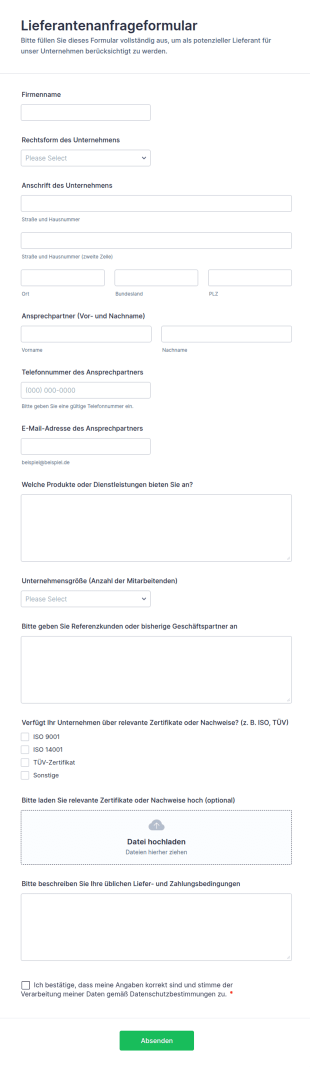
Lieferantenanfrageformular
Sammeln und vergleichen Sie Lieferantenanfragen mit dem Lieferantenanfrageformular, damit Einkauf und Fachabteilungen neue Anbieter schneller prüfen, dokumentieren und für die Zusammenarbeit auswählen können.
Zur Kategorie:Supplier Management Forms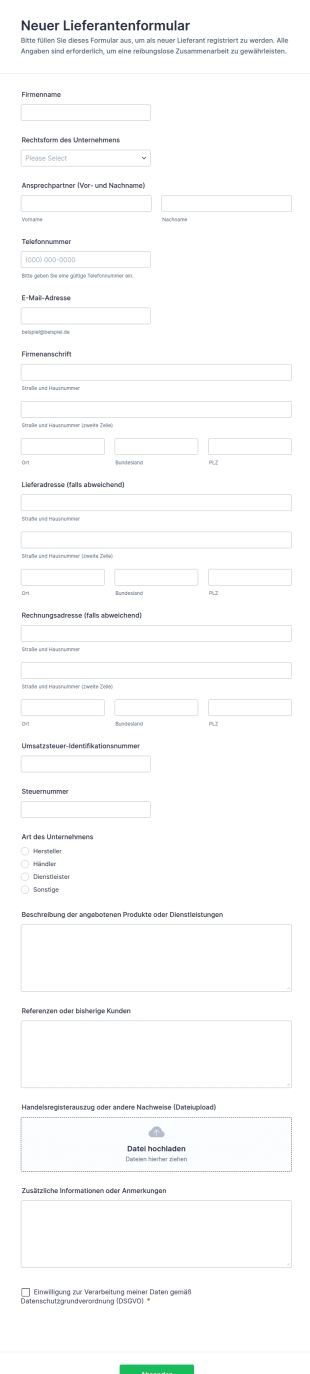
Neuer Lieferantenformular
Erfassen Sie neue Lieferantenanfragen mit dem Neuen Lieferantenformular von Jotform, um die Datenaufnahme zu vereinheitlichen und Formular-Antworten für Einkauf und Verwaltung zentral zu sammeln.
Zur Kategorie:Supplier Management Forms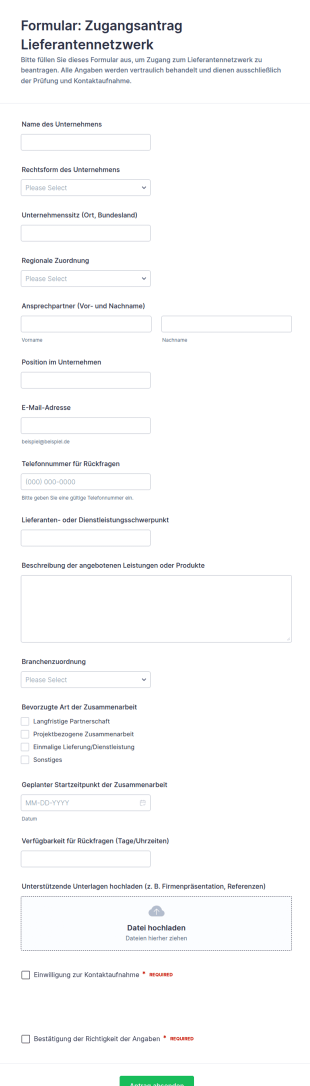
Anfrage Zur Netzwerkkontrolle Für Lieferanten
Erfassen Sie Lieferantenanfragen zentral mit dem Zugangsantrag Lieferantennetzwerk Formular von Jotform und vereinfachen Sie Datenerfassung, Vorprüfung und Kontaktaufnahme für Einkauf und Lieferantenmanagement.
Zur Kategorie:Supplier Management Forms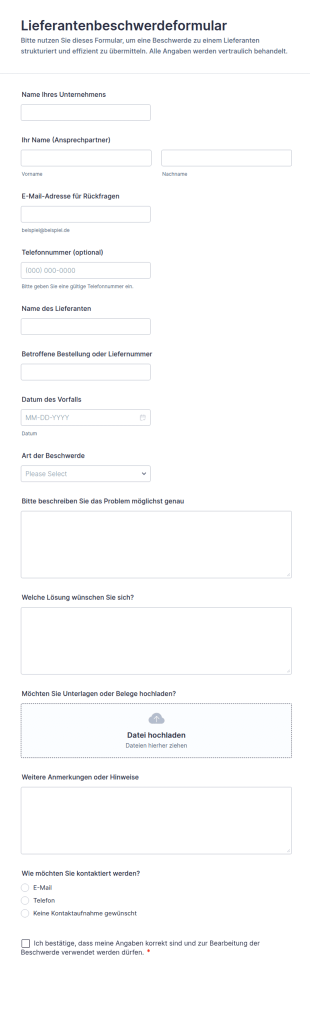
Beschwerdeformular Für Lieferanten
Erfassen Sie Lieferantenreklamationen in Ihrem Unternehmen mit dem Lieferantenbeschwerdeformular von Jotform und verbessern Sie Ihre Datenerfassung für Einkauf und Qualitätsmanagement durch schnelle Formularantworten.
Zur Kategorie:Beschwerdeformulare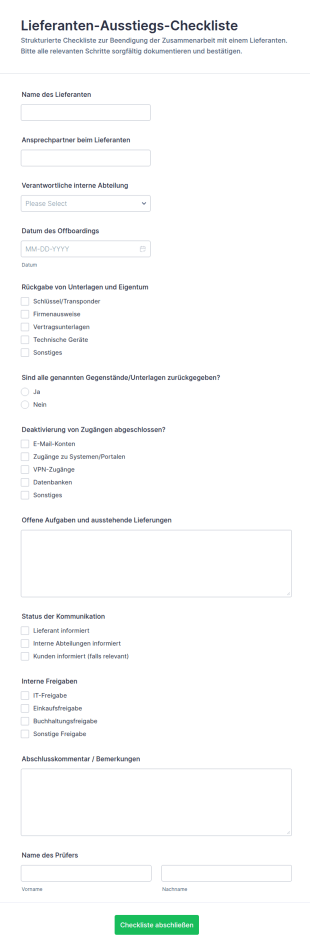
Lieferantenabmeldung Checkliste Formular
Dokumentieren Sie Lieferanten-Offboarding zuverlässig mit dem Lieferanten-Ausstiegs-Checklistenformular von Jotform und sorgen Sie für klare Zuständigkeiten, vollständige Datenerfassung und nachvollziehbare Formularantworten im Team.
Zur Kategorie:Checklisten-Formulare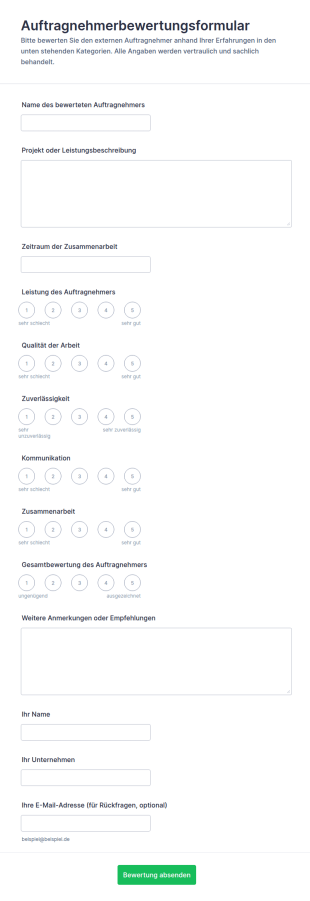
Auftragnehmer Bewertungsformular
Dokumentieren Sie Dienstleisterbewertungen nach Projekten mit dem Auftragnehmerbewertungsformular von Jotform und sorgen Sie für einheitliche Datenerfassung, bessere Vergleichbarkeit und nachvollziehbare Entscheidungen in Ihrem Unternehmen.
Zur Kategorie:Beurteilungsformulare
Lieferanten Compliance Überprüfungsformular
Das Lieferanten-Compliance-Prüfungsformular erleichtert die Datenerfassung für Lieferantenprüfung und Risikobewertung, damit Einkauf und Qualitätsmanagement Nachweise einheitlich prüfen, dokumentieren und Entscheidungen sicher nachverfolgen.
Zur Kategorie:Supplier Management Forms
Lieferantenrechnungs Upload Formular
Erfassen und bündeln Sie Lieferantenrechnungen inklusive Belegen zentral mit dem Lieferantenrechnungsformular-Formular und vereinfachen Sie die Datenerfassung sowie die Weiterleitung an Einkauf und Buchhaltung in Jotform.
Zur Kategorie:Buchhaltungsformulare
Lieferantenüberprüfungsformular
Erfassen Sie mit dem Lieferantenprüfung Formular alle wichtigen Angaben zur Bewertung und Freigabe von Lieferanten und bündeln Sie die Datenerfassung für Einkauf und Qualitätsmanagement in Jotform.
Zur Kategorie:Supplier Management Forms
Lieferantenverwaltung Formular 📋
Pflegen Sie Lieferantenstammdaten zentral mit dem Lieferantenstammdaten-Formular von Jotform, ideal für Einkauf und Verwaltung, um Kontaktdaten zu aktualisieren, Zuständigkeiten abzustimmen und Formularantworten geordnet zu verwalten.
Zur Kategorie:Supplier Management Forms
Lieferantenreferenzprüfung Umfrage
Erfassen Sie mit dem Lieferanten-Referenzprüfungsformular Referenzauskünfte und Bewertungen zur Zusammenarbeit, um Lieferanten im Einkauf und in der Beschaffung fundiert zu beurteilen und die Datenerfassung über Jotform zu vereinheitlichen.
Zur Kategorie:Supplier Management Forms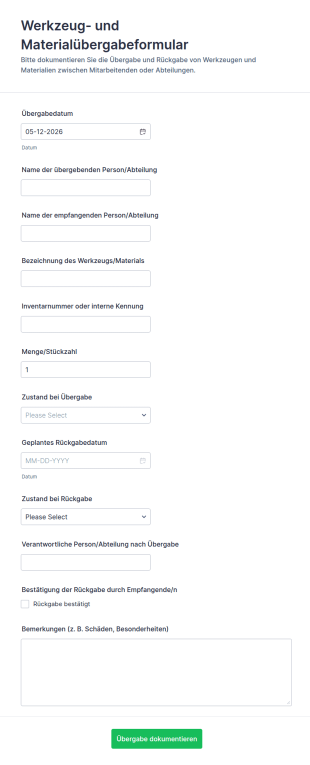
Tool Und Materialübertragungsformular
Dokumentieren Sie Werkzeug- und Materialübergaben samt Zuständen und Rückgabeterminen mit dem Werkzeug- und Materialübergabeformular in Jotform, ideal für Werkstatt, Lager, Baustelle und interne Teams.
Zur Kategorie:Geräteverwaltungsformulare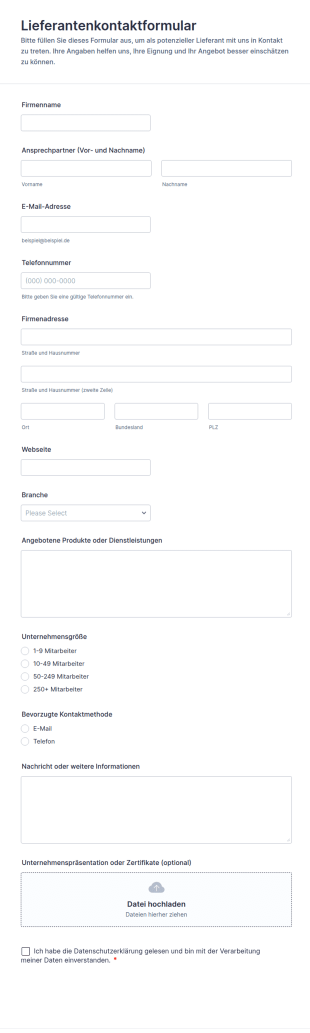
Lieferantenkontaktformular
Lieferantenkontaktformular für Einkauf und Beschaffung, um Lieferantendaten online zu erfassen, Anfragen zu bündeln und Formularantworten in Jotform übersichtlich zu verwalten.
Zur Kategorie:Kontaktformulare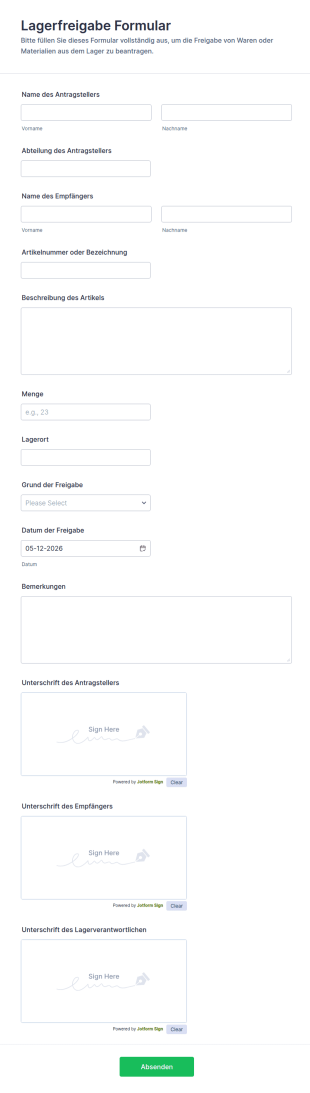
Lagerfreigabe Formular
Dokumentieren Sie Materialausgaben mit dem Lagerfreigabe Formular von Jotform und sorgen Sie für klare interne Freigaben in Lager, Produktion und Verwaltung, inklusive nachvollziehbarer Übergaben und zentraler Daten erfassen.
Zur Kategorie:Geräteverwaltungsformulare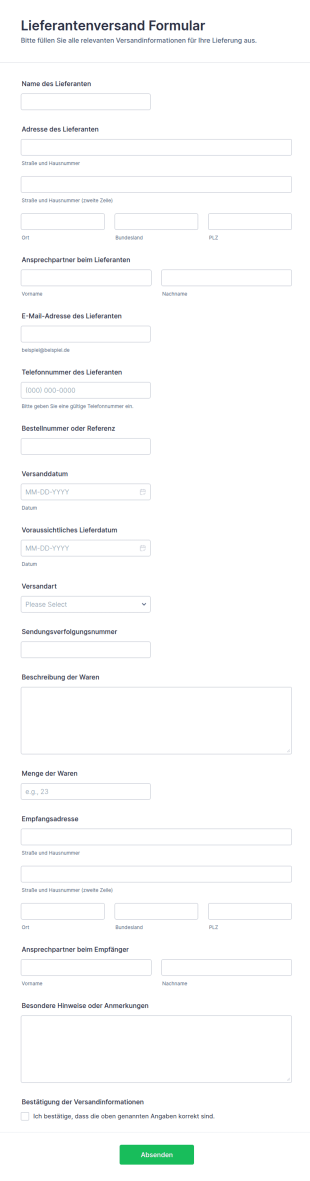
Lieferantenversand Formular
Erfassen Sie mit dem Lieferantenversandformular Versanddaten von Lieferanten, damit Einkauf und Lager Bestellungen nachverfolgen und Wareneingänge planbar koordinieren können.
Zur Kategorie:Bestellformulare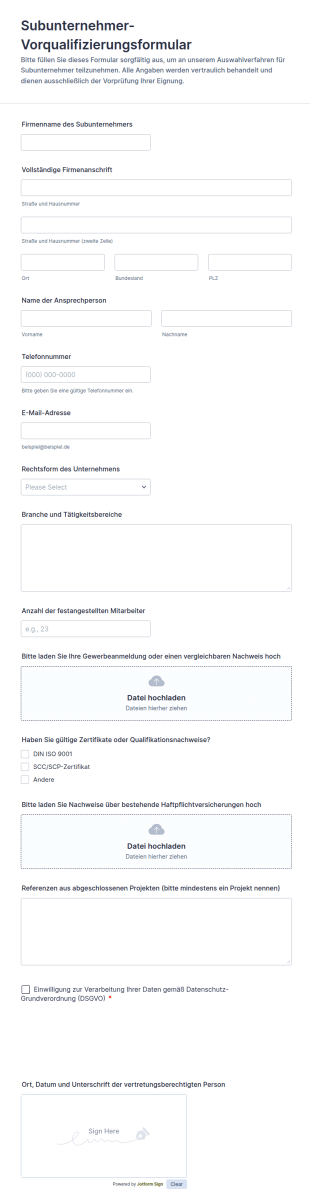
Subunternehmer Vorqualifizierungsformular
Erfassen Sie mit dem Subunternehmer-Vorqualifizierungsformular von Jotform wichtige Angaben und Unterlagen für die Auswahl von Nachunternehmern und vereinheitlichen Sie die Datenerfassung für Bau- und Projektteams.
Zur Kategorie:Bewerbungsformulare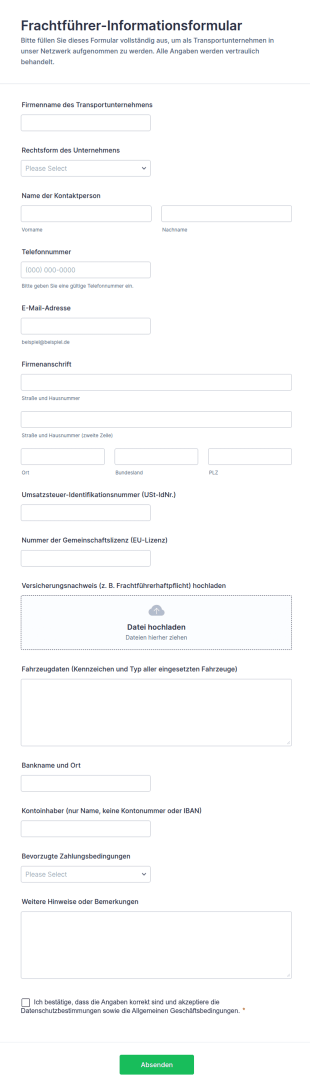
Frachtführer Informationsformular
Das Frachtführer-Informationsformular erleichtert Logistik- und Speditionsunternehmen die Datenerfassung neuer Transportunternehmen, damit Kontakt- und Unternehmensangaben einheitlich vorliegen und Formularantworten zentral verwaltet werden können.
Zur Kategorie:Anmeldeformulare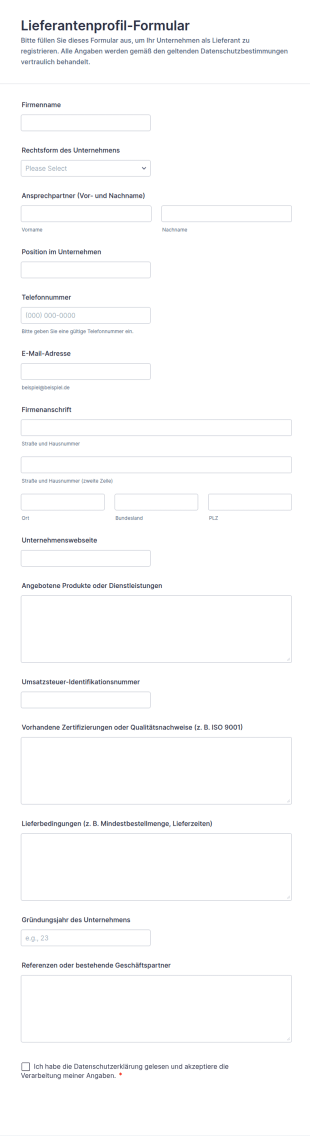
Lieferantenprofil Formular
Erfassen und vergleichen Sie Lieferantendaten für Einkauf und Lieferantenmanagement mit dem Lieferantenprofil-Formular von Jotform, ideal für Unternehmen, die Anbieter zentral verwalten und die Datenerfassung vereinheitlichen möchten.
Zur Kategorie:Supplier Management Forms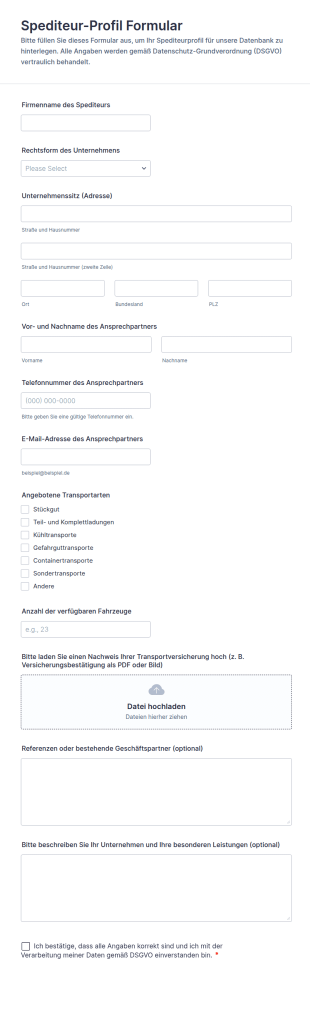
Spediteur Profil Formular
Erfassen Sie mit dem Spediteur-Profilformular Speditionsdaten zentral, vergleichen Sie Anbieter schneller und vereinfachen Sie die Datenerfassung für Einkauf und Logistik mit Jotform.
Zur Kategorie:Supplier Management FormsÜber Supplier Management Forms
Supplier management forms are structured documents used to manage supplier onboarding, information updates, performance tracking, and ongoing coordination with vendors. They help organizations collect consistent supplier details, evaluate vendor reliability, document approvals, and maintain clear records for procurement and compliance workflows. Supplier management forms are commonly used by procurement teams, operations departments, finance teams, and supply chain managers to handle vendor registration, contract and compliance documentation, supplier scorecards, and issue reporting. By standardizing supplier processes, these forms reduce risk, improve vendor communication, and support more efficient purchasing decisions.
With Jotform, supplier management forms can be created quickly using a no-code, drag-and-drop Form Builder and tailored to different supplier types, categories, and approval rules. Conditional logic can show different fields based on supplier region or service category, while file upload fields can collect certificates, tax documents, insurance files, and contracts. Submissions are stored in Jotform Tables so teams can track supplier status, review documentation, and maintain a searchable vendor database. Automated notifications can route submissions to procurement, compliance, or finance for approvals and follow-up.
Use Cases of Supplier Management Forms
Supplier management forms support vendor lifecycle workflows from onboarding to evaluation and issue resolution. Below are common ways these forms are used and the challenges they help solve.
Mögliche Anwendungsfälle:
- Lieferanten-Onboarding und Lieferantenregistrierung
- Aktualisierung von Lieferanteninformationen (Bankverbindung, Adresse, Ansprechpartner)
- Sammlung von Compliance- und Zertifizierungsdokumenten
- Lieferantenbewertungen und Scorecards
- Meldung von Lieferantenproblemen (Qualität, Lieferung, Streitigkeiten)
- Workflows für die Zulassung neuer Lieferanten und Beschaffungsanfragen
Lösungsansätze:
- Zentralisieren Sie Lieferantendaten, statt sie in verstreuten E-Mails und Dateien zu verwalten
- Verbessern Sie die Compliance, indem Sie die erforderlichen Dokumente konsequent erfassen
- Verbessern Sie die Lieferantenauswahl mit klaren Bewertungskriterien
- Sie können die Einarbeitung beschleunigen und Verzögerungen bei der Beschaffung verringern
Mögliche Eigentümer und Nutzer:
- Beschaffungs- und Einkaufsteams
- Supply Chain und Operations Manager
- Finanz- und Kreditorenbuchhaltungsteams
- Mitarbeiter für Compliance und Risikomanagement
- Lieferanten reichen die erforderlichen Informationen und Unterlagen ein
Unterschiede der Erstellungsmethoden:
- Lieferanten-Onboarding- und Registrierungsformulare erfassen Unternehmensdaten, Produkt- oder Dienstleistungskategorien, Kontaktdaten, Bank- und Steuerinformationen und die Uploads der erforderlichen Dokumente.
- Formulare zur Lieferanten-Compliance und zur Dokumentensammlung fokussieren sich auf Zertifizierungen, Versicherungen, behördliche Bestätigungen, Vertragsunterlagen sowie Felder zur Nachverfolgung von Verlängerungen oder Ablaufdaten.
- Formulare zur Lieferantenleistung und zum Problemmanagement fokussieren sich auf Liefer- und Qualitätskennzahlen, Vorfallbeschreibungen, Anforderungen an Korrekturmaßnahmen sowie Felder für interne Prüfungen oder Eskalationen.
How to Create a Supplier Management Form
Creating a supplier management form with Jotform helps you standardize vendor workflows and maintain clear supplier records from onboarding through performance management.
1. Wählen Sie eine Vorlage oder beginnen Sie komplett neu
Klicken Sie in „Mein Workspace“ auf „Erstellen“ und wählen Sie „Formular“. Starten Sie entweder komplett neu oder passen Sie eine Vorlage für die Lieferanten-Onboarding- oder Compliance-Prozesse an.
2. Add Supplier Identification Fields
Erfassen Sie den Namen des Lieferanten, die Unternehmensart, den Hauptansprechpartner, den Standort und die Dienstleistungskategorie. Verwenden Sie Dropdown-Menüs, um die Kategorien einheitlich zu halten.
3. Collect Required Documents and Compliance Info
Laden Sie Zertifikate, Steuerformulare, Versicherungen und Verträge hoch. Fügen Sie bei Bedarf die erforderlichen Bestätigungen hinzu.
4. Use Conditional Logic for Supplier Type
Zeigen Sie unterschiedliche Fragen basierend auf Lieferantenkategorie, Region oder Risikostufe an. Bei höherem Risiko könnten für diese Lieferanten weitere Compliance-Felder erforderlich sein.
5. Set Up Notifications and Approval Routing
Informieren Sie Beschaffung und Finanzen automatisch, sobald ein Lieferant Daten übermittelt. Leiten Sie risikoreiche Einträge zur zusätzlichen Prüfung weiter.
6. Track Suppliers in Jotform Tables
Nutzen Sie Tabellen, um nach Status, Kategorie, Verlängerungsdaten und Leistung zu filtern und um Daten für Berichte zu exportieren.
Häufig gestellte Fragen
1. What are supplier management forms?
Supplier management forms are documents or online forms used to collect and manage supplier information, compliance documents, approvals, and performance records.
2. Why are supplier management forms important?
They standardize vendor data collection, reduce risk, improve compliance, and speed up procurement workflows.
3. What information is typically included in supplier management forms?
Common fields include company details, contact info, service categories, banking and tax information, certifications, contracts, and performance or issue records.
4. Who uses supplier management forms?
Procurement, supply chain, finance, and compliance teams use these forms, and suppliers often complete onboarding and documentation submissions.
5. Are supplier management forms only for onboarding?
No. They are also used for compliance updates, document renewals, performance reviews, and issue reporting.
6. Can supplier management forms collect certificates and contracts?
Yes. Jotform file upload fields can collect documents such as insurance certificates, compliance files, tax forms, and signed contracts.
7. How do supplier management forms support compliance?
They ensure required documentation is collected consistently and stored in one place for audit and renewal tracking.
8. Can supplier management forms be customized by supplier type?
Yes. Conditional logic and custom fields can tailor questions and required documents based on supplier category, region, or risk level.