

Laboratory Forms

Protokoll Zum Forschungsversuchsablauf
Dokumentieren Sie Versuchsläufe mit dem Forschungsexperiment-Logbuch-Formular in Jotform für klare Datenerfassung, bessere Nachvollziehbarkeit und einheitliche Abläufe in Laboren, Hochschulen und Projektteams.
Zur Kategorie:Laboratory Forms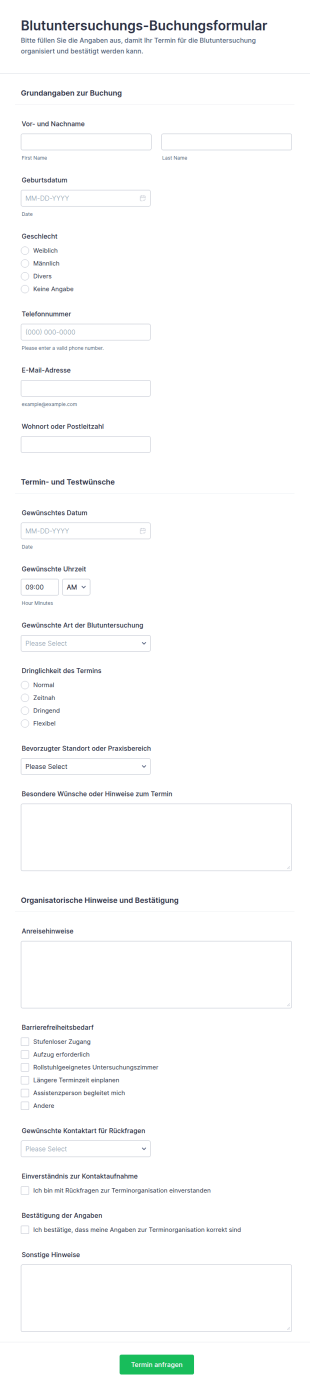
Blutuntersuchungs Terminbuchungsformular
Erfassen Sie Terminanfragen für Blutuntersuchungen online mit dem Blutuntersuchungs-Buchungsformular und erleichtern Sie Praxen und Laboren die Terminplanung, Priorisierung und Datenerfassung mit Jotform.
Zur Kategorie:Buchungsformulare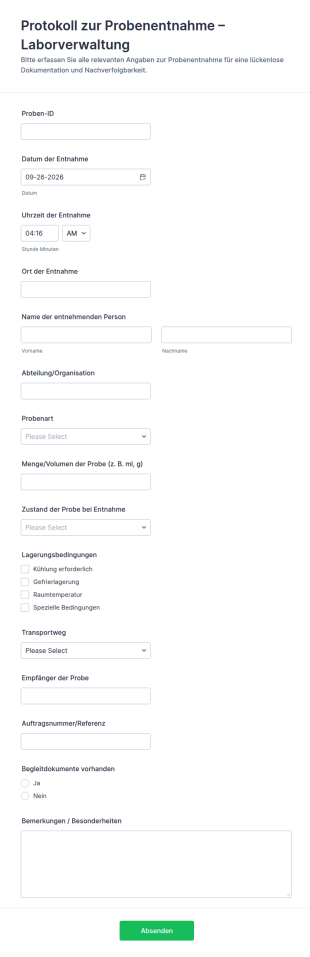
Probenentnahmelogbuch
Dokumentieren Sie Probenentnahmen in Laboren und Qualitätskontrollen mit dem Protokoll zur Probenentnahme-Formular für die Laborverwaltung von Jotform und vereinheitlichen Sie die datenerhebung sowie die Auswertung der formularantworten.
Zur Kategorie:Laboratory Forms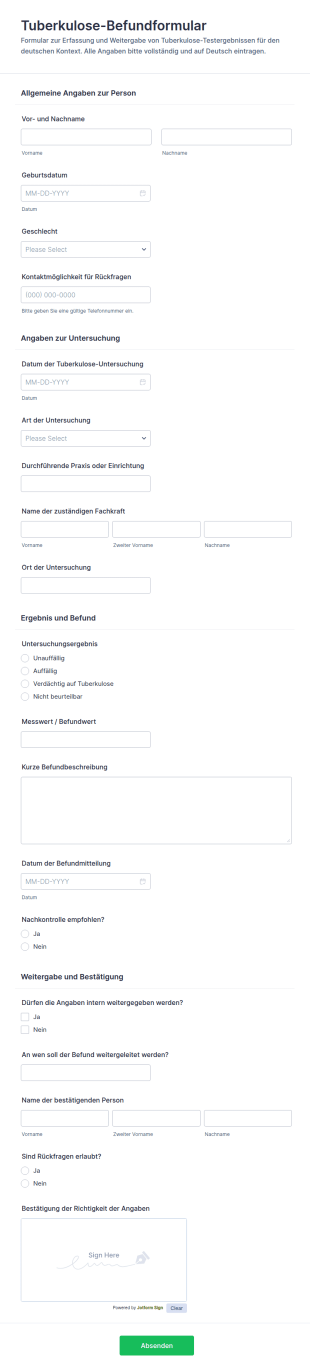
Ergebnisformular Für Tuberkulosetests
Dokumentieren Sie Tuberkulose-Untersuchungsergebnisse einheitlich mit dem Tuberkulose-Befundformular von Jotform und unterstützen Sie medizinische Einrichtungen bei der digitalen Datenerfassung und internen Weitergabe.
Zur Kategorie:Laboratory Forms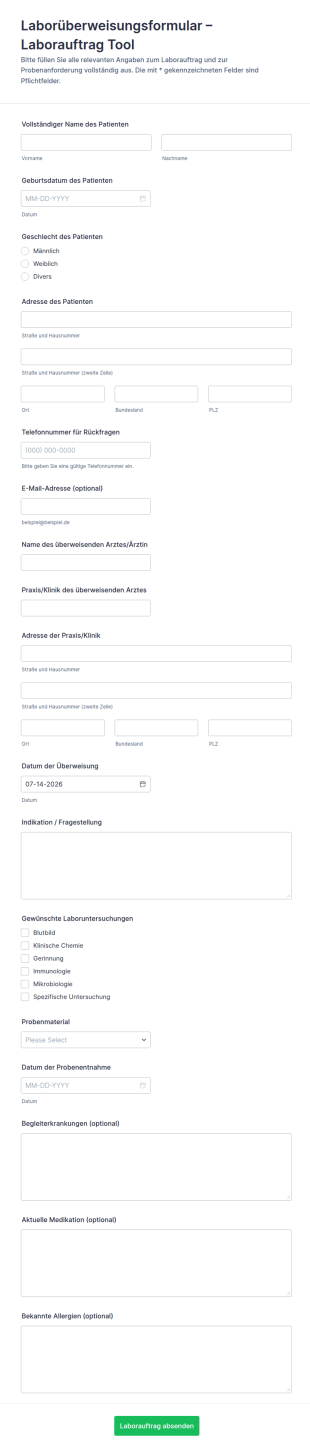
Überweisung Für Laboruntersuchungen Formular
Erfassen Sie Laboraufträge aus Praxis oder Klinik digital mit dem Laborüberweisungsformular-Formular und unterstützen Sie eine klare Weitergabe ans Labor für eine zuverlässige Datenerfassung in Jotform.
Zur Kategorie:Laboratory Forms
Probenanforderungsformular
Das Laboranforderungsformular Form erleichtert Praxen und Einrichtungen die digitale Beauftragung von Laboruntersuchungen mit klarer Datenaufnahme, schneller Weiterleitung der Formularantwort und übersichtlicher Verwaltung in Jotform.
Zur Kategorie:Laboratory Forms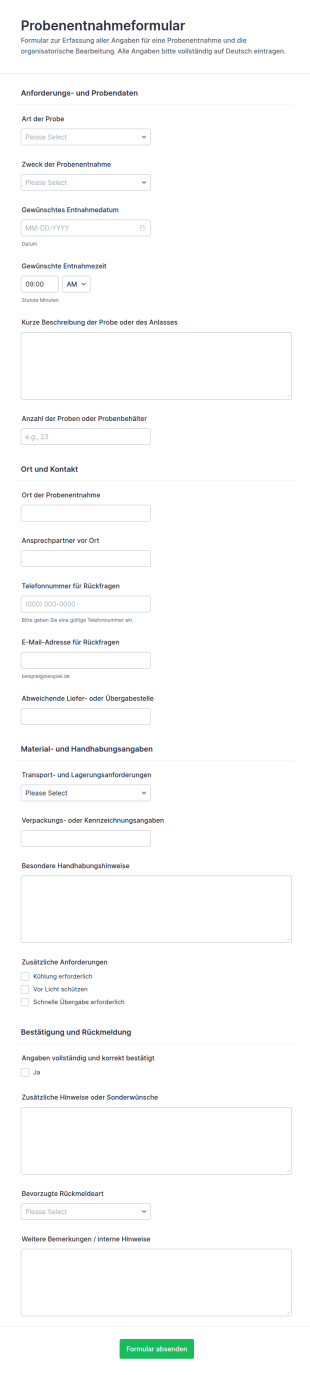
Probenentnahme Formular
Koordinieren Sie Probenentnahmen mit dem Probenentnahmeformular von Jotform, damit Labore und Teams Termine, Standorte und Anforderungen zentral erfassen, Formularantworten bündeln und die Datenerfassung im Alltag vereinfachen.
Zur Kategorie:Laboratory Forms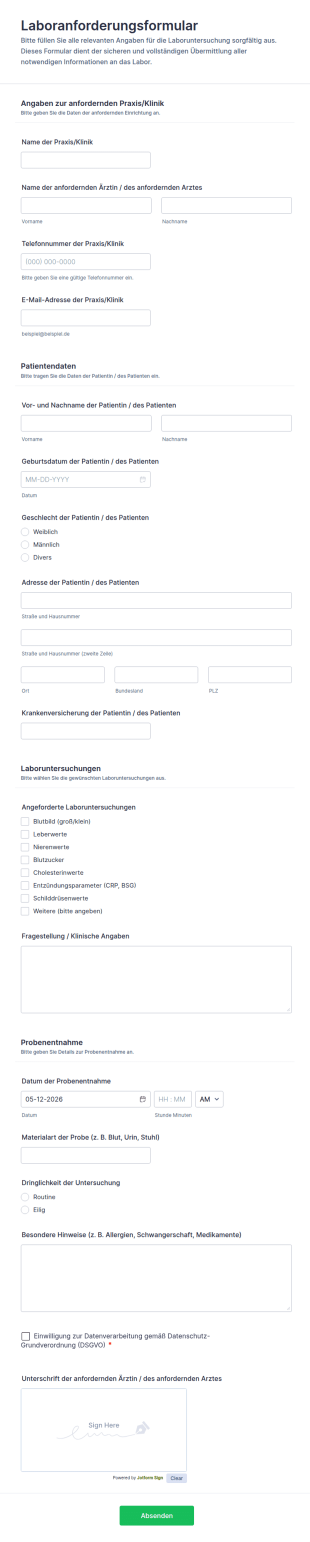
Laboranforderungsformular
Erfassen Sie Laboranforderungen aus Praxis oder Klinik digital mit dem Laboranforderungsformular und verbessern Sie die Datenerfassung für Proben, Prioritäten und interne Abläufe mit Jotform.
Zur Kategorie:Laboratory FormsÜber Laboratory Forms
Laboratory forms are structured documents used to record, track, and manage lab activities, samples, tests, and compliance processes. They help labs collect consistent information for sample intake, experiment documentation, equipment use, results reporting, and safety procedures in a clear and organized way. Laboratory forms are commonly used in research labs, clinical labs, educational labs, manufacturing QA labs, and environmental testing settings. Typical use cases include sample submission, chain of custody documentation, test request forms, lab result reporting, equipment logs, and safety incident reporting. By standardizing lab workflows, laboratory forms reduce errors, improve traceability, and support quality and regulatory requirements.
With Jotform, laboratory forms can be created quickly using a no-code, drag-and-drop Form Builder and customized for different lab workflows. Conditional logic can show different fields based on test type, sample category, or urgency, while file upload fields can collect supporting documents such as protocols or reference files. Submissions are stored in Jotform Tables so authorized teams can track samples, monitor turnaround, and maintain searchable records. Automated notifications help labs route submissions to the right team members and respond faster when urgent or nonconforming cases occur.
Use Cases of Laboratory Forms
Laboratory forms support sample handling, testing operations, and documentation across research and quality workflows. Below are common ways these forms are used and the problems they help solve.
Mögliche Anwendungsfälle:
- Probenvorlage und Anträge für die Aufnahme
- Formulare für Laboruntersuchungsanforderungen und Priorisierung
- Produktkette und Dokumentation zum Probentransfer
- Laborergebnisberichte und Genehmigungs-Workflows
- Protokolle zur Nutzung und Wartung der Ausrüstung
- Meldung von Sicherheitsvorfällen, Zwischenfällen und Nichtkonformitäten
Lösungsansätze:
- Bessere Rückverfolgbarkeit von Proben, Tests und Ergebnissen
- Fehlende Angaben bei der Probenaufnahme und bei Testanfragen minimieren
- Unterstützung bei Qualitätskontrolle und Compliance-Dokumentation
- Laboren bei der Erfassung von Arbeitsaufwand, Durchlaufzeiten und Ausnahmen helfen
Mögliche Eigentümer und Nutzer:
- Labortechniker und Laborleiter
- Forscher und Studierende, die Proben einreichen
- Teams für Qualitätssicherung und Compliance
- Klinisches oder diagnostisches Personal (falls zutreffend)
- Sicherheitsbeauftragte und Laborkoordinatoren
Unterschiede der Erstellungsmethoden:
- Proben- und Aufnahmeformulare erfassen Probenkennungen, Entnahmedaten, Lagerbedingungen, angeforderte Analysen sowie Prioritäten oder Bearbeitungszeiten.
- Labortests und Ergebnisformulare legen den Schwerpunkt auf Testmethoden, Messbereiche, Qualitätskontrollen, Abzeichnungen durch Prüfer und Anforderungen an das Berichtsformat.
- Laborgeräte und Compliance-Formulare erfassen Geräte-IDs, Kalibrierungs- oder Wartungsstatus, Nutzungsprotokolle, Sicherheitsüberprüfungen und Vorfallsberichte, wenn Probleme auftreten.
How to Create a Laboratory Form
Creating a laboratory form with Jotform helps you capture lab data in a consistent format and keep lab workflows traceable from intake to reporting.
1. Wählen Sie eine Vorlage oder beginnen Sie komplett neu
Klicken Sie in „Mein Workspace“ auf „Erstellen“ und wählen Sie „Formular“. Starten Sie mit einer Anfrage- oder Protokollvorlage und passen Sie sie für Ihre Labor-Workflows an. Ein klassisches Formular eignet sich für detaillierte Antworten, während ein Kartenformular Benutzer Schritt für Schritt führt und unvollständige Einträge reduziert.
2. Add Core Lab Context and Identification Fields
Klicken Sie auf „Element hinzufügen“, um die Angaben zum Absender, zur Laborabteilung, zur Proben-ID, zur Testart, zum Datum/zur Uhrzeit sowie alle erforderlichen Referenz- oder Projektkennungen zu erfassen. Dropdown-Menüs unterstützen Sie dabei, Probenkategorien und Testmethoden einheitlich zu halten.
3. Build Sections Based on Lab Workflow
Geben Sie Angaben zur Aufnahme (Entnahmemethode, Menge, Lagertemperatur), Felder für Testanforderungen (Methode, Bearbeitungszeit) und Berichtsanforderungen (Einheiten, Kriterien für Bestanden/Nicht bestanden) an. Geben Sie für Geräteprotokolle die Geräte-ID, die Nutzungsdauer und Hinweise zum Zustand an.
4. Use Conditional Logic for Different Tests and Priorities
Bedingte Logik zeigt je nach Testtyp oder Probenkategorie unterschiedliche Abschnitte und fügt bei Bedarf Felder für dringende oder behördliche Fälle hinzu. Wählt man zum Beispiel „Klinisch“, erscheinen die erforderlichen Patientenidentifikatoren oder Genehmigungsfelder. Wählt man „Dringend“, kommen Eskalations- und Benachrichtigungsfelder hinzu.
5. Add Supporting Documentation and Attachments
Laden Sie Protokolle, Referenzdokumente, Fotos oder Instrumentenausgabedateien über die Upload-Felder hoch. So bleibt alles nachvollziehbar, und der Aufwand sinkt.
6. Publish, Test, and Track Submissions in Jotform Tables
Prüfen und testen Sie das Formular, bevor Sie es veröffentlichen. Senden Sie es zunächst intern oder an autorisierte Absender. Die Antworten landen in Jotform Tabellen, wo Teams nach Muster-ID, Testtyp, Priorität und Status filtern können.
Häufig gestellte Fragen
1. What are laboratory forms?
Laboratory forms are documents or online forms used to manage lab workflows such as sample intake, test requests, results reporting, equipment logs, and safety documentation.
2. Why are laboratory forms important?
They standardize data collection, improve traceability, reduce errors, and support quality and compliance requirements.
3. What information is typically included in laboratory forms?
Common fields include sample identifiers, test type, collection details, requested analyses, results, reviewer notes, and equipment or safety details when relevant.
4. Who uses laboratory forms?
Lab technicians, researchers, students, QA teams, and lab managers use laboratory forms depending on the workflow.
5. Are laboratory forms only for research labs?
No. They’re also used in clinical labs, educational labs, environmental testing, and manufacturing QA settings.
6. Can laboratory forms be completed online?
Yes. Online forms make it easier to submit requests, track samples, and store records centrally for review.
7. How do laboratory forms help with traceability?
They capture standardized identifiers, chain of custody details, and a record of actions taken from sample intake through results reporting.
8. Can laboratory forms be customized for different tests or departments?
Yes. Labs can tailor fields and conditional logic based on sample type, test method, urgency, and reporting requirements.